|
User Manual for Panasonic PT-RZ970BU 10,000-Lumen WUXGA DLP Projector with 1.7 to 2.4:1 Lens Click to enlarge the picture
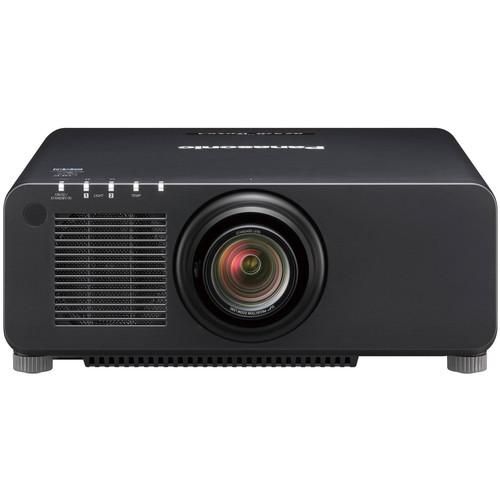 Contents of the user manual for the Panasonic PT-RZ970BU 10,000-Lumen WUXGA DLP Projector
- Product category: Multimedia Projectors Panasonic
- Brand: Panasonic
- Description and content of package
- Technical information and basic settings
- Frequently asked questions – FAQ
- Troubleshooting (does not switch on, does not respond, error message, what do I do if...)
- Authorized service for Panasonic Multimedia Projectors
 |
User manual for the Panasonic PT-RZ970BU 10,000-Lumen WUXGA DLP Projector contain basic instructions
that need to be followed during installation and operation.
Before starting your appliance, the user manual should be read through carefully.
Follow all the safety instructions and warnings, and be guided by the given recommendations.
User manual is an integral part of any Panasonic product,
and if it is sold or transferred, they should be handed over jointly with the product.
Following the instructions for use is an essential prerequisite for protecting
health and property during use, as well as recognition of liability on the part of the manufacturer
for possible defects should you make a warranty claim. Download an official Panasonic user manual in which you will find instructions on how to install, use, maintain and service your product.
And do not forget – unsuitable use of a Panasonic product will considerably shorten its lifespan!
|
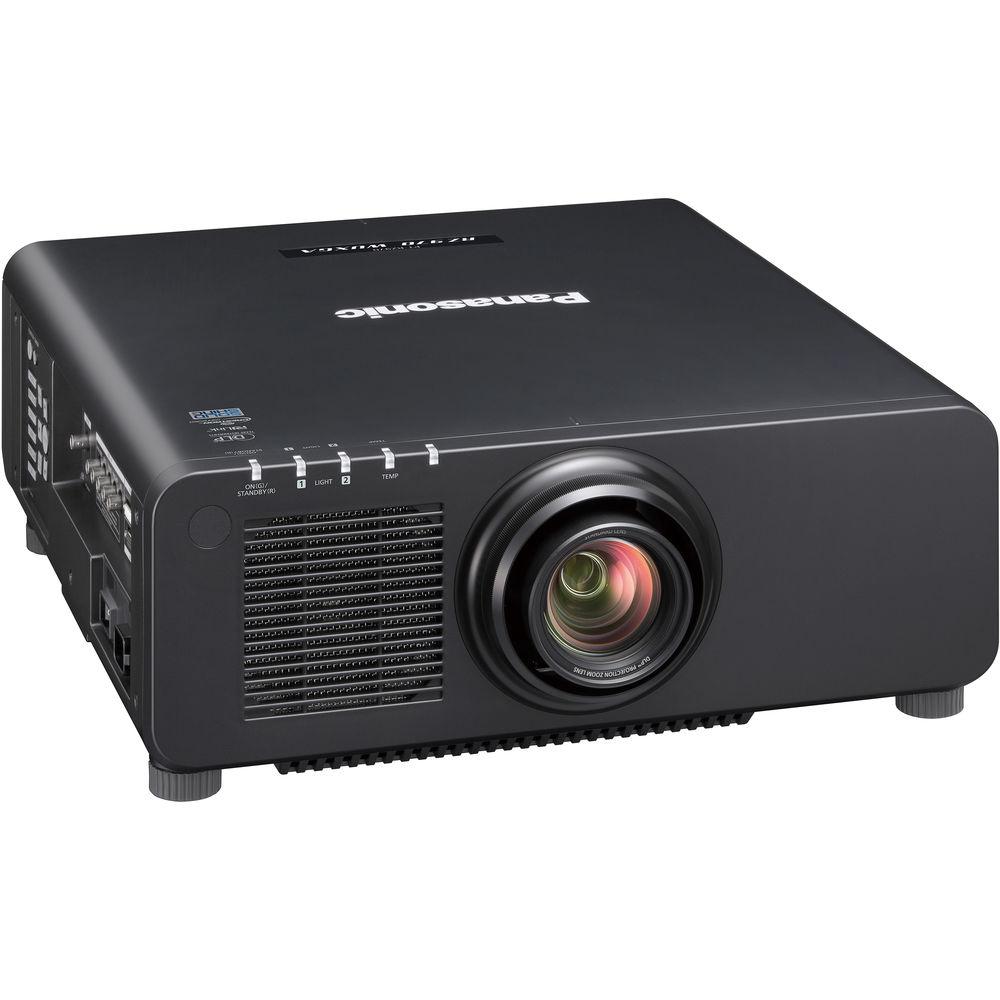
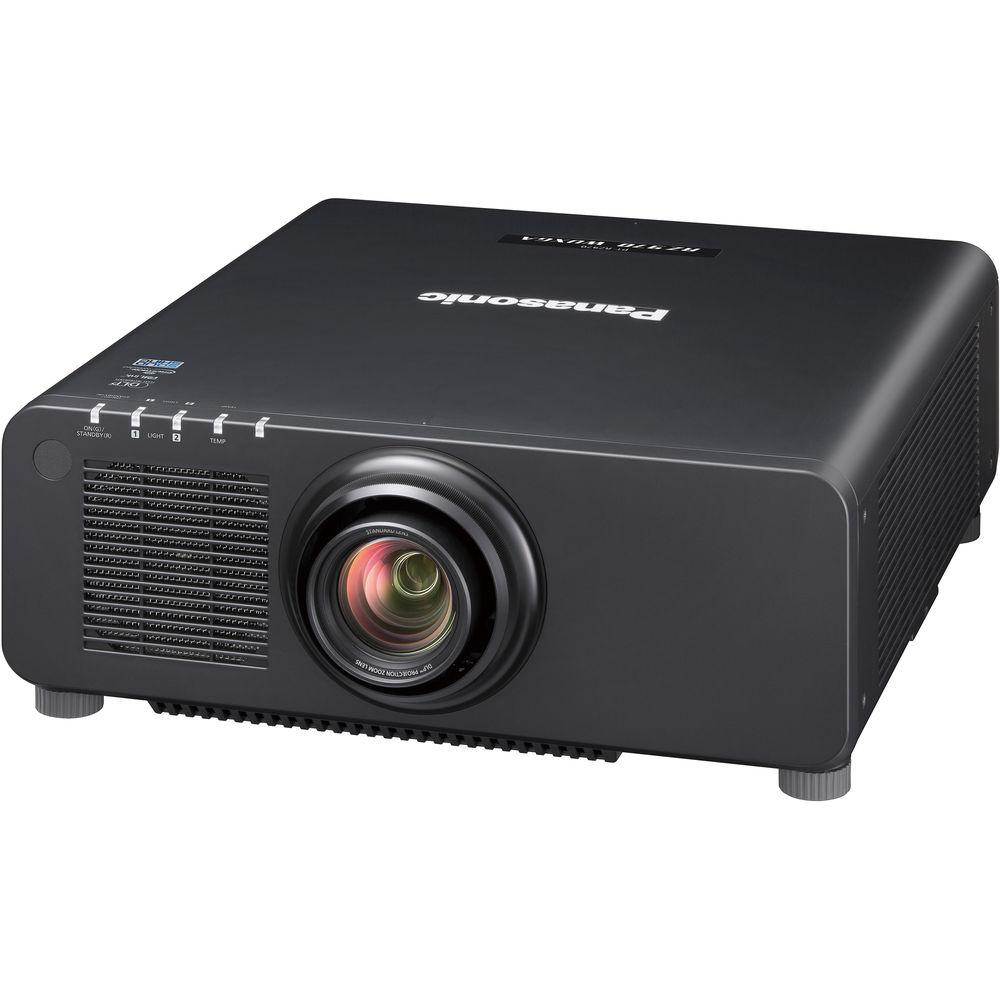
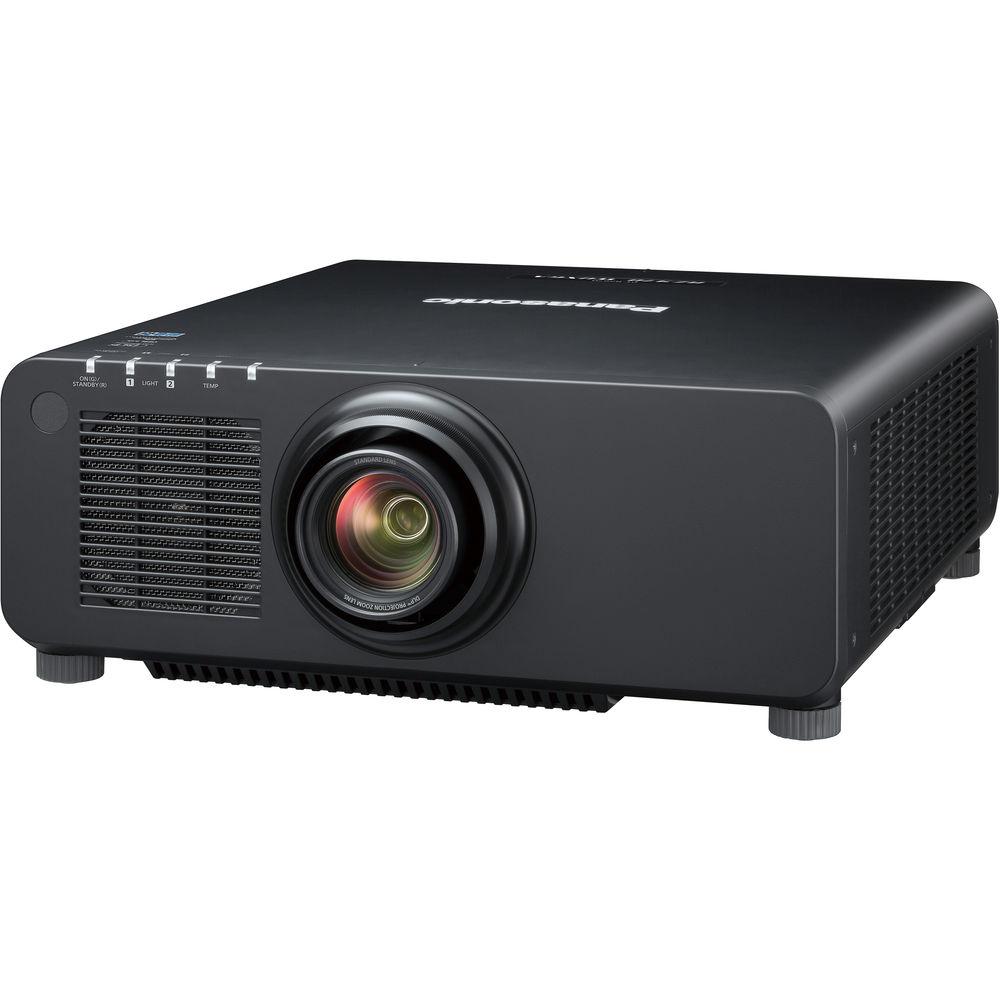
Product description Enjoy bright images in most settings with the black Panasonic PT-RZ970BU 10,000-Lumen WUXGA DLP Projector. Its 10,000 lumens of brightness and 10,000:1 dynamic contrast ratio will work together to overcome light in most rooms and provide detail in dark areas of the image. It sports a 1920 x 1200 WUXGA native resolution for viewing detailed video, pictures, or data. The 1.7 to 2.4:1 throw ratio offers a range of throw distances for focused images, and the projector supports a variety of optional interchangeable lenses to offer various throw ratio choices.
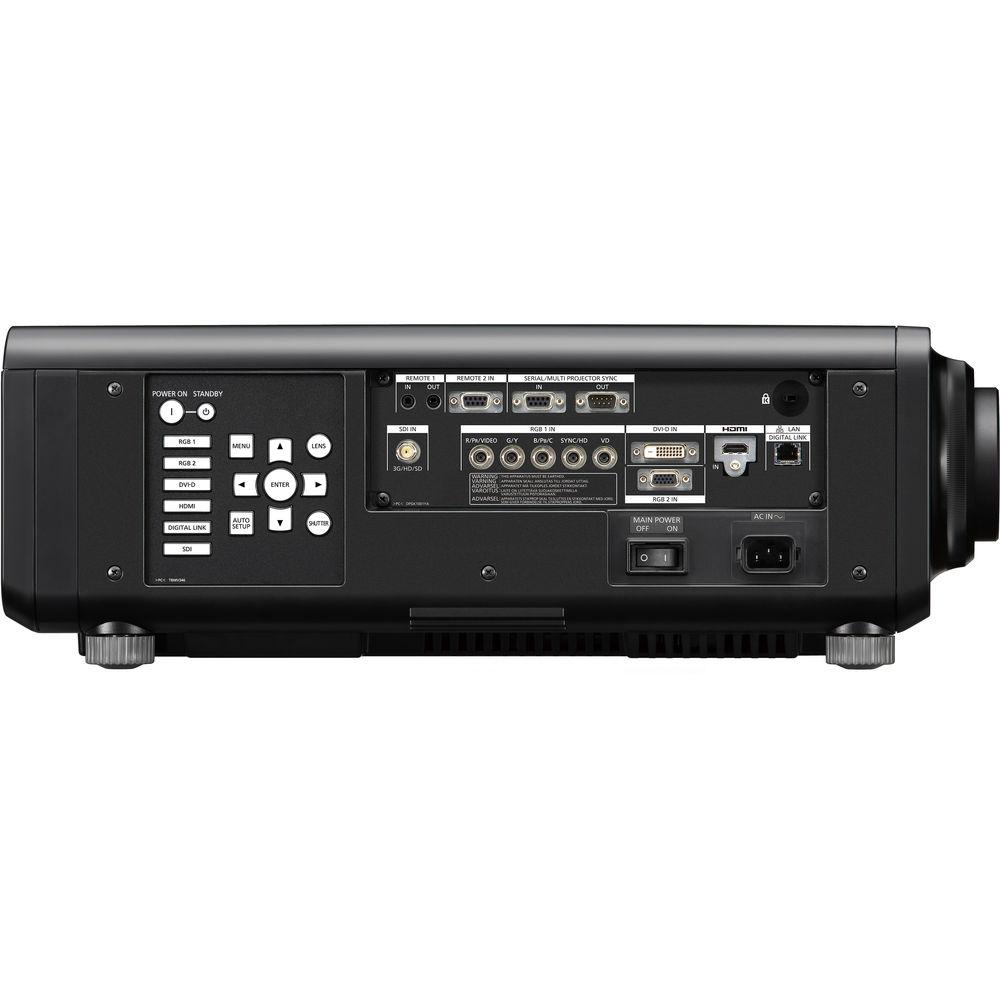
The PT-RZ970BU features HDMI, VGA, 3G-SDI, DVI-D, and HDBaseT inputs to connect to nearly any device. The projector is controllable via the included wireless/wired remote control, HDBaseT, or RS-232 with various control software options. - Enhanced Color with up to 10,000 Lumens of Brightness
- The PT-RZ970 is designed to produce enhanced images with DLP technology for high-resolution detail, dual-laser modules for up to 10,000 lumens of brightness, the Quartet Color Harmonizer for reduced energy loss from the light source, and a heat-resistant phosphor wheel.
- Augmented White Balance and Color Reproduction
- The Quartet Color Harmonizer wheel mechanism is engineered to capture a wide color space, which allows for white to be reproduced more realistically on-screen.
- Laser Module Maintains Picture Quality over Time
- Thanks to the dual solid-state laser modules, there are no lamps to replace, and image color and brightness degrade gradually in consistent, linear fashion. As well as reducing maintenance hassle, out-of-the-box picture quality is preserved longer.
- Light Control for High Contrast
- The PT-RZ970 directly modulates laser power output to achieve high contrast with low power consumption. Digitally controlled frame-by-frame scene-linking modulation helps ensure precise output adjustment, while 10,000:1 dynamic contrast is delivered even when bright and dark scenes frequently interchange.
- Detail Clarity Processor 3 Sharpens Details
- The circuit is designed to optimize the sharpness of each image based on the frequency components of the extracted image information, for enhanced realism.
- System Daylight View 3 for Bright Environments
- System Daylight View 3 helps prevent images from washing out in well-lit environments, enhancing brightness perception in multi-projector mapping applications by adjusting sharpness and gamma curves and correcting colors for an augmented visual impact.
- Engineered for Stable 24/7 Operation with Light Source Failover Protection
- The Dual-Drive Laser Optical Engine groups laser diodes into two discrete modules. A fail-safe redundancy circuit works to minimize loss of brightness uniformity and color uniformity if a laser diode fails, making the projector suitable for mission-critical applications. Furthermore, brightness decreases more gradually and consistently than lamp-based projectors over a 20,000-hour maintenance-free projection period.
- Dust-Resistant Airtight Optical Block
- The optical block is airtight, which helps to ensure consistent image quality for up to 20,000 hours without maintenance. The optical block design passed testing to assure reliability in environments with up to 0.15mg of particulate matter per cubic meter, preventing brightness degradation from dust intrusion.
- Selectable Operational Modes Help Maintain Image Quality
- In Normal Mode, the projector can operate continuously for up to 20,000 hours. In Eco Mode, this is extended up to 24,000 hours of continuous operation. These modes enhance suitability for education and signage applications. In environments where full brightness is not necessary, such as surveillance, control, and simulation rooms, constant operation modes extend light source replacement to up to 87,600 hours in Long Life Mode, which is approximately 10 years of 24/7 projection, with consistent brightness and color. In addition to preset operating modes, the PT-RZ970 can be customized to achieve your preferred balance of brightness performance or extended life.
- Contrast Sync and Shutter Sync Functions
- The PT-RZ970 features contrast and shutter sync functions for multi-screen and mapping applications. Contrast sync allows the projector's digitally modulated contrast function to be synchronized over the network for consistent picture quality across screens. Shutter sync incorporates a master/slave principle to synchronize shutter on/off timing between all networked projectors. It includes simultaneous fade-in and fade-out functions.
- Multi-Screen Support System Connects Multiple Screens
- With edge blending, edges of adjacent screens can be blended and their luminance controlled. Color matching corrects for slight variations in the color reproduction range of individual projectors. Computer software helps provide easy, accurate control.
- Multi-Unit Brightness and Color Control
- This function is designed to automatically correct brightness and color fluctuations that occur over time in individual projectors in a multi-screen system. Control up to eight projectors connected via a hub, and up to a maximum of 2048 projectors with Multi-Monitoring & Control Software.
- Geometric Adjustment for Custom Screen Surfaces
- Geometric Adjustment adapts the image for projection onto spherical, cylindrical, and other shaped screens. Fine-tuning is performed via the remote control, with no external equipment needed. Paired with the Multi-Screen Support System, creative mapping presentations are possible in a variety of event and staging applications.
- Geometry Manager Pro Software
- This software is designed to expand built-in functionality to make complex adjustments easier. The free software package includes enhanced color matching and edge blending for multi-screen projection and adjustment of multiple screens over the network. An optional upgrade kit for this software adds creative masking capability using either four lines or bitmap data, as well as uniformity correction and correction area expansion.
- Reduce Inventory Costs with Shared Lenses
- The PT-RZ970 shares optional lenses with other Panasonic projectors, reducing TCO for staging and event companies with large projector inventories. These lenses are designed to attach and detach with one-touch ease.
- Single-Cable DIGITAL LINK Control and Video Connection
- Upward HDBaseT-compatible DIGITAL LINK supports transmission of uncompressed Full HD video and control commands through a single Cat5e or higher STP cable for distances up to 492'. An optional DIGITAL LINK Switcher or Digital Interface Box can further simplify installation in large venues while reducing cost and improving reliability.
- Free 360° Rotation
- The projector can be rotated 360° for installation and projection at virtually any angle.
- Supports Art-Net DMX, Crestron Connected, and PJLink
- The PT-RZ970 is compatible with Art-Net DMX protocol for lighting management, allowing the projector to be connected to a lighting console, opening the door to a range of added functionality and control options. The onboard LAN/DIGITAL LINK terminal also supports Crestron Connected and PJLink (Class 1), for integration into an existing A/V network utilizing multiple device brands.
- Quick Start, Quick Off
- The laser light source doesn't require any warm-up, so images appear almost instantly (in about one second). There's also no cool-down period needed when turning the power off at the mains—the projector can be turned on and off any time as necessary.
- Multi-Monitoring and Control Software
- The software offers monitoring and control of up to 2048 devices over a LAN network from a single computer. For monitoring, status for individual devices can be listed in groups, with more detailed information shown separately. Control functions include power on/off, input switching, scheduling, and command inputs.
- Backup Input Setting Helps Optimize Performance
- This feature allows for smooth switching to a backup input signal should the primary signal be disrupted, helping to ensure reliability for mission-critical control rooms, projection mapping, staging, and in other applications where image display must be maintained.
- Web Browser Control
- The PT-RZ970 can be operated remotely over a LAN network via a computer's web browser. Projectors can be configured to alert you via email if an error has occurred.
- Optional Early Warning Software
- Early Warning Software monitors the status of projectors and displays connected to an intranet and informs you when an abnormality is detected or predicted, or when there are symptoms of trouble, helping to minimize downtime for stable operation.
- Additional Features
-
- Quiet Mode reduces operational noise
- DICOM Simulation Mode offers X-ray photo reproduction for educational use
- Rec. 709 Mode for HDTV projection for accurate colors
- Waveform monitor for simplified calibration
- Lens-centered design with a wide horizontal/vertical lens shift
- Shutter effect with fade in/fade out (configurable in half-second intervals from 0.5 to 4 seconds, or to 5-, 7-, or 10-second intervals)
- Image rotation function
- On-screen menu rotatable in Portrait mode
- Scheduling function
- Long-range 98' wireless remote control
- Customizable start-up logo
- ID assignment for up to 64 units
- Built-in test pattern
- RoHS Directive-compliant
UPC: 885170283459 In the Box Panasonic PT-RZ970BU 10,000-Lumen WUXGA DLP Projector with 1.7 to 2.4:1 Lens (Black) Wireless/Wired Remote Control 2 x AAA Battery Software CD-ROM Lens Cover Power Cord Limited 3-Year Warranty on Projector Limited 10,000-Hour Warranty on Illumination Parts Limited 1-Year Warranty on Fan Motors Limited 30-Day Warranty on Included Accessories Table of Contents
|
Upload User Manual
Have you got an user manual for the Panasonic PT-RZ970BU 10,000-Lumen WUXGA DLP Projector with 1.7 to 2.4:1 Lens in electronic form? Please send it to us and help us expand our library of instruction manuals.
Thank you, too, on behalf of other users.
To upload the product manual, we first need to check and make sure you are not a robot. After that, your "Submit Link" or "Upload File" will appear.
Technical parametersPanasonic PT-RZ970BU Specs | | | Display System | 0.67" DLP | | Native Chip Resolution | 1920 x 1200 (WUXGA) | | Max Brightness | 10,000 Lumens | | Uniformity | 90% | | Aspect Ratio | Native: 16:10 | | Dynamic Contrast Ratio | 10,000:1 | | Color Wheel | 4-Segment (R, G, B, Y) | | Scan | Horizontal: 15 to 100 kHz
Vertical: 24 to 120 Hz | | | | Focus | Manual Powered | | Lens | f/1.7 - 1.9 (f = 25.6 - 35.7 mm) | | Lens Shift | Vertical: -16 to 50%
Horizontal: -10 to 30% | | Optical Zoom | 1.39x | | Throw Distance | 5.971 - 103.839' / 1.82 - 31.65 m | | Throw Ratio | 1.7 - 2.4:1 | | Projection Size | 50 - 600" / 127.00 - 1524.00 cm | | | | Keystone Correction | Vertical: ± 40°
Horizontal: ± 15° | | Picture-in-Picture | Yes | | Ceiling Mountable | Yes | | Rear Screen Projection | Yes | | Projection Tilt Option | Yes | | | | Inputs/Outputs | 1 x HDBaseT (RJ45) Audio, Control, Data, LAN, Remote, Service, Video Input/Output
1 x 3G-SDI (BNC) Video Input
1 x HDMI (HDMI Type-A) Audio, Video Input
1 x DVI-D Video Input
1 x 5BNC Video Input
1 x VGA (DE-15) Video Input
1 x 1/8" (3.5 mm) Mini Remote Input
1 x 1/8" (3.5 mm) Mini Remote Output
1 x DE-9 Control Input
1 x DE-9 Control Output
1 x DE-9 Remote Input | | Memory Card Slot | None | | | | Light Source | Laser Phosphor | | Expected Lamp Life | Full Brightness: 20,000 Hours
Low Brightness: 24,000 Hours | | Fan Noise | Full Brightness: 41 dB
Medium Brightness: 37 dB
Low Brightness: 35 dB | | Security | Cable Lock Slot
Security Bar | | Supported Languages | English
French
German
Italian
Japanese
Korean
Portuguese
Russian
Simplified Chinese
Spanish | | AC Input Power | 100 to 240 VAC, 50 / 60 Hz | | Power Consumption | Full Brightness: 1050 W
Medium Brightness: 742 W
Low Brightness: 588 W
Standby Mode (Lamp Off): 85 W | | Operating Temperature | 32 to 113°F / 0 to 45°C | | Operating Humidity | 10 - 80% | | Dimensions (W x H x D) | 19.6 x 7.9 x 22.9" / 49.8 x 20.0 x 58.1 cm With included lens | | Weight | 51.1 lb / 23.2 kg With included lens | | | | Package Weight | 64.85 lb | | Box Dimensions (LxWxH) | 31.0 x 26.0 x 14.0" |
Rating70% users recommend this product to others. And what about you?

This product has already been rated by 18 owners. Add your rating and experience with the product.
Discussion
 Ask our technicians if you have a problem with your settings,
or if anything is unclear in the user manual you have downloaded.
You can make use of our moderated discussion.
The discussion is public and helps other users of our website who may be encountering similar problems.
Ask our technicians if you have a problem with your settings,
or if anything is unclear in the user manual you have downloaded.
You can make use of our moderated discussion.
The discussion is public and helps other users of our website who may be encountering similar problems.
The discussion is empty - enter the first post
Post a new topic / query / comment:
|
|
|
| Request for user manual |
You can’t find the operation manual you are looking for? Let us know and we will try to add the missing manual:
I’m looking for a manual / Request for manual
Current requests for instruction manuals:
Call Of Duty World War Two For Xbox...
controller stratus XL...
stratus XL...
smart whatch serie S11 42mm...
Allen & Heath SQ-6 manual...
|
| Discussion |
Latest contributions to the discussion:
AEW R 4100
Name: MAURICIO ANGARITA
Audio-Technica AEW-R4100 UHF Diversity Receiver for
AEW R 4100 has the mute function blocked and does not allow audio to pass. I tried several times to turn off the mute from the transmitter but it does nothing, the mute stays on. Solution?
Thank you...
Instructions for assembling the 2015 Forecast Image Master Consoles GC3-A
Name: mike elam
Forecast Consoles GC3-A ImageMaster Editing Console
Looking for instructions for assembling this console. ...
EMPTY TONER ERROR MESSAGE AFTER REPLACING TONER
Name: LINDA BAD YELLOW EYES
Brother TN223BK Standard-Yield Toner
I HAD TO CHANGE OUT ALL THREE TONERS DUE TO LEAKS IN THE YELLOW AND CYAN. AFTER I REPLACED THEM, THE MACHINE KEEPS GIVING ME AN EMPTY TONER ERROR MESSAGE. HELP!!...
PS480D 20/24 pin Switching 480W Power Supply
Name: swkargo
Logisys 480W Power Supply
This item states in can run -5vdc .It is NOT listed on the board or I beleive is r4 is missing the resitior. Any body have thid issue. Shawn
...
Help needed
Name: Ann Carter
SanDisk 1TB Extreme Portable USB 3.1
When I click the link to download the user manual for my Sandisk Extreme external hard drive, it gives me the manual for the LG Cricket. Can you please change the link so I can download the Sandisk manual and begin using this drive? Thank you....
|
|


