|
User Manual for Panasonic PT-VX425NU 4500-Lumen XGA 3LCD Projector Click to enlarge the picture
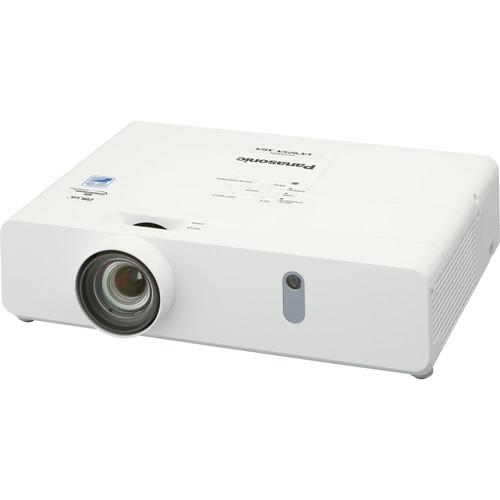 Contents of the user manual for the Panasonic PT-VX425NU 4500-Lumen XGA 3LCD Projector
- Product category: Multimedia Projectors Panasonic
- Brand: Panasonic
- Description and content of package
- Technical information and basic settings
- Frequently asked questions – FAQ
- Troubleshooting (does not switch on, does not respond, error message, what do I do if...)
- Authorized service for Panasonic Multimedia Projectors
 |
User manual for the Panasonic PT-VX425NU 4500-Lumen XGA 3LCD Projector contain basic instructions
that need to be followed during installation and operation.
Before starting your appliance, the user manual should be read through carefully.
Follow all the safety instructions and warnings, and be guided by the given recommendations.
User manual is an integral part of any Panasonic product,
and if it is sold or transferred, they should be handed over jointly with the product.
Following the instructions for use is an essential prerequisite for protecting
health and property during use, as well as recognition of liability on the part of the manufacturer
for possible defects should you make a warranty claim. Download an official Panasonic user manual in which you will find instructions on how to install, use, maintain and service your product.
And do not forget – unsuitable use of a Panasonic product will considerably shorten its lifespan!
|
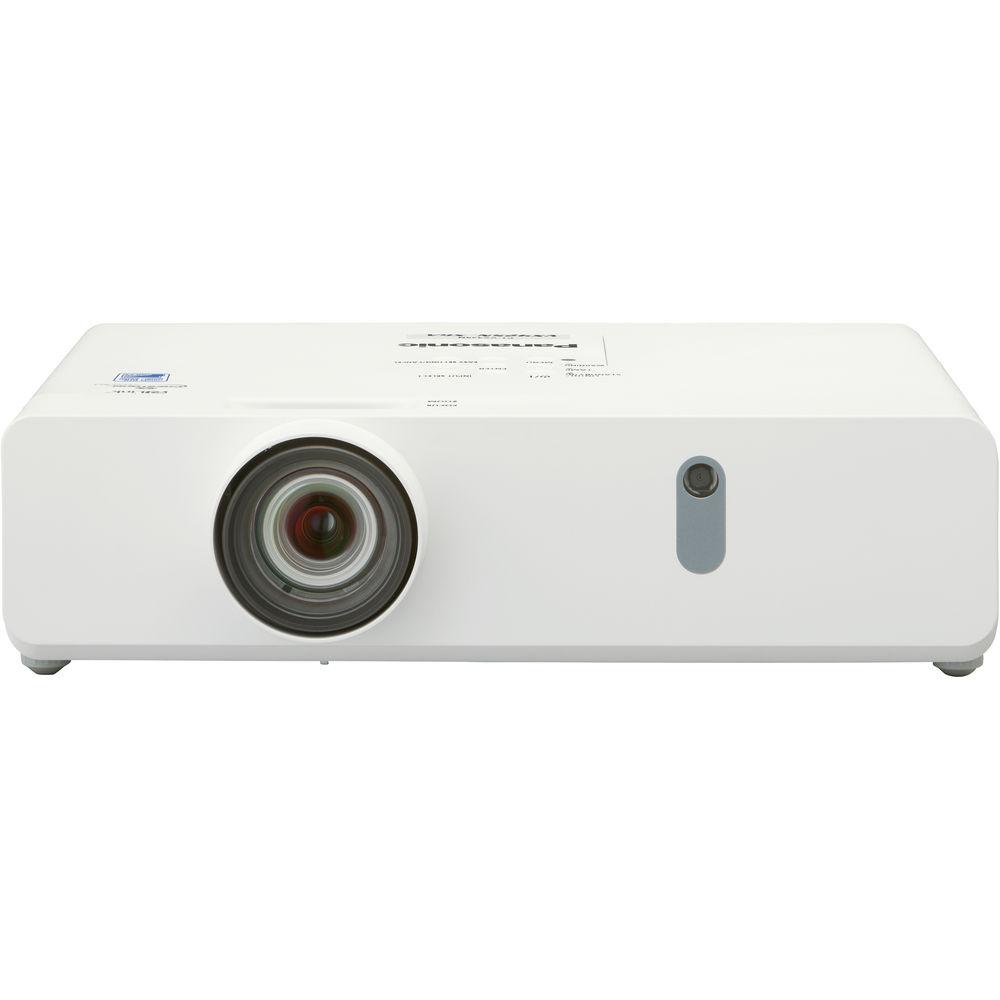
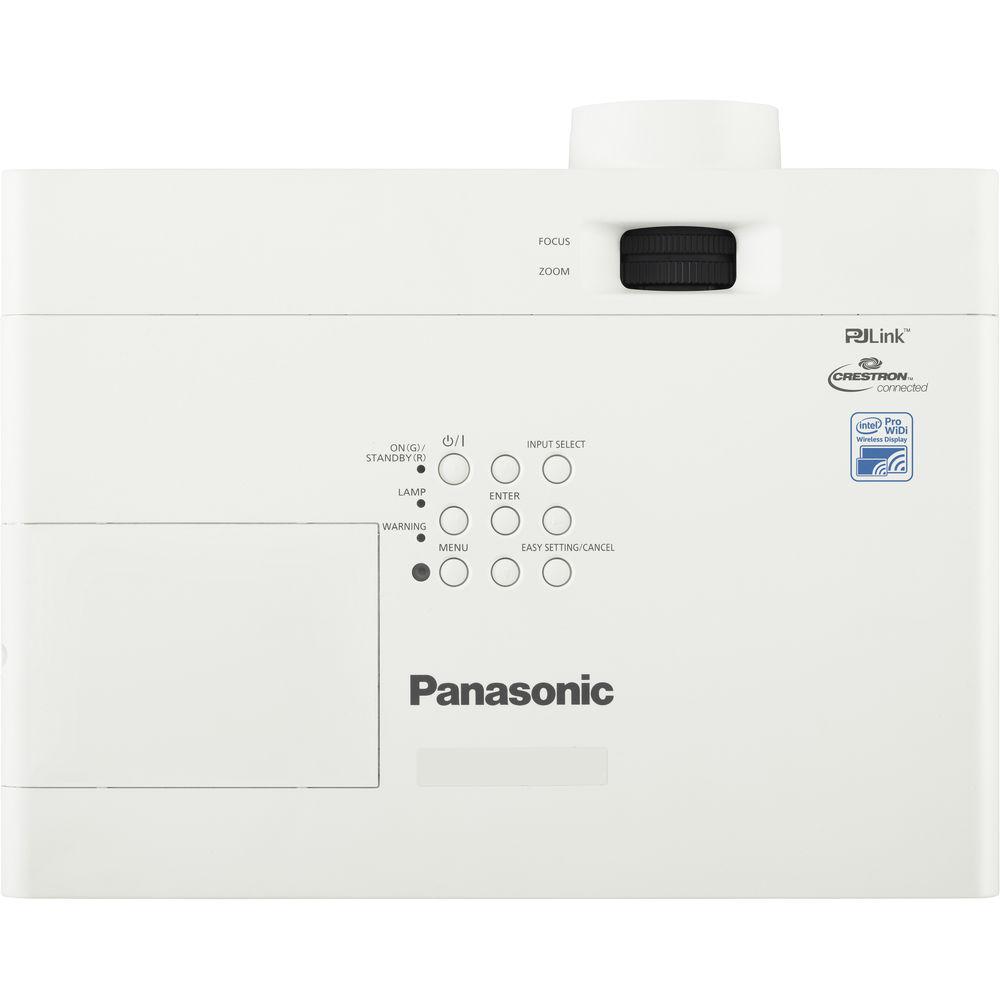
Product description Enjoy bright images in most everyday settings with the Panasonic PT-VX425NU 4500-Lumen XGA 3LCD Projector. Its 4500 lumens of brightness and 12,000:1 dynamic contrast ratio will work together to overcome light in moderately bright rooms and provide detail in dark areas of the image. It sports a 1024 x 768 XGA native resolution for viewing detailed video, pictures, or data. The projector's 1.2 to 1.9:1 throw ratio offers a range of throw distances for focused images.
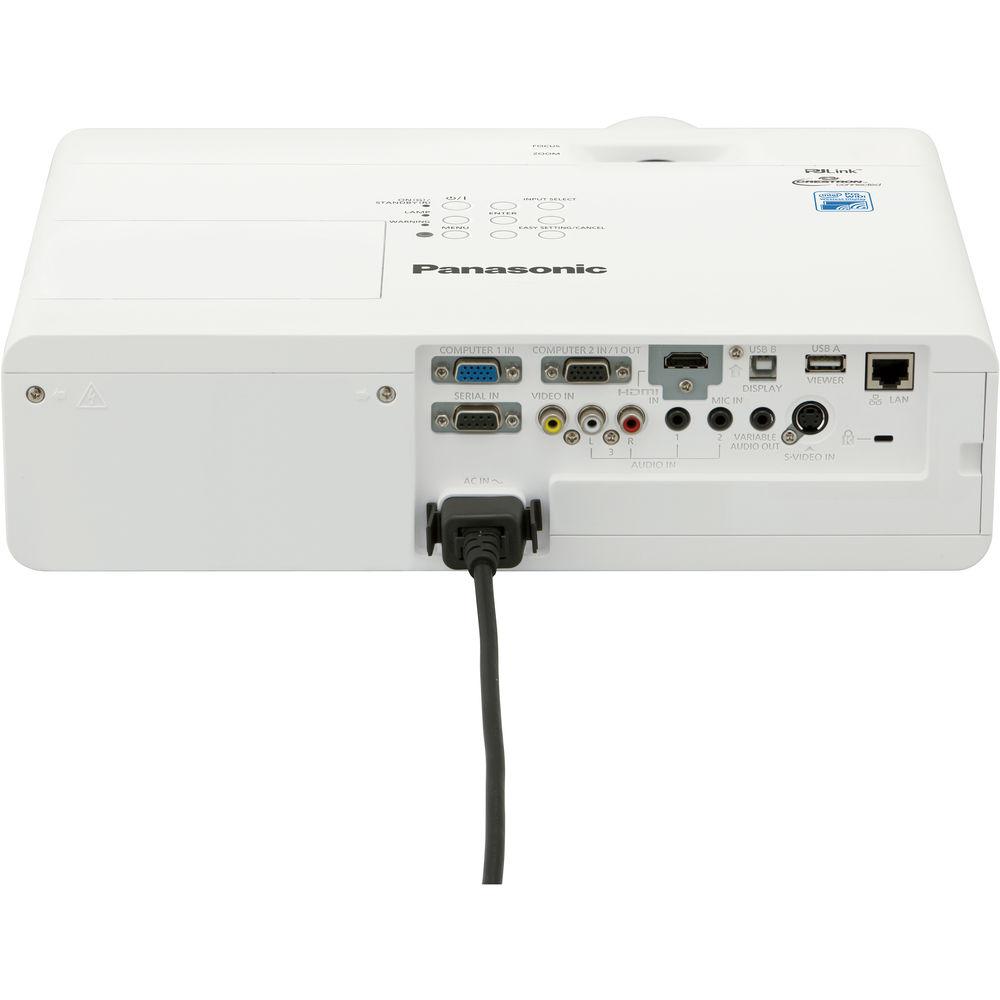
The PT-VX425NU features HDMI, S-Video, RCA composite, and two VGA inputs to connect to nearly any device. Its analog audio input and output will allow you to pass sound through the projector to your sound system of choice, and one VGA port is also an output for daisy-chaining multiple projectors or displays. The projector is controllable via the included remote control, Ethernet, or RS-232 with various control software options. Wireless Display Simplified with Wi-Fi-Certified Miracast - Share on the Big Screen
- Still images, video, and audio are transmitted peer-to-peer from Windows and Android devices. Video content is supported at up to 1080p resolution, with high-bandwidth performance facilitating nearly stutter-free playback.
- Selectable Display Modes
- Distinct display modes allow your source-device screen and the projector to interact in different ways depending on your needs.
- Duplicate Mode mirrors your smartphone, tablet, or computer screen on the projector screen.
- Extend Mode allows you to use the projection surface as an extended computer screen.
- Second Screen Only allows your computer's screen to only be shown on the projector screen.
- Wireless Security with Pin Codes
- A PIN code appears when a user attempts to connect to the projector. Only those with access can transmit wirelessly, preventing improper or accidental use.
- Selectable Channels
- Selectable 2.4 and 5 GHz channels help improve signal quality in Wi-Fi congested areas.
Designed for Ease of Use - Lightweight Design
- The lightweight 7.5 lb design of the PT-VX425NU helps make it easy to carry between locations.
- Simplified Setup
- The Easy Setting function with Focus Assist, Wall Color Compensation, and Screen Fitting allows for a quick, easy setup.
- Engineered for Easy Operation
- You can connect and project from multiple Windows or Android devices without a cable with built-in Wi-Fi and Miracast technology. Panasonic Wireless apps providing additional features are available for iOS and Mac users, as well as Windows and Android users.
- Wireless Manager ME 6.3 is designed to provide stable wireless transmission, supports Windows 10, and Mac OS X 10.10, and allows you to connect up to 10 computers in Multi-Live Mode.
- Wireless Projector for iOS 3.3.2 and Android 2.4.0 connects in fewer steps than computer interfaces and supports formats such as PowerPoint, Word, Excel, PDF, Camera, Screen Shot, Keynote (iOS only), Pages (iOS only), Numbers (iOS only), Text (iOS only), Rich Text (iOS only), WEB (iOS only), Photo (iOS only), JPG (Android only), and PNG (Android only).
- The optional ET-UW100 Wireless Stick plugs into your computer's USB port and provides Internet access while also allowing you to project wirelessly. It supports Windows 8.1 and Mac OS X 10.9.
- Multi-Live Mode, which is available for computer, iOS, and Android apps, as well as the optional Wireless Stick, enables display of media from up to 16 different devices in split screen. You can also transmit to up to eight projectors/displays from one computer.
- Easy Setting Function
- Simply place the projector on a table and press Auto Setup. Data from sensors is used to fit and focus the image on the wall or screen, correcting for surface coloration.
- 1.6x Zoom Lens
- When projecting onto a 100" screen, the included 1.6x zoom lens supports a range of projection distances from 8.2 to 13.5'.
- Corner Keystone Correction
- Designate four corners on the projection surface, and horizontal and vertical corner keystone correction creates a symmetrical image.
- Built-In Speaker and Mic Input
- An internal 10-watt speaker plays audio from your presentation or video, or from a connected microphone.
- Side-by-Side and P-in-P Modes
- Two media sources can be displayed side by side, while Picture-in-Picture Mode displays media in a sub-window positioned in any corner of the screen.
- Memory Viewer Function
- You don't need a computer to start presenting. Just insert a USB memory device containing media and start projecting right away.
Bright Performance from a Compact Body - Bright Images
- Despite its compact 13.9 x 3.9 x 11" dimensions, the PT-VX425NU outputs up to 4500 lumens of brightness for clear, bright images in most settings.
- High 12,000:1 Dynamic Contrast Ratio
- The iris mechanism is designed to optimize light output according to content, while allowing the projector to produce deep blacks and realistic colors and highlights.
- Up to 7000 Hours of Maintenance-Free Operation
- When used for eight hours per day, lamp and filter replacement is not required for up to four years (or 7000 hours of operation), reducing cost of ownership.
- Daylight View Basic
- Daylight View Basic uses a sensor to measure ambient light, helping the projector optimize brightness, color, and contrast for vivid images in bright rooms.
- Engineered for Quiet Operation
- The projector's design keeps noise levels down to 29 dB in Eco Mode, minimizing distractions during presentations.
- Additional Features
-
- Direct power-off function
- 0.5W of power consumption on standby when set to Eco
- Auto input signal search
- Input guidance function
- Color board and blackboard modes
- Remote monitoring and control over LAN
- Crestron Connected-, AMX DD-, and PJLink-compatible
- Ecology-conscious design
UPC: 885170245532 In the Box Panasonic PT-VX425NU 4500-Lumen XGA 3LCD Projector Remote Control 2 x AAA Battery VGA Cable Lens Cap Software CD-ROM Power Cord Limited 3-Year or 2000-Hour Warranty on Projector, Whichever Comes First Limited 90-Day Warranty on Lamp Limited 30-Day Warranty on Included Accessories Table of Contents
|
Upload User Manual
Have you got an user manual for the Panasonic PT-VX425NU 4500-Lumen XGA 3LCD Projector in electronic form? Please send it to us and help us expand our library of instruction manuals.
Thank you, too, on behalf of other users.
To upload the product manual, we first need to check and make sure you are not a robot. After that, your "Submit Link" or "Upload File" will appear.
Technical parametersPanasonic PT-VX425NU Specs | | | Display System | 3-Chip 0.63" LCD | | Native Chip Resolution | 1024 x 768 (XGA) | | Supported Resolutions | Maximum: Full HD 1080p - 1920 x 1080 @ 60 Hz | | Max Brightness | 4500 Lumens | | Uniformity | 85% | | Aspect Ratio | Native: 4:3 | | Dynamic Contrast Ratio | 12,000:1 | | Scan | Horizontal: 15 to 91.1 kHz
Vertical: 50 to 100 Hz | | | | Focus | Manual | | Lens | f/1.6 - 1.9 (f = 15.31 - 26.24 mm) | | Optical Zoom | Manual: 1.6x | | Throw Distance | 2.3 - 38.06' / 0.7 - 11.6 m | | Throw Ratio | 1.2 - 1.9:1 | | Projection Size | 30 - 300" / 76.20 - 762.00 cm | | | | Keystone Correction | Vertical: ± 40°
Horizontal: ± 30° | | Picture-in-Picture | None | | Ceiling Mountable | Yes | | Rear Screen Projection | Yes | | Built-In Speaker | Yes (Mono) | | Speaker Power | 10W | | | | Inputs/Outputs | 1 x HDMI (HDMI Type-A) Audio, Video Input
1 x VGA (DE-15) Video Input
1 x VGA (DE-15) Video Input/Output
1 x S-Video (4-Pin DIN) Video Input
1 x Component (RCA) Video Input
1 x 2RCA Audio Input
1 x 1/8" (3.5 mm) Mini Audio Input
1 x 1/8" (3.5 mm) Mini Audio Line/Mic Input
1 x 1/8" (3.5 mm) Mini Audio Output
1 x Ethernet (RJ45) LAN
1 x RS-232 (DE-9) Control Input
1 x USB 2.0 (USB Type-A) Audio, Video Input
1 x USB 2.0 (USB Type-B) Audio, Video Input | | Memory Card Slot | None | | Wireless LAN / Wi-Fi | Yes, Built-in | | | | Light Source | Lamp | | Lamp Power | 240 W | | Expected Lamp Life | Full Brightness: 5000 Hours
Low Brightness: 7000 Hours | | Fan Noise | Full Brightness: 37 dB
Low Brightness: 29 dB | | Security | Cable Lock Slot | | Supported Document File Types | DOC, PDF, PPT, TXT, XLS | | Supported Photo File Types | PNG | | AC Input Power | 100 to 240 VAC, 50 / 60 Hz | | Power Consumption | Standby Mode (Lamp Off): <14 W | | Max Operating Altitude | 7874' / 2400 m | | Operating Temperature | 32 to 104°F / 0 to 40°C | | Operating Humidity | 20 - 80% | | Dimensions (W x H x D) | 13.9 x 3.9 x 11.0" / 352.0 x 98.0 x 279.4 mm Including protruding parts, with legs fully retracted | | Weight | 7.50 lb / 3.4 kg Approximate | | | | Package Weight | 13.35 lb | | Box Dimensions (LxWxH) | 19.6 x 14.0 x 8.1" |
Rating100% users recommend this product to others. And what about you?

This product has already been rated by 81 owners. Add your rating and experience with the product.
Discussion
 Ask our technicians if you have a problem with your settings,
or if anything is unclear in the user manual you have downloaded.
You can make use of our moderated discussion.
The discussion is public and helps other users of our website who may be encountering similar problems.
Ask our technicians if you have a problem with your settings,
or if anything is unclear in the user manual you have downloaded.
You can make use of our moderated discussion.
The discussion is public and helps other users of our website who may be encountering similar problems.
The discussion is empty - enter the first post
Post a new topic / query / comment:
|
|
|
| Request for user manual |
You can’t find the operation manual you are looking for? Let us know and we will try to add the missing manual:
I’m looking for a manual / Request for manual
Current requests for instruction manuals:
Call Of Duty World War Two For Xbox...
controller stratus XL...
stratus XL...
smart whatch serie S11 42mm...
Allen & Heath SQ-6 manual...
|
| Discussion |
Latest contributions to the discussion:
AEW R 4100
Name: MAURICIO ANGARITA
Audio-Technica AEW-R4100 UHF Diversity Receiver for
AEW R 4100 has the mute function blocked and does not allow audio to pass. I tried several times to turn off the mute from the transmitter but it does nothing, the mute stays on. Solution?
Thank you...
Instructions for assembling the 2015 Forecast Image Master Consoles GC3-A
Name: mike elam
Forecast Consoles GC3-A ImageMaster Editing Console
Looking for instructions for assembling this console. ...
EMPTY TONER ERROR MESSAGE AFTER REPLACING TONER
Name: LINDA BAD YELLOW EYES
Brother TN223BK Standard-Yield Toner
I HAD TO CHANGE OUT ALL THREE TONERS DUE TO LEAKS IN THE YELLOW AND CYAN. AFTER I REPLACED THEM, THE MACHINE KEEPS GIVING ME AN EMPTY TONER ERROR MESSAGE. HELP!!...
PS480D 20/24 pin Switching 480W Power Supply
Name: swkargo
Logisys 480W Power Supply
This item states in can run -5vdc .It is NOT listed on the board or I beleive is r4 is missing the resitior. Any body have thid issue. Shawn
...
Help needed
Name: Ann Carter
SanDisk 1TB Extreme Portable USB 3.1
When I click the link to download the user manual for my Sandisk Extreme external hard drive, it gives me the manual for the LG Cricket. Can you please change the link so I can download the Sandisk manual and begin using this drive? Thank you....
|
|


