User Manual for Panasonic WV-S2531LTN 1080p Outdoor Vandal-Resistant Network Dome Camera with 9-21mm Lens Click to enlarge the picture
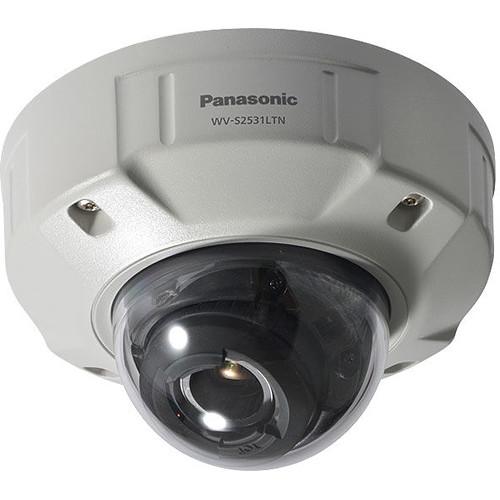 Contents of the user manual for the Panasonic WV-S2531LTN 1080p Outdoor Vandal-Resistant Network
- Product category: Wired IP Cameras Panasonic
- Brand: Panasonic
- Description and content of package
- Technical information and basic settings
- Frequently asked questions – FAQ
- Troubleshooting (does not switch on, does not respond, error message, what do I do if...)
- Authorized service for Panasonic Wired IP Cameras
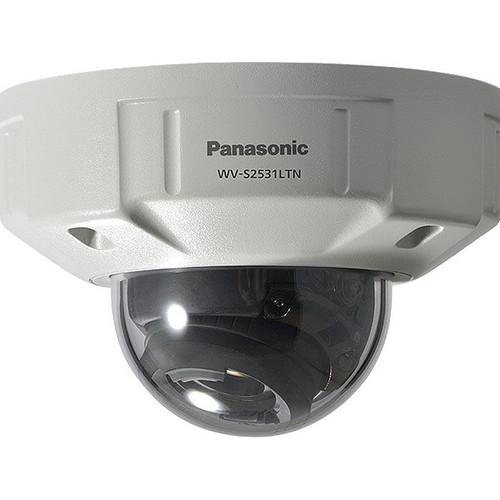
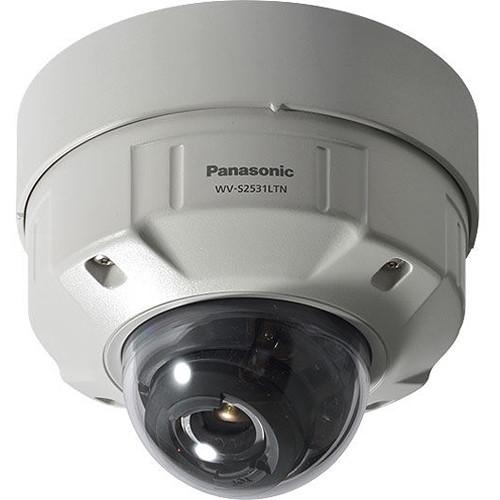
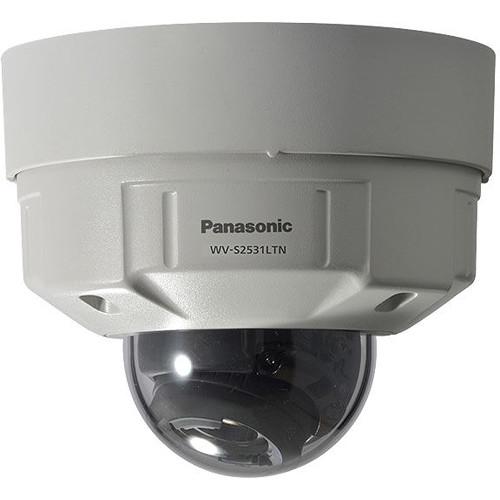 |
User manual for the Panasonic WV-S2531LTN 1080p Outdoor Vandal-Resistant Network contain basic instructions
that need to be followed during installation and operation.
Before starting your appliance, the user manual should be read through carefully.
Follow all the safety instructions and warnings, and be guided by the given recommendations.
User manual is an integral part of any Panasonic product,
and if it is sold or transferred, they should be handed over jointly with the product.
Following the instructions for use is an essential prerequisite for protecting
health and property during use, as well as recognition of liability on the part of the manufacturer
for possible defects should you make a warranty claim. Download an official Panasonic user manual in which you will find instructions on how to install, use, maintain and service your product.
And do not forget – unsuitable use of a Panasonic product will considerably shorten its lifespan!
|
Product description The WV-S2531LTN 1080p Outdoor Vandal-Resistant Network Dome Camera with 9-21mm Lens from Panasonic features a 2.4 MP 1/3" progressive scan MOS image sensor to capture 1080p video at up to 60 fps. The 9-21mm lens has a maximum aperture of f/1.7, and provides a 34° horizontal field of view. Built-in IR LEDs enable clear image capturing at 0 lux to a distance of up to 131'. In addition, the camera features video motion detection (VMD) with 4 programmable detection areas, 15 steps of sensitivity, and 10 steps of detection size. Smart facial coding provides face capture while reducing bandwidth. The camera supports SD cards up to 128GB. Full encryption SD card edge recording keeps your data safe. This ONVIF-compliant camera is IP66-, NEMA 4X-, and IK10-rated for outdoor use and resistance against inclement weather conditions, shock, and vandals. - Wide dynamic range (WDR), digital noise reduction (DNR), backlight compensation (BLC), and highlight compensation (HLC) for clearer images
- Color night vision and super chroma compensation (SCC) produces better color reproduction in the low light
- Intelligent auto monitors scene dynamics and motion in real time to adjust camera settings automatically
- Smart coding for facial detection and recognition
- Fog compensation for improved visibility
- Full-duplex bidirectional audio communication between the camera and monitoring site
- Video motion detection with four programmable detections areas
- Privacy zone masking for up to eight areas
- Four alarm sources of terminal input, video motion detection, command alarm and audio detection alarm that activate the SDXC/SDHC/SD memory recording, email notification, HTTP alarm notification, indication on browser, FTP image transfer and Panasonic alarm protocol output
- 2.3x optical zoom and 79" focus range
- Microphone and line level inputs
- Power over Ethernet (PoE) connectivity
- H.265/H.264 and MJPEG compression to improve bandwidth efficiency
- Compatible with Microsoft Windows 7, 8, 8.1, and 10
- Compatible with Microsoft Internet Explorer 8 to 11 (32-bit)
- iPad, iPhone, Android compatibility
- SDXC/SDHC/SD memory card slot for up to 128GB of storage
In the Box Panasonic WV-S2531LTN 1080p Outdoor Vandal-Resistant Network Dome Camera with 9-21mm Lens Limited 3-Year Warranty Table of Contents
|
Upload User Manual
Have you got an user manual for the Panasonic WV-S2531LTN 1080p Outdoor Vandal-Resistant Network Dome Camera with 9-21mm Lens in electronic form? Please send it to us and help us expand our library of instruction manuals.
Thank you, too, on behalf of other users.
To upload the product manual, we first need to check and make sure you are not a robot. After that, your "Submit Link" or "Upload File" will appear.
Technical parametersPanasonic WV-S2531LTN Specs | | | Image Sensor | 1/3" MOS | | Minimum Illumination | Color: 0.015 lux, B&W: 0.008 lux
(f/1.7, Maximum Shutter: Max. 1/30 sec, AGC: 11)
B&W: 0 lux
(f/1.7, Maximum Shutter: Off (1/30 sec), AGC: 11, when the IR LED is lit)
Color: 0.001 lux, B&W: 0.0005 lux
(f/1.7, Maximum Shutter: Max. 16/30 sec, AGC: 11)
| | White Balance | AWC (2000-10,000K), ATW1 (2700-6000K), ATW2 (2000-6000K) | | Shutter Speed | 1/30 to 1/10,000
1/30 fix to 2/120 fix is available during 30 fps mode only
1/60 fix is available during 60 fps mode only | | Intelligent Auto | On/off | | Super Dynamic | On/off, the level can be set in the range of 0 to 31 | | Dynamic Range | 144 dB (Super Dynamic: On) | | Adaptive Black Stretch | The level can be set in the range of 0 to 255 | | BLC | Backlight compensation/off
Only When Super Dynamic and Intelligent Auto: Off
| | HLC | Highlight compensation/off
Only When Super Dynamic and Intelligent Auto: Off
| | Defog | On/off, only when intelligent auto and auto contrast adjust are off | | AGC (Automatic Gain Control) | The level can be set in the range of 0 to 11 | | Day/Night | Off / On (IR Light Off) / On (IR Light On) / Auto1 (IR Light Off) / Auto2 (IR Light On) / Auto3 (SCC) | | | | Camera Control | Brightness
AUX: Open/Close
| | Audio | Mic (Line) Input: On/Off Volume Adjustment: Low, Middle, High
Audio Output: On/Off Volume Adjustment: Low, Middle, High
| | GUI/Setup Menu Language | English, Italian, French, German, Spanish, Portuguese, Russian, Chinese, Japanese | | | | Network IF | 10Base-T/100Base-TX, RJ45 connector | | Image Resolution | 2 MP (16:9) (30/60 fps) 1920 x 1080, 1280 x 720, 640 x 360, 320 x 180
3 MP (4:3) (30 fps) 2048 x 1536, 1280 x 960, 800 x 600, 640 x 480, 400 x 300, 320 x 240 | | | | Source | 3 terminals input, VMD, command alarm, audio detection alarm | | Alarm Actions | SDXC/SDHC/SD memory recording, email notification, HTTP alarm notification indication on browser, FTP image transfer, Panasonic protocol output | | | | Power Source and Consumption | DC Power Supply: 12 VDC, 750 mA, 9 W
PoE (IEEE 802.3af compliant) Device: 48 VDC, 195 mA, 9.4 W (Class 0 device)
| | Ambient Operating Temperature | IR LED On: -40 to 122°F / -40 to 50°C
IR LED Off: -40 to 140°F / -40 to 60°C
| | Ambient Operating Humidity | 10 to 100% (no condensation) | | Finish | Main Body: Aluminum Die Cast, Light Gray
Dome Section: Clear Polycarbonate Resin (ClearSight Coating)
| | Water and Dust Resistance | IP66, IEC60529 measuring standard compatible, Type 4X (UL50), NEMA 4X compliant | | Shock Resistance | Compliant with 50J IEC60068-2-75, IK10 (IEC 62262) | | Dimensions | 6 15/32 x 5 15/32" / 164 x 139 mm
Dome radius 1 21/32" / 42 mm | | Weight | 3.53 lb / 1.6 kg with base bracket
2.65 lb / 1.2 kg with attachment plate |
Rating80% users recommend this product to others. And what about you?

This product has already been rated by 52 owners. Add your rating and experience with the product.
Discussion
 Ask our technicians if you have a problem with your settings,
or if anything is unclear in the user manual you have downloaded.
You can make use of our moderated discussion.
The discussion is public and helps other users of our website who may be encountering similar problems.
Ask our technicians if you have a problem with your settings,
or if anything is unclear in the user manual you have downloaded.
You can make use of our moderated discussion.
The discussion is public and helps other users of our website who may be encountering similar problems.
The discussion is empty - enter the first post
Post a new topic / query / comment:
|
|


