User Manual for Pelco Sarix IXE Series 3MP Network Box Camera with SureVision 3.0 Click to enlarge the picture
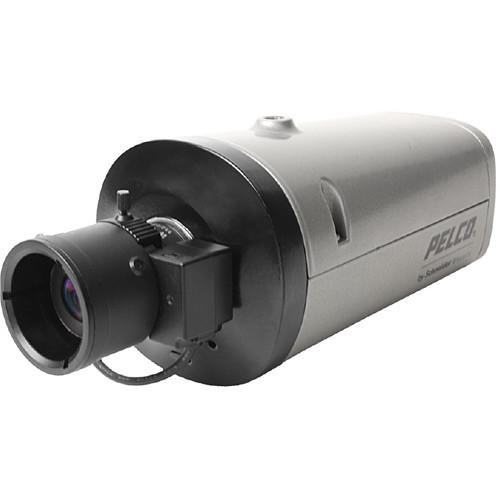 Contents of the user manual for the Pelco Sarix IXE Series 3MP Network
- Product category: Wired IP Cameras Pelco
- Brand: Pelco
- Description and content of package
- Technical information and basic settings
- Frequently asked questions – FAQ
- Troubleshooting (does not switch on, does not respond, error message, what do I do if...)
- Authorized service for Pelco Wired IP Cameras
 |
User manual for the Pelco Sarix IXE Series 3MP Network contain basic instructions
that need to be followed during installation and operation.
Before starting your appliance, the user manual should be read through carefully.
Follow all the safety instructions and warnings, and be guided by the given recommendations.
User manual is an integral part of any Pelco product,
and if it is sold or transferred, they should be handed over jointly with the product.
Following the instructions for use is an essential prerequisite for protecting
health and property during use, as well as recognition of liability on the part of the manufacturer
for possible defects should you make a warranty claim. Download an official Pelco user manual in which you will find instructions on how to install, use, maintain and service your product.
And do not forget – unsuitable use of a Pelco product will considerably shorten its lifespan!
|
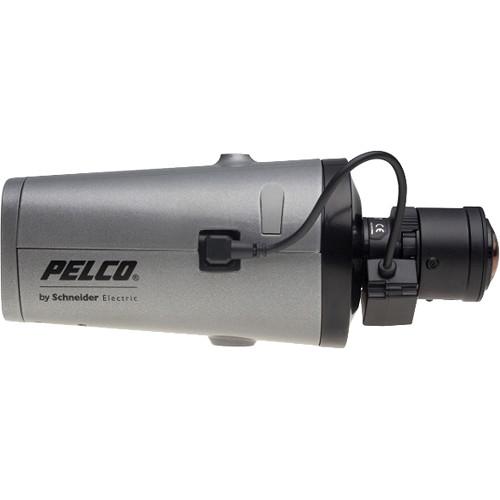
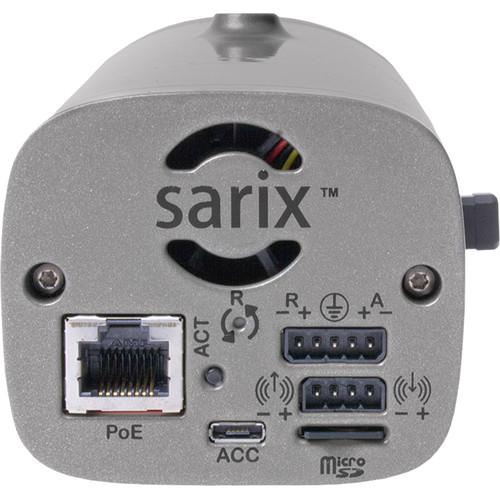
Product description The Sarix IXE Series 3MP Network Box Camera features SureVision technology which helps the camera achieve better resolution, consistent color science, fast processing, and simultaneous advanced low-light performance with wide dynamic range (WDR) and anti-bloom technologies. It comes with a 1/2.8" CMOS sensor and is compatible with standard CS-mount megapixel lenses. The camera supports two independently configurable video streams in addition to a service video stream. These streams can be compressed in MJPEG and H.264 formats across several resolution configurations. The camera includes eight user-configurable behaviors and is capable of running up to two behaviors at the same time. For each behavior, you can create several custom profiles that contain different camera settings. With these profiles, you can set up different scenarios for the behavior, which will automatically detect and trigger alarms when a specific activity is detected. Available Pelco behaviors include abandoned object, intrusion detection, camera sabotage, wrong direction, loitering detection, object counting, object removal, and stopped vehicle. This camera supports Power over Ethernet (PoE) to simplify planning, wiring, and installation. PoE functionality works with PoE-enabled network switches or power injectors, eliminating the need for separate power supplies and cabling, and increases camera fail safety with an uninterruptible power supply (UPS). UPC: 700880339480 In the Box Pelco Sarix IXE Series 3MP Network Box Camera with SureVision 3.0 (No Lens) Limited 3-Year Warranty Spec sheet PDF 723.2kb Table of Contents
|
Upload User Manual
Have you got an user manual for the Pelco Sarix IXE Series 3MP Network Box Camera with SureVision 3.0 in electronic form? Please send it to us and help us expand our library of instruction manuals.
Thank you, too, on behalf of other users.
To upload the product manual, we first need to check and make sure you are not a robot. After that, your "Submit Link" or "Upload File" will appear.
Technical parametersPelco Sarix IXE Specs | | | Sensor | 3 MP 1/2.8" progressive scan CMOS | | Maximum Resolution | 2048 x 1536 | | Signal-to-Noise Ratio | >60 dB | | Focus | Auto-back focus | | Electronic Shutter | 1/20,000 sec to 2 sec | | Wide Dynamic Range | True Wide Dynamic Range: 130 dB | | Auto White Balance Range | 2000 to 10,000K | | Sensitivity | f/1.3; 2850K; SNR >20 dB
Color: 0.05 lux (33 ms); 0.005 lux (500 ms)
Mono: 0.01 lux (33 ms); 0.001 lux (500 ms) | | Day/Night Mode | Yes | | Mechanical IR Cut Filter | Yes (ON/OFF/AUTO selectable) with different set points on lux | | | | Video Streams | Independently configurable primary and secondary streams plus service stream | | Available Resolutions | Stream 1 (4:3):
3 MP at 2048 x 1536; 2.95 MP at 1944 x1488; 1.8 MP at 1600 x1200
Stream 2 (16:9):
1080p at 1920 x 1080 | | Frame Rate | Up to 60 frames per second, 30 fps with WDR | | Video Encoding | H.264 High, main, or base profiles; and MJPEG | | Bit Rate | Constrained variable bit rate (CVBR) and constant bit rate (CBR) | | Mode | Corridor: Electronic image flip and mirror: 180°, 90°, and 270° (H.264 only) | | Streaming | JPEG stream; 640 x 480 or 640 x 360, up to 15 fps | | Image Stabilization | EIS (Electronic Image Stabilization) | | | | Streaming | Bidirectional: Full or half duplex | | Input/Output | Line level/external microphone input and built-in microphone; Single-ended, 1 V p-p max. signal level | | Compression | G.711 PCM 8 bit, 8 kHz mono at 64 kbps | | | | Supported Protocols | TCP/IP, UDP/IP (Unicast, Multicast IGMP), UPnP, DNS, DHCP, RTP, RTSP, NTP, IPv4, IPv6, SNMP v2c/v3, QoS, HTTP, HTTPS, SSH, SSL, SMTP, FTP, ARP, ICMP, and 802.1x (EAP) | | Users | Unicast: Up to 20 simultaneous users depending on the resolution settings
Multicast: Unlimited users H.264 | | Security Access | Password protected | | Software Interface | Web browser view and setup | | | | Total Number of Network Ports | RJ45 connector for 100Base-TX
Auto MDI/MDI-X | | Cable Type | Cat5 or better for 100Base-TX | | Input Power | PoE (IEEE 802.3af, Class 3), 24 VAC, 12 VDC | | Power Consumption | Up to 12W nominal | | Current Consumption | 330 mA at POE; 0.5 A at 24 VAC; 1 A at 12 VDC | | Local Storage | microSD, SDHC, SDXC | | Alarm | Unsupervised: Detects open or closed alarm state
Input: 5 VDC maximum, 0.5 mA maximum | | Relay Output | ±350V VDC maximum, ±130 mA maximum | | | | Processor | Intel Core i3 processor, 2.4 GHz | | Operating System | Microsoft Windows 7 (32- and 64-bit), or DirectX11, Windows XP Service Pack 3 with DirectX 9.0c or Mac OS X 10.4 (or later) | | Memory | 4 GB RAM | | Network Interface | 100 Mb (or greater) | | Monitor | Minimum of 1024 x 768 resolution, 16- or 32-bit pixel color resolution | | Web Browser | Internet Explorer 8.0 (or later) , Google Chrome (51 or later), or Mozilla Firefox 3.5 (or later); Internet Explorer 8.0 (or later) is recommended for configuring analytics | | Media Player | Pelco Media Player or QuickTime 7.6.5 for Windows 7, XP, or Vista; or QuickTime 7.6.4 for Mac OS X 10.4 (or later) | | | | Interface | Pelco Interface: WS5200 Advanced System Management Software on an Endura 2.0 (or later) system | | API Supported | Open API: Pelco API or ONVIF Profile S and Profile G; Pelco API can transmit behavior alarm data to third-party applications | | Pelco System Integration | VideoXpert, Endura 2.0 (or later), Digital Sentry 7.3 (or later) | | Mobile Application Support | Integrated with Pelco Mobile Application | | | | Certification | CE (Class A), FCC (Class A), ICES-003 (Class A), UL/cUL Listed, UL/IEC 60950-22, KC, RCM, and ONVIF Profile S, Profile G, and Profile Q | | Operating Temperature | 14 to 131°F (-10 to 55°C) | | Storage Temperature | -40 to 140°F (-40 to 60°C) | | Operating Humidity | 5 to 95%, RH non-condensing | | Storage Humidity | 20 to 80%, RH non-condensing | | | | Lens Mount | CS mount; adjustable | | Auto Iris | DC | | Camera Mount | 0.25"(6.35 mm) UNC-20 screw; top and bottom of camera housing | | Construction | Aluminum with silver powder paint | | Dimensions | 5 x 7.7 x 5" (12.7 x 19.7 x 12.7 cm) | | Weight | 1.16 lb (0.52 kg) |
Rating60% users recommend this product to others. And what about you?

This product has already been rated by 19 owners. Add your rating and experience with the product.
Discussion
 Ask our technicians if you have a problem with your settings,
or if anything is unclear in the user manual you have downloaded.
You can make use of our moderated discussion.
The discussion is public and helps other users of our website who may be encountering similar problems.
Ask our technicians if you have a problem with your settings,
or if anything is unclear in the user manual you have downloaded.
You can make use of our moderated discussion.
The discussion is public and helps other users of our website who may be encountering similar problems.
The discussion is empty - enter the first post
Post a new topic / query / comment:
|
|


