User Manual for Philips 323E7QDAB 32" 16:9 IPS Monitor Click to enlarge the picture
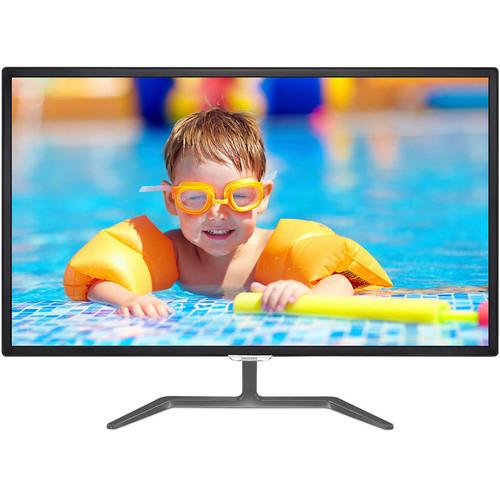 Contents of the user manual for the Philips 323E7QDAB 32" 16:9 IPS Monitor
- Product category: Computer Monitors Philips
- Brand: Philips
- Description and content of package
- Technical information and basic settings
- Frequently asked questions – FAQ
- Troubleshooting (does not switch on, does not respond, error message, what do I do if...)
- Authorized service for Philips Computer Monitors
 |
User manual for the Philips 323E7QDAB 32" 16:9 IPS Monitor contain basic instructions
that need to be followed during installation and operation.
Before starting your appliance, the user manual should be read through carefully.
Follow all the safety instructions and warnings, and be guided by the given recommendations.
User manual is an integral part of any Philips product,
and if it is sold or transferred, they should be handed over jointly with the product.
Following the instructions for use is an essential prerequisite for protecting
health and property during use, as well as recognition of liability on the part of the manufacturer
for possible defects should you make a warranty claim. Download an official Philips user manual in which you will find instructions on how to install, use, maintain and service your product.
And do not forget – unsuitable use of a Philips product will considerably shorten its lifespan!
|
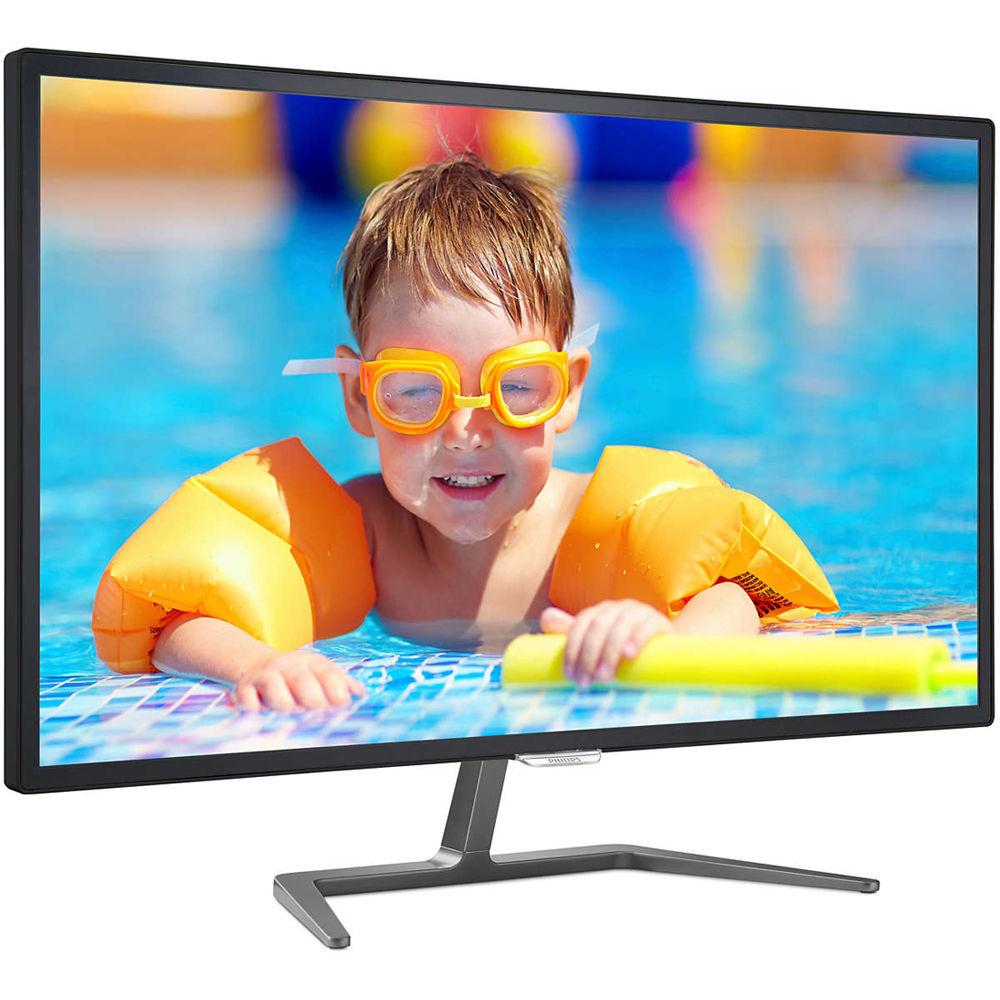
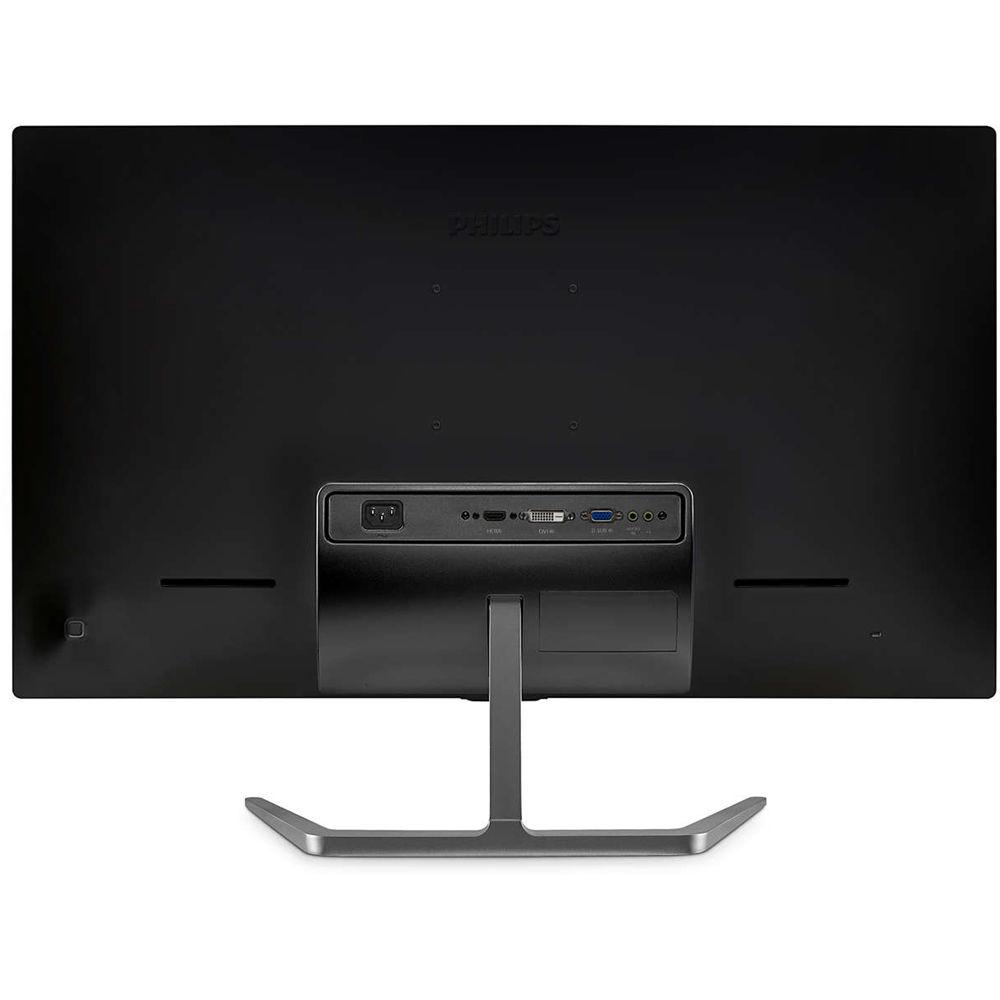
Product description 10 Factors to Consider When Selecting A Monitor for Video Editing Read More With IPS (In-Plane Switching) technology, the 323E7QDAB 32" 16:9 IPS Monitor from Phillips offers enhanced 178° horizontal and vertical viewing angles. In addition to enhanced viewing angles, this Full HD monitor features a 1920 x 1080 resolution accompanied by a 1,000:1 contrast ratio and a 5 ms response time. Setup and configuration of the 323E7QDAB is simple thanks to VGA, DVI-D, and HDMI inputs as well as a dedicated headphone jack to plug your headphones directly into the monitor. If everyone wants in on the sound, the dual 5W speakers offer enhanced audio playback for everyone to hear. Once set up, the included stand allows the display to be tilted from -5 to 10° or you can mount the display using a VESA compatible wall mount. - IPS Technology
- IPS displays use an advanced technology, which gives you extra wide viewing angles of 178°/178°, making it possible to view the display from almost any angle. Unlike standard TN panels, IPS displays gives you crisp images with vivid colors, making it suitable not only for photos, movies, and web browsing, but also for professional applications that demand color accuracy and consistent brightness at all times.
- 16:9 Full HD Display
- This display features an enhanced Full HD 1920 x 1080 resolution for crisp detail paired with high brightness, incredible contrast, and realistic colors.
- Flicker-Free Technology
- Due to the way brightness is controlled on LED-backlit screens, some users experience flicker on their screen, which causes eye fatigue. Philips Flicker-free Technology applies a solution designed to regulate brightness and reduce flicker for more comfortable viewing.
- SmartContrast
- SmartContrast is a Philips technology that analyzes the contents you are displaying, automatically adjusting colors and controlling backlight intensity to dynamically enhance contrast for the best digital images and videos or when playing games where dark hues are displayed. When Economy mode is selected, contrast is adjusted and backlighting fine-tuned for just-right display of everyday office applications and lower power consumption.
- SmartImage Lite
- SmartImage Lite is an exclusive Philips technology that analyzes the content displayed on your screen. Based on a scenario you select, SmartImage Lite dynamically enhances the contrast, color saturatio,n and sharpness of images and videos for display performance - all in real time with the press on a single button.
- EasySelect Menu Toggle Key
- The discreetly placed EasySelect Menu Toggle Key allows you to make quick and easy adjustments to monitor settings in the On-Screen Display menu.
- HDMI Ready
- An HDMI-ready device has all the required hardware to accept High-Definition Multimedia Interface (HDMI) input. An HDMI cable enables high-quality digital video and audio all transmitted over a single cable from a PC or any number of AV sources (including set-top boxes, DVD players, A/V receivers, and video cameras).
- Built-In Stereo Speakers
- A pair of high quality stereo speakers built into the display offer enhanced audio feedback for a complete multimedia experience.
UPC: 609585250536 In the Box Philips 323E7QDAB 32" 16:9 IPS Monitor Limited 3-Year Warranty User Manual PDF 1.6mb Table of Contents
|
Upload User Manual
Have you got an user manual for the Philips 323E7QDAB 32" 16:9 IPS Monitor in electronic form? Please send it to us and help us expand our library of instruction manuals.
Thank you, too, on behalf of other users.
To upload the product manual, we first need to check and make sure you are not a robot. After that, your "Submit Link" or "Upload File" will appear.
Technical parametersPhilips 323E7QDAB Specs | Panel Type | IPS | | Backlight Type | W-LED system | | Panel Size | 31.5" / 80 cm | | Viewing Area | 27.5 x 15.5" / 698.4 x 392.85 mm | | Aspect Ratio | 16:9 | | Resolution | 1920 x 1080 @ 60 Hz | | Response Time | 5 ms (GtG) | | Brightness | 250 cd/m² | | Contrast Ratio | 1,000:1 (typical)
20,000,000:1 (SmartContrast) | | Pixel Pitch | 0.364 x 0.364 mm | | Viewing Angles (H/V) | 178°/178° @ C/R > 10 | | Display Colors | 16.7 million | | Scanning Frequency | 30 - 83 kHz (H) / 56 -76 Hz (V) | | Connectivity | Signal Input
VGA (Analog), DVI-D (digital, HDCP), HDMI (digital, HDCP)
Sync Input
Separate sync, sync on green
Audio (In/Out)
PC audio-in, headphone jack | | Speakers | 2 x 5 W | | OSD Languages | Brazil Portuguese, Czech, Dutch, English, Finnish, French, German, Greek, Hungarian, Italian, Japanese, Korean, Polish, Portuguese, Russian, Simplified Chinese, Spanish, Swedish, Traditional Chinese, Turkish, Ukrainian | | Kensington Lock Support | Yes | | VESA Mount Compatible | 100 x 100 mm | | Plug & Play Compatibility | DDC/CI, Mac OS X, sRGB, Windows 10 / 8.1 / 8 / 7 | | Tilt | -5 to 10° | | Power | On Mode
45.7 W (typ.), 66.6 W (max.)
Standby Mode
0.5 W (typ.)
Off Mode
0.3 W (typ.)
Power LED Indicator
Operation - white
Standby mode- white (blinking)
Power Supply
100-240 VAC, 50-60 Hz, internal | | Temperature & Humidity | Operating Temperature
32 to 104°F / 0 to 40&°C
Storage Temperature
-4 to 140°F / -20 to 60°C
Relative Humidity
20 to 80%
Operating Altitude
12,000' / 3,658 m
Non-Operating Altitude
40,000' / 12,192 m | | MTBF | 50,000 hours (excluding backlight) | | Sustainability | Environmental and Energy: RoHS, Lead-free, Mercury Free
Recyclable Packaging Material: 100 % | | Compliance and Standards | CE Mark, FCC Class B, CU, SASO, KUCAS, ETL, TUV/ISO9241-307, WEEE | | Dimensions | With Stand
27.7 x 20.6 x 8.5" / 703 x 522 x 216 mm
Without Stand
27.7 x 17 x 2.5" / 703 x 431 x 64 mm | | Weight | With Stand
15.18 lb / 6.9 kg
Without Stand
12.94 lb / 5.88 kg | | | | Package Weight | 18.9 lb | | Box Dimensions (LxWxH) | 31.0 x 24.3 x 5.1" |
Rating80% users recommend this product to others. And what about you?

This product has already been rated by 03 owners. Add your rating and experience with the product.
Discussion
 Ask our technicians if you have a problem with your settings,
or if anything is unclear in the user manual you have downloaded.
You can make use of our moderated discussion.
The discussion is public and helps other users of our website who may be encountering similar problems.
Ask our technicians if you have a problem with your settings,
or if anything is unclear in the user manual you have downloaded.
You can make use of our moderated discussion.
The discussion is public and helps other users of our website who may be encountering similar problems.
The discussion is empty - enter the first post
Post a new topic / query / comment:
|
|


