|
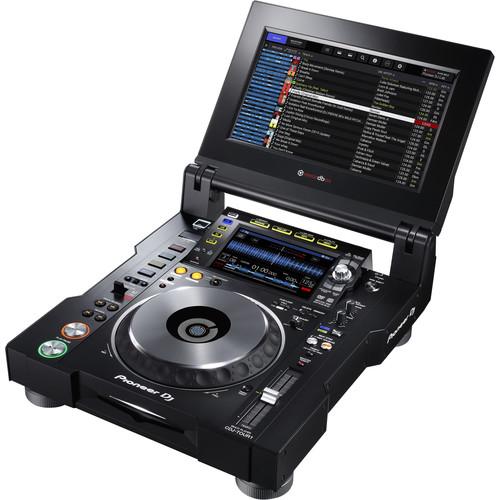
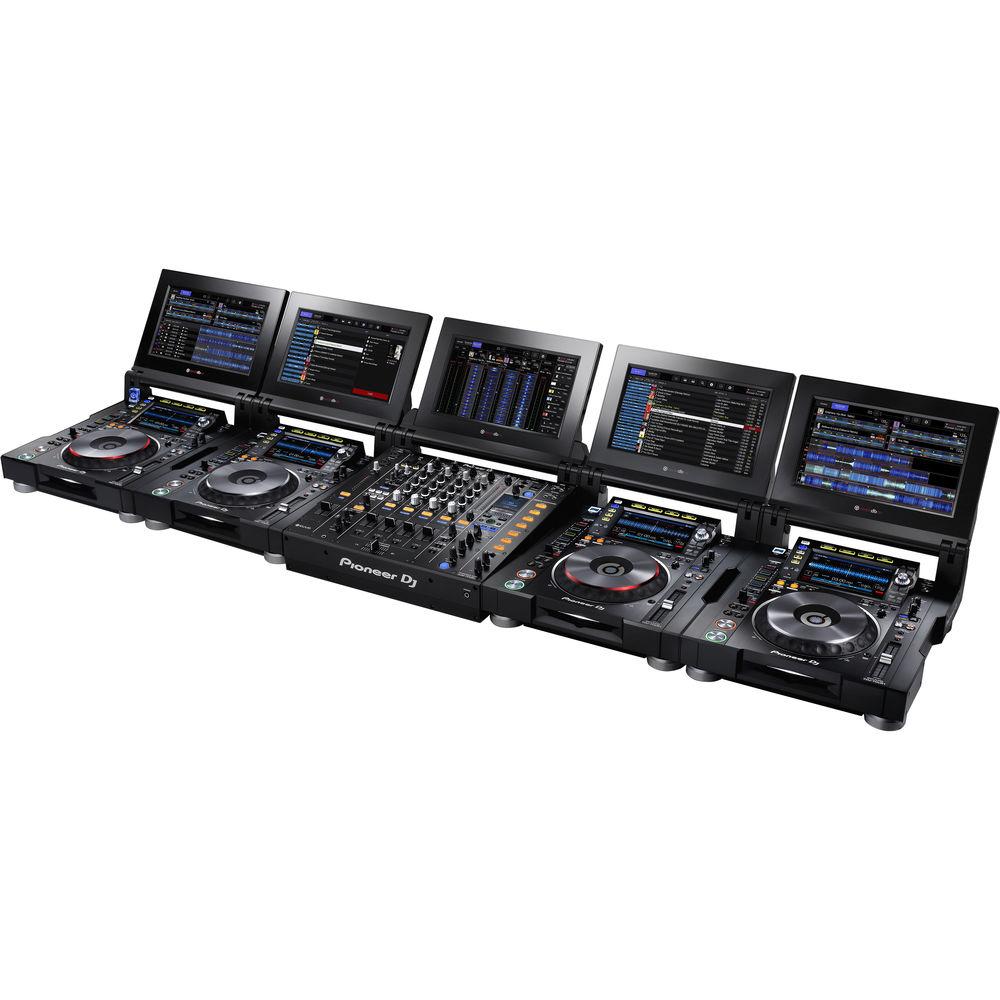
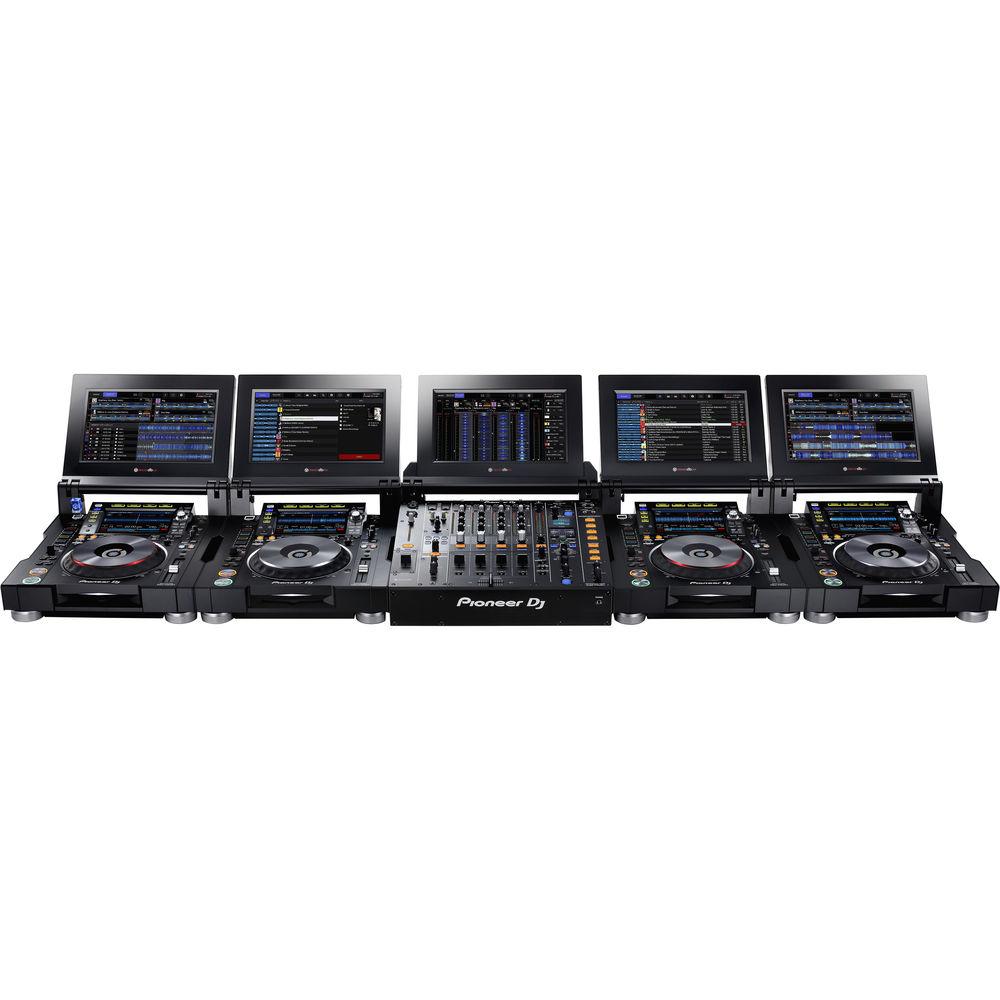
User Manual for Pioneer DJ CDJ-TOUR1 - Tour System Multi-Player with Fold-Out Touch Screen Click to enlarge the picture
 Contents of the user manual for the Pioneer DJ CDJ-TOUR1 - Tour System
- Product category: CD, MP3 & Media Players Pioneer DJ
- Brand: Pioneer DJ
- Description and content of package
- Technical information and basic settings
- Frequently asked questions – FAQ
- Troubleshooting (does not switch on, does not respond, error message, what do I do if...)
- Authorized service for Pioneer DJ CD, MP3 & Media Players
 |
User manual for the Pioneer DJ CDJ-TOUR1 - Tour System contain basic instructions
that need to be followed during installation and operation.
Before starting your appliance, the user manual should be read through carefully.
Follow all the safety instructions and warnings, and be guided by the given recommendations.
User manual is an integral part of any Pioneer DJ product,
and if it is sold or transferred, they should be handed over jointly with the product.
Following the instructions for use is an essential prerequisite for protecting
health and property during use, as well as recognition of liability on the part of the manufacturer
for possible defects should you make a warranty claim. Download an official Pioneer DJ user manual in which you will find instructions on how to install, use, maintain and service your product.
And do not forget – unsuitable use of a Pioneer DJ product will considerably shorten its lifespan!
|
Product description The Pioneer CDJ-TOUR1 Multi-Player is a professional-level CD/DVD deck built to withstand the rigors of on-the-road wear and tear. The unit can play high-resolution (24-bit/96 kHz) audio files from several sources. In addition to audio routed from a USB-connected Mac or PC, the CDJ-TOUR1 includes an SD card slot and a USB type-A port for connecting storage devices. The CDJ-TOUR1 also features Wi-Fi audio streaming from smartphones, tablets and computers using the proprietary rekordbox apps and software.
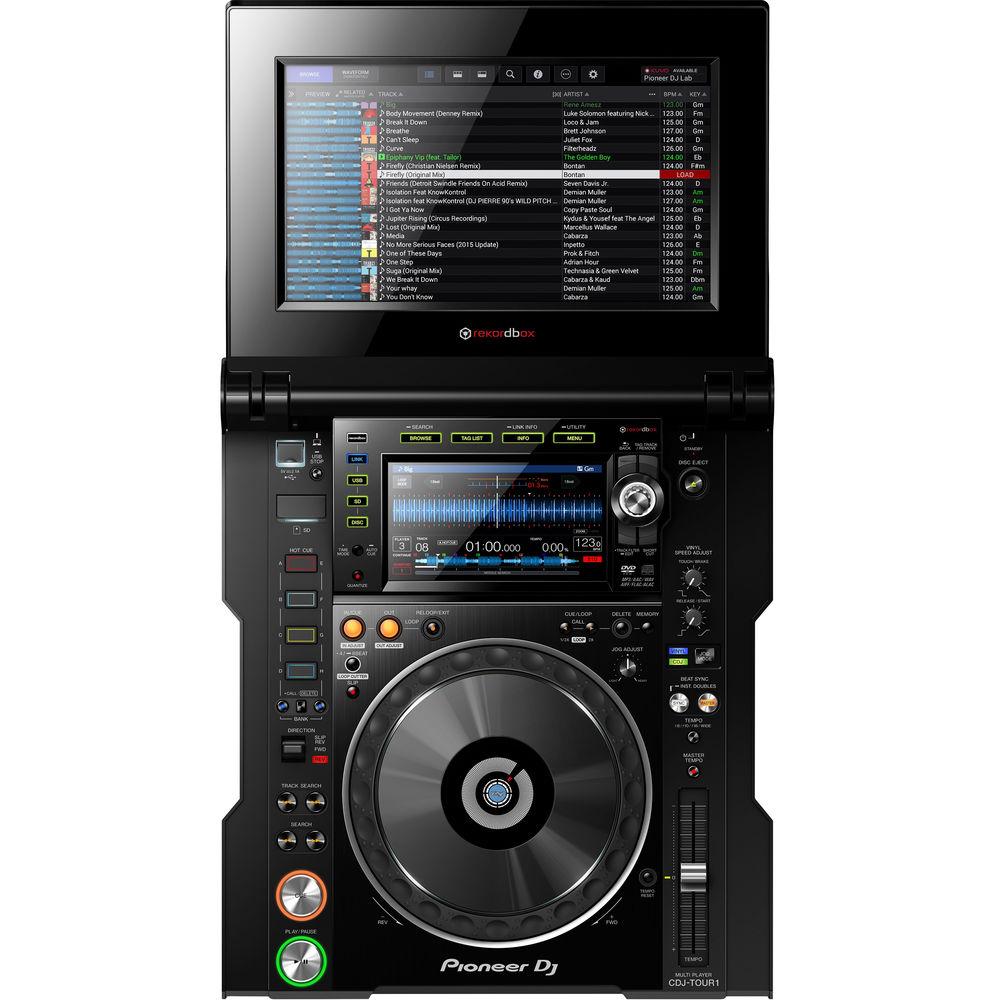
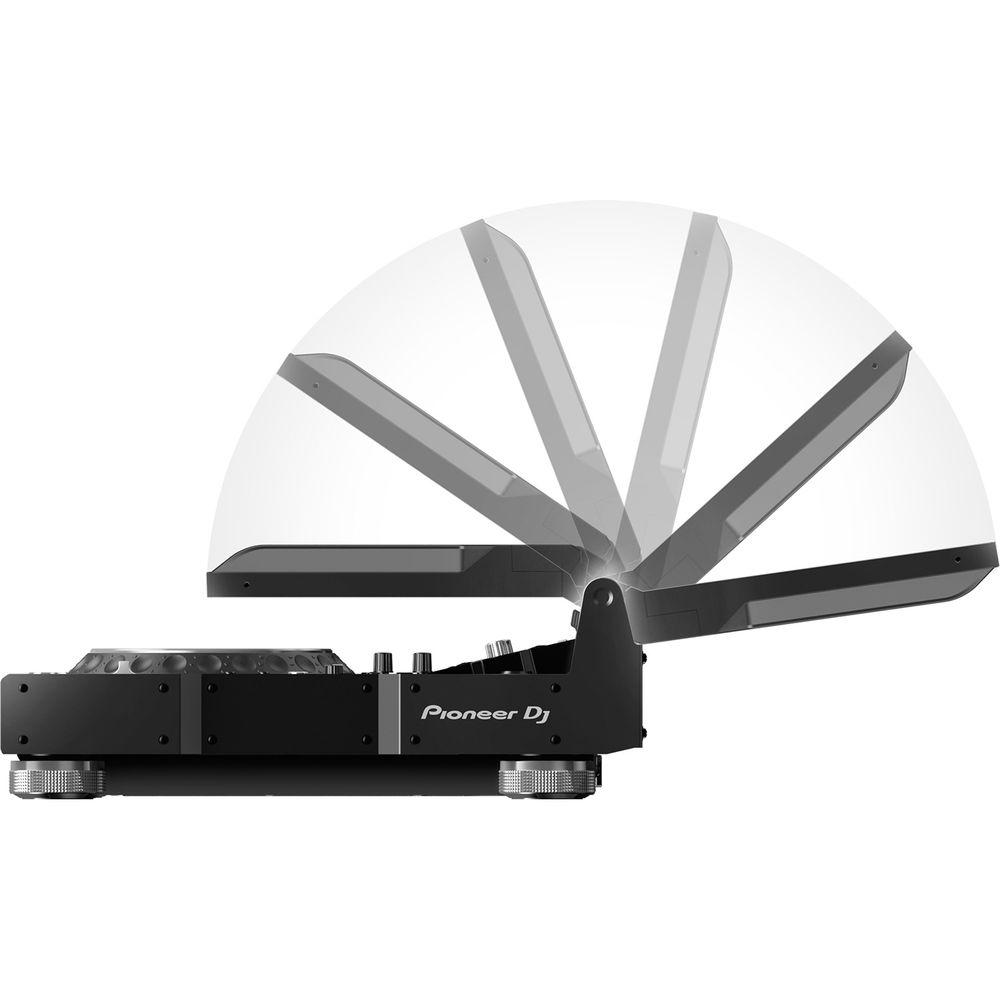
The top panel of the CDJ-TOUR1 features a large jog wheel, a 7.1" full color LCD touch screen, an additional 13" fold-out touch screen for enhanced control, and controls for flagship functions such as Beat Sync, Wave Zoom and Slip. Both touch screens offer a QWERTY keyboard and search filters to quickly navigate and select tracks, while the 13" offers additional features such as the ability to tilt the screen, adjust the lighting, and attach a display shade for use in direct sunlight. The 13" display can also view the waveforms from up to 4 connected CDJs at the same time.
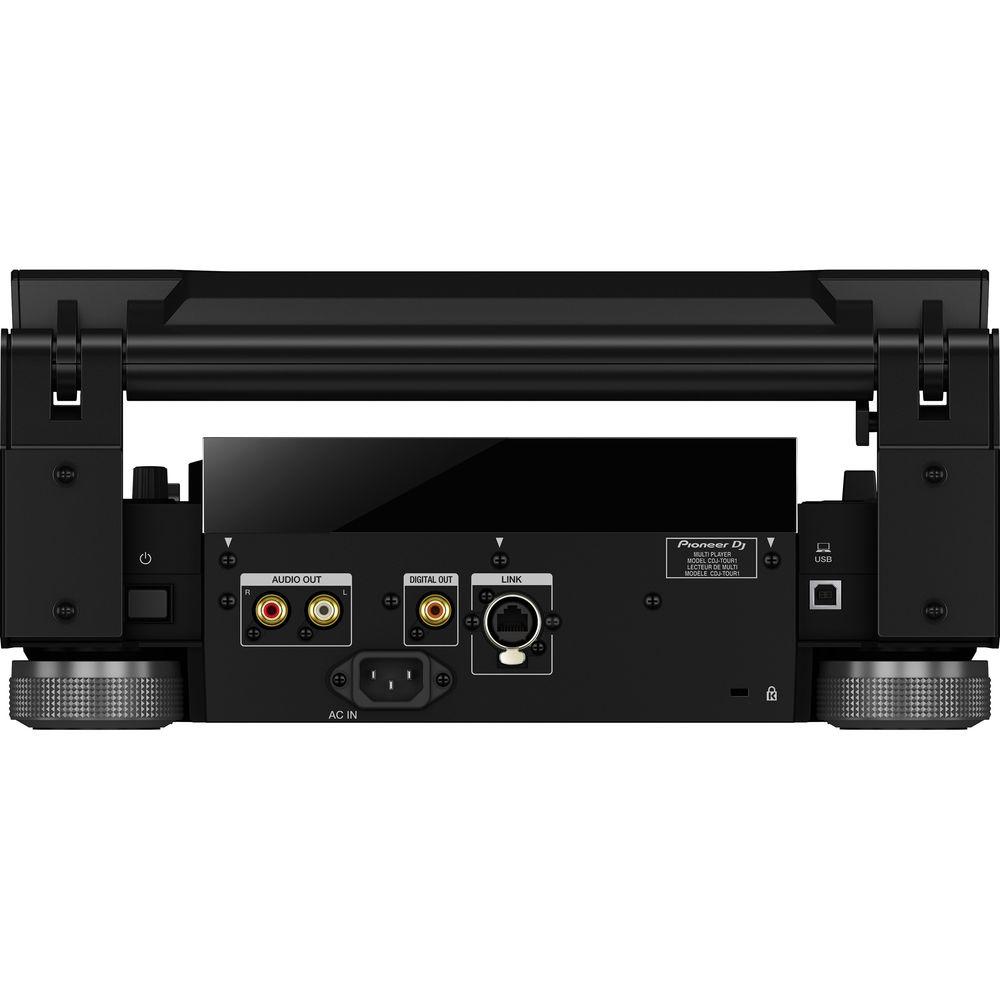
The rear panel includes analog RCA stereo outputs, a coaxial digital output, and a LAN PRO DJ Link port. Pro DJ Link enables up to four CDJ-TOUR1 players to connect and share a single music source. The CDJ-TOUR1's included rekordbox music management software allows users to organize their music library. rekordbox analyzes each file and prepares it for use with the CDJ player. Music file analysis functions such as Wave Form Zoom and Key are available, as well as additional settings such as Active Loop and Hot Cue Auto Load. - Warm Sound at Any Venue
- A 32-bit D/A converter, made by ESS Technologies, delivers incredibly low noise and distortion even at the super-high volumes needed for large-scale events. Plus, the 96 kHz/24-bit sound card reproduces high-res sound, while the separate power supply further reduces unwanted noise
- Large Fold-Out Touch Screen
- Next to the standard 7" touch display, you get a 13", fold-out, full-color touch screen for enhanced control. You can tilt the screen to suit your preference, adjust the lighting or attach the display shade to protect the sun's glare when you're playing outside
- Familiar Layout
- With the same layout and performance features as the CDJ-2000NXS2, you'll feel right at home wherever you play. Prepare your tracks in rekordbox as usual, then load them to the CDJ-TOUR1 and trigger Beat Sync, Slip Mode, Hot Cue Auto Load, and more
- Pro DJ Link
- Pro DJ Link lets you share one source across up to 4 players. Combine this with rekordbox dj to access pre-prepared loops and cues, sync the beat with the master deck, and access a host of advanced features while you're on stage
- Festival-Proof Design
- The CDJ-TOUR1's rigid design comes with isolator feet for stability on any surface and reinforced sides. What's more, the LAN ports have NEUTRIK etherCON connectors with a latch lock, so compatible cables will stay in place whatever vibrations and knocks are thrown at them
- High-Resolution Formats
- Crisp high-resolution audio is supported for FLAC, Apple Lossless Audio (ALAC), as well as MP3, WAV, AAC, and AIFF
- Eight Hot Cues
- Set cue points in rekordbox and customize their colors. 2 banks of 4 color-illuminated Hot Cues put instant playback of preset cue points at your fingertips
- Beat Perfect
- Quantize snaps cues and loops to the rekordbox beat grid for a reliable performance every time
- My Settings
- Take your preferred settings with you wherever you play. Save your settings and tracks to USB, SD card, smartphone or tablet, connect to the hardware, and your settings load instantly along with your tracks
- Browse Easily
- Use the touch screen to filter tracks by rekordbox information such as BPM, key or My Tags. Or bring up the Qwerty keyboard to search for tracks by name using Keyword Search mode
- Multi-Wave View
- See detailed multicolored waveforms with Wave Zoom or opt to see waveforms from up to 4 CDJs at the same time
- rekordbox dj
- You can use this product to control the optional rekordbox dj DJ software. rekordbox dj is a rekordbox Plus Pack that unleashes performance features including Hot Cues, Sampler, Slicer, Sound Color FX, Beat FX, Beat Jump and Pad FX
In the Box Pioneer DJ CDJ-TOUR1 - Tour System Multi-Player with Fold-Out Touch Screen Power Cable Audio Cable LAN Cable Disc Force Eject Pin Display Shade Limited 1-Year Warranty Table of Contents
|
Upload User Manual
Have you got an user manual for the Pioneer DJ CDJ-TOUR1 - Tour System Multi-Player with Fold-Out Touch Screen in electronic form? Please send it to us and help us expand our library of instruction manuals.
Thank you, too, on behalf of other users.
To upload the product manual, we first need to check and make sure you are not a robot. After that, your "Submit Link" or "Upload File" will appear.
Technical parametersPioneer DJ CDJ-Tour1 Specs | | | Compatible Discs | Audio CD, CD-R/RW, CD-TEXT, DVD±R/RW/R-DL | | Compatible Devices | iPhone/iPad/iPod touch
Android phones/Android Tablets
USB storage devices (flash memory/HDD, etc.)
Computers (Mac/Windows PC)
Optical drive (CD, CD-R/RW, DVD±R/RW/R-DL) | | Storage File Systems | SD: FAT12, FAT16, FAT32
USB: FAT16, FAT32, HFS+ | | Compatible Formats | ALAC
AAC
AIFF
FLAC
MP3
WAV
iOS version of rekordbox: MP3 and AAC only | | SD Card | Maximum Memory Supported: 32 GB | | | | Audio Output Connectors | 2 x RCA phono - Audio Output (1 x L/R) | | Output Level | Analog: 2.0 Vrms (1 kHz) | | Frequency Range | 4 Hz to 40 kHz | | Signal-to-Noise Ratio | 115 dB | | THD | 0.0018% | | Digital Audio Output | Output Terminals: RCA
Output Type: Coaxial digital (S/PDIF)
Output Level: 0.5 V p-p (75 Ohms)
Output Format: 44.1 / 96 kHz, 24-/16-bit | | Processor | ESS Technologies DAC (ES9018) | | Sound Card | 24-bit / 96 kHz | | | | USB Ports | 1 x USB-A
1 x USB-B | | LAN Port | 1 x LAN (100Base-TX) Pro DJ Link | | | | Mac System Requirements | Mac OS X 10.12, 10.11, 10.10, 10.9 (Updated to the latest version) | | Windows System Requirements | Windows 10 / Windows 10 pro (32-bit and 64-bit)
Windows 8.1 / Windows 8.1 pro (32-bit and 64-bit)
Windows 7 (32-bit)
Home Premium / Professional / Ultimate (64-bit) | | Additional System Requirements | Intel processor Core i7, i5, i3
Intel processor Core 2 Duo 2.0 GHz or above
4 GB RAM or more
250 MB free hard drive space
Internet connection
1280 x 768 display or better | | | | Display | Display Type: Active matrix TFT liquid crystal
Size: 7.0" / 177.8 mm, 13.0" / 330.2 mm
Supported Languages: 18
| | Power Supply | 110 to 240 VAC, 50/60 Hz | | Power Consumption | Standard: 51 W
Standby: 0.4 W | | | | Temperature | 41 to 95°F / 5 to 35°C | | Humidity (Non-Condensing) | 5 to 85% | | Dimensions (W × H × D) | Upper Display Closed: 15.2 x 7.0 x 17.8" / 386.1 x 177.8 x 452.1 mm
Upper Display Open at 90°: 15.2 x 16.5 x 18.0" / 386.1 x 419.1 x 457.2 mm
Upper Display Fully Open: 15.2 x 8.0 x 27.3" / 386.1 x 203.2 x 693.4 mm | | Weight | 24.7 lb / 11.2 kg |
Rating90% users recommend this product to others. And what about you?

This product has already been rated by 43 owners. Add your rating and experience with the product.
Discussion
 Ask our technicians if you have a problem with your settings,
or if anything is unclear in the user manual you have downloaded.
You can make use of our moderated discussion.
The discussion is public and helps other users of our website who may be encountering similar problems.
Ask our technicians if you have a problem with your settings,
or if anything is unclear in the user manual you have downloaded.
You can make use of our moderated discussion.
The discussion is public and helps other users of our website who may be encountering similar problems.
The discussion is empty - enter the first post
Post a new topic / query / comment:
|
|
|
| Request for user manual |
You can’t find the operation manual you are looking for? Let us know and we will try to add the missing manual:
I’m looking for a manual / Request for manual
Current requests for instruction manuals:
Call Of Duty World War Two For Xbox...
controller stratus XL...
stratus XL...
smart whatch serie S11 42mm...
Allen & Heath SQ-6 manual...
|
| Discussion |
Latest contributions to the discussion:
AEW R 4100
Name: MAURICIO ANGARITA
Audio-Technica AEW-R4100 UHF Diversity Receiver for
AEW R 4100 has the mute function blocked and does not allow audio to pass. I tried several times to turn off the mute from the transmitter but it does nothing, the mute stays on. Solution?
Thank you...
Instructions for assembling the 2015 Forecast Image Master Consoles GC3-A
Name: mike elam
Forecast Consoles GC3-A ImageMaster Editing Console
Looking for instructions for assembling this console. ...
EMPTY TONER ERROR MESSAGE AFTER REPLACING TONER
Name: LINDA BAD YELLOW EYES
Brother TN223BK Standard-Yield Toner
I HAD TO CHANGE OUT ALL THREE TONERS DUE TO LEAKS IN THE YELLOW AND CYAN. AFTER I REPLACED THEM, THE MACHINE KEEPS GIVING ME AN EMPTY TONER ERROR MESSAGE. HELP!!...
PS480D 20/24 pin Switching 480W Power Supply
Name: swkargo
Logisys 480W Power Supply
This item states in can run -5vdc .It is NOT listed on the board or I beleive is r4 is missing the resitior. Any body have thid issue. Shawn
...
Help needed
Name: Ann Carter
SanDisk 1TB Extreme Portable USB 3.1
When I click the link to download the user manual for my Sandisk Extreme external hard drive, it gives me the manual for the LG Cricket. Can you please change the link so I can download the Sandisk manual and begin using this drive? Thank you....
|
|


