|
User Manual for PNY Technologies NVIDIA Quadro K5200 with SDI Input and Output Boards Click to enlarge the picture
 Contents of the user manual for the PNY Technologies NVIDIA Quadro K5200 with
- Product category: Graphic Display Cards PNY Technologies
- Brand: PNY Technologies
- Description and content of package
- Technical information and basic settings
- Frequently asked questions – FAQ
- Troubleshooting (does not switch on, does not respond, error message, what do I do if...)
- Authorized service for PNY Technologies Graphic Display Cards
 |
User manual for the PNY Technologies NVIDIA Quadro K5200 with contain basic instructions
that need to be followed during installation and operation.
Before starting your appliance, the user manual should be read through carefully.
Follow all the safety instructions and warnings, and be guided by the given recommendations.
User manual is an integral part of any PNY Technologies product,
and if it is sold or transferred, they should be handed over jointly with the product.
Following the instructions for use is an essential prerequisite for protecting
health and property during use, as well as recognition of liability on the part of the manufacturer
for possible defects should you make a warranty claim. Download an official PNY Technologies user manual in which you will find instructions on how to install, use, maintain and service your product.
And do not forget – unsuitable use of a PNY Technologies product will considerably shorten its lifespan!
|
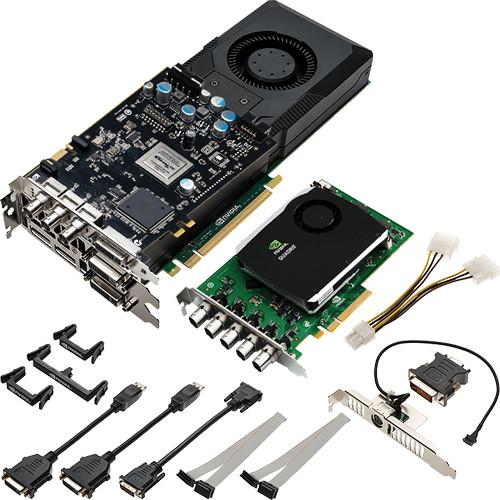
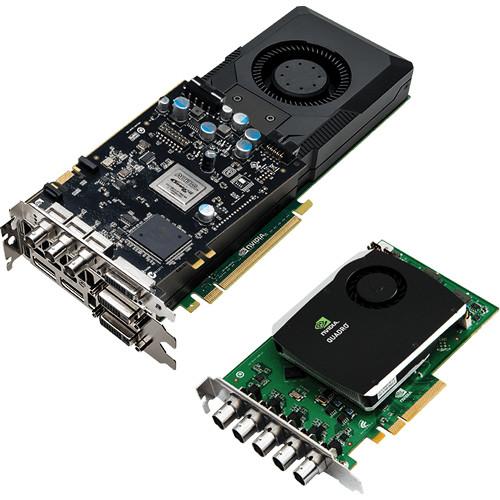
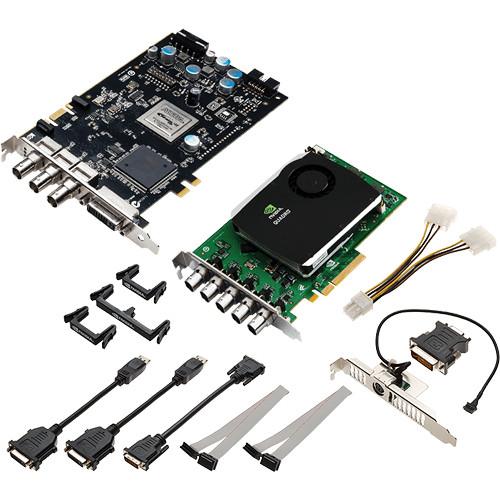
Product description Integrate SDI I/O into your workstation with the PNY NVIDIA Quadro K5200. With the included SDI input and output boards this kit can ingest and encode incoming SDI video and output to high-end broadcast monitors, switchers, tape decks, or projectors in addition to standard computer displays using DVI or DisplayPort. To provide the computing power on the back-end, the K5200 chipset employs 8GB of GDDR5 vRAM tied to 2304 CUDA cores arranged using NVIDIA's Kepler architecture. Using that processing power, the K5200 can support up to four displays simultaneously, achieving resolutions of up to 3840 x 2160 at 60 Hz with 30-bit color. Not only for driving displays, the K5200 can also be used for hardware acceleration through parallel processing. Taking advantage of the Kepler architecture, the K5200 can assist in video and graphics rendering, taking a large computing load off of the CPU. The K5200, SDI output board, and SDI input board each take up one PCI slot. The K5200 and the SDI input board require PCI Express x16 2.0 motherboard connections. The K5200 GPU and the SDI input board are cooled by active fansinks for quiet, efficient cooling that blows the hot air out of the back of the tower as opposed to just recirculating it inside the case. The SDI output card is cooled passively. Included with the kit are the necessary power connection cables, DisplayPort to DVI adapter, DVI-I to VGA adapter, and cable retention clips for keeping internal cabling organized. SDI Card Features - SDI Output Card
-
- 2 channel fill or 1 channel fill + 1 channel key
- 8-bit, 10-bit, or 12-bit SDI output modes
- RGB 4:4:4
- YCrCb 4:2:2 or 4:4:4
- 2 x YCrCb 4:2:2 + 4:2:2
- YCrCbA 4:2:2:4
- RBGA 4:4:4:4 (8-bit only)
- Supports RP188 timecode
- 16 channels AES/EBU 24-bit 48 KHz audio per SDI stream
- SDI Output Card 2K, HD, and SD Formats
-
- 480i 59.94 Hz (SMPTE259) NTSC
- 576i 50.00 Hz (SMPTE259) PAL
- 720p 23.976, 24, 25, 29.97, 30, 50, 59.94, 60 Hz (SMPTE296)
- 1035i 59.94, 60 Hz (SMPTE260)
- 1080i 47.96, 48, 50, 59.94, 60 Hz (SMPTE274), 50 Hz (SMPTE295)
- 1080PsF 23.98, 24, 25, 29.97, 30 Hz (SMPTE274)
- 1080p 23.976, 24, 25, 29.97, 30 Hz (SMPTE274)
- 2048 x 1080i 47.96, 48, 50, 59.94, 60 Hz (SMPTE372)
- 2048 x 1080p 23.976, 24, 25, 29.97, 30 Hz (SMPTE372)
- SDI Input Card
-
- Up to 4 channel Fill or 2 channel Fill + 2 channel Key
- 8-, 10-, or 12-bit SDI capture programmable modes
- RGB 4:4:4
- YCrCb 4:2:2 or 4:4:4
- 2x YCrCb 4:2:2 + 4:2:2
- YCrCbA 4:2:2:4
- RGBA 4:4:4:4: (8-bit only)
- Supports RP188 timecode
- 16 channels AES/EBU 24-bit 48 KHz audio per SDI stream
GPU Features - NVIDIA CUDA Architecture
- Parallel-computing architecture that tightly integrates advanced visualization and compute features to significantly accelerate professional workflows.
- NVIDIA Scalable Geometry Engine
- Improves geometry performance across a broad range of CAD, DCC and medical applications, enabling you to work interactively with more models and scenes.
- Large Framebuffers with Ultra-Fast Bandwidth
- Large GPU memory with fast bandwidth for display of complex models and scenes, as well as computation of large datasets.
- NVIDIA Parallel DataCache
- Supports a true cache hierarchy combined with on-chip shared memory. L1 and L2 caches drive exception throughput, accelerating features such as real-time ray tracing, physics, and texture filtering.
- Dual Copy Engines
- Enables high rates of parallel data processing and concurrent throughput between the GPU and host, accelerating techniques such as ray tracing, color grading and physical simulation.
- Bindless Textures
- Increases the number of unique textures available to shaders at run-time, enabling more unique materials and richer texture detail in scenes.
- NVIDIA Streaming Multiprocessor
- Delivers more processing performance and efficiency through this streaming multiprocessor design that allows a greater percentage of space to be applied to processing cores versus control logic.
- H.264 Encoder
- Dedicated H.264 encoding engine that independent of 3D/compute pipeline and delivers faster than real-time performance for transcoding, video editing, and other encoding applications (requires application support).
- PCI Express 2.0 Compliance
- Supports data transfer rate up to 5 GT/sec per lane for an aggregate bandwidth of 16 GB/sec bi-directional (16 GB/s bi-directional and 8 GB/s in each direction).
- Unified Driver Architecture (UDA)
- Ensures forward and backward compatibility with software drivers and simplifies upgrading to a new Quadro solution.
- Ultra-Quiet Design
- Silent cooling design for a quiet desktop environment.
- NVIDIA GPU Boost
- Maximum application performance through automatic adjustment of the GPU clock to take maximum advantage of the power and thermal headroom of the card in real-time.
Image Quality Features - Full Scene Anti-Aliasing (FSAA)
- Up to 64x FSAA for dramatically reducing visual aliasing artifacts or "jaggies," resulting in high image quality and realistic scenes.
- NVIDIA FXAA and TXAA
- Reduces visible aliasing and delivers higher image quality without a performance hit by harnessing the power of the GPU's CUDA cores and new film-style AA techniques.
- GPU Tessellation
- Quadro Tessellation Engines automatically generate finely detailed geometry for cinematic environments and scenes, without sacrificing performance.
- 16K Texture and Render Processing
- Provides the ability to texture from and render to 16K x 16K surfaces. Beneficial for high-resolution applications.
Display Features - NVIDIA Quadro Mosaic Technology
- Enables transparent scaling of the desktop and applications across up to 16 displays from 4 GPUs from a single workstation.
- Multi-Display Support
- This display engine in the NVIDIA GPU drives up to four displays simultaneously, whether they're directly connected to the board or connected using a single cable using DisplayPort 1.2's multi-streaming capabilities. With support for the next-generation DisplayPort 1.2 standard, each DisplayPort connector is also capable of driving high resolutions like 3840x2160 at 60 Hz with 30-bit color. The flexible display connectivity of the Quadro family makes it easy to deploy multiple displays across a desktop, build an expansive digital signage wall, or create a sophisticated stereoscopic 3D CAVE environment.
- NVIDIA NVIEW Desktop Software
- This software delivers maximum flexibility for single large display or multi-display options, providing a customizable desktop experience for increased productivity.
- DisplayPort 1.2 Support (with Audio)
- Compact and secure DisplayPort 1.2 connectors support multi-stream technology, stream cloning and high-resolution panels (up to 3840 x 2160 at 60 Hz). This provides flexibility regarding range, resolution, refresh rate, and color depth designed to support the latest display technologies.
- 30-Bit Color Fidelity
- 10-bits per red, green, and blue, enabling billions of color variants for vivid image quality with a broad dynamic range.
- HD-SDI Capture and Output
- The SDI card performs real-time acquisition, processing, and delivery of high-resolution SDI video across traditional and 3D broadcast environments. Supports uncompressed 8-bit, 10-bit, and 12-bit SDI via the included Quadro SDI capture and Quadro SDI output cards.
- NVIDIA 3D Vision and 3D Vision Pro
- Compatible with separately available advanced active shutter glasses that deliver clear stereoscopic 3D visualization for an immersive experience. Infrared (3D Vision) or RF (3D Vision Pro) technology enables a range of immersive environments from your desktop workstation to collaborative work spaces.
- Professional 3D Stereo Synchronization
- Enables control of stereo effect through a dedicated three-pin mini-DIN connection to directly synchronize 3D stereo hardware to a Quadro graphics card.
- Deep Color Processing and Display
- Preserves color detail and precision throughout the processing and display pipeline for smooth gradients and transitions. Each color component can be processed at up to 32-bit floating point precision and displayed at up to 12-bit precision with supported DisplayPort 1.2 or HDMI 1.4 displays.
SDI Features - Capture Uncompressed 8-, 10-, or 12-Bit SDI Formats
- Enables on-air broadcast, video production, or post production professionals to capture live video, uncompressed 8-, 10-, and 12-bit SDI directly to graphics memory in 3G, 2K, SD, or HD resolutions.
- Capture up to 4 SDI Sources Directly to GPU Memory
- Enables direct transfer of video directly to graphics memory.
- Uncompressed 8-Bit, 10-Bit, or 12-Bit SDI Output
- Enables on-air broadcast, video production, and post-production professionals to composite and output live video and graphics to true uncompressed 12-bit SDI in 2K, HD, or SD resolutions. It also allows direct connection to a broadcast monitor, switcher, tape deck, or SDI projector.
- Ancillary Data Support
- Support for ancillary data channel (for audio, timecode, etc.) is available through NVIDIA API. Support for the introduction of ancillary into the outgoing SDI video is also supported. This ancillary data can include up to 16 channels of embedded 24-bit digital audio as defined by SMPTE 272M and SMPTE299M as well as timecode.
- 2D Video Pass Through Compositing
- 2D Video Compositing enables incoming video to be passed through and have the alpha channel composited, luma keyed, or chroma keyed with the Quadro rendered graphics image on the outgoing SDI video.
- Genlock (House Synchronization)
- One genlock (standard BNC) connector (digital or analog) provides connectivity to a video source for SMPTE standard (digital, black burst, tri-level) synchronization. Expanded cross sync functionality permits an incoming house signal to synchronize a much larger number of video output signal formats.
Software Support - NVIDIA CUDA Parallel Computing Architecture
- Quadro solutions leverage general-purpose GPU computing using standard programming languages like C++ and Fortran as well as APIs such as OpenCL and DirectCompute. This broad adoption of CUDA accelerates techniques like ray tracing, video and image processing, and computation fluid dynamics.
- NVIDIA GPUDirect
- NVIDIA GPUDirect capability increases compute performance when data throughput or latency reduction are key considerations by allowing direct access to GPU memory by third-party devices such as SDI video adapters, NICs and SSDs.
- NVIDIA GPUDirect for Video
- NVIDIA GPUDirect for Video technology allows third-party hardware to communicate directly with NVIDIA GPUs. By taking advantage of this API the issues of introducing delay or latency are reduced. With NVIDIA GPUDirect for Video, devices are synchronized and the CPU doesn't waste cycles copying data between device drivers.
- NVIDIA Enterprise-Management Tools
- These are tools for maximizing your system uptime by enabling seamless wide-scale deployment. This allows remote query and control of graphics and display settings for systems spread across installations.
Multi-GPU Technology - NVIDIA Multi-GPU Technology
- NVIDIA Multi-GPU powered workstations combine the visualization and interactive design capability of multiple GPUs by leveraging any combination of Quadro and Tesla GPUs to intelligently scale the performance of your application and speed up your production workflow.
UPC: 751492575896 In the Box PNY Technologies NVIDIA Quadro K5200 with SDI Input and Output Boards Stereo Connector Bracket 2 x DisplayPort to DVI-D SL Adapter 2 x 6-Pin PCI-E Power Cables 4-Pin Power Cable DVI to DVI Crossover Cable Ribbon Connector Cable Cable Retention Clip Set DVI-I to VGA Adapter Limited 3-Year Warranty Table of Contents
|
Upload User Manual
Have you got an user manual for the PNY Technologies NVIDIA Quadro K5200 with SDI Input and Output Boards in electronic form? Please send it to us and help us expand our library of instruction manuals.
Thank you, too, on behalf of other users.
To upload the product manual, we first need to check and make sure you are not a robot. After that, your "Submit Link" or "Upload File" will appear.
Technical parametersPNY Technologies K5200 Specs | CUDA Cores | 2304 | | GPU Memory | 8GB GDDR5 | | Memory Interface | 256-bit | | Memory Bandwidth | 192 GB/s | | System Interface | K5200: PCI Express 3.0 x16
SDI Output Board: Any available slot
SDI Input Board: PCI Express 2.0 x16 | | Max Power Consumption | K5200: 150 W
SDI Output Board: 7 W
SDI Input Board: 20 W | | Thermal Solution | K5200: Active fansink
SDI Output Board: Passive
SDI Input Board: Active fansink | | Form Factor | K5200: 4.4 x 10.5" / 11.1 x 26.7 cm, single slot width
SDI Output Board: 3.9 x 6.6" / 9.8 x 16.8 cm, single slot width
SDI Input Board: 4.4 x 9.8" / 11.1 x 24.7 cm | | Display Connectors | 1 x DVI-D DL
1 x DVI-I DL
2 x DisplayPort 1.2 | | VGA Support | Via included adapter | | Number of Displays Supported | 4 | | Maximum Resolution | DisplayPort 1.2: 4096 x 2160 @ 60Hz
DVI-I DL: 2560 x 1600 @ 60Hz
DVI-I SL: 1920 x 1200 @ 60Hz
VGA: 2048 x 1536 @ 85Hz | | SDI Outputs | 3 x BNC (SDI Fill, Key, Genlock) | | SDI Inputs | 4 SDI (BNC) + SDI Monitor Out (BNC) | | HDCP Support | Yes | | 3D Support | Yes, via included stereo bracket | | Graphics APIs | Shader Model 5.0
OpenGL 4.4
DirectX 11 | | Compute APIs | CUDA
DirectCompute
OpenCL | | System Requirements | Microsoft Windows 8.1, 8, 7, Vista, Linux, or Solaris
PCIe x16 expansion slot
2GB or more of system memory, 8GB recommended
200MB of available disk space for full driver installation
Blu-ray or DVD-ROM drive
Internet connection (if preferred for driver installation)
DisplayPort, DVI, or VGA compatible display(s) | | | | Package Weight | 4.75 lb | | Box Dimensions (LxWxH) | 20.0 x 15.0 x 3.5" |
Rating100% users recommend this product to others. And what about you?

This product has already been rated by 35 owners. Add your rating and experience with the product.
Discussion
 Ask our technicians if you have a problem with your settings,
or if anything is unclear in the user manual you have downloaded.
You can make use of our moderated discussion.
The discussion is public and helps other users of our website who may be encountering similar problems.
Ask our technicians if you have a problem with your settings,
or if anything is unclear in the user manual you have downloaded.
You can make use of our moderated discussion.
The discussion is public and helps other users of our website who may be encountering similar problems.
The discussion is empty - enter the first post
Post a new topic / query / comment:
|
|
|
| Request for user manual |
You can’t find the operation manual you are looking for? Let us know and we will try to add the missing manual:
I’m looking for a manual / Request for manual
Current requests for instruction manuals:
Call Of Duty World War Two For Xbox...
controller stratus XL...
stratus XL...
smart whatch serie S11 42mm...
Allen & Heath SQ-6 manual...
|
| Discussion |
Latest contributions to the discussion:
AEW R 4100
Name: MAURICIO ANGARITA
Audio-Technica AEW-R4100 UHF Diversity Receiver for
AEW R 4100 has the mute function blocked and does not allow audio to pass. I tried several times to turn off the mute from the transmitter but it does nothing, the mute stays on. Solution?
Thank you...
Instructions for assembling the 2015 Forecast Image Master Consoles GC3-A
Name: mike elam
Forecast Consoles GC3-A ImageMaster Editing Console
Looking for instructions for assembling this console. ...
EMPTY TONER ERROR MESSAGE AFTER REPLACING TONER
Name: LINDA BAD YELLOW EYES
Brother TN223BK Standard-Yield Toner
I HAD TO CHANGE OUT ALL THREE TONERS DUE TO LEAKS IN THE YELLOW AND CYAN. AFTER I REPLACED THEM, THE MACHINE KEEPS GIVING ME AN EMPTY TONER ERROR MESSAGE. HELP!!...
PS480D 20/24 pin Switching 480W Power Supply
Name: swkargo
Logisys 480W Power Supply
This item states in can run -5vdc .It is NOT listed on the board or I beleive is r4 is missing the resitior. Any body have thid issue. Shawn
...
Help needed
Name: Ann Carter
SanDisk 1TB Extreme Portable USB 3.1
When I click the link to download the user manual for my Sandisk Extreme external hard drive, it gives me the manual for the LG Cricket. Can you please change the link so I can download the Sandisk manual and begin using this drive? Thank you....
|
|


