|
User Manual for Power Production StoryBoard Artist Click to enlarge the picture
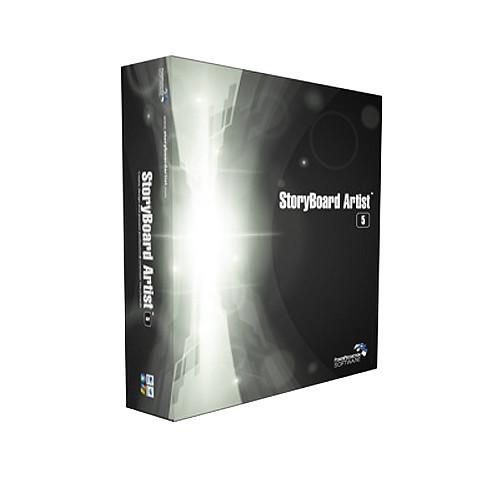 Contents of the user manual for the Power Production StoryBoard Artist
- Product category: Pre-Production Software Power Production
- Brand: Power Production
- Description and content of package
- Technical information and basic settings
- Frequently asked questions – FAQ
- Troubleshooting (does not switch on, does not respond, error message, what do I do if...)
- Authorized service for Power Production Pre-Production Software
|
User manual for the Power Production StoryBoard Artist contain basic instructions
that need to be followed during installation and operation.
Before starting your appliance, the user manual should be read through carefully.
Follow all the safety instructions and warnings, and be guided by the given recommendations.
User manual is an integral part of any Power Production product,
and if it is sold or transferred, they should be handed over jointly with the product.
Following the instructions for use is an essential prerequisite for protecting
health and property during use, as well as recognition of liability on the part of the manufacturer
for possible defects should you make a warranty claim. Download an official Power Production user manual in which you will find instructions on how to install, use, maintain and service your product.
And do not forget – unsuitable use of a Power Production product will considerably shorten its lifespan!
|
Product description Power Production's StoryBoard Artist is ultimate productivity merged with amazing creativity and movement. Storyboard software puts your ideas into motion as you create your storyboards for print. This software speeds up preproduction, pre visualization, revisions and presentation - all within one application.
StoryBoard Artist boasts high output with a low learning curve. This software has professional and powerful storyboarding features to initiate a digital workflow for efficient visualization and revisions for television, film and video pre production.
Storyboard Artist storyboarding software is designed for media-savvy creatives: Filmmakers, Directors, Producers, Advertising Creatives, Game Designers, and Communication Specialists.
StoryBoard Artist 5.1 connects with the new mobile app StoryBoard Quick Direct for Location Storyboarding and uploading to desktop. Also a companion app (for iPhones) StoryBoard Artist Shot Assistant.
- Integrate Various Media (Including 3D)
- Powerful new features allow you to create every kind of storyboard with a workflow that allows you to incorporate media from every dimension. Import 3D (.skp) files from a warehouse of free 3d graphics. Import your script from a wide variety of screenwriting apps including Final Draft. Import Video allows you to scrub a movie file, apply transformations to a frame and drop it in your boards. Export your finished project as QuickTime, Flash Movie and/or print it in customizable or preset layouts.
- Everything is an Asset with Masking Tool
- Now it's even easier to use digital photos in your storyboards. With the new, easy-to-use, Masking Tool you can isolate and extract any portion of a still photo- keeping what you want and discarding the rest. Masking allows you to isolate any portion of an image for seamless integration/layering with the rest of your storyboards.
- Enhanced Shot Control
- Cinematic animatics (moving storyboards) have never been easier to create. Animatic presentations with StoryBoard Artist v5.1 are made while you design each frames, making an end product you can show using motion and sound. With the ability to transform any object, you can quickly create stunning camera effects such as rack focus, apply perspective, control opacity, brightness/contrast, color, and intensity.
- It's Easy to be Artsy
- Simulate depth of field using StoryBoard Artist's Blur Filter. StoryBoard Artist's Sketch Modes gives presentations a wide variety of artistic looks for either printing or playback as an animatic.
- Moving StoryBoards
- This storyboarding software allows for total timeline control including audio/sound fx import and editing, adding transitions and setting frame durations on storyboard sequences, syncing your dialog and even exporting to both Quicktime and Flash. StoryBoard Artist creates powerful animatics (moving storyboard) so you can test your sequence/shot timing and make powerful presentations.
- Ample Exports
- It's up to you how to present your project - export to QuickTime, to Flash or to HTML. Create a PDF of your file and email it to your clients. Even publish your storyboards to Apple's popular iBooks format. So whether your crew is sitting at the desk next to you, or they are half a world away, StoryBoard Artist gives you the tools you need to create, control and share your cinematic vision.
- Go Mobile and Connect
- View and mark your shots on the set with iPhone/iPad App integration PowerProduction Software's StoryBoard Artist Shot Assistant, available in the Apple App Store. Create storyboards on location with StoryBoard Quick Direct for iOS and Android. Save and upload boards and continue working in desktop StoryBoard Artist 5.1.
- Easy-to-navigate Storyboard Interface
- Fluid storyboarding workspace. Jump from Page Layout to Timeline to Overview and back in our intuitive, multi-window interface.
- Expanded Timeline Features for Creating Motion Storyboards
- StoryBoard Artist lets you preview your storyboard projects in motion (moving storyboards i.e. animatics) well before going into production, giving you an edge with your vision, your sequence timing and your budget.
- Pan and Zoom
- The powerful Pan and Zoom tool (i.e. Ken Burns Effect) makes motion graphics and animation in the storyboard frame a snap.
- Powerful Import and Export - Connectivity for Mobile Devices
- StoryBoard Artist's Importing and Exporting capabilities makes working with other programs easy. Now with 3D Sketch-up, Video and Image imports (including Photoshop with layers). Also exports to StoryBoard Artist shot Assistant App for iPhone, iPads. Imports storyboards from StoryBoard Quick Direct app for iPhone, iPad and Android.
- Import your screenplay script text and start storyboarding
- Flexible imports allow you to import from all the major screenwriting and text apps including Final Draft, Screenwriter and Microsoft Word.
- Thousands of Images
- New and even more storyboarding artwork included, complete with angles & new character expressions. New hi-res and colorizable characters allow you to achieve even more actor looks.
- Advanced features allow for StoryBoard Artist storyboarding software to assist prototyping for any type of media development: film, video, broadcast television and even DVD development.
- Layers Palette allows you to easily select and move any object in the frame to any plane in your boards panels. Fast and easy frame arrangement.
- Utilize object linking and non-linear storyboards for user-interactive DVD and game or mobile app prototyping.
- Export sequences to integrate with Final Cut Pro, Final Cut Express, Adobe Premiere or Avid Xpressor and Avid Media Composer and more.
- StoryBoard Artist's video tutorials assist you with tricks to help make your storyboards reflect your vision.
Table of Contents
|
Upload User Manual
Have you got an user manual for the Power Production StoryBoard Artist in electronic form? Please send it to us and help us expand our library of instruction manuals.
Thank you, too, on behalf of other users.
To upload the product manual, we first need to check and make sure you are not a robot. After that, your "Submit Link" or "Upload File" will appear.
Technical parametersPower Production PPS300.51 Specs | Minimum System Requirements (Mac) | OS X 10.8 (Mountain Lion), OS X 10.7 (Lion), or OS X 10.6, 10.5
256 MB RAM
15 GB HD Space
24-bit Color Display | | Minimum System Requirements (PC) | Windows 8, Windows 7, Windows Vista, or Windows XP (32 and 64-bit compatible)
256 MB RAM
15 GB HD Space
24-bit Color Display |
Rating100% users recommend this product to others. And what about you?

This product has already been rated by 71 owners. Add your rating and experience with the product.
Discussion
 Ask our technicians if you have a problem with your settings,
or if anything is unclear in the user manual you have downloaded.
You can make use of our moderated discussion.
The discussion is public and helps other users of our website who may be encountering similar problems.
Ask our technicians if you have a problem with your settings,
or if anything is unclear in the user manual you have downloaded.
You can make use of our moderated discussion.
The discussion is public and helps other users of our website who may be encountering similar problems.
The discussion is empty - enter the first post
Post a new topic / query / comment:
|
|
|
| Request for user manual |
You can’t find the operation manual you are looking for? Let us know and we will try to add the missing manual:
I’m looking for a manual / Request for manual
Current requests for instruction manuals:
Call Of Duty World War Two For Xbox...
controller stratus XL...
stratus XL...
smart whatch serie S11 42mm...
Allen & Heath SQ-6 manual...
|
| Discussion |
Latest contributions to the discussion:
AEW R 4100
Name: MAURICIO ANGARITA
Audio-Technica AEW-R4100 UHF Diversity Receiver for
AEW R 4100 has the mute function blocked and does not allow audio to pass. I tried several times to turn off the mute from the transmitter but it does nothing, the mute stays on. Solution?
Thank you...
Instructions for assembling the 2015 Forecast Image Master Consoles GC3-A
Name: mike elam
Forecast Consoles GC3-A ImageMaster Editing Console
Looking for instructions for assembling this console. ...
EMPTY TONER ERROR MESSAGE AFTER REPLACING TONER
Name: LINDA BAD YELLOW EYES
Brother TN223BK Standard-Yield Toner
I HAD TO CHANGE OUT ALL THREE TONERS DUE TO LEAKS IN THE YELLOW AND CYAN. AFTER I REPLACED THEM, THE MACHINE KEEPS GIVING ME AN EMPTY TONER ERROR MESSAGE. HELP!!...
PS480D 20/24 pin Switching 480W Power Supply
Name: swkargo
Logisys 480W Power Supply
This item states in can run -5vdc .It is NOT listed on the board or I beleive is r4 is missing the resitior. Any body have thid issue. Shawn
...
Help needed
Name: Ann Carter
SanDisk 1TB Extreme Portable USB 3.1
When I click the link to download the user manual for my Sandisk Extreme external hard drive, it gives me the manual for the LG Cricket. Can you please change the link so I can download the Sandisk manual and begin using this drive? Thank you....
|
|


