User Manual for PreSonus StudioLive 16 Series III Digital Mixer 16-Channel Digital Console Recorder Click to enlarge the picture
 Contents of the user manual for the PreSonus StudioLive 16 Series III Digital
- Product category: Digital Mixers PreSonus
- Brand: PreSonus
- Description and content of package
- Technical information and basic settings
- Frequently asked questions – FAQ
- Troubleshooting (does not switch on, does not respond, error message, what do I do if...)
- Authorized service for PreSonus Digital Mixers
 |
User manual for the PreSonus StudioLive 16 Series III Digital contain basic instructions
that need to be followed during installation and operation.
Before starting your appliance, the user manual should be read through carefully.
Follow all the safety instructions and warnings, and be guided by the given recommendations.
User manual is an integral part of any PreSonus product,
and if it is sold or transferred, they should be handed over jointly with the product.
Following the instructions for use is an essential prerequisite for protecting
health and property during use, as well as recognition of liability on the part of the manufacturer
for possible defects should you make a warranty claim. Download an official PreSonus user manual in which you will find instructions on how to install, use, maintain and service your product.
And do not forget – unsuitable use of a PreSonus product will considerably shorten its lifespan!
|
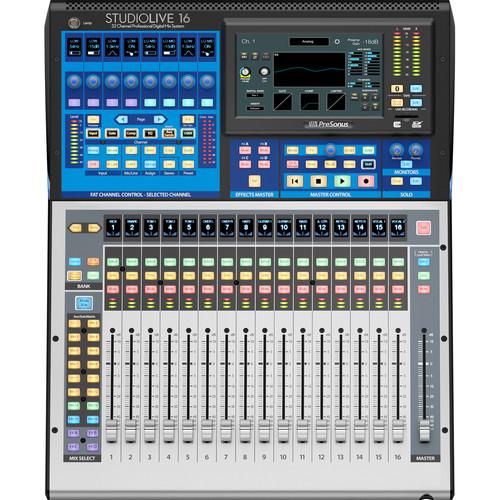
Product description The PreSonus StudioLive 16 Series III Digital Mixer is designed for live sound reinforcement, live recording, and studio recording applications. In its third released version, the mixer features an integrated hardware and software system with 17 touch-sensitive, motorized faders and 17 recallable XMAX preamps. The redesigned digital Fat Channel was re-engineered from the ground up and features vintage-style EQs and compressors on every channel, recallable scene presets, virtual sound check, remote control using a Windows computer, Mac, or iPad, remote monitor mixing using an iPhone or iPod Touch, and all the software you need for live mixing, recording, and distributing your music online.
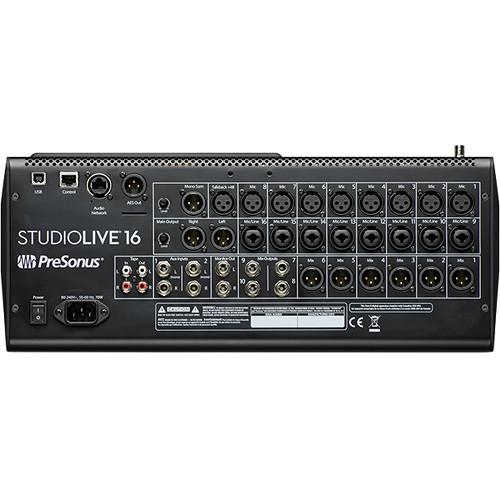
The unit features 24 total inputs with eight +48V phantom powered XLR XMAX microphone preamplifiers and 8 mic/line inputs via XLR-1/4" combo jacks. Additional inputs include four 1/4" aux inputs and a dedicated XLR talkback mic input with phantom power. The mixer includes a balanced XLR mono output, a left and right pair of balanced stereo XLR main outputs, 6 XLR mix outputs, four 1/4" mix outputs, and a pair of 1/4" monitor outputs. A digital output of the main mix is available via XLR AES/EBU. Additionally, unbalanced stereo RCA tape inputs and outputs are provided.
For effects, the mixer features 32-bit, floating-point processing with 4-band parametric EQs on inputs, 6-band parametric EQ on outputs, eight 31-band graphic EQs, high-pass filters, limiters, compressors, expander/gates with key listen and key filter, reverbs, and delays.
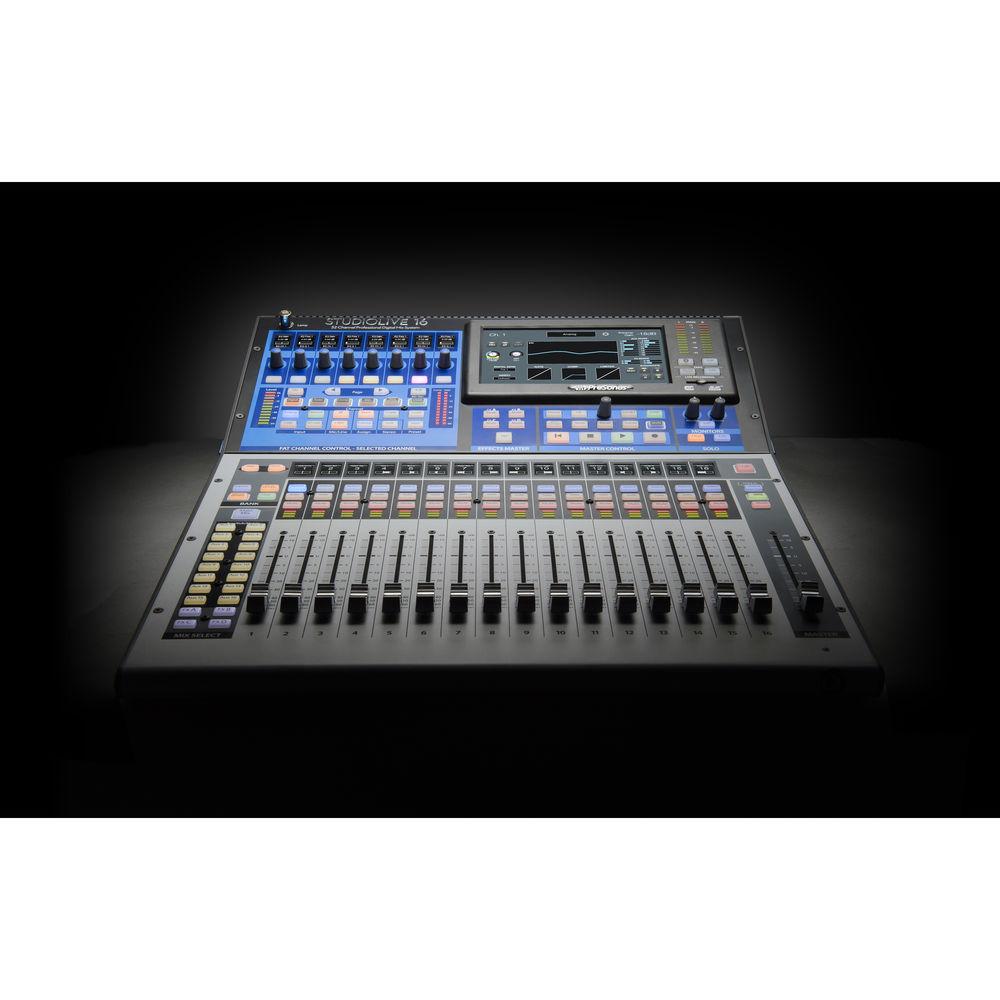
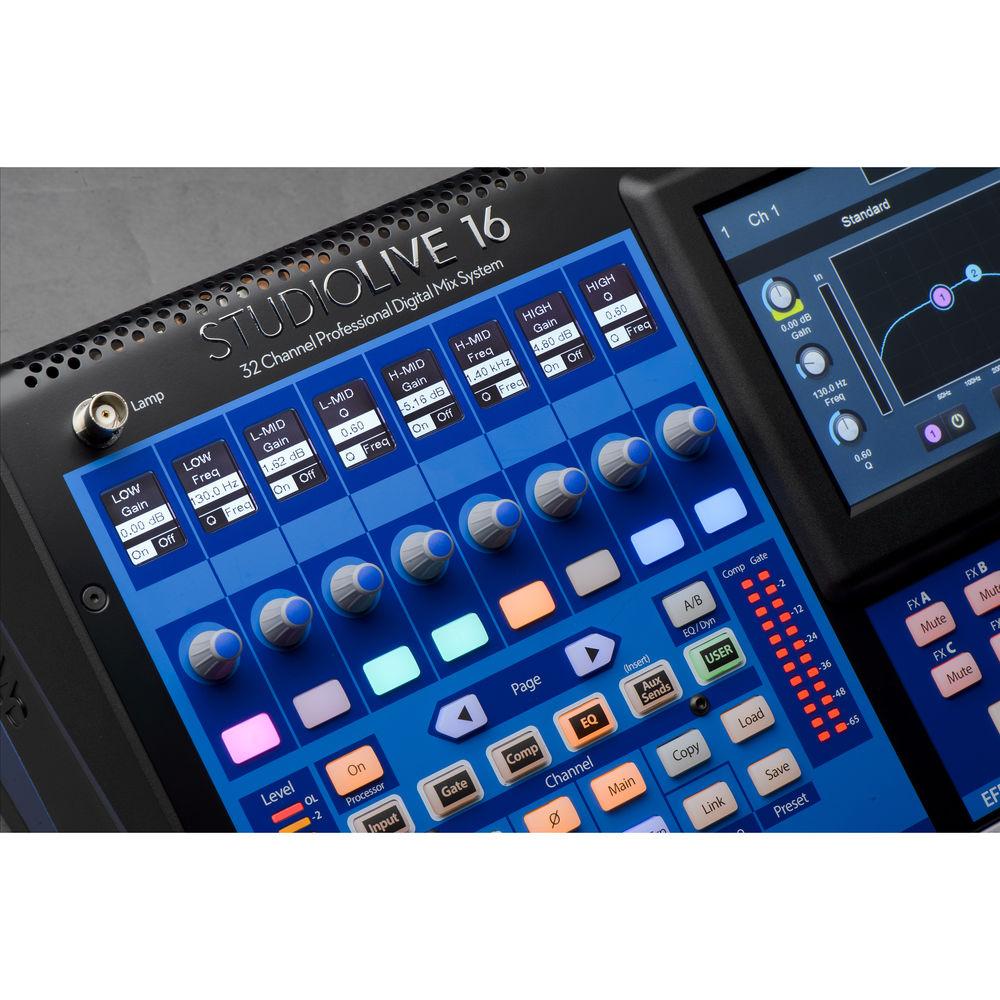
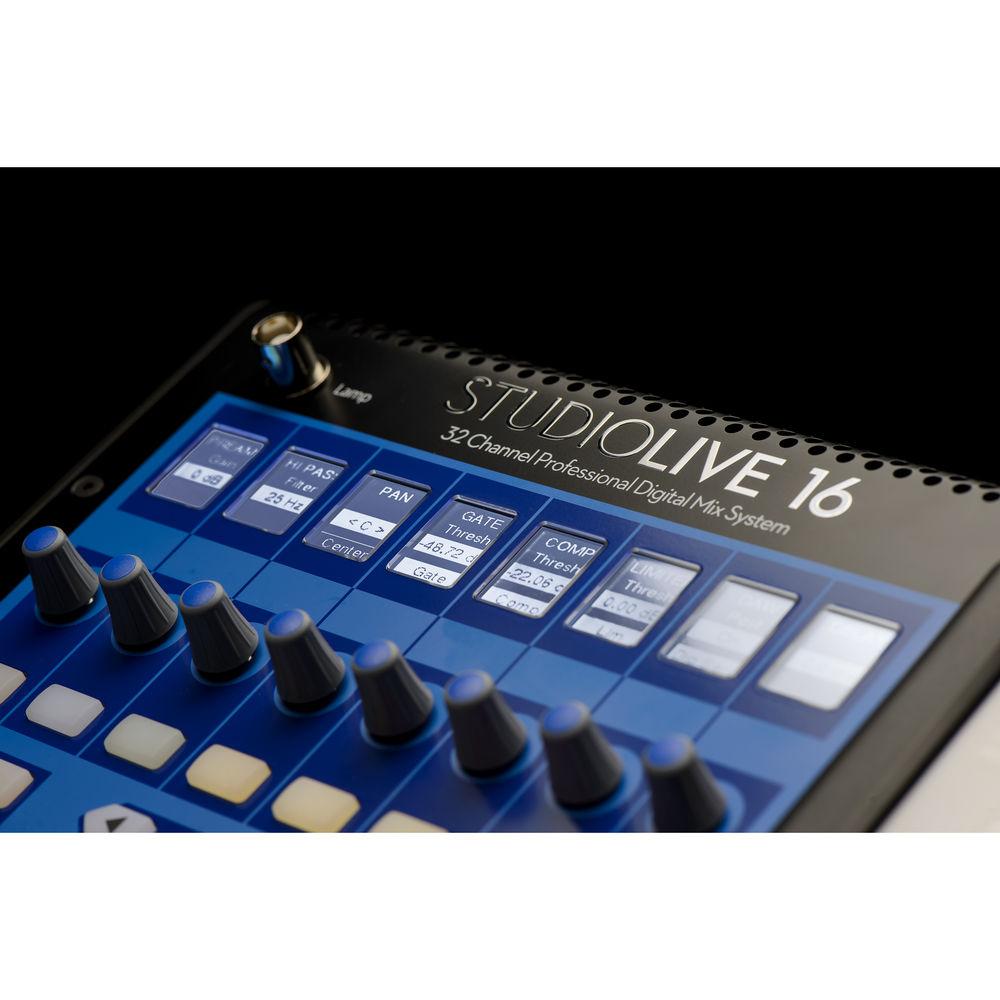
For mixing, each channel features a touch-sensitive, motorized fader. Users can choose a 1-to-1 workflow, which assigns all channels to the top layer (with one fader per input channel), or a split-layer workflow, which splits the faders between inputs and outputs, including DCAs and aux outputs. The RGB select buttons offer user-assignable colors, while user-assignable buttons are provided for mute groups, scenes, and more. The new Fat Channel control offers 8 scribble strips, encoders, multicolor buttons with a customizable user layer, and a 7" color touchscreen.
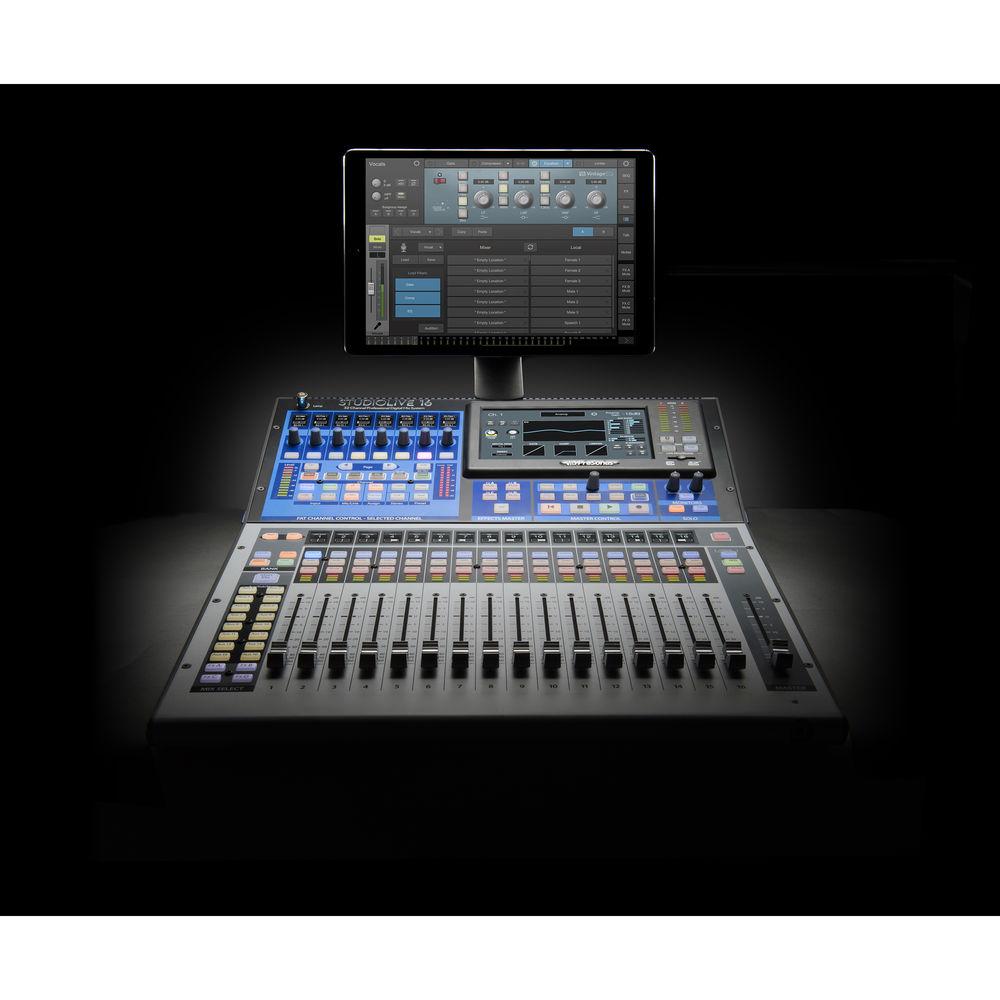
The mixer comes with an actively integrated software library. UC Surface allows for touch-control via an iPad, Mac, or Windows computer, while QMix-UC is a free, downloadable app that enables wireless aux-mix control via iPhone or iPod touch. Capture is a multitrack recording software that allows for virtual soundchecks and recording without a computer, and Studio One Artist is a professional digital audio workstation well suited for music recording, mixing, mastering, sharing, and collaboration. - General Controls
-
- 17 touch-sensitive, motorized faders with 1-to-1 workflow
- RGB select buttons with user-assignable colors
- Transport control
- Updated Fat Channel controls including
- 8 scribble strips, encoders, and multicolor buttons
- Customizable user layer
- 7-inch color touchscreen
- Inputs and Outputs
-
- 24 total inputs
- 16 channel inputs: 8 mic, 8 mic/line
- 1 XLR talkback mic input with recallable XMAX Class-A preamp
- 2 stereo aux inputs
- 10 FlexMix outputs: 6 XLR, 4 balanced TRS
- Unbalanced stereo (RCA) tape input and output
- Bluetooth 4.1 wireless tape input
- Stereo AES/EBU digital output
- 2 XLR (L/R) main outputs
- XLR main summed mono output
- 2 TRS monitor outputs
- Stereo headphone output
- Channels and Buses
-
- 16 input channels
- 16 with recallable XMAX Class-A mic preamps
- 16 via USB and AVB
- 2 stereo aux inputs
- 20 buses:
- 10 FlexMixes (can be designated as aux, subgroup, or matrix mixes)
- 4 internal effects sends
- Stereo main bus
- 2 filter DCAs for easily and flexibly controlling groups of channels
- Networking Connections
-
- 1 Ethernet control network port
- Dynamic, self-assigned, and manual IP address modes
- 1 Ethercon AVB audio network port
- Complete ecosystem of AVB solutions, including stageboxes and personal monitor mixers (available in 2017)
- Recording
-
- Onboard 34 x 34 SD recorder (using Capture)
- 38 x 38 USB recording interface
- 55 x 55 AVB recording interface
- Signal Processing
-
- Intuitive Fat Channel signal processing on every channel with:
- A/B settings comparison
- High-pass filter and polarity reverse
- Gate/expander with sidechain
- Compressor with sidechain
- 4-band parametric EQ on inputs
- 6-band parametric EQ on outputs
- Limiter
- Delay on every input
- Delay on every output
- Professionally programmed library of presets
- Vintage EQ and compressor models available on every input
- Passive EQ
- Vintage EQ
- Tube compressor
- FET compressor
- Eight 31-band graphic EQs
- Four internal effects buses, featuring a combination of reverbs and delays with modern and vintage options
- Built-in, real-time analyzer and signal generator
- Metering/Displays
-
- 7" color touchscreen
- Input meter on every channel
- Full-size Fat Channel metering
- Input meter
- Gate gain reduction meter
- Compressor gain reduction meter
- Full-size stereo main output meters
- Scenes and Presets
-
- Create, save, and edit up to 100 scenes
- Scene management with:
- Scene Safe—prevents a scene change from affecting designated “safe” channels
- Create, save, and edit channel settings and copy/paste between channels
- Advanced channel preset options can save and recall:
- Channel type and name
- Input settings (preamp, +48V phantom power, polarity, pan)
- Fat Channel A & B settings
- Bus assignments
- Aux and effects send levels and pan
- Select button color
- 8 Quick Scenes
- Digital
-
- Studio-quality converters with 115 dB dynamic range
- 48 kHz operation with 24-bit resolution (44.1 kHz option coming soon)
- Actively Integrated Software
-
- UC Surface touch control software for Mac, Windows, and iPad
- Studio One Artist digital audio workstation software for Mac and Windows
- Capture multitrack recording software for Mac and Windows
- QMix-UC aux-control software for iOS and Android available free from Apple App Store, Google Play, and Amazon App Store
- Includes Studio Magic Plug-in Suite with Maag Audio EQ 2, SPL Attacker, Arturia instruments and more
UPC: 673454004865 In the Box PreSonus StudioLive 16 Series III Digital Mixer 16-Channel Digital Console/Recorder USB 2.0 Cable Ethernet Network Cable Studio One Artist Software Capture Software UC Surface Software Studio Magic Plug-In Suite Software IEC Power Cord Limited 1-Year Warranty Table of Contents
|
Upload User Manual
Have you got an user manual for the PreSonus StudioLive 16 Series III Digital Mixer 16-Channel Digital Console Recorder in electronic form? Please send it to us and help us expand our library of instruction manuals.
Thank you, too, on behalf of other users.
To upload the product manual, we first need to check and make sure you are not a robot. After that, your "Submit Link" or "Upload File" will appear.
Technical parametersPreSonus STUDIOLIVE 16 SERIES III Specs | | | Type | Balanced XLR female | | Frequency Response | To Main Output (at Unity Gain): 20 Hz to 20 kHz at ±0.5 dBu | | Input Impedance | 1 kOhm | | THD | To Main Output: <0.005%, +4 dBu, 20 to 20 kHz, unity gain unweighted | | S/N Ratio | To Main Output (Ref = +4 dB, 20 kHz BW, Unity Gain, A-weighted): 94 dB | | Common Mode Rejection Ratio | 1 kHz at Unity Gain: 65 dB | | Gain Control Range | 0 to +60 dB (±1 dB) | | Maximum Input Level | +12 dBu (unity gain) | | Phantom Power | 48 VDC, switchable per channel | | | | Type | 1/4" (6.3 mm) TRS female, balanced mono | | Frequency Response | To Main Output (at Unity Gain): 20 Hz to 20 kHz, ±0.5 dBu | | Input Impedance | 10 kOhms | | THD | To Main Output: <0.005%, +4 dBu, 20 Hz to 20 kHz, unity gain, unweighted | | S / N Ratio | To Main Output (Ref = +4 dB, 20 kHz BW, unity gain, A-weighted): 94 dB | | Maximum Input Level | +18 dBu | | | | Type | Inputs: RCA female, unbalanced (stereo pair)
Outputs: RCA female, unbalanced (stereo pair) | | Maximum Level | Maximum Input Level: +12 dBu, ±0.5 dBu
Maximum Output Level: +18 dBu, ±0.5 dBu | | Output Impedance | 100 Ohms | | | | XLR Outputs | Type: XLR male, balanced
Maximum Output Level: +24 dBu, ±0.5 dBu
Output Impedance: 100 Ohms | | Line Outputs | Type: 1/4" (6.35 mm) TRS female, balanced
Maximum Output Level: +18 dBu, ±0.5 dBu
Output Impedance: 100 Ohms | | | | Type | 1/4" (6.35 mm) TRS female, active stereo | | Maximum Output | 100 mW/ch. @ 60 Ohms load | | Frequency Response | 20 Hz to 20 kHz (± 0.5 dB) | | THD+N | 0.01%, 1 kHz, max gain, 20 Hz BW, unweighted | | S/N Ratio | 96 dB, 1 kHz, max gain, 20 Hz BW, unweighted | | | | Crosstalk | Input to Output: -90 dB (Ref = +4 dBu, 20 Hz to 20 kHz, unweighted)
Adjacent Channels: -87 dB (Ref = +4 dBu, 20 Hz to 20 kHz, unweighted) | | | | ADC Dynamic Range | A-weighted at 48 kHz: 115 dB | | DAC Dynamic Range | A-weighted at 48 kHz: 115 dB | | USB | USB Recording Port: USB 2.0, Type-B | | Bluetooth | 4.1, stereo | | AES/EBU Audio Output | XLR male | | Network Port | Network Control Port: RJ-45
AVB Audio Network Port: Ethercon | | Internal Processing | 32-bit, floating point | | Sampling Rate | 48 kHz (44.1 kHz coming soon) | | Audio Bit Depth | 24-bit | | Reference Level | For 0 dBFS: +18 dBu | | Latency | Total System Latency: 1.9 ms (local routing, analog in - analog out, all processing active) | | | | Jitter | <20 ps RMS (20 Hz to 20 kHz) | | Attenuation | >60 dB (1 ns in, 1 ps out) | | | | General | USB 2.0 port
Internet connection
Internal or external 7200 rpm storage drive highly recommended
30 GB hard drive space
Monitor with 1366x768 resolution
| | Windows System Requirements | Windows 7 x64/x86 SP1 + platform update, Windows 8.1 x64/x86, Windows 10 x64/x86
Intel Core 2 Duo or AMD Athlon X2 processor (Intel Core i3 or Athlon X4 or faster recommended)
4 GB RAM (8 GB or more recommended) | | Mac System Requirements | Mac OS X 10.8.5 64-bit or later
Intel Core 2 Duo processor (Intel Core i3 or faster recommended)
4 GB RAM (8 GB or more recommended) | | iOS Compatibility | iOS 9.3 or later
iPad Pro, Air 2, Air, mini 4, mini with Retina display, (4th generation), mini, (3rd generation), 2 | | Android | Android (QMix-UC)
Android 5.0 (Lollipop) or higher
Android smartphone or tablet | | | | Power Connector | IEC | | Input Voltage Range | 90 to 230 VAC (±10%) | | Power Consumption | 85 W | | Temperature Range | 32 to 104°F / 0 to 40°C | | Dimensions (H x W x D) | 6.5 x 17.6 x 23.0" / 165.4 x 446.8 x 583.4 mm | | Weight | 23.2 lb / 10.5 kg | | | | Package Weight | 33.5 lb | | Box Dimensions (LxWxH) | 23.4 x 22.9 x 12.4" |
Rating20% users recommend this product to others. And what about you?

This product has already been rated by 34 owners. Add your rating and experience with the product.
Discussion
 Ask our technicians if you have a problem with your settings,
or if anything is unclear in the user manual you have downloaded.
You can make use of our moderated discussion.
The discussion is public and helps other users of our website who may be encountering similar problems.
Ask our technicians if you have a problem with your settings,
or if anything is unclear in the user manual you have downloaded.
You can make use of our moderated discussion.
The discussion is public and helps other users of our website who may be encountering similar problems.
The discussion is empty - enter the first post
Post a new topic / query / comment:
|
|


