User Manual for proDAD Mercalli V2 Pro - Video Stabilization Software Click to enlarge the picture
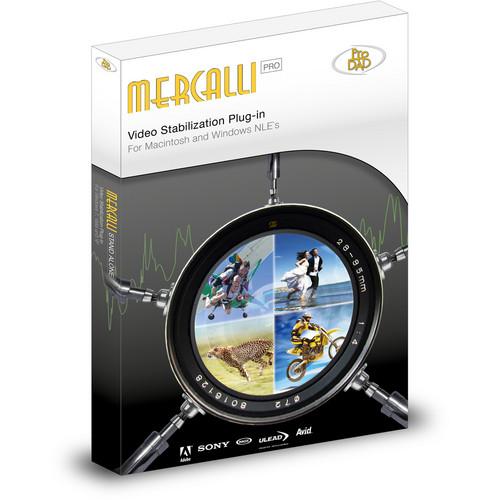 Contents of the user manual for the proDAD Mercalli V2 Pro - Video
- Product category: Video Editing proDAD
- Brand: proDAD
- Description and content of package
- Technical information and basic settings
- Frequently asked questions – FAQ
- Troubleshooting (does not switch on, does not respond, error message, what do I do if...)
- Authorized service for proDAD Video Editing
|
User manual for the proDAD Mercalli V2 Pro - Video contain basic instructions
that need to be followed during installation and operation.
Before starting your appliance, the user manual should be read through carefully.
Follow all the safety instructions and warnings, and be guided by the given recommendations.
User manual is an integral part of any proDAD product,
and if it is sold or transferred, they should be handed over jointly with the product.
Following the instructions for use is an essential prerequisite for protecting
health and property during use, as well as recognition of liability on the part of the manufacturer
for possible defects should you make a warranty claim. Download an official proDAD user manual in which you will find instructions on how to install, use, maintain and service your product.
And do not forget – unsuitable use of a proDAD product will considerably shorten its lifespan!
|
Product description The proDAD Mercalli V2 Pro - Video Stabilization Software analyzes and automatically corrects for various unstable shots, zoom, pan, tilt, track, dolly jitter, and CMOS skew artifacts.
A 3-dimension stabilization process independently stabilizes the X, Y, and Z camera axes to more thoroughly correct for unstable capture, and a feature called Dynamic Camera Options enables you to control the level of stabilization so that your footage doesn't look uniform from scene to scene. Where commonly stabilization is done by blowing up an image beyond its original borders, Mercalli V2 Pro's "SmartBorder" technology reduces the need to zoom in during stabilization, leaving the borders of the original video intact. Skew is corrected by a feature called Rolling-Shutter Compensation.
Mercalli V2 Pro can be used as a plug-in with many Mac and Windows NLEs, and it can also be used as a standalone version that exports the corrected videos to your desktop or other folder, from where they can be imported to an NLE or burned to a disc. You can use both versions at the same time as long as they are on the same computer. - Main Features
-
- Corrects unstable shots, jitter, and and CMOS skew artifacts
- Stabilizes the X, Y, and Z camera axes to more thoroughly correct for unstable capture
- Allows control of the level of stabilization to prevent uniform looks
- Stabilizes without blowing up the image, keeping original borders intact
- Can be used as a plug-in and and or as a standalone
- Key Corrections
-
- Pan Shot Compensation
- Tilt-Compensation
- Decrease Horizontal Tilt
- Decrease Vertical Tilt
- Roll-Compensation
- Rolling-Shutter-Compensation
- Zoom Compensation
- Pan Shot Smoothing
- Smooth Out Zoom
- Rolling Motion Compensation
- Border Stabilization
- Best Border
- Fix Border
- Auto-Fill Colors
- Avoiding Border with Zoom
- Compatible NLEs
- Mercalli V2 Pro can be used as a plug-in with the below Mac/Windows NLEs, and it can also be used as standalone.
- Adobe Premiere Pro, After Effects, Premiere Elements
- Apple Final Cut Pro 7, Motion 4
- Avid Media Composer, Symphony, Studio
- Corel VideoStudio, VideoStudio Pro
- Grass Valley Edius, NEO
- Magix Video Deluxe, Video Pro, Movie Edit Pro
- Pinnacle Studio
- Sony Vegas Pro
Table of Contents
|
Upload User Manual
Have you got an user manual for the proDAD Mercalli V2 Pro - Video Stabilization Software in electronic form? Please send it to us and help us expand our library of instruction manuals.
Thank you, too, on behalf of other users.
To upload the product manual, we first need to check and make sure you are not a robot. After that, your "Submit Link" or "Upload File" will appear.
Technical parametersproDAD Mercalli V2 Specs | Minimum System Requirements | Mac:
Any OSX from 10.5 on, 2 GB memory
Intel i7 processor with OSX 10.6 and 6 GB memory recommended
Windows:
Any version of Windows from Vista on, 2 GB memory
Intel i7 processor with Windows 7 64-bit and 6 GB memory recommended | | Compatible NLE Systems | Mercalli V2 Pro can be used as a plug-in with the below Mac and Windows NLEs, and it can also be used standalone.
Mac-compatible:
Adobe Premiere Pro CS3, CS4, CS5, CS6
Adobe After Effects CS5, CS5.5, CS6
Apple Final Cut Pro 7
Apple Motion 4
Windows-compatible:
Adobe Premiere Pro CS3, CS4, CS5, CS5.5, CS6, CC
Adobe After Effects CS3, CS4, CS5, CS5.5, CS6
Adobe Premiere Elements 8, 9, 10
Avid Media Composer 5, 6
Avid Symphony 5, 6
Avid Studio 2011
Corel VideoStudio X4, X5
Corel VideoStudio Pro X6
Grass Valley Edius 5, 6, 6.5
Grass Valley NEO 2, 3
Magix Video Deluxe 17, 18, 2013
Magix Video Pro X2, X3, X4, X5
Magix Movie Edit Pro 17
Pinnacle Studio 14, 15, 16
Sony Vegas Pro 9, 10, 11, 12 (*Sony Vegas Pro 10 already includes stabilization technology from proDAD) | | Number of Licenses Included | 2 licenses are included, one for the plug-in version and one for the standalone version, for use on one computer. |
Rating60% users recommend this product to others. And what about you?

This product has already been rated by 55 owners. Add your rating and experience with the product.
Discussion
 Ask our technicians if you have a problem with your settings,
or if anything is unclear in the user manual you have downloaded.
You can make use of our moderated discussion.
The discussion is public and helps other users of our website who may be encountering similar problems.
Ask our technicians if you have a problem with your settings,
or if anything is unclear in the user manual you have downloaded.
You can make use of our moderated discussion.
The discussion is public and helps other users of our website who may be encountering similar problems.
The discussion is empty - enter the first post
Post a new topic / query / comment:
|
|


