User Manual for proDAD ProDrenalin V2 Click to enlarge the picture
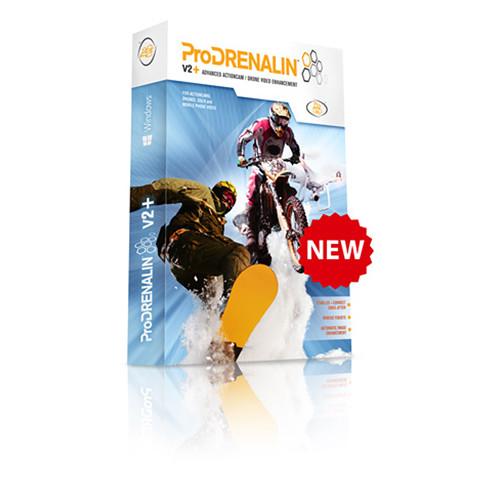 Contents of the user manual for the proDAD ProDrenalin V2
- Product category: Other Accessories proDAD
- Brand: proDAD
- Description and content of package
- Technical information and basic settings
- Frequently asked questions – FAQ
- Troubleshooting (does not switch on, does not respond, error message, what do I do if...)
- Authorized service for proDAD Other Accessories
|
User manual for the proDAD ProDrenalin V2 contain basic instructions
that need to be followed during installation and operation.
Before starting your appliance, the user manual should be read through carefully.
Follow all the safety instructions and warnings, and be guided by the given recommendations.
User manual is an integral part of any proDAD product,
and if it is sold or transferred, they should be handed over jointly with the product.
Following the instructions for use is an essential prerequisite for protecting
health and property during use, as well as recognition of liability on the part of the manufacturer
for possible defects should you make a warranty claim. Download an official proDAD user manual in which you will find instructions on how to install, use, maintain and service your product.
And do not forget – unsuitable use of a proDAD product will considerably shorten its lifespan!
|
Product description The proDAD ProDrenalin V2+ is a standalone video enhancement software for action camera and drone footage, compatible with Windows.
Import your videos individually or in batches, and ProDrenalin V2+ will automatically detect scenes and batch analyze them for stabilization. Apply up to three levels of stabilization, including jello effect correction. Also, fix common concerns such as white balance problems with one-click auto enhancement. Moreover, apply professional-grade color grading and video de-noising, and add various effects.
ProDrenalin V2+ is also more like a standard editing application than before, featuring the ability to add clips to a storyboard and edit them with familiar NLE keyboard shortcuts. Export everything in common formats such as ProRes and H.265. Export individual clips or entire batches as a rough-cut movie. - Key Features
- Fast Import
Import your raw videos individually or in a batch. ProDrenalin V2+ will automatically detect scenes and can batch analyze them for stabilization.
Ditch Unwanted Fisheye Warp
Select the camera that created the video or still image and it's instantly trued-up. Newly enhanced profiles are optimized if you want to stabilize a clip and retain the fisheye warp. Camera profiles can be edited on the fly to fine-tune an image, or adapt an existing profile to use with a non-supported camera.
Three Levels of Video Stabilization
ProDrenalin features the Mercalli V4 engine to better stabilize video while minimizing zoom-in, and is much faster. ProDrenalin offers three levels of correction. CMOS distortion correction, for example, can remove wobbly, jiggly jello effect.
Automatic Image Enhancement
One-click auto-enhancement brings colors to life and fixes common issues with contrast, brightness, white balance, and more. There are also professional-grade color correction tools, a histogram, improved video de-noising, and a handy magnifying glass to zoom in on parts of the video to check your changes.
Video Effects
ProDrenalin V2+ has plenty of cool filter effects on tap that can be applied to a clip and fine-tuned for just the right look.
Advanced Editing
ProDrenalin V2+ now acts more like a traditional NLE, with the ability to add clips onto a storyboard and edit with familiar NLE keyboard shortcuts.
New Export Options
Export in many common formats including Apple ProRes, H.264, H.265, Canopus HQ/HQX, AVI, and Motion JPEG. Export clips individually, or together as a rough-cut movie, to the PC or right to YouTube. - Fisheye Removal
-
- Automatic fisheye removal
- Works with video and still images
- Optimized camera profiles
- Adjustable camera profiles
- Ongoing profile additions
- Image Stabilization
-
- Mercalli V4 stabilization technology
- CMOS distortion correction
- Three levels of correction
- Optimal stabilization of fisheye video
- Rolling shutter correction
- Batch analysis option
- Image Cleanup
-
- Basic color/brightness/contrast correction
- Advanced color correction tools
- Fully automatic image correction
- Magnifying glass tool
- Video sharpening (enhanced and faster)
- Video de-noising (enhanced and faster)
- Editing
-
- Scalable timeline (enhanced)
- Basic clip trim editing
- Clip splitting
- Storyboard a rough-cut movie
- Drag and drop, click and drag in canvas
- Common NLE keyboard shortcuts
- Real-time clip preview/playback
- Scene detection on import
- Video Effects
-
- Apply video filter effects
- Included video effects (vignette, lighting, color, B&W, and others)
- Adjust location, rotation, scale
- Keyframe support
- Export
-
- Batch export processing
- Export combined clips as rough-cut movie
- Export to YouTube
- Project Management
-
- Ability to save and re-open saved project
- Save exported project with unique name
- Save used settings as a template
Table of Contents
|
Upload User Manual
Have you got an user manual for the proDAD ProDrenalin V2 in electronic form? Please send it to us and help us expand our library of instruction manuals.
Thank you, too, on behalf of other users.
To upload the product manual, we first need to check and make sure you are not a robot. After that, your "Submit Link" or "Upload File" will appear.
Technical parametersproDAD PRODRENALIN V2+ Specs | Supported Resolutions | 2.7K, 4K, 8K
720p, 1080i, 1080p
640 x 480, 720 x 480, 1024 x 768 | | Supported Formats | Video Input:
MOV, MPG, MPEG, MP4, MTS, M2T, M2TS, GoPro CineForm M2V, AVI, MWV, MXF, VOB, VCD, 3GP, MKV, TOD, MOD
Video Export:
AVC/H.264 (MP4+MOV), Canopus HQ/HQX HEVC/H.265 (MOV), Apple ProRes (MOV), MJPEG (MOV)
Still Image Input:
JPG, TIF, PNG, TGA, GIF, BMP, DPX
Still Image Export:
JPEG
Audio Export:
AAC, PCM 16-bit, AC-3, Apple Lossless (ALAC) | | System Requirements | Minimum:
Dual-core CPU 2.0 GHz
4 GB RAM, 50 MB HDD
Recommended:
Intel Core i7
8 GB RAM, 50 MB HDD
64-bit Windows 10, 8, 7, Vista |
Rating90% users recommend this product to others. And what about you?

This product has already been rated by 43 owners. Add your rating and experience with the product.
Discussion
 Ask our technicians if you have a problem with your settings,
or if anything is unclear in the user manual you have downloaded.
You can make use of our moderated discussion.
The discussion is public and helps other users of our website who may be encountering similar problems.
Ask our technicians if you have a problem with your settings,
or if anything is unclear in the user manual you have downloaded.
You can make use of our moderated discussion.
The discussion is public and helps other users of our website who may be encountering similar problems.
The discussion is empty - enter the first post
Post a new topic / query / comment:
|
|


