User Manual for Program4Pc GIF to Flash Converter 3 Click to enlarge the picture
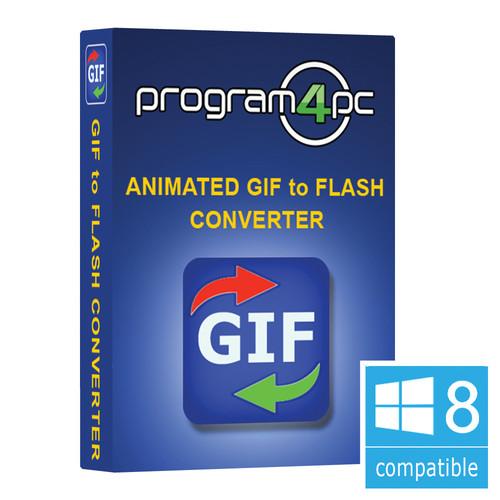 Contents of the user manual for the Program4Pc GIF to Flash Converter 3
- Product category: Encoding Software Program4Pc
- Brand: Program4Pc
- Description and content of package
- Technical information and basic settings
- Frequently asked questions – FAQ
- Troubleshooting (does not switch on, does not respond, error message, what do I do if...)
- Authorized service for Program4Pc Encoding Software
|
User manual for the Program4Pc GIF to Flash Converter 3 contain basic instructions
that need to be followed during installation and operation.
Before starting your appliance, the user manual should be read through carefully.
Follow all the safety instructions and warnings, and be guided by the given recommendations.
User manual is an integral part of any Program4Pc product,
and if it is sold or transferred, they should be handed over jointly with the product.
Following the instructions for use is an essential prerequisite for protecting
health and property during use, as well as recognition of liability on the part of the manufacturer
for possible defects should you make a warranty claim. Download an official Program4Pc user manual in which you will find instructions on how to install, use, maintain and service your product.
And do not forget – unsuitable use of a Program4Pc product will considerably shorten its lifespan!
|
Product description GIF to Flash Converter 3 from Program4Pc does more than convert to Flash, it allows you to export animated and even single image GIFs to a wide variety popular video codecs, including AVI, SWF, FLV, MOV, WMV, MP4, still image sequence, and more. The software doesn't only perform basic conversion, you can also alter frame rate and resolution, flip or align the image, apply color correction, and even add effects like sharpen and blur. It is compatible with Windows 8. - Supports Major GIF Formats
- There are many different GIF formats, including animated GIFs, single frame GIFs, as well as different resolutions. GIF to Flash Converter is designed to work with them all
- Exports to More Than Just Flash
- GIF to Flash Converter exports to a number of popular video codecs, including AVI, SWF, FLV, MOV, WMV, MP4, M4V, 3GP, 3G2, DivX, Xvid, and MPEG2. This range of options means there is a good chance you will find a format that works with your intended playback device or playback software
- Export to Still Image Sequence
- In addition to creating video clips, you can also export animated GIFs as a sequence of stills. Export to formats such as BMP, JPG, GIF, PNG, TIF, WMF, EMF, J2K, TGA, PCX, and RAS
- GIF Editing
- Using the built-in Trim function, you can simply select in- and out-points to create a shorter clip than the source material. Trimming is frame accurate to ensure you get just the section you want
- Image Enhancement Tools
- Besides trimming, you can make image adjustments and color corrections to further enhance the quality of your final video. Adjustments include brightness, contrast, saturation, and hue, as well as the ability to adjust each color channel separately. Effects you can apply include vertical and horizontal image flip, invert, blur, and sharpen
- Frame Rate and Resolution Conversion
- Output does not have to match the specifications of the original - you can change screen resolution, video codec, frame rate, bitrate, and aspect ratio
- CPU Auto-Detection
- GIF to Flash Converter detects your computer's CPU to help determine settings that will yield more efficient conversion
Table of Contents
|
Upload User Manual
Have you got an user manual for the Program4Pc GIF to Flash Converter 3 in electronic form? Please send it to us and help us expand our library of instruction manuals.
Thank you, too, on behalf of other users.
To upload the product manual, we first need to check and make sure you are not a robot. After that, your "Submit Link" or "Upload File" will appear.
Technical parametersProgram4Pc 852668784293 Specs | | | Operating System | Windows 8 | | RAM | 1 GB RAM | | CPU | 1 GHz or higher Intel or AMD compatible CPU | | Disk Space | 50 MB or more free space for installation | | Internet Access | Required for product activation | | | | Import | Still and animated GIF | | Export | Video: AVI, SWF, FLV, MOV, WMV, MP4, M4V, 3GP, 3G2, DivX, Xvid, and MPEG2
Still Image: BMP, JPG, GIF, PNG, TIF, WMF, EMF, J2K, TGA, PCX, and RAS |
Rating90% users recommend this product to others. And what about you?

This product has already been rated by 26 owners. Add your rating and experience with the product.
Discussion
 Ask our technicians if you have a problem with your settings,
or if anything is unclear in the user manual you have downloaded.
You can make use of our moderated discussion.
The discussion is public and helps other users of our website who may be encountering similar problems.
Ask our technicians if you have a problem with your settings,
or if anything is unclear in the user manual you have downloaded.
You can make use of our moderated discussion.
The discussion is public and helps other users of our website who may be encountering similar problems.
The discussion is empty - enter the first post
Post a new topic / query / comment:
|
|


