|
User Manual for QNAP HS-453DX Fanless 10Gb s Multimedia NAS Enclosure Click to enlarge the picture
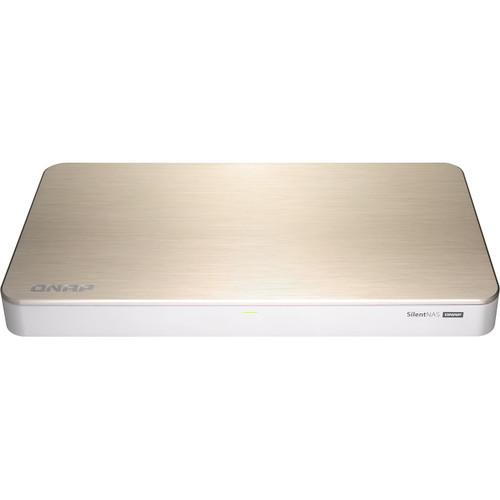 Contents of the user manual for the QNAP HS-453DX Fanless 10Gb s Multimedia
- Product category: NAS Enclosures QNAP
- Brand: QNAP
- Description and content of package
- Technical information and basic settings
- Frequently asked questions – FAQ
- Troubleshooting (does not switch on, does not respond, error message, what do I do if...)
- Authorized service for QNAP NAS Enclosures
 |
User manual for the QNAP HS-453DX Fanless 10Gb s Multimedia contain basic instructions
that need to be followed during installation and operation.
Before starting your appliance, the user manual should be read through carefully.
Follow all the safety instructions and warnings, and be guided by the given recommendations.
User manual is an integral part of any QNAP product,
and if it is sold or transferred, they should be handed over jointly with the product.
Following the instructions for use is an essential prerequisite for protecting
health and property during use, as well as recognition of liability on the part of the manufacturer
for possible defects should you make a warranty claim. Download an official QNAP user manual in which you will find instructions on how to install, use, maintain and service your product.
And do not forget – unsuitable use of a QNAP product will considerably shorten its lifespan!
|
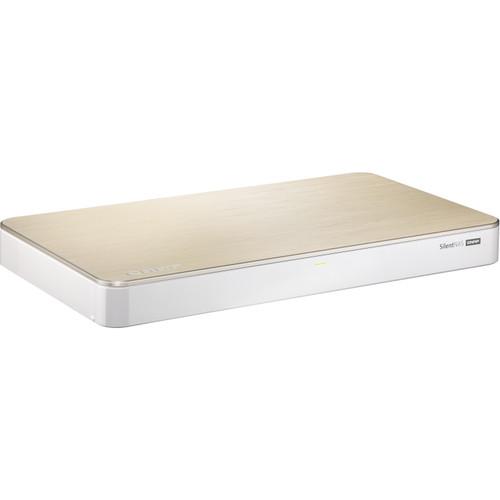
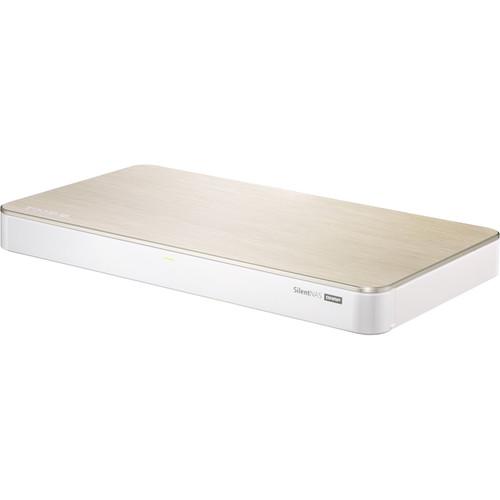
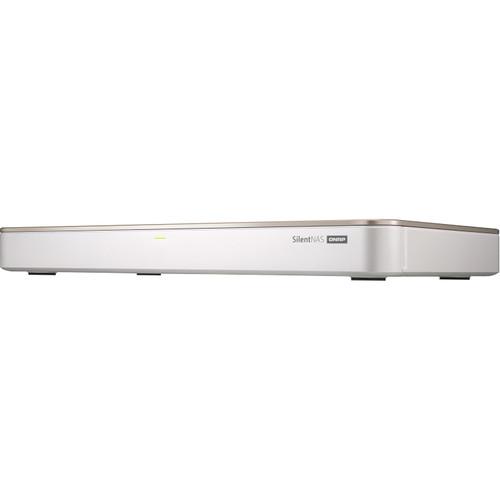
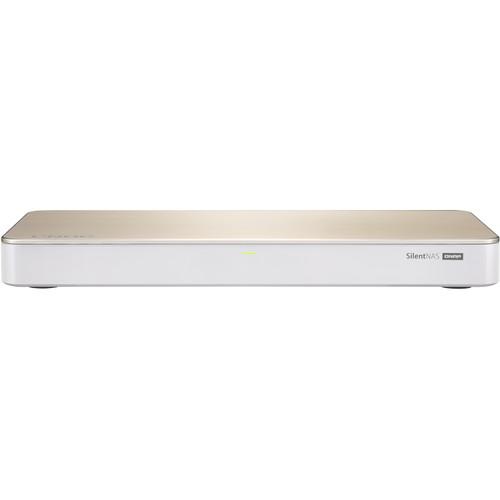
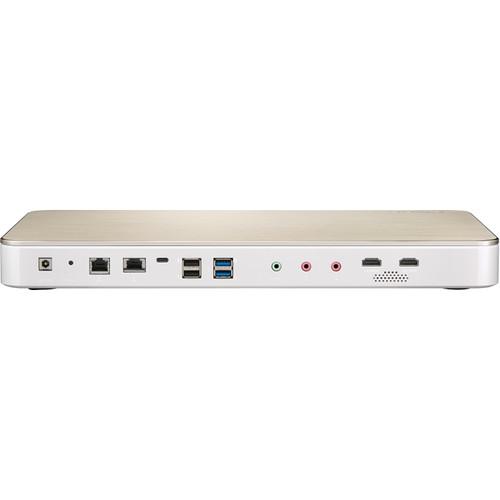
Product description Take your multimedia performance to the next level with the HS-453DX Fanless 10Gb/s Multimedia NAS Enclosure from QNAP. Powered by an Intel Celeron J4105 quad-core processor and capable of 4K video output, the HS-453DX comes equipped with 4GB of DDR4 RAM, two 3.5" drive bays, two M.2 SSD slots, a 10 Gb/s Ethernet port, a Gigabit Ethernet port, two HDMI outputs (2.0 and 1.4), a USB 3.1 Gen 1 Type-C port, and two USB 3.0/3.1 Gen 1 Type-B ports. The HS-453DX's fanless design helps to ensure quiet operation. - 4K Multimedia
- Featuring Intel UHD Graphics 600, the HS-453DX supports dual-channel 4K H.264 hardware decoding and real-time transcoding, allowing you to convert videos to universal file formats that can be smoothly played on multiple devices. You can also watch 4K 60-fps media files on a HDTV using the HDMI 2.0 output or use with Plex Media Server to stream media files to mobiles devices and media streaming devices (including DLNA, Roku, Apple TV, Amazon Fire TV and Google Chromecast). The QNAP RM-IR004 remote control can be configured using QButton to customize the actions of individual buttons, providing a more convenient NAS experience.
- Roon Music Player
- Roon identifies all the music stored on the NAS and consolidates them in its interconnected digital library. You can browse and play music with Roon apps on any compatible device for multi-zone multimedia experiences. The HS-453DX supports the Roon Server app in the QTS App Center and provides the performance, storage potential, and SSD caching to optimize music streaming.
- Design and Connectibity
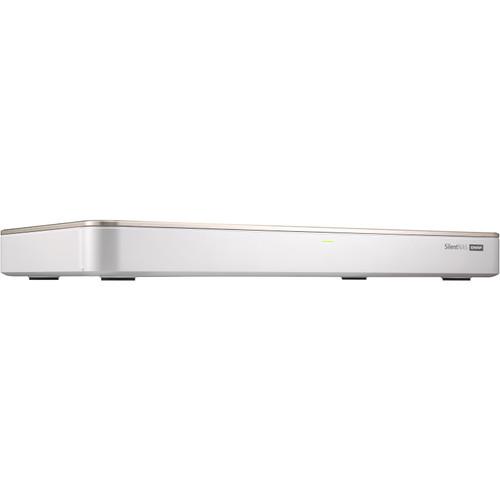
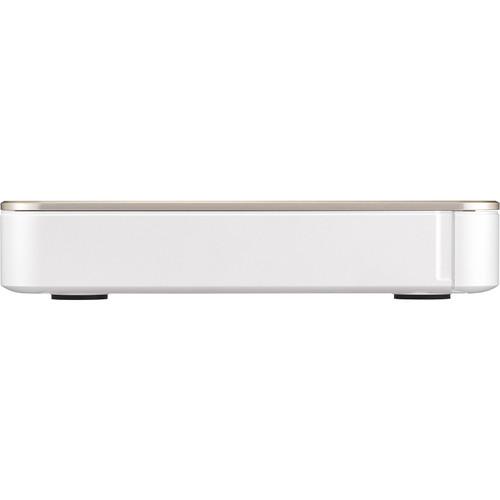
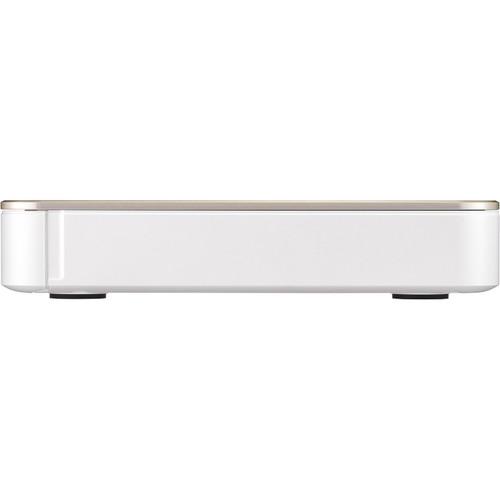
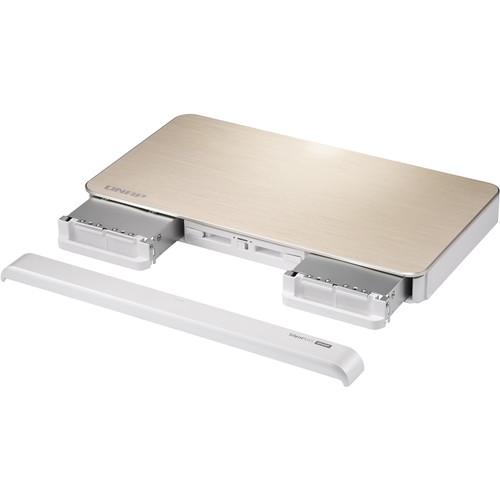
- The HS-453DX features a modern set-top design and appearance to fit alongside your existing home theater devices. The HS-453DX provides a wealth of connectivity to ensure all your different needs, including USB 3.0/3.1 Gen 1 Type-C and Type-A port and USB 2.0 Type-A ports, HDMI 2.0/1.4 dual output, 3.5mm line out, and more. The HS-453DX also provides an accessible hard drive layout, making it easy to add and remove 3.5-inch hard drives.
- Performance and Speed
- The HS-453DX is powered by an Intel Celeron J4105 quad-core 1.5 GHz processor (burst up to 2.5 GHz), with 4GB DDR4 memory (a total of up to 8GB dual-channel memory is supported), and supports SATA 6 Gb/s drives as well as AES-NI encryption. The HS-453DX also provides dual M.2 2280 SATA SSD slots to configure SSD caching to further improve performance. 10GbE connectivity is also provided with a built-in 10GBASE-T five-speed port (supports 10 Gb/s, 5 Gb/s, 2.5Gb/s, 1 Gb/s, and 100 Mb/s) that allows you to use existing Cat 5e, 6 or 6a cables.
- SSD Caching and SSD Over-Provisioning
- The HS-453DX features a hybrid HDD/SSD structure. You can flexibly allocate applications to SSDs, set up a SSD cache, or use Qtier technology to automatically move frequently accessed files to SSD. With support for software-defined SSD RAID extra over-provisioning (OP), the HS-453DX enables you to allocate additional OP space (1-60%) to optimize SSD random write speeds and to extend SSD lifespan.
- System Status and Data Security
- QNAP Notification Center consolidates all of the QTS system logs, events, and alerts, providing you with a single-app solution for notifications. The Security Counselor also scans the HS-453DX for potential weaknesses and provides recommendations to improve security. It also integrates anti-virus and anti-malware solutions to assist you in protecting your NAS.
- Windows and Mac Backup
- Use the free QNAP NetBak Replicator utility to backup/restore files from Windows computers. Time Machine is also supported for Mac users.
- Hybrid Backup Sync
- Consolidates backup, restoration and synchronization functions (using RTRR, rsync, FTP, CIFS/SMB) for easily transferring data to local, remote and cloud storage spaces as a comprehensive data storage and disaster recovery plan.
- Snapshots for Volume & LUN
- Block-based snapshots are a dependable method for protecting data in the face of the growing threat of ransomware. The HS-453DX supports up to 1,024 snapshots per NAS and up to 256 snapshots per volume or LUN.
- Remote Access and Cross-Platform File Sharing
- The HS-453DX centrally stores data and files, and supports SMB/CIFS, AFP and NFS protocols for file sharing across Windows, Mac, and Linux/UNIX devices. Coupled with Qsync (a utility that turns a QNAP NAS into a safe, high-capacity data center for file synchronization), most file uploaded to the HS-453DX will be made available for all linked devices, such as computers, laptops and mobile devices.
- Virtual JBOD Support
- Use VJBOD to expand your storage capacity by using the unused storage of another QNAP NAS.
- Network and Virtual Switch Support
- TCP/IP: Dual stack (IPv4 and IPv6)
Jumbo frame
Port trunking (failover and load balancing)
DHCP server and client
RADVD
USB Wi-Fi adapter
Virtual switch
Network Address Translation (NAT)
Spanning Tree Protocol (STP)
Software-Defined Switch mode
Static Route
NCSI (Network Connectivity Status Indicator)
DDNS settings (customize & multiple services) - Web Server Support
- HTTP/HTTPS connections
Supports WebDAV connection
Supports virtual host (Max: 32)
Importable SSL certificate - Security
- Network access protection with auto-blocking (SSH, Telnet, HTTP(S), FTP, CIFS/SMB, and AFP)
Host access control for shared folders (CIFS/SMB)
AES 256-bit folder-based and volume-based encryptions which are validated by FIPS 140-2 CAVP
(Cryptographic Algorithm Validation Program)
256-bit external drive encryption (AES)
Importing of SSL certificates from Let's Encrypt
Instant alerts through email, SMS, push service, and audio
2-step verification - Storage Management
- RAID Hot Spare and Global Hot Spare
RAID Rebuild Speed Customization
Online RAID capacity expansion
Online RAID level migration
SSD RAID over-provisioning
SSD RAID performance evaluation (with SSD Profiling Tool)
Bitmap support
Disk auto S.M.A.R.T. data migration
Disk bad block scan and S.M.A.R.T test
Disk bad block recovery
Disk secure data erase
Seagate Ironwolf Health Management
Storage pools
Qtier Data Tiering Technology
- Automatic or scheduled data tiering
- IO-aware auto tiering
- Shared folder tiering on demand
Flexible volumes and LUNs with thin provisioning and space reclaiming
Online volume expansion
Volume type convert
Volume shrink
Storage space utilization
Snapshots
- Volume and LUN snapshots
- Snapshot Dashboard
- Snapshot Manager
- Snapshot local restore and revert
- Snapshot Clone
- Snapshot Replica and Snapshot Vault
- Snapshot remote restore and revert
- Unified Snapshot Directory
- Support for Windows Previous Versions (CIFS/SMB)
- Snapshot Agent for Microsoft Windows and VMware vSphere
Storage expansion using QNAP expansion units
JBOD enclosure roaming
SSD read-only and read-write cache
SSD write-only cache - iSCSI (IP SAN)
- iSCSI targets with multiple LUNs per target
LUN mapping and masking
Online LUN capacity expansion
SPC-3 persistent reservation
MPIO & MC/S
iSCSI LUN backup, one-time snapshot, and restoration
Virtual disks using iSCSI initiator (max: 8)
Stack chaining master - Additional Notification Center Features
- Support for sending notifications via SMS providers, including Nexmo, Twilio, and Clickatell
Added Outlook as an SMTP service option
Support for sending notifications via instant messaging applications, including Skype and Facebook Messenger
Support for Overview and History in Notification Center
Support for 23 languages for notification messages
Support for creating custom notification rules to specify notification criteria, including application categories, severity levels, and keywords
Added support for creating multiple notification rules at the same time
Added support for sending notifications for a single system event - Power Management
- Wake-on-LAN (WoL)
Standby mode for internal drives
Scheduled power on and off
Automatic power on after power recovery
USB and network UPS support with SNMP management - Access Rights Management
- Multiple user creation
User data importing and exporting
User quota management
Local user access control (AFP, CIFS/SMB, FTP, and WebDAV)
Application access control (File Station, Music Station, Photo Station, and Video Station)
Subfolder permissions (AFP, CIFS/SMB, FTP, and File Station) - Domain Authentication
- Microsoft Active Directory (AD) and domain controller support
LDAP server and client
Domain user login (AFP, CIFS/SMB, FTP, and File Station) - myQNAPcloud Support
- Free host name registration (DDNS)
Optional myQNAPcloud SSL certificates (DDNS)
Auto router configuration using UPnP
Web-based file manager with HTTPS 2048-bit encryption
CloudLink for remote access without complex router setup - Qsync
- File syncing across multiple devices with SSL secure connection
Selective synchronization for specific folders or subfolders
Team folders as file center for better collaboration
File sharing using email links
Policy settings for conflicting files and file type filter
Version control for a maximum of 64 versions
Unified privilege and configuration management
Central configuration mode
Remote erase and restore
Qsync client support platform: Windows, Mac, Ubuntu and Android - Resource Monitor
- Monitoring of NAS system resources such as CPU, memory and network
Monitoring of NAS storage resources such as volumes, RAID, and disk activity
Monitoring of NAS application resource use
Creation of extra swap space when SSDs are installed - Helpdesk
- Reporting of issues to the QNAP support team, with automatic collection of system information
Remote connection between QNAP support engineers and NAS for issue resolution (with user permission) - Web Administration
- Multi-window, multitasking system management
Smart toolbar and dashboard for system status display
SNMP versions 2 and 3
Resource monitor
Network recycle bin
- Recover files deleted using AFP, CIFS/SMB, and File Station
- Automatic cleanup
- File type filter
Comprehensive logs (events and connections)
Syslog server and client
Backup and restoration of system settings
Qmanager: Mobile application for remote system monitoring and management
Qboost - File Server
- File sharing across Windows, Mac, and Linux/UNIX
Microsoft networking
Windows ACL
Advanced folder permissions (AFP, CIFS/SMB, and FTP)
Shared folder aggregation (CIFS/SMB) - FTP Server
- FTP over SSL/TLS (explicit)
FXP support - File Station
- Cloud drive mounting for Google Drive, Dropbox, Microsoft OneDrive, Microsoft OneDrive for Business, HiDrive, Amazon Cloud Drive, Yandex Disk and Box
Remote shared folder mounting (CIFS/SMB, FTP, and WebDAV)
Document viewing using Office Online, Google Docs, and Chrome extension
Microsoft Office file editing using Google Docs, Sheets, and Slides
ISO file mounting (maximum: 256 ISO files)
Mount smart phones as external storage
Read access for compatible optical disc drives
Read access for compatible smartphones (MTP)
Download and upload link sharing
File dragging and dropping (Chrome and Firefox)
Photos, video, and music preview and playback with hardware-accelerated transcoding
File compression (ZIP and 7z)
Download link creation and sending for publicly shared files, with expiration date and password protection
Subtitle display (SRT and UTF-8)
Video seeking during on-the-fly transcoding video playback
Slideshow playback in media viewer
Convert image files to pdf by Image2PDF integration
Qfile: Mobile app for file browsing and management - Qfiling
- Automate your file organization. Files are automatically archived into folders based on your settings. Features include:
Auto filing
Recipe function
Archiving through iSCSI, USB, DVD and remote NAS
Advanced settings
- Source file filters
- File editing
- File deletion
- Data integrity check
- File conflict policy
- Transcode Management
- Video transcoding (240p, 360p, 480p, 720p and 1080p resolution)
Automatic video transcoding for watched folders
Hardware-accelerated transcoding
Embed subtitles into videos for background transcoding - Additional Hybrid Backup Sync Features
- Cloud storage backup to Amazon Glacier, Amazon S3, Azure Storage, Google Cloud Storage, HKT Object Storage, OpenStack Swift, WebDAV
Cloud storage syncing with Alibaba Cloud, Amazon Drive, Amazon S3, BackBlaze B2, Box, Dropbox, OneDrive, Google Drive, HiDrive, hubiC, OneDrive, OneDrive For Business, ShareFile, Yandex.Disk
RTRR server & client with bandwidth control
Rsync server with download bandwidth control
Remote server syncing (CIFS/SMB, FTP, Rsync, and RTRR)
Scheduled backup to local and remote storage spaces
Backup versioning (RTRR)
Encryption, compression, and file filters
Centralized management for backup, restoration, and sync jobs
Data backup to multiple external storage devices
Desktop backup with QNAP NetBak Replicator for Windows
Support for the following third-party backup software: Veeam Backup & Replication, Acronis True Image, Arcserve Backup, Retrospect, Nakivo Backup & Replication, and Veritas Backup Exec - Photo Station
- Photo organization by thumbnail, list, timeline, or folder
Virtual and smart albums
Validity control for album sharing
Photo tagging with text, colors, and ratings
Slideshows with background music and transition effects
Photo geotagging and display on Google Maps
Photo uploading to Picasa, Flickr, and Weibo
Album configuration backup and restoration
Advanced folder permissions
Support for domain users
Photo Station Extension: Supports face detection and PDF to image
Qphoto: Mobile application for online browsing and sharing - Music Station
- Music playing and sharing through web browsers
Music streaming to multiple devices
Changing of album covers through Google search or by uploading photos
Internet radio (MP3)
Eight music alarms
Switching between spotlight mode and manage mode
Advanced search
Scrolling lyrics
Qmusic: Mobile application for music streaming and management - iTunes Server
- Supports audio and video sharing for both the Windows and macOS versions of iTunes.
- Video Station
- Video organization by thumbnail, list, timeline, or folder
Virtual and smart collections
Video tagging with text, colors, and ratings
Video link sharing through social media and email
Movie information and poster display from Internet sources or user-uploaded files
Subtitle display (SRT, ASS, SSA)
Subtitle search and downloading
Subtitle file importing
Subtitle display style adjustment
Playback speed adjustment
Direct video streaming for certain file formats
Facebook login
Advanced folder permissions
Support for LDAP users
Video uploading to YouTube and Youku
Multi-zone video display
Video-seeking support for video playback during on-the-fly transcoding
Qvideo: Mobile application for online video browsing and management - Virtualization Station
- Virtual machine creation (Windows, Linux, Unix, and Android)
Virtual machine importing, exporting, cloning, snapshot capturing, backup, and restoration
Console display using HDMI output (QVM)
HTML5-based shared remote console
Various networking modes using virtual switches - Container Station
- Support for LXC and Docker
Application downloading from the built-in Docker Hub Registry
One-click installation
Container importing and exporting
Console mode
Three networking modes (note: Docker containers support Bridge, NAT, and Host mode; Linux containers (LXC) support only NAT)
Auto-start containers
Docker certificate downloading
Private registry addition
Application repository for switching to any repository on GitHub.com - Qsirch
- Quickly find images, music, videos, documents, emails, and other files using keywords and filters. Features include:
Full-text search
Data distribution using a bar chart
Previews for photos, music, videos, PDFs, Gmail, and others
Advanced search operators and search scope
Customized search filters with included or excluded conditions
Related files suggestion in Viewer
Search Chrome, Firefox and Safari extension - Surveillance Station
- Support for up to 5,000 IP cameras
4 free camera licenses
Instant playback for recent surveillance events
Visual options for e-maps
Playback speed control
Supporting for displaying preview snapshots on the timeline
Intelligent video analytics (IVA) for advanced video searching
Surveillance client designed for macOS
Mobile surveillance application (Vmobile) for iOS and Android
Mobile recording application (Vcam) for iOS and Android - QVR Pro
- Free 8 built-in camera channels for all models
Expandable up to 128 camera channels (QVR Pro Gold license required)
Support for using QVR Pro as the motion detector
Camera management across different networks
Pre-allocation of dedicated recording spaces
User-defined trigger events and corresponding actions
Data sources paired with cameras for quick search
Network interfaces assigned to each camera for recording sessions
Support for RTSP and WebRTC
Support for exporting and importing camera connection information as CSV files
Integration with QVR Pro Client for viewing live and recorded surveillance videos
Daily auto backup for QVR Pro configuration files
Support for importing recordings
Support for recording H.264/H.265 camera video streams - QVR Pro Client (Desktop)
- Instant switch between Live and Playback modes
Dynamic and adjustable layouts for camera and E-map views
Qdewarp technique for dewarping fisheye and 360-degree cameras
Region of interest for each channel
Support for adding and editing cameras on QVR Pro Client
Hardware acceleration for fisheye cameras
Video wall (up to 8 monitors)
Hardware acceleration on Windows, Mac, Ubuntu, and HybridDesk Station
Multithreaded decoding
Synchronized video playback
Support for specifying exported recordings on the timeline
Virtual keyboard (for HybridDesk Station version)
Support for playing back recordings on deleted channels
Notification messages for changes in system time zone on QVR Pro
Server dashboard (when connected to QVR Center)
Playback control via the keyboard (space and arrow keys)
Support for displaying camera locations and event notifications on e-maps
Support for selecting the format of export files
Support for 2-step verification
Cross-platform support: Windows, macOS, Ubuntu, QNAP HybridDesk Station - QVR Pro Client (Mobile)
- Instant switch between Live and Playback modes
Cross-platform support: Android and iOS
Various advanced monitoring options, including sequential mode, PTZ control, auto cruising, and preset point control
Support for receiving Instant push notifications
Support for displaying camera locations on e-maps
Server dashboard that displays NAS information, camera status, and recording space status. - QVR Center
- Support for managing up to 128 QVR Pro servers (QVR Pro Gold license required)
Statistical graphics for visualizing event data
Log management for all added servers
Integration with QVR Pro Client for central monitoring across multiple servers
Centralized views using cameras from multiple servers
Backward compatibility with Surveillance Station and VioStor NVR - QVR Guard
- Failover solution designed for QVR Pro to ensure server availability
Viewing task details during the failover period
Automatic switch between Standby and Takeover modes based on the QVR Pro server status - QVR Pro CamPack
- Support for more camera manufacturers and models. To download the Camera Package, visit the QVR Pro Plug-in Center.
- QUSBCam2
- Support for configuring USB webcams as ONVIF IP cameras (remotely manageable)
Support for monitoring live views (no other apps required)
Support for RTSP - QVPN Service
- VPN server
- Friendly graphical overview page
- Secure remote access with PPTP, L2TP/IPSec, OpenVPN, QBelt(QNAP proprietary) protocol
- Support for a maximum of 100 clients
- Support public/ NAS default/ manually DNS server
- Support manually assign/auto detect/none outgoing network interface
- Support privilege settings for domain/Local users
VPN client
- Support PPTP, L2TP/IPSec, OpenVPN, QBelt(QNAP proprietary) protocol
- Support using VPN as a NAS default gateway
- Support connection log check
Support utility and Mobile apps for Windows, Mac, iOS, Android - DLNA Server
- Support for DLNA/UPnP TVs and players such as PlayStation 4 and Xbox One
Support for CUE indexing file for APE and FLAC - Q'center (NAS CMS)
- Monitoring of multiple NAS devices
Utilization history reports
Unified configuration management
Monitoring of NAS devices behind NAT routers with Connect to Q'center - OceanKTV
- YouTube video streaming
Sorting by artist, language, and favorites
Effects such as tuning echo, key, and applause
Playlist control with a mobile application
Support for keyboard and remote control (RM-IR004) - Qfinder Pro
- QNAP NAS location on the same local network
NAS shared folder mounting
Basic setting configuration (firmware, SMTP server, and network settings)
Storage Plug & Connect (Windows only)
- Creation and mapping of NAS shared folders
- Creation of and connection to iSCSI targets and LUNs
Media upload (Windows only)
- Media file upload to the NAS
- Automatic creation of thumbnails or transcoding of videos using the computer
- App Center
- Official and community software add-ons
Automatic updates and notifications for new versions
Repository for imported third-party content
User-specified volume for storing applications - AirPlay & Chromecast
- Video, photo and music streaming to Apple TV or Chromecast using the following:
- NAS applications: File Station, Music Station, Photo Station, and Video Station
- Mobile applications: Qfile, Qmusic, Qphoto, and Qvideo
- Download Station
- PC-less downloads (BitTorrent, FlashGet, FTP/FTPS, HTTP/HTTPS, QQDL, and Thunder)
BitTorrent: Support for search, magnet links, private trackers, and proxy
Scheduled download and bandwidth control
RSS subscription and download (broadcatching)
Support for add-ons that extend download functionality
Qget: Mobile application for download browsing and management - Notes Station 3
- Insert Evernote Notes in Notes Station 3
Enable Embedding YouTube video into Notes
Table creation using the insert table editor - HD (HybridDesk) Station
- Photo, video, and music playback on TV through HDMI
Support for Chrome and Firefox
Support for international keyboards and mouse input
User login permissions - Linux Station
- Usage of the NAS as a Linux-based computer
Support for Ubuntu 14.04, Ubuntu 16.04 and Ubuntu Kylin 16.04
Application downloading and usage from the Ubuntu Software Center
Remote desktop for remote monitoring and accessing of Ubuntu - Qcontactz
- One-way scheduled sync of contacts from multiple Google accounts
Contact importing from CSV or vCard 3.0 files
Contact exporting to CSV or vCard 3.0 files
Duplicate contact searching and merging
Contact management: Groups, favorites, lock, search, delete and restore
Support for Android and iOS - IFTTT Agent
- A popular web automation service for combining QNAP NAS and mobile devices/apps to customize NAS applets. Features include:
Daily task automation
Social media data archiving
File synchronization between the NAS and various cloud services
System event notifications on Line, Skype, Gmail, and mobile phones
Music playback on Music Station using Amazon Echo voice commands
Usage of motion detection sensors as trigger for camera recording on Surveillance Station - QIoT Suite Lite
- Supports multiple protocols (MQTT, HTTP and CoAP) and dashboards, and allows for the quick connection of development boards along with multiple sensors. The graphical rules engine provides drag-and-drop blocks with connection nodes, making it flexible to form a workflow. The customizable dashboard monitors important information about connected IoT devices. Enjoy joint benefits from private and public clouds.
- QRM+
- Remote Management of Windows, Linux and IPMI compatible devices
Threshold-based alerts to fix performance problems before they impact your users, applications and the business
Supports active monitors such as CPU utilization, memory utilization, disk utilization, CPU temperature, and CPU fan speed
Android mobile app support - Security Counselor
- Multiple security policies (basic/intermediate/advanced/custom)
Checks NAS settings for security weaknesses
Integrates with existing anti-virus services
Integrates with existing anti-malware services
Integrates with the Security Advisory service UPC: 885022015702 In the Box QNAP HS-453DX Fanless 10Gb/s Multimedia NAS Enclosure (4GB) 2 x Ethernet Cable Power Cord AC Adapter 8 x RM-IR004 IR Remote Control Screw Kit Thermal Pads for M.2 SSD & IC Limited 2-Year Warranty More info from QNAP Table of Contents
|
Upload User Manual
Have you got an user manual for the QNAP HS-453DX Fanless 10Gb s Multimedia NAS Enclosure in electronic form? Please send it to us and help us expand our library of instruction manuals.
Thank you, too, on behalf of other users.
To upload the product manual, we first need to check and make sure you are not a robot. After that, your "Submit Link" or "Upload File" will appear.
Technical parametersQNAP HS-453DX Specs | | | Number of Bays | 2 x 2.5"/3.5"
2 x M.2 (2280) | | Media Card Slots | None | | Connections | 1 x RJ45 (10GbE)
1 x RJ45 (Gigabit Ethernet)
2 x USB Type-A (USB 2.0 (480 Mb/s))
2 x USB Type-A (USB 3.1 Gen 1 (5 Gb/s))
1 x USB Type-C (USB 3.1 Gen 1 (5 Gb/s))
1 x HDMI Type-A (HDMI 2.0)
1 x HDMI Type-A (HDMI 1.4b)
2 x 3.5 mm (Audio In)
2 x 3.5 mm (Audio Out) | | Compatible Drive Interface | SATA (Unspecified Version) | | Form Factor | Desktop | | RAID Modes | RAID 0, 1, 10, 5, 6, JBOD, Single | | Link Aggregation and Failover Support | Yes | | Wake on LAN | Yes | | | | Total Raw Capacity | None | | Type | None | | Flash Memory | 4 GB eMMC | | | | Processor | 1 x Intel Celeron J4105 Quad-Core | | Clock Speed | Base: 1.5GHz / Maximum Boost: 2.5 GHz | | GPU | Intel UHD Graphics 600 | | Total Installed Memory | 4 GB DDR4 | | Total Memory Slots | 2 x SO-DIMM | | Maximum Memory Capacity | 8 GB | | | | Supported Protocols | AFP
CIFS
FTP
HTTP
HTTPS
MPIO
SMB
SNMP
SNMP v2
SNMP v3
SSH
SSL
Telnet
WebDAV | | iSCSI Target | 256 | | | | Installed Operating System | QTS | | OS Compatibility | macOS 10.7 or Later
Linux
UNIX
Windows 7 or Later
Windows Server 2003 or Later | | File System Formats Supported | Internal: EXT4
External: EXT3, EXT4, FAT32, HFS+, NTFS, exFAT | | Supported Browsers | Chrome, Firefox, Internet Explorer, Safari | | Supported Languages | Czech
Danish
Dutch
English
Finnish
French
German
Greek
Hungarian
Italian
Japanese
Korean
Norwegian
Polish
Portuguese
Romanian
Russian
Simplified Chinese
Spanish
Swedish
Thai
Traditional Chinese
Turkish | | | | Power Consumption | 13.55 W (Idle)
22.38 W (Typical) | | Power Source | AC Adapter | | PSU Wattage | 1 x 90 W | | AC Input Power | 100 to 240 VAC, 50 / 60 Hz | | | | Operating Temperature | 32 to 95°F / 0 to 35°C | | | | Noise Level | 6.2 to 13 dBA | | IR Sensor | Yes | | Status Monitoring | LED Indicator | | Dimensions | 15.9 x 8.7 x 1.7" / 404.0 x 220.0 x 43.8 mm | | Weight | 5.3 lb / 2.4 kg | | | | Package Weight | 7.39 lb | | Box Dimensions (LxWxH) | 15.5 x 9.3 x 0.1" |
Rating90% users recommend this product to others. And what about you?

This product has already been rated by 36 owners. Add your rating and experience with the product.
Discussion
 Ask our technicians if you have a problem with your settings,
or if anything is unclear in the user manual you have downloaded.
You can make use of our moderated discussion.
The discussion is public and helps other users of our website who may be encountering similar problems.
Ask our technicians if you have a problem with your settings,
or if anything is unclear in the user manual you have downloaded.
You can make use of our moderated discussion.
The discussion is public and helps other users of our website who may be encountering similar problems.
The discussion is empty - enter the first post
Post a new topic / query / comment:
|
|
|
| Request for user manual |
You can’t find the operation manual you are looking for? Let us know and we will try to add the missing manual:
I’m looking for a manual / Request for manual
Current requests for instruction manuals:
Call Of Duty World War Two For Xbox...
controller stratus XL...
stratus XL...
smart whatch serie S11 42mm...
Allen & Heath SQ-6 manual...
|
| Discussion |
Latest contributions to the discussion:
AEW R 4100
Name: MAURICIO ANGARITA
Audio-Technica AEW-R4100 UHF Diversity Receiver for
AEW R 4100 has the mute function blocked and does not allow audio to pass. I tried several times to turn off the mute from the transmitter but it does nothing, the mute stays on. Solution?
Thank you...
Instructions for assembling the 2015 Forecast Image Master Consoles GC3-A
Name: mike elam
Forecast Consoles GC3-A ImageMaster Editing Console
Looking for instructions for assembling this console. ...
EMPTY TONER ERROR MESSAGE AFTER REPLACING TONER
Name: LINDA BAD YELLOW EYES
Brother TN223BK Standard-Yield Toner
I HAD TO CHANGE OUT ALL THREE TONERS DUE TO LEAKS IN THE YELLOW AND CYAN. AFTER I REPLACED THEM, THE MACHINE KEEPS GIVING ME AN EMPTY TONER ERROR MESSAGE. HELP!!...
PS480D 20/24 pin Switching 480W Power Supply
Name: swkargo
Logisys 480W Power Supply
This item states in can run -5vdc .It is NOT listed on the board or I beleive is r4 is missing the resitior. Any body have thid issue. Shawn
...
Help needed
Name: Ann Carter
SanDisk 1TB Extreme Portable USB 3.1
When I click the link to download the user manual for my Sandisk Extreme external hard drive, it gives me the manual for the LG Cricket. Can you please change the link so I can download the Sandisk manual and begin using this drive? Thank you....
|
|


