|
User Manual for QNAP TS-1263XU 12-Bay NAS Enclosure Click to enlarge the picture
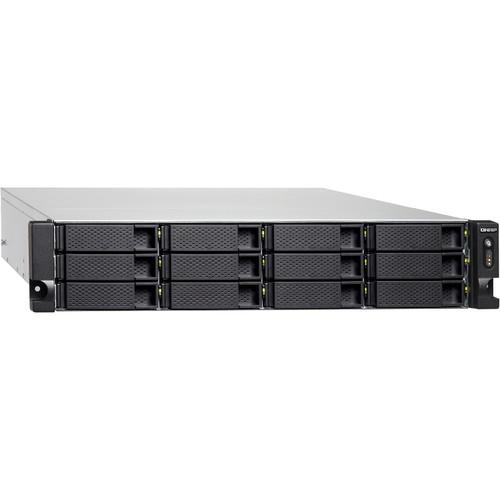 Contents of the user manual for the QNAP TS-1263XU 12-Bay NAS Enclosure
- Product category: NAS Enclosures QNAP
- Brand: QNAP
- Description and content of package
- Technical information and basic settings
- Frequently asked questions – FAQ
- Troubleshooting (does not switch on, does not respond, error message, what do I do if...)
- Authorized service for QNAP NAS Enclosures
 |
User manual for the QNAP TS-1263XU 12-Bay NAS Enclosure contain basic instructions
that need to be followed during installation and operation.
Before starting your appliance, the user manual should be read through carefully.
Follow all the safety instructions and warnings, and be guided by the given recommendations.
User manual is an integral part of any QNAP product,
and if it is sold or transferred, they should be handed over jointly with the product.
Following the instructions for use is an essential prerequisite for protecting
health and property during use, as well as recognition of liability on the part of the manufacturer
for possible defects should you make a warranty claim. Download an official QNAP user manual in which you will find instructions on how to install, use, maintain and service your product.
And do not forget – unsuitable use of a QNAP product will considerably shorten its lifespan!
|
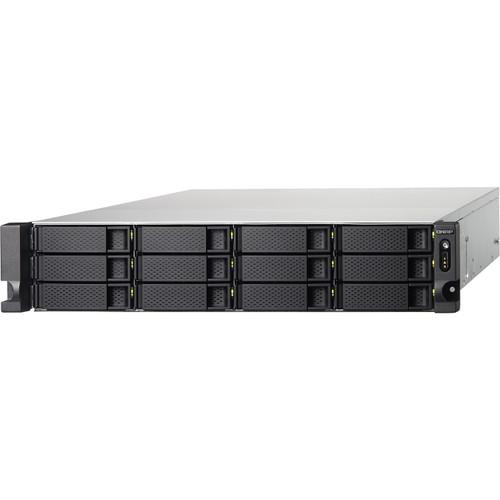
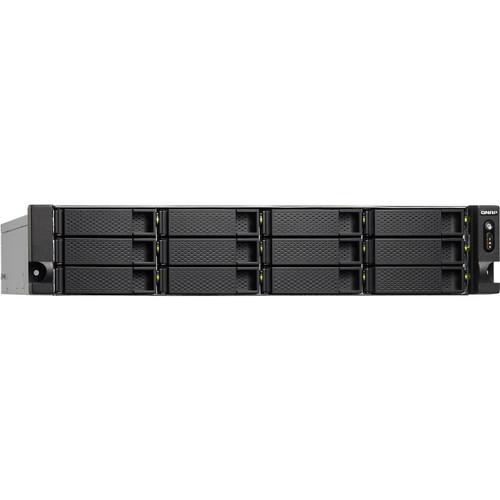
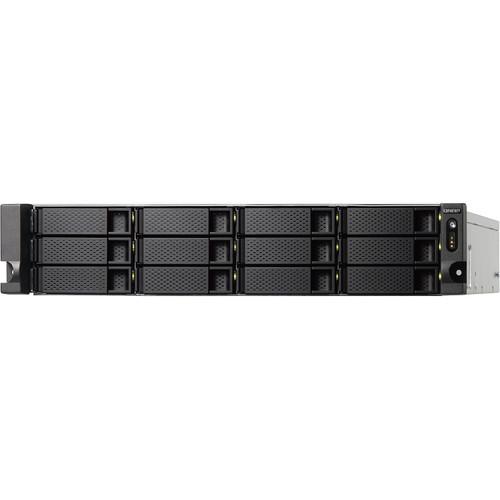
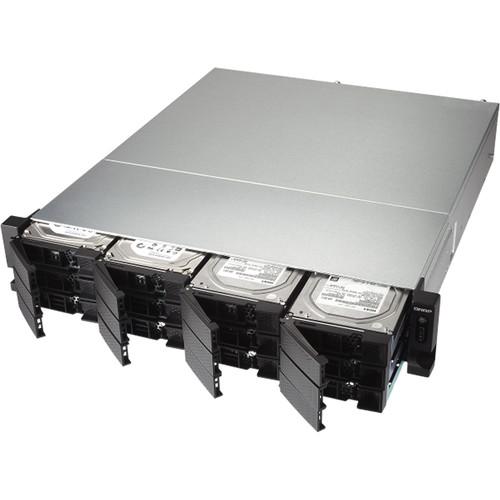
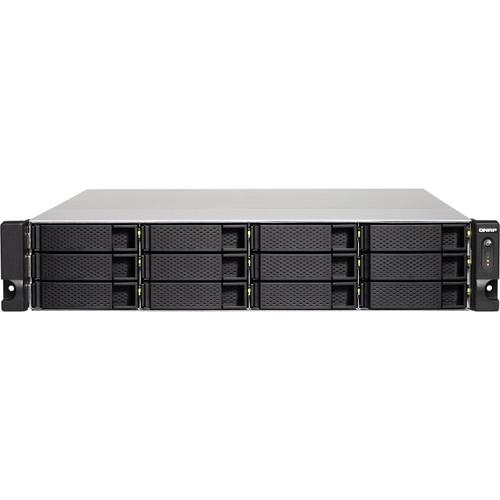
Product description Designed for businesses that needs higher bandwidth for data centers and virtualization, the TS-1263XU 12-Bay NAS Enclosure from QNAP is equipped with one 10GbE port and four Gigabit Ethernet ports, delivering high-performance with persistent throughput and storage scalability. This NAS is powered by a 2.0 GHz AMD GX-249MC Quad-Core processor, 4GB of DDR3L RAM (upgradeable to 16GB), and support for JBOD, single disk, and a variety of RAID modes, including RAID 0, 1, 5, 6, and 10, 50, and 60, each of which offers data redundancy, speed, or a combination of both.
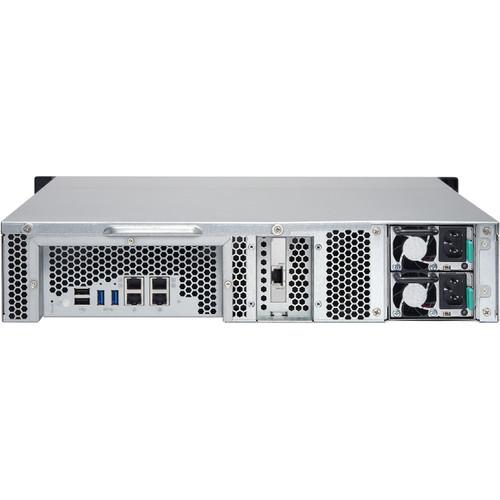
This 12-bay enclosure has the ability to natively house both 3.5" and 2.5" SATA III hard drives or SSD drives, and screws are included that accommodate each drive size. When using the 10GbE port, the TS-1263XU can deliver sequential read speeds of up to 983 MB/s and sequential write speeds of up to 448 MB/s. When using the 10GbE port with volume encryption, which helps to prevent sensitive business data from unauthorized access and breaches, read speeds top out at 985 MB/s and write speeds reach 311 MB/s. Using the two external USB 3.0 Type-A ports and two external USB 2.0 Type-A ports, this QNAP NAS can be connected to other devices, such as QNAP UX-1200U-RP or UX-800U-RP expansion units.
QNAP's TS-1263XU 12-Bay NAS Enclosure operates using a single 350W power supply. Included are two Ethernet cables, two power cords, 3.5" HDD flat head screws, and 2.5" HDD flat head screws. Protection is provided by a limited 2-year warranty. General Features - High Performance and AES-NI Accelerated Encryption
- The TS-1263XU is equipped with an energy-efficient 64-bit AMD 2.0 GHz G-Series GX-420MC Quad-Core processor with 4GB of DDR3L RAM (upgradable to 16GB), one 10GbE 10GBASE-T port, four Gigabit Ethernet ports, and SSD caching support for improved multi-tasking performance. With a hardware-accelerated AES-NI encryption, the TS-1263XU also provides strong encryption performance while helping to ensure the safety of sensitive business data stored in the NAS.
When using a 10GbE connection, sequential file transfers operate with read speeds up to 983 MB/s and writes up to 448 MB/s. When encrypted transfers are done via 10GbE, read speeds can reach 985 MB/s and writes can reach 311 MB/s. - Integrated 10GbE 10GBASE-T Connectivity
- The TS-1263XU comes with a pre-installed single-port 10GBASE-T Ethernet network adapter to fully support 10GbE high-speed networks. 10GbE networks deliver a major speed increase for virtualization tasks, fast backup & restoration, large-data applications, and also enable online video editing without needing the videos to be transferred between the NAS and workstations. Coupled with its large storage capacity potential, the TS-1263XU is perfect for companies to store massive data and enjoy increased IT flexibility.
- High Reliability to Ensure Business Continuity
- The business-ready TS-1263XU is designed to provide 24/7 operations and services. The support for comprehensive RAID configurations and hot-swapping allow for replacing hard drives without service interruption. QNAP's advanced RAID recovery technology also helps if any healthy drives are accidentally removed from a degraded RAID volume. The system can be recovered by reinserting the wrongly-removed hard drives so the data can still be accessed. The TS-1263XU delivers high reliability and efficiency with quad 1GbE LAN support for multiple port-trunking modes including fail-over support.
- SSD Caching and Auto Tiering Enable Optimized Storage Efficiency
- The TS-1263XU supports SSD caching to improve the workflow of random IOPS demanding applications such as virtualization. Qtier Technology empowers the TS-1263XU with auto tiering that continuously optimizes storage utilization across high-performance SSD and high-capacity SATA drives. The Qtier 2.0 features IO awareness that empowers SSD tiered storage with a cache-like reserved space to handle burst I/O in real time, greatly maximizing the advantages of SSD.
- Block-Based iSCSI LUN for Virtualization Storage
- The TS-1263XU supports block-based iSCSI LUN that provides a more reliable and isolated environment than file-based LUN. Supporting VMware, Citrix, Microsoft Hyper-V and Windows Server 2016, the TS-1263XU provides a high-performance, reliable, and affordable storage solution for virtualization environments, while also supporting VMware VAAI and Microsoft ODX to increase performance by offloading server loading for ESXi server and Hyper-V respectively, and supporting the QNAP vSphere Client plug-in and QNAP SMI-S provider with enhanced operational efficiency and management in virtualization applications.
- All-In-One Solution for Hosting Virtual Machines and Containers
- Virtualization Station and Container Station introduce a hybrid approach to virtualization. No matter your virtualization needs, you can count on QNAP for complete virtualization support.
- Virtualization Station
- Virtualization Station allows you to run multiple Windows, Linux, UNIX, and Android virtual machines and access them via a web browser or VNC (Virtual Network Computing). Businesses can run virtualized server applications on a single NAS without the need for additional physical servers.
- Container Station
- Container Station integrates LXC and Docker lightweight virtualization technologies. You can download apps from the built-in Docker Hub Registry. It supports container import/export and permission settings. It's easy deployment, portable, and efficient.
- Upgrade Your IT Environment with QNAP's 10GbE Switch
- QNAP 10GbE/NBASE-T unmanaged switches allow you to instantly upgrade your network environment at a cost-effective price. With a 10GbE network, you can enjoy fast transfer speeds, empower bandwidth-demanding tasks like virtualization, and enable simultaneous real-time access to large NAS-based files using multiple workstations (good for video editing and multimedia). QNAP also provides a 10GbE PCIe network expansion card for Windows/Linux systems to take advantage of high-speed LAN environments.
- QTS - The Intelligent, Intuitive and Creative NAS Operating System
- With modularized multiple applications and functions, QTS enhances management efficiency, personal productivity, multimedia, and much more, making your NAS experience easier, efficient, and more flexible. The Qboost provides a NAS optimization tool that helps accelerate applications, free up system resources, and schedule applications. The built-in App Center with hundreds of install-on-demand apps also opens up vast potential for extensive NAS functionality. QTS breaks the barriers of devices, platforms, and geography to bring you optimized cloud experiences and incorporates advanced features.
- Complete Backup Planning
- The TS-1263XU provides a reliable, flexible backup & disaster recovery solution to assist organizations in routine backup jobs with cost-efficiency and high productivity.
- Windows and Mac Backup
- Use the license-free QNAP NetBak Replicator utility to back up/restore Windows files, alongside Time Machine support for Mac devices. It is easy, fast, and convenient.
- Hybrid Backup Sync
- Consolidates backup, restoration, and synchronization functions (using RTRR, rsync, FTP, and CIFS/SMB) for easily transferring data to local, remote, and cloud storage spaces as a comprehensive data storage and disaster recovery plan.
- Snapshots for Volume & LUN
- Snapshots are essential for NAS data protection, and its block-level feature makes it a dependable method for protecting data in the face of the growing threat of ransomware. The TS-1263XU supports up to 256 snapshots per volume or LUN, and maximum 1024 snapshots per NAS.
- VM Backup
- With high performance, potentially huge storage capacities, integrated virtualization solutions, and support for snapshots that record the state of the system at any time, the TS-1263XU is well-suited for backing up virtual machines.
- Optimized Collaboration with Seamless File Sharing and Sync
- The TS-1263XU centrally stores data and files, and supports SMB/CIFS, AFP, and NFS protocols for file sharing across Windows, Mac, and Linux/UNIX networks. Coupled with Qsync (a utility that turns a QNAP NAS into a safe, high-capacity data center for file synchronization), files uploaded to the TS-1263XU will be made available for all linked devices, such as computers, laptops, and mobile devices. You can sync shared folders and team folders for group file sharing to enhance the flexibility of team projects and collaboration. Files can be centrally managed using File Station, including files from mobile devices and optical disc drives. File Station also allows you to mount a remote NAS, and transfer files between your NAS and public cloud services for greater convenience.
- QVR Pro Surveillance Solution
- QNAP's QVR Pro surveillance solution allows you to arrange a dedicated, independent storage space for surveillance data on the TS-1263XU and leverage the advantages of storage manageability from QTS. With QVR Pro, camera management, storage space allocation, camera live view, and playback is greatly simplified. You can also use the QVR Pro Client mobile app to monitor your cameras from anywhere, or use USB webcams as ONVIF network camera with the QUSBCam2 app.
QVR Pro is compatible with over 5000 cameras, provides 8 free IP camera channels, and supports up to 128 IP camera channels. - Flexible and Economical Storage Expansion
- You need a user-friendly solution to increase storage capacity when running out of space. QNAP provides several ways to expand your NAS storage as needed to accommodate data and business growth.
- VJBOD
- Use VJBOD (Virtual JBOD) to expand your storage capacity by using the unused storage of other QNAP NAS. Up to 8 QNAP NAS can be mounted as local disks on the TS-1263XU.
- Upgrade RAID Capacity
- Hot swap lower-capacity drives with larger-capacity drives so that your QNAP NAS can grow with your business.
- Migrate to a New NAS
- Install your NAS hard drives into a larger QNAP NAS and retain all your existing data and configurations.
- Attach an Expansion Enclosure
- Connect a UX-1200U-RP or UX-800U-RP expansion enclosure. Use the QTS Storage & Snapshots Manager to easily handle NAS capacity expansion.
- More Productivity Applications
- QRM+
A single-point solution to discover, map, monitor and manage Windows, Linux, and IPMI devices in your network.
Browser Station
Enables remote access through NAS-hosted web browsers to access local LAN resources without going through complex VPN settings.
QIoT Suite Lite
Combines the security and large capacity potential of QNAP NAS while providing an IoT solution on a private cloud. It only takes three steps to quickly deploy your own IoT application.
Qfiling
Automates file organization. Files are well-organized and archived based on your settings.
Qsirch
A powerful full-text search engine to quickly and precisely find media files, documents, and emails.
QmailAgent
Centrally manage and switch between different email accounts, back up emails to the NAS, and safeguard email security and personal privacy. UPC: 885022014712 In the Box QNAP TS-1263XU 12-Bay NAS Enclosure 2 x Ethernet Cables 2 x Power Cords Flat Head Screws for 3.5" HDDs Flat Head Screws for 2.5" HDDs Limited 2-Year Warranty More info from QNAP bcfvqtbbvbbudsc Table of Contents
|
Upload User Manual
Have you got an user manual for the QNAP TS-1263XU 12-Bay NAS Enclosure in electronic form? Please send it to us and help us expand our library of instruction manuals.
Thank you, too, on behalf of other users.
To upload the product manual, we first need to check and make sure you are not a robot. After that, your "Submit Link" or "Upload File" will appear.
Technical parametersQNAP TS-1263XU-4G-US Specs | | | CPU | 2.0 GHz AMD G-Series GX-420MC Quad-Core | | Encryption Acceleration | AES-NI | | System Memory | 4 GB DDR3L (1 x 4 GB) | | Maximum Memory | 16 GB (2 x 8 GB) | | Memory Slots | 2 x SO-DIMM DDR3L (for dual-DIMM configurations, you must use a pair of identical DDR3L modules) | | Flash Memory | 512 MB DOM | | Drive Bay | 12 x 3.5" SATA III 6 Gb/s bays | | Drive Compatibility | 3.5" SATA III 6 Gb/s HDD
2.5" SATA III 6 Gb/s HDD
2.5" SATA III 6 Gb/s SSD | | SSD Cache Acceleration Support | Drive bays 1 to 12 | | 10 Gigabit Ethernet Port | 1 x RJ45 10GBASE-T via a pre-installed PCIe network card, supporting 10G/5G/2.5G/1G/100M speeds
Note: Please use Cat 6a or Cat 7 LAN cables to achieve 10GbE speeds over longer distance (not included) | | Gigabit Ethernet Port | 4 x RJ45 | | PCIe Slot | 1 x PCIe 2.0 x4 (pre-installed with a single-port 10GBASE-T network card) | | USB Ports | 2 x USB 3.0 Type-A (USB 3.1 Gen 1)
2 x USB 2.0 | | LED Indicators | HDD 1-12, Status, USB, LAN | | Audio | Alarm buzzer | | Buttons | Power, Reset | | System Warning | Voice prompts | | Form Factor | 2 RU | | Power Consumption | HDD Sleep Mode: 44.78 W (w/10GbE NIC)
In Operation: 135.02 W (w/10GbE NIC) | | Sound Level | Sound Pressure (LpAm) : 35.7 dbA | | Power Supply Unit | 350 W,100-240 V | | Fan | 2 x 7 cm smart fans (12 VDC) | | Operating Temperature | 32 to 104°F / 0 to 40°C | | Relative Humidity | 5 ~ 95% RH non-condensing, wet bulb: 81°F / 27°C | | Security Slot | Kensington security slot | | Dimensions | 3.50 x 18.98 x 21.02" / 8.89 x 48.21 x 53.39 cm | | Weight | 26.10 lb / 11.84 kg | | | | Operating System | QTS 4.3.4 (embedded Linux) | | Supported Browsers | Apple Safari 7 or later
Google Chrome
Microsoft Internet Explorer 10 or later
Mozilla Firefox | | Supported Languages | Chinese (traditional and simplified), Czech, Danish, Dutch, English, Finnish, French, German, Greek, Hungarian, Italian, Japanese, Korean, Norwegian, Polish, Portuguese (Brazil), Romanian, Russian, Spanish, Swedish, Thai, and Turkish | | File System | Internal hard drive: EXT4
External hard drive: EXT3, EXT4, NTFS, FAT32, HFS+, and exFAT | | Networking | - TCP/IP: Dual stack (IPv4 and IPv6)
- Jumbo frame (failover, multi-IP settings, port trunking/NIC teaming)
- DHCP server and client
- USB Wi-Fi adapter (Note: This feature does not support ad hoc networks because of security considerations)
- Virtual Switch
Virtual switch editing in Virtualization Station Combining virtual machines and containers in the same virtual switch Network Address Translation (NAT) Spanning Tree Protocol (STP)
- WirelessAP Station | | Security | Network access protection with auto-blocking (SSH, Telnet, HTTP(S), FTP, CIFS/SMB, and AFP) Host access control for shared folders (CIFS/SMB) 140-2 validated AES 256-bit volume-based and shared folder data encryption (FIPS) 256-bit external drive encryption (AES) Importing of SSL certificates from Let's Encrypt Instant alerts through email, SMS, push service, audio, and LCD panel 2-step verification | | QVPN Service | VPN Server
PPTP, L2TP/IPSec, and OpenVPN services Support for a maximum of 100 clients Support for domain users
VPN Client
Support for PPTP, L2TP/IPSec, and OpenVPN VPN protocols OVPN file importing for creation of OpenVPN connections
Easy VPN Connection (Windows VPN Utility)
Note: QVPN combines an integrated VPN Server, a VPN client, and L2TP/IPSec VPN services | | iSCSI (IP SAN) | iSCSI targets with multiple LUNs per target (Note: The maximum number of targets is 256) LUN mapping and masking Online LUN capacity expansion SPC-3 persistent reservation MPIO & MC/S iSCSI Extensions for RDMA (iSER) with VMware ESXi (Note: This feature requires a compatible Mellanox network card) iSCSI LUN backup, one-time snapshot, and restoration Virtual disks using iSCSI initiator (Note: The maximum number of virtual disks is eight) Stack chaining master | | | | Package Weight | 30.6 lb | | Box Dimensions (LxWxH) | 28.25 x 22.0 x 10.0" |
Rating70% users recommend this product to others. And what about you?

This product has already been rated by 31 owners. Add your rating and experience with the product.
Discussion
 Ask our technicians if you have a problem with your settings,
or if anything is unclear in the user manual you have downloaded.
You can make use of our moderated discussion.
The discussion is public and helps other users of our website who may be encountering similar problems.
Ask our technicians if you have a problem with your settings,
or if anything is unclear in the user manual you have downloaded.
You can make use of our moderated discussion.
The discussion is public and helps other users of our website who may be encountering similar problems.
The discussion is empty - enter the first post
Post a new topic / query / comment:
|
|
|
| Request for user manual |
You can’t find the operation manual you are looking for? Let us know and we will try to add the missing manual:
I’m looking for a manual / Request for manual
Current requests for instruction manuals:
Call Of Duty World War Two For Xbox...
controller stratus XL...
stratus XL...
smart whatch serie S11 42mm...
Allen & Heath SQ-6 manual...
|
| Discussion |
Latest contributions to the discussion:
AEW R 4100
Name: MAURICIO ANGARITA
Audio-Technica AEW-R4100 UHF Diversity Receiver for
AEW R 4100 has the mute function blocked and does not allow audio to pass. I tried several times to turn off the mute from the transmitter but it does nothing, the mute stays on. Solution?
Thank you...
Instructions for assembling the 2015 Forecast Image Master Consoles GC3-A
Name: mike elam
Forecast Consoles GC3-A ImageMaster Editing Console
Looking for instructions for assembling this console. ...
EMPTY TONER ERROR MESSAGE AFTER REPLACING TONER
Name: LINDA BAD YELLOW EYES
Brother TN223BK Standard-Yield Toner
I HAD TO CHANGE OUT ALL THREE TONERS DUE TO LEAKS IN THE YELLOW AND CYAN. AFTER I REPLACED THEM, THE MACHINE KEEPS GIVING ME AN EMPTY TONER ERROR MESSAGE. HELP!!...
PS480D 20/24 pin Switching 480W Power Supply
Name: swkargo
Logisys 480W Power Supply
This item states in can run -5vdc .It is NOT listed on the board or I beleive is r4 is missing the resitior. Any body have thid issue. Shawn
...
Help needed
Name: Ann Carter
SanDisk 1TB Extreme Portable USB 3.1
When I click the link to download the user manual for my Sandisk Extreme external hard drive, it gives me the manual for the LG Cricket. Can you please change the link so I can download the Sandisk manual and begin using this drive? Thank you....
|
|


