|
User Manual for QNAP TS-251 2-Bay Home and SOHO NAS Enclosure Click to enlarge the picture
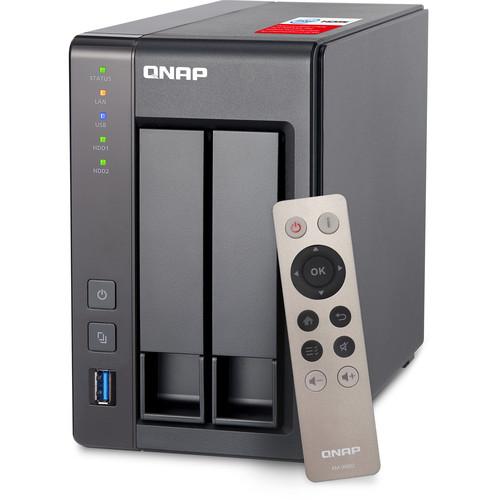 Contents of the user manual for the QNAP TS-251 2-Bay Home and SOHO
- Product category: NAS Enclosures QNAP
- Brand: QNAP
- Description and content of package
- Technical information and basic settings
- Frequently asked questions – FAQ
- Troubleshooting (does not switch on, does not respond, error message, what do I do if...)
- Authorized service for QNAP NAS Enclosures
 |
User manual for the QNAP TS-251 2-Bay Home and SOHO contain basic instructions
that need to be followed during installation and operation.
Before starting your appliance, the user manual should be read through carefully.
Follow all the safety instructions and warnings, and be guided by the given recommendations.
User manual is an integral part of any QNAP product,
and if it is sold or transferred, they should be handed over jointly with the product.
Following the instructions for use is an essential prerequisite for protecting
health and property during use, as well as recognition of liability on the part of the manufacturer
for possible defects should you make a warranty claim. Download an official QNAP user manual in which you will find instructions on how to install, use, maintain and service your product.
And do not forget – unsuitable use of a QNAP product will considerably shorten its lifespan!
|
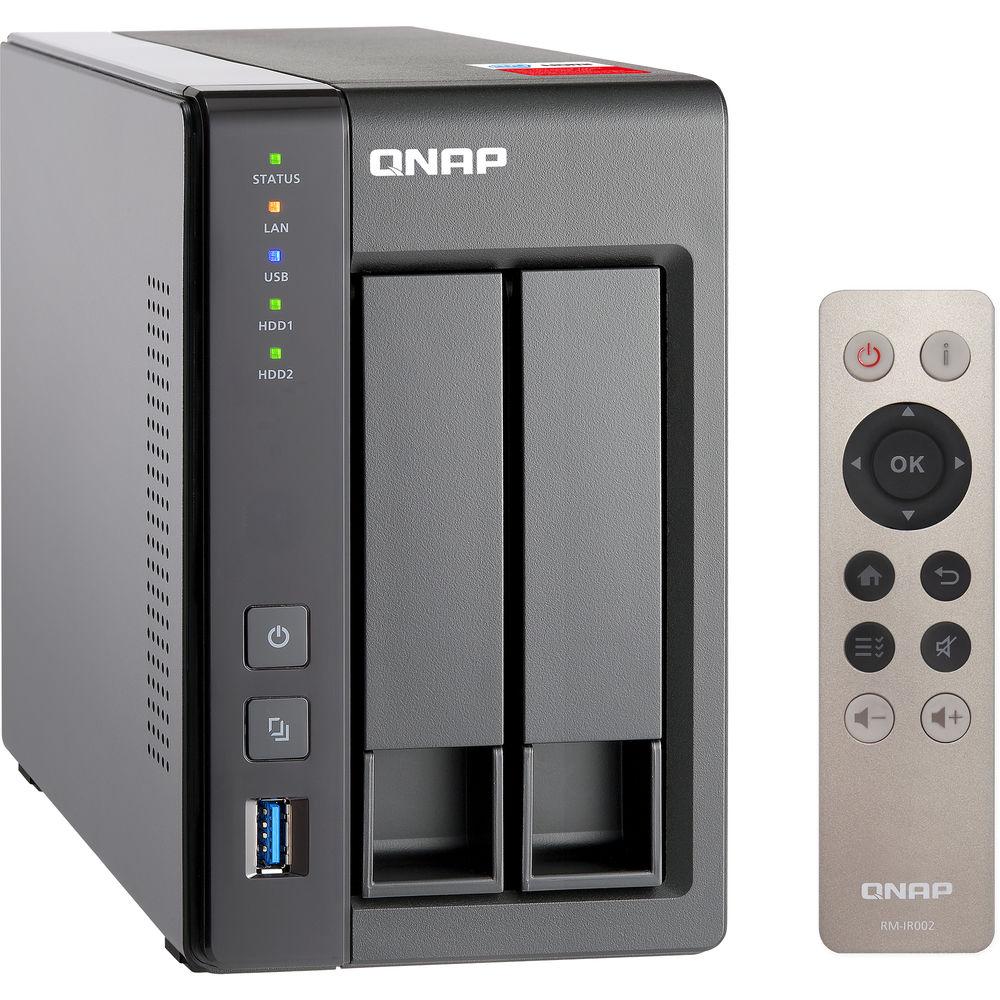
Product description Built around the need for increasing amounts of data storage, sharing, and multimedia processing, the TS-251+ 2-Bay Home and SOHO NAS Enclosure from QNAP provides a high-performance scalable storage solution for professional and home users. The TS-251+-2G runs the QTS 4.2 operating system and provides all-in-one server functionalities as well as features including Virtualization Station, which allows users to run VMs on the same device. It is also able to operate multiple isolated Linux systems, play 1080p videos and 7.1 channel audio via HDMI, transcode Full HD videos on-the-fly or offline, stream multimedia files via DLNA, AirPlay, Chromecast, and Bluetooth, scale up to 10 drives with the UX-800P expansion enclosure, and more.
The TS-251+-2G is powered by a 2.0 GHz Intel Celeron Quad-Core processor. The built-in 2GB of DDR3L RAM, which may be expanded to 8GB, and the 512MB of flash memory allow quick access to frequently-used files and programs. Network connectivity is achieved via the 2 x Gigabit Ethernet ports. RAID 0 and 1 are supported, which offer speed or data redundancy. There is also the option to set the TS-251+-2G as JBOD if you don't need RAID functionality.
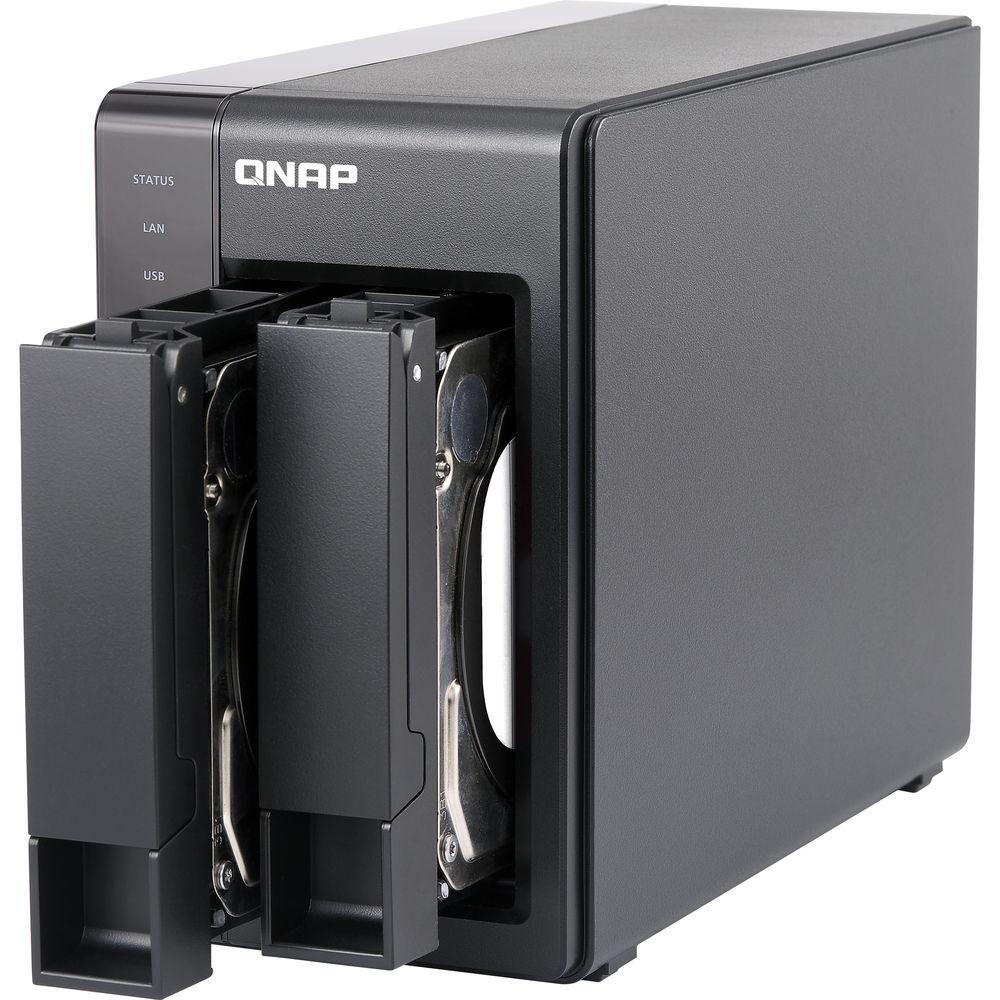
This 2-bay enclosure has the ability to natively house both 3.5" or 2.5" SATA III and SATA II hard drives or SSD drives. To support both drive formats, screws are included to accommodate both drive sizes. Read speeds can reach up to 223 MB/s and write speeds can reach up to 225 MB/s, while data transfer speeds with AES 256-bit encryption can reach read speeds of up to 205 MB/s and write speeds of up to 178 MB/s. Using the two USB 3.0 and two USB 2.0 ports, this QNAP can be connected to other QNAP devices, such as UX-800P and UX-500P expansion enclosures, as well as other external drives.
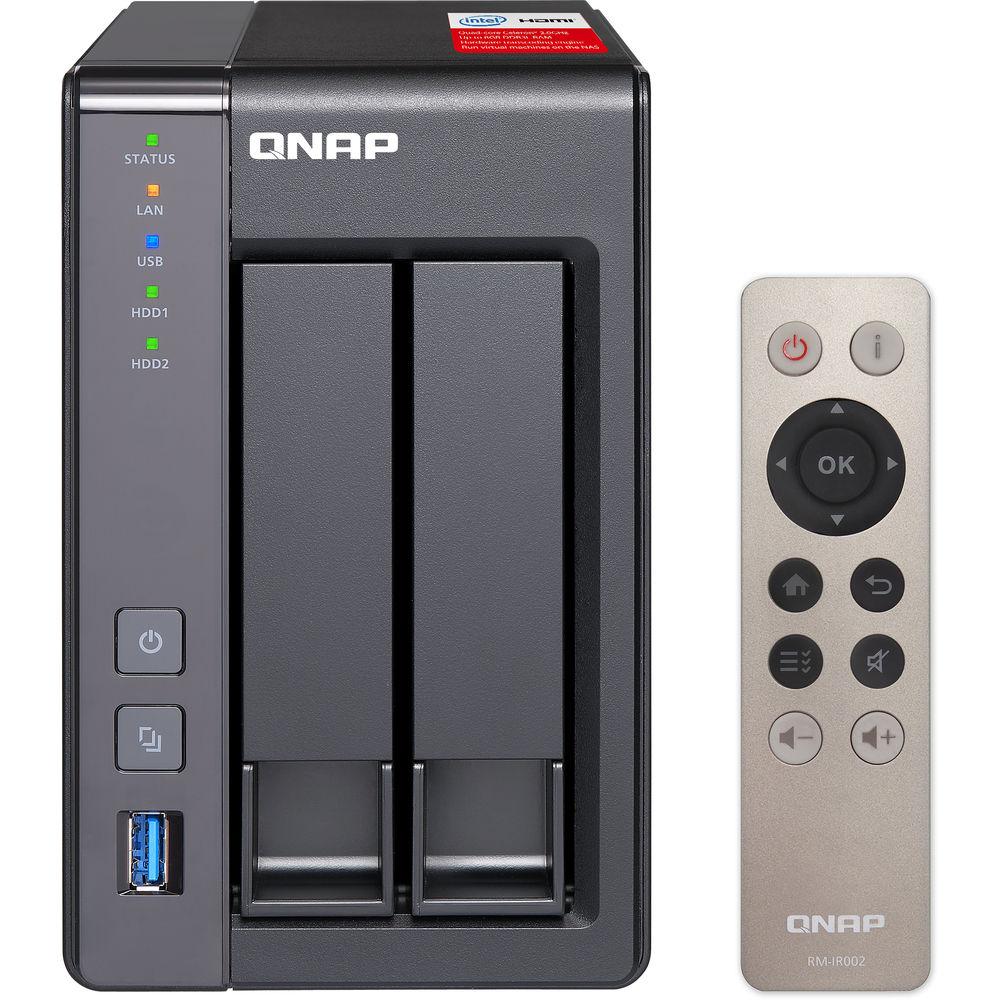
The TS-251+-2G operates using a 60W power supply that operates using 100-240 VAC at 50-60 Hz. It is compatible with Windows, Mac, Linux, and UNIX. Included are two Ethernet cables, a power cord, an AC adapter, eight 3.5" HDD flat head screws, six 2.5" HDD flat head screws, and an IR remote control. - Quad-Core 64-Bit Intel Celeron CPU
- The TS-251+-2G is powered by a 64-bit Intel Celeron Quad-Core 2.0 GHz processor and has 2GB of energy-efficient DDR3L RAM and dual gigabit LAN ports, delivering up to 225 MB/s read and write speeds with port trunking mode. The TS-251+-2G can also automatically increase the processor's clock rate from 2.0 GHz to 2.42 GHz when needed for CPU-intensive tasks. The TS-251+-2G supports AES 256-bit volume and folder encryption with transfer speeds of up to 205 MB/s, boosting system performance and security while ensuring the safety of sensitive personal data stored in the TS-251+
- Use Your TS-251+ as a PC with QvPC Technology
- QNAP's QvPC Technology consolidates a number of high-end technologies including VM integration, multimedia transcoding, HDMI output, cloud integration, and NAS connection technologies, allowing users to operate the TS-251+-2G as a PC when they plug in a keyboard, mouse, and HDMI monitor. With QvPC Technology, the TS-251+-2G is transformed into a cost-effective device with PC functionalities for users to directly access stored data, run multiple applications using Windows/Linux/UNIX/Android based VMs, surf the web, enjoy Full HD videos with Kodi, monitor surveillance live feeds from IP cameras in real time, and much more
- Enjoy Videos on TV via HDMI with the Bundled Remote Control
- QNAP HD Station integrates the Kodi media player and web browser. With HDMI connectivity, you can connect the TS-251+-2G to a HDTV to watch multimedia content on the big screen. The user interface and support for 7.1-channel audio passthrough bring smooth playback of 1080p videos. You can even watch YouTube videos, surf the web, and manage the TS-251+-2G using Google Chrome or Mozilla Firefox with multilingual keyboard input. HD Station supports multi-tasking and user authentication so only authorized users can access the stored data via HDMI monitors.
The TS-251+-2G is packed with the QNAP RM-IR002 remote control for you to control HD Station via the built-in IR receiver. You can also turn your mobile devices into remote controls by installing the Qremote app. HD Station also supports YouTube Pairing, allowing you to select a YouTube video on your smartphone, tablet, or computer and play it on your HDTV via the TS-251+-2G - Real-Time and Offline HD Video Transcoding
- The TS-251+-2G delivers real-time Full HD video transcoding to convert your videos to formats that can be smoothly played on PCs, mobile devices, and Smart TVs. It allows for multiple devices to simultaneously view different videos stored on the TS-251+-2G with on-the-fly hardware accelerated transcoding, saving your time in converting videos to different formats for different devices.
With the benefits of offline transcoding, if you can only connect to an Internet connection with limited/restricted bandwidth, you can still enjoy smooth videos via File Station, Video Station, or the Qfile app by selecting a pre-rendered lower-resolution video, saving system resources of the TS-251+-2G for other applications. The TS-251+-2G also allows you to set a dedicated folder for automatic video transcoding - Enjoy Media Freely with Multi-Zone Multimedia Control
- Use your TS-251+-2G as a multi-zone multimedia system to fill every corner of your house with your choice of media. You can centrally manage and stream photos, music and videos from the TS-251+-2G to different rooms from a single device using Bluetooth and USB devices connected to the TS-251+-2G (for music streaming only), HDMI, DLNA, Apple TV, and Chromecast. Every room member in different zones can enjoy the convenience and simplicity for media playback and multimedia storage.
Alternatively, to enjoy multimedia yourself, you can choose DLNA-compatible devices, use the Qfile app on an iOS device to browse videos/photos and play on the TV via Apple TV, install the QAirplay and Chromecast apps from the QTS App Center to stream media content directly on a TV via Apple TV or Chromecast, or transform the TS-251+-2G into a powerful streaming machine with DLNA, Roku, Amazon Fire TV, and Google TV support with the support of Plex Media Server - Your Multimedia Hub
- Stream your multimedia content on your HDTV using DLNA-compatible devices such as HDTVs, Smart TVs, Sony PS3, Sony PS4, Microsoft Xbox 360, and Hi-Fi systems to enjoy HD quality videos and high-resolution audio content such as DSD (Direct Stream Digital) audio format stored on the TS-251+-2G. You can also use the NAS as your Plex Media Server, which organizes all of your media and allows you to access all your movies and media on your mobile phones and tablets. The TS-251+-2G is a powerful streaming machine that can be accessed through DLNA, Roku (Qmedia app), Apple TV, Amazon Fire TV, and Google TV
- QTS 4.2 Operating System
- Thanks to the intuitive user interface of QTS 4.2, your NAS experience is smarter and smoother. Its modern flat design streamlines loading times and the intelligent desktop allows you to quickly find desired functions, create desktop shortcuts or group shortcuts, monitor important system information on a real-time basis, and open multiple application windows to run multiple tasks concurrently, bringing greater operating efficiency. QTS breaks the barriers of devices, platforms, and geography to bring optimized cloud experiences to you, and incorporates more advanced features including volume/LUN snapshot, remote connection to public cloud services in File Station, multi-zone multimedia system, and more
- Qsirch Built-In Search Function
- Quickly and easily find documents, photos, videos, and music with Qsirch, QNAP's built-in NAS search application that lets you find what you need with a real-time, natural search. Simply type in as much as you know about what you are trying to find, including parts of the file name or even words/phrases in the document, and Qsirch will display a list of matches, complete with thumbnails, as you type. Qsirch even remembers your search history so you can quickly navigate to files you've previously searched for. Qsirch is a productivity boost that helps to reduce the amount of time spent looking for files on the NAS so you can focus on other tasks
- Run Additional Operating Systems on the TS-251+
- The Virtualization Station transforms the TS-251+-2G into a 2-in-a-box NAS that can function as an all-in-one NAS and a virtualization platform that supports multiple operating systems, fast VM creation, VM backup and restoration, VM import/export, snapshot, Device Management for centrally managing VM, and enables desktop operations on web browsers. With the easy-to-use interface, you can centrally manage all of the VMs created on the TS-251+-2G with minimal effort. You can also download VMs on demand from online VM markets and import them to the TS-251+-2G without any complex procedures
- Container Station
- QNAP Container Station integrates LXC and Docker lightweight virtualization technologies, allowing you to operate multiple isolated Linux systems on the TS-251+-2G as well as download apps from the built-in Docker Hub Registry. It supports container import/export and permission settings, and features an informative dashboard and flexible user interface for you to manage multiple containers
- Cross-Platform File Sharing, Centralized Data Storage
- The web-based File Station enables you to easily upload, download, and manage files on your TS-251+-2G wherever there is an Internet connection. Supporting file extraction, folder creation, and smart search for files and folders, the File Station also allows you to easily share files with friends and family via unique URLs, email, and a shared space. What's even better, you can also directly browse and transfer files between the TS-251+-2G and public cloud services like Google Drive, Dropbox, Microsoft OneDrive, Box, Yandex Disk, and Amazon Cloud Drive through File Station, and view files with Office Online and Google Docs or directly open them with a Google Chrome office extension
- Backup Solutions to Secure Data
- QNAP NetBak Replicator supports real-time and scheduled data backup on Windows including Outlook email archiving. Apple Time Machine is also supported to provide Mac OS X users with a solution to backup data to the TS-251+-2G. The front panel USB 3.0 port on the TS-251+-2G features a one-touch-copy function for you to instantly backup data on external drives to the TS-251+-2G with just one click, or alternatively to backup data from the TS-251+-2G to external drives. A wide range of third-party backup software such as Acronis True Image and Symantec Backup Exec are also supported
- Disaster Recovery Solutions
- The TS-251+-2G offers various data recovery options. RTRR (Real-Time Remote Replication) supports real time and scheduled data backup to remote QNAP NAS or FTP servers and synchronizes files to remote folders from local folders with better backup efficiency. You can enjoy backup versioning to preserve a certain amount of versions, with options of simple versioning to schedule how many versions should be retained and for how long, or smart versioning with a rotation scheme that automatically replaces earlier backup versions. The TS-251+-2G also supports rsync protocol to backup data to remote servers on a scheduled basis. Data can also be backed up to and restored from a range of cloud storage services, including Amazon S3, Amazon Glacier, Microsoft Azure, ElephantDrive, Dropbox, Google Drive, Google Cloud Storage, and more
- Volume and LUN Snapshot Simplifies Restoration
- Not limited to high-end models, the TS-251+-2G brings the snapshot function for your flexible usage. QTS Storage Manager adds an easy-to-use web-based snapshot tool for you to easily backup and restore data on the TS-251+-2G back to any point of time to prevent loss of important data. You can take up to 256 snapshots for both volumes and LUN, efficiently replicate volume/LUN snapshots to remote servers by copying only the changes made, and quickly clone a volume /LUN snapshot as a local volume without interrupting the current system operation. You can even set up the system to automatically take a snapshot of the volume before backup via RTRR/rsync, even when the file is opened
- Security Options
- In open network environments, data on the connected devices may be exposed in a potential hack. The TS-251+-2G provides numerous security options, such as 2-step verification, encrypted access, IP blocking, and more. Administrators can also control the access rights of each user to different folders, preventing unauthorized access to important files. The TS-251+-2G is validated with military-level FIPS 140-2 AES 256-bit encryption, preventing sensitive data from unauthorized access and breach even if the hard drives or the entire system were stolen
- Secure Access with VPN Server and VPN Client
- The TS-251+-2G can be a VPN server with L2TP/IPsec, OpenVPN, and PPTP support, allowing you to securely access data shared within the private local network. The TS-251+-2G also supports VPN Client for PPTP and OpenVPN to protect your privacy during data transmission
- File Synchronization Across Multiple Devices
- With Qsync, your TS-251+-2G is turned into a safe data center for file synchronization. Any file uploaded to the TS-251+-2G will be made available for all linked devices, such as computers, laptops, and mobile devices. Qsync is especially useful for frequent travelers in managing files and ensuring that different devices have the most up-to-date files. Qsync provides multiple ways for file synchronization and group file sharing, enhancing the flexibility of team projects and collaboration. The centralized configuration allows you to remotely erase the Qsync folder on a lost device to avoid data breaches, and even restore it after you have retrieved the device
- Comprehensive Surveillance Solution Providing 24/7 Security
- The TS-251+-2G's Surveillance Station offers a professional surveillance solution with a user-friendly management interface, a wide range of over 3,000 compatible IP camera models and expandable IP camera channel licenses. It supports real-time monitoring, as well as video and audio recording and playback with a wide range of customizable settings. You can also install the Vmobile app on your iOS or Android devices to manage the monitoring of cameras anytime, anywhere, to safeguard your office environment, or install the Vcam mobile app to turn your device into a network camera to instantly record to your TS-251+-2G. The TS-251+-2G offers 2 free IP camera channels and you can expand up to 40 channels by purchasing additional licenses
- Access and Enjoy with Your Mobile Devices
- The TS-251+-2G is your private cloud storage that virtually enlarges the capacity of your smart mobile devices. Qfile allows you to access, upload, download, manage, and share stored files easily as if you are carrying tons of files in your pocket. If Qfile is installed on an iOS device, users can also browse videos and photos stored on the TS-251+-2G and play on a TV via Apple TV. Qmanager lets you monitor and manage the TS-251+-2G remotely and efficiently without turning on your PC. You can take and share digital notes with Qnotes and enjoy and share music, photos, and videos on the TS-251+ anywhere and anytime with Qmusic, Qphoto, and Qvideo apps
- Install-On-Demand Apps to Extend NAS Functionality
- The TS-251+-2G has a built-in App Center that provides various install-on-demand apps developed by QNAP and third-party developers, including tools for backup/sync, business, content management, communications, download, entertainment, and much more. It is also a centralized location for managing and updating installed apps
- Storage Capacity Expansion
- The TS-251+-2G supports online capacity expansion for archiving rapidly growing data by connecting a QNAP expansion enclosure. With the QNAP scale-up solution, the raw storage capacity can be expanded on demand, making the TS-251+-2G an ideal file center with large storage capacity for personal video collections.
With the support of QJBOD Express (JBOD enclosures roaming), you can just connect a large capacity QNAP expansion enclosure to the TS-251+-2G, and migrate data to another NAS through the JBOD enclosure without network connectivity.
The TS-251+-2G can support one UX-500P expansion enclosure with up to seven total hard drives and a raw capacity of 56TB, or one UX-800P expansion enclosure with up to ten total hard drives and a raw capacity of up to 80TB - Energy-Saving and Eco-Friendly
- The TS-251+-2G utilizes a 22nm CPU and DDR3L RAM which feature low voltage and low power consumption, maintaining high performance in system operations with the benefit of energy-saving. Other eco-friendly designs include S3 sleep mode, HDD standby, scheduled power on/off, hard disk standby mode, and Wake on LAN. QNAP also packs the TS-251+-2G in an eco-friendly box to minimize the environmental impact
- NAS Management Tools
- The TS-251+-2G provides comprehensive system tools to increase management efficiency -
Instant Alert Notifications: With the SMTP and SMS settings on the Turbo NAS, system administrators will get notifications via SMS or email if an error occurs
Resource Monitor: Easily monitor CPU, memory, disk and network bandwidth usage, as well as currently-running Turbo NAS apps and services
Wake on LAN: Administrators can turn on the Turbo NAS via LAN to save energy and improve security
Scheduled Power On/Off: Administrators can turn on the Turbo NAS via LAN to save energy and improve security
S.M.A.R.T. and Advanced Hard Drive Health Scan (HHS): The Turbo NAS supports HDD S.M.A.R.T. (Self-Monitoring Analysis and Reporting Technology) which monitors the hard drive status, and sends out email notifications for administrators to take action. The HHD Health Scanning technology can also examine hard drive status and prevent possible data loss
Event Logs: The Turbo NAS supports Syslog server that collects logs from various connected devices over the Internet and saves the data, enabling centralized log management with greater efficiency UPC: 885022009008 In the Box QNAP TS-251+ 2-Bay Home and SOHO NAS Enclosure 2 x Ethernet Cables 8 x Flat Head Screws (for 3.5" HDDs) 6 x Flat Head Screws (for 2.5" HDDs) AC Adapter Power Cord IR Remote Control Limited 2-Year Warranty More info from QNAP Table of Contents
|
Upload User Manual
Have you got an user manual for the QNAP TS-251 2-Bay Home and SOHO NAS Enclosure in electronic form? Please send it to us and help us expand our library of instruction manuals.
Thank you, too, on behalf of other users.
To upload the product manual, we first need to check and make sure you are not a robot. After that, your "Submit Link" or "Upload File" will appear.
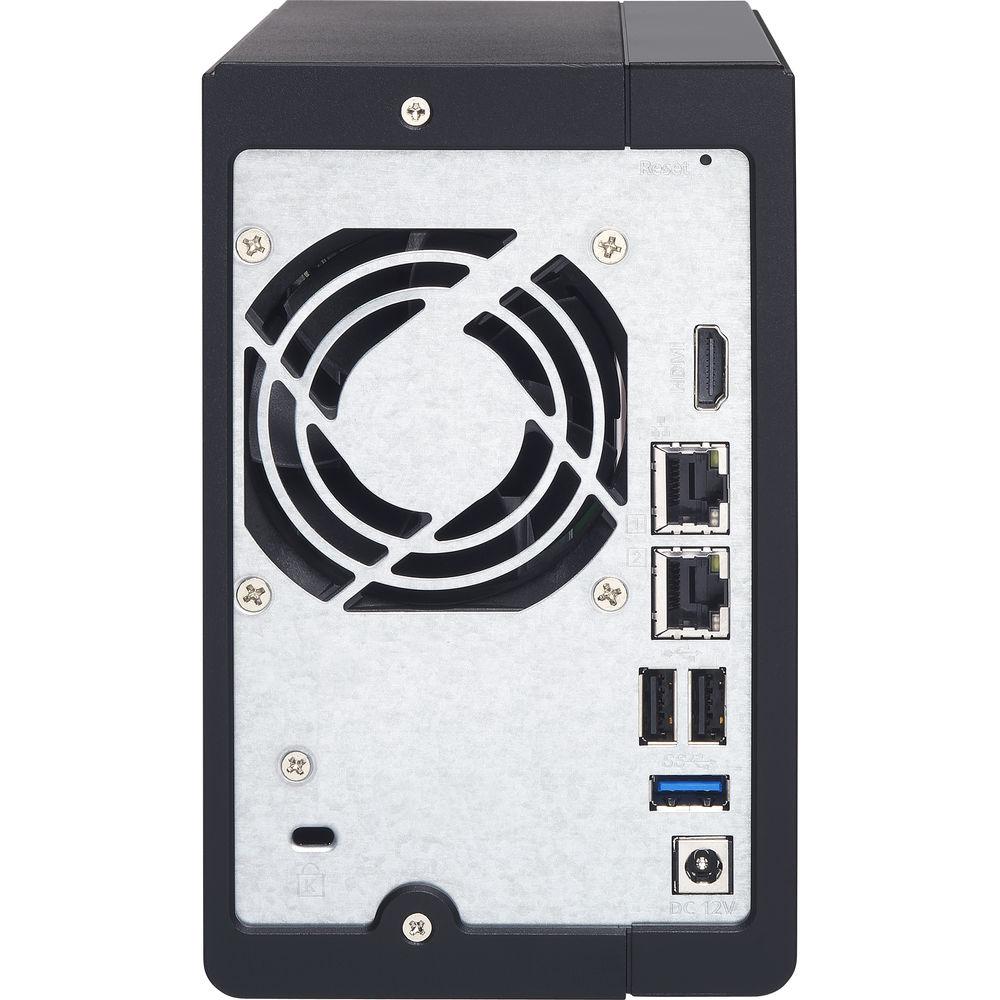
Technical parametersQNAP TS-251+ Specs | | | Number of Bays | 2 x 2.5"/3.5" | | Media Card Slots | None | | Connections | 1 x HDMI Type-A
2 x USB Type-A (USB 3.1 Gen 1 (5 Gb/s))
2 x USB Type-A (USB 2.0 (480 Mb/s))
2 x RJ45 (Gigabit Ethernet) | | Compatible Drive Interface | SATA III | | RAID Modes | RAID 0, 1, JBOD | | Hot-Swap Support | Yes | | | | Total Raw Capacity | None | | Type | None | | Flash Memory | 512 MB | | | | Processor | Intel Celeron Quad-Core | | Clock Speed | Base: 2.0GHz / Maximum Boost: 2.42 GHz | | GPU | Intel HD Graphics | | Total Installed Memory | 2 GB DDR3L | | User-Replaceable Memory | 1 x 2 GB | | Total Memory Slots | 2 x SO-DIMM | | | | Supported Protocols | AFP
CIFS/SMB
FTP
HTTP
HTTPS
L2TP/IPSec
OpenVPN
PPTP
SSH
Telnet | | iSCSI LUN | 256 | | iSCSI Target | 256 | | | | Installed Operating System | QTS 4.2 | | File System Formats Supported | External: EXT3, EXT4, FAT32, HFS+, NTFS
Internal: EXT4 | | Supported Browsers | Chrome, Firefox, Internet Explorer, Safari | | Supported Languages | Brazilian Portuguese
Czech
Danish
Dutch
English
Finnish
French
German
Greek
Hungarian
Italian
Japanese
Korean
Norwegian
Polish
Romanian
Russian
Simplified Chinese
Spanish
Swedish
Thai
Traditional Chinese
Turkish | | Max Number of Printers Supported | 3 | | | | Power Consumption | 18.09 W (Typical)
10.56 W (Standby) | | Power Source | AC Adapter | | AC Input Power | 100 to 240 VAC, 50 / 60 Hz | | DC Input Power | 60 VDC | | | | Encryption | 128-Bit AES, 256-Bit AES, FIPS 140-2 Level 1 | | Security Features | Kensington Security Slot | | VPN Server Connections | 30 | | | | Operating Temperature | 32 to 104°F / 0 to 40°C | | Operating Humidity | 5 to 95% | | | | Cooling | 1 x 70 mm Fan | | Audible Alarm | Yes | | IR Sensor | Yes | | Status Monitoring | LED Indicator | | Dimensions | 6.6 x 4.0 x 8.9" / 168.4 x 102.1 x 225.0 mm | | Weight | 2.8 lb / 1.3 kg | | | | Package Weight | 5.5 lb | | Box Dimensions (LxWxH) | 10.8 x 9.4 x 8.1" |
Rating88% users recommend this product to others. And what about you?

This product has already been rated by 06 owners. Add your rating and experience with the product.
Discussion
 Ask our technicians if you have a problem with your settings,
or if anything is unclear in the user manual you have downloaded.
You can make use of our moderated discussion.
The discussion is public and helps other users of our website who may be encountering similar problems.
Ask our technicians if you have a problem with your settings,
or if anything is unclear in the user manual you have downloaded.
You can make use of our moderated discussion.
The discussion is public and helps other users of our website who may be encountering similar problems.
The discussion is empty - enter the first post
Post a new topic / query / comment:
|
|
|
| Request for user manual |
You can’t find the operation manual you are looking for? Let us know and we will try to add the missing manual:
I’m looking for a manual / Request for manual
Current requests for instruction manuals:
Call Of Duty World War Two For Xbox...
controller stratus XL...
stratus XL...
smart whatch serie S11 42mm...
Allen & Heath SQ-6 manual...
|
| Discussion |
Latest contributions to the discussion:
AEW R 4100
Name: MAURICIO ANGARITA
Audio-Technica AEW-R4100 UHF Diversity Receiver for
AEW R 4100 has the mute function blocked and does not allow audio to pass. I tried several times to turn off the mute from the transmitter but it does nothing, the mute stays on. Solution?
Thank you...
Instructions for assembling the 2015 Forecast Image Master Consoles GC3-A
Name: mike elam
Forecast Consoles GC3-A ImageMaster Editing Console
Looking for instructions for assembling this console. ...
EMPTY TONER ERROR MESSAGE AFTER REPLACING TONER
Name: LINDA BAD YELLOW EYES
Brother TN223BK Standard-Yield Toner
I HAD TO CHANGE OUT ALL THREE TONERS DUE TO LEAKS IN THE YELLOW AND CYAN. AFTER I REPLACED THEM, THE MACHINE KEEPS GIVING ME AN EMPTY TONER ERROR MESSAGE. HELP!!...
PS480D 20/24 pin Switching 480W Power Supply
Name: swkargo
Logisys 480W Power Supply
This item states in can run -5vdc .It is NOT listed on the board or I beleive is r4 is missing the resitior. Any body have thid issue. Shawn
...
Help needed
Name: Ann Carter
SanDisk 1TB Extreme Portable USB 3.1
When I click the link to download the user manual for my Sandisk Extreme external hard drive, it gives me the manual for the LG Cricket. Can you please change the link so I can download the Sandisk manual and begin using this drive? Thank you....
|
|


