User Manual for QNAP TS-328 3-Bay NAS Enclosure Click to enlarge the picture
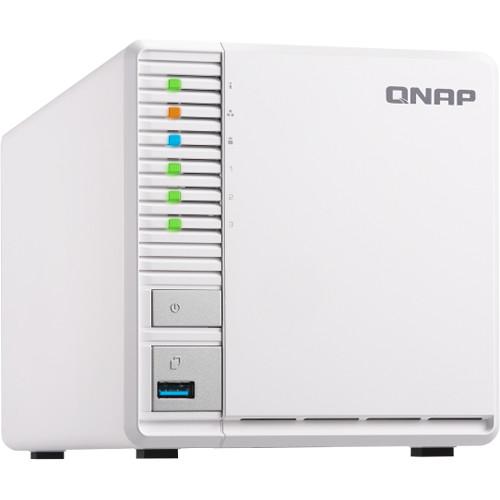 Contents of the user manual for the QNAP TS-328 3-Bay NAS Enclosure
- Product category: NAS Enclosures QNAP
- Brand: QNAP
- Description and content of package
- Technical information and basic settings
- Frequently asked questions – FAQ
- Troubleshooting (does not switch on, does not respond, error message, what do I do if...)
- Authorized service for QNAP NAS Enclosures

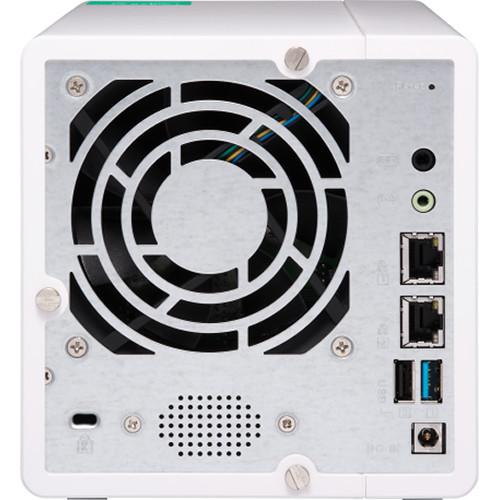
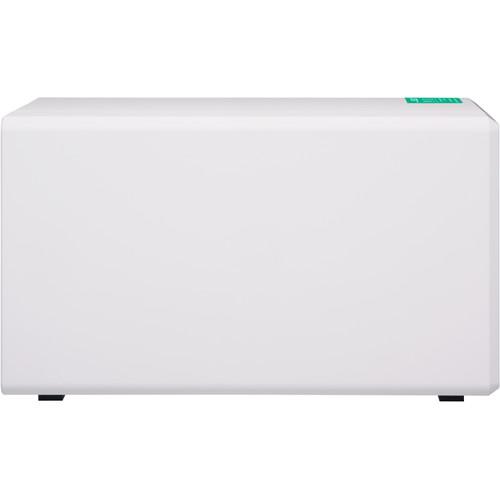
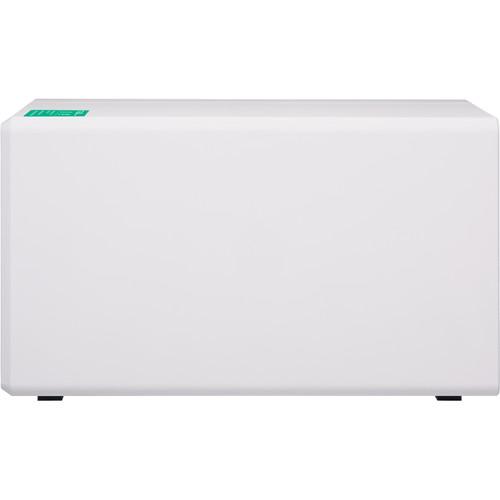 |
User manual for the QNAP TS-328 3-Bay NAS Enclosure contain basic instructions
that need to be followed during installation and operation.
Before starting your appliance, the user manual should be read through carefully.
Follow all the safety instructions and warnings, and be guided by the given recommendations.
User manual is an integral part of any QNAP product,
and if it is sold or transferred, they should be handed over jointly with the product.
Following the instructions for use is an essential prerequisite for protecting
health and property during use, as well as recognition of liability on the part of the manufacturer
for possible defects should you make a warranty claim. Download an official QNAP user manual in which you will find instructions on how to install, use, maintain and service your product.
And do not forget – unsuitable use of a QNAP product will considerably shorten its lifespan!
|
Product description The TS-328 3-Bay NAS Enclosure from QNAP is their first NAS with only three drive bays, which allows users to build a RAID 5 array with the fewest possible hard drives, while also helping to ensure improved data protection, system performance, and greater available storage space, since only one drive is used for RAID 5's data redundancy. The TS-328 features a minimalist design that fits into your home or commercial space and with a variety of multimedia applications, 10-bit H.264/H.265 hardware decoding and transcoding, and cross-device file backup and synchronization, the TS-328 provides a highly cost-effective solution for storage, backup, file management, and sharing.
Network connectivity is achieved using two Gigabit Ethernet ports. When both ports are used simultaneously, read speeds can reach 225 MB/s, while write speeds max out at 155 MB/s. Encrypted transfers deliver read speeds of up to 222 MB/s and write speeds of up to 146 MB/s.
This 3-bay enclosure natively supports 3.5" SATA III hard drives, and 2.5" hard drives and SSDs are also supported using 2.5" drive trays. Using the two 5 Gb/s USB 3.0 Type-A ports and one 480 Mb/s USB 2.0 Type-A ports, this QNAP NAS can be connected to other devices, allowing you to easily transfer large media files via USB. Additionally, the TS-328 is validated with FIPS 140-2 AES 256-bit encryption, helping to prevent sensitive business data from unauthorized access and breaches.
In addition to RAID 5 compatibility, QNAP has engineered this NAS to also support RAID 0 and 1, and each of the three RAID modes offer data redundancy, performance, or a combination of both. For those who do not require a RAID, JBOD and single disk modes are also available.
QNAP's TS-328 3-Bay NAS Enclosure operates using an included 65W AC adapter that runs using 100-240V. Also included is a power cord, an Ethernet cable, and a 2.5" HDD/SSD drive base tray. Protection is provided by a limited 2-year warranty. General Features - Central Management for Multimedia Files
- You may have lots of photos or videos spread across devices, which can be hard to manage and back up. With the TS-328, you can centrally backup and manage all your files and easily share them with others. With this version of File Station (QTS 4.3.4), you can directly access the photos and videos on your mobile device by connecting it to the TS-328 via USB. You can even use the Qphoto mobile app to take photos or record videos and directly upload them to the TS-328 for greater protection to save the storage space on the mobile device.
- 1.4 GHz Realtek Quad-Core Processor
- The TS-328 is powered by a 1.4 GHz Realtek RTD1296 Quad-Core processor with 2GB of DDR4 memory. It provides two 1GbE ports and SATA III 6 Gb/s drive bays, delivering up to 225 MB/s read/write speeds. The TS-328 also has two USB 3.0 Type-A ports and one USB 2.0 Type-A port, allowing you to easily transfer large media files across devices via USB connection.
- Protect Data with Snapshots
- Snapshots help protect your data by fully recording the NAS system state and the metadata. If an error occurs, you can use snapshots to quickly restore the system to its normal state. QNAP snapshots are block-based and only record the changed data. Not only does this save storage space, but it also reduces the time required to back up and restore data.
- Real-Time Video Transcoding
- The TS-328 supports 4K H.264/H.265 hardware decoding and real-time transcoding, allowing you to convert videos to universal file formats that can be smoothly played on multiple devices. Therefore, you can easily share movies or travel videos saved on your NAS to your family and friends via shared links and they can enjoy watching the videos.
Note: The TS-328's hardware provides H.264/H.265 10-bit hardware decoding, encoding, and transcoding capabilities. However, the playback quality may vary due to factors including playback software, file formats, system usage, and available bandwidth. The TS-328 also reserves some RAM for use as shared graphics memory. - SSD Cache Acceleration
- The TS-328 supports SSD caching to greatly boost the IOPS performance of storage volumes and increase operational efficiency. It is good for improving the overall workflow of IOPS-demanding applications and allows the best of both cost and performance by combining SSDs with HDDs.
Note: All the drives bays of the TS-328 support SSD caching. The TS-328 comes with one 2.5" HDD/SSD drive tray base. You can purchase additional drive tray bases from QNAP shop. - Automate Everyday Tasks with IFTTT Agent
- QNAP IFTTT Agent integrates the popular web automation service IFTTT (If This Then That), allowing you to create a near-unlimited number of automated workflows. Simply connect your IFTTT account with your TS-328 and set triggers and actions. For example, if you set a trigger as "Any new photo on the phone" and the action as "Upload the photo to QNAP NAS," then all the photos taken using your phone will be automatically uploaded to TS-328.
- Multiple Ways to Enjoy Videos
- QNAP provides a wide range of multimedia applications for you to enjoy photos, music, or videos. QVHelper allows users to stream media files or music playlists from a QNAP NAS to VLC player and Qmedia allows music, photos, and videos to be streamed to Android televisions or set-top boxes. ideo HD is free KODI add-on that combines KODI's streaming and video decoding capabilities and fully supports Video Station's features.
- Multiply Your Productivity
- The app-driven QTS operating system provides solutions for simplifying file backup, management, search, and more. With File Station, you can view your NAS files and access files from USB storage devices, the OCR Converter allows you to extract text from images, Qfiling helps automate file organization, and Qsirch helps quickly find files.
Access Files on External Devices
Use File Station to directly access files on USB devices, including optical disc drives. Files from USB devices can be easily backed up to the TS-328.
File Digitalization
OCR Converter extracts text from images, helping to facilitate file organization, editing, and searching.
Smart Filing
Qfiling automates file organization. Files are automatically archived into folders based on your settings.
Full-Text Search
Qsirch supports keyword search for finding images, music, videos, documents, and emails, making it easier to locate files. - Supports 360° Panorama Photos and Videos
- QNAP NAS now supports the popular 360° panorama recording format. By clicking the 360° panorama display button, these photos and videos will be displayed as 360° panorama media files. The QNAP mobile apps Qfile, Qphoto, and Qvideo also support 360° format viewing.
- Elegant Appearance
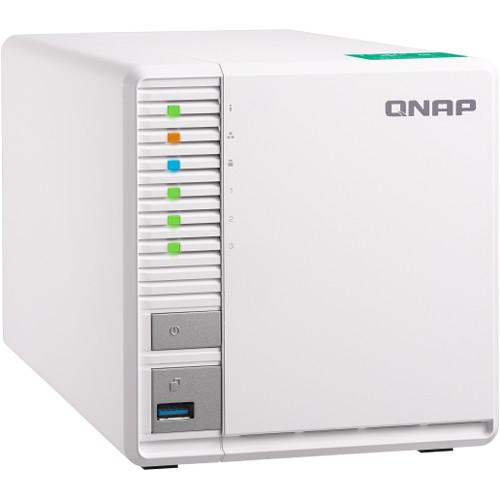
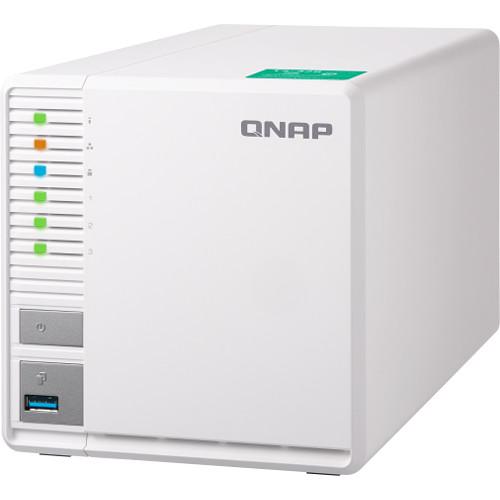
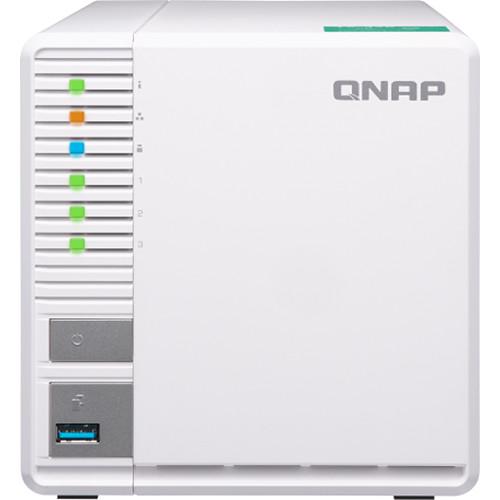
- The TS-328 sports a stylish, elegant look with an industrial design concept to provide better cooling for the NAS. The toolless 3.5" hard drive installation allows easier system setup and maintenance, while the front-panel LEDs assist in viewing the system status.
- Multi-Point Backup and Access
- With integrated data backup, restore, and synchronization, Hybrid Backup Sync helps you easily backup or synchronize data on the TS-328 to other QNAP NAS devices, USB storage (one touch copy), or cloud storage. With Qsync, you can also access your NAS files from desktops, laptops, or mobile devices connected with the TS-328 at any time.
- Host Container Applications
- Container Station integrates LXC and Docker lightweight virtualization technologies. You can download apps from the built-in Docker Hub to easily import/export container apps and manage access controls, enjoying the benefit of easy installation, transferability, and high efficiency.
UPC: 885022014897 In the Box QNAP TS-328 3-Bay NAS Enclosure Ethernet Cable 2.5" Drive Tray for the TS-328 fcauuvac 65W Power Adapter for 2/4-Bay NAS Systems Power Cord Limited 2-Year Warranty More info from QNAP Table of Contents
|
Upload User Manual
Have you got an user manual for the QNAP TS-328 3-Bay NAS Enclosure in electronic form? Please send it to us and help us expand our library of instruction manuals.
Thank you, too, on behalf of other users.
To upload the product manual, we first need to check and make sure you are not a robot. After that, your "Submit Link" or "Upload File" will appear.
Technical parametersQNAP TS-328-US Specs | | | CPU | 1.4 GHz Realtek ARM Cortex-A53 RTD 1296 Quad-Core (64-bit) | | Encryption Acceleration | Yes | | System Memory | 2 GB DDR4 RAM (not expandable)
Note: The TS-328 reserves some RAM for use as shared graphics memory | | Flash Memory | 4 GB eMMC | | Drive Bays | 3 x 3.5"/2.5" SATA III 6 Gb/s HDD/SSDs (hot swappable; one 2.5" tray base is bundled for installing 2.5" drives, additional trays available separately) | | Gigabit Ethernet Port | 2 x RJ45 Gigabit LAN ports | | USB Ports | 2 x USB 3.0 Type-A (1 front, 1 rear)
1 x USB 2.0 Type-A (rear) | | Audio | Speaker, 3.5 mm line-out jack | | LED Indicators | Status/Power, LAN, USB, and HDD | | Buttons | Power, USB Copy, and Reset | | Security Slot | Kensington security slot | | System Warning | Buzzer | | Operating Temperature | 32 to 104°F / 0 to 40°C | | Relative Humidity | 5~95% RH non-condensing, wet bulb: 81°F / 27°C | | Power Consumption | HDD Standby: 7.24 W
In Operation: 18.35 W | | Power Supply Unit | External Adapter: 65 W, 100 to 240 V | | Fan | 1 x 9 cm smart fan (12 VDC) | | Sound Level | 16.5 dBA | | Dimensions | 5.59 x 5.90 x 10.24" / 141.99 x 149.86 x 260.1 mm | | Weight | 3.62 lb / 1.64 kg | | | | Operating System | QTS 4.3.4 (embedded Linux) | | Client Operating Systems | Apple Mac OS 10.7 or later Linux and UNIX Microsoft Windows 7, 8, and 10 Microsoft Windows Server 2003, 2008 R2, 2012, 2012 R2, and 2016 | | Supported Browsers | Apple Safari 7 or later Google Chrome Microsoft Internet Explorer 10 or later Mozilla Firefox | | File System | Internal Hard Drives
EXT4
External Hard Drives
EXT3, EXT4, NTFS, FAT32, and HFS+ | | Networking | TCP/IP (IPv4 & IPv6: Dual Stack) Service binding based on network interfaces Squid Proxy server Proxy client DHCP client, DHCP server Protocols: CIFS/SMB, AFP (v3.3), NFS(v3), FTP, FTPS, SFTP, TFTP, HTTP(S), Telnet, SSH, iSCSI, SNMP, SMTP, and SMSC U PnP & Bonjour Discovery USB Wi-Fi Adapter Support | | Security | - Network access protection with auto-blocking: SSH, Telnet, HTTP(S), FTP, CIFS/SMB, AFP
- CIFS host access control for shared folders
- FIPS 140-2 validated AES 256-bit volume-based and shared folder data encryption
- AES 256-bit external drive encryption
- Importable SSL certificates
- Instant alert via E-mail, SMS, beep, and push service
- 2-step verification
Data encryption functions may be unavailable in accordance with the legislative restrictions of some countries | | Multilingual Support | Chinese (Traditional & Simplified), Czech, Danish, Dutch, English, Finnish, French, German, Greek, Hungarian, Italian, Japanese, Korean, Norwegian, Polish, Portuguese (Brazil), Romanian, Russian, Spanish, Swedish, Thai, and Turkish | | QVPN Service | VPN Server
- Secure remote access with PPTP, L2TP/IPSec, and OpenVPN VPN services
- Up to 100 clients
- Supports domain users as VPN users
VPN Client
- Supports PPTP, L2TP/IPSec, and OpenVPN VPN protocols
- Supports importing .ovpn files to create an OpenVPN connection | | iSCSI (IP SAN) | iSCSI target with multi-LUNs per target (Up to 256 targets/LUNs combined) Supports LUN mapping & masking Online LUN capacity expansion Support for SPC-3 persistent reservation Supports MPIO & MC/S iSCSI LUN backup, one-time snapshot, and restoration iSCSI connection and management by QNAP Windows Qfinder Pro Virtual disk drive (via iSCSI initiator) Max No. of virtual disk drives: 8 | | | | Package Weight | 6.45 lb | | Box Dimensions (LxWxH) | 11.5 x 10.3 x 6.6" |
Rating70% users recommend this product to others. And what about you?

This product has already been rated by 78 owners. Add your rating and experience with the product.
Discussion
 Ask our technicians if you have a problem with your settings,
or if anything is unclear in the user manual you have downloaded.
You can make use of our moderated discussion.
The discussion is public and helps other users of our website who may be encountering similar problems.
Ask our technicians if you have a problem with your settings,
or if anything is unclear in the user manual you have downloaded.
You can make use of our moderated discussion.
The discussion is public and helps other users of our website who may be encountering similar problems.
The discussion is empty - enter the first post
Post a new topic / query / comment:
|
|


