|
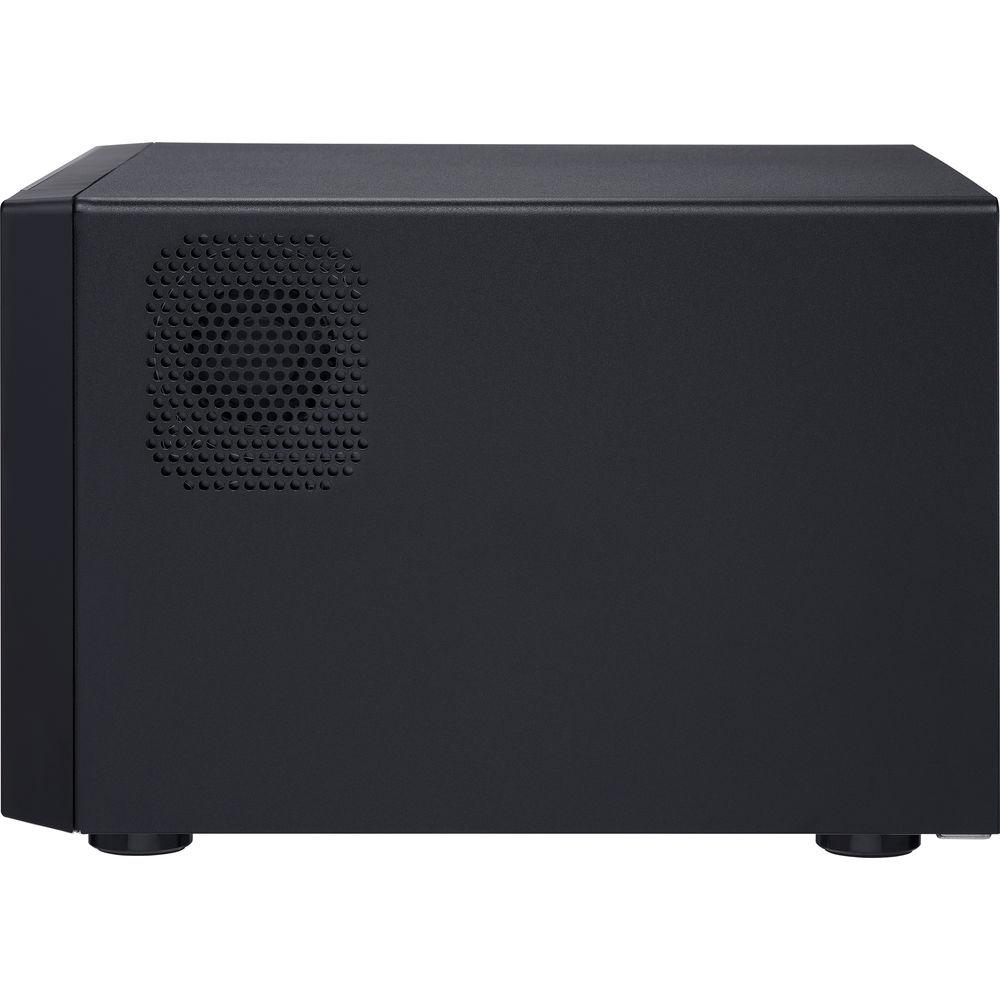
User Manual for QNAP TVS-672XT 6-Bay NAS Enclosure Click to enlarge the picture
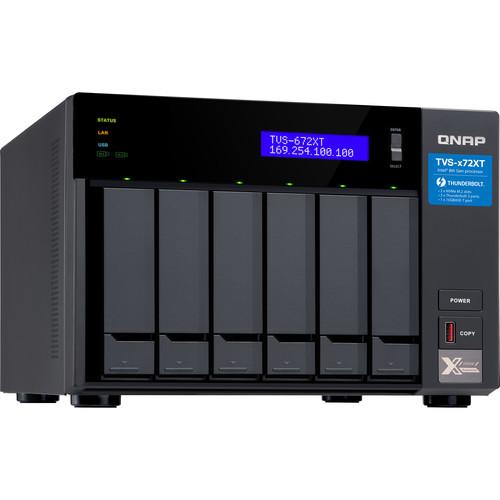 Contents of the user manual for the QNAP TVS-672XT 6-Bay NAS Enclosure
- Product category: NAS Enclosures QNAP
- Brand: QNAP
- Description and content of package
- Technical information and basic settings
- Frequently asked questions – FAQ
- Troubleshooting (does not switch on, does not respond, error message, what do I do if...)
- Authorized service for QNAP NAS Enclosures
 |
User manual for the QNAP TVS-672XT 6-Bay NAS Enclosure contain basic instructions
that need to be followed during installation and operation.
Before starting your appliance, the user manual should be read through carefully.
Follow all the safety instructions and warnings, and be guided by the given recommendations.
User manual is an integral part of any QNAP product,
and if it is sold or transferred, they should be handed over jointly with the product.
Following the instructions for use is an essential prerequisite for protecting
health and property during use, as well as recognition of liability on the part of the manufacturer
for possible defects should you make a warranty claim. Download an official QNAP user manual in which you will find instructions on how to install, use, maintain and service your product.
And do not forget – unsuitable use of a QNAP product will considerably shorten its lifespan!
|
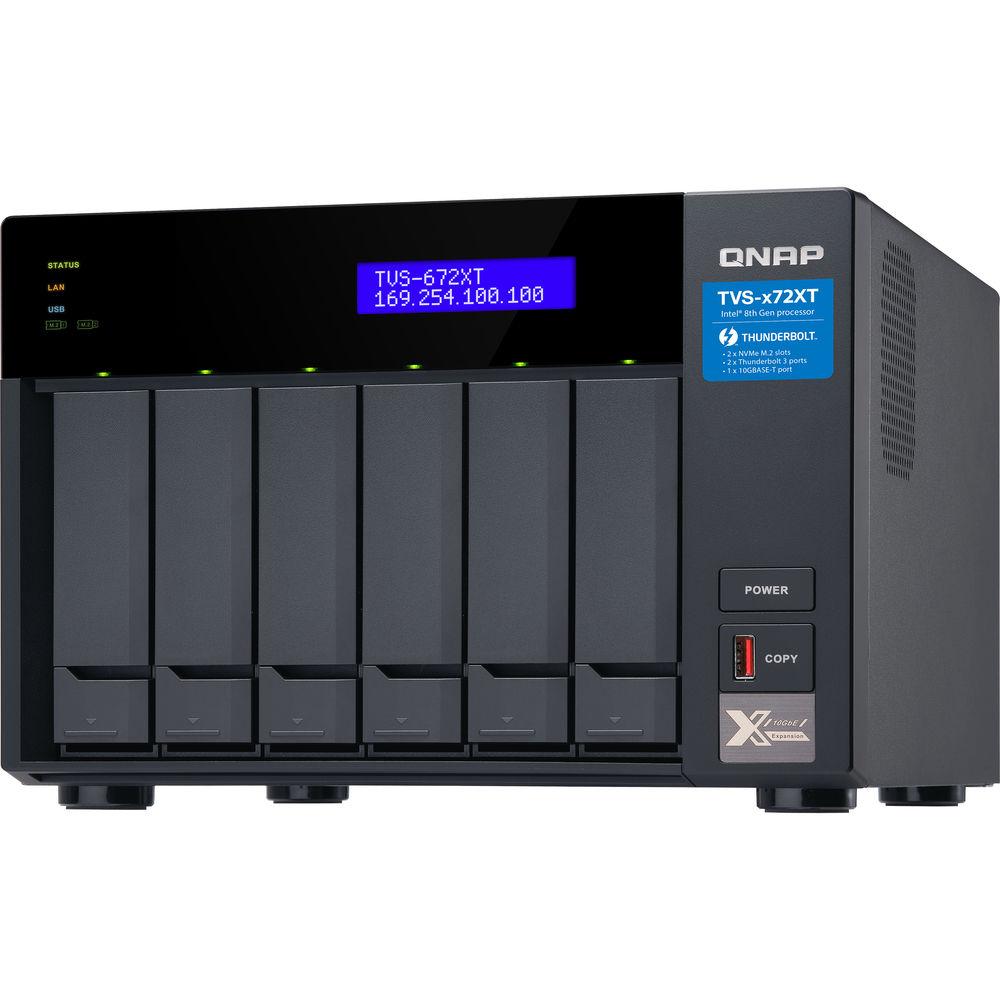
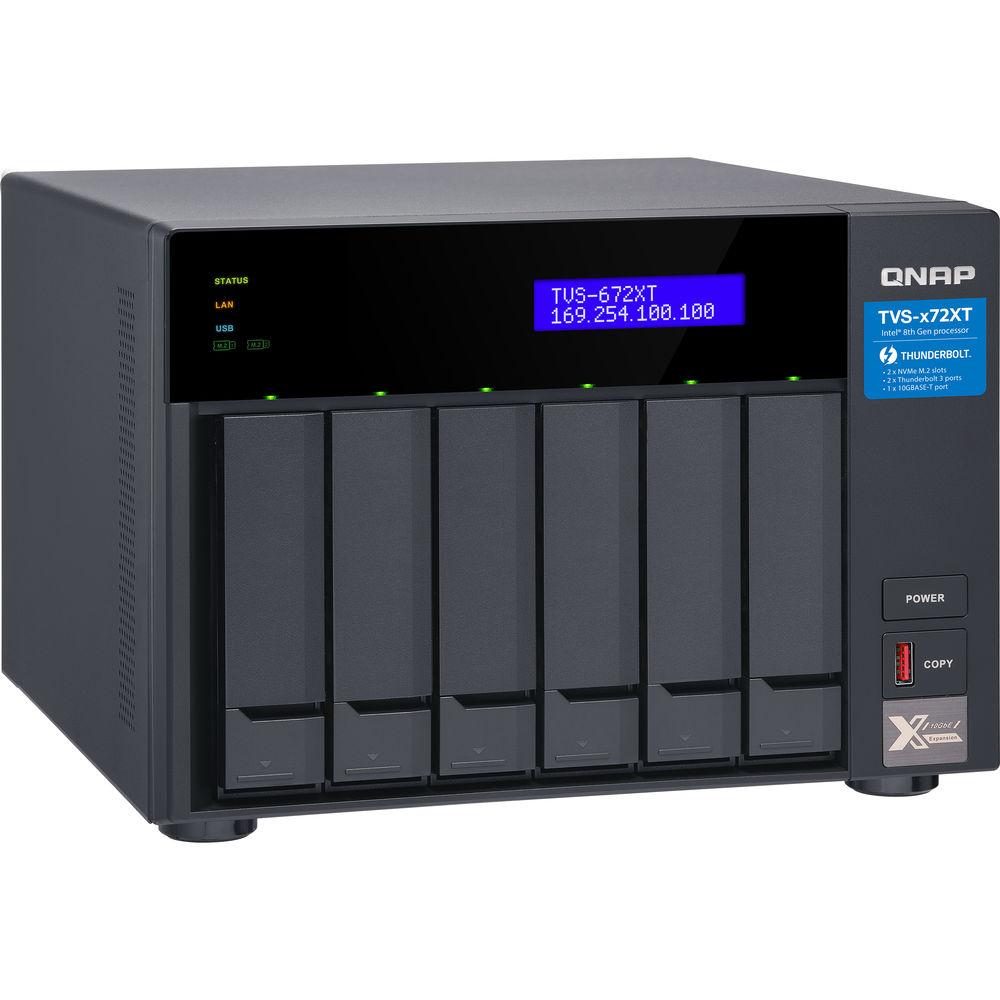
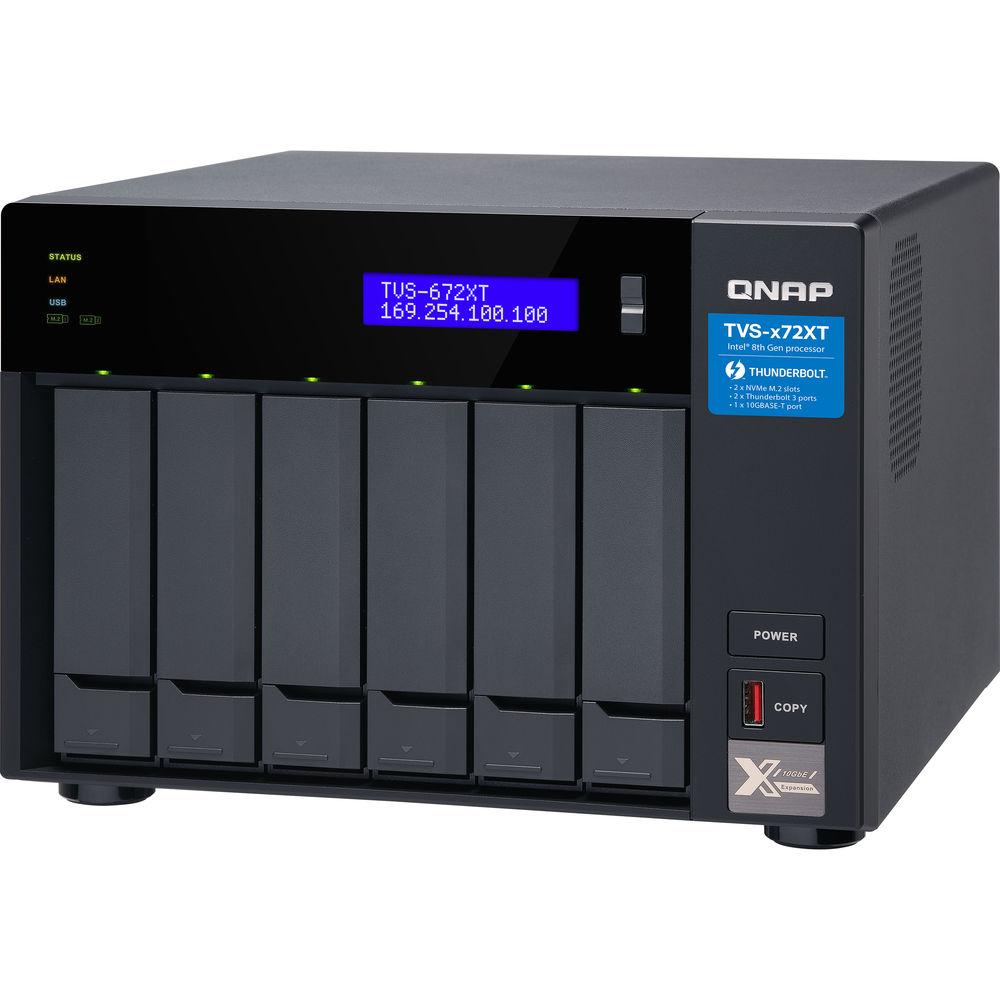
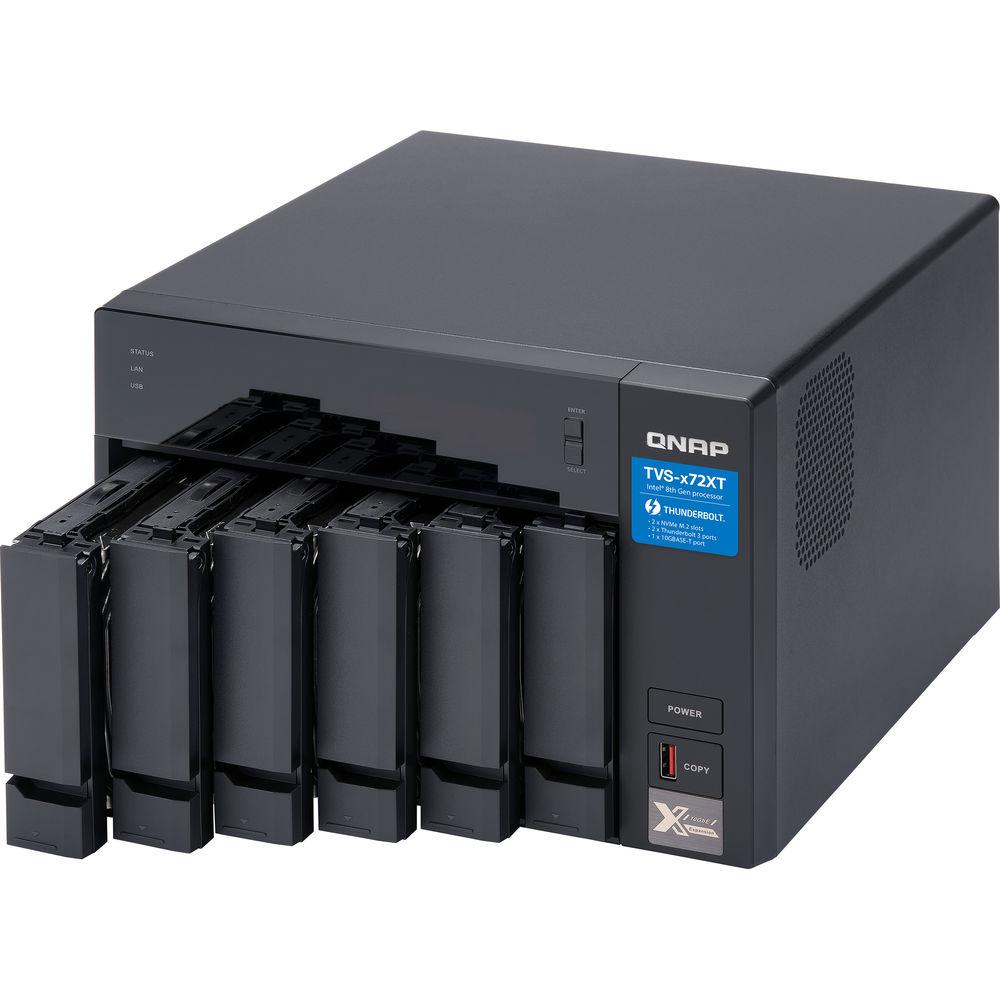
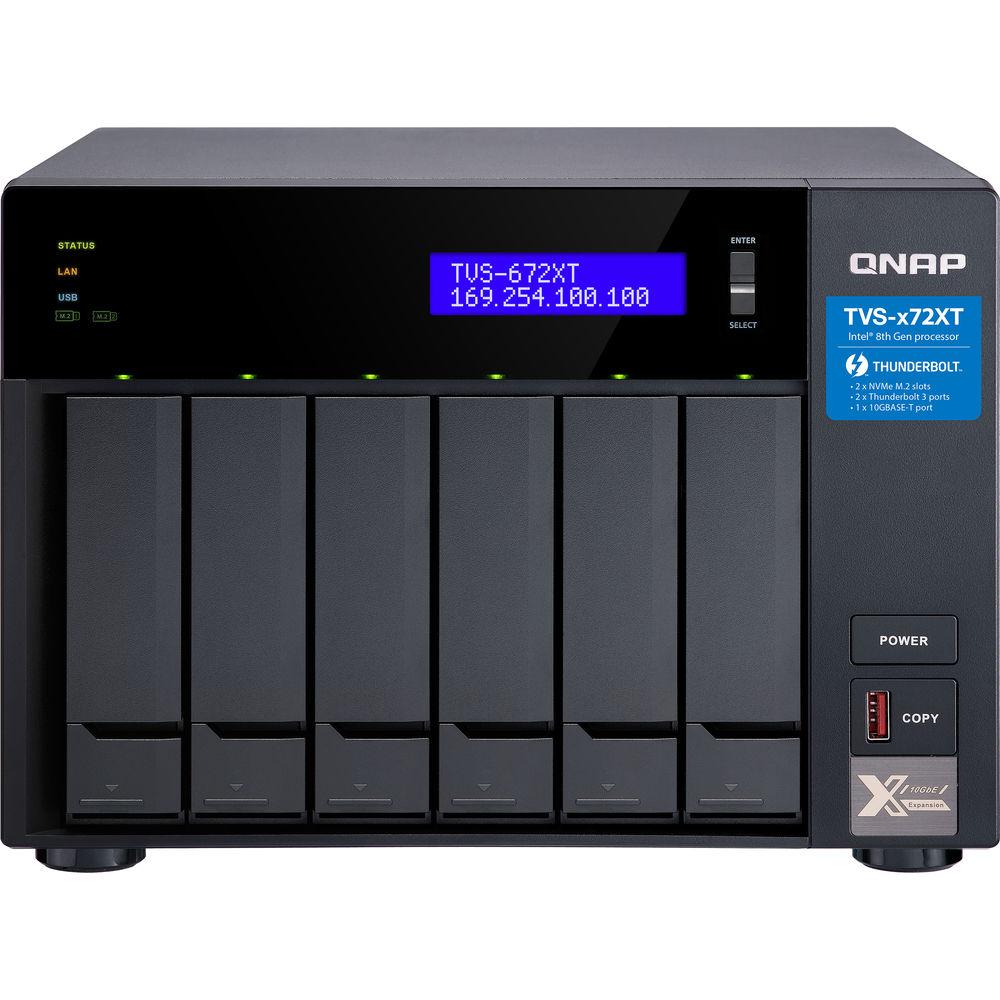
Product description Powered by an Intel 8th Generation processor, the TVS-672XT 6-Bay NAS Enclosure from QNAP features both 10 Gigabit Ethernet and Thunderbolt 3 high bandwidth connectivity for tackling heavy workloads and smoothly transferring, displaying, and editing 4K videos in real time. With M.2 SSD support and the ability to install a graphics card, the TVS-672XT provides the ability to boost performance and create a scalable working environment for collaboration and high-speed file sharing. The TVS-672XT is driven by hardware that delivers performance, comprehensive multimedia features, expandable storage capacity, and numerous other NAS functionalities.
The TVS-672XT is powered by a 3.1 GHz Intel Core i3-8100T Quad-Core processor and 8GB of DDR4 RAM, which can be upgraded to 32GB, using one 16GB module in each of the SO-DIMM slots. Network connectivity is achieved using the two Gigabit Ethernet ports and one 10 Gigabit Ethernet port, the latter of which helps to further enhance on-the-fly video editing and rapid file sharing. This NAS also supports JBOD, Single, and a variety of RAID modes, including RAID 0, 1, 5, 6, 10, and 50, each of which offer data redundancy, speed, or a combination of both.
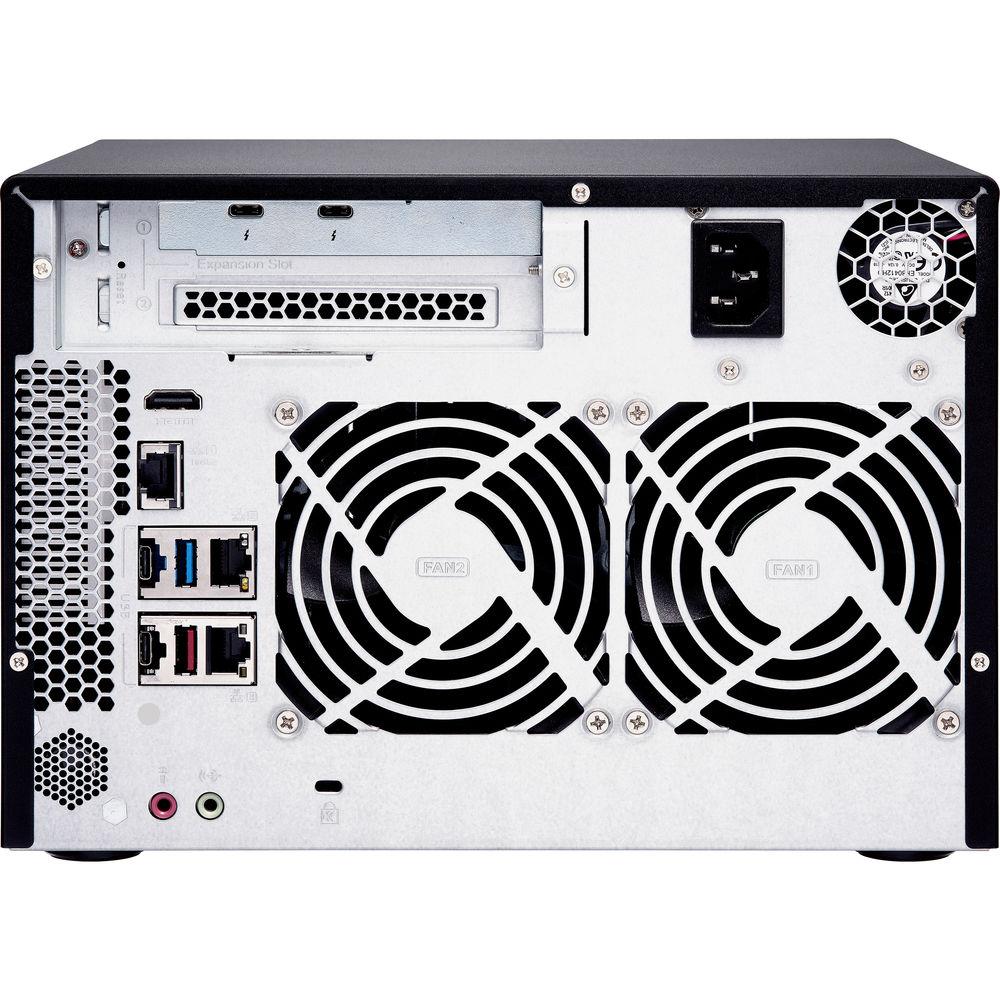
This 6-bay enclosure has the ability to natively house both 3.5" and 2.5" SATA III hard drives or SSD drives. The TVS-672XT can reach a throughput of up to 1157 MB/s via Thunderbolt 3, 1155 MB/s using 10 Gigabit Ethernet, and 1065 MB/s using 10 Gigabit Ethernet with encryption. Using the two 40 Gb/s Thunderbolt 3 ports, two 10 Gb/s USB 3.1 Gen 2 Type-C ports, two 10 Gb/s USB 3.1 Gen 2 Type-A ports, one 5 Gb/s USB 3.1 Gen 1 Type-A port, and one HDMI 2.0 port, this QNAP NAS can be connected to other QNAP devices, as well as other external drives and displays up to 3840 x 2160 at 60 Hz. Internally, there are two NVMe M.2 2280 slots for tiered storage and cache acceleration using separately sold flash modules. Additionally, the TVS-672XT is validated with AES-NI encryption, helping to prevent sensitive business data from unauthorized access and breaches.
Using QNAP's tiered storage functionality, known as Qtier, storage efficiency is optimized across M.2 SSDs, SATA SSDs, and SATA HDDs. Frequently-used "hot" data is stored on high-performance SSD tiers, while less-accessed "cold" data is kept on higher-capacity hard drives. Qtier 2.0 features IO awareness that empowers SSD-tiered storage with a cache-like reserved space to handle burst I/O in real time, greatly maximizing the advantages of SSDs.
The QNAP TVS-672XT 6-Bay NAS Enclosure operates on 100-240 VAC using a 250W power supply. It includes two Gigabit Ethernet cables, one 10 Gigabit Ethernet cable, a power cord, flat head screws for 2.5" drives, flat head screws for 3.5" drives, and two M.2 SSD heatsinks. Protection is provided by a limited 2-year warranty. General Features - Fast & Flexible Thunderbolt 3 and 10GBASE-T Connectivity
- The TVS-672XT adopts the powerful 8th generation 3.1 GHz Intel Core i3-8100T Quad-Core processor with 8GB of dual-channel DDR4 memory (upgradable to 32GB) to deliver outstanding performance. It provides two Gigabit and one 5-speed 10GBASE-T port (10G/5G/2.5G/1G/100M), supports SATA III 6 Gb/s drives, and features AES-NI encryption for delivering high performance while also maintaining the security of your data. You can also connect USB Type-C devices through the Thunderbolt 3 ports to transfer large media files across devices, providing you with a more efficient workflow.
- Extend NAS Functionality with a Graphics Card and Other PCIe Devices
- The TVS-672XT features two PCIe Gen 3 slots (the first slot is pre-installed with a Thunderbolt 3 card) that allow for the usage of various expansion cards to expand application potential.
Graphics Cards
Accelerate NAS video processing and empower GPGPU tasks. GPUs can also be passed-through to virtual machines.
QM2 M.2 SSD/10GbE Cards
Add M.2 SSD caching or 10GbE (10GBASE-T) connectivity to the NAS for optimized performance and bandwidth.
10GbE/ 40GbE Adapters
Enable fast throughput for bandwidth-demanding tasks such as virtualization, massive data transmission, and fast backup/restoration.
Wireless Network Cards
Use the QNAP QWA-AC2600 wireless adapter with WirelessAP Station to transform the TVS-672XT into a convenient wireless base station, allowing network resources of the NAS to be shared with multiple devices. - Performance Benefits from M.2 SSD Caching
- Besides using 2.5" SSDs for caching, you can utilize the two M.2 SSD slots built in to the TVS-672XT for installing PCIe (Gen 3 x2, 2 GB/s) NVMe SSDs with a 2280 form factor.M.2 SSDs are sold separately.
Improve Random Data Access Speeds with an SSD Cache
SSD caches accelerate IOPS performance and reduce latency for storage volumes. They are goodfor IOPS-demanding applications (including databases and virtualization) and can improve overall workflows.
Maximize the Value of SSDs with Qtier Technology
Qtier Technology empowers the TVS-672XT with auto tiering that helps continuously optimize storage efficiency by automatically moving data between M.2 SSDs, 2.5" SSDs, and high-capacity HDDs based on the data's access frequency. Qtier 2.0 features IO-awareness that empowers SSD-tiered storage with a cache-like reserved space to handle burst I/O in real time, greatly maximizing the advantages of SSDs. - Attain Performance & Endurance Levels Similar to Enterprise SSDs
- With SSD prices continuing to become more affordable, there's never been a better time for using SSDs in your NAS to enjoy higher performance, faster file backups, smoother multimedia experiences, and optimized virtualization applications. From QTS 4.3.5, you can benefit from software-defined SSD RAID extra over-provisioning (OP) that enables you to allocate additional OP space (from 1% to 60%) to optimize random write speeds and to extend SSD lifespan. Now you can use affordable consumer SSDs for the TVS-672XT, adjust the SSD OP, and potentially attain performance and endurance levels similar to enterprise-grade SSDs.
- Flexibly Manage Virtual and Physical Networks
- The Network & Virtual Switch app manages physical network interfaces (including network adapters and Thunderbolt ports) and virtual adapters (virtual machines and containers) and their communications, providing a visualized topology that clearly presents the connections of physical and virtual networks. The flexible manageability enables you to reorganize physical and virtual network connections with greater ease, so you can allocate adequate network resources to the TVS-672XT, virtual machines, and containers whenever needed.
- Collaboration Station for Mac and Windows
- The TVS-672XT is the good match for Thunderbolt-equipped Mac and Windows users, especially for photographers, filmmakers, and graphic designers who require 4K media storage, instant sharing, and have bandwidth-intensive workflows. Up to two Thunderbolt devices can be connected to the TVS-672XT to process real-time photo and audio editing simultaneously without impacting system performance. As Final Cut Pro X 10.3 (and later) supports file sharing via SMB, Windows users and other devices utilizing Thunderbolt 3, 10GbE, or GbE connections can join the editing workflow more efficiently.
- Storage Solution for the 10GbE iMac Pro
- The iMac Pro is the first Mac computer that includes a 10Gb Ethernet port, marking a milestone in the growing mainstream demands for 10GbE connectivity. As the TVS-672XT comes with both 10GbE and Thunderbolt 3 ports, it provides an exceptional storage base for iMac Pro users, as they can flexibly choose between Thunderbolt 3 and 10GbE connections to suit their application and device needs.
- Seamless 10GbE Environment for Windows and Mac
- QNAP provides various budget-friendly solutions to help upgrade your network environment to 10GbE. No matter if your team members use Mac or Windows computers, they can enjoy fast transfer speeds and simultaneous real-time access to large NAS-based files using multiple workstations, which is good for video editing and multimedia.
QNA-T310G1T / QNA-T310G1S
The Thunderbolt 3 to 10GbE adapter empowers your Mac or Windows computers with fast 10GbE network connectivity using a Thunderbolt 3 port, which utilizes the reversible USB Type-C interface.
QXG-10G1T
The 10GbE PCIe network adapter can be installed in Windows/Linux computers to add 10GbE connectivity.
QSW-1208-8C
The 12-port 10GbE 10GbE/NBASE-T unmanaged switch allows faster speeds using existing cables. - Visual Experience with 4K HDMI 2.0 Output
- The TVS-672XT has an HDMI 2.0 port which supports 4K (3840 x 2160) 60 Hz output, providing great benefits for applications like video production/editing, industrial design, and professional photography that demand on-image resolution and color realism, as well as intensive media storage, transfer, and display. By connecting the TVS-672XT to a HDTV via the HDMI output, you can directly view multimedia content saved on the NAS on a bigger screen. You can also download and install versatile multimedia apps from Ubuntu Software Center through QNAP Linux Station. QNAP's HD Station also allows users to directly enjoy multimedia using the HD Player or third-party players such as Plex Home Theater.
- Real-Time Transcoding for a Cross-Device Media Experience
- Featuring advanced Intel UHD Graphics 630, the TVS-672XT supports triple-channel 4K H.264 hardware decoding and real-time transcoding, allowing you to convert videos to universal file formats that can be smoothly played on multiple devices.
- Complete Backup Planning
- The TVS-672XT provides a reliable, flexible backup & disaster recovery solution to assist organizations in routine backup jobs with cost-efficiency and high productivity.
Windows and Mac Backup
Use the license-free QNAP NetBak Replicator utility to back up/restore files from Windows computers. Time Machine is fully supported for backing up Mac computers.
Hybrid Backup Sync
Consolidates backup, restoration, and synchronization functions (using RTRR, rsync, FTP, and CIFS/SMB) for easily transferring data to local, remote, and cloud storage spaces as a comprehensive data storage and disaster recovery plan.
Snapshots for Volume & LUN
Snapshots are essential for NAS data protection, and their block-level feature makes them a dependable method for protecting data in the face of the growing threat of ransomware. The TVS-672XT supports up to 256 snapshots per volume/LUN, and up to 1024 snapshots per NAS.
VM Backup
With high performance, potentially huge storage capacities, integrated virtualization solutions, and support for snapshots that record the state of the system at any time, the TVS-672XT is good for backing up virtual machines. - Optimized Collaboration with Seamless File Sharing and Sync
- The TVS-672XT centrally stores data and files, and supports SMB/CIFS, AFP, and NFS protocols for file sharing across Windows, Mac, and Linux/UNIX networks. Coupled with Qsync (a utility that turns a QNAP NAS into a safe, high-capacity data center for file synchronization), any file uploaded to the TVS-672XT will be made available for all linked devices, such as computers, laptops, or mobile devices. You can sync shared folders and team folders for group file sharing to enhance the flexibility of team projects and collaboration. Files can be centrally managed using File Station, including files from mobile devices and optical disc drives. File Station also allows you to mount a remote NAS, and transfer files between your NAS and public cloud services for greater convenience.
- All-in-One Server to Host Virtual Machines and Containers
- Virtualization Station and Container Station jointly introduce a hybrid approach to virtualization. No matter your virtualization needs, you can count on QNAP for complete virtualization support.
Virtualization Station
Run multiple Windows, Linux, UNIX, and Android virtual machines and access them via a web browser or VNC (Virtual Network Computing). Businesses can run virtualized server applications on a single NAS without the need for additional physical servers.
Container Station
Experience LXC and Docker lightweight virtualization technologies, and download apps from the built-in Docker Hub Registry, import/export containers, and create abundant microservices. - More Productivity Applications
- IFTTT Agent
A popular web automation service for combining QNAP NAS and mobile devices/apps to customize NAS applets.
QmailAgent
Centrally manage and switch between different email accounts, back up emails to the NAS, and safeguard email security and personal privacy.
Browser Station
Enable remote access through NAS browsers to access local LAN resources without requiring complex VPN settings.
Cinema28
Turns your NAS into a multimedia hub for streaming photos, music, and videos to different devices in different rooms.
Qsirch
A full-text search engine that helps quickly find specific images, music, videos, documents, and emails by using keywords and search conditions.
DJ2 Live
Live Broadcasting through QNAP NAS, while also streaming to public clouds. The footage is saved directly to the NAS for later playback. - Flexible and Economical Storage Expansion
- QNAP provides several ways to expand your NAS storage as needed to accommodate data and business growth.
Upgrade RAID Capacity
Hot swap lower-capacity drives with larger-capacity drives so that your QNAP NAS can grow with your business.
Attach Expansion Enclosures
Connect up to six TX-800P or TX-500P Thunderbolt 2 expansion enclosures.
VJBOD
Use VJBOD (Virtual JBOD) to expand your storage capacity by using the unused storage of other QNAP NAS. Up to eight QNAP NAS can be mounted as local disks on the TVS-672XT.
Migrate to a New NAS
Install your NAS hard drives into a larger QNAP NAS and retain all your existing data and configurations. UPC: 885022016488 In the Box QNAP TVS-672XT 6-Bay NAS Enclosure 2 x M.2 SSD Heatsinks 2 x Gigabit Ethernet Cables 1 x 10 Gigabit Ethernet Cable Flat Head Screws for 2.5" HDDs Flat Head Screws for 3.5" HDDs Power Cord Limited 2-Year Warranty More info from QNAP Table of Contents
|
Upload User Manual
Have you got an user manual for the QNAP TVS-672XT 6-Bay NAS Enclosure in electronic form? Please send it to us and help us expand our library of instruction manuals.
Thank you, too, on behalf of other users.
To upload the product manual, we first need to check and make sure you are not a robot. After that, your "Submit Link" or "Upload File" will appear.
Technical parametersQNAP TVS-672XT-I3-8G-US Specs | | | Number of Bays | 6 x 2.5"/3.5"
2 x M.2 (2280) | | Media Card Slots | None | | Connections | 2 x USB Type-C (Thunderbolt 3 (40 Gb/s))
2 x USB Type-C (USB 3.1 Gen 2 (10 Gb/s))
2 x USB Type-A (USB 3.1 Gen 2 (10 Gb/s))
1 x USB Type-A (USB 3.1 Gen 1 (5 Gb/s))
1 x HDMI Type-A (HDMI 2.0)
1 x RJ45 (10GbE)
2 x RJ45 (Gigabit Ethernet)
1 x 3.5 mm (Audio In)
1 x 3.5 mm (Audio Out) | | Compatible Drive Interface | SATA III | | Form Factor | Desktop | | RAID Modes | RAID 0, 1, 10, 5, 50, 6, JBOD, Single | | Hot-Swap Support | Yes | | Expansion Slots | 1 x PCIe 3.0 x16
1 x PCIe 3.0 x4 | | Link Aggregation and Failover Support | Yes | | Wake on LAN | Yes | | | | Total Raw Capacity | None | | Type | None | | Flash Memory | 4 GB | | | | Processor | Intel Core i3-8100T Quad-Core | | Clock Speed | Base: 3.1GHz | | GPU | Intel UHD Graphics 630 | | Total Installed Memory | 8 GB | | User-Replaceable Memory | 2 x 4 GB | | Total Memory Slots | 2 x SO-DIMM | | Maximum Memory Capacity | 32 GB | | | | Installed Operating System | QTS 4.4.0 | | OS Compatibility | macOS 10.7 or Later
Linux
UNIX
Windows 7
Windows 8
Windows 10
Windows Server 2003
Windows Server 2008
Windows Server 2008 R2
Windows Server 2012
Windows Server 2012 R2
Windows Server 2016 | | File System Formats Supported | Internal: EXT4
External: EXT3, EXT4, FAT32, HFS+, NTFS, exFAT | | Supported Browsers | Chrome, Firefox, Internet Explorer, Safari | | Supported Languages | Czech
Danish
Dutch
English
Finnish
French
German
Greek
Hungarian
Italian
Japanese
Korean
Polish
Portuguese
Romanian
Russian
Simplified Chinese
Spanish
Swedish
Thai
Traditional Chinese
Turkish | | | | Power Consumption | 45.6 W (Typical)
26.52 W (Standby) | | Power Source | Internal Power Supply | | PSU Wattage | 1 x 250 W | | AC Input Power | 100 to 240 VAC, 50 / 60 Hz | | | | Encryption | AES-NI | | Security Features | Kensington Security Slot | | | | Operating Temperature | 32 to 104°F / 0 to 40°C | | Operating Humidity | 5 to 95% | | | | Cooling | 2 x 92 mm Fans
2 x 60 mm Fans | | Noise Level | 23.8 dBA | | Built-In Speakers | Yes, 1 | | Audible Alarm | None | | IR Sensor | Yes | | Status Monitoring | LCD Screen, LED Indicator | | Dimensions | 7.4 x 10.4 x 11.0" / 18.8 x 26.4 x 27.9 cm | | Weight | 14.5 lb / 6.6 kg | | | | Package Weight | 17.325 lb | | Box Dimensions (LxWxH) | 19.7 x 19.6 x 11.0" |
Rating80% users recommend this product to others. And what about you?

This product has already been rated by 27 owners. Add your rating and experience with the product.
Discussion
 Ask our technicians if you have a problem with your settings,
or if anything is unclear in the user manual you have downloaded.
You can make use of our moderated discussion.
The discussion is public and helps other users of our website who may be encountering similar problems.
Ask our technicians if you have a problem with your settings,
or if anything is unclear in the user manual you have downloaded.
You can make use of our moderated discussion.
The discussion is public and helps other users of our website who may be encountering similar problems.
The discussion is empty - enter the first post
Post a new topic / query / comment:
|
|
|
| Request for user manual |
You can’t find the operation manual you are looking for? Let us know and we will try to add the missing manual:
I’m looking for a manual / Request for manual
Current requests for instruction manuals:
Call Of Duty World War Two For Xbox...
controller stratus XL...
stratus XL...
smart whatch serie S11 42mm...
Allen & Heath SQ-6 manual...
|
| Discussion |
Latest contributions to the discussion:
AEW R 4100
Name: MAURICIO ANGARITA
Audio-Technica AEW-R4100 UHF Diversity Receiver for
AEW R 4100 has the mute function blocked and does not allow audio to pass. I tried several times to turn off the mute from the transmitter but it does nothing, the mute stays on. Solution?
Thank you...
Instructions for assembling the 2015 Forecast Image Master Consoles GC3-A
Name: mike elam
Forecast Consoles GC3-A ImageMaster Editing Console
Looking for instructions for assembling this console. ...
EMPTY TONER ERROR MESSAGE AFTER REPLACING TONER
Name: LINDA BAD YELLOW EYES
Brother TN223BK Standard-Yield Toner
I HAD TO CHANGE OUT ALL THREE TONERS DUE TO LEAKS IN THE YELLOW AND CYAN. AFTER I REPLACED THEM, THE MACHINE KEEPS GIVING ME AN EMPTY TONER ERROR MESSAGE. HELP!!...
PS480D 20/24 pin Switching 480W Power Supply
Name: swkargo
Logisys 480W Power Supply
This item states in can run -5vdc .It is NOT listed on the board or I beleive is r4 is missing the resitior. Any body have thid issue. Shawn
...
Help needed
Name: Ann Carter
SanDisk 1TB Extreme Portable USB 3.1
When I click the link to download the user manual for my Sandisk Extreme external hard drive, it gives me the manual for the LG Cricket. Can you please change the link so I can download the Sandisk manual and begin using this drive? Thank you....
|
|


