|
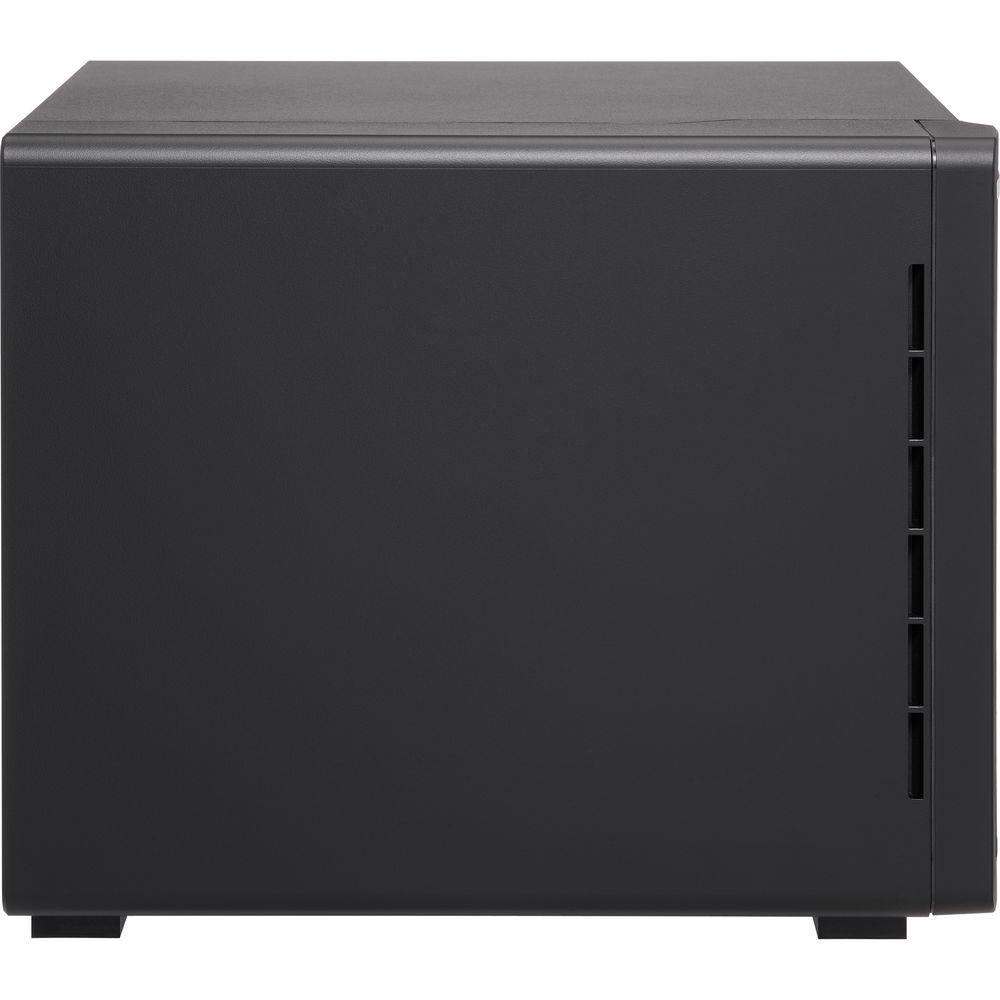
User Manual for QNAP TVS-951X 9-Bay NAS Enclosure Click to enlarge the picture
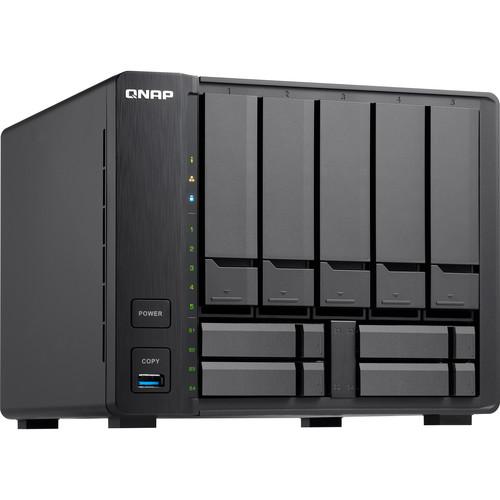 Contents of the user manual for the QNAP TVS-951X 9-Bay NAS Enclosure
- Product category: NAS Enclosures QNAP
- Brand: QNAP
- Description and content of package
- Technical information and basic settings
- Frequently asked questions – FAQ
- Troubleshooting (does not switch on, does not respond, error message, what do I do if...)
- Authorized service for QNAP NAS Enclosures


 |
User manual for the QNAP TVS-951X 9-Bay NAS Enclosure contain basic instructions
that need to be followed during installation and operation.
Before starting your appliance, the user manual should be read through carefully.
Follow all the safety instructions and warnings, and be guided by the given recommendations.
User manual is an integral part of any QNAP product,
and if it is sold or transferred, they should be handed over jointly with the product.
Following the instructions for use is an essential prerequisite for protecting
health and property during use, as well as recognition of liability on the part of the manufacturer
for possible defects should you make a warranty claim. Download an official QNAP user manual in which you will find instructions on how to install, use, maintain and service your product.
And do not forget – unsuitable use of a QNAP product will considerably shorten its lifespan!
|
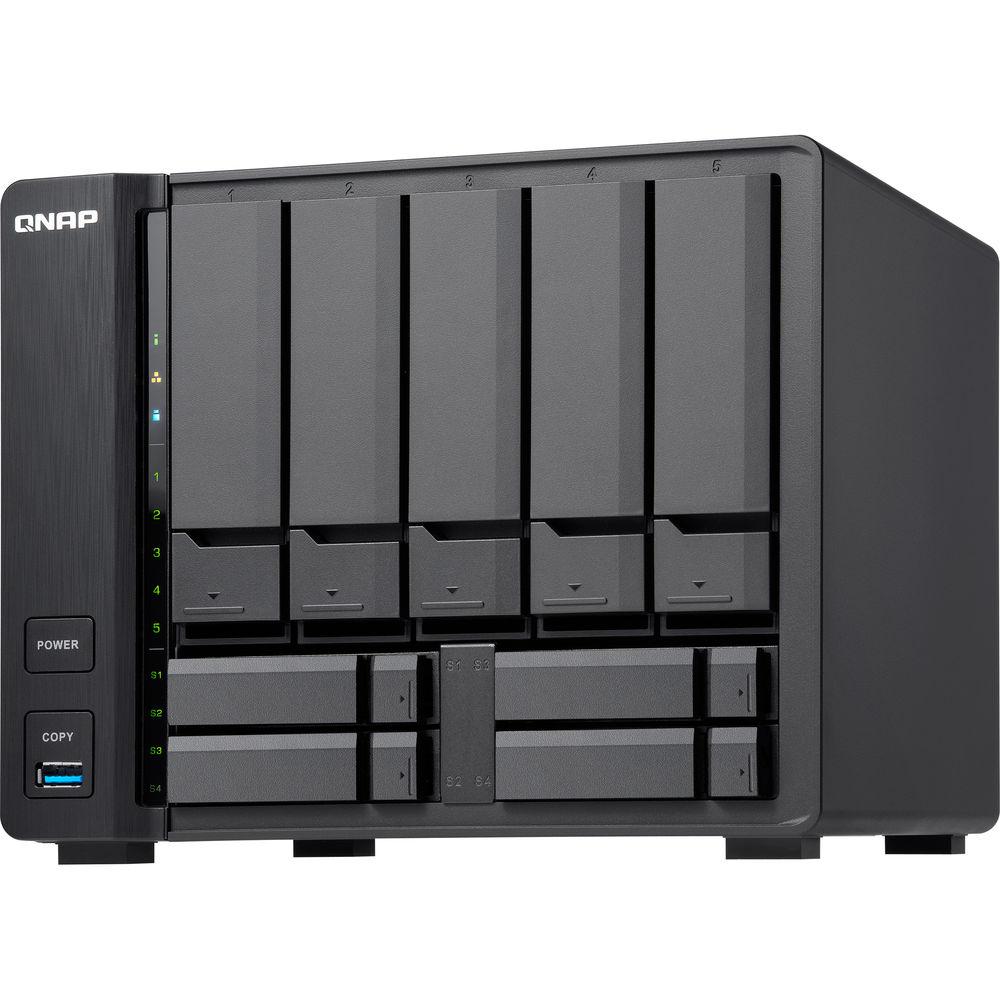
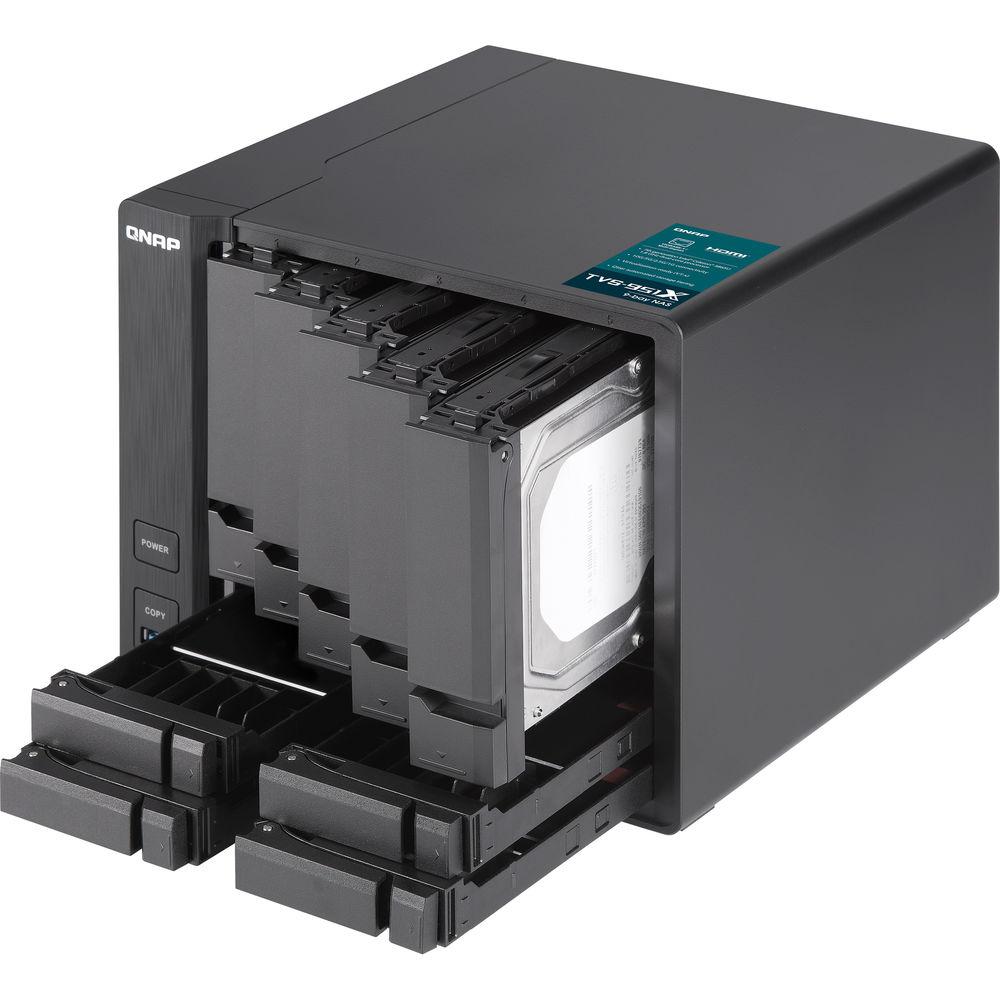
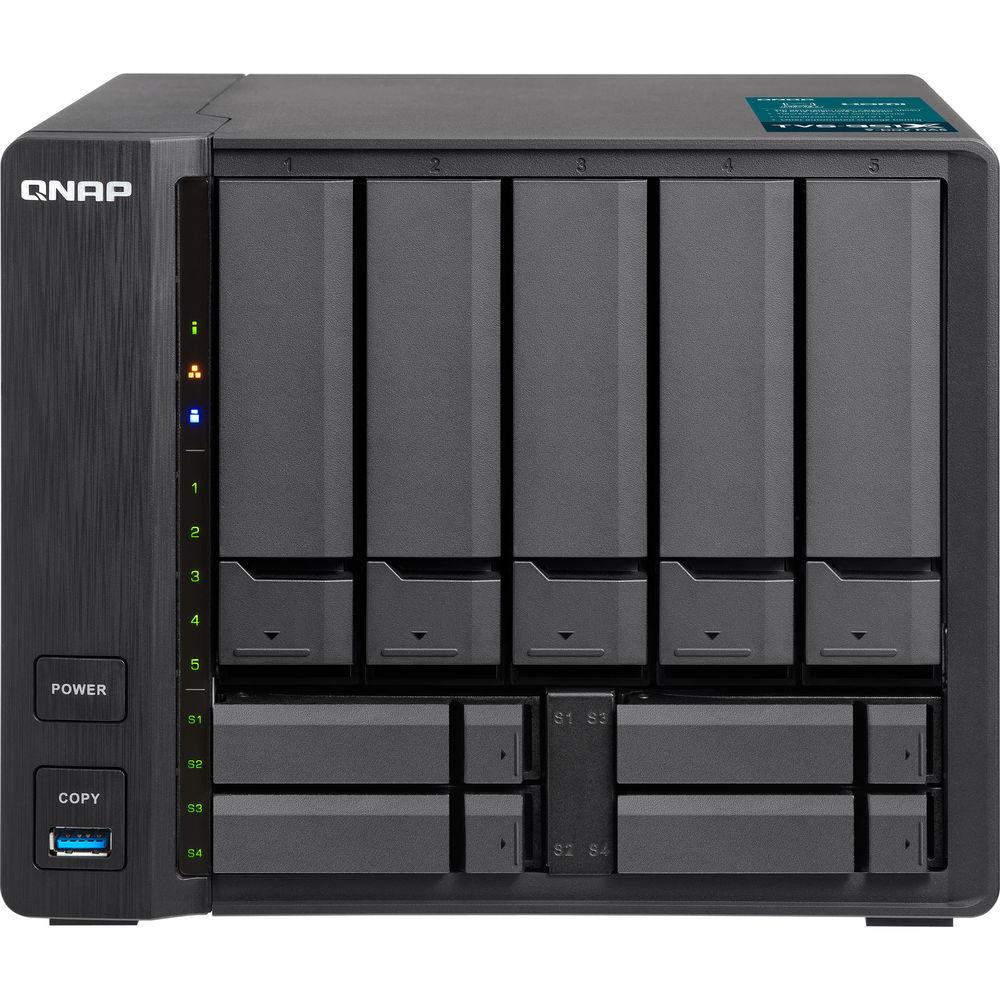
Product description Built as a high-performance and budget-friendly storage solution for SMBs, the TVS-951X 9-Bay NAS Enclosure from QNAP features a hybrid drive bay design with five 3.5" SATA III drive bays and four 2.5" SATA III drive bays. When 2.5" SSDs are installed in their dedicated bays, you can enable SSD caching and Qtier auto-tiering technologies to boost overall system performance.
The TVS-951X is powered by a 1.8 GHz Intel Celeron 3865U Dual-Core processor and 2GB of dual-channel DDR4 RAM in a 1 x 2GB configuration. The memory can be upgraded to 32GB by using one 16GB module in each of the two SO-DIMM slots, and network connectivity is achieved using one 10 Gigabit Ethernet port and one Gigabit Ethernet port. When connected via the 10GbE port, data can be read at speeds up to 779 MB/s and written at speeds up to 739 MB/s. When transferring files with encryption, read speeds can reach 720 MB/s and write speeds max out at 363 MB/s.
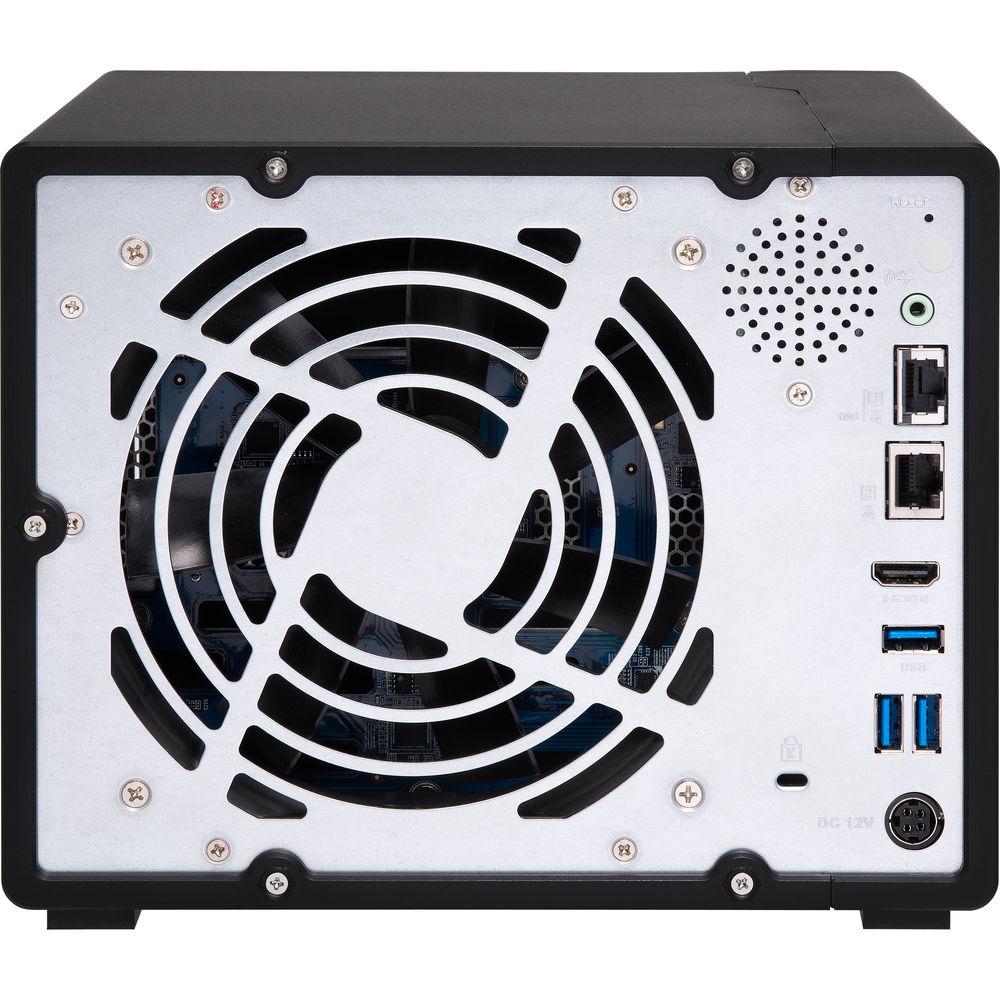
Use the three 5 Gb/s USB 3.0 Type-A ports to connect this QNAP NAS to other devices, allowing you to easily transfer large media files and expand NAS storage. Users can also take advantage of the HDMI 1.4b output to watch 4K media files on their HDTV, or stream to compatible devices using Plex. To aid in this, the TVS-951X supports hardware decoding and real-time transcoding, and resolutions are supported up to 4096 x 2304 at 24 Hz. Additionally, the this NAS is validated with AES-NI and FIPS 140-2 AES 256-bit encryption, helping to prevent sensitive business data from unauthorized access and breaches.
QNAP has engineered the TVS-951X to support RAID 0, 1, 5, 6, 10, 50, and 60, each of which offers data redundancy, performance, or a combination of both. For those who do not require a RAID, JBOD and single disk modes are also available. Included is a a power cord, a 120W AC power adapter, two Ethernet cables, flat head screws for 2.5" drives, and flat head screws for 3.5" drives. Protection is provided by a limited 2-year warranty. General Features - Hybrid Structure for Enabling SSD and Tiered Storage
- SSD prices continue to fall, but creating a full-SSD storage solution is still out of reach for most users, especially if they require high-capacity storage. The TVS-951X provides the ability to use a hybrid storage structure that leverages the benefits of both hard drives and SSDs to provide high storage capacity and high performance. You can flexibly allocate applications to SSDs, set up a SSD cache, or use Qtier technology to automatically tier your frequently-accessed files to the SSD for the high access speeds. Users can take advantage of these features to fully optimize the storage utilization of the TVS-951X.
- 1.8 GHz Intel Celeron 3865U Dual-Core Processor
- Powered by a 7th-generation Kaby Lake, 14 nm 1.8 GHz Intel Celeron 3865U Dual-Core processor, with 2GB of DDR4 dual-channel memory (up to 32GB) and SATA III 6 Gb/s HDD and SSD drive bays, the TVS-951X delivers high-performance read/write speeds and maintains high speeds even with AES-NI encryption is enabled.
- High-Speed 10GbE Network Connectivity
- The TVS-951X features a built-in 10GBASE-T network port to provide 10GbE high-speed network connectivity. You can use the TVS-951X with QNAP's 10GbE unmanaged switch (sold separately) to upgrade your network infrastructure to benefit from faster transfer speeds and to improve bandwidth-demanding applications. Both the TVS-951X and QNAP's 10GbE unmanaged switches support NBASE-T (10G/5G/2.5G/1G/100M) five-speed network technology, so you don't have to replace the existing Cat 5e, 6, and 6a cables in your current network infrastructure.
- Real-Time 4K Video Transcoding
- Featuring integrated Intel HD Graphics 610, the TVS-951X supports dual-channel 4K H.264/H.265 hardware decoding and real-time transcoding, allowing you to convert videos to universal file formats that can be played on multiple devices. You can also watch high-quality 4K media files on a HDTV using the HDMI 1.4b output at resolutions up to 4096 x 2304 @ 24 Hz, or use it with Plex Media Server to stream media files to mobiles devices and media streaming devices, including DLNA, Roku, Apple TV, Amazon Fire TV, and Chromecast. The QNAP RM-IR004 remote control (sold separately) can be configured using QButton to customize the actions of individual buttons, providing a more convenient NAS experience.
Please note that the TVS-951X's hardware provides H.264/H.265 hardware decoding, encoding, and transcoding capabilities. However, playback quality may vary due to factors including playback software, file formats, system usage, and available bandwidth. - Roon Music Player, No Computer Required
- Roon, the music player for music lovers, identifies all the music stored on the NAS and consolidates them in Roon's interconnected digital library. You can browse and play music with Roon apps on compatible devices for a multi-zone multimedia experiences. The TVS-951X supports the Roon Server app in the QTS App Center and provides the performance, storage potential, and SSD caching to optimize music streaming.
- Multiply Your Productivity
- The app-driven QTS operating system provides solutions for simplifying file backup, management, search, and more. With File Station, you can view and manage the files on your TVS-951X and other storage sources/devices; the OCR Converter allows you to extract text from images; Qfiling helps automate file organization, and Qsirch helps quickly find files.
Centralized File Management
Use File Station to directly access files on USB devices, including optical disc drives. Files from different devices can be easily viewed and managed on a single interface.
File Digitization
OCR Converter extracts text from images, helping to boost productivity and making it easier to find files.
Smart Filing
Qfiling automates file organization. Files are automatically archived into folders based on your settings.
Full-Text Search
Qsirch quickly finds images, music, videos, documents, emails, and other files. - Protect Data with Snapshots
- Snapshots help protect your data by fully recording the NAS system state and metadata. If a file is accidentally deleted or modified, you can use snapshots from the Storage & Snapshots Manager or the File Station to quickly restore the file to its previously-recorded state. QNAP snapshots are block-based and only record the changed data. Not only does this save storage space but also reduces the time required to back up and restore data. The TVS-951X supports up to 256 snapshots per volume/LUN, and up to 1024 snapshots in total.
- Block-Based iSCSI LUN for Virtualization Storage
- The TVS-951X supports block-based iSCSI LUN that provides a more reliable and isolated environment compared to file-based LUN. Supporting VMware, Citrix, Microsoft Hyper-V, and Windows Server 2016, the TVS-951X provides a dependable and affordable storage solution for virtualization environments, while also supporting VMware VAAI and Microsoft ODX to increase performance by offloading server loading for ESXi server and Hyper-V respectively, and supporting QNAP vSphere Client plug-in and QNAP SMI-S provider with enhanced operational efficiency and management in virtualization applications.
- NAS as a Multi OS Platform
- Virtualization Station and Container Station provide comprehensive solutions for creating virtualized environments to improve business IT infrastructure, workflows, and productivity.
Virtualization Station
Virtualization Station allows you to run multiple Windows, Linux, UNIX, and Android virtual machines on the TVS-951X. You can use Virtual Network Computing (VNC) through a browser to operate the virtual machines. Virtualization Station is ideal for organizations to run multiple applications on a single NAS.
Container Station
Container Station integrates LXC and Docker lightweight virtualization technologies. You can download apps from the built-in Docker Hub to import/export container apps and manage access control, enjoying the benefit of easy installation, transferability, and high efficiency. - QVR Pro Surveillance Solution
- QNAP's QVR Pro surveillance solution allows you to arrange a dedicated, independent storage space for surveillance data on TVS-951X and leverage the advantages of scalable storage. With QVR Pro, camera management, storage space allocation, camera live view, and playback is greatly simplified. You can also use USB webcams as network cameras with the QUSBCam2 app, and remotely monitor your surveillance feeds at any time with QVR Pro Client's companion mobile app. QVR Pro is compatible with over 5000 IP cameras and includes 8 free IP camera channels. Up to 128 camera channels are supported.
- Multi-Point File Backup, Access, and Sync
- The TVS-951X centrally stores data and files, and supports SMB/CIFS, AFP, and NFS protocols for file sharing across Windows, Mac, and Linux/UNIX devices. Coupled with Qsync (a utility that turns a QNAP NAS into a safe, high-capacity data center for file synchronization), files uploaded to the TVS-951X will be made available for linked devices, such as computers, laptops, and mobile devices. Hybrid Backup Sync can help you easily backup or synchronize data on the TVS-951X to other QNAP NAS, remote servers, or cloud storage for easy disaster recovery.
- More Productivity-Boosting Applications
- QmailAgent
Centrally manage and switch between different email accounts, back up emails to the NAS, and safeguard email security and personal privacy.
Mattermost
Mattermost turns your QNAP NAS into a team communication platform that allows for instant messaging and can centrally store all your conversations and files.
QIoT Suite Lite
Provides an IoT solution on a private cloud empowered by the high capacity and security of a QNAP NAS. It only takes three steps to deploy your own IoT application.
IFTTT Agent
A popular web automation service for combining QNAP NAS and mobile devices/apps to customize NAS applets.
Browser Station
Enables remote access through NAS-based web browsers to access local LAN resources without complex VPN settings.
Mobile Apps
Simplify file access, NAS management, multimedia experiences, surveillance, and download tasks with QNAP mobile apps. UPC: 885022015405 In the Box QNAP TVS-951X 9-Bay NAS Enclosure 2 x Ethernet Cables 120W AC Adapter Power Cord Flat Head Screws for 3.5" HDDs Flat Head Screws for 2.5" HDDs Limited 2-Year Warranty More info from QNAP etbecqbfrwueywzdtsatcuuetw Table of Contents
|
Upload User Manual
Have you got an user manual for the QNAP TVS-951X 9-Bay NAS Enclosure in electronic form? Please send it to us and help us expand our library of instruction manuals.
Thank you, too, on behalf of other users.
To upload the product manual, we first need to check and make sure you are not a robot. After that, your "Submit Link" or "Upload File" will appear.
Technical parametersQNAP TVS-951X Specs | | | Number of Bays | 5 x 2.5"/3.5"
4 x 2.5" | | Media Card Slots | None | | Connections | 3 x USB Type-A (USB 3.1 Gen 1 (5 Gb/s))
1 x HDMI Type-A (HDMI 1.4b)
1 x RJ45 (10GbE)
1 x RJ45 (Ethernet)
1 x 3.5 mm (Audio Out) | | Compatible Drive Interface | SATA III | | Form Factor | Desktop | | RAID Modes | RAID 0, 1, 10, 5, 50, 6, 60, JBOD, Single | | Link Aggregation and Failover Support | Yes | | Wake on LAN | Yes | | | | Total Raw Capacity | None | | Type | None | | Flash Memory | 512 MB | | | | Processor | Intel Celeron 3865U Dual-Core | | Clock Speed | Base: 1.8GHz | | GPU | Intel HD Graphics 610 | | Total Installed Memory | 2 GB DDR4 | | User-Replaceable Memory | 1 x 2 GB | | Total Memory Slots | 2 x SO-DIMM | | Maximum Memory Capacity | 32 GB | | | | Supported Protocols | AFP
CIFS/SMB
FTP
HTTP
HTTPS
SSH
Telnet | | iSCSI Target | 256 | | Max Cameras Supported | 128 | | Max Sync Tasks | 32 | | | | Installed Operating System | QTS 4.3.4 | | OS Compatibility | Windows 10
Windows 8
Windows 7
Windows Server 2016
Windows Server 2012 R2
Windows Server 2012
Windows Server 2008
Windows Server 2003
macOS 10.7 or Later
Linux
UNIX | | File System Formats Supported | EXT3, EXT4, FAT32, HFS+, NTFS, exFAT | | Supported Browsers | Chrome, Firefox, Internet Explorer, Safari | | Supported Languages | Czech
Danish
Dutch
English
Finnish
French
German
Greek
Hungarian
Italian
Japanese
Korean
Norwegian
Polish
Portuguese
Romanian
Russian
Simplified Chinese
Spanish
Swedish
Thai
Traditional Chinese
Turkish | | | | Power Consumption | 23.38 W (Standby)
39.37 W (Typical) | | Power Source | AC Adapter | | PSU Wattage | 1 x 120 W | | AC Input Power | 120 to 240 VAC, 50 / 60 Hz | | | | Encryption | 256-Bit AES | | Security Features | Kensington Security Slot | | VPN Server Connections | 100 | | | | Operating Temperature | 32 to 104°F / 0 to 40°C | | Operating Humidity | 5 to 95% | | | | Cooling | 1 x 140 mm Fan | | Noise Level | 17.6 dBA | | Built-In Speakers | Yes, 1 | | Audible Alarm | Yes | | IR Sensor | Yes | | Status Monitoring | LED Indicator | | Dimensions | 8.9 x 7.2 x 8.8" / 226.1 x 182.9 x 223.5 mm | | Weight | 7.8 lb / 3.5 kg | | | | Package Weight | 11.25 lb | | Box Dimensions (LxWxH) | 15.0 x 13.5 x 10.0" |
Rating70% users recommend this product to others. And what about you?

This product has already been rated by 60 owners. Add your rating and experience with the product.
Discussion
 Ask our technicians if you have a problem with your settings,
or if anything is unclear in the user manual you have downloaded.
You can make use of our moderated discussion.
The discussion is public and helps other users of our website who may be encountering similar problems.
Ask our technicians if you have a problem with your settings,
or if anything is unclear in the user manual you have downloaded.
You can make use of our moderated discussion.
The discussion is public and helps other users of our website who may be encountering similar problems.
The discussion is empty - enter the first post
Post a new topic / query / comment:
|
|
|
| Request for user manual |
You can’t find the operation manual you are looking for? Let us know and we will try to add the missing manual:
I’m looking for a manual / Request for manual
Current requests for instruction manuals:
Call Of Duty World War Two For Xbox...
controller stratus XL...
stratus XL...
smart whatch serie S11 42mm...
Allen & Heath SQ-6 manual...
|
| Discussion |
Latest contributions to the discussion:
AEW R 4100
Name: MAURICIO ANGARITA
Audio-Technica AEW-R4100 UHF Diversity Receiver for
AEW R 4100 has the mute function blocked and does not allow audio to pass. I tried several times to turn off the mute from the transmitter but it does nothing, the mute stays on. Solution?
Thank you...
Instructions for assembling the 2015 Forecast Image Master Consoles GC3-A
Name: mike elam
Forecast Consoles GC3-A ImageMaster Editing Console
Looking for instructions for assembling this console. ...
EMPTY TONER ERROR MESSAGE AFTER REPLACING TONER
Name: LINDA BAD YELLOW EYES
Brother TN223BK Standard-Yield Toner
I HAD TO CHANGE OUT ALL THREE TONERS DUE TO LEAKS IN THE YELLOW AND CYAN. AFTER I REPLACED THEM, THE MACHINE KEEPS GIVING ME AN EMPTY TONER ERROR MESSAGE. HELP!!...
PS480D 20/24 pin Switching 480W Power Supply
Name: swkargo
Logisys 480W Power Supply
This item states in can run -5vdc .It is NOT listed on the board or I beleive is r4 is missing the resitior. Any body have thid issue. Shawn
...
Help needed
Name: Ann Carter
SanDisk 1TB Extreme Portable USB 3.1
When I click the link to download the user manual for my Sandisk Extreme external hard drive, it gives me the manual for the LG Cricket. Can you please change the link so I can download the Sandisk manual and begin using this drive? Thank you....
|
|


