|
User Manual for Radial Engineering PreComp Channel Strip Click to enlarge the picture
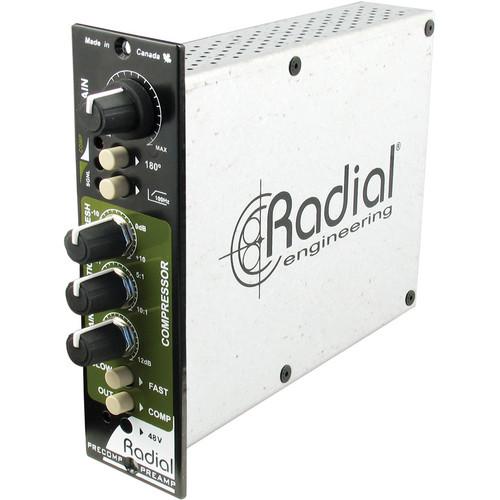 Contents of the user manual for the Radial Engineering PreComp Channel Strip
- Product category: Channel Strips Radial Engineering
- Brand: Radial Engineering
- Description and content of package
- Technical information and basic settings
- Frequently asked questions – FAQ
- Troubleshooting (does not switch on, does not respond, error message, what do I do if...)
- Authorized service for Radial Engineering Channel Strips
 |
User manual for the Radial Engineering PreComp Channel Strip contain basic instructions
that need to be followed during installation and operation.
Before starting your appliance, the user manual should be read through carefully.
Follow all the safety instructions and warnings, and be guided by the given recommendations.
User manual is an integral part of any Radial Engineering product,
and if it is sold or transferred, they should be handed over jointly with the product.
Following the instructions for use is an essential prerequisite for protecting
health and property during use, as well as recognition of liability on the part of the manufacturer
for possible defects should you make a warranty claim. Download an official Radial Engineering user manual in which you will find instructions on how to install, use, maintain and service your product.
And do not forget – unsuitable use of a Radial Engineering product will considerably shorten its lifespan!
|
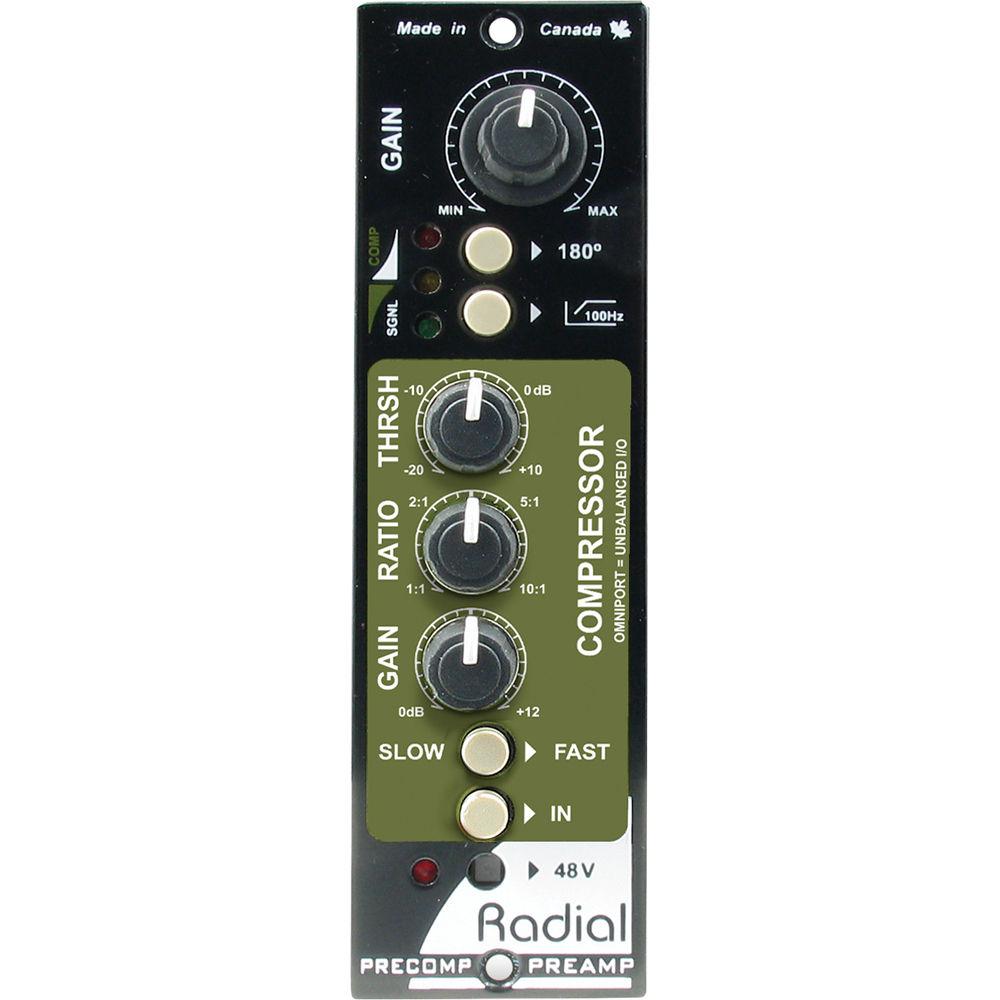
Product description The Radial Engineering PreComp Channel Strip is a combination microphone preamplifier and compressor made for the popular 500 series rack format that is designed to offer greater efficiency to the recording process by simplifying the signal path and gain stage management.The single wide module begins with a high performance preamp that can deliver in excess of 60 dB to handle all types of microphones. Equipped with Accustate gain control, the PreComp simultaneously sets the output and sensitivity to maximize signal-to-noise at all levels. This is particularly important while recording in the digital domain where background noise can often be audible during quiet passages.A full-feature VCA compressor follows with adjustable threshold, compression ratio, and gain make-up controls. The advanced compression algorithm reads the program material and automatically transitions from soft-knee to hard-knee as the signal rises above the threshold. A simple slow-fast switch makes it easy to set the PreComp for either vocals or percussion.Once connected to a 500 series power rack, connections to and from the PreComp are automatically routed to the XLRs for balanced operation. When used with a Workhorse, connectivity increases with 1/4" TRS connectors and D-Subs, while the Omniport provides direct patching to the preamp or the compressor, thereby enabling the engineer to use each processor separately.Other features include 180° polarity reverse for phase matching 2 microphones, a high pass filter to eliminate unwanted resonance, 48V phantom power for condenser microphones and an IN/OUT switch that lets you quickly compare the original uncompressed signal with the processed result. This makes the PreComp well-suited for recording, broadcast, and post production suites where instant control over voice and instrument is desired. The PreComp is also a favorite for multi-channel live recording engineers where the small footprint can accommodate many input channels in a higher density rack. - Gain
- It is used to set the mic level. The accustate level control sets the input sensitivity and gain at the same time.
- 180°
- Reverses the polarity to help phase-align 2 microphones or reduce feedback in a live situation.
- LED-3
- Stage meter lets you know when signal is active near threshold and compression is being applied.
- High Pass Filter
- Cuts bass frequencies to reduce resonance which can muddy up a recording.
- Threshold Control
- Variable threshold control is used to set the point when compression will take effect.
- Ratio
- Sets the compression from 1:1 (off) to 10:1 where a 10 dB input produces 1 dB at the output.
- Slow/Fast
- It is used to set the speed at which the compressor will take effect. Set to slow, the initial transient such as snap from a snare will pass without compression.
- In
- It turns the compressor on or off and is used to compare the dry signal with the compressed results.
- 48V
- Activates phantom power for condenser mics and active direct boxes. It is recessed to prevent accidental turn-on.
- Solid State Electronics
- Combines an application-specific integrated circuit (not a general use op-amp) with ultra-condensed surface-mount technology to pack in the required electronics to fit the compact 500 series format.
- Gold Plated 15-Pin Card Edge
- Double sided to ensure positive connection to the receptacle for improved mating.
- Dual Potentiometers
- Double up the solder points for greater durability. Steel casing with steel shaft and retention nut will not bend when under stress.
- Double Layer Front Panel
- Steel construction adds rigidity to reduce stress on the PC board.
- Radial Push Switches
- The radial switches feature extra durable metal outer casing. They are rated at over 20,000 cycles for added durability.
- Mil-Spec Circuit Board
- Features double sided PCB and full ground plane to assure lowest possible noise and durability for years of trouble-free performance.
- PreComp for Voice-Over in Post Production
- The PreComp is suitable for recording a voice-over in post production or tracking a vocal while recording. Plug your microphone in, set the microphone level, then add a touch of compression to level the signal, and keep it out of the red. The PreComp is quick and easy to use.
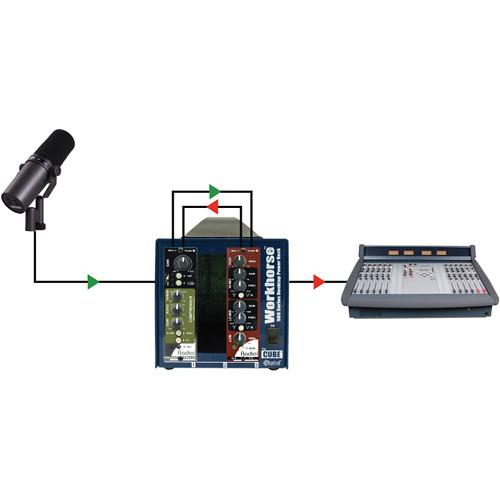
- Using the PreComp in a Broadcast Studio
- The PreComp is a suitable front-end for on-air broadcast. Set the level and add the appropriate amount of compression to ensure that the voice is maximized. For greater tonal control, add the Q4 parametric EQ into the signal chain using the Omniport 1/4" TRS insert.
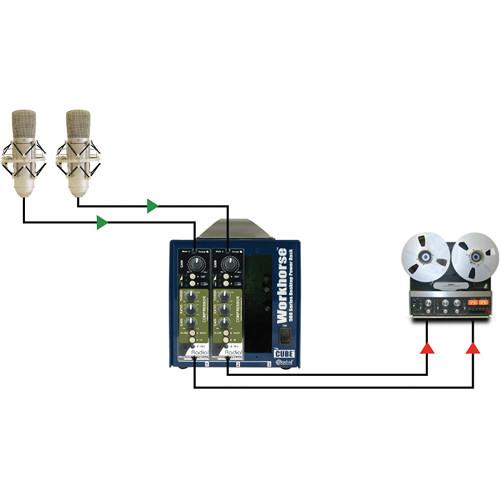
- Using the PreComp for Live Recording
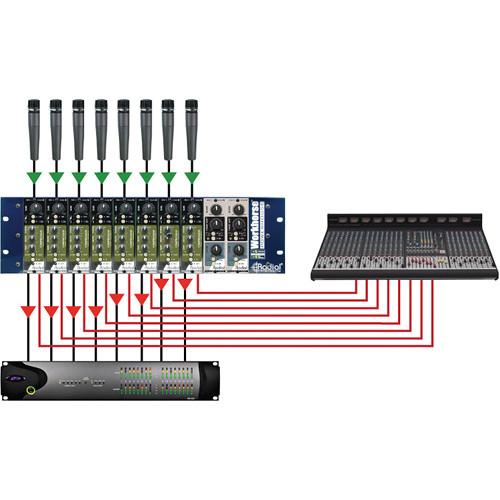
- Use the PreComp to capture the signals from the microphones and keep the dynamics under control to prevent distortion. Split the signal by using the 1/4" TRS output on the Workhorse to feed the recorder and the XLR out to feed the PA system.
UPC: 676101040544 In the Box Radial Engineering PreComp Channel Strip Limited 3-Year Warranty on Parts & Labor Table of Contents
|
Upload User Manual
Have you got an user manual for the Radial Engineering PreComp Channel Strip in electronic form? Please send it to us and help us expand our library of instruction manuals.
Thank you, too, on behalf of other users.
To upload the product manual, we first need to check and make sure you are not a robot. After that, your "Submit Link" or "Upload File" will appear.
Technical parametersRadial Engineering R700 0114 Specs | Circuit Type | Preamp: Accustate input with true variable gain front end
Compressor: Feed forward VCA compressor with true RMS sidechain | | Frequency Response | 20 Hz to 20 kHz (-1.5 dB at 20 Hz) | | Total Harmonic Distortion | <0.003% | | Dynamic Range | 112 dB | | Input Impedance | 3.3 kΩ | | Maximum Input | 24 dBu | | Maximum Gain | 55 dB | | Make-up Gain | Up to +25 dB | | Output Impedance | 300 Ω | | Equivalent Input Noise | -120 dBu | | Noise Floor | -85 dB at 40 dB of gain | | Distortion | Inter-modulation: 0.03% | | Control | Preamp: Gain, 180°, HPF, 48 V phantom | | Compressor | Controls: Threshold, Ratio, Gain, Speed, On | | Meter | LED: Below, at, and above threshold | | Function | Omniport:
Tip: Preamp Output
Ring: Compressor input | | Power Requirement | 56 mA | | Format | 500 series module | | Size | Standard 500 series rack format | | Weight | 1.5 lb (0.7 kg) | | | | Package Weight | 1.65 lb | | Box Dimensions (LxWxH) | 8.9 x 6.7 x 2.0" |
Rating80% users recommend this product to others. And what about you?

This product has already been rated by 97 owners. Add your rating and experience with the product.
Discussion
 Ask our technicians if you have a problem with your settings,
or if anything is unclear in the user manual you have downloaded.
You can make use of our moderated discussion.
The discussion is public and helps other users of our website who may be encountering similar problems.
Ask our technicians if you have a problem with your settings,
or if anything is unclear in the user manual you have downloaded.
You can make use of our moderated discussion.
The discussion is public and helps other users of our website who may be encountering similar problems.
The discussion is empty - enter the first post
Post a new topic / query / comment:
|
|
|
| Request for user manual |
You can’t find the operation manual you are looking for? Let us know and we will try to add the missing manual:
I’m looking for a manual / Request for manual
Current requests for instruction manuals:
Call Of Duty World War Two For Xbox...
controller stratus XL...
stratus XL...
smart whatch serie S11 42mm...
Allen & Heath SQ-6 manual...
|
| Discussion |
Latest contributions to the discussion:
AEW R 4100
Name: MAURICIO ANGARITA
Audio-Technica AEW-R4100 UHF Diversity Receiver for
AEW R 4100 has the mute function blocked and does not allow audio to pass. I tried several times to turn off the mute from the transmitter but it does nothing, the mute stays on. Solution?
Thank you...
Instructions for assembling the 2015 Forecast Image Master Consoles GC3-A
Name: mike elam
Forecast Consoles GC3-A ImageMaster Editing Console
Looking for instructions for assembling this console. ...
EMPTY TONER ERROR MESSAGE AFTER REPLACING TONER
Name: LINDA BAD YELLOW EYES
Brother TN223BK Standard-Yield Toner
I HAD TO CHANGE OUT ALL THREE TONERS DUE TO LEAKS IN THE YELLOW AND CYAN. AFTER I REPLACED THEM, THE MACHINE KEEPS GIVING ME AN EMPTY TONER ERROR MESSAGE. HELP!!...
PS480D 20/24 pin Switching 480W Power Supply
Name: swkargo
Logisys 480W Power Supply
This item states in can run -5vdc .It is NOT listed on the board or I beleive is r4 is missing the resitior. Any body have thid issue. Shawn
...
Help needed
Name: Ann Carter
SanDisk 1TB Extreme Portable USB 3.1
When I click the link to download the user manual for my Sandisk Extreme external hard drive, it gives me the manual for the LG Cricket. Can you please change the link so I can download the Sandisk manual and begin using this drive? Thank you....
|
|


