|
User Manual for Radial Engineering Q4 100% Discrete State-Variable Class-A Equalizer Click to enlarge the picture
 Contents of the user manual for the Radial Engineering Q4 100% Discrete State-Variable
- Product category: Equalizers Radial Engineering
- Brand: Radial Engineering
- Description and content of package
- Technical information and basic settings
- Frequently asked questions – FAQ
- Troubleshooting (does not switch on, does not respond, error message, what do I do if...)
- Authorized service for Radial Engineering Equalizers
 |
User manual for the Radial Engineering Q4 100% Discrete State-Variable contain basic instructions
that need to be followed during installation and operation.
Before starting your appliance, the user manual should be read through carefully.
Follow all the safety instructions and warnings, and be guided by the given recommendations.
User manual is an integral part of any Radial Engineering product,
and if it is sold or transferred, they should be handed over jointly with the product.
Following the instructions for use is an essential prerequisite for protecting
health and property during use, as well as recognition of liability on the part of the manufacturer
for possible defects should you make a warranty claim. Download an official Radial Engineering user manual in which you will find instructions on how to install, use, maintain and service your product.
And do not forget – unsuitable use of a Radial Engineering product will considerably shorten its lifespan!
|
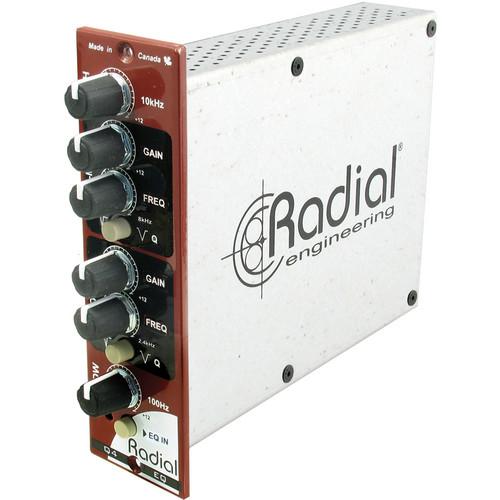
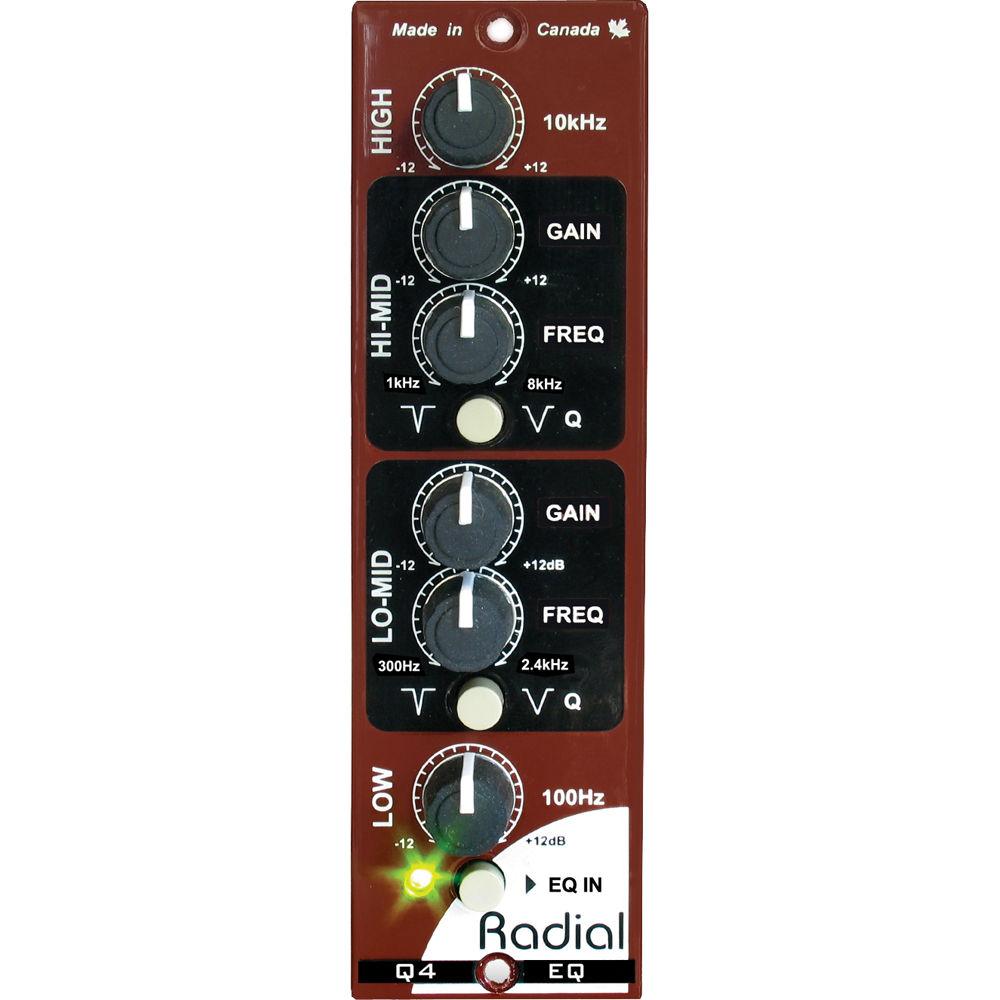
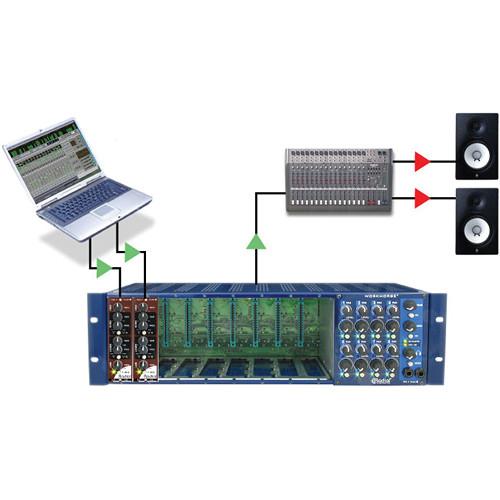
Product description The Radial Engineering Q4 100% Discrete State-Variable Class-A Equalizer combines the warmth and detail of a pure class-A circuit with the character of true 100% discrete state-variable filters. In other words, no integrated circuits are employed. Each full-size through-hole part is carefully inserted by hand and then wave-soldered to ensure optimal signal flow. This produces a level of sonic warmth and musicality.Designed to fit in the Radial Workhorse and other 500 series racks, the Q4 features 4 frequency bands with high and low shelving at 10 kHz and 100 Hz, and 2 semi-parametric mid-sections that let you sweep frequencies from 300 Hz to 8 kHz. The 2 mid-bands can be further optimized by selecting either a wide or narrow Q. All frequencies can be cut or boosted by up to 12 dB, thereby affording plenty of range. A handy bypass switch lets you compare the dry tone with the EQ's effect and for those equipped with a Workhorse, the Omniport is designated as an unbalanced 1/4" TRS input/output connection that can be inserted into a console channel strip using a single TRS cable.This makes the Q4 suitable for adding analog character to a voice or instrument and for enhancing music program material. - High
- The 10 kHz shelving control lets you enhance high frequencies to add sparkle, air, or soften the top end to warm up an overly aggressive track.
- High-Mid Gain
- Used to adjust the amount of high-midrange boost or cut being applied to the signal. Up to 12 dB of boost or cut is available.
- High-Mid Frequency
- Lets you sweep the upper midrange band between 1 to 8 kHz to find the optimum center frequency.
- Q
- Lets you set the width of the midrange frequency bands. Set it wider for musicality or narrower for surgical precision.
- Low-Mid Gain
- Used to adjust the amount of midrange boost or cut being applied to the signal. Up to 12 dB of boost or cut is available.
- Low-Mid Frequency
- Lets you sweep the lower midrange band between 300 Hz to 2.4 kHz to find the optimum center frequency.
- EQ-In
- It is used to bypass the EQ circuit so you may compare the wet post-EQ effect with the dry pre-EQ signal.
- Omniport
- Configured as a TRS in-out connection and lets you patch to and from the insert point of your mixing console using a single 1/4" TRS cable.
- 100% Discrete Class-A Circuit
- Q4 employs full-size through-hole discrete electronics for optimal signal transfer. Parts are selected by hand.
- Radial Push Switches
- Radial switches feature a durable metal outer casing and are rated at over 20,000 cycles for durability.
- Steel-Shaft Potentiometers
- Eliminates problems associated with plastic shafts to enhance durability. Dual-wafer through-hole solders points for improved long-term performance.
- Double-Layer Front Panel
- Steel construction adds rigidity to reduce stress on the PC board.
- Gold-Plated 15-Pin Card Edge
- Double sided to ensure positive connection to the receptacle for improved attachment.
- Mil-Spec Circuit Board
- Features double sided PCB and full ground plane to assure lowest possible noise and durability for years of trouble-free performance.
- Applications
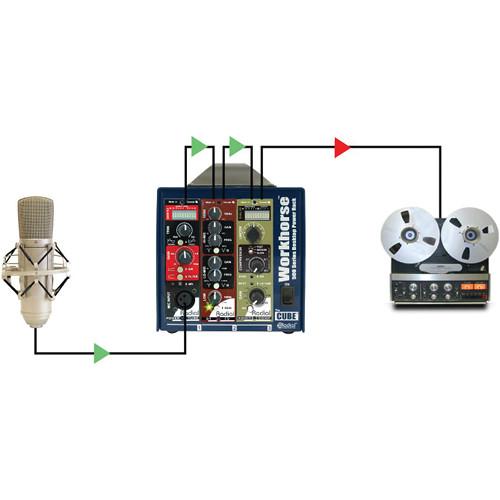
- Using the Q4 on Voice
Connect a microphone to your favorite preamp and send the signal through the Q4 to add a gentle sparkle in the top end or solidify the fundamentals in the lower mids. The Q4 lets you quickly dial in the frequencies you need without ever sounding harsh.
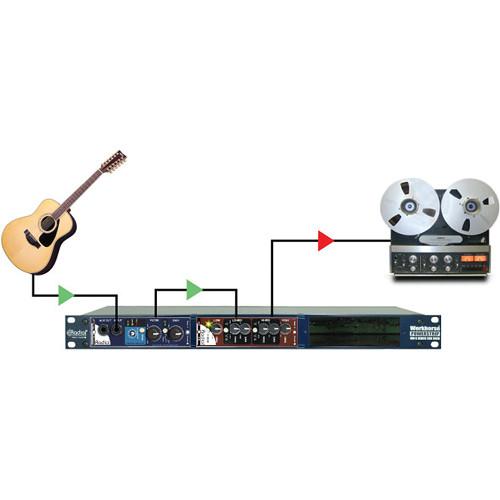
Using the Q4 to Accentuate Tracks
The Q4's musical-sounding circuit can accentuate any track. Simply send an instrument or pre-recorded track into the Q4 and explore. The Q4 is easy to use. Add some high end to accentuate the air, some bass to warm up the bottom, and pull out some mids to blend tracks together.
Using the Q4 on Program Material
The Q4's warm-sounding class-A discrete circuit is useful for warming up digital tracks and giving them old-school vintage analog character. With 12 dB of boost and cut on each frequency, you have plenty of power to shape and create your sonic signature. UPC: 676101040551 In the Box Radial Engineering Q4 100% Discrete State-Variable Class-A Equalizer Limited 3-Year Warranty Table of Contents
|
Upload User Manual
Have you got an user manual for the Radial Engineering Q4 100% Discrete State-Variable Class-A Equalizer in electronic form? Please send it to us and help us expand our library of instruction manuals.
Thank you, too, on behalf of other users.
To upload the product manual, we first need to check and make sure you are not a robot. After that, your "Submit Link" or "Upload File" will appear.
Technical parametersRadial Engineering R700 0162 Specs | Circuit Type | Discrete state variable class-A | | Frequency Response | 20 Hz to 20 kHz | | THD + N | 0.03% at 4 dB | | Maximum Input Level | 21 dBu | | Maximum Output Level | 18 dBu | | Gain | +/-12 dB for each band | | Dynamic Range | >95 dB | | Equivalent Input Noise | -95 dBu | | Common Mode Rejection Ratio | >64 dB at 55 Hz | | Intermodulation Distortion | 0.07% | | Input Impedance | 20 kΩ | | Output Impedance | 150 Ω | | Controls | High & low frequency shelving,
High-mid & low-mid semi-parametric EQ | | Switches | Wide & narrow Q
EQ bypass | | Port | Omniport: Configured as TRS in/out connection | | Power Requirement | 80 mA | | Compliance | API 500 series VPR Alliance & Radial WHOS-Doc | | Size | Standard 500 series rack format | | Weight | 1.5 lb (0.7 kg) | | | | Package Weight | 1.695 lb | | Box Dimensions (LxWxH) | 9.05 x 6.85 x 2.0" |
Rating60% users recommend this product to others. And what about you?

This product has already been rated by 99 owners. Add your rating and experience with the product.
Discussion
 Ask our technicians if you have a problem with your settings,
or if anything is unclear in the user manual you have downloaded.
You can make use of our moderated discussion.
The discussion is public and helps other users of our website who may be encountering similar problems.
Ask our technicians if you have a problem with your settings,
or if anything is unclear in the user manual you have downloaded.
You can make use of our moderated discussion.
The discussion is public and helps other users of our website who may be encountering similar problems.
The discussion is empty - enter the first post
Post a new topic / query / comment:
|
|
|
| Request for user manual |
You can’t find the operation manual you are looking for? Let us know and we will try to add the missing manual:
I’m looking for a manual / Request for manual
Current requests for instruction manuals:
Call Of Duty World War Two For Xbox...
controller stratus XL...
stratus XL...
smart whatch serie S11 42mm...
Allen & Heath SQ-6 manual...
|
| Discussion |
Latest contributions to the discussion:
AEW R 4100
Name: MAURICIO ANGARITA
Audio-Technica AEW-R4100 UHF Diversity Receiver for
AEW R 4100 has the mute function blocked and does not allow audio to pass. I tried several times to turn off the mute from the transmitter but it does nothing, the mute stays on. Solution?
Thank you...
Instructions for assembling the 2015 Forecast Image Master Consoles GC3-A
Name: mike elam
Forecast Consoles GC3-A ImageMaster Editing Console
Looking for instructions for assembling this console. ...
EMPTY TONER ERROR MESSAGE AFTER REPLACING TONER
Name: LINDA BAD YELLOW EYES
Brother TN223BK Standard-Yield Toner
I HAD TO CHANGE OUT ALL THREE TONERS DUE TO LEAKS IN THE YELLOW AND CYAN. AFTER I REPLACED THEM, THE MACHINE KEEPS GIVING ME AN EMPTY TONER ERROR MESSAGE. HELP!!...
PS480D 20/24 pin Switching 480W Power Supply
Name: swkargo
Logisys 480W Power Supply
This item states in can run -5vdc .It is NOT listed on the board or I beleive is r4 is missing the resitior. Any body have thid issue. Shawn
...
Help needed
Name: Ann Carter
SanDisk 1TB Extreme Portable USB 3.1
When I click the link to download the user manual for my Sandisk Extreme external hard drive, it gives me the manual for the LG Cricket. Can you please change the link so I can download the Sandisk manual and begin using this drive? Thank you....
|
|


