|
User Manual for Remote Audio Meon LiFe Cart Power System Click to enlarge the picture
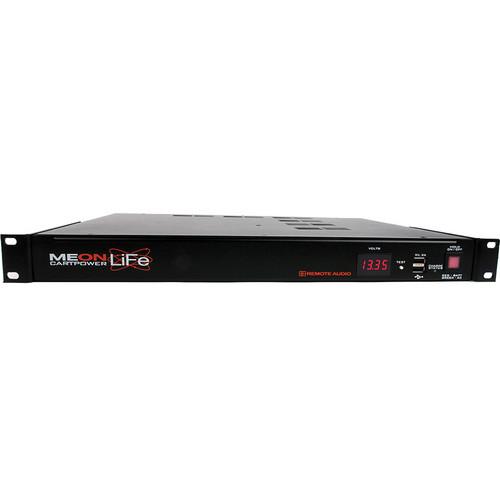 Contents of the user manual for the Remote Audio Meon LiFe Cart Power
- Product category: Battery Power & Distribution Remote Audio
- Brand: Remote Audio
- Description and content of package
- Technical information and basic settings
- Frequently asked questions – FAQ
- Troubleshooting (does not switch on, does not respond, error message, what do I do if...)
- Authorized service for Remote Audio Battery Power & Distribution
 |
User manual for the Remote Audio Meon LiFe Cart Power contain basic instructions
that need to be followed during installation and operation.
Before starting your appliance, the user manual should be read through carefully.
Follow all the safety instructions and warnings, and be guided by the given recommendations.
User manual is an integral part of any Remote Audio product,
and if it is sold or transferred, they should be handed over jointly with the product.
Following the instructions for use is an essential prerequisite for protecting
health and property during use, as well as recognition of liability on the part of the manufacturer
for possible defects should you make a warranty claim. Download an official Remote Audio user manual in which you will find instructions on how to install, use, maintain and service your product.
And do not forget – unsuitable use of a Remote Audio product will considerably shorten its lifespan!
|
Product description The Meon LiFe Cart Power System from Remote Audio provides a convenient rack-mountable power system that provides up to 20 ah of power. The system seamlessly switches between AC and battery power so you'll never have to worry about power interruptions. Also built-in to the Meon LiFe are a voltage meter, a battery tester, and 2 USB ports for charging USB devices, making the unit a complete all-in-one power solution. Key Features -
- All-in-one, rack mountable power system
- Single rack unit saves valuable cart space
- 20 Amp-hours
- 18 Amps of 12 V DC when plugged into 110 to 240 V AC mains
- Power ON/OFF mirrored from front for reverse-mount applications
- Convection cooling - no fan noise
- DC input for external Lead Acid battery or "EXTRA LiFe" battery modules
Internal LiFePO4 Battery - Lithium-Iron-Phosphate batteries are a relatively new technology and share common properties with all Li-Ion technologies like lower weight and smaller size than equivalent capacities in other chemistries (such as Lead Acid and NiMH). However, a key advantage of LiFePO4 when compared to other Li-Ion types is its superior thermal and chemical stability. LiFePO4 cells are virtually incombustible (even when mishandled during charge/discharge), and they can handle much higher temperatures without degrading in performance. LiFePO4 also offers a longer calendar life and higher peak-power rating than other Li-Ion designs, and it contains no toxic heavy metals
- The MEON LiFe's internal battery is polyfuse-protected for a maximum output of 14A, and is protected from over-charge and over-discharge conditions
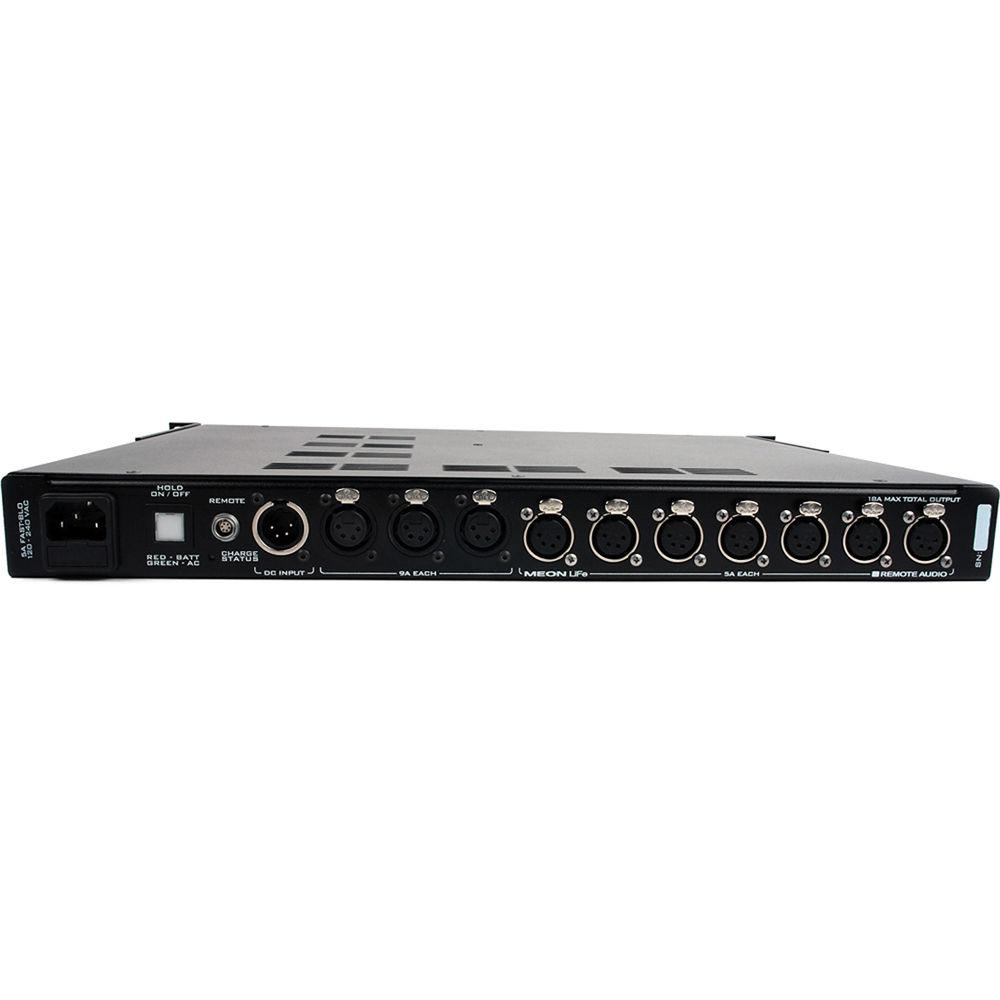
Output Connectors - There are ten DC power outlets on the back of the MEON LiFe each wired in the standard 4-pin XLR configuration of PIN 4 +, PIN 1 -. Each outlet has auto-resetting breakers to protect against overload. Three of the outlets are heavy-duty connectors each capable of supplying 9A. The remaining seven output connectors are rated for 5A each. A master 18A breaker protects against combined overload when multiple outlets are used. An entire sound cart (drawing 9A or less) can be powered through a single XLR outlet if desired. For example, if power distribution to the devices on a cart is done through a Remote Audio BDS or HOT BOXv2, a single 9A XLR outlet on the MEON LiFe can power multiple devices. Alternatively, each device being powered can be cabled directly to the MEON LiFe's ten outlets
- The MEON LiFe is programmed to shut down when the output voltage reaches approximately 10V as indicated on the front display. This is to prevent over-discharge of external supplemental Lead Acid batteries that may not have their own built-in protection.
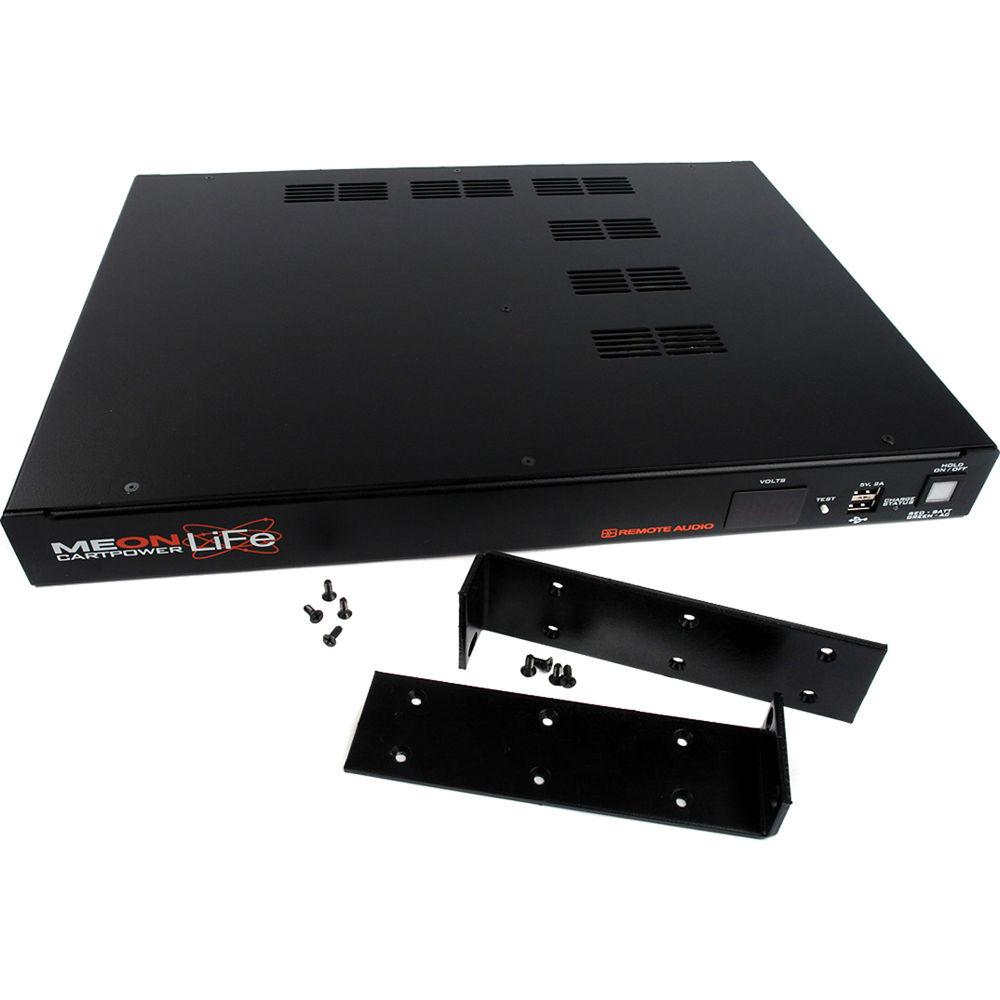
USB Connectors - Two USB connectors are available on the front of the MEON LiFe to charge or power 5VDC USB devices (such as smartphones, digital transcription recorders, etc). The two ports have a total combined capacity of 2A @ 5V (10W) and are regulated and protected from short circuits. These USB jacks are configured in such a way to charge Apple devices at the fastest rate (highest current) available
Supplemental Batteries & Charging - A supplemental battery can be used to extend runtime when AC is unavailable. An input connector (4-pin XLR Male) is provided on the back panel for connecting an external Lead Acid battery or to the MEON LiFe's supplemental "EXTRA LiFe" battery modules (available soon in 20Ah and 40Ah versions). The XLR is wired in the configuration of PIN 1&2 -, PIN 3&4 +. (To improve reliability and reduce voltage drop, the contacts are doubled.) The XLR connector is wired in parallel with the internal LiFePO4 battery, and thus is connected to the internal charger when AC is present. The internal charger is a "smart charger," and will not over-charge a Lead Acid battery. Note: Adding a supplemental battery in this fashion will increase the necessary overall charge time of the system
- The indicator labeled "Charge Status" verifies that charging is taking place at either the full rate (red) or topping rate (green). A fully discharged MEON LiFe will recharge fully in approximately 3 hours. The MEON's charge/discharge controller circuitry allows it to remain connected to AC power indefinitely without fear of overcharging
Voltage Meter & Battery Testing - The MEON LiFe includes an illuminated voltmeter on the front panel which indicates the voltage at the output connectors when the MEON LiFe is turned ON. The meter is calibrated at the factory for accuracy. However, there may be some temporary drift in readings based on ambient and internal temperature (typically less than 5%). Additionally, if an RM is connected for remote metering, there may be slight differences (less than 10mV) between the MEON LiFe and the RM voltage readings, depending on the load present at the output connectors
- When the MEON is turned OFF, pushing the TEST button on the front panel will show the voltage of the battery on the display panel. If AC is present, TEST will show the voltage of the internal battery charger. If AC is not present, TEST shows the voltage of the battery itself (including any connected supplemental batteries). This is a handy way to check the status of your batteries without having to power on the entire cart
Connecting The RM/RS - The MEON LiFe can be used in conjunction with Remote Audio's RM (Remote Meter) or RS (Remote Switch). The RM allows remote monitoring of voltage and current (Amps), as well as remote ON/OFF control of the MEON LiFe. The RS provides remote ON/OFF control and a low voltage indicator. Connect either device's 6-pin connector via the "Remote" port on the rear of the MEON LiFe
Noise & Shared Power Systems - It is possible to have unwanted audible noise induced into audio systems by a common (shared) power source. To optimize your system, it is recommended to use line level signals instead of mic level signals whenever practical. Also, turn phantom voltage off of all preamp inputs that are connected to non-microphone devices. If noise is still heard, unplug one device at a time from the MEON, noticing any change in noise associated with the removal of each device. If the noise goes away after unplugging a particular device, try powering that device with a separate battery. If using a separate battery causes the noise to go away, then the problem is a ground loop associated with the combination of a common power source and audio grounding schemes. Be aware that this noise will not be removed with "LC" filters found in some cart power supplies
Table of Contents
|
Upload User Manual
Have you got an user manual for the Remote Audio Meon LiFe Cart Power System in electronic form? Please send it to us and help us expand our library of instruction manuals.
Thank you, too, on behalf of other users.
To upload the product manual, we first need to check and make sure you are not a robot. After that, your "Submit Link" or "Upload File" will appear.
Technical parametersRemote Audio MEONLIFE Specs | Voltage | AC Input Voltage: 90 to 264 V AC, 50 to 60 Hz
DC Input Voltage: 12 V
DC Output Voltage: 12 V | | Output Current | AC Adapter: 18 A Max Total
Battery: 14 A Max Total | | Output Connectors | 3 Neutrik 4-Pin XLR female, rated at 9 A each
7 Neutrik 4-Pin XLR female, rated at 5 A each | | Battery Capacity | 20 Ah (40 Ah and 60Ah with optional EXTRA battery modules) | | Battery Charge Time | ~ 3 hours | | Power Switch | Location: front and rear-mounted
Green: AC connected
Red: AC disconnected | | Rack Mount Unit Dimensions | 1 rack space | | Dimensions | 19.0 x 13.0 x 1.75" (48.26 x 33.02 x 4.45 cm) | | Weight | 12.6 lb (5.72 kg) | | | | Package Weight | 16.2 lb | | Box Dimensions (LxWxH) | 23.2 x 16.1 x 8.4" |
Rating60% users recommend this product to others. And what about you?

This product has already been rated by 29 owners. Add your rating and experience with the product.
Discussion
 Ask our technicians if you have a problem with your settings,
or if anything is unclear in the user manual you have downloaded.
You can make use of our moderated discussion.
The discussion is public and helps other users of our website who may be encountering similar problems.
Ask our technicians if you have a problem with your settings,
or if anything is unclear in the user manual you have downloaded.
You can make use of our moderated discussion.
The discussion is public and helps other users of our website who may be encountering similar problems.
The discussion is empty - enter the first post
Post a new topic / query / comment:
|
|
|
| Request for user manual |
You can’t find the operation manual you are looking for? Let us know and we will try to add the missing manual:
I’m looking for a manual / Request for manual
Current requests for instruction manuals:
Call Of Duty World War Two For Xbox...
controller stratus XL...
stratus XL...
smart whatch serie S11 42mm...
Allen & Heath SQ-6 manual...
|
| Discussion |
Latest contributions to the discussion:
AEW R 4100
Name: MAURICIO ANGARITA
Audio-Technica AEW-R4100 UHF Diversity Receiver for
AEW R 4100 has the mute function blocked and does not allow audio to pass. I tried several times to turn off the mute from the transmitter but it does nothing, the mute stays on. Solution?
Thank you...
Instructions for assembling the 2015 Forecast Image Master Consoles GC3-A
Name: mike elam
Forecast Consoles GC3-A ImageMaster Editing Console
Looking for instructions for assembling this console. ...
EMPTY TONER ERROR MESSAGE AFTER REPLACING TONER
Name: LINDA BAD YELLOW EYES
Brother TN223BK Standard-Yield Toner
I HAD TO CHANGE OUT ALL THREE TONERS DUE TO LEAKS IN THE YELLOW AND CYAN. AFTER I REPLACED THEM, THE MACHINE KEEPS GIVING ME AN EMPTY TONER ERROR MESSAGE. HELP!!...
PS480D 20/24 pin Switching 480W Power Supply
Name: swkargo
Logisys 480W Power Supply
This item states in can run -5vdc .It is NOT listed on the board or I beleive is r4 is missing the resitior. Any body have thid issue. Shawn
...
Help needed
Name: Ann Carter
SanDisk 1TB Extreme Portable USB 3.1
When I click the link to download the user manual for my Sandisk Extreme external hard drive, it gives me the manual for the LG Cricket. Can you please change the link so I can download the Sandisk manual and begin using this drive? Thank you....
|
|


