User Manual for Rocstor Rocsecure NE52 5-Bay NAS Enclosure Click to enlarge the picture
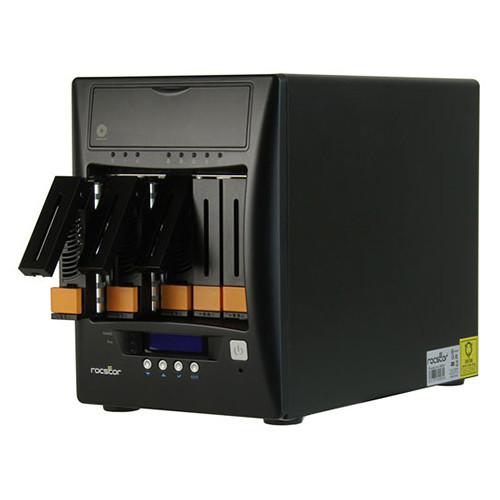 Contents of the user manual for the Rocstor Rocsecure NE52 5-Bay NAS Enclosure
- Product category: NAS Enclosures Rocstor
- Brand: Rocstor
- Description and content of package
- Technical information and basic settings
- Frequently asked questions – FAQ
- Troubleshooting (does not switch on, does not respond, error message, what do I do if...)
- Authorized service for Rocstor NAS Enclosures
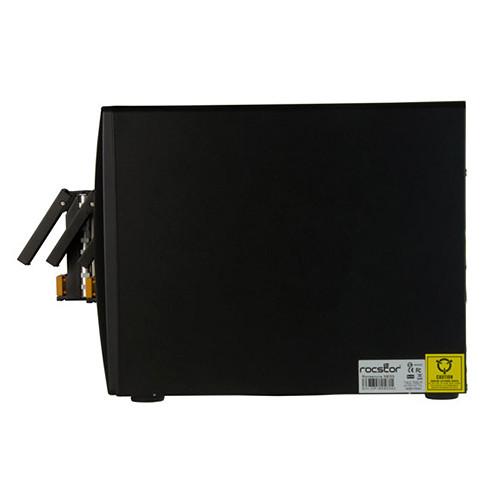 |
User manual for the Rocstor Rocsecure NE52 5-Bay NAS Enclosure contain basic instructions
that need to be followed during installation and operation.
Before starting your appliance, the user manual should be read through carefully.
Follow all the safety instructions and warnings, and be guided by the given recommendations.
User manual is an integral part of any Rocstor product,
and if it is sold or transferred, they should be handed over jointly with the product.
Following the instructions for use is an essential prerequisite for protecting
health and property during use, as well as recognition of liability on the part of the manufacturer
for possible defects should you make a warranty claim. Download an official Rocstor user manual in which you will find instructions on how to install, use, maintain and service your product.
And do not forget – unsuitable use of a Rocstor product will considerably shorten its lifespan!
|
Product description Protect your data against unauthorized users and help ensure business continuity via AES 256-bit volume encryption using the Rocsecure NE52 5-Bay NAS Enclosure from Rocstor. This NAS provides OS independent encrypted storage for the entire storage volume, including the boot sector and partition table, for business and government entities. It securely encrypts data in real-time as it is being written to the drive, securing it from unauthorized access, hardware theft, drive failure, or drive retirement.
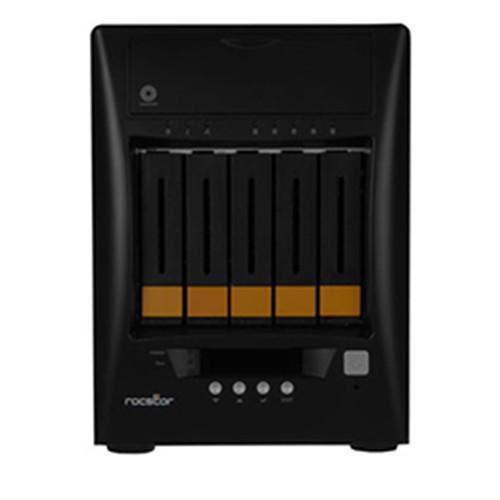
This Rocsecure NE52 is a 5-bay enclosure, each bay is capable of natively supporting both 3.5" and 2.5" SATA hard drives, all of which can be hardware-configured as RAID 0, 1, 5, or 10, each of which provides data redundancy, performance, or a combination of both. Select RAID modes support hot spare, and for those who do not require the benefits of a RAID, the NE52 also supports JBOD. RAID and JBOD support requires no additional software and all data will be seamlessly encrypted and securely stored.
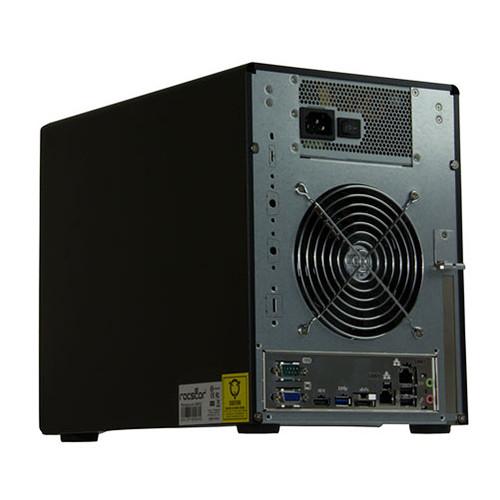
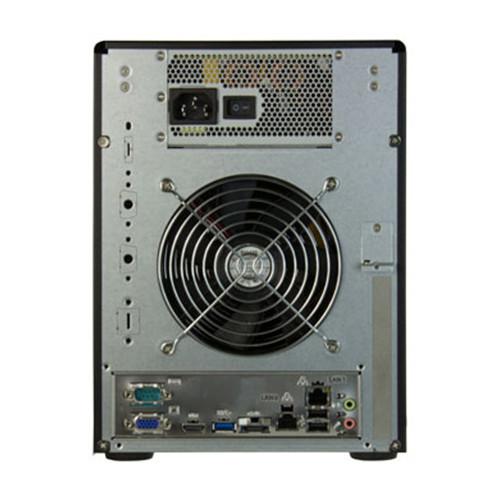
This NAS is powered using a 2.0 GHz Intel Celeron Quad-Core processor and 8GB of DDR3 RAM. It is equipped with one USB 3.0 port, two USB 2.0 ports, one eSATA 6 Gb/s port, one HDMI port, one VGA port, one serial port, and two Gigabit Ethernet ports. Full disk sharing and existing folder sharing is available for drives created by other systems, and shares can be applied to both FTP and SMB for different users, as well as those with different read/write privileges. This allows information sharing to be set up on existing drives through LAN and WAN, making it a suitable tool for create a private cloud. It is also able to share information on an existing drive using a private network or a temporary LAN.
The Rocsecure NE52 5-Bay NAS Enclosure operates using 100~240V at 50~60 Hz. While it is OS independent, it does support Windows, Mac, UNIX, and Linux operating systems. Included is a power cord, two Ethernet LAN cables, and a DVI-I to VGA adapter. Protection is provided by a limited 3-year warranty. General Features - Up to five 3.5" or 2.5" hard drives or SSDs
- Advanced Encryption Standard AES-256 Logical Volume Encryption
- Built-in Hardware RAID 0, 1, 5, 10, or JBOD
- Two Gigabit Ethernet 10/100/1000 Mbps network ports to use as a Network Attached Storage (NAS)
- Volume management (Supports ZFS, XFS, EXT3, and EXT4 file systems)
- Supports Compression and Deduplication (support on ZFS file systems)
- Supports NIC/Trunking/Load Balance/Fail Over/802.3ad
- Supports VMware/Citrix/Hyper-V and VMware VAAI for NFS
- OS independent. Supports Microsoft Windows 8, 7, Vista, XP, 2000, NT, ME, and 98, Windows Server 2012, 2008, and 2003, Mac OS, and UNIX/Linux
- 2.0 GHz Intel Celeron Quad Core processor with 8GB of DDR3 SDRAM
- Supports WORM (Write Once Read Many) for CIFS/NFS
- EXT4 support extend over 16TB
- Well-suited for setting up a Secure Private Cloud storage or quick drive sharing
In the Box Rocstor Rocsecure NE52 5-Bay NAS Enclosure 1 x Power Cord 2 x Ethernet LAN Cables 1 x DVI-I to VGA Adapter Limited 3-Year Warranty Table of Contents
|
Upload User Manual
Have you got an user manual for the Rocstor Rocsecure NE52 5-Bay NAS Enclosure in electronic form? Please send it to us and help us expand our library of instruction manuals.
Thank you, too, on behalf of other users.
To upload the product manual, we first need to check and make sure you are not a robot. After that, your "Submit Link" or "Upload File" will appear.
Technical parametersRocstor NE52 Specs | | | Drive Bays | 5 x 3.5"/2.5" hot-swappable SATA III 6 Gb/s HDD/SSD drive bays | | Processor | 2.0 GHz Intel Celeron Quad-Core | | Memory | 8 GB DDR3 SDRAM | | Ports | 1 x USB 3.0
2 x USB 2.0
1 x eSATA
1 x Serial
1 x VGA
1 x HDMI
2 x Gigabit Ethernet 1 x Line Out
1 x Mic In | | Monitoring | Real-time drive activity and status indicators
Environmental Monitoring Unit | | Power Supply | 300 W power supply with PFC (80 Plus) | | RAID Support | RAID 0, 1, 50, 10, and JBOD
Supports drive hot spare and automatic hot rebuild | | Encryption | AES-256 Logical Volume Encryption | | Alarm | Locally audible event notification alarm | | OS Support | Windows 8, 7, Vista, XP, 2000, NT, ME, and 98
Windows Server 2012, 2008, and 2003
Mac OS
UNIX/Linux | | | | Power | 100~240 VAC, 50~60 Hz, 6.3 A (full range) | | | | Relative Humidity | 10~85% (non-condensing) | | Operating Temperature | 50 to 104°F / 10 to 40°C | | | | Dimensions | 10.3 x 7.1 x 15.4" / 261 x 180 x 390 mm | | Weight | Not specified by manufacturer |
Rating90% users recommend this product to others. And what about you?

This product has already been rated by 03 owners. Add your rating and experience with the product.
Discussion
 Ask our technicians if you have a problem with your settings,
or if anything is unclear in the user manual you have downloaded.
You can make use of our moderated discussion.
The discussion is public and helps other users of our website who may be encountering similar problems.
Ask our technicians if you have a problem with your settings,
or if anything is unclear in the user manual you have downloaded.
You can make use of our moderated discussion.
The discussion is public and helps other users of our website who may be encountering similar problems.
The discussion is empty - enter the first post
Post a new topic / query / comment:
|
|


