|
User Manual for Rode RODELink Newsshooter Kit Digital Camera-Mount Wireless Plug-On Microphone System with No Mic Click to enlarge the picture
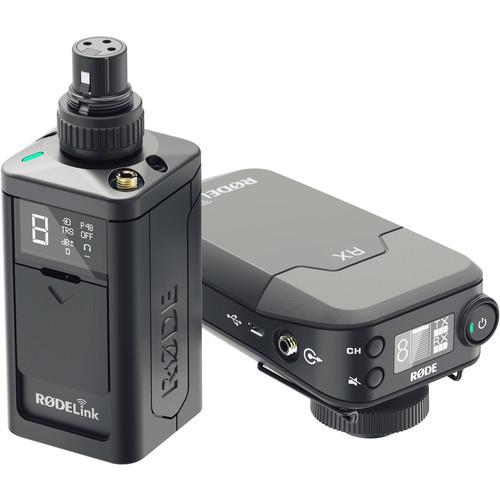 Contents of the user manual for the Rode RODELink Newsshooter Kit Digital Camera-Mount
- Product category: Wireless Systems Rode
- Brand: Rode
- Description and content of package
- Technical information and basic settings
- Frequently asked questions – FAQ
- Troubleshooting (does not switch on, does not respond, error message, what do I do if...)
- Authorized service for Rode Wireless Systems
 |
User manual for the Rode RODELink Newsshooter Kit Digital Camera-Mount contain basic instructions
that need to be followed during installation and operation.
Before starting your appliance, the user manual should be read through carefully.
Follow all the safety instructions and warnings, and be guided by the given recommendations.
User manual is an integral part of any Rode product,
and if it is sold or transferred, they should be handed over jointly with the product.
Following the instructions for use is an essential prerequisite for protecting
health and property during use, as well as recognition of liability on the part of the manufacturer
for possible defects should you make a warranty claim. Download an official Rode user manual in which you will find instructions on how to install, use, maintain and service your product.
And do not forget – unsuitable use of a Rode product will considerably shorten its lifespan!
|
Product description RODELink Newsshooter Kit Digital Wireless System Read More - Hands-On Review: RODELink Newsshooter Kit Digital Wireless System
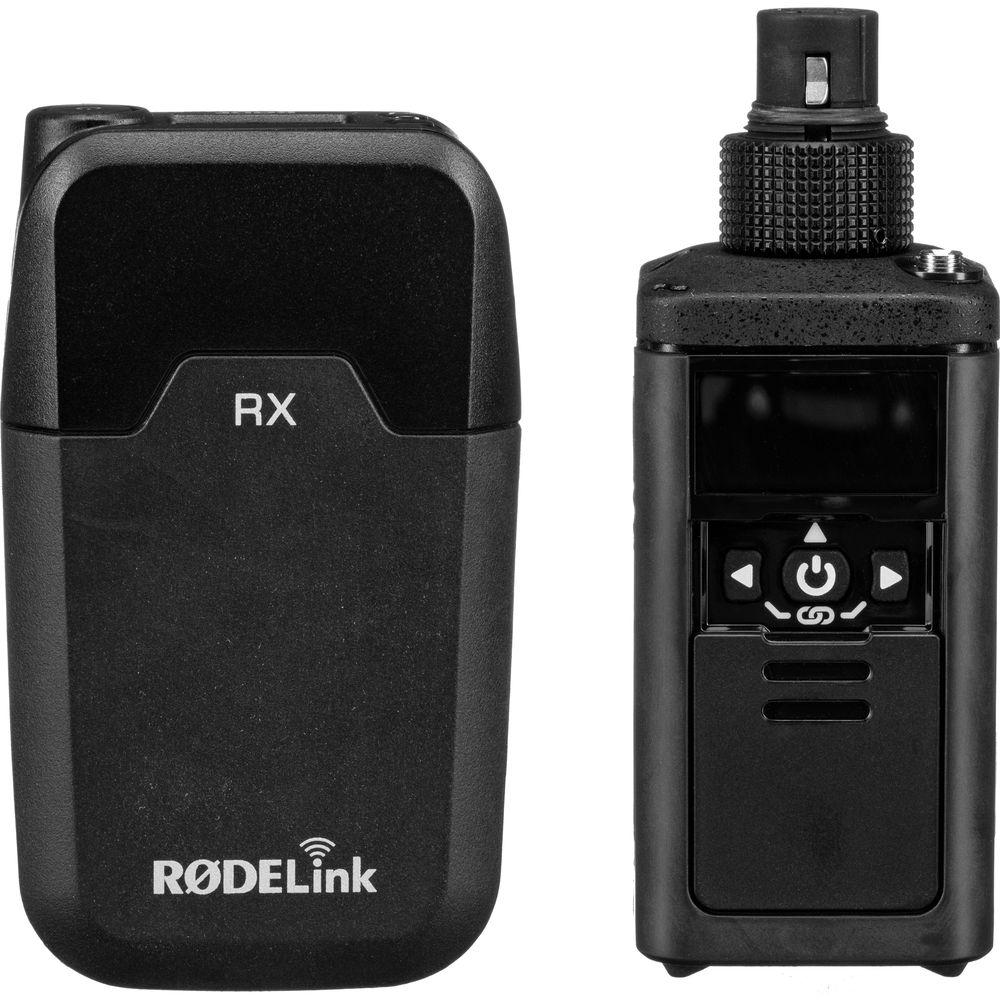
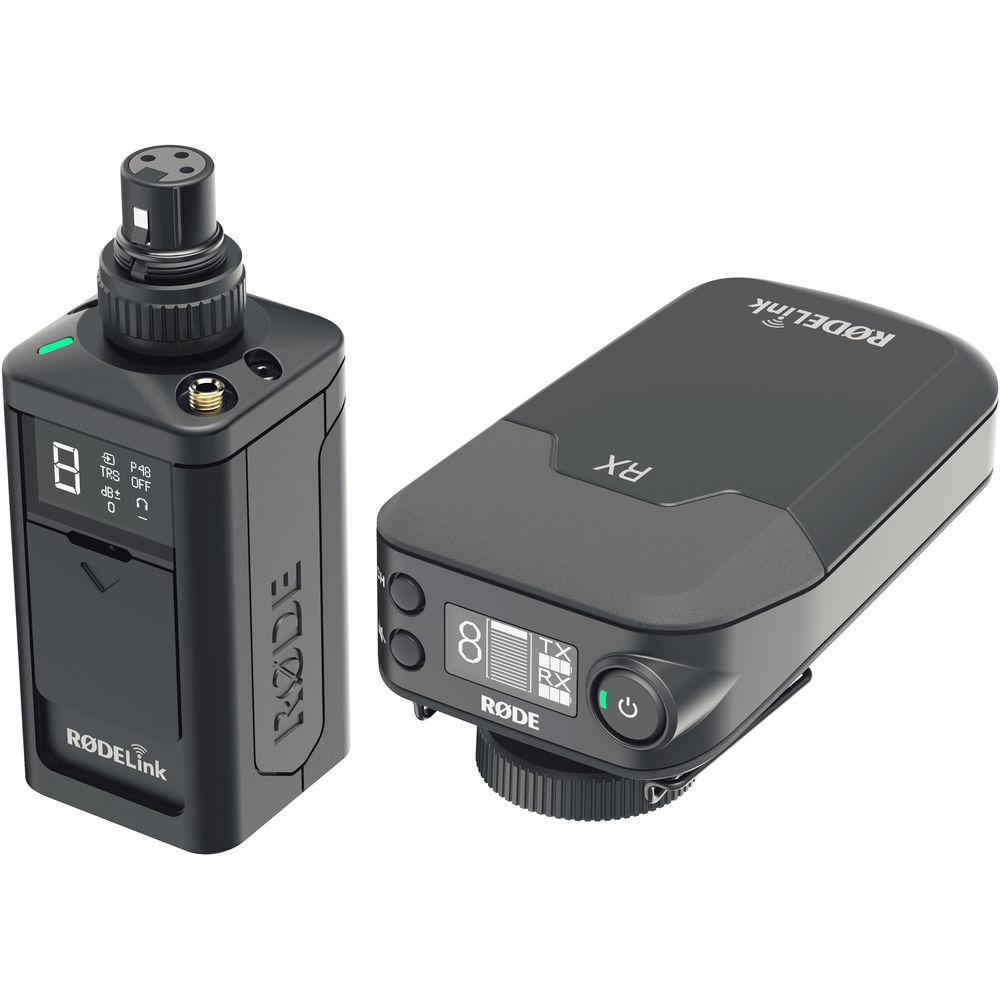
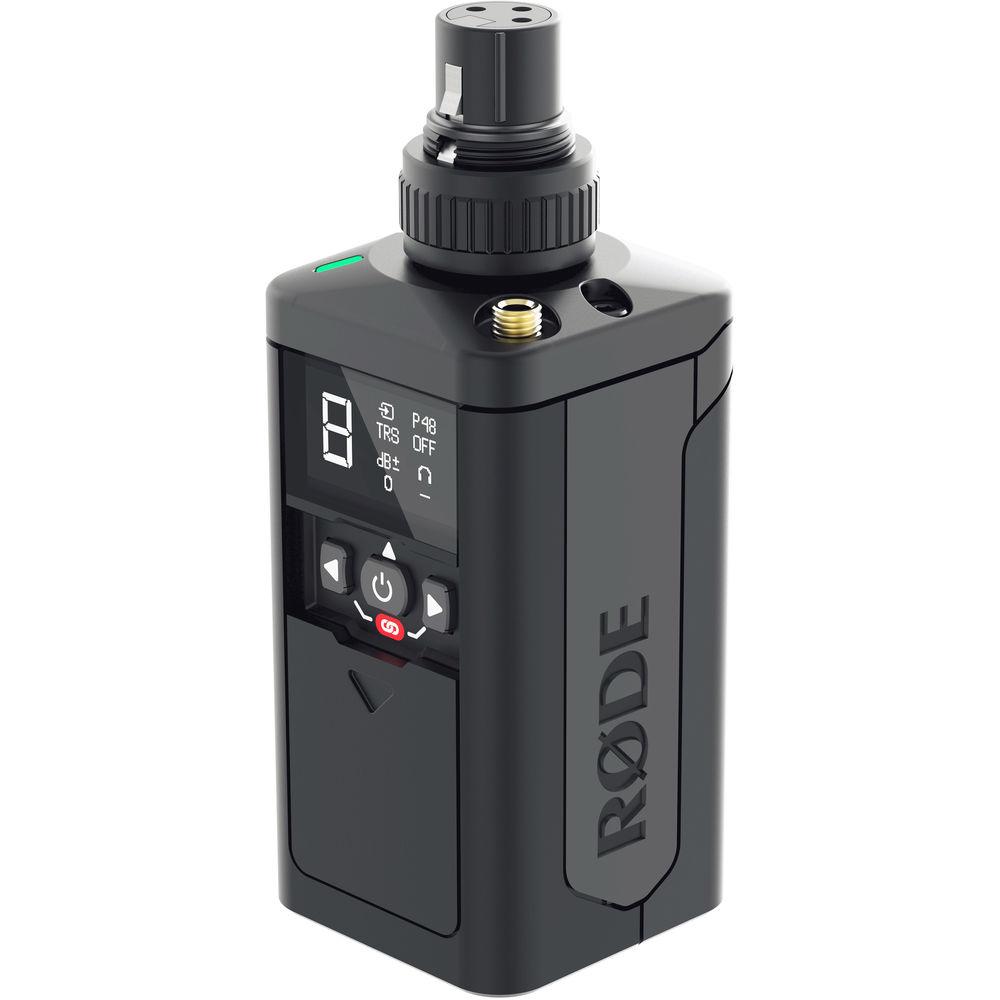
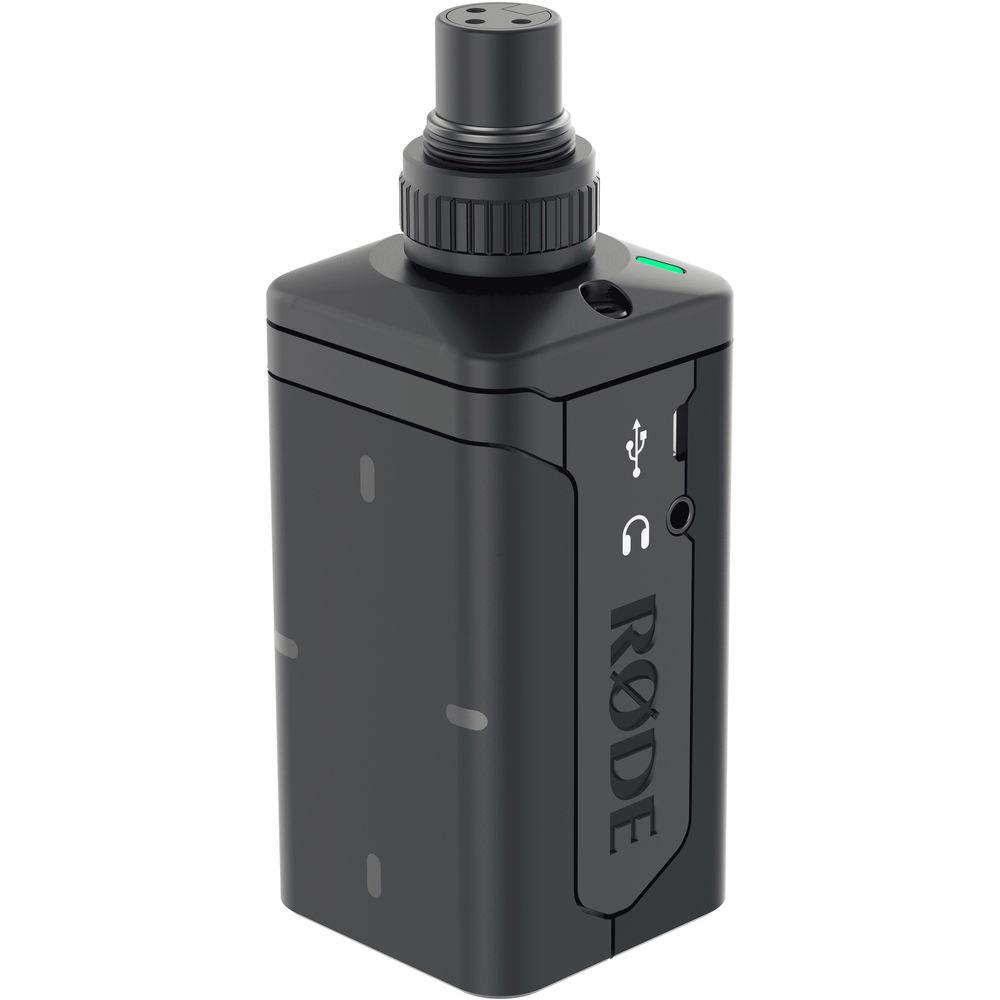
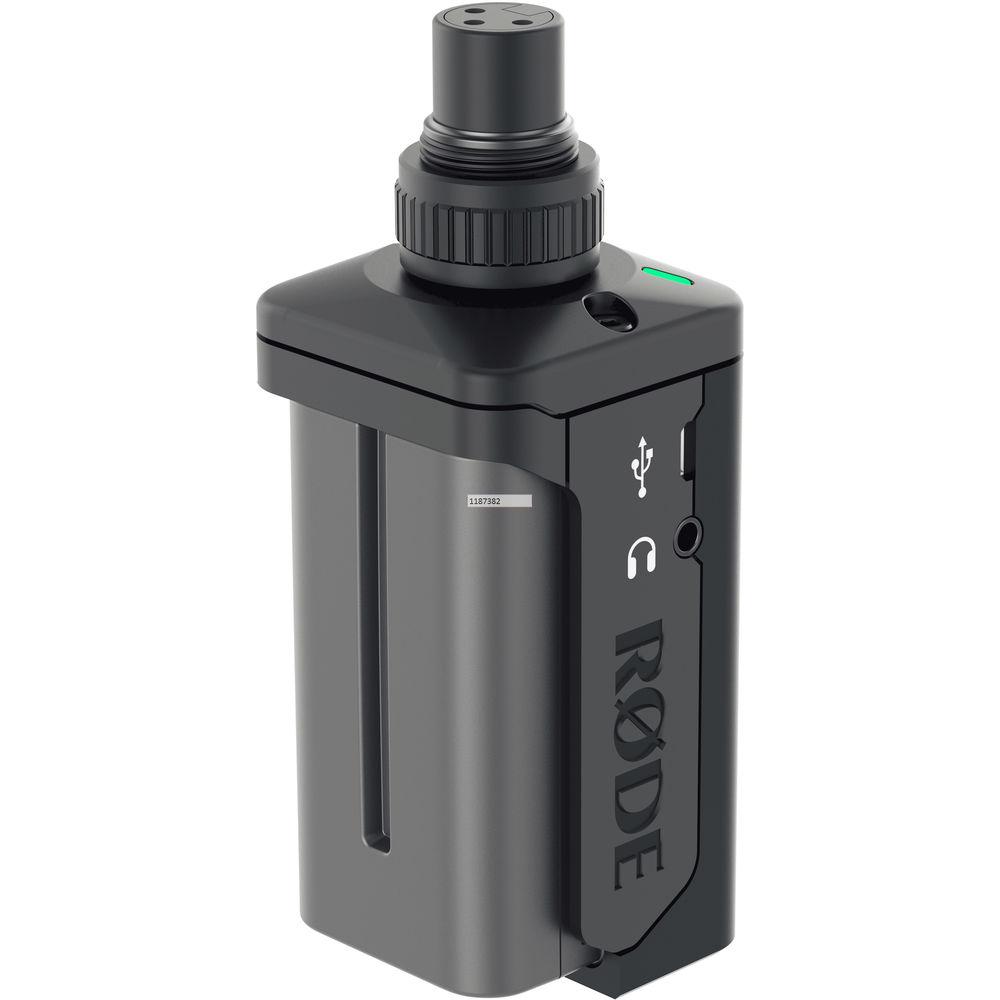
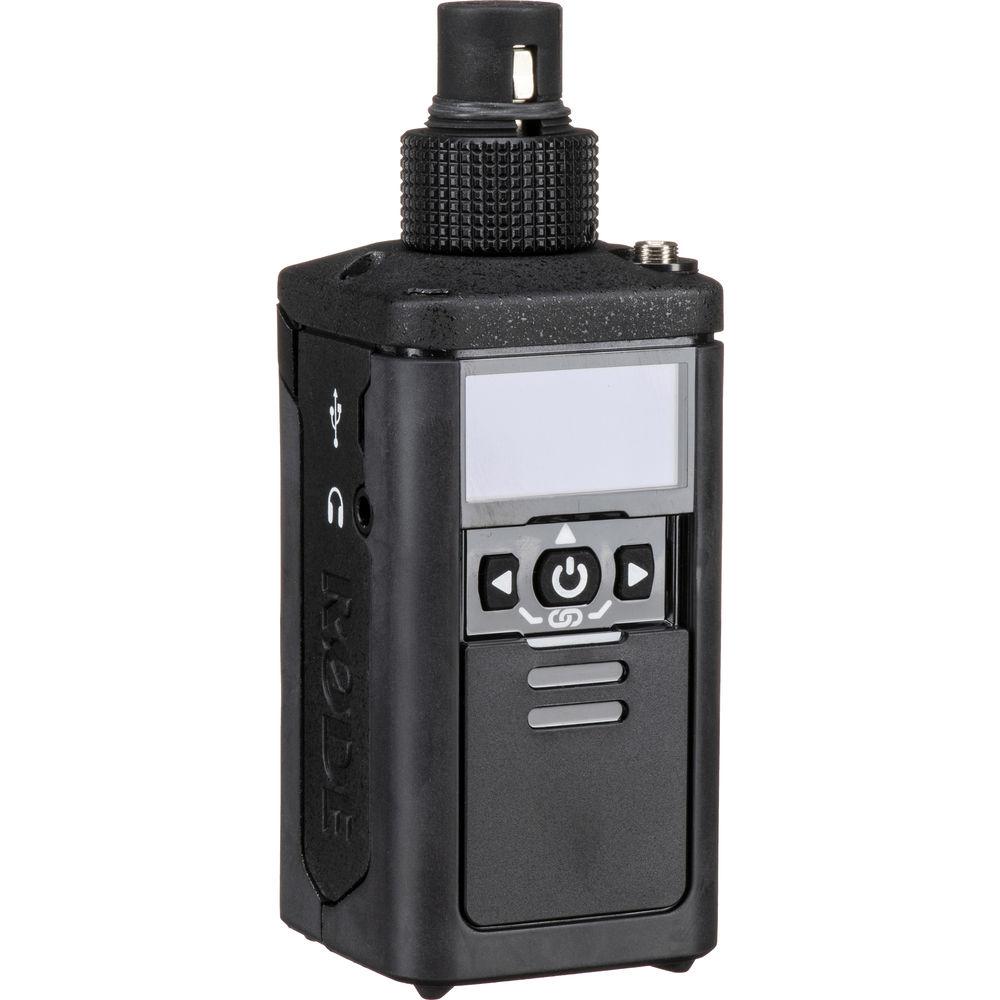
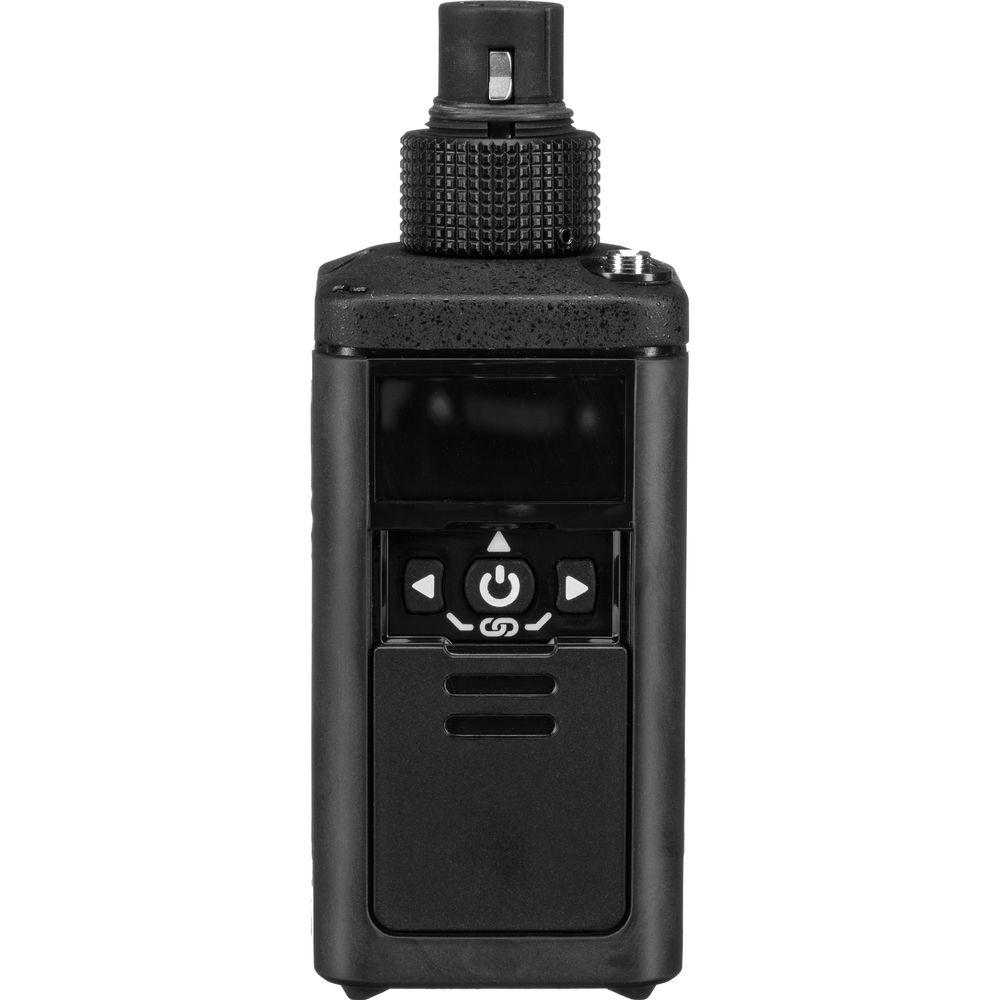
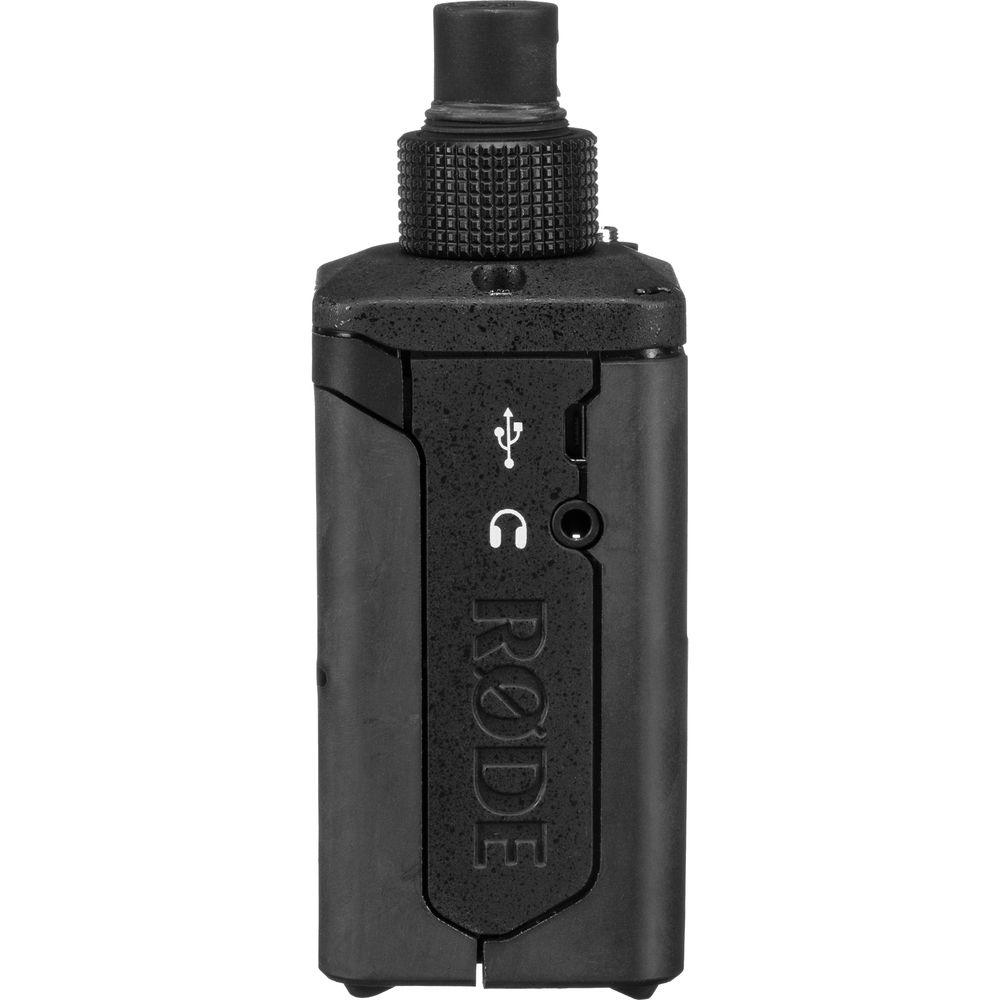
The Rode RODELink Newsshooter Kit brings DIY journalists, vloggers, and reporters a cost-effective digital wireless microphone system with simple plug-and-record operation, clean and reliable sound, and multiple power options.The Newsshooter Kit features a plug-on transmitter, along with a bodypack transmitter and a camera-mount receiver. The plug-on is designed to work primarily with handheld microphones for man-on-the-street interviews or with shotgun mics for wireless booming. Its XLR connector provides 48V phantom power, giving you the option of using it with condenser microphones (the mics are available separately). This versatile unit can also be used as a beltpack transmitter by simply plugging a lav into the additional 3.5mm mic input.The RODELink operates anywhere in the world in the 2.4 GHz spectrum—well away from potential TV and radio interference. For ease of use, the transmitter and receiver are paired at the factory. Just power up and you're good to go.The system plugs into your DSLR or mirrorless camera, allowing you to capture audio for projects ranging from YouTube vlogs and wedding videos to corporate spots and red-carpet-style interviews. Up to eight systems can operate on set. - Plug-On Transmitter with XLR and 3.5mm Mic Inputs
-
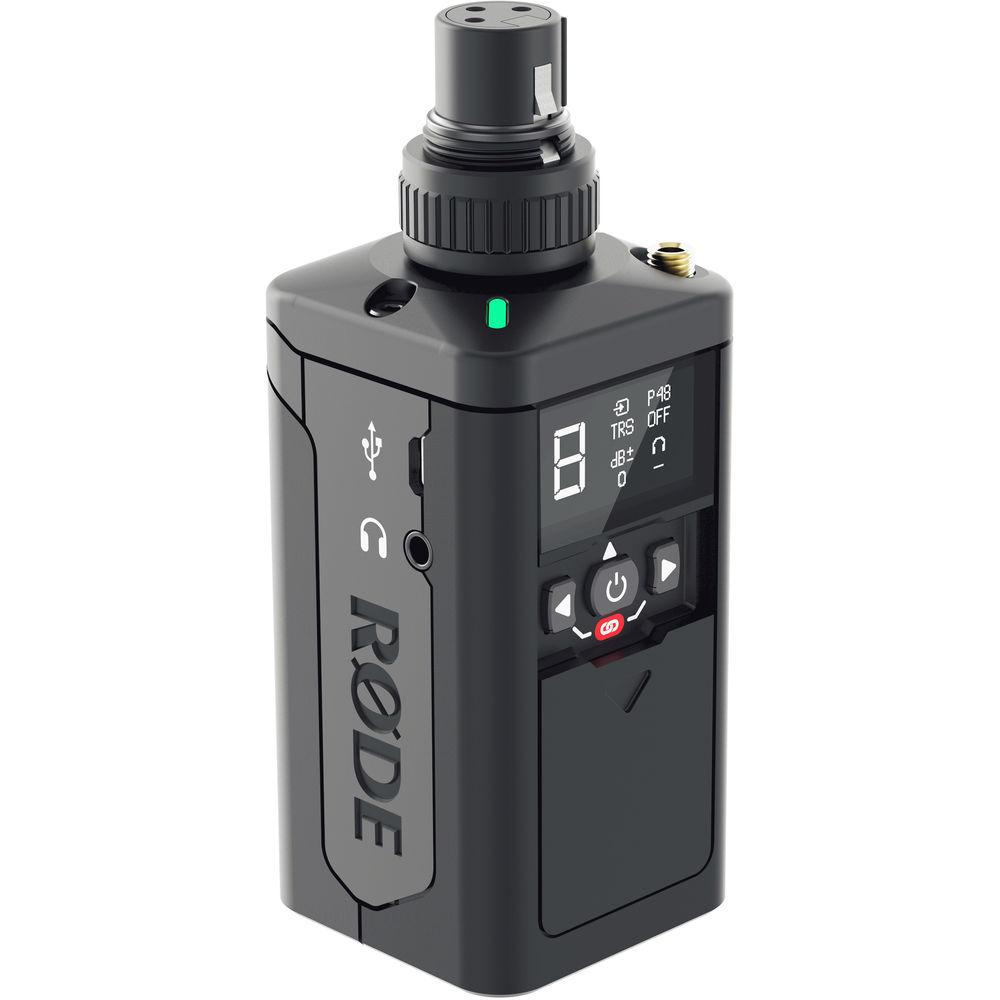
- Constructed with a plastic and metal chassis protected by a rubberized coating, the plug-on transmitter attaches to any dynamic or condenser microphone equipped with an XLR connector. A locking ring secures your mic firmly in place.
- The second mic input features a locking 3.5mm TRS connector and supplies plug-in power, allowing you to use it with the lav or headset mic of your choice. Note that you can only use one of the mic inputs at a time.
- Controls let you engage the phantom power, choose an input and set its gain, mute the mic, and control the headphone volume.
- Each input offers adjustable gain, allowing you to set the best level for your talent’s delivery—whether it’s a whisper or a shout.
- The front cover slides over the controls to turn off the screen, save battery life, protect the controls, and make the plug-on as inconspicuous on camera as possible.
- The included leather case lets you use the plug-on as a beltpack transmitter, while still allowing you to see the screen and access the controls.
- Receiver with OLED Display
-
- The lightweight (at 6.7 oz) receiver features easy, one-button operation for basic controls, and a detachable shoemount with a rounded base that lets you conveniently angle the unit on top of your camera.
- The included cable connects the receiver's output to the 3.5mm audio input of any DSLR or mirrorless camera. Alternatively, the VXLR 3.5mm to XLR adapter (available separately) allows you plug your system into the XLR input of a camcorder or recording device.
- The receiver features a high-output level with three-stage gain adjustment that allows you to turn down the camera gain, for cleaner recordings with less hiss.
- Conveniently, the receiver’s OLED display shows critical information for the receiver as well as the transmitter, including battery status, signal level, mute status, and channel selection for both units.
- Simple and Flexible Operation
-
- The transmitter and the receiver arrive pre-paired, and automatically seek out a clean frequency when you turn them on—saving you the hassle of scanning and syncing before a shoot.
- The system uses an intuitive multi-function button for quick power and muting functions.
- More advanced controls over audio levels, additional pairing, and channel selection are also available.
- Clean and Reliable Sound
-
- RODELink employs Series II 2.4 GHz digital transmission, which constantly monitors and hops between frequencies to maintain a clean transmission, at a range up to 330’.
- To ensure clear communication, the system sends the audio on two separate frequencies (frequency diversity) and uses the cleanest signal.
- The system transmits a strong signal at the selected frequency to overcome interference even in busy 2.4 GHz (Wi-Fi) environments.
- To deliver high-quality wireless audio, the system offers a resolution of 24-bit / 44.1 kHz, a wide frequency response of 35 Hz to 22 kHz, and an impressive dynamic range of 112 dB.
- Note: Each RODELink system creates a wireless peer-to-peer connection allowing the transmitter and the receiver to operate as a pair. This means that the transmitter can transmit audio to only one receiver at a time. Conversely, the receiver can only receive audio from one transmitter at a time.
- Three Power Options for Longer Shoots
-
- The transmitter and the receiver each runs on two AA batteries.
- The transmitter operates 5 to 9 hours on lithium batteries with phantom power activated, and even longer if phantom is not needed.
- The transmitter also supports NP-F batteries for up to 16 hours of shooting time, depending on phantom power and headphone usage.
- While in operation, the system can be powered via USB with a wall power source or a portable battery.
- Other Features
-
- 128-bit encryption for security
- 4 ms maximum latency
- For more flexibility, you can add the TX-BELT bodypack transmitter with lavalier mic (available separately) to your Newsshooter Kit for hands-free speech and dialog
- Designed and made in Australia
UPC: 698813004249 In the Box Rode RODELink Newsshooter Kit Digital Camera-Mount Wireless Plug-On Microphone System with No Mic (2.4 GHz) RX-CAM Camera-Mounted Wireless Receiver abafaqdrybebuqaxfr TX-XLR Wireless Transmitter SC2 Right-Angle 3.5mm TRS Coiled Patch Cable Limited 1-Year Warranty, Extends to 2 Years upon Registration Quick start Guide PDF 1.7mb Table of Contents
|
Upload User Manual
Have you got an user manual for the Rode RODELink Newsshooter Kit Digital Camera-Mount Wireless Plug-On Microphone System with No Mic in electronic form? Please send it to us and help us expand our library of instruction manuals.
Thank you, too, on behalf of other users.
To upload the product manual, we first need to check and make sure you are not a robot. After that, your "Submit Link" or "Upload File" will appear.
Technical parametersRode RODELink Newsshooter Kit Specs | | | Wireless Transmission | Digital 2.4 GHz | | Included Transmitters | 1 x Plug-On | | Diversity | Frequency | | Max Operating Range | 330' / 100.6 m (Line of Sight) | | Max Systems per Setup | 8 | | Sample Rate/Resolution | 44.1 kHz / 24-Bit | | Latency | 4 ms (Maximum) | | Dynamic Range | 112 dB | | Encryption | 128-Bit | | | | Form Factor | Camera-Mount | | Mounting Options | Shoe-Mount (with Included Hardware) | | Antenna | Internal | | Number of Audio Channels | 1 | | Audio I/O | 1 x 1/8" / 3.5 mm TRS Female Unbalanced Output (Lockable) | | Audio Output Level | 0 dBV (Max) | | Frequency Response | 35 Hz to 22 kHz | | USB Port | 1 x Micro-USB (Bus Power) | | Impedance | 1/8" Output:
300 Ohms (Unbalanced) | | Power Requirements | Battery, USB Bus Power | | Battery Type | 2 x AA (Not Included) | | Approx. Battery Life | 9 Hours (Alkaline) | | Display & Indicators | 1 x OLED (Battery Status, Channel, Mute, Peak) | | Housing | Plastic | | Dimensions | 2.6 x 4.4 x 2.0" / 65.0 x 111.0 x 52.0 mm | | Weight | 6.7 oz / 190.0 g | | | | Form Factor | Plug-On | | Audio I/O | 1 x XLR 3-Pin Female Unbalanced Input (Lockable)
1 x 1/8" / 3.5 mm TRS Female Unbalanced Input (Lockable) | | Phantom Power | +48 V | | Plug-In Power | 4 V | | Pad | None | | Muting | Off/On Switch | | Audio Input Level | 1 V RMS (Max) | | Gain Range | 0 Up to 40 dB | | Signal Processing | None | | Frequency Response | 35 Hz to 22 kHz | | Antenna | 1 x Internal | | Power Requirements | Battery, USB Bus Power | | Battery Type | 2 x AA (Not Included)
1 x NP-F/L-Series (Not Included) | | Approx. Battery Life | 9 Hours (Alkaline)
16 Hours (Lithium Rechargeable) | | USB Port | 1 x Micro-USB (Bus Power) | | Display & Indicators | 1 x LCD (Battery Status, Channel, Mute) | | Housing | Plastic | | Dimensions | 1.8 x 4.7 x 1.8" / 45.0 x 120.0 x 45.0 mm | | Weight | 7.8 oz / 222.0 g | | | | Package Weight | 1.6 lb | | Box Dimensions (LxWxH) | 7.0 x 5.3 x 5.0" |
Rating94% users recommend this product to others. And what about you?

This product has already been rated by 34 owners. Add your rating and experience with the product.
Discussion
 Ask our technicians if you have a problem with your settings,
or if anything is unclear in the user manual you have downloaded.
You can make use of our moderated discussion.
The discussion is public and helps other users of our website who may be encountering similar problems.
Ask our technicians if you have a problem with your settings,
or if anything is unclear in the user manual you have downloaded.
You can make use of our moderated discussion.
The discussion is public and helps other users of our website who may be encountering similar problems.
The discussion is empty - enter the first post
Post a new topic / query / comment:
|
|
|
| Request for user manual |
You can’t find the operation manual you are looking for? Let us know and we will try to add the missing manual:
I’m looking for a manual / Request for manual
Current requests for instruction manuals:
Call Of Duty World War Two For Xbox...
controller stratus XL...
stratus XL...
smart whatch serie S11 42mm...
Allen & Heath SQ-6 manual...
|
| Discussion |
Latest contributions to the discussion:
AEW R 4100
Name: MAURICIO ANGARITA
Audio-Technica AEW-R4100 UHF Diversity Receiver for
AEW R 4100 has the mute function blocked and does not allow audio to pass. I tried several times to turn off the mute from the transmitter but it does nothing, the mute stays on. Solution?
Thank you...
Instructions for assembling the 2015 Forecast Image Master Consoles GC3-A
Name: mike elam
Forecast Consoles GC3-A ImageMaster Editing Console
Looking for instructions for assembling this console. ...
EMPTY TONER ERROR MESSAGE AFTER REPLACING TONER
Name: LINDA BAD YELLOW EYES
Brother TN223BK Standard-Yield Toner
I HAD TO CHANGE OUT ALL THREE TONERS DUE TO LEAKS IN THE YELLOW AND CYAN. AFTER I REPLACED THEM, THE MACHINE KEEPS GIVING ME AN EMPTY TONER ERROR MESSAGE. HELP!!...
PS480D 20/24 pin Switching 480W Power Supply
Name: swkargo
Logisys 480W Power Supply
This item states in can run -5vdc .It is NOT listed on the board or I beleive is r4 is missing the resitior. Any body have thid issue. Shawn
...
Help needed
Name: Ann Carter
SanDisk 1TB Extreme Portable USB 3.1
When I click the link to download the user manual for my Sandisk Extreme external hard drive, it gives me the manual for the LG Cricket. Can you please change the link so I can download the Sandisk manual and begin using this drive? Thank you....
|
|


