|
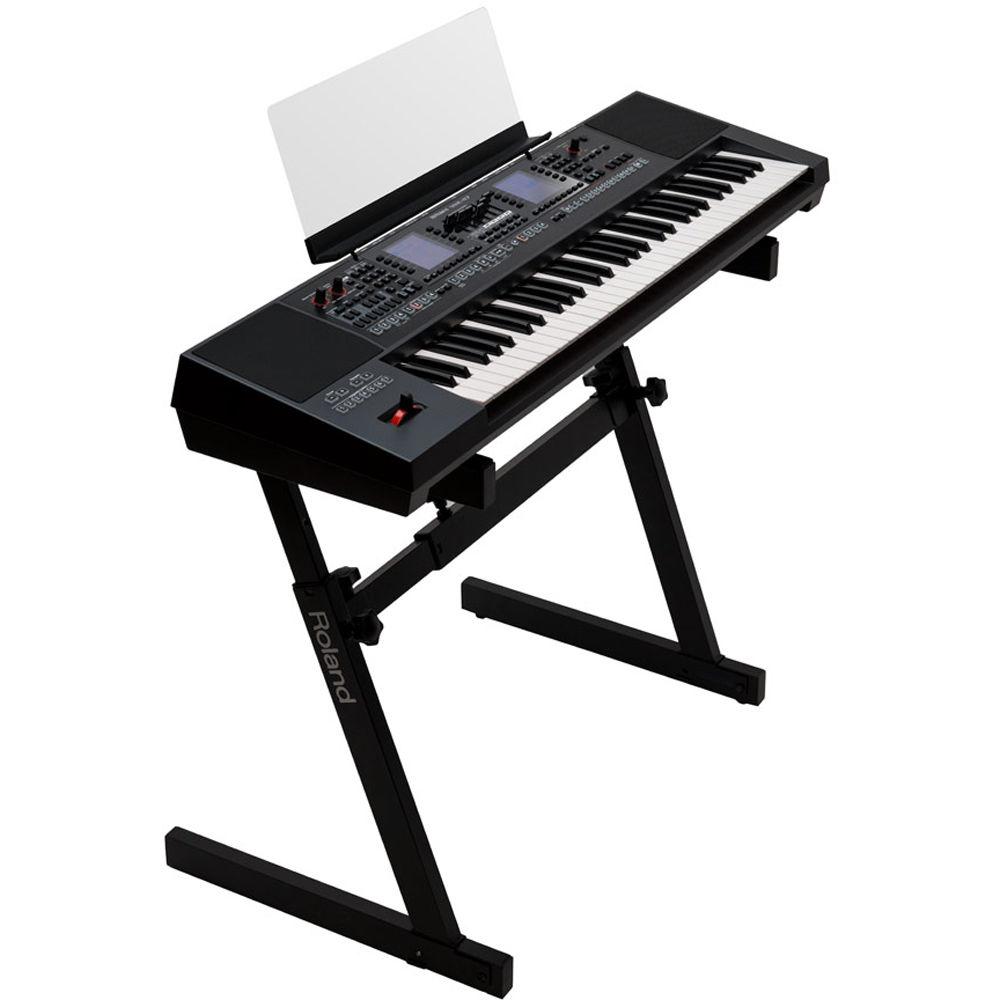
User Manual for Roland E-A7 61 Key Expandable Arranger Keyboard Click to enlarge the picture
 Contents of the user manual for the Roland E-A7 61 Key Expandable Arranger
- Product category: Arranger Keyboards Roland
- Brand: Roland
- Description and content of package
- Technical information and basic settings
- Frequently asked questions – FAQ
- Troubleshooting (does not switch on, does not respond, error message, what do I do if...)
- Authorized service for Roland Arranger Keyboards
 |
User manual for the Roland E-A7 61 Key Expandable Arranger contain basic instructions
that need to be followed during installation and operation.
Before starting your appliance, the user manual should be read through carefully.
Follow all the safety instructions and warnings, and be guided by the given recommendations.
User manual is an integral part of any Roland product,
and if it is sold or transferred, they should be handed over jointly with the product.
Following the instructions for use is an essential prerequisite for protecting
health and property during use, as well as recognition of liability on the part of the manufacturer
for possible defects should you make a warranty claim. Download an official Roland user manual in which you will find instructions on how to install, use, maintain and service your product.
And do not forget – unsuitable use of a Roland product will considerably shorten its lifespan!
|
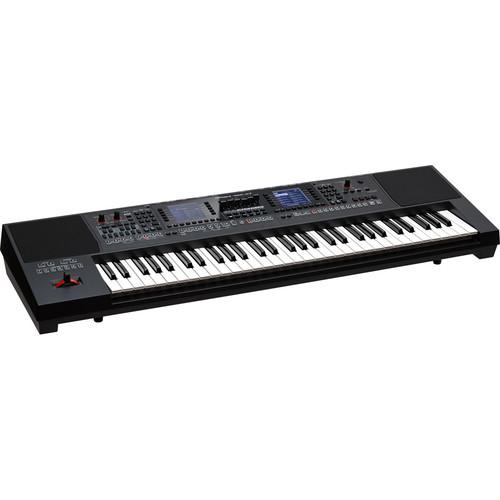
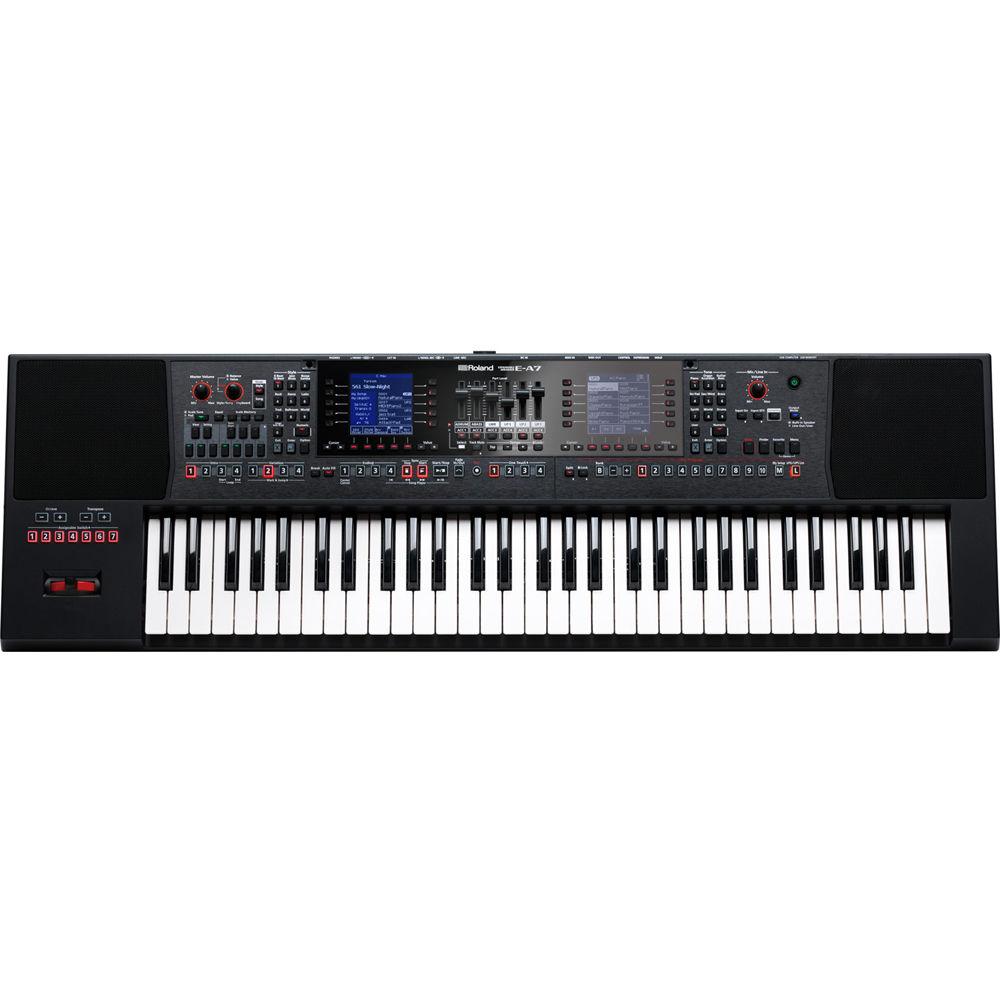
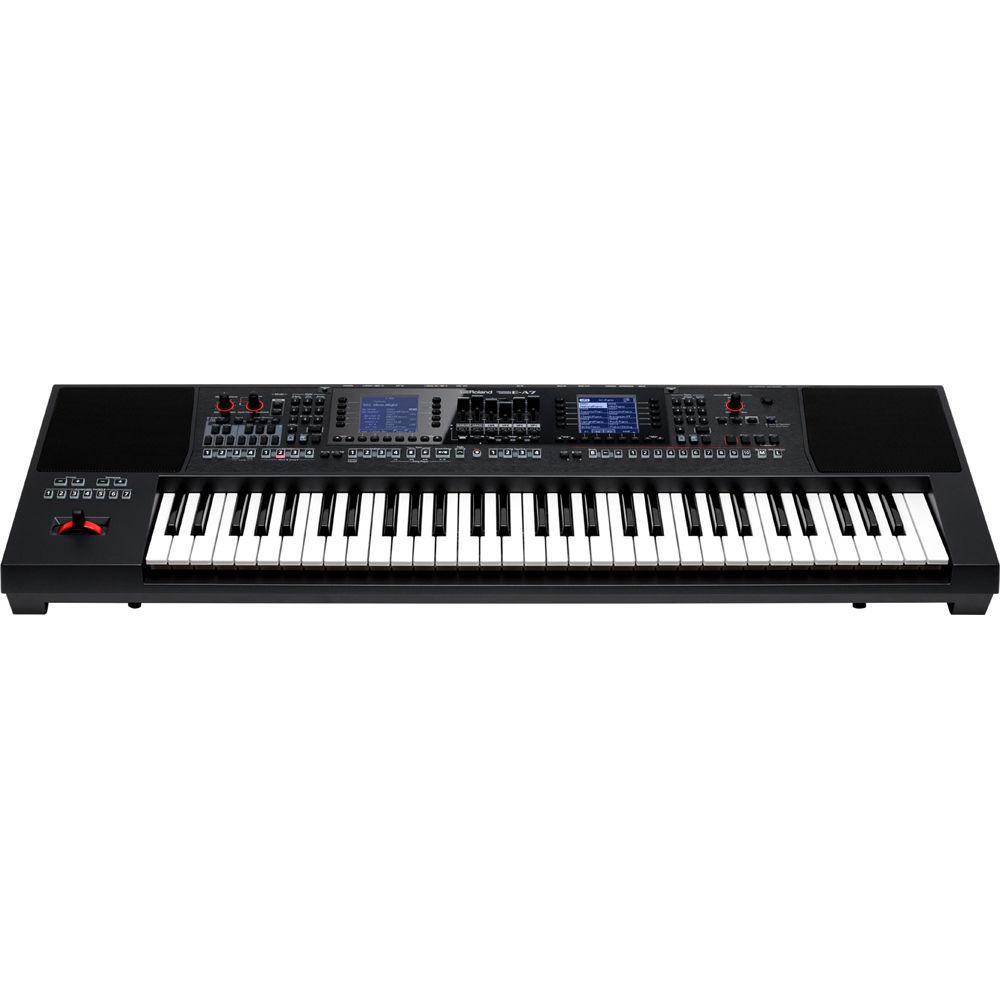
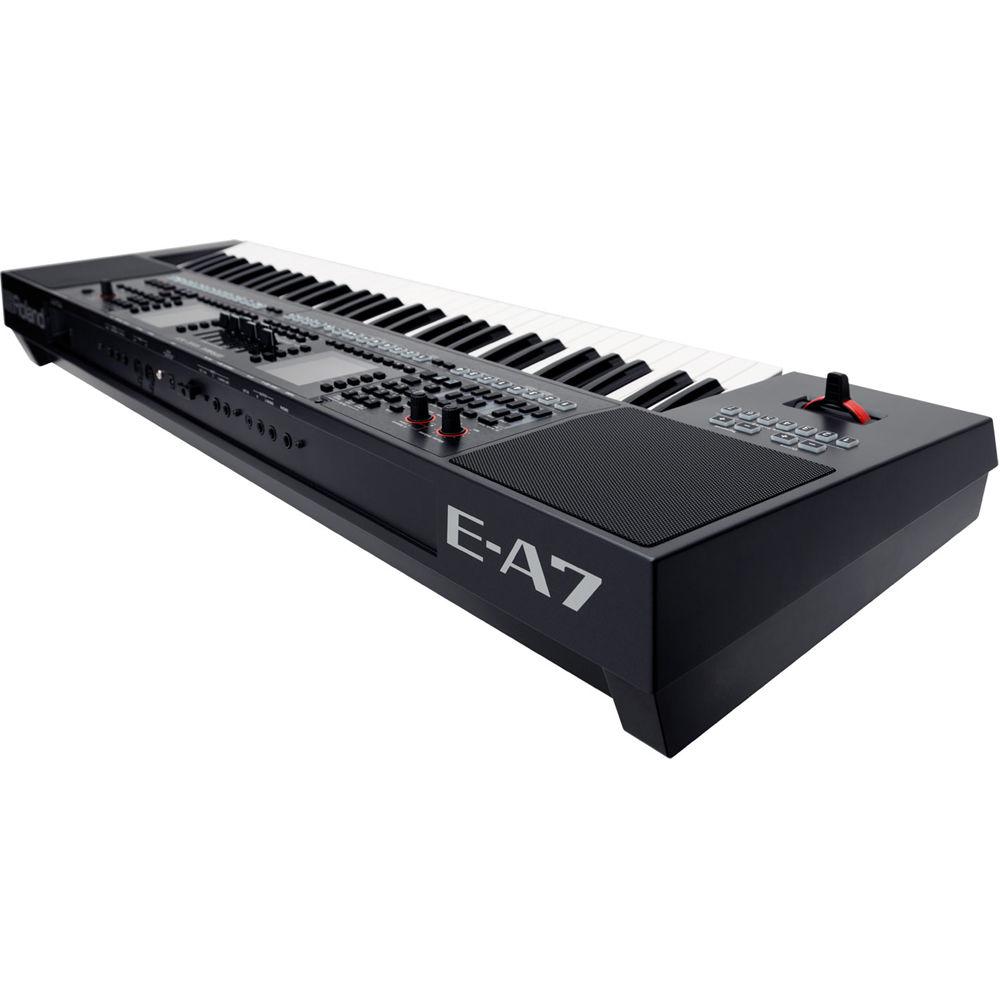
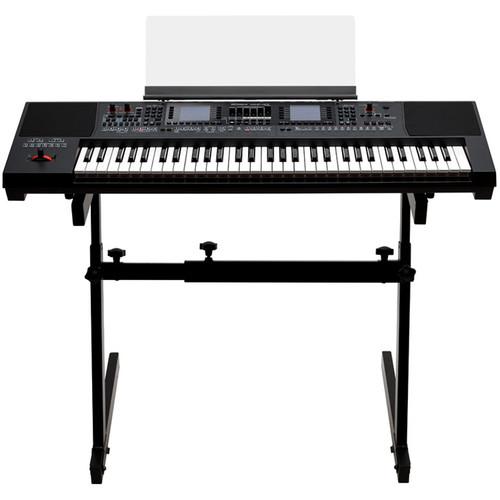
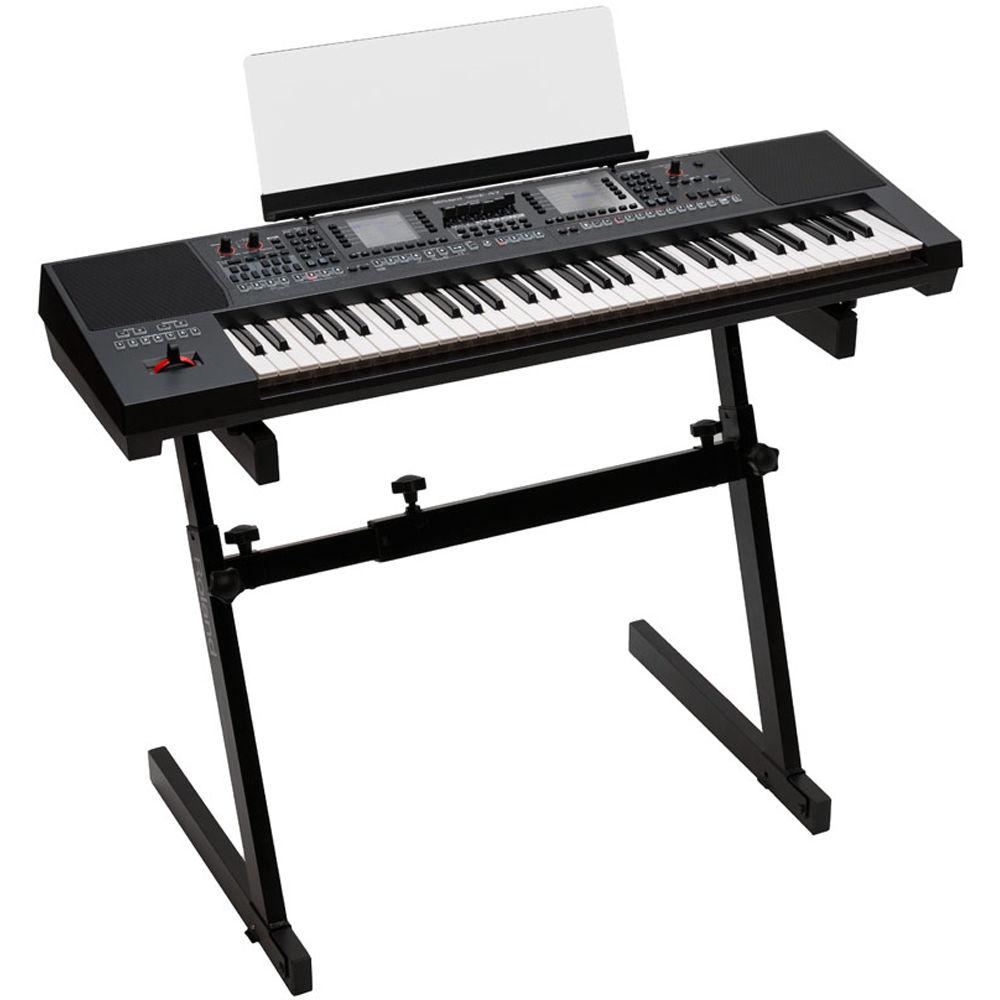
Product description The E-A7 from Roland is a versatile 61-key arranger keyboard with over 1,500 tones from all over the world with a library of backing styles from Asia, the Middle East, Europe, and South America. It features WAV file import and onboard sampling functions, and is equipped with 156 dedicated buttons for fast access to commonly used functions. Featuring a logical dual-screen layout, with backing styles on the left and sounds on the right, the E-A7 allows you to create your own instrument. You can import samples or sample directly from the keyboard. There is a 1/4" microphone input jack with dedicated vocal effects and controls on the front panel so you can just plug in and sing. Furthermore, the compact 61-key format, weighing in at 17.6 lb, makes life easy for the gigging musician in two ways – it's got everything necessary for a great performance so there are no extra boxes and wires to carry with you, and it's easy to transport to and from the show. - Authentic Arrangements from All Over the World
- While the E-A7 excels at Western music, it's equally strong for music from other parts of the world too, with a generous array of global backing styles crafted by skilled musicians from Asia, the Middle East, Europe, and South America. It doesn't matter where in the world you play it - the E-A7 will fit right in
- Expand the Onboard Sounds with WAV Sample Import
- The 1,500 built-in tones of the E-A7 are just the beginning. Most gigging musicians have collected a library of tried-and-tested samples over the years - and you can use them in the E-A7 thanks to the WAV import option. But you can also use the onboard sampling function to create custom sounds too, including drum beats or even backing vocals
- All the Essentials for a Smooth Gig, at Your Fingertips
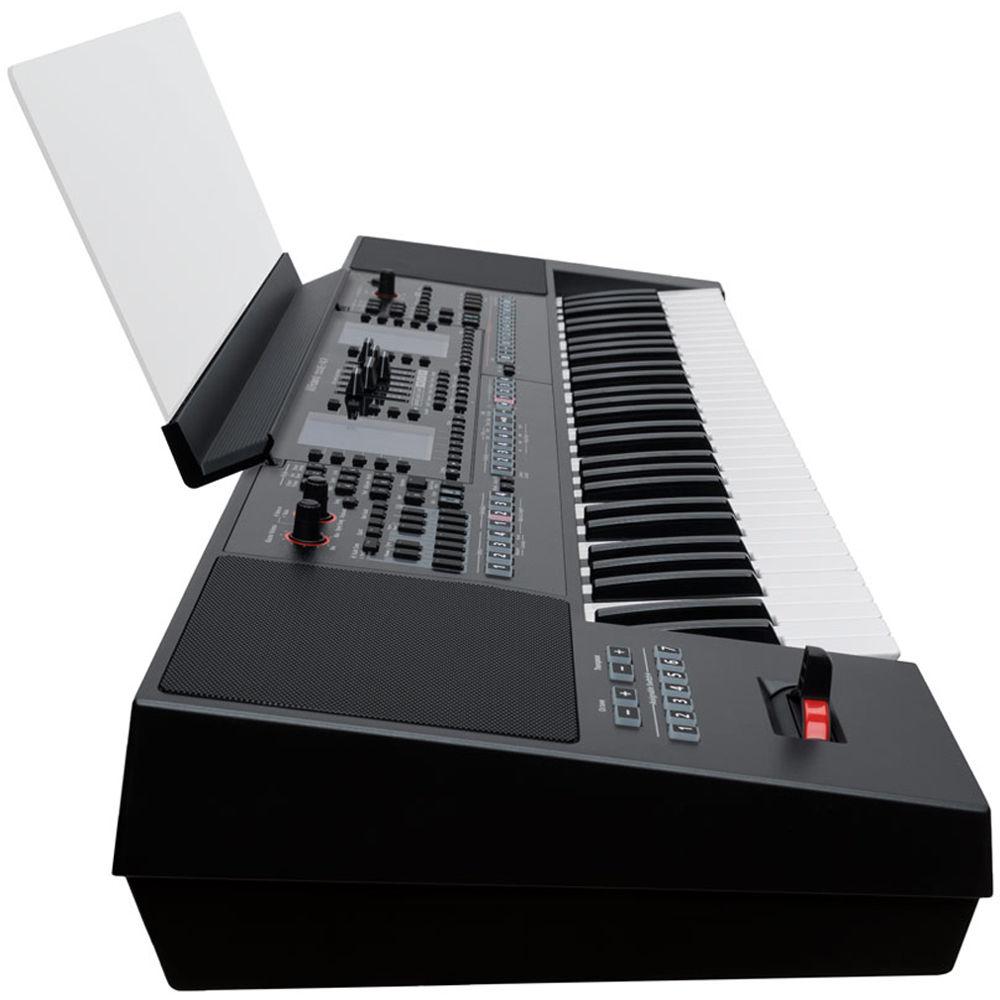
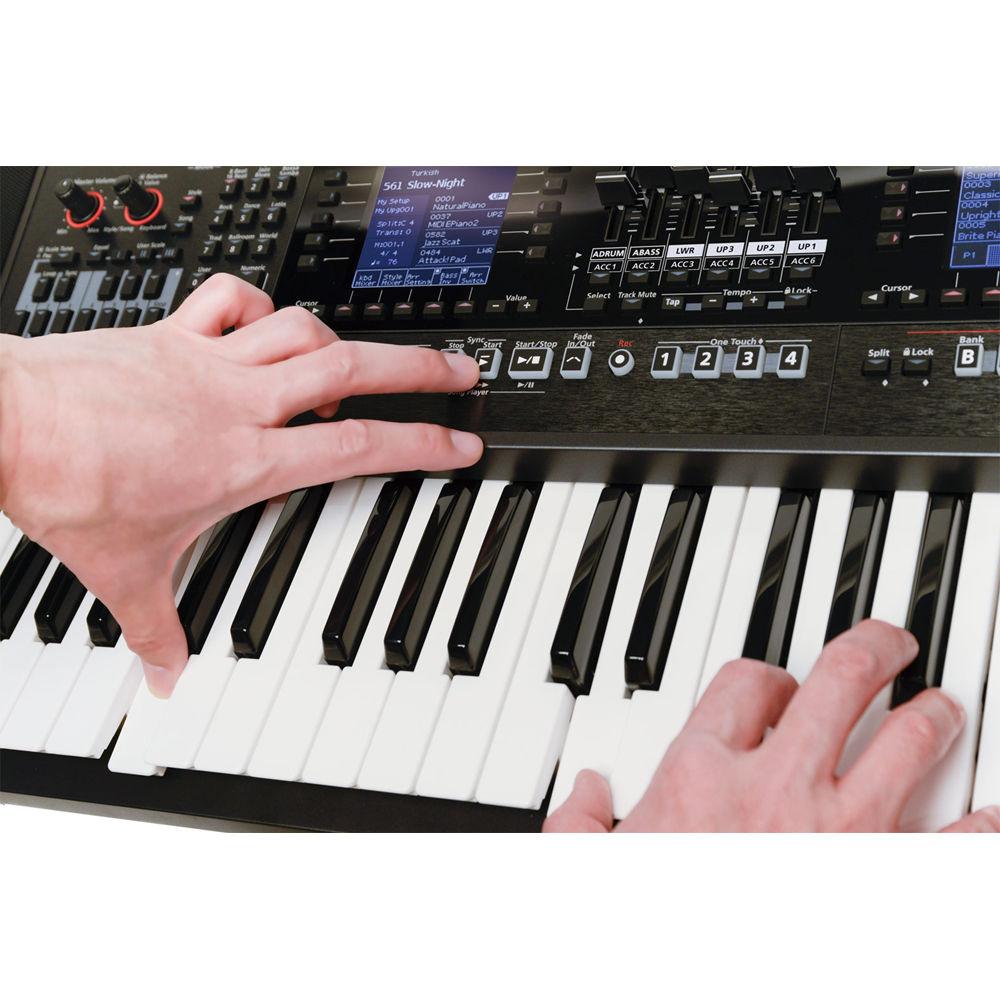
- The E-A7 gives direct access to the most common functions needed when you play. Six phrase pads trigger one-shot audio samples or MIDI phrases just where you need them. You can define and switch to alternate musical scales at the touch of a button. There are also six sliders that can adjust the volume of the various parts, such as drums, bass, and the accompaniment. Finally, there are seven user-assignable buttons above the pitch bend lever for your own custom requirements, so whatever you need to do, you can do it right away without lifting your hands off the lever
- An Entire World of Sound, at Your Fingertips
- The E-A7 offers over 1,500 essential sounds including piano, electric piano, organ, string, brass, and many more. There are instruments from all over the world too, including authentic sounds from the vibrant musical cultures of the Middle East, Indonesia, India, Vietnam, and Eastern Europe. Every sound has been developed in collaboration with accomplished musicians, each one an expert in their local music scene, for the utmost realism and quality. And since the sounds are categorized by region, you can find the perfect sound for your music quickly and easily
- Fast, Logical Layout with Backing Styles on the Left, Tones on the Right
- The E-A7 is logically laid out, showing backing styles on the left and sounds on the right, and each side has its own LCD screen showing the essential information. And with 156 buttons for fast access to the functions you use most, you'll spend more time playing and less time panicking about finding the right button
- Plug in the Mic, Set the Level, and Sing
- If vocals are an important part of your repertoire, the E-A7 has a microphone input along with dedicated volume controls on the front panel; just turn the knob to instantly adjust the vocal level, with no menus in sight. You also get an array of pro-grade vocal effects to add polish to your performance, with a versatile selection of editable reverbs and delays on board
- Versatile SMF Song Player that Also Plays WAV/MP3 Audio Files
- The E-A7's onboard song player reads Standard MIDI Files (SMF) as well as WAV or MP3 audio files. Comprehensive playback options allow you to repeat a section of the song or jump to a different section, and if you're using WAV files you can minimize the presence of any vocals using the Centre Cancel feature, leaving space for your own voice. You can even record your entire performance as a WAV file and save it to USB memory
UPC: 761294506912 In the Box Roland E-A7 61 Key Expandable Arranger Keyboard Music Rest AC Adapter Power Cord for AC Adapter Limited 1-Year Warranty Limited 90-Day Warranty for Labor Table of Contents
|
Upload User Manual
Have you got an user manual for the Roland E-A7 61 Key Expandable Arranger Keyboard in electronic form? Please send it to us and help us expand our library of instruction manuals.
Thank you, too, on behalf of other users.
To upload the product manual, we first need to check and make sure you are not a robot. After that, your "Submit Link" or "Upload File" will appear.
Technical parametersRoland E-A7 Specs | | | Keyboard | 61 keys (with velocity) | | | | Polyphony | 128 voices (varies according to the sound generator load) | | Parts | 4 keyboard parts (UP1, UP2, UP3, LWR) + 16 song parts | | Tones | Preset Tone: Over 1,500 Tones
Preset Drum Kit: Over 100 drum kits
GM2 compatible sounds are included
User Tone: 256 tones
User Drum Kit: 128 drum kits
50 favorite tones can be registered | | Melody Intelligent | Yes | | | | Preset Styles | Over 600 styles
User Style: Unlimited number (storage on internal memory and USB flash drive) | | Style Controls | Intro x 4, Main x 4, Fill x 4, Break, and Ending x 4 | | One Touch Setting (OTS) | 4 programmable registrations per style | | Tools | Style Makeup: Instrument-oriented editing
Style Composer: Yes | | | | Realtime Player | SMF (Format 0/1), KAR, MP3, WAV, MP3+CDG | | Tempo Change | -20 to 250 BPM for SMF (and Style)
-75 to 125% for MP3 and WAV files | | Part Mute Functions | Track Mute: SMF (and Style)
Center Cancel: MP3 and WAV | | Song Chord Extractor | Automatic chord detection for SMF files | | Lyrics | Display: SMF, KAR, MP3 | | SMF Makeup Tools | Instrument-oriented editing | | SMF Mark & Jump | Yes (4 storable locations) | | Audio Recorder | Format: 16-bit linear, 44.1 kHz, WAV | | Demo Songs | Yes | | | | Reverb | 8 types (selectable via Makeup Tools) | | Chorus | 8 types (selectable via Makeup Tools) | | Effect Type | MFX: 84 types for keyboard parts (selectable via Keyboard Part MFX), A & B for Style and SMF section (selectable via Makeup Tools) | | Master EQ Frequency | 6 presets + 1 User Memory | | Compressor | Master: 6 presets + 1 User Memory | | Input | Effect: Reverb 6 types, Delay 2 types | | | | Preset/User Programs | Preset (Music Assistant + Preloaded data): Over 500 User Programs
User: Up to 100 User Programs are included per User Program Set
User Programs Sets: Unlimited number (storage on internal memory and USB flash drive) | | | | Format | 16-bit linear, 44.1 kHz, WAV | | Wave Expansion | Memory: 128 MB for Sampling/Sample Import | | Number of Samples | 512
Multisample Function: Yes
Samples and multisamples can be exported to USB Flash Memory as User Tone or User Drum Kit. Samples and multisamples can be used as wave data for the sound engine | | | | Memory | Buttons: 3 x user scale Memories and Equal temperament
User Scale Buttons: Instant quarter-tone tuning of each note of a scale (C-B)
Adjustable tuning range (-64-+63 cent) for each button
Tunings can also be saved to User Program memories | | | | Pads | 6 pads for triggering phrases and tones and Stop Pad
Phrases are tempo-synchronized with Styles or SMF, and support for chord detection | | Song Files | Finder: Yes | | Controllers | Assignable Lever
Assignable Switch x 7
Assignable Control Pedal
Part Level Slider x 6
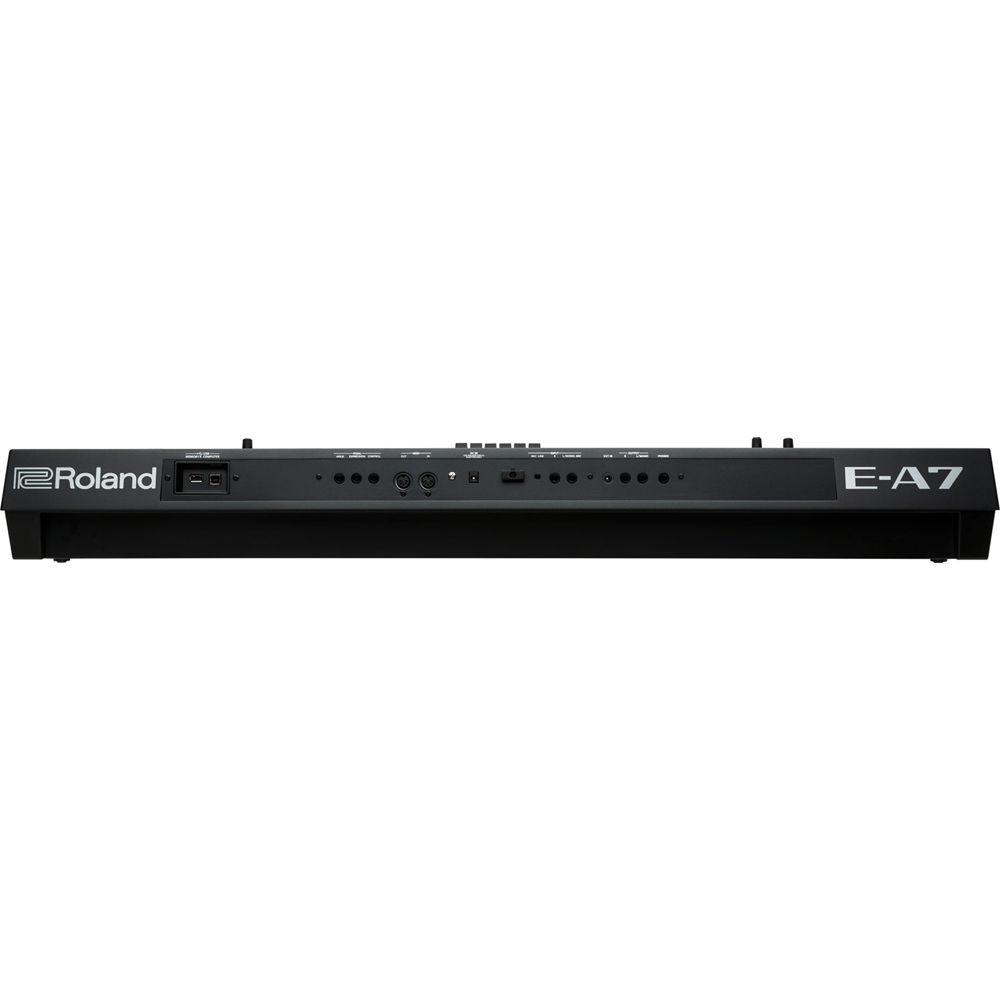
Multifunction Pads | | Display | Dual graphic LCD (160 x 160 dots x 2, with backlit) | | Connectors | Phones Jack: Stereo 1/4" (6.3 mm) phone type
Output Jacks (L/MONO, R): 1/4" (6.3 mm) phone type
External In Jack: Stereo 1/8" (3.5 mm) miniature phone type
Input Jacks (L/Mono or Mic, R): 1/4" (6.3 mm) phone type
Pedal Jacks (Hold, Expression, Control)
MIDI connectors (In, Out)
USB memory port
USB computer port (USB MIDI)
DC In jack | | Speakers | 2 x 3.9" (10 cm) | | Rated Power Output | 2 x 12 W | | Power Supply | AC adapter | | Current Draw | 1,500 mA | | | | Dimensions (W x D x H) | 41.1 x 12.5 x 5.35" (104 x 31.7 x 13.6 cm) | | Weight | 17.4 lb (7.9 kg) (excluding AC adapter and music rest) | | | | Package Weight | 25.5 lb | | Box Dimensions (LxWxH) | 45.3 x 16.8 x 9.7" |
Rating100% users recommend this product to others. And what about you?

This product has already been rated by 05 owners. Add your rating and experience with the product.
Discussion
 Ask our technicians if you have a problem with your settings,
or if anything is unclear in the user manual you have downloaded.
You can make use of our moderated discussion.
The discussion is public and helps other users of our website who may be encountering similar problems.
Ask our technicians if you have a problem with your settings,
or if anything is unclear in the user manual you have downloaded.
You can make use of our moderated discussion.
The discussion is public and helps other users of our website who may be encountering similar problems.
Post new comment to Roland E-A7 61 Key Expandable Arranger Keyboard
| Subject: Output mode | | Date: 22.12.2022 12:56:47 | Name: Lee Badio | How can I turn on output mode on my Roland EA7 keyboard?
| | Post reply |
| Subject: Output | | Date: 09.01.2022 02:35:52 | Name: Derek Castello | | I can't get the stereo outputs to work on my ea7 | | Post reply |
Post a new topic / query / comment:
|
|
|
| Request for user manual |
You can’t find the operation manual you are looking for? Let us know and we will try to add the missing manual:
I’m looking for a manual / Request for manual
Current requests for instruction manuals:
Call Of Duty World War Two For Xbox...
controller stratus XL...
stratus XL...
smart whatch serie S11 42mm...
Allen & Heath SQ-6 manual...
|
| Discussion |
Latest contributions to the discussion:
AEW R 4100
Name: MAURICIO ANGARITA
Audio-Technica AEW-R4100 UHF Diversity Receiver for
AEW R 4100 has the mute function blocked and does not allow audio to pass. I tried several times to turn off the mute from the transmitter but it does nothing, the mute stays on. Solution?
Thank you...
Instructions for assembling the 2015 Forecast Image Master Consoles GC3-A
Name: mike elam
Forecast Consoles GC3-A ImageMaster Editing Console
Looking for instructions for assembling this console. ...
EMPTY TONER ERROR MESSAGE AFTER REPLACING TONER
Name: LINDA BAD YELLOW EYES
Brother TN223BK Standard-Yield Toner
I HAD TO CHANGE OUT ALL THREE TONERS DUE TO LEAKS IN THE YELLOW AND CYAN. AFTER I REPLACED THEM, THE MACHINE KEEPS GIVING ME AN EMPTY TONER ERROR MESSAGE. HELP!!...
PS480D 20/24 pin Switching 480W Power Supply
Name: swkargo
Logisys 480W Power Supply
This item states in can run -5vdc .It is NOT listed on the board or I beleive is r4 is missing the resitior. Any body have thid issue. Shawn
...
Help needed
Name: Ann Carter
SanDisk 1TB Extreme Portable USB 3.1
When I click the link to download the user manual for my Sandisk Extreme external hard drive, it gives me the manual for the LG Cricket. Can you please change the link so I can download the Sandisk manual and begin using this drive? Thank you....
|
|


