User Manual for Roland Rubix24 - 2x4 USB Audio Interface Click to enlarge the picture
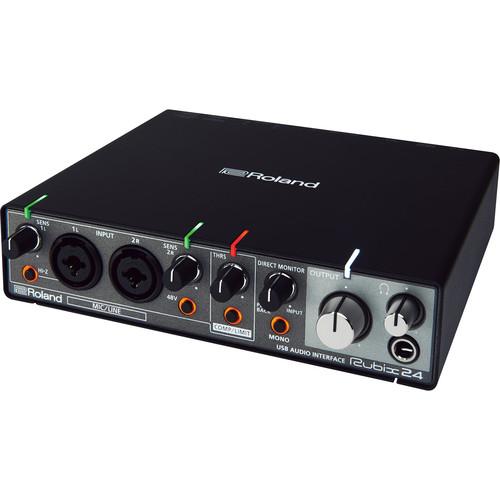 Contents of the user manual for the Roland Rubix24 - 2x4 USB Audio
- Product category: Audio Interfaces & Systems Roland
- Brand: Roland
- Description and content of package
- Technical information and basic settings
- Frequently asked questions – FAQ
- Troubleshooting (does not switch on, does not respond, error message, what do I do if...)
- Authorized service for Roland Audio Interfaces & Systems
 |
User manual for the Roland Rubix24 - 2x4 USB Audio contain basic instructions
that need to be followed during installation and operation.
Before starting your appliance, the user manual should be read through carefully.
Follow all the safety instructions and warnings, and be guided by the given recommendations.
User manual is an integral part of any Roland product,
and if it is sold or transferred, they should be handed over jointly with the product.
Following the instructions for use is an essential prerequisite for protecting
health and property during use, as well as recognition of liability on the part of the manufacturer
for possible defects should you make a warranty claim. Download an official Roland user manual in which you will find instructions on how to install, use, maintain and service your product.
And do not forget – unsuitable use of a Roland product will considerably shorten its lifespan!
|
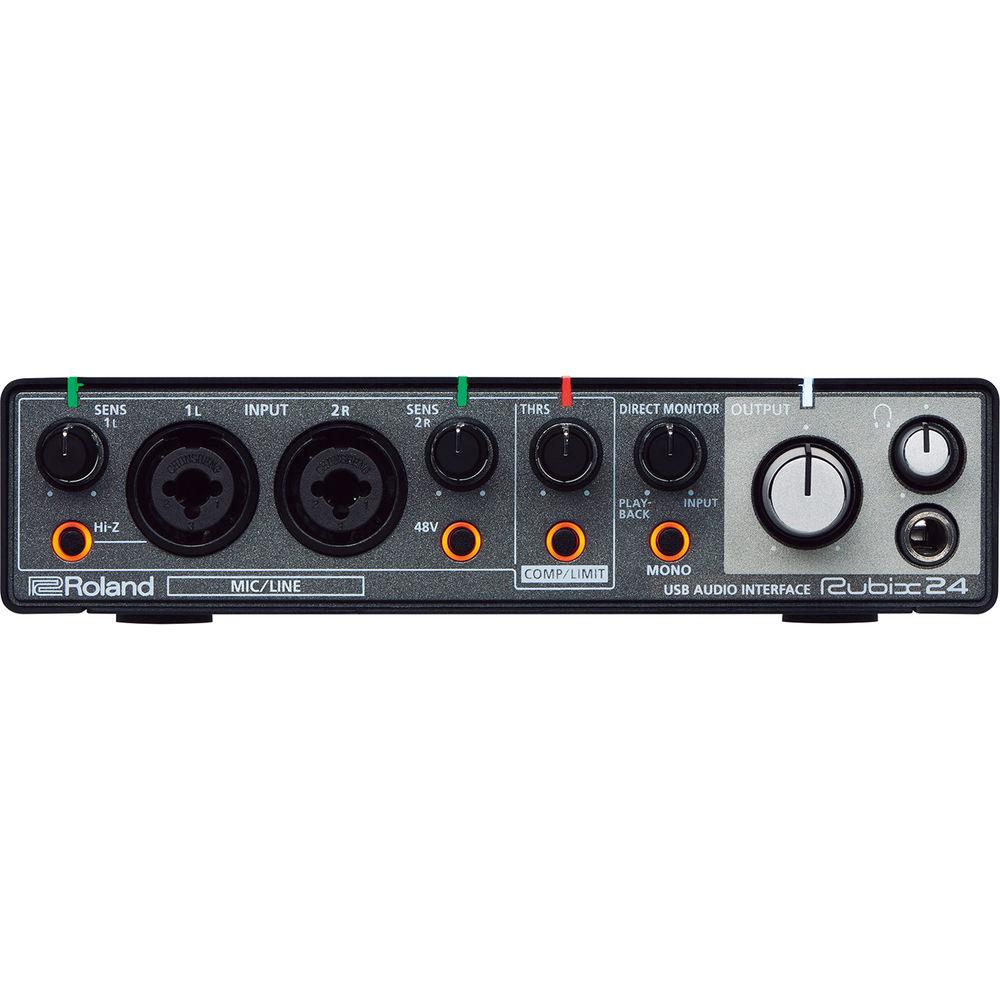
Product description The 2-in/4-out Rubix24 USB 2.0 audio interface from Roland offers a balance of high-fidelity sound, solid build quality, compact size, and powerful features, which give you studio-grade performance just about anywhere you choose to record. The Rubix24 is equipped with two low-noise mic preamps and a Hi-Z jack input for guitars or other high impedance sources. It supports audio resolution up to 24-bit/192 kHz and features class-compliant Mac and Windows drivers, for low latency. Four individual balanced outputs give you additional options for routing and monitoring setups. The unit also features a hardware compressor/limiter to help ensure you capture a hot signal without clipping or unwanted distortion, and big level indicators that clearly show if a channel has incoming signal or if you're going to overload, critical for working in low-level light environments such as stages. The Rubix24 is well equipped to meet the rigors of the road. Its sturdy and compact metal construction, extensive shielding, and ground lift effectively protect it against radio frequency interference and electrical hums, often found in live venues. Connect your Rubix24 to an iPad, and using the included Ableton Live Lite software, turn it into a compact system for on-location productions. - 2-in/4-out USB 2.0 audio interface
- Two low-noise mic preamps with XLR-1/4" combo jacks
- Hi-Z input for guitar and other high-impedance sources
- High-resolution audio up to 24-bit/192 kHz
- Low-latency class-compliant drivers for Mac OS, Windows, iPad
- Hardware compressor/limiter
- Big, easy-to-read indicators show vital information
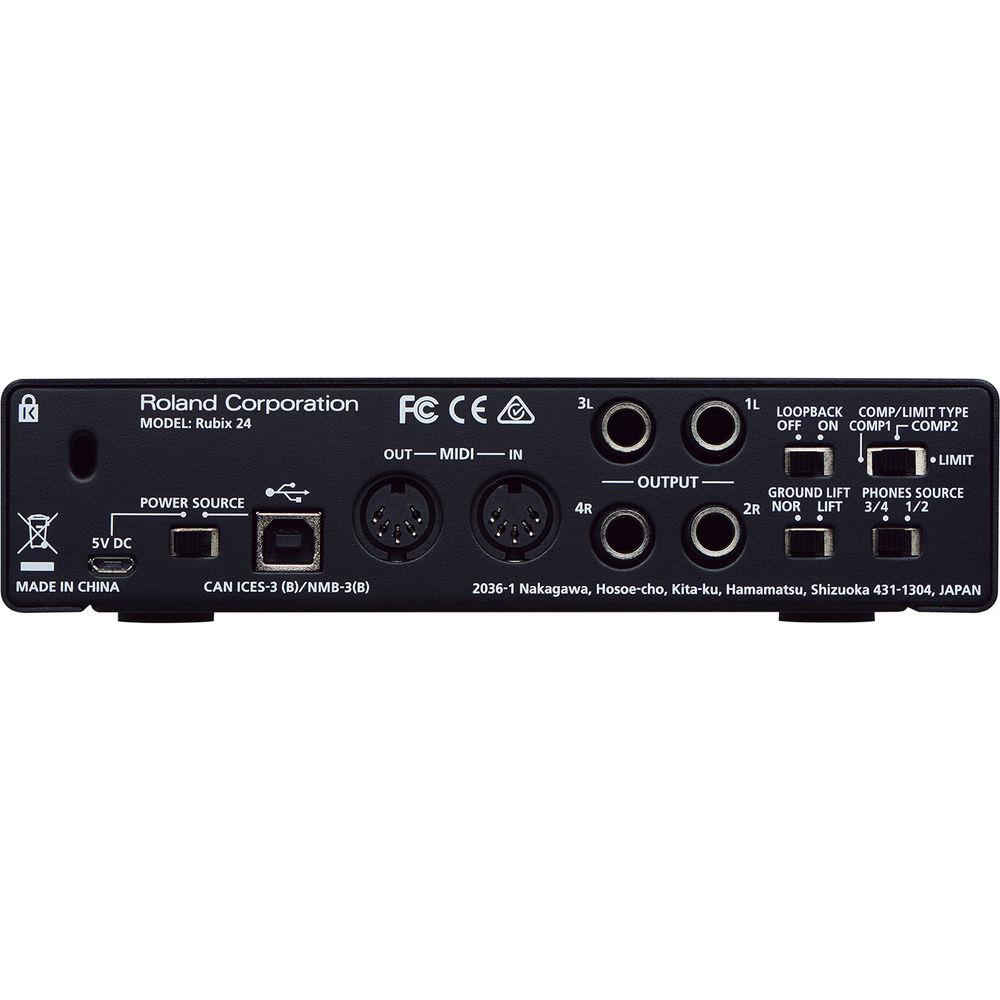
- Ground lifts for quiet operation in a variety of venues
- Extensively shielded, low-noise design
- Sturdy and compact metal construction
- Includes Ableton Live Lite
UPC: 761294508930 In the Box Roland Rubix24 - 2x4 USB Audio Interface USB Cable Ableton Live Lite Serial Number Card Limited 1-Year Warranty User Manual PDF 6.1mbueeftwsfrx Table of Contents
|
Upload User Manual
Have you got an user manual for the Roland Rubix24 - 2x4 USB Audio Interface in electronic form? Please send it to us and help us expand our library of instruction manuals.
Thank you, too, on behalf of other users.
To upload the product manual, we first need to check and make sure you are not a robot. After that, your "Submit Link" or "Upload File" will appear.
Technical parametersRoland RUBIX24 Specs | Channels | Record: 2 channelsPlayback: 4 channels | | Signal Processing | Interface: 24-bitAD/DA conversion: 24-bit | | Sampling Frequency | AD/DA Conversion: 44.1, 48, 96, 192 kHz | | Interface | Hi-speed USB 2.0MIDI in/out | | Connectors | Input (1L, 2R) Connectors: XLR, balanced, phantom power (+48 V, 6 mA max.)Input (1L, 2R) Jacks: 1/4" TRS phone, balanced, input 1L supports high impedancePhones Jack: Stereo 1/4" phone Output (1L, 2R, 3L, 4R) Jacks: 1/4" TRS phone, impedance balancedMIDI (In/Out) connectorsUSB port: USB Type-B5 VDC Port: USB Micro-B | | Controllers | SENS 1L, 2R, knobsHi-Z switch48 V switchTHRS knobCOMP/LIMIT switchCOMP/LIMIT TYPE switchMONO switchOUTPUT knobPHONES knobPOWER SOURCE switchLOOPBACK switchDIRECT MONITOR knobGROUND LIFT switch | | Indicators | Level indicators (1L, 2R)Level indicator (COMP/LIMIT)Power indicatorHi-Z indicator48 V indicator | | Nominal Input Level | Input (1L, 2R) Connectors (XLR): -60 to -12 dBuInput (1L, 2R) Jacks (1/4" TRS Phone): -44 to +4 dBu | | Maximum Input Level | Input (1L, 2R) Connectors (XLR): +2 dBuInput (1L, 2R) Jacks (1/4" TRS Phone): +18 dBu | | Nominal Output Level | Output (1L, 2R, 3L, 4R) Jacks: -6 dBu, impedance balanced | | Maximum Output Level | Output (1L, 2R, 3L, 4R) Jacks: +8 dBu, impedance balanced
Phones Output: 20 mW + 20 mW / L + R, 47 Ohms load | | Headroom | 14 dB | | Input Impedance | Input (1L, 2R) Connectors (XLR): 4 kOhms or greater (balanced)Input (1L, 2R) Jacks (1/4" TRS Phone): 15 kOhms or greater (balanced)Input (1L) Jack (1/4" Phone): 500 kOhms or greater when Hi-Z is turned on | | Output Impedance | Output (1L, 2R, 3L, 4R) Jacks: 2 kOhms, balancedPhones Jack: 47 Ohms | | Residual Noise Level (IHF-A, typ.) | Input (1L, 2R) to Output (1L, 2R): -94 dBu typ. (SENS 1L, SENS 2R knobs: min., input terminated with 600 Ohms, IHF-A, typ.) | | Dynamic Range | AD Block Input (1L, 2R) Jacks: 104 dB typ. (SENS 1L, SENS 2R knobs: min.)DA Block Output (1L, 2R, 3L, 4R) Jacks: 109 dB typ. | | Power Supply | Supplied from computer via USB, 5 VDC | | Current Draw | 500 mA | | Operating System | Windows 7, 8, 8.1,10Mac OS X 10.10 or lateriPad iOS 9 or later | | Dimensions (W x D x H) | 7.2 x 6.5 x 1.8" / 183.0 x 165.0 x 46.0 mm | | Weight | 2.6 lb / 1.2 kg | | | | Package Weight | 3.9 lb | | Box Dimensions (LxWxH) | 10.8 x 8.9 x 3.4" |
Rating90% users recommend this product to others. And what about you?

This product has already been rated by 63 owners. Add your rating and experience with the product.
Discussion
 Ask our technicians if you have a problem with your settings,
or if anything is unclear in the user manual you have downloaded.
You can make use of our moderated discussion.
The discussion is public and helps other users of our website who may be encountering similar problems.
Ask our technicians if you have a problem with your settings,
or if anything is unclear in the user manual you have downloaded.
You can make use of our moderated discussion.
The discussion is public and helps other users of our website who may be encountering similar problems.
The discussion is empty - enter the first post
Post a new topic / query / comment:
|
|


