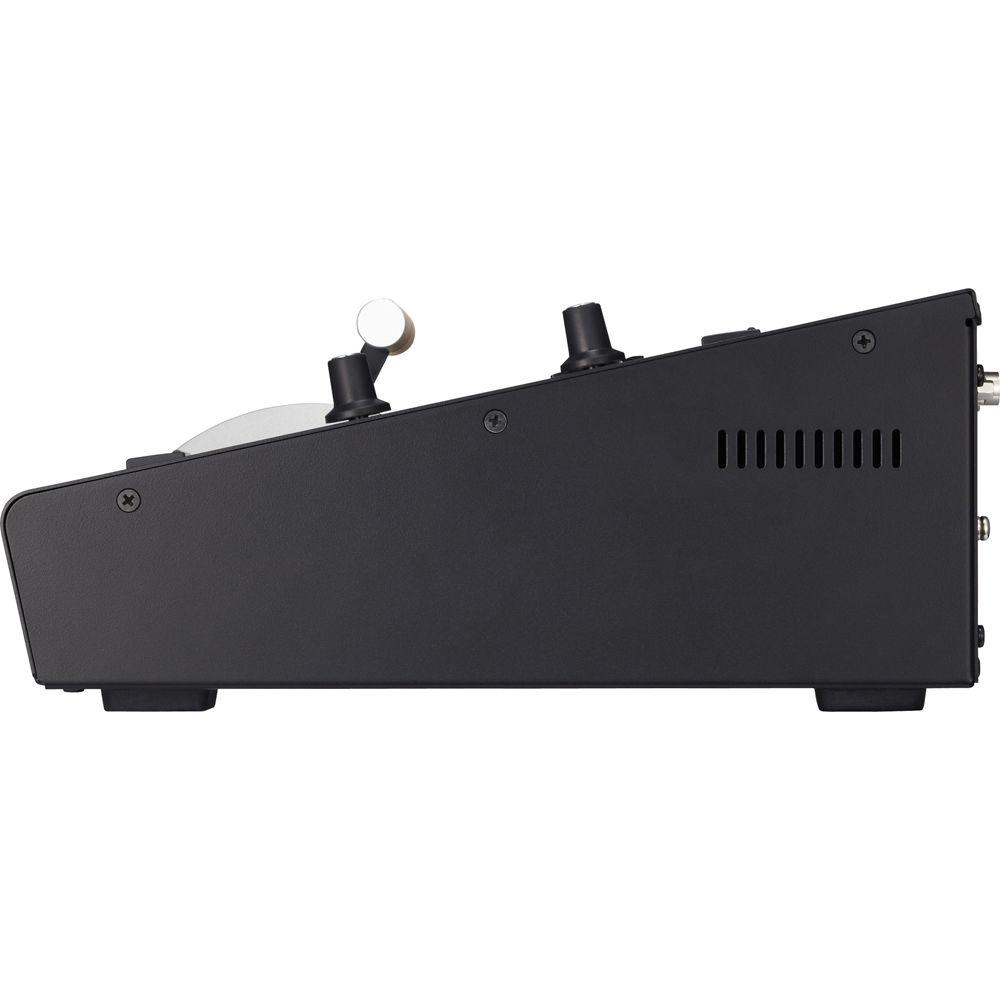
User Manual for Roland V-40HD Multi-Format Video Switcher Click to enlarge the picture
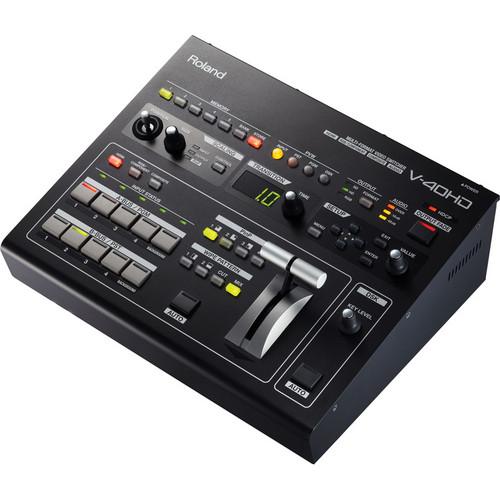 Contents of the user manual for the Roland V-40HD Multi-Format Video Switcher
- Product category: Production Switchers Roland
- Brand: Roland
- Description and content of package
- Technical information and basic settings
- Frequently asked questions – FAQ
- Troubleshooting (does not switch on, does not respond, error message, what do I do if...)
- Authorized service for Roland Production Switchers
 |
User manual for the Roland V-40HD Multi-Format Video Switcher contain basic instructions
that need to be followed during installation and operation.
Before starting your appliance, the user manual should be read through carefully.
Follow all the safety instructions and warnings, and be guided by the given recommendations.
User manual is an integral part of any Roland product,
and if it is sold or transferred, they should be handed over jointly with the product.
Following the instructions for use is an essential prerequisite for protecting
health and property during use, as well as recognition of liability on the part of the manufacturer
for possible defects should you make a warranty claim. Download an official Roland user manual in which you will find instructions on how to install, use, maintain and service your product.
And do not forget – unsuitable use of a Roland product will considerably shorten its lifespan!
|
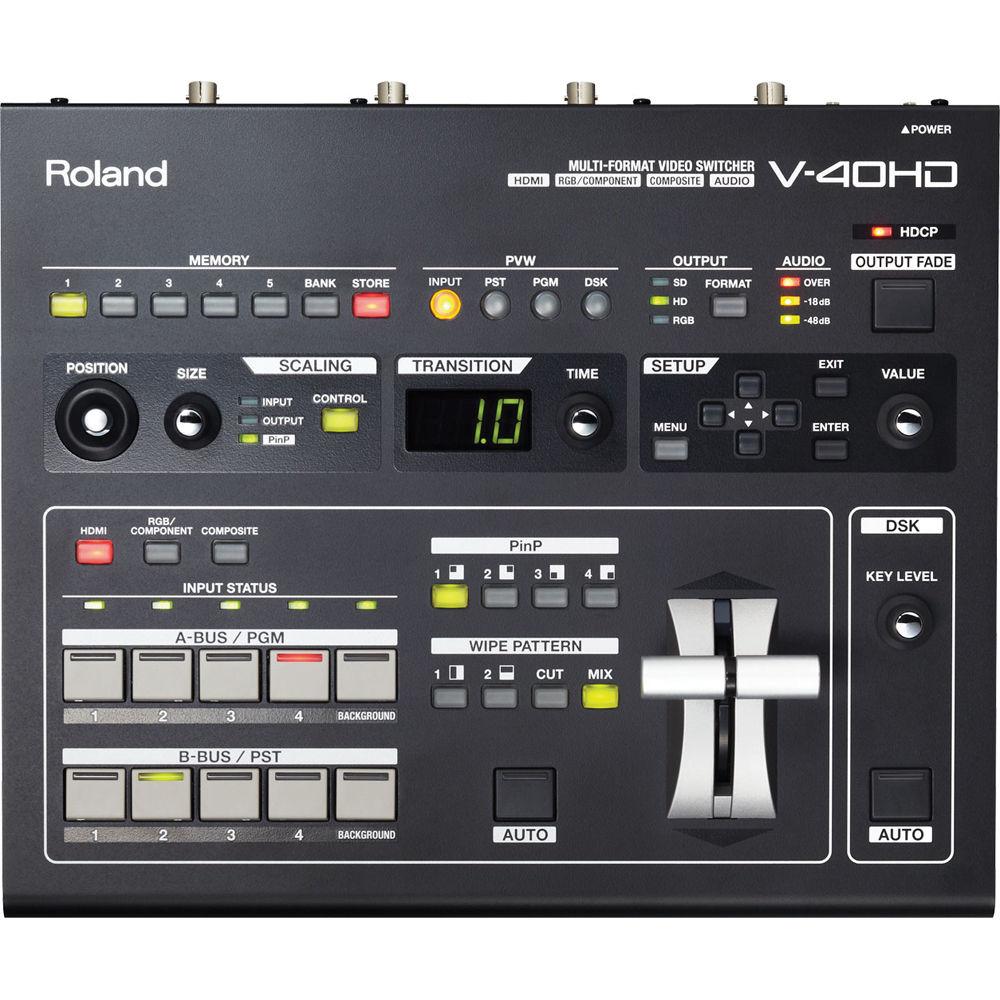
Product description The Roland V-40HD Multi-Format Video Switcher is a true multi-format video switcher, meaning it doesn't require input sources to be matched to output resolutions. Every input has its own broadcast quality scaler that can individually scale, stretch, crop and zoom each source as needed for the output resolution chosen. A Multi-Zoom feature can be enabled when one video input is shared internally with up to three more inputs. The scaler for each input can zoom into any position in the video image to give the appearance that additional cameras are connected, thus creating a virtual multi-camera environment. LEDs indicate input status.
Signal processing is 4:4:4 at 10 bits on input and 4:2:2 at 8 bits on output. Effects include a Downstream Keyer for compositing logos and text into output video. An audio input bus enables audio to be embedded onto the HDMI outputs. An Audio Delay feature aligns timing with video for perfect lip sync.
You can control the switcher via any MIDI device. And you can use RS-232C for integrated remote control. Additional V-40HD units can be added into the mix for more inputs. - True Multi-Format
- Every input has its own broadcast quality scaler that individually scales each input source to fit any output resolution selected. Accordingly, you won't need to match input sources to the output resolution.
- Inputs & Outputs
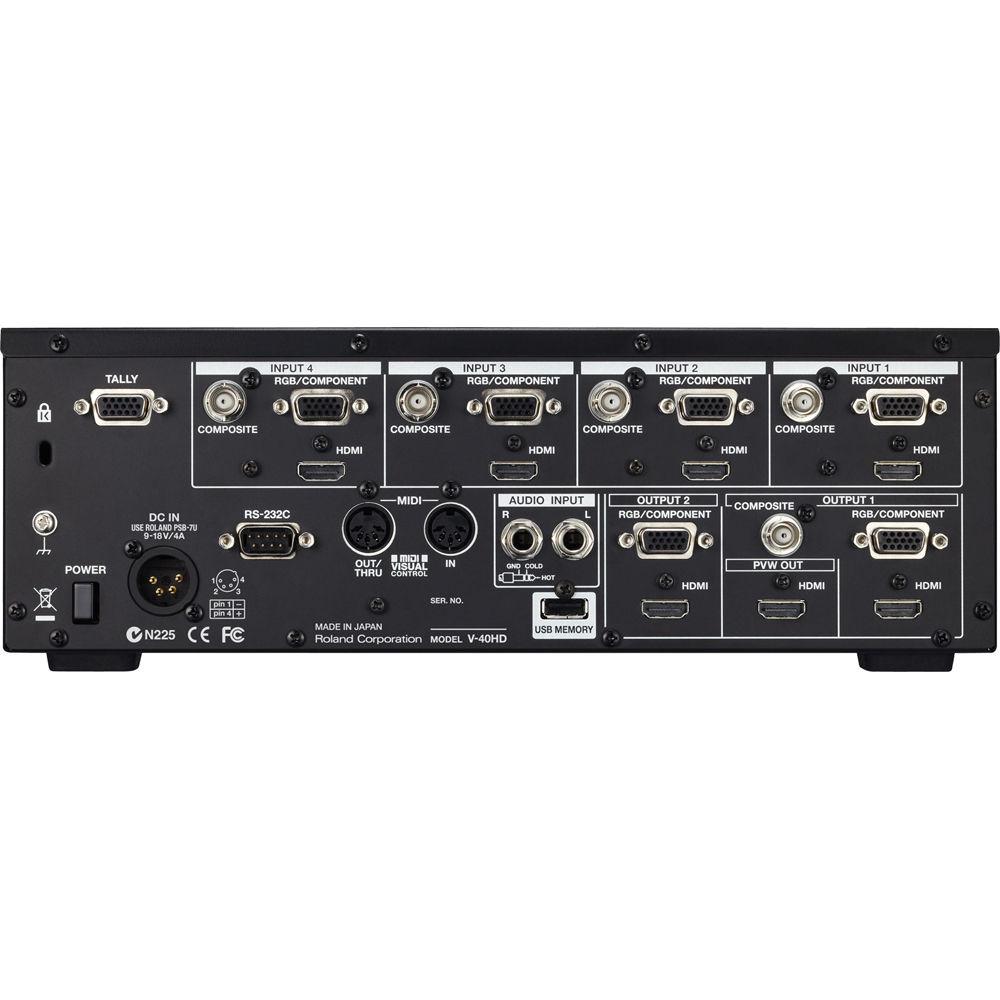
- The switcher features twelve inputs on four channels, a background channel, and 6 outputs.
Inputs:
- 4x HDMI
- 4x RGB/Component on HD DB-15
- 4x Composite on BNC
Outputs:
- 2x HDMI
- 2x RGB/Component on HD DB-15
- 1x Composite on BNC
- 1x Preview on HDMI
- Resolutions up to 1080/60p
- The inputs and outputs support resolutions up to 1080/60p (and 1080/50p for PAL) or 1920 x 1200 computer resolution.
- 4:4:4 / 10-Bit Processing
- The switcher uses 4:4:4 / 10-bit internal signal processing and 4:2:2 / 8-bit output signal processing.
- HDCP Compliant
- The switcher is HDCP compliant and accordingly allows you to mix copy-protected game and Blu-ray content with other computer and camera sources. Commercial use of content requires the permission of the copyright holder. In HDCP mode, only HDMI (or DVI-D via a converter) output can be used. Use of Component and Composite outputs is not possible. The display or projector connected to the HDMI (or DVI-D) output must support HDCP.
- Background Functions
- Background music, narration, or other analog sound sources can be input. Video and audio can be mixed and synched and then output by HDMI.
- Preview
- You can choose the view displayed on a preview monitor. You can choose from a four-way split screen, PST, PGM or DSK to display. The resolution and refresh rate of monitor output is fixed at 1080/60p, so an HDMI monitor that supports HDCP and 60p signals is required. In a four-way split, the sources are displayed at a reduced frame rate.
- Memory
- You can save the switcher's settings in internal memory. Each of five memory banks can hold five sets of settings, letting you save a total of 25 configurations.
- Control Interface
- You can control the V-40HD via any MIDI device. A Roland digital audio mixer, like the M-200i V-Mixer, for example, can link to the V-40HD for audio-follows-video applications. And you can use RS-232C for integrated remote control. And you can connect another V-40HD for more inputs.
- Audio Input Bus
- The switcher features an audio input bus with volume and delay settings, allowing you to embed audio into the HDMI output signal, which is especially useful for streaming and recording applications.
- Multi-Zoom
- A Multi-Zoom feature can be enabled when one input source is shared internally with up to three more inputs -- essentially creating a daisy-chain. The scaler for each input can zoom into any position in the video image, giving the appearance that additional cameras are connected, creating a virtual multi-camera environment.
- Effects
-
- Downstream Keyer: composites logos and text into output video
- Mix, Cut, Wipe (9 patterns)
- Picture in Picture
- Output Fade
UPC: 761294502259 In the Box Roland V-40HD Multi-Format Video Switcher 4-Pin XLR AC Adapter Power Cord 4 x RCA-to-BNC Conversion Plugs Owner's Manual 1-Year Limited Warranty User Manual PDF 10.1mbaaezzqeyxbffwtvcvdsxyfdeftxbrerzee Table of Contents
|
Upload User Manual
Have you got an user manual for the Roland V-40HD Multi-Format Video Switcher in electronic form? Please send it to us and help us expand our library of instruction manuals.
Thank you, too, on behalf of other users.
To upload the product manual, we first need to check and make sure you are not a robot. After that, your "Submit Link" or "Upload File" will appear.
Technical parametersRoland V-40HD Specs | Processing | Video: 4:4:4 Y/Pb/Pr, 10 bits (output signal processing is 4:2:2, 8 bits)
Audio: 24 bits / 48 kHz, 2 channels | | Input Formats | HDMI video:
480/59.94i, 576/50i, 480/59.94p, 576/50p, 720/59.94p, 720/50p, 1080/59.94i, 1080/50i, 1080/59.94p, 1080/50p, 640 x 480/60 Hz, 800 x 600/60 Hz, 1024 x 768/60 Hz, 1280 x 768/60 Hz, 1280 x 1024/60 Hz, 1366 x 768/60 Hz, 1400 x 1050/60 Hz, 1600 x 1200/60 Hz, 1920 x 1080/60 Hz, 1920 x 1200/60 Hz
The video signal frame rate must match with the unit's frame rate setting
Conforms to VESA DMT version 1.0 revision 11
1920 x 1200/60Hz: reduced blanking
HDMI audio:
Linear PCM, 24 bits / 48 kHz, 2 channels
RGB/ Component:
480/59.94i, 576/50i, 480/59.94p, 576/50p, 720/59.94p, 720/50p, 1080/59.94i, 1080/50i, 1080/59.94p, 1080/50p, 640 x 480/60 Hz, 800 x 600/60 Hz, 1024 x 768/60 Hz, 1280 x 768/60 Hz, 1280 x 1024/60 Hz, 1366 x 768/60 Hz, 1400 x 1050/60 Hz, 1600 x 1200/60 Hz, 1920 x 1080/60 Hz, 1920 x 1200/60 Hz
The video signal frame rate must match with the unit's frame rate setting
Conforms to VESA DMT version 1.0 revision 11
1920 x 1200/60Hz: reduced blanking
Composite:
NTSC, PAL | | Output Formats | HDMI video:
480/59.94i, 576/50i, 480/59.94p, 576/50p, 720/59.94p, 720/50p, 1080/59.94i, 1080/50i, 1080/59.94p, 1080/50p, 640 x 480/60 Hz, 800 x 600/60 Hz, 1024 x 768/60 Hz, 1280 x 768/60 Hz, 1280 x 1024/60 Hz, 1366 x 768/60 Hz, 1400 x 1050/60 Hz, 1600 x 1200/60 Hz, 1920 x 1200/60 Hz
The output refresh rates of 640 x 480 - 1400 x 1050 are 75 Hz when the unit's frame rate setting is 50 Hz
Conforms to VESA DMT version 1.0 revision 11
1920 x 1200/60Hz: reduced blanking
HDMI audio:
Linear PCM, 24 bits / 48 kHz, 2 channels
RGB/ Component:
480/59.94p, 576/50p, 720/59.94p, 720/50p, 1080/59.94p, 1080/50p, 640 x 480/60 Hz, 800 x 600/60 Hz, 1024 x 768/60 Hz, 1280 x 768/60 Hz, 1280 x 1024/60 Hz, 1366 x 768/60 Hz, 1400 x 1050/60 Hz, 1600 x 1200/60 Hz, 1920 x 1200/60 Hz
The output refresh rates of 640 x 480 - 1400 x 1050 are 75 Hz when the unit's frame rate setting is 50 Hz
Conforms to VESA DMT version 1.0 revision 11
1920 x 1200/60Hz: reduced blanking
Composite:
NTSC, PAL
Preview (HDMI):
Video: 1920 x 1080/60 Hz (fixed)
When input is selected, the sources are displayed with a reduced frame rate
Audio: linear PCM, 24 bits/48 kHz, 2ch | | Inputs | 4x HDMI Type A
4x RGB/Component on HD DB-15
4x Composite on BNC
1x 1/4" TRS phone type balanced/unbalanced pair
1x Tally on HD DB-15 (max input: 12 V/200 mA, open collector type)
2x MIDI on 5-pin DIN (In / Out / Thru)
1x RS-232C on 9-pin D-sub
1x USB type A (host, for USB storage) | | Outputs | 2x HDMI Type A (output 1 / 2)
2x RGB/Component on HD DB-15 (output 1 / 2)
1x Composite on BNC
1x Preview on HDMI Type A | | RGB / Component | Signal level: 0.7 Vp-p( H,V:5VTTL)
Impedance: 75 ohms | | Composite | Signal level:
1.0 Vp-p (luminance)
0.286 Vp-p (chroma, NTSC)
0.3 Vp-p (chroma, PAL)
Impedance:
75 ohms | | Audio Effects Delay | 0.0 to 12.0 frames | | 0dBu | 0.775 Vrms | | Power | DC 12 V, 2.6 A | | Dimensions | 12.5 x 10.5 x 4.3" (31.7 x 26.7 x 11 cm) | | Weight | 7.5 lb (3.4 kg) | | | | Package Weight | 11.55 lb | | Box Dimensions (LxWxH) | 15.7 x 13.7 x 9.2" |
Rating96% users recommend this product to others. And what about you?

This product has already been rated by 99 owners. Add your rating and experience with the product.
Discussion
 Ask our technicians if you have a problem with your settings,
or if anything is unclear in the user manual you have downloaded.
You can make use of our moderated discussion.
The discussion is public and helps other users of our website who may be encountering similar problems.
Ask our technicians if you have a problem with your settings,
or if anything is unclear in the user manual you have downloaded.
You can make use of our moderated discussion.
The discussion is public and helps other users of our website who may be encountering similar problems.
The discussion is empty - enter the first post
Post a new topic / query / comment:
|
|


