|
User Manual for Samsung 693-Series 40" Premium LED Healthcare TV for Patient Education Click to enlarge the picture
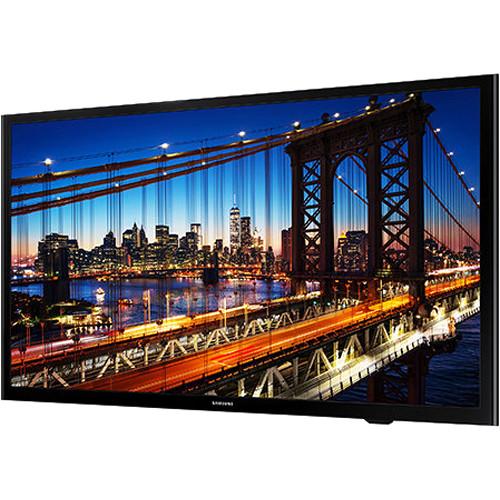 Contents of the user manual for the Samsung 693-Series 40" Premium LED Healthcare
- Product category: Commercial Monitors Samsung
- Brand: Samsung
- Description and content of package
- Technical information and basic settings
- Frequently asked questions – FAQ
- Troubleshooting (does not switch on, does not respond, error message, what do I do if...)
- Authorized service for Samsung Commercial Monitors
|
User manual for the Samsung 693-Series 40" Premium LED Healthcare contain basic instructions
that need to be followed during installation and operation.
Before starting your appliance, the user manual should be read through carefully.
Follow all the safety instructions and warnings, and be guided by the given recommendations.
User manual is an integral part of any Samsung product,
and if it is sold or transferred, they should be handed over jointly with the product.
Following the instructions for use is an essential prerequisite for protecting
health and property during use, as well as recognition of liability on the part of the manufacturer
for possible defects should you make a warranty claim. Download an official Samsung user manual in which you will find instructions on how to install, use, maintain and service your product.
And do not forget – unsuitable use of a Samsung product will considerably shorten its lifespan!
|
Product description The 693-Series 40" Premium LED Healthcare TV from Samsung is designed with hospital-specific features to help make a positive impact on patient outcomes. The TV's universal pillow speaker interface works without the need for an external set-top or set-back box. This eliminates the hassle of fumbling with remotes and allows for adequate listening volumes so as not to disturb other patients.
Featuring direct-lit LED technology, this TV offers energy savings while delivering high-definition images up to 1920 x 1080 with uniform brightness. Side-mounted USB ports facilitate setup while the LYNK REACH 4.0 solution makes content management simple. The TV is compatible with many interactive patient education systems. - UL-Listed for Hospital Use
- This Healthcare Series TV is engineered to meet the requirements of hospital environments and manufactured in accordance with UL safety standards.
- Universal Pillow Speaker Interface
- An easy-to-use interface for multiple styles of pillow speakers is built into the TV, eliminating the hassle of changing batteries and looking for lost remotes.
- H.Browser for Streamlined Operations
- Enabled by Tizen, Samsung's H.Browser allows flexibility for content development and offers system integrators the opportunity to create even smarter solutions.
- LYNK REACH 4.0 Content Management Solution
- The LYNK REACH 4.0 is a complete content management solution that accommodates coaxial, LAN, and Wi-Fi infrastructures to amplify hospital management, monitoring, and patient service functions. It allows healthcare providers to give patients easy access to educational information, and offers entertainment for patients and visitors.
- Anynet+ (HDMI–CEC)
- This Samsung protocol allows users to control other HDMI devices connected to the TV display, such as DVD players, PCs, and soundbars.
- ConnectShare (USB 2.0)
- Users can connect a thumb drive or digital camera to the TV quickly and easily via ConnectShare USB 2.0. This user-friendly interface allows access to videos, a music playlist, and pictures.
- Hospital TV (RJ12 / IR Pass-Through)
- This interface allows users to connect an interactive set-top box or set-back box.
- Hospital TV RJ45
- This interface connects to hospital LAN using custom H.Browser or Samsung LYNK REACH 4.0.
- Interactive Compatibility System
- The Healthcare TV is compatible with Allen, GetWellNetwork, SONIFI, and iTigr interactive patient engagement solutions.
- Remote Jack Panel Compatibility
- An RJP output jack allows connectivity to G-Link and TeleAdapt hospitality devices.
- Samsung Smart View
- Samsung Smart View allows to wirelessly access and share content between Samsung devices from anywhere without using any cables or connected devices. It's also equipped with cloud technology for uploading content to a central web storage account.
- Wi-Fi
- With built-in Wi-Fi, no additional equipment is needed to connect with an existing wireless router in the hospital network.
- LYNK HD Content Decryption DRM
- Software-based DRM technology is integrated into the TV, offering a robust solution to unlock premium HDTV content from cable, satellite, VOD, and other content providers.
- Pro:Idiom HD Content Decryption DRM
- This TV is equipped with Pro:Idiom MPEG4 technology, making it compatible with most major VOD/PPV systems. Guests can be offered premium HDTV content from cable, satellite, or video-on-demand services without need for any optional cards or external boxes.
- Verimatrix HD Content Decryption DRM
- IPTV-IP Multicast DRM is used in conjunction with Samsung H.Browser to unlock premium HDTV content from content providers such as cable and satellite providers.
- Channel Bank Editor
- The Channel Bank Editor lets managers control the channels the patients have access to. It provides three banks of channels and allows managers to select which channels are available from each bank. Access to channels can be controlled by setting the item of Channel Bank Service Level in the Hospitality Option Menu.
- Channel Remapping
- The Channel Editor lets managers edit the channels stored in the TV's memory. Using Channel Editor, channel numbers and names can be changed, and the channels can be sorted in the desired channel number order. Managers can also apply the video mute to selected channels. The video mute function blanks out the video from a channel and outputs only the sound while displaying a speaker icon on the screen.
- Closed Captioning
- A text version of all spoken audio content including dialog can be displayed on the screen. Non-speech information such as the identity of the speakers and symbols for sound effects and music can also be displayed as text.
- Hospital Channel List
- A master channel listing of program content displays content in analog or HD.
- Hospital Logo Display with Time-Out Setting
- Hospital logo bitmap files can be displayed on a greeting startup screen.
- Hospital Mode Plug & Play
- Interactive and standalone modes are available.
- Multi-Code Remote
- Multi-code remote eliminates interference when two or more TVs are used in close proximity to each other.
- Lockout Controls
- The hospital manager can enable front panel and menu display lock-outs.
- On-Screen Display Language
- Choose from English, French, and Spanish.
- Power-On Status Setting
- The available power settings include power always on, last option, and standby.
- Sleep Timer
- The sleep timer function allows patients to set TV turn-off time in 30-minute intervals up to 180 minutes.
- USB Cloning
- Via USB, the settings of one television can be quickly and easily cloned and applied to other televisions in the facility. This saves time and helps provide a consistent viewing experience from all televisions.
- Audio Volume Limiter
- During initial product setup, minimum and maximum volume levels can be locked to help minimize disturbance to other hospital patients.
- HD Resolution
- This TV delivers sharp and clear images at FHD video resolutions up to 1920 x 1080.
- Music Mode
- The TV's music mode allows audio feedback when the image is muted and supports HDMI, PC, AV, and component inputs.
- Music Mode Backlight On/Off
- Background images can be displayed on the TV while it plays music.
- Premium Direct-Lit LED Technology
- Direct-lit LED technology provides energy savings along with the uniform brightness typical of CCFL displays.
- Quad Core Processor
- Quad Core makes multitasking fast letting users to browse the web quickly and easily download apps to the TV.
UPC: 887276227016 In the Box Samsung 693-Series 40" Premium LED Healthcare TV for Patient Education VESA Wall Mount Support Power Cable Wall Bracket and Nut Limited 2-Year Warranty Table of Contents
|
Upload User Manual
Have you got an user manual for the Samsung 693-Series 40" Premium LED Healthcare TV for Patient Education in electronic form? Please send it to us and help us expand our library of instruction manuals.
Thank you, too, on behalf of other users.
To upload the product manual, we first need to check and make sure you are not a robot. After that, your "Submit Link" or "Upload File" will appear.
Technical parametersSamsung HG40NF693GFXZA Specs | | | Backlight | LED | | Diagonal Screen Size | 40" / 102 cm | | Resolution | 1920 x 1080 (FHD) | | | | Picture Engine | HyperReal | | Dynamic Contrast Ratio | Mega contrast | | Video Features | Wide color enhancer (plus), film mode, and natural mode | | | | Sound Output (RMS) | 2 x 10 W | | Speaker Type | 2-channel down firing with bass reflex | | Audio Features | Dolby Digital Plus and Bluetooth audio | | | | VESA Configuration | Wall Mount: 200 x 200 mm
Screw Size: M8
Screw Depth: 20 to 21 mm | | | | Smart TV Features | Mobile to TV - mirroring, DLNA
Samsung SMART view
Wired TV On - Samsung WOL
Web browser | | Accessibility | Voice Guide / Enlarge / High Contrast / Multi-Output Audio | | OSD Languages | English, Spanish, and French | | Additional Functions | ConnectShare (HDD), ConnectShare (USB 2.0), soft AP, BT HID support, USB HID support, V-Chip, digital clean view, auto channel search, auto power off, EPG, caption (subtitle), and game mode | | System | ATSC / clear QAM digital broadcasting
Analog tuner | | Hospitality | Samsung LYNK™ HMS compatibility, H. Browser, Samsung LYNK REACH 4.0 (IP/RF), Samsung LYNK DRM (IP/RF), Pro:Idiom (IP/RF), hospitality home menu 2017, hospitality plug & play (easy setup), auto source mode, power on mode, hotel channel list, channel menu display, mixed channel list (ATSC, DVB-T/T2/C/S2, and analog), energy saving mode (BLU control), logo display with timer out setting (BMP/movie), welcome message, RJ12/IR pass-through, clock backup power supply, multi-code remote control, sound bar compatibility, music mode (PC/AV/component/HDMI input), music mode backlight on/off, USB cloning, Smoovie compatibility, on/off timer (schedule), wake-up timer (alarm), security mode, and S/W EPG (Solution EPG) | | Healthcare | UL certification and pillow speaker interface | | | | Inputs and Outputs | 3 x HDMI (side)
1 x USB (side)
1 x Component/composite input (rear)
1 x LAN Ethernet (side)
1 x LR mini jack audio output (side)
1 x Digital audio output (rear)
1 x RF input (terrestrial / cable input / satellite input, rear)
1 x RS-232C ex-link (side)
1 x Pillow speaker jack (rear)
1 x RJ12 (rear)
1 x RJP jack (side) | | | | Power Supply | 110-120 VAC
50/60 Hz | | Power Consumption | Maximum: 90 W
Typical: 35 W
Standby: 0.5 W | | | | Dimensions | 36.3 x 20.9 x 2.9" / 92.3 x 53.1 x 7.3 cm, without stand, wall-mount side | | Weight | 15 lb / 6.8 kg, without stand | | | | Package Weight | 23.0 lb | | Box Dimensions (LxWxH) | 43.0 x 25.0 x 6.0" |
Rating70% users recommend this product to others. And what about you?

This product has already been rated by 21 owners. Add your rating and experience with the product.
Discussion
 Ask our technicians if you have a problem with your settings,
or if anything is unclear in the user manual you have downloaded.
You can make use of our moderated discussion.
The discussion is public and helps other users of our website who may be encountering similar problems.
Ask our technicians if you have a problem with your settings,
or if anything is unclear in the user manual you have downloaded.
You can make use of our moderated discussion.
The discussion is public and helps other users of our website who may be encountering similar problems.
The discussion is empty - enter the first post
Post a new topic / query / comment:
|
|
|
| Request for user manual |
You can’t find the operation manual you are looking for? Let us know and we will try to add the missing manual:
I’m looking for a manual / Request for manual
Current requests for instruction manuals:
Call Of Duty World War Two For Xbox...
controller stratus XL...
stratus XL...
smart whatch serie S11 42mm...
Allen & Heath SQ-6 manual...
|
| Discussion |
Latest contributions to the discussion:
AEW R 4100
Name: MAURICIO ANGARITA
Audio-Technica AEW-R4100 UHF Diversity Receiver for
AEW R 4100 has the mute function blocked and does not allow audio to pass. I tried several times to turn off the mute from the transmitter but it does nothing, the mute stays on. Solution?
Thank you...
Instructions for assembling the 2015 Forecast Image Master Consoles GC3-A
Name: mike elam
Forecast Consoles GC3-A ImageMaster Editing Console
Looking for instructions for assembling this console. ...
EMPTY TONER ERROR MESSAGE AFTER REPLACING TONER
Name: LINDA BAD YELLOW EYES
Brother TN223BK Standard-Yield Toner
I HAD TO CHANGE OUT ALL THREE TONERS DUE TO LEAKS IN THE YELLOW AND CYAN. AFTER I REPLACED THEM, THE MACHINE KEEPS GIVING ME AN EMPTY TONER ERROR MESSAGE. HELP!!...
PS480D 20/24 pin Switching 480W Power Supply
Name: swkargo
Logisys 480W Power Supply
This item states in can run -5vdc .It is NOT listed on the board or I beleive is r4 is missing the resitior. Any body have thid issue. Shawn
...
Help needed
Name: Ann Carter
SanDisk 1TB Extreme Portable USB 3.1
When I click the link to download the user manual for my Sandisk Extreme external hard drive, it gives me the manual for the LG Cricket. Can you please change the link so I can download the Sandisk manual and begin using this drive? Thank you....
|
|


