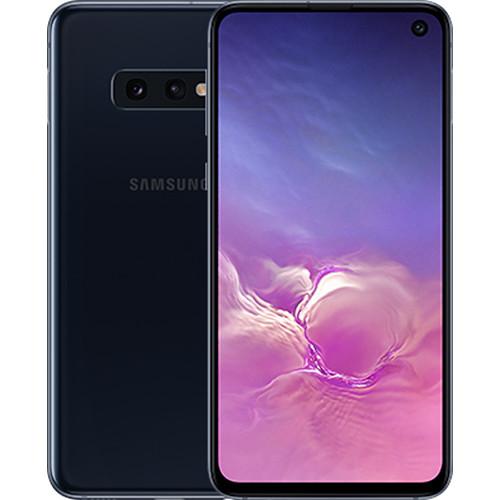
User Manual for Samsung Galaxy S10e SM-G970F 128GB Smartphone Click to enlarge the picture
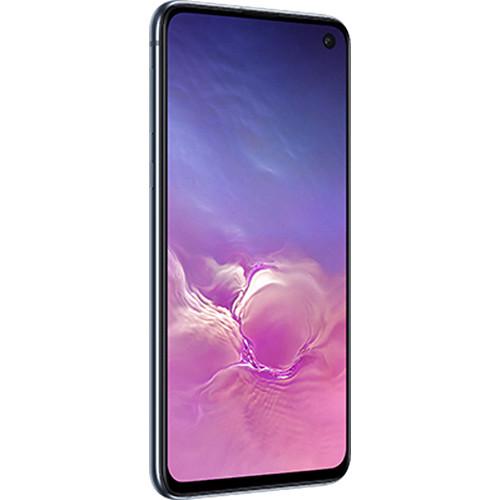 Contents of the user manual for the Samsung Galaxy S10e SM-G970F 128GB Smartphone
- Product category: Unlocked Cell Phones Samsung
- Brand: Samsung
- Description and content of package
- Technical information and basic settings
- Frequently asked questions – FAQ
- Troubleshooting (does not switch on, does not respond, error message, what do I do if...)
- Authorized service for Samsung Unlocked Cell Phones
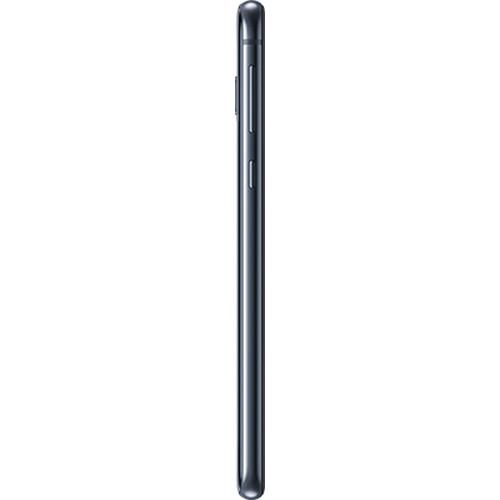
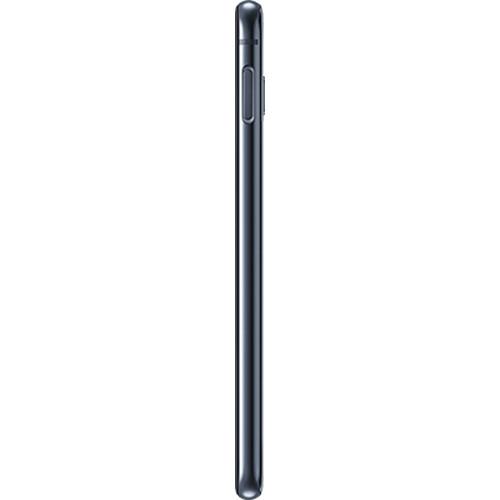
 |
User manual for the Samsung Galaxy S10e SM-G970F 128GB Smartphone contain basic instructions
that need to be followed during installation and operation.
Before starting your appliance, the user manual should be read through carefully.
Follow all the safety instructions and warnings, and be guided by the given recommendations.
User manual is an integral part of any Samsung product,
and if it is sold or transferred, they should be handed over jointly with the product.
Following the instructions for use is an essential prerequisite for protecting
health and property during use, as well as recognition of liability on the part of the manufacturer
for possible defects should you make a warranty claim. Download an official Samsung user manual in which you will find instructions on how to install, use, maintain and service your product.
And do not forget – unsuitable use of a Samsung product will considerably shorten its lifespan!
|
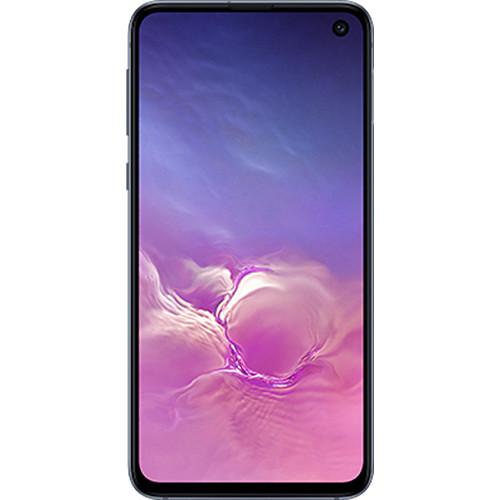
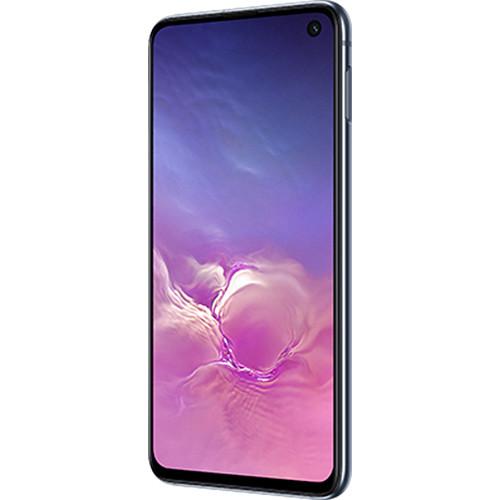
Product description The S10, S10e, and S10+: Which Flagship Galaxy S10 is Right for You? Read More Say goodbye to the 'notch' and hello to Infinity-O, the Galaxy S10e SM-G970F 128GB Smartphone from Samsung features the nearly bezel-less, all-screen Infinity-O display. To help push the screen from edge-to-edge, Samsung laser-cut a hole in the front corner of the display to accommodate the 10MP dual-pixel wide-angle selfie camera. The screen itself is a big 5.8" Dynamic AMOLED Infinity Display. It's also certified to support HDR10+ for a cinematic experience and is designed to produce brilliant and realistic images.
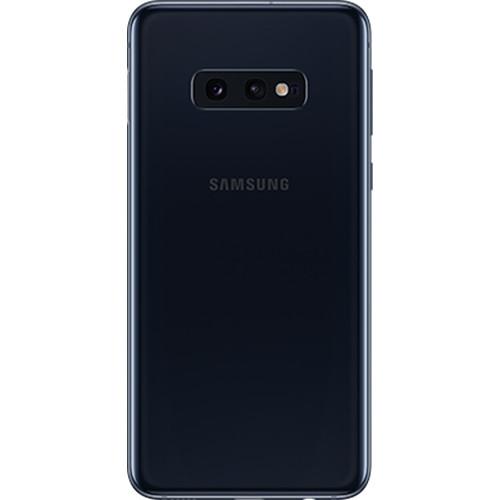
On the reverse of the S10e, you'll find Samsung's pro-grade dual-camera array. It includes 16MP ultra-wide and 12MP dual-pixel wide-angle cameras. With a lens for almost every situation, Samsung added AI to make sure they give you the best results possible. The S10e can detect up to 30 scenes and auto-optimize settings for each as well as give you the opportunity to play with a variety of graphic effects in real time. Want video instead? Both front and back cameras can capture at 4K UHD quality, with the rear array adding support for HDR10+ recording.
Running the Android 9.0 Pie operating system, this phone is powered by a Samsung Exynos 9820 Octa-Core processor and 6GB of RAM. You can store your ultra-wide images, 4K videos, on 128GB of built-in storage, which can be expanded via an (optional) microSD card up to 512GB in size. This phone is unlocked and compatible with GSM/4G LTE networks. Connect to the internet and other devices with built-in Wi-Fi 6 (802.11ax) 2.4+5 GHz Wi-Fi and Bluetooth 5.0. General - Android 9.0 Pie
- The Android operating system integrates heavily with Google's services. It's a personalized and customizable OS, allowing you to add your favorite apps or widgets to your home screen. You can even download new themes using the Google Play Store, which offers access to millions of apps, games, books, music, movies, and more. Android 9.0 Pie adds a variety of predictive capabilities, navigation changes, and digital well-being enhancements that let you take control of your Android experience. By learning how you use your phone over time, Pie will automatically adjust certain features for you, such as battery usage and display brightness. With App Actions, Pie uses what it learns to get you to your next task quickly. For example, plug in your headphones and Pie will automatically bring up your last playlist. With Dashboard and App Timers, Pie lets you see your phone usage in detail, allowing you to set timers and reminders so you can better manage the time you spend using your smartphone.
- GSM / 4G LTE Wireless Connectivity
- This phone is designed to work on select GSM networks and is 4G LTE capable. LTE is an advanced cellular network data protocol capable of data speeds so fast that they compete with wired broadband Internet providers. With an LTE connection, this phone should have no problem streaming HD video, downloading apps, uploading photos, or anything else that requires a high-speed data connection. The phone is also backwards compatible with 3G and 2G data for instances when you can't get LTE. In addition to cellular wireless, this phone also features Bluetooth and Wi-Fi connectivity.
Note: Not compatible with all cellular networks. Please make sure your provider uses a frequency or band that this phone supports. You can check which bands this phone works with in the Specifications. - Latin America Variant / US Compatible LTE
- The SM-G970F is a Latin America variant of the Galaxy S10e. To ensure this phone will work with your carrier, please choose your country and carrier above. Because the SM-G970F is an Latin America variant the language of the box and the default language of the phone may not be in English. Also a Latin American AC to USB adapter may be included.
Camera - Captures What Your Eye Can See
- Part of the rear dual-camera array, the 16MP ultra-wide lens has been constructed to take it all in. With a 123° field of view, its designed to capture images as wide as what your eyes can see. Lens correction is also incorporated into the camera to eliminate distortion.
- Scene Optimizer
- The Galaxy S10e's rear cameras feature Scene Optimizer, which has the ability to detect what kind of photo you're taking. Once a scene is detected, Local Tone Mapping optimizes the settings automatically to give you the best shot possible. With the addition of Flaw Detection, you'll be alerted to any flaws in your images, such as someone blinking.
The 30 scenes that can be detected are Face, Baby, Person, Dog, Cat, Food, People, Beaches, Sky, Mountain, Sunset, Sunrise, City, Snow, Waterfall, Watersides, Scenery, Stage, Vehicles, Drinks, Flowers, Trees, Greenery, Animal, Shoes, Backlit, Indoor, Text, Clothes, and Night View. - Shot Suggestion
- The built-in photo software of the S10e has been based on an analysis of over 100 million high-quality photos. The result is Shot Suggestion, where the S10e will guide you to producing the best composition, such as detecting if the phone is level and centered.
- Additional Camera Features
- Dual Aperture: The rear, wide-angle lens automatically adapts between f/1.5 in bright daylight and a f/2.4 aperture in low-light scenes.
Dual Pixel: Helps to provide bright and clear selfies that are in focus, even in low-light situations.
Super Steady Video: Built-in predictive software is combined with the 16MP ultra-wide camera in Full HD mode to keep your videos smooth.
Super Slo-Mo: Capture cool slow motion videos at 960 fps.
Ultra-Wide Panoramas: Utilize the 16MP ultra-wide camera to capture wider and taller panorama images.
Selfie Self-Focusing: The selfie camera can detect faces to focus quickly for portraits.
Live Focus: Live Focus uses the dual-camera setup to let you alter depth of field and add artistic effects to your selfies, such as Blur, Spin Bokeh, Zoom Bokeh, and Color Point. Performance - Wireless PowerShare
- If your wireless device needs some juice, let the Galaxy S10e charge it. Built into the rear of the Galaxy S10e is a wireless charging pad that gives you the ability to charge other devices with your phone. Simply lay a device right onto the back of the S10e, such as a Galaxy smartwatch, Galaxy Buds, or even another Galaxy S10 phone! PowerShare is compatible with any device that can be charged by WPC Qi wireless technology.
Please Note: Wireless PowerShare works with most Qi-Certified devices. Requires minimum 30% battery to share. Speed and power efficiency of charge varies by device. May not work with some accessories, covers, or other manufacturer's devices. If you have trouble connecting or charging is slow, remove any cover from each device. May affect call reception or data services, depending on your network environment. - Intelligent Wi-Fi with Wi-Fi 6
- The Galaxy S10e is designed to provide you with impressive wireless data speeds, as well as reliability and convenience. The S10e's intelligent Wi-Fi technology is designed to seamlessly jump between Wi-Fi networks to LTE data for a seamless experience. With support for Wi-Fi 6 (802.11ax), it can achieve transfer rates of up to 2 Gb/s.
- Additional Performance Features
- Adaptive Power Saving: This mode learns when and how you use the S10e, and then adjusts power usage of apps & features to maximize battery life.
Wireless Charging 2.0: This speeds up wireless charging with compatible accessories, such as the Samsung Wireless Charger Duo Pad.
Dolby Atmos by AKG: The S10e features stereo speakers that are tuned by AKG and support Dolby Atmos sound technology.
Game Cooling: The heatpipe cooling system helps to prevent overheating during intense gameplay.
Water & Dust Resistant: The phone is rated IP68 for dust resistance and protection from water when immersed up to 3.3' deep for up to 30 minutes.
Samsung Knox: A multi-layer defense to help protect your information from malware & other malicious threats from the minute you turn it on.
Personalized Access: You can choose from the fingerprint reader embedded in the power button, facial recognition, pattern, PIN, or password to unlock your phone. Design - Designed for Eye Comfort
- The Dynamic AMOLED display helps to reduce eye strain and fatigue by reducing blue-light emission but without affecting the on-screen color. An ideal feature for late-night browsing and gaming.
- One UI for One-Handed Use
- The Galaxy S10e features One UI, which is Samsung's updated GUI that's engineered to let you more easily operate the phone with one hand.
Intelligence - Bixby Routines
- Bixby is Samsung's digital assistant that you can use to perform tasks and get information. With Bixby Routines, you can have Bixby setup macros for different aspects of your life. You can create routines that will alter aspects of the phone to optimize it for that activity. For example, in a Bed Routine, you can set the phone to mute the sound and turn on the blue-light filter, or in a Driving Routine, you can automatically rotate the display and play some music.
- Bixby Vision
- Point your camera at an object and let Bixby Vision give you more information about it, interact with it, or even buy it. See how products look in the real world with augmented reality; point at a pair of shoes and buy them online, or translate the text of a street sign when traveling. These are just some examples of Bixby Vision in action.
- AR Emoji
- This feature lets you use the powerful machine learning of the S10e to create your very own animated emoji to match your look and personality. Simply take a selfie and the phone will track your movements and bring your AR emoji to life.
In the Box Samsung Galaxy S10e SM-G970F 128GB Smartphone (Unlocked, Black) 128GB microSD Card USB Type-C Data Cable Travel AC Adapter USB Connector Earphones Tuned by AKG Clear Case SIM Card Ejection Pin Limited 1-Year Warranty The Best Smartphones of 2018 M. Brett Smith 12/20/2018 Smart Assistants Roundup M. Brett Smith 12/14/2018 The Camera Phone is 20 Years Old! Allan Weitz 06/11/2017 What Smartphones Should I Consider If I Care About Security? Chris Gold 05/01/2017 Why Buy an Unlocked Phone: A Primer Chris Gold 08/12/2015 Guide to Cleaning Your Smartphone M. Brett Smith 03/28/2019 User Manual PDF 9mb Table of Contents
|
Upload User Manual
Have you got an user manual for the Samsung Galaxy S10e SM-G970F 128GB Smartphone in electronic form? Please send it to us and help us expand our library of instruction manuals.
Thank you, too, on behalf of other users.
To upload the product manual, we first need to check and make sure you are not a robot. After that, your "Submit Link" or "Upload File" will appear.
Technical parametersSamsung SM-G970F Specs | | | Operating System | Android 9.0 Pie | | Memory | 6 GB | | Chipset | Samsung Exynos 9820 | | GPU | Adreno 640 | | Storage | 128 GB | | | | Size | 5.8" | | Native Resolution | 2280 x 1080 | | Display Colors | 16.0 Million | | Aspect Ratio | 19:9 | | Pixel Density | 438 ppi | | Display Technology | OLED | | Screen Coating | Gorilla Glass 5 | | | | Ports | 1 x USB 3.1 - Type C (Input/Output) | | Audio | 1 x 1/8" / 3.5 mm Headphone/Microphone | | Flash Media Slot | 1 x microSDXC | | SIM Card Size | Card 1: Nano | | | | GSM 2G | GSM, GPRS, EDGE: 850, 900, 1800, 1900 MHz | | GSM 3G/3.5G | UMTS, HSPA+: 850, 900, 1700, 1900, 2100 MHz | | 4G LTE | LTE: 1, 2, 3, 4, 5, 7, 8, 12, 13, 17, 18, 19, 20, 25, 26, 28, 32, 38, 39, 40, 41, 66 Bands | | Wi-Fi | Yes, Wi-Fi 6 (802.11ax) | | Bluetooth | Bluetooth 5.0 + LE | | NFC | Yes | | GPS | Yes | | FM Radio | Yes | | | | Rear Camera | Ultra Wide: 16 MP Sensor with 12mm f/2.2 Lens
Wide: 12 MP 1/2.6" Sensor with 26mm Lens | | Pixel Size | Wide Angle: 1.4 µm | | Focus Type | Wide Angle: Phase-Detect Autofocus | | Rear Camera Field of View | Ultra Wide: 123° | | Rear Camera Flash | 1 x LED | | Video Recording | UHD 4K at up to 60 fps | | Slow Motion Recording | 960 fps in 720p
240 fps in 1080p | | | | Front Camera | Standard: 10 MP with 26mm f/1.9 Lens | | Video Recording | UHD 4K at up to 30 fps
1080p at up to 30 fps | | | | Biometric Authentication | Fingerprint (Side) | | Sensors | Accelerometer, Barometer (Altimeter), Compass, Electrical Heart Rate (EKG), Fingerprint, Gyroscope, Proximity, Pulse Oximeter (Sp02) | | Water Resistance | Submersible | | IP Rating | IP68 | | Keyboard | Virtual | | Battery | Internal Lithium-Ion (3100.0 mAh) | | Fast Charging Technology | Samsung Adaptive Fast Charger | | Wireless Charging Technology | Qi | | Dimensions (W x H x D) | 2.8 x 5.6 x 0.3" / 69.9 x 142.2 x 7.9 mm | | Weight | 5.29 oz / 150 g | | | | Package Weight | 0.85 lb | | Box Dimensions (LxWxH) | 6.4 x 3.4 x 2.2" |
Rating100% users recommend this product to others. And what about you?

This product has already been rated by 45 owners. Add your rating and experience with the product.
Discussion
 Ask our technicians if you have a problem with your settings,
or if anything is unclear in the user manual you have downloaded.
You can make use of our moderated discussion.
The discussion is public and helps other users of our website who may be encountering similar problems.
Ask our technicians if you have a problem with your settings,
or if anything is unclear in the user manual you have downloaded.
You can make use of our moderated discussion.
The discussion is public and helps other users of our website who may be encountering similar problems.
The discussion is empty - enter the first post
Post a new topic / query / comment:
|
|


