User Manual for Sharp PN-R706-Series 70"-Class Full HD Commercial LED Monitor Click to enlarge the picture
 Contents of the user manual for the Sharp PN-R706-Series 70"-Class Full HD Commercial
- Product category: Commercial Monitors Sharp
- Brand: Sharp
- Description and content of package
- Technical information and basic settings
- Frequently asked questions – FAQ
- Troubleshooting (does not switch on, does not respond, error message, what do I do if...)
- Authorized service for Sharp Commercial Monitors



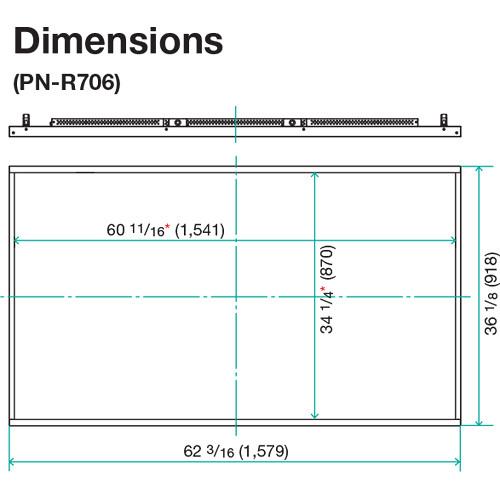
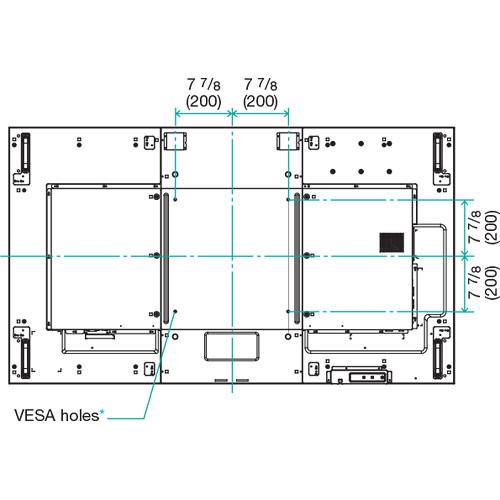 |
User manual for the Sharp PN-R706-Series 70"-Class Full HD Commercial contain basic instructions
that need to be followed during installation and operation.
Before starting your appliance, the user manual should be read through carefully.
Follow all the safety instructions and warnings, and be guided by the given recommendations.
User manual is an integral part of any Sharp product,
and if it is sold or transferred, they should be handed over jointly with the product.
Following the instructions for use is an essential prerequisite for protecting
health and property during use, as well as recognition of liability on the part of the manufacturer
for possible defects should you make a warranty claim. Download an official Sharp user manual in which you will find instructions on how to install, use, maintain and service your product.
And do not forget – unsuitable use of a Sharp product will considerably shorten its lifespan!
|
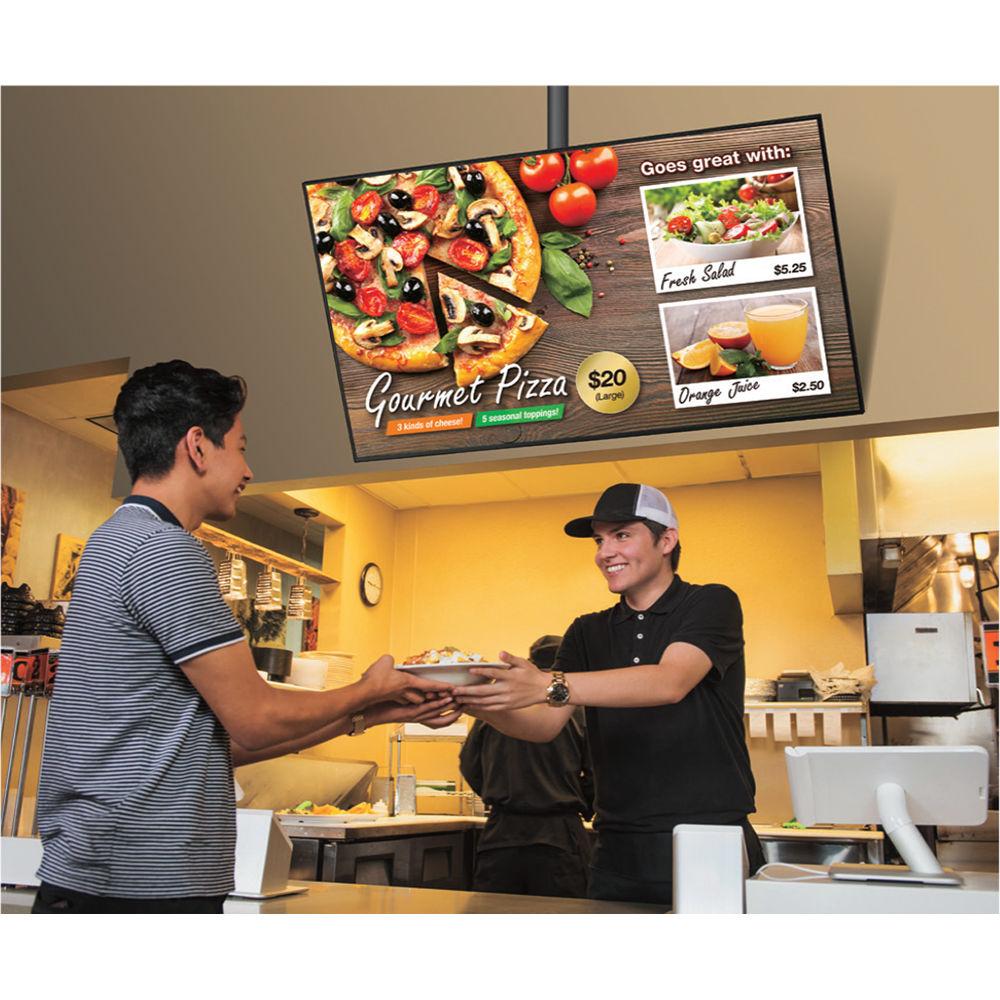
Product description Display detailed 1080p content with the Sharp PN-R706-Series 70"-Class Full HD Commercial LED Monitor. It has a 69.5" LED-backlit LCD display and features a Full HD 1920 x 1080 native resolution for viewing detailed high-definition content. The 700 cd/m² brightness output and 5000:1 contrast ratio showcase this monitor's ability to handle light and dark on-screen images. The PN-R706 also offers the flexibility of supporting portrait, landscape, and face-up viewing orientations.
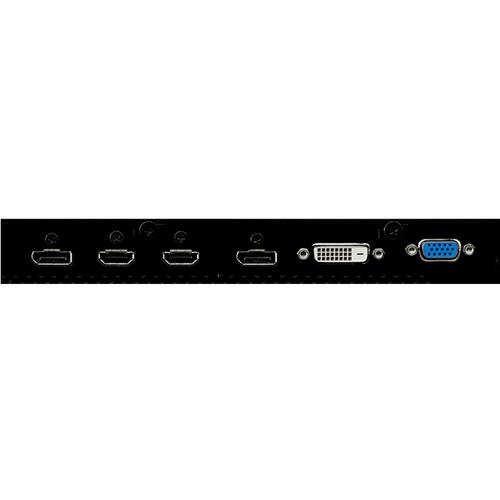
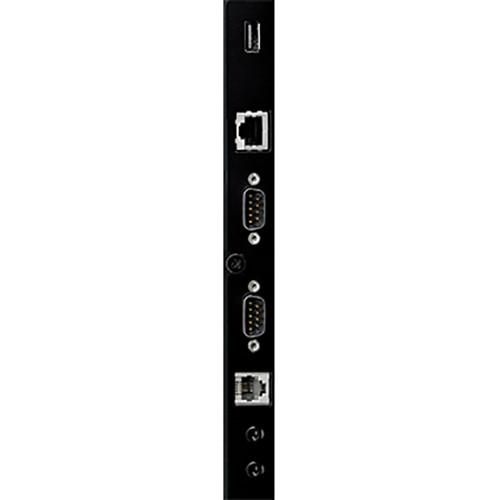
This Sharp commercial monitor is suitable for use in 24/7 environments and is equipped with VGA, DVI-D, DisplayPort, and dual HDMI inputs. Its daisy-chain capabilities allow it to be used in multi-display installations. Additionally, the PN-R706 offers stereo sound with dual 10W built-in speakers Designed for Flexible Installation - Enhanced Image Quality
- Thanks to its 1920 x 1080 Full HD resolution, the PN-R706 will show all the detail of your compatible content, including fine text and intricate graphics. The 700 cd/m² brightness further enhances its performance in digital signage applications.
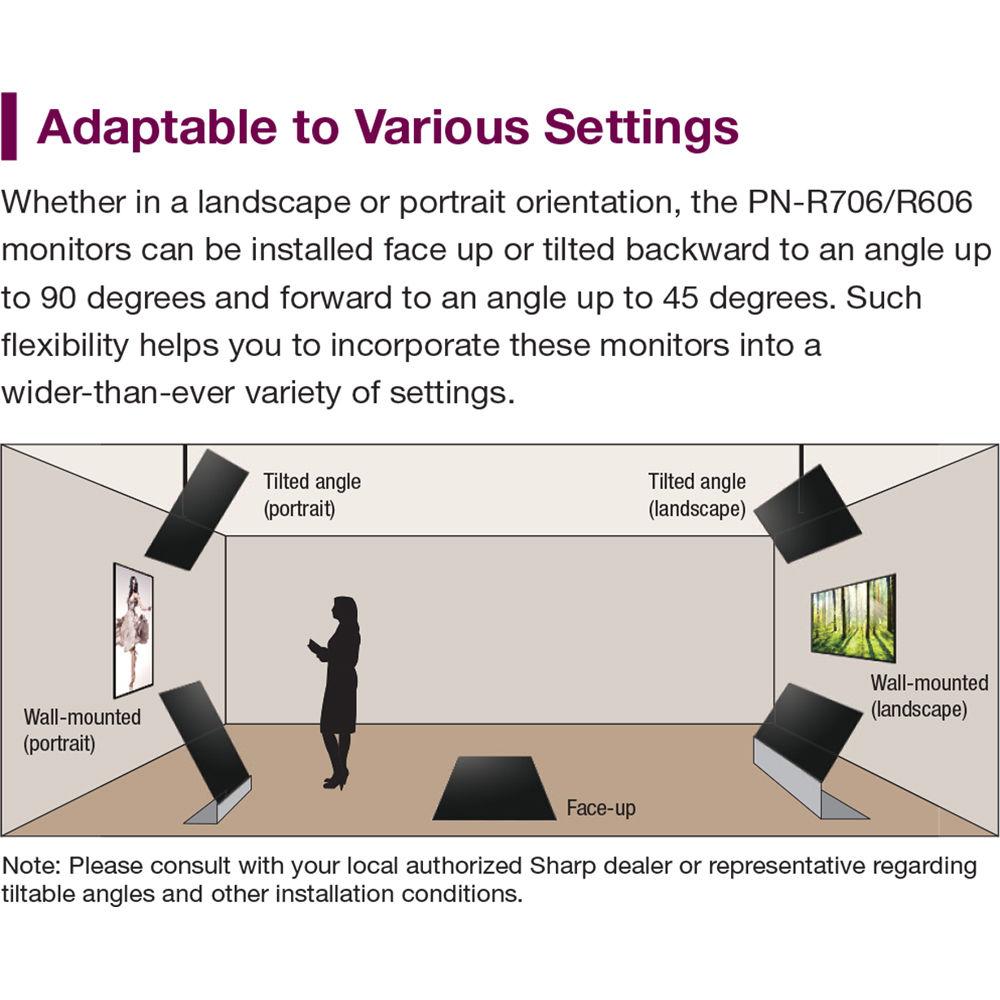
- Adaptable to Various Settings
- Whether in a landscape or portrait orientation, the PN-R706 can be installed face-up or tilted backward to an angle up to 90° and forward to an angle up to 45°, helping you incorporate it into a variety of settings.
- Hanging Installation
- The PN-R706 can be suspended by wire from its rear housing, using the included mounting brackets, giving it the appearance of floating in mid-air.
- Included Remote Control
- The remote control included with the PN-R706 is designed to provide enhanced operability. The remote and display can be assigned an identity number (from 0 to 9) for mutual recognition, enabling the remote to send commands to the targeted display only. The remote also lets you perform basic operations on connected HDMI-CEC-compatible devices, including power on/off. It also has three designated function buttons – HDMI, DisplayPort, and Option – to simplify input switching.
Image Quality and Functions - DisplayPort Daisy Chain
- Multiple PN-R-series monitors can be set up in a daisy-chain configuration, allowing you to display the same content simultaneously on up to 25 monitors. No matter which terminal receives the input signal, it can be output via DisplayPort.
- Enlarge (Zoom) Functions
- You can combine the daisy chain and enlarge functions to display 4K/30p content on four (2 x 2) monitors.
- DisplayPort Multi-Stream Transport (MST) Compatibility
- You can send different signals to two daisy-chained monitors and display a separate Full HD 60p video on each monitor.
User-Friendly Design - Environmentally Friendly Design
- The PN-R706 conforms to the RoHS Directive restricting the use of hazardous substances.
- Built-In Speakers
- Dual built-in 10-Watt rear speakers mitigate the need for external speakers and help ensure a streamlined profile.
- VESA Mount Compliant
- The PN-R706 is compatible with a variety of VESA-certified mounts, allowing you to mount it to a wall or ceiling.
- Carrying Handles
- Removable handles allow for easy and safe transportation.
- Crestron Connected
- The PN-R706 is compatible with Crestron Connected software, allowing you to remotely control and manage each monitor via a LAN network.
Reliability & Durability Features - 24/7 Operation
- The PN-R706 is well suited for use in demanding professional applications that require round-the-clock operation seven days a week.
- Power-On Delay
- This feature lets you delay the startup of each monitor in a multi-monitor installation, reducing the load placed on the power supply when multiple monitors are turned on at the same time.
- Fanless Architecture
- Airflow is maintained and heat is dissipated without the use of noisy mechanical air-ventilation fans. The fanless design also helps simplify maintenance of the monitor.
- Built-In Temperature Sensor
- If the temperature inside the monitor rises, its built-in sensor detects it and the monitor automatically lowers the brightness level of its backlight system.
Display Management - ID Setting
- Thanks to its RS-232C interface, multiple PN-R-series monitors can be controlled and monitored from a central location via a computer. Each monitor can be assigned an individual ID code to use when remotely turning that monitor on or off, changing its input, or making various screen adjustments and settings.
- Scheduling
- For enhanced ease of operation, the Schedule function allows up to eight settings to be pre-programmed for automatic monitor turn on/off at precise times on a daily, weekly, or one-time basis.
- Log Saving/Output
- To boost the troubleshooting efficiency of service technicians, operating logs, signal changes, information on operating irregularities, and other such data can be saved and tracked.
- Self-Adjust Function
- With an analog computer connection, when a change occurs to the input signal timing, the clock phase will automatically adjust accordingly.
Expandable Interface - Optional Support for HDBaseT 2.0
- Installing an optional PN-ZB03H HDBaseT Receiver Board allows the monitor to receive HDMI video, audio, and control signals sent up to 300' via a single CAT6 or higher LAN cable. This brings convenient connectivity with HDMI devices such as computers and Blu-ray players. Compatibility with the HDBaseT 2.0 standard allows you to remotely operate a computer from a compatible USB device connected to the optional board with additional optional equipment. With HDBaseT 2.0 support, you can use fewer cables and reduce the time and cost of installation.
- Optional Wireless Connectivity
- The optional PN-ZB03W Wireless Board allows up to 10 devices, including Mac or Windows computers, smartphones, and tablets, to connect to the PN-R706 simultaneously without any cable hassles. You can display the content of one device on the whole screen, or you can display the content from up to four devices in a 2 x 2 split screen. This wireless collaboration feature is well suited to enhance productivity in the workplace.
UPC: 074000066540 In the Box Sharp PN-R706-Series 70"-Class Full HD Commercial LED Monitor Remote Control 2 x AAA Batteries CD-ROM 2 x Cable Clamps Ceiling Mount Hardware Logo Sticker AC Power Cord Limited 3-Year Warranty Table of Contents
|
Upload User Manual
Have you got an user manual for the Sharp PN-R706-Series 70"-Class Full HD Commercial LED Monitor in electronic form? Please send it to us and help us expand our library of instruction manuals.
Thank you, too, on behalf of other users.
To upload the product manual, we first need to check and make sure you are not a robot. After that, your "Submit Link" or "Upload File" will appear.
Technical parametersSharp PN-R706 Specs | | | Screen Size (Diagonal) | 69.5" | | Resolution | 1920 x 1080 | | Bit Depth / Color Support | 8-Bit+FRC (1.07 Billion Colors) | | Brightness | 700 cd/m
Rating80% users recommend this product to others. And what about you?

This product has already been rated by 02 owners. Add your rating and experience with the product.
Discussion
 Ask our technicians if you have a problem with your settings,
or if anything is unclear in the user manual you have downloaded.
You can make use of our moderated discussion.
The discussion is public and helps other users of our website who may be encountering similar problems.
Ask our technicians if you have a problem with your settings,
or if anything is unclear in the user manual you have downloaded.
You can make use of our moderated discussion.
The discussion is public and helps other users of our website who may be encountering similar problems.
The discussion is empty - enter the first post
Post a new topic / query / comment:
|
|
|
| Request for user manual |
You can’t find the operation manual you are looking for? Let us know and we will try to add the missing manual:
I’m looking for a manual / Request for manual
Current requests for instruction manuals:
Call Of Duty World War Two For Xbox...
controller stratus XL...
stratus XL...
smart whatch serie S11 42mm...
Allen & Heath SQ-6 manual...
|
| Discussion |
Latest contributions to the discussion:
AEW R 4100
Name: MAURICIO ANGARITA
Audio-Technica AEW-R4100 UHF Diversity Receiver for
AEW R 4100 has the mute function blocked and does not allow audio to pass. I tried several times to turn off the mute from the transmitter but it does nothing, the mute stays on. Solution?
Thank you...
Instructions for assembling the 2015 Forecast Image Master Consoles GC3-A
Name: mike elam
Forecast Consoles GC3-A ImageMaster Editing Console
Looking for instructions for assembling this console. ...
EMPTY TONER ERROR MESSAGE AFTER REPLACING TONER
Name: LINDA BAD YELLOW EYES
Brother TN223BK Standard-Yield Toner
I HAD TO CHANGE OUT ALL THREE TONERS DUE TO LEAKS IN THE YELLOW AND CYAN. AFTER I REPLACED THEM, THE MACHINE KEEPS GIVING ME AN EMPTY TONER ERROR MESSAGE. HELP!!...
PS480D 20/24 pin Switching 480W Power Supply
Name: swkargo
Logisys 480W Power Supply
This item states in can run -5vdc .It is NOT listed on the board or I beleive is r4 is missing the resitior. Any body have thid issue. Shawn
...
Help needed
Name: Ann Carter
SanDisk 1TB Extreme Portable USB 3.1
When I click the link to download the user manual for my Sandisk Extreme external hard drive, it gives me the manual for the LG Cricket. Can you please change the link so I can download the Sandisk manual and begin using this drive? Thank you....
|
|


