User Manual for Shinybow 8x2 Mirrored HDMI & VGA Quad-PiP-PoP Selector Switch Scaler Click to enlarge the picture
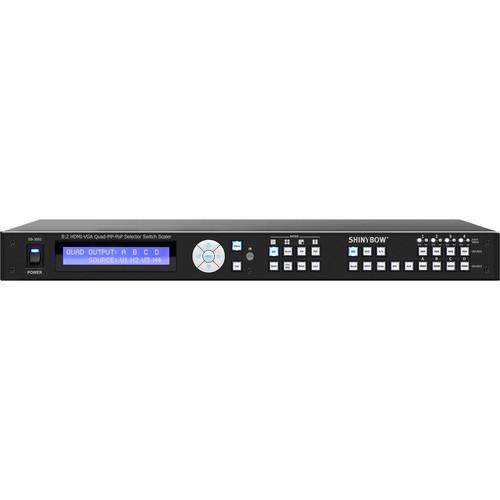 Contents of the user manual for the Shinybow 8x2 Mirrored HDMI & VGA
- Product category: Routers & Switchers Shinybow
- Brand: Shinybow
- Description and content of package
- Technical information and basic settings
- Frequently asked questions – FAQ
- Troubleshooting (does not switch on, does not respond, error message, what do I do if...)
- Authorized service for Shinybow Routers & Switchers
 |
User manual for the Shinybow 8x2 Mirrored HDMI & VGA contain basic instructions
that need to be followed during installation and operation.
Before starting your appliance, the user manual should be read through carefully.
Follow all the safety instructions and warnings, and be guided by the given recommendations.
User manual is an integral part of any Shinybow product,
and if it is sold or transferred, they should be handed over jointly with the product.
Following the instructions for use is an essential prerequisite for protecting
health and property during use, as well as recognition of liability on the part of the manufacturer
for possible defects should you make a warranty claim. Download an official Shinybow user manual in which you will find instructions on how to install, use, maintain and service your product.
And do not forget – unsuitable use of a Shinybow product will considerably shorten its lifespan!
|
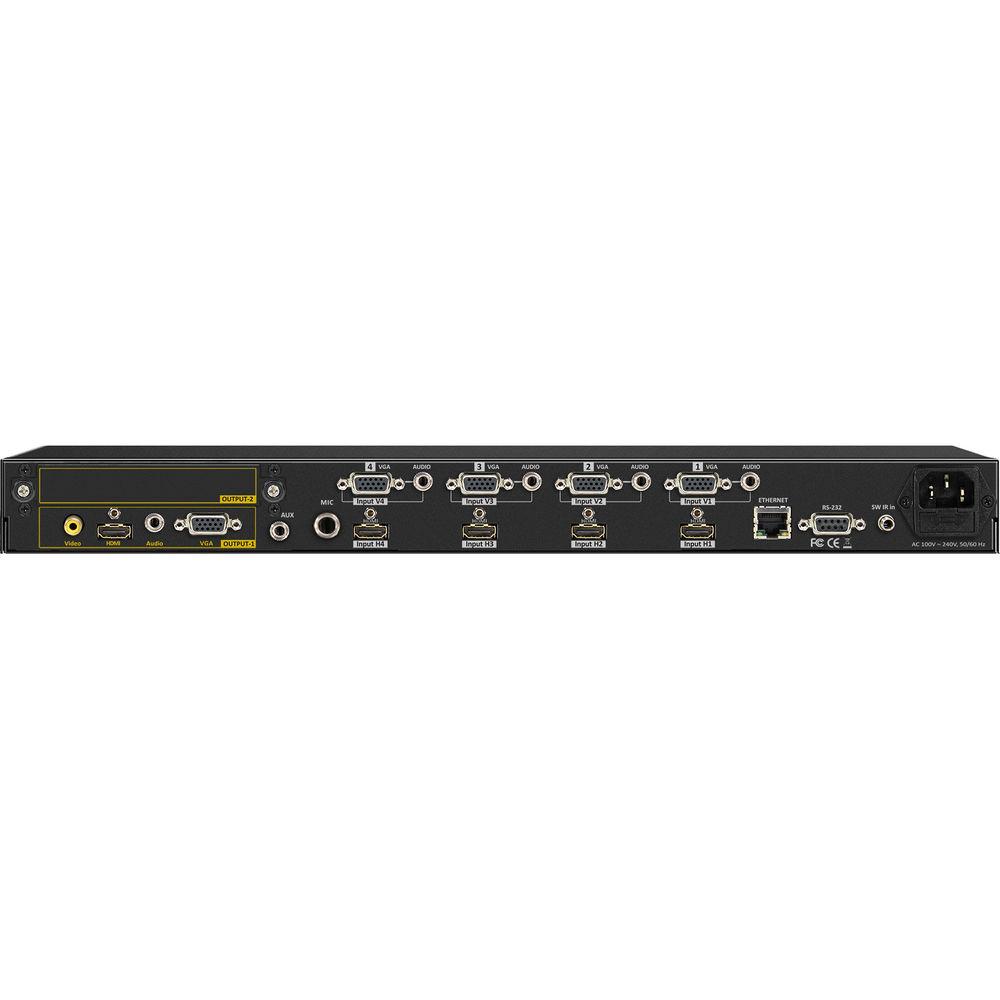
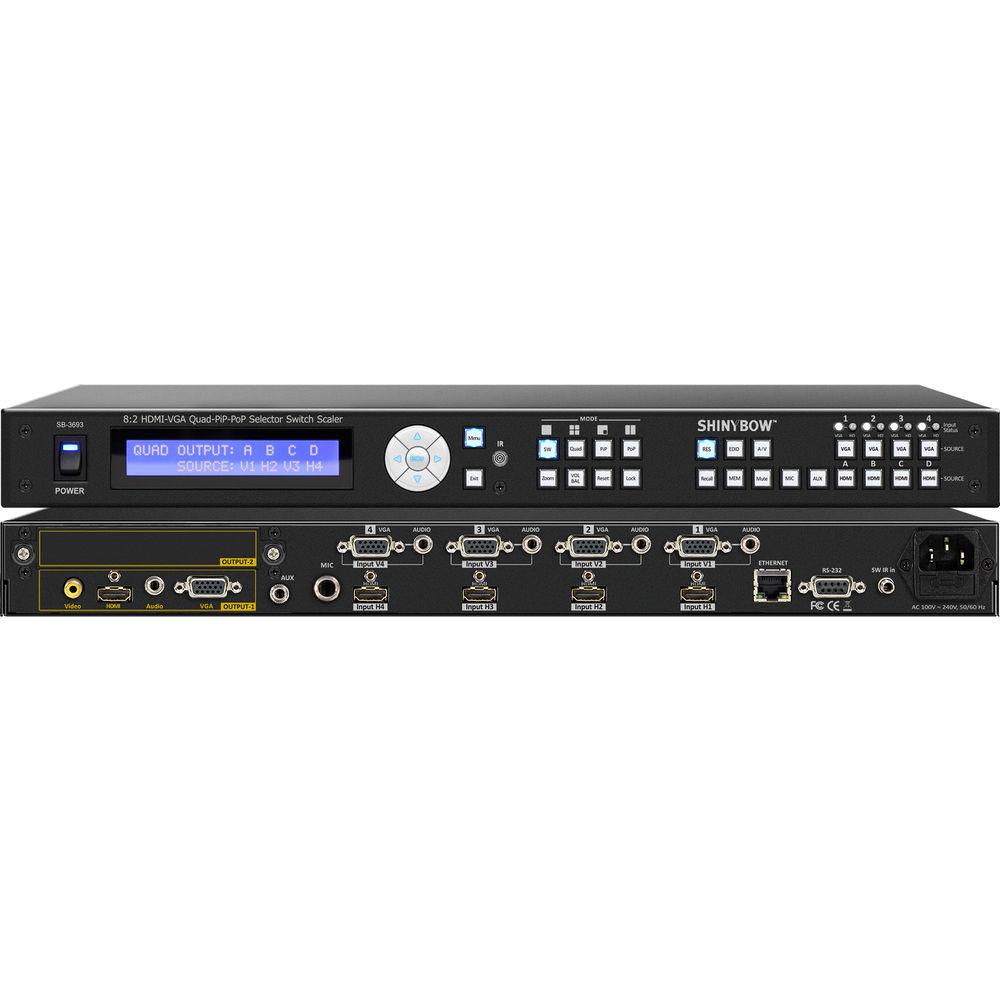
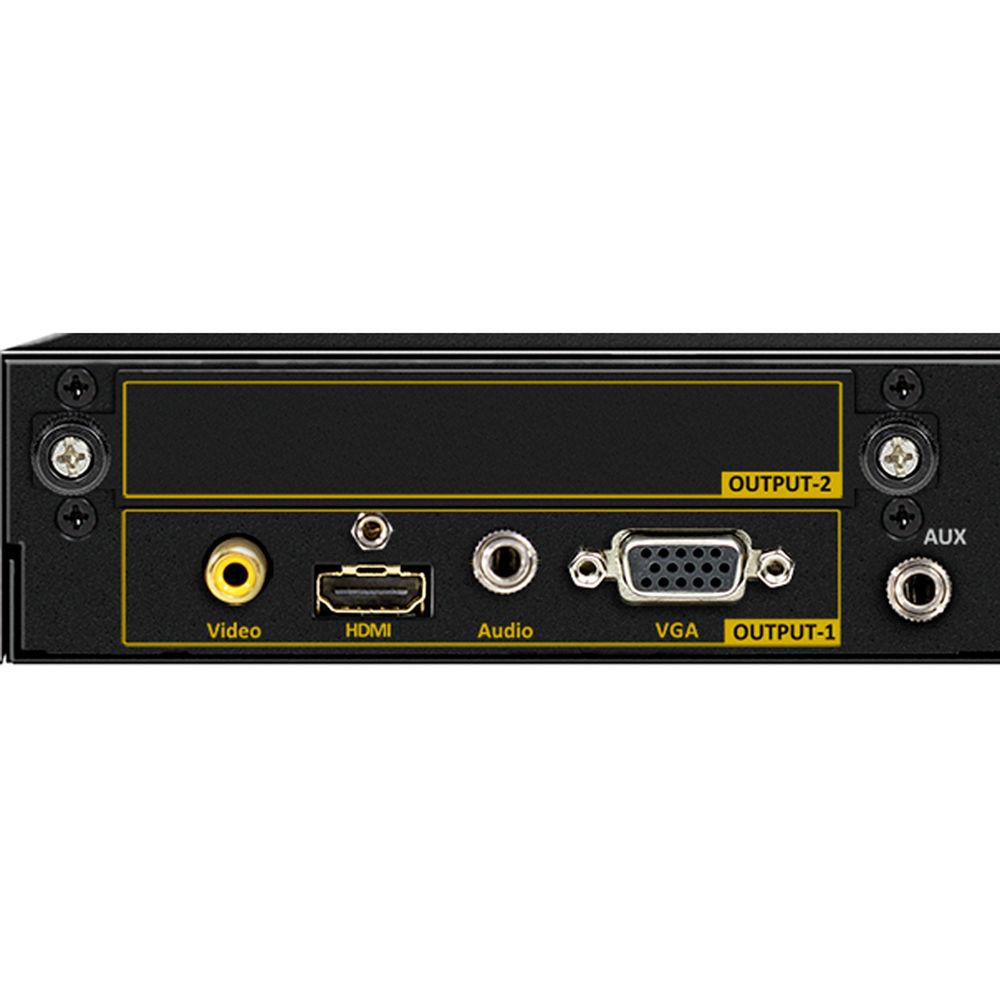
Product description The Shinybow 8x2 Mirrored HDMI & VGA Quad-PiP-PoP Selector Switch Scaler supports switching of 4 x HDMI and 4 x VGA, and audio inputs to 1 x HDMI, 1 x VGA, 1 x Composite video, and audio outputs. It also comes with features such as Switch, Quad, PiP (Picture in Picture,) and PoP (Picture of Picture.) The scaler supports video resolutions up to 1080p with a signal bandwidth of 165 MHz (1920 x 1200,) and data rates up to 4.95 Gb/s with no signal degradation.The SB-3693 is HDMI 1.3 and HDCP 1.2 compliant with CE and FCC certifications. The zoom management can be selected between 5 levels and input resolutions can be scaled up to 1080p or down to 480p. The EQ audio output features an Audio Equalizer with Treble, Surround, Flat, Classic, Rock, Pops, Jazz, 3D, and Bass settings.The scaler also features control function keys for Resolution, EDID, Recall, Memory, Volume, Balance, Mute (HDMI audio,) A/V (Audio Breakaway,) and a modular second output. Eight different modular boards are available separately for the second output slot.You can add option cards for HDMI, HDBaseT, HDMI & Coax (BNC,) HDMI and IP channel (HDMI over Ethernet,) SDI, Fiber, and HDMI and VGA signals. Control is provided via front panel push buttons, IR remote, RS-232, or TCP/IP (not a web-browser.) A RS-232 Windows GUI interface is provided for switch scaler control (Windows only.) - 4 x HDMI and 4 x VGA inputs, and 1 x HDMI, 1 x VGA, 1 x Composite video, and 1 x Audio output with modular output selector switch scaler
- Supports Switch, 4 Quad, PiP (Picture in Picture,) and PoP (Picture of Picture) features
- Link speeds up to 4.95 Gb/s (link clock rate of 165 MHz,) HDMI 1.3 and HDCP 1.2 compliant
- Digital video TMDS formats for resolutions up to 1080p with deep color 36-bit
- Inputs Supported: 4 x HDMI, 4 x VGA, and Audio (480i/p to 1080p)
- Outputs Supported: 1 x HDMI 1080p-60 Hz, 1 x VGA, 1 x Composite Video (NTSC/PAL/PAL-M/PAL-Nc,) 1 x Stereo audio (AR/AL)
- Audio output supports PCM 2-channel
- External Second Output: 1 Modular card
- Zoom management can be selected between 5 levels
- Audio Breakaway function allows separate video and audio source routing
- Supports Audio Volume and Balance (0 to 100 levels) control function
- Remembers memory locations up to 8 addresses H1, H2, H3, H4, V1, V2, V3, and V4
- Mute function to mute HDMI audio output
- Audio Equalizer: Bypass, Treble, Surround, Flat, Classic, Rock, Pops, Jazz, 3D, Bass
- 16 Control Buttons: SW1/SW2/PiP/PoP/AV/Menu/Enter/Resolution/Lock/Reset/Mute/Zoom/Up/Down/Right/Left
- Supports scaling up to 1080p and down to 480p
- HDMI cable distances for 1080p-60 Hz up to 98'
- Includes a remote control
- Windows based GUI via a RS-232 interface control driver for 2000/XP/WIN7-32/WIN7-64/WIN8
- Ethernet Switch control and third party RS-232 controller (via simple ASCII)
In the Box Shinybow 8x2 Mirrored HDMI & VGA Quad-PiP-PoP Selector Switch Scaler RS-232 V36.01/Ethernet V1.0 Protocol Instructions SW-3693 Master Wireless IR Remote Control 1U-440L 19" Ear Mount Bracket SB-100 IR Receiver Set with Assembly Plug vvrfudydcxewyaf SB-100C IR Receiver Cable - 6' 6.5' RS-232 Cable HDMI Locking Post Replacement Screws AC Cable Limited 3-Year Warranty Table of Contents
|
Upload User Manual
Have you got an user manual for the Shinybow 8x2 Mirrored HDMI & VGA Quad-PiP-PoP Selector Switch Scaler in electronic form? Please send it to us and help us expand our library of instruction manuals.
Thank you, too, on behalf of other users.
To upload the product manual, we first need to check and make sure you are not a robot. After that, your "Submit Link" or "Upload File" will appear.
Technical parametersShinybow SB-3693 Specs | Type | 4 x HDMI and 4 x VGA inputs to 1 x HDMI, 1 x VGA, 1 x Composite video, and audio output selector scaler switch box | | Function | Function Modes: Switch, (4) Quad, PiP & PoP | | HDMI Support | HDCP / HDMI: HDCP 1.2 Compliant, HDMI 1.3 version | | HDMI Supported Resolutions | HDMI 1080p 60 Hz, H36-bit deep color | | Video Bandwidth | Double Data Rates: 165 MHz
Total: 4.95 Gb/s bandwidth | | Scaling | Scaling Video Supported: HD: 480i/480p/720p and up to 1080i/p
Mode: Scaler down to 480p
Scaler up to 1080p | | Inputs | 4 x HDMI and 4 x VGA (HDMI or DVI digital source) | | Output | 1 x HDMI, 1 x VGA, 1 x Composite video (NTSC/PAL)
External Second Output
1 x Modular Card: HDMI, HDBaseT, HDMI & Coax (BNC), HDMI & IP channel (HDMI over Ethernet), SDI, Fiber or HDMI & VGA | | Zoom Type | PiP Zoom Type: 5 zoom sizes | | Breakaway Connection | Audio Breakaway: Select separate video and audio source routing | | Recall Method | Recall-Memory
Memory Location for (8) Addresses: H1, H2, H3, H4, V1, V2, V3, V4 source select buttons | | Mute | Mute Audio: Mutes the HDMI audio output | | Audio Equalizer Presets | Bypass
Treble
Surround
Flat
Classic
Rock
Pops
Jazz
With 3D
With Bass | | Controls | Select & Function buttons on front panel
IR Remote Control (switch control)
RS-232 | | Booster | HDMI Signal Booster: Distance for 1080p cable up to 98' (30 m) | | Infrared Frequency | 38 kHz | | Firmware Updates | Via RS-232 | | I/O Connectors | HDMI I/O Connector: HDMI Type-A - SMD 19-pin female | | Operating Temperature | 32 to 100°F (0 to 32°C) | | Rackmount | 19" 1 RU rackmount bracket (1U-440L) | | Power Supply | 100 to 240 VAC, 50/60 Hz | | Safety Approvals | CE, FCC, REACH | | Dimensions (L x W x H) | 17.32 x 9.84 x 1.73" (440 x 250 x 44 mm) | | Weight | 5.9 lb (2.36 kg) | | | | Package Weight | 12.75 lb | | Box Dimensions (LxWxH) | 20.7 x 13.9 x 6.6" |
Rating90% users recommend this product to others. And what about you?

This product has already been rated by 56 owners. Add your rating and experience with the product.
Discussion
 Ask our technicians if you have a problem with your settings,
or if anything is unclear in the user manual you have downloaded.
You can make use of our moderated discussion.
The discussion is public and helps other users of our website who may be encountering similar problems.
Ask our technicians if you have a problem with your settings,
or if anything is unclear in the user manual you have downloaded.
You can make use of our moderated discussion.
The discussion is public and helps other users of our website who may be encountering similar problems.
The discussion is empty - enter the first post
Post a new topic / query / comment:
|
|


