|
User Manual for Sibelius 7.5 - Music Notation Software Click to enlarge the picture
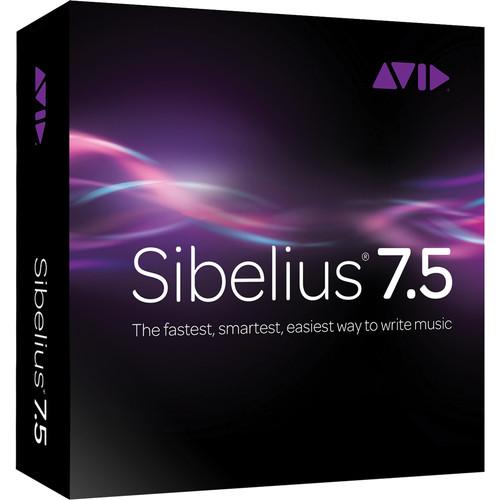 Contents of the user manual for the Sibelius 7.5 - Music Notation Software
- Product category: Notation & Utility Sibelius
- Brand: Sibelius
- Description and content of package
- Technical information and basic settings
- Frequently asked questions – FAQ
- Troubleshooting (does not switch on, does not respond, error message, what do I do if...)
- Authorized service for Sibelius Notation & Utility
 |
User manual for the Sibelius 7.5 - Music Notation Software contain basic instructions
that need to be followed during installation and operation.
Before starting your appliance, the user manual should be read through carefully.
Follow all the safety instructions and warnings, and be guided by the given recommendations.
User manual is an integral part of any Sibelius product,
and if it is sold or transferred, they should be handed over jointly with the product.
Following the instructions for use is an essential prerequisite for protecting
health and property during use, as well as recognition of liability on the part of the manufacturer
for possible defects should you make a warranty claim. Download an official Sibelius user manual in which you will find instructions on how to install, use, maintain and service your product.
And do not forget – unsuitable use of a Sibelius product will considerably shorten its lifespan!
|
Product description Sibelius 7.5 from Avid is fully featured notation software, suitable for professionals, publishers, educators, music students and anyone interested in producing written music. While it is sophisticated enough to meet the demands of these top composers, arrangers, and publishers, it is still simple enough for beginners and students.
The software allows you to express, accelerate, and promote your creativity in more ways than before. Deliver professional scores faster and share audio and video versions with realistic musical phrasing. 64-bit support provides memory enhancements for loading as many instrument samples as your computer can handle.
The task-oriented user interface allows you to quickly preview your scores via the included professional-quality sound library. VST and Audio Units plug-in support provides access to third-party sample libraries. Collaborate more easily thanks to full MusicXML interchange support and other sharing options.
Additionally, the software delivers time-saving features like Magnetic Layout and Dynamic Parts, plus a creative toolset including Flexi-time MIDI input, Keyboard and Fretboard windows, and a variety of other input options. You can also sync Sibelius with other popular audio software, such as Pro Tools via ReWire. A registered serial number is required to qualify for this item. Note: Trade-up available from Sibelius 5 First or Sibelius 5 Student. A registered serial number is required to qualify for this item. New in Sibelius 7.5 - Expressiveness and Feel
- The fully redesigned Espressivo 2.0 feature provides complete control over and customization of the rhythmic feel of any individual part to produce more expressive and realistic musical phrasings
- Software can now better interpret such notation distinctions as tempo markings, metric emphasis, grace notes, mordents, caesuras, and breath marks on playback, allowing you to hear every nuance of your score
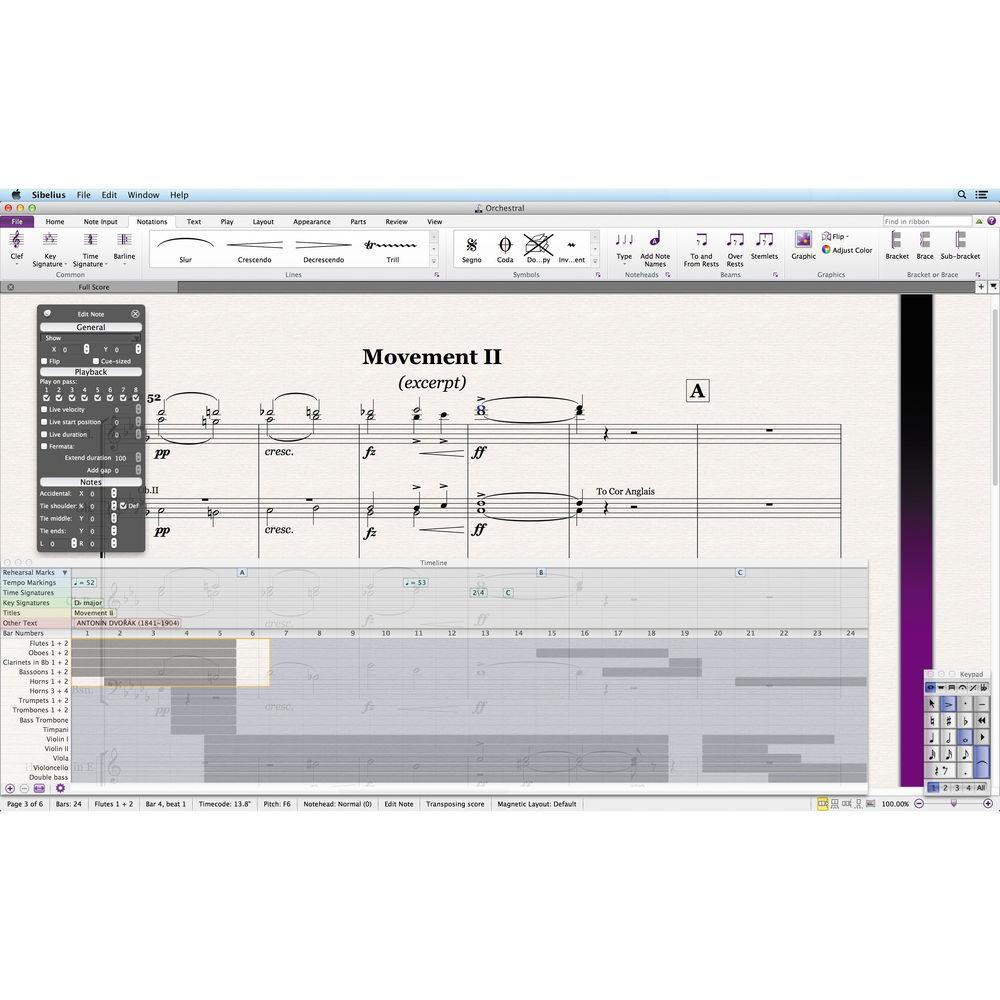
Accelerated Navigation - Timeline window provides a quick view of the entire structure of your score, no matter how large or complex, enabling you to navigate to any part fast for editing or playback
- Simply click on any bar, in the Timecode ruler, or on any landmark (the important objects that make up your score, including rehearsal marks, repeat structures, comments, key signatures, tempo, and more) to jump immediately to that section
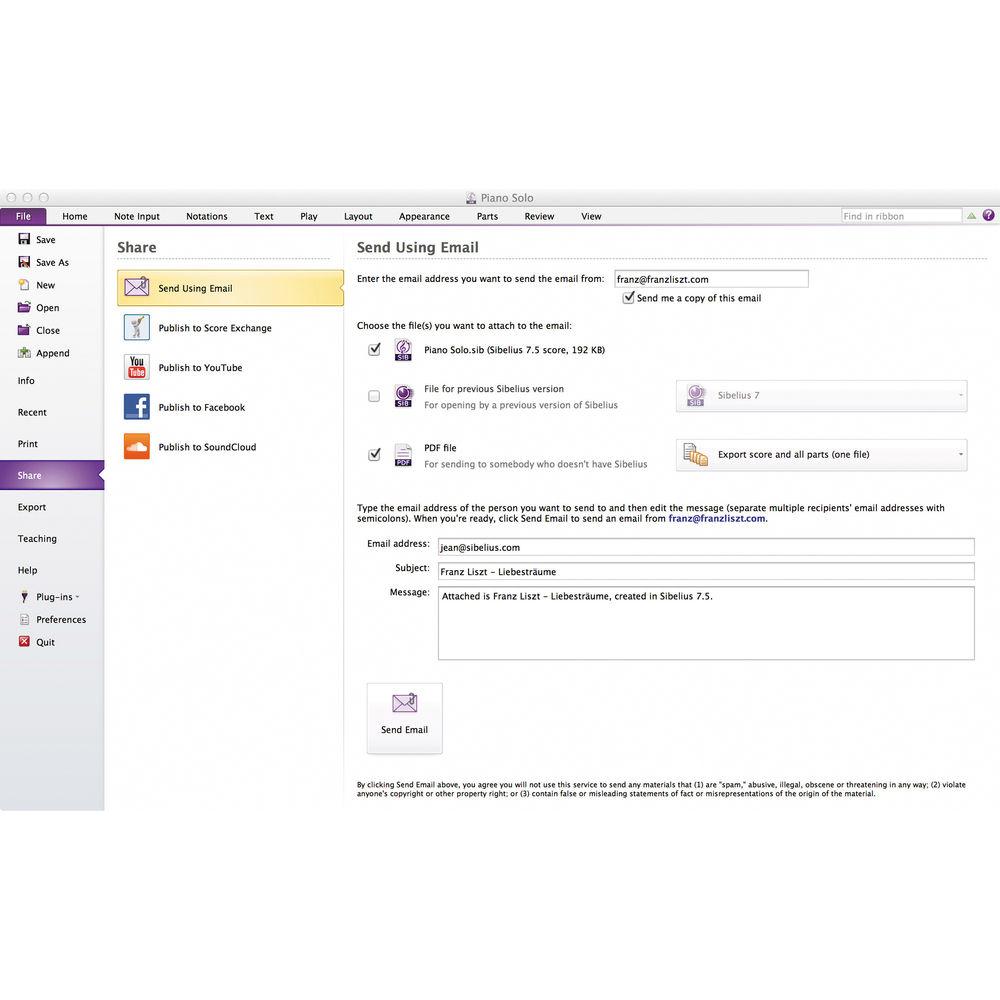
Easy Collaboration and Sharing - Get all of the score sharing and social media features that enable you to collaborate more easily with others and distribute your compositions for the world to hear
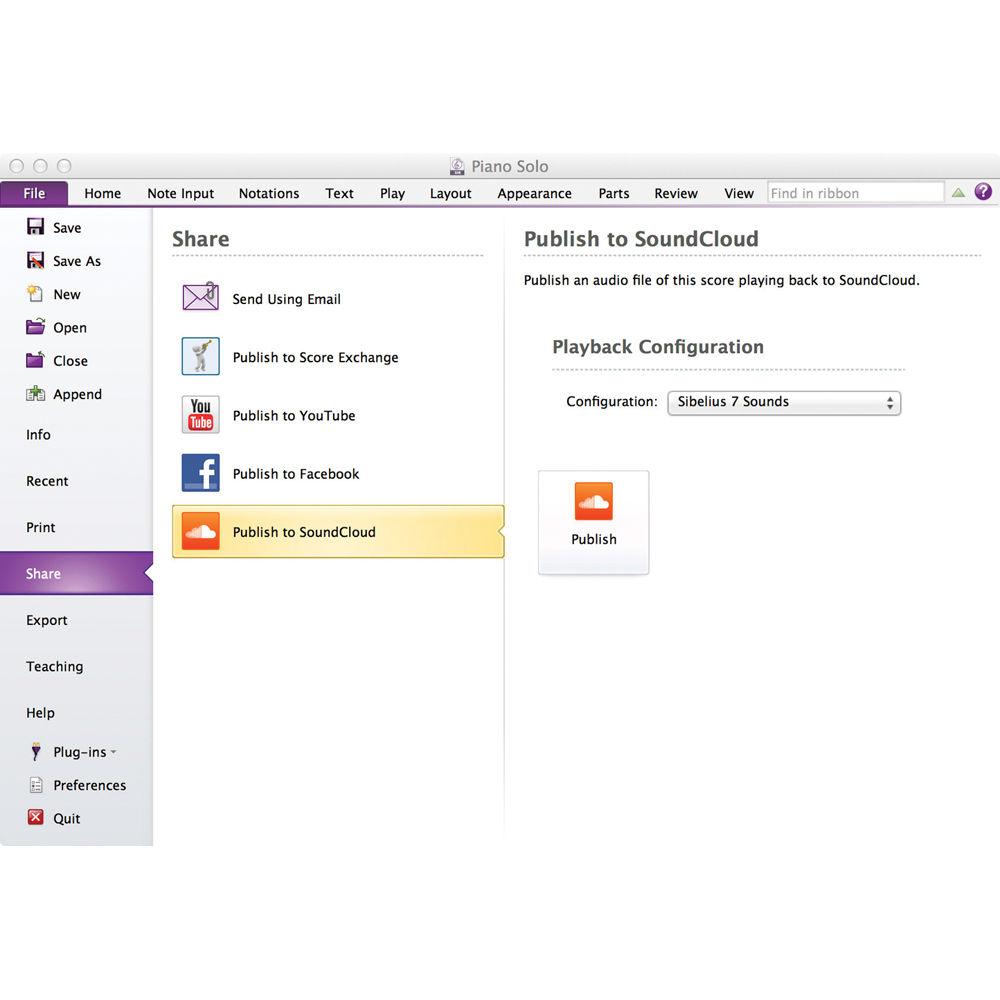
- Share scores through email, upload and publish them as sheet music on ScoreExchange.com, and even share your composition as a video or audio file on YouTube, Facebook, and SoundCloud
Export Video - Save a video file of your score to share your work with others on a DVD or online
- Export in a variety of resolutions up to 1080p in QuickTime format (MOV) or Windows Media Video, enabling others to see and hear your work without requiring Sibelius Full Scorch app integration
Full Scorch app integration - Export Sibelius scores directly to Avid Scorch on your iPad for fully interactive playback, practice, performance, and publishing.
- Software automatically optimizes your score for iPad display, paying special consideration to page orientation, number of staves, margin sizes, and more
Localized for Brazil and Russia - If Brazilian Portuguese or Russian is your native tongue, the program offers native support for these languages in addition to English, French, German, Italian, Spanish, Japanese, and Simplified Chinese
Compose and Edit - Magnetic Layout
- Takes care of almost every detail of score layout for you
- As you write, it gives everything just the right amount of space and avoids collisions, producing beautiful results.
- Saves you up to half your writing time
Dynamic Parts - Unlike other programs that require you to extract instrumental parts from the full score, Sibelius provides Dynamic Parts
- Feature automatically creates separate instrumental parts and instantly updates them as you make changes to the score
Native 64-bit Support - Directly address more than 4 GB RAM, required for today's professional sample libraries
- Sibelius can run as a 64-bit application and communicate with a 32-bit ReWire master
- 32-bit compatible
Panorama - For easy reading and navigation, the Panorama feature lets you see your music as a single, infinitely wide strip
- Focus on the notes and forget about page layout until you're ready to print
Creating Music - Powerful music creation toolset - from the Flexi-time MIDI input system and Keyboard and Fretboard windows, to the ability to input music via a microphone
The Ideas Hub - Lets you capture, use, and reuse snippets of music
- Save your own ideas, or take advantage of the over 2,000 included samples, which are ideal for teaching
Track Changes and Compare Versions - Versions feature keeps track of revisions to your score, lets you look back at earlier versions, and see what changes were made since
- Collaboration becomes a joy, and you can even use sticky Comments to leave notes for yourself, or others
Task-Oriented User Interface - User interface provides task-focused tabs that lead you through the process of creating a score from start to finish
- Every feature has both an icon and a text description which you can access via a button or a keyboard shortcut, with full contextual help available when you need it
Optimized for Single Monitor Use - Many customers favor laptops or other single-display systems and with that in mind the interface was designed to allow you to focus on the music at all times, and easily hide information that you only need to see occasionally
- Full-screen mode hides the Windows taskbar and menu bar, or Mac menu bar, and devotes as much of your screen display as possible to your music
- Panels are dock able, so you can arrange them around the edges of your screen, without obscuring the music itself
- Summon or dismiss all of the panels with a single click
- Full featured mixer
- Context-sensitive Inspector that you can pin so that it's visible at all times
- Intelligently updates as the selection changes, only showing you relevant controls
Play, Perform and Share - VST and Audio Units
- Sibelius can play back your score using the huge variety of VST and Audio Unit instruments available from numerous manufacturers
- You can use world-famous sounds such as the EastWest Quantum Leap Symphonic Orchestra, Vienna Symphonic Library, Synful Orchestra, and many others
- Works with KONTAKT Player and KONTAKT-format sounds as well
- You can also use a wide variety of effects to enhance your sound (such as advanced reverb, EQ, and filters, which you can chain and mix together)
- Combine a variety of different VST or Audio Unit instruments and effects simultaneously to customize your sound
Integrated Playback - Delivers high-quality, integrated playback - just hit the space bar and Sibelius will play your score back to you
- The SoundWorld system automatically chooses the best available sounds to make your score sound as realistic as possible
- It's easy to fine-tune your playback using the Mixer, which features high-quality effects including convolution reverb and chorus on each staff, plus up to six faders for other effects (EQ, distortion, timbre, etc.)
- All fader positions and settings are saved in the score, so you won't have to adjust them next time you open it
ReWire - ReWire is a standard that lets you record audio from Sibelius on a digital audio workstation (DAW), such as Pro Tools
- Also synchronizes Sibelius with your DAW so they can play back at the same time, starting playback in one program initiates it simultaneously in the other
Conduct Your Scores - Live Tempo lets you conduct the playback of your score to produce a nuanced, musical performance
- Simply tap a key on your computer keyboard, MIDI keyboard, or foot pedal, and Sibelius follows your beat
Espressivo and Rubato - Espressivo and Rubato are unique features that add elegant expression as Sibelius plays
- Espressivo makes subtle adjustments to the dynamics to produce musical phrasing, and Rubato varies the tempo, just like a human performer
Special Notations - Slurs
- Features beautiful and controllable slurs
- You can also adjust their shape using no fewer than six handles, and alter their thickness individually
- Various Engraving Rules options let you control the default height and shoulder for different slur lengths
Cautionary Accidentals - Sibelius automatically adds cautionary accidentals wherever they're needed, so you'll get fewer wrong notes in performance
- The default setting should do just what you want, but the included various options allow you to tweak where to use cautionary accidentals (e.g. up to the end of the next bar, between different octaves or voices, or when tying notes between systems), and whether to draw them in parentheses
Repeat Bars - You can add 1-, 2-, and 4-bar repeats from the Keypad, which play back just like anything else
- Multiple repeat bars can also be automatically numbered (without using a plug-in), so performers won't lose their place
Jazz Articulations and Slashes - You can quickly add scoops, falls, doits, and plops to notes from the Keypad - no need to use symbols
- Like other articulations, they position automatically and transpose with the notes, but you can also move them individually
- Jazz articulations even play back on suitable MIDI devices (e.g. Garritan Jazz and Big Band)
- Slashes also stay put when the rest of the music transposes, making rhythm charts quicker to produce
- Other jazz improvements include enhanced chord symbols, which you can input faster than ever from your computer or MIDI keyboard
Modern Notations - Includes optional stemlets ('half-stems') for rests in beamed groups
- You can either use stemlets throughout the score, or add them to individual rests from the Keypad
- There are various other options for beamed rests too, even without stemlets
- Sibelius also has automatic "feathered" beams, for showing brief accels/rits
- Choose them from the Keypad, and they even work on two-note tremolos
Other Notations - You can add wiggly arpeggio lines to spread chords instantly, straight from the Keypad and as they're attached to notes, the software automatically allows room for them, and they transpose with the notes too
- Use a normal wiggly line, or one with an up- or down-pointing arrow
- You can also make ties break across time signatures, by being drawn behind them
- You can make any object go in front of or behind any other, like in many drawing programs, particularly useful for putting imported graphics in front of or behind staves
- Articulations are automatically drawn inside or outside slurs or tuplets depending on the situation, with a host of subtle options
- You can also reposition multiple articulations on the same note individually rather than all at once
In the Box Sibelius 7.5 - Music Notation Software (Trade-Up Box) DVD-ROM Sibelius Software 36 GB Sibelius Sounds Library AudioScore Lite Audio Transcribing Software PhotoScore Lite Music Scanning Software ReWire Audio/Data Transfer Software Ninety (90) Days of Complimentary Phone and Online Support Table of Contents
|
Upload User Manual
Have you got an user manual for the Sibelius 7.5 - Music Notation Software in electronic form? Please send it to us and help us expand our library of instruction manuals.
Thank you, too, on behalf of other users.
To upload the product manual, we first need to check and make sure you are not a robot. After that, your "Submit Link" or "Upload File" will appear.
Technical parametersSibelius 99006553700 Specs | System Requirements | Minimum
Mac
OS X 10.6.7, 10.7, 10.8, or 10.9
1 GB+ of RAM
750 MB hard disk space for Sibelius software only; 36 GB additional hard disk space for the Sibelius Sounds library (optional installation)
DVD-ROM drive
PC
Windows 7 SP1 or later, or Windows 8 (not Windows RT), 32- or 64-bit
1 GB+ of RAM
750 MB hard disk space for Sibelius software only; 36 GB additional hard disk space for the Sibelius
Sounds library (optional installation)
DVD-ROM drive
Recommendations for the Sibelius Sounds Library
Mac
Intel Core 2 Duo or better
4+ GB of RAM
40 GB hard disk space (SSD preferred)
PC
Intel Core 2 Duo or better (or equivalent)
4 GB+ of RAM
40 GB hard disk space (SSD preferred)
ASIO-compatible soundcard
Those wishing to use an external hardware MIDI playback device should check that a compatible sound set is available in the device |
Rating60% users recommend this product to others. And what about you?

This product has already been rated by 59 owners. Add your rating and experience with the product.
Discussion
 Ask our technicians if you have a problem with your settings,
or if anything is unclear in the user manual you have downloaded.
You can make use of our moderated discussion.
The discussion is public and helps other users of our website who may be encountering similar problems.
Ask our technicians if you have a problem with your settings,
or if anything is unclear in the user manual you have downloaded.
You can make use of our moderated discussion.
The discussion is public and helps other users of our website who may be encountering similar problems.
The discussion is empty - enter the first post
Post a new topic / query / comment:
|
|
|
| Request for user manual |
You can’t find the operation manual you are looking for? Let us know and we will try to add the missing manual:
I’m looking for a manual / Request for manual
Current requests for instruction manuals:
Call Of Duty World War Two For Xbox...
controller stratus XL...
stratus XL...
smart whatch serie S11 42mm...
Allen & Heath SQ-6 manual...
|
| Discussion |
Latest contributions to the discussion:
AEW R 4100
Name: MAURICIO ANGARITA
Audio-Technica AEW-R4100 UHF Diversity Receiver for
AEW R 4100 has the mute function blocked and does not allow audio to pass. I tried several times to turn off the mute from the transmitter but it does nothing, the mute stays on. Solution?
Thank you...
Instructions for assembling the 2015 Forecast Image Master Consoles GC3-A
Name: mike elam
Forecast Consoles GC3-A ImageMaster Editing Console
Looking for instructions for assembling this console. ...
EMPTY TONER ERROR MESSAGE AFTER REPLACING TONER
Name: LINDA BAD YELLOW EYES
Brother TN223BK Standard-Yield Toner
I HAD TO CHANGE OUT ALL THREE TONERS DUE TO LEAKS IN THE YELLOW AND CYAN. AFTER I REPLACED THEM, THE MACHINE KEEPS GIVING ME AN EMPTY TONER ERROR MESSAGE. HELP!!...
PS480D 20/24 pin Switching 480W Power Supply
Name: swkargo
Logisys 480W Power Supply
This item states in can run -5vdc .It is NOT listed on the board or I beleive is r4 is missing the resitior. Any body have thid issue. Shawn
...
Help needed
Name: Ann Carter
SanDisk 1TB Extreme Portable USB 3.1
When I click the link to download the user manual for my Sandisk Extreme external hard drive, it gives me the manual for the LG Cricket. Can you please change the link so I can download the Sandisk manual and begin using this drive? Thank you....
|
|


