|
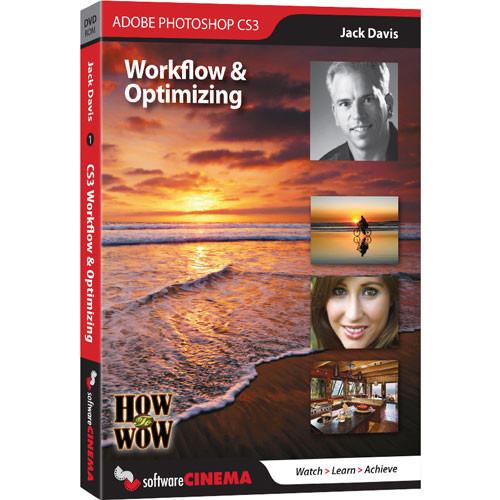
User Manual for Software Cinema DVD-Rom: Training: How to Wow - Retouching & Repairing CS3 by Jack Davis Click to enlarge the picture
 Contents of the user manual for the Software Cinema DVD-Rom: Training: How to
- Product category: Photo Editing & Graphic Design Tutorials Software Cinema
- Brand: Software Cinema
- Description and content of package
- Technical information and basic settings
- Frequently asked questions – FAQ
- Troubleshooting (does not switch on, does not respond, error message, what do I do if...)
- Authorized service for Software Cinema Photo Editing & Graphic Design Tutorials
|
User manual for the Software Cinema DVD-Rom: Training: How to contain basic instructions
that need to be followed during installation and operation.
Before starting your appliance, the user manual should be read through carefully.
Follow all the safety instructions and warnings, and be guided by the given recommendations.
User manual is an integral part of any Software Cinema product,
and if it is sold or transferred, they should be handed over jointly with the product.
Following the instructions for use is an essential prerequisite for protecting
health and property during use, as well as recognition of liability on the part of the manufacturer
for possible defects should you make a warranty claim. Download an official Software Cinema user manual in which you will find instructions on how to install, use, maintain and service your product.
And do not forget – unsuitable use of a Software Cinema product will considerably shorten its lifespan!
|
Product description Training: How to Wow - Retouching & Repairing CS3 - If you'd like to learn in-depth retouching skills that emphasize quality, flexibility and speed, you'll love Jack's indispensable life-changing techniques. This training showcases his techniques with digital photography, Adobe Camera Raw and Photoshop CS3, and the process of going beyond what was captured to what you want your audience to experience. Section 1 - Retouching Starts in Camera Raw - Session 01 : Introduction
- Why do we Retouch? To strengthen the stories we tell with our images - and if we can do that while maintaining utmost Quality, Flexibility and Speed - then we get to go home at the end of the day with a smile on our (and on our clients!) face!
- Session 02 : Foundation and Preferences
- Since Adobe Camera Raw is our new Global Editing best friend, how do we give it (and Photoshop and the Bridge) permission to work with not only our Raw file original, but also our JPG's and TIF's as well? Here's the answer.
- Session 03 : White Balance, Tone and Vibrance
- The foundation for all other image optimizing is right here.
- Session 04 : Healing and Dust Removal
- ACR's retouching tools are a great start - especially since you can share or "synchronize," your retouching (like getting rid of dust spots on your camera's sensor) instantly between multiple photos.
- Session 05 : Sharpening for Portraits
- Since ACR 4.2, and it's incredible new Sharpening panel, all your initial sharpening (for ALL your imagery, not just portraits) should be done there.
- Session 06 : Color Enhancing and Black & White Conversion
- Fine tuning not only global color casts, but also targeted enhancements to areas like Hair, Skin and Eye color is now best done in ACR. Also the best Black & White conversions and Tinting is found in ACR - if you know the right path.
- Session 07 : Special Effects
- Though you typically don't think of ACR as the place to actually enhance a photo (as opposed to Optimizing a photo), treatments like Vignetting can often make a big difference in the story you are trying to tell.
Section 2 - Smart Skin Softening & Color Unifying - Session 08 : Smart Skin Softening
- Make subtle changes to smooth out skin and reduce distractions using this, new non-destructive, Smart Filter one-two punch! Then share this lifesaver instantly between multiple files with a simple Drag & Drop.
- Session 09 : Targeted Skin Color Unifying
- Most images can be improved with a little (or a lot!) of color fine tuning - whether that be fixing sunburn, acne, or excessive freckles - or simply changing the color of one item to another.
Section 3 - Portrait Patching & Wrinkle Reduction - Session 10 : Portrait Patching and Skin Glare
- The quick and easy way to cover a multitude of sins - in this case, how to do an instant post-shoot makeup dusting!
- Session 11 : Portrait Patching and Wrinkle Reduction
- Reduce or eliminate wrinkles, blemishes and other age-related features to help someone look their best.
Section 4 - Reshaping Portraits & Body Parts - Session 12 : Selective Portrait Reshaping
- Fine tuning the subtleties of the shape of the lips, nose - or whatever, to make the essence of someone shine through.
- Session 13 : Body Reshaping
- Use the Liquify Filter to tame those trouble spots that plague not only models, but also the best of us - or in the case of this project, use it to completely make-over an Anti-Model.
Section 5 - Enhancing Eyes, Teeth, Hair, Lips & Skin - Session 14 : Eye and Teeth Color Work
- A simple but powerful way to neutralize and enhance eyes and teeth color "undesirables."
- Session 15 : Eye, Teeth and Hair Dodging & Burning
- THE one thing that will make a HUGE difference in any image (not just portraits) is the ability to quickly and easily target the Angel Light that you always wish you could have gotten in your shot - and now can, instantly and non-destructively!
- Session 16 : Pupil Wowafying!
- Bright lights can mean beady little eyes - never a complimentary look. Here's an easy way to open up the Window to the Soul, and make any portrait shot significantly better.
- Session 17 : Lips Wowafying!
- Next to the eyes, the mouth is the center of attention in every portrait - make it (and the lipstick that covers it) perfect with this automatic little trick.
- Session 18 : Selective Sharpening
- An essential way to draw attention to the subject of any photo is to make sure it is as sharp as possible - and definitely sharper than any distracting elements around it. Here is an easy way to use our UnSharp Mask filter - in a targeted fashion - to do just that.
- Session 19 : That Hollywood Glow
- Who doesn't look better with a little (or a lot of) Glow? But how to do it without sacrificing highlight and shadow detail? And without hand painting? And with complete control? Here's how.
Section 6 - Replacing, Removing & Repairing - Session 20 : Combining Portraits and Panoramas
- Some mind-bendingly cool technology has been embedded into CS3; specifically the new Auto-Align and Auto-Blend features. Both of these are at the heart of the phenomenally enhanced Photomerge panorama utility, but these Auto miracles are also invaluable for image compositing and exposure combining, as you will see in this session.
- Session 21 : Quick Select and Background Replacement
- The CS3 great new Quick Select tool, and it's partner, the Refine Edge dialog, are going to be your new best friends when it comes to selecting - IF you know how to navigate the options, and use the resulting "marching ants" as a basis for your nondestructive Layer Masking. And if you know a little trick to help with those pesky little edge details (like flyaway hair) then your life will be complete.
- Session 22 : Distraction Removal and the Background Eraser
- Removing distractions (like in-laws) is something that is necessary to focus attention on what's important in any photo. And if you can not only Remove distractions (like random trees), but also Replace elements (like a boring sky) at the same time, then you will be a happy camper.
- Session 23 : Glasses Glare Removal
- The two-shot magic trick (with the help of Auto Align) to get perfect portraits of those who wear glasses is revealed in this session.
- Session 24 : Artifact and Highlight Repair
- Whether it's color banding that comes with intense sunsets, or clipped highlights that are unavoidable in an unrepeatable shot, these little repairing techniques are indispensable to have in your utility belt.
- Session 25 : Retouching in Perspective with Vanishing Point
- The updated Vanishing Point filter now has the capability to retouch in perspective at any angle (not just at 90 degrees). But how to both ADD textural and graphic elements to an image, as well as REMOVE annoying distractions in perspective, that's the secret that will be revealed here.
UPC: 853824001407 Table of Contents
|
Upload User Manual
Have you got an user manual for the Software Cinema DVD-Rom: Training: How to Wow - Retouching & Repairing CS3 by Jack Davis in electronic form? Please send it to us and help us expand our library of instruction manuals.
Thank you, too, on behalf of other users.
To upload the product manual, we first need to check and make sure you are not a robot. After that, your "Submit Link" or "Upload File" will appear.
Technical parametersSoftware Cinema PSCS3WRRD Specs | Subject | Photoshop Software | | Author | Jack Davis | | Edition | First | | Hard/Soft Cover | DVD-ROM | | Pages | 6.2 hours (approx) | | Dimensions | DVD-ROM | | Illustrations | Yes | | ISBN Number | Not Specified by Manufacturer | | Publisher | Software Cinema | | Date Published | 2008 | | | | Package Weight | 0.2 lb | | Box Dimensions (LxWxH) | 7.4 x 5.3 x 0.6" |
Rating60% users recommend this product to others. And what about you?

This product has already been rated by 59 owners. Add your rating and experience with the product.
Discussion
 Ask our technicians if you have a problem with your settings,
or if anything is unclear in the user manual you have downloaded.
You can make use of our moderated discussion.
The discussion is public and helps other users of our website who may be encountering similar problems.
Ask our technicians if you have a problem with your settings,
or if anything is unclear in the user manual you have downloaded.
You can make use of our moderated discussion.
The discussion is public and helps other users of our website who may be encountering similar problems.
The discussion is empty - enter the first post
Post a new topic / query / comment:
|
|
|
| Request for user manual |
You can’t find the operation manual you are looking for? Let us know and we will try to add the missing manual:
I’m looking for a manual / Request for manual
Current requests for instruction manuals:
Call Of Duty World War Two For Xbox...
controller stratus XL...
stratus XL...
smart whatch serie S11 42mm...
Allen & Heath SQ-6 manual...
|
| Discussion |
Latest contributions to the discussion:
AEW R 4100
Name: MAURICIO ANGARITA
Audio-Technica AEW-R4100 UHF Diversity Receiver for
AEW R 4100 has the mute function blocked and does not allow audio to pass. I tried several times to turn off the mute from the transmitter but it does nothing, the mute stays on. Solution?
Thank you...
Instructions for assembling the 2015 Forecast Image Master Consoles GC3-A
Name: mike elam
Forecast Consoles GC3-A ImageMaster Editing Console
Looking for instructions for assembling this console. ...
EMPTY TONER ERROR MESSAGE AFTER REPLACING TONER
Name: LINDA BAD YELLOW EYES
Brother TN223BK Standard-Yield Toner
I HAD TO CHANGE OUT ALL THREE TONERS DUE TO LEAKS IN THE YELLOW AND CYAN. AFTER I REPLACED THEM, THE MACHINE KEEPS GIVING ME AN EMPTY TONER ERROR MESSAGE. HELP!!...
PS480D 20/24 pin Switching 480W Power Supply
Name: swkargo
Logisys 480W Power Supply
This item states in can run -5vdc .It is NOT listed on the board or I beleive is r4 is missing the resitior. Any body have thid issue. Shawn
...
Help needed
Name: Ann Carter
SanDisk 1TB Extreme Portable USB 3.1
When I click the link to download the user manual for my Sandisk Extreme external hard drive, it gives me the manual for the LG Cricket. Can you please change the link so I can download the Sandisk manual and begin using this drive? Thank you....
|
|


