User Manual for Sony Alpha a7S II Mirrorless Digital Camera Click to enlarge the picture
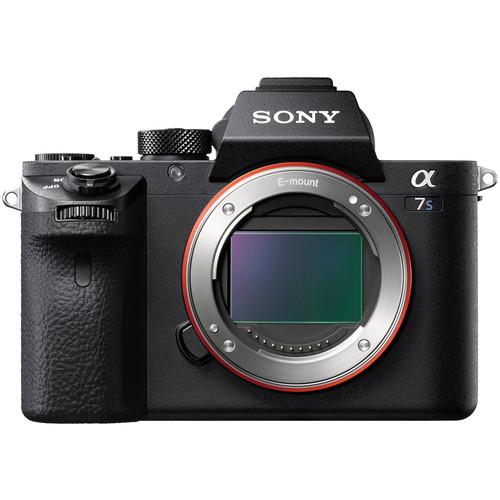 Contents of the user manual for the Sony Alpha a7S II Mirrorless Digital
- Product category: Uncategorized Sony
- Brand: Sony
- Description and content of package
- Technical information and basic settings
- Frequently asked questions – FAQ
- Troubleshooting (does not switch on, does not respond, error message, what do I do if...)
- Authorized service for Sony Uncategorized
 |
User manual for the Sony Alpha a7S II Mirrorless Digital contain basic instructions
that need to be followed during installation and operation.
Before starting your appliance, the user manual should be read through carefully.
Follow all the safety instructions and warnings, and be guided by the given recommendations.
User manual is an integral part of any Sony product,
and if it is sold or transferred, they should be handed over jointly with the product.
Following the instructions for use is an essential prerequisite for protecting
health and property during use, as well as recognition of liability on the part of the manufacturer
for possible defects should you make a warranty claim. Download an official Sony user manual in which you will find instructions on how to install, use, maintain and service your product.
And do not forget – unsuitable use of a Sony product will considerably shorten its lifespan!
|
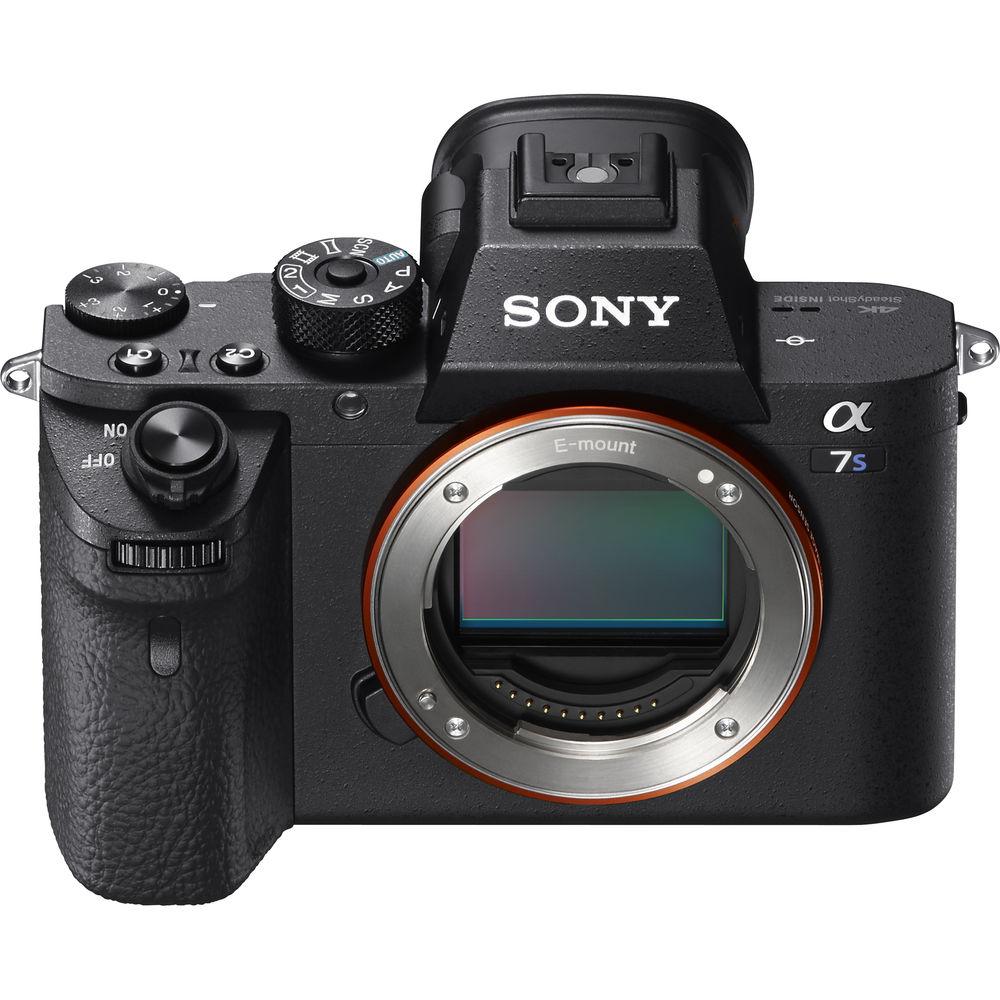
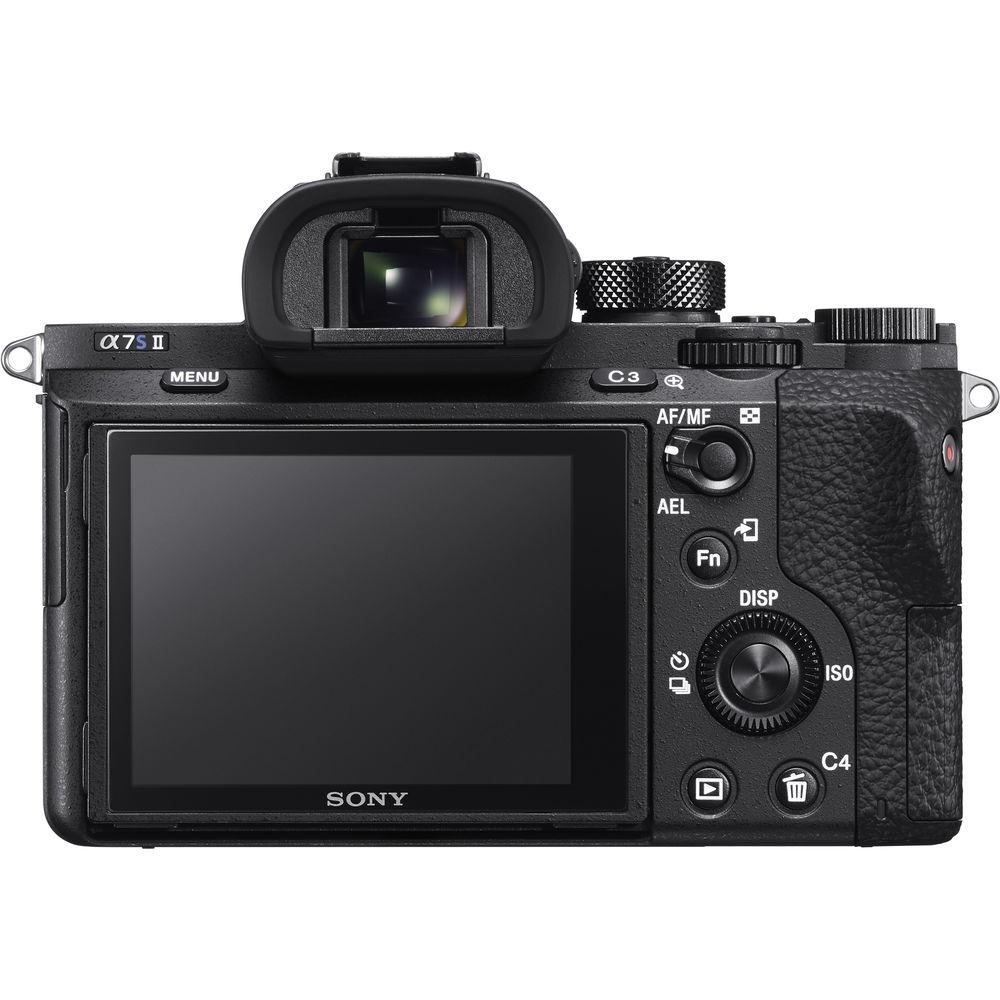
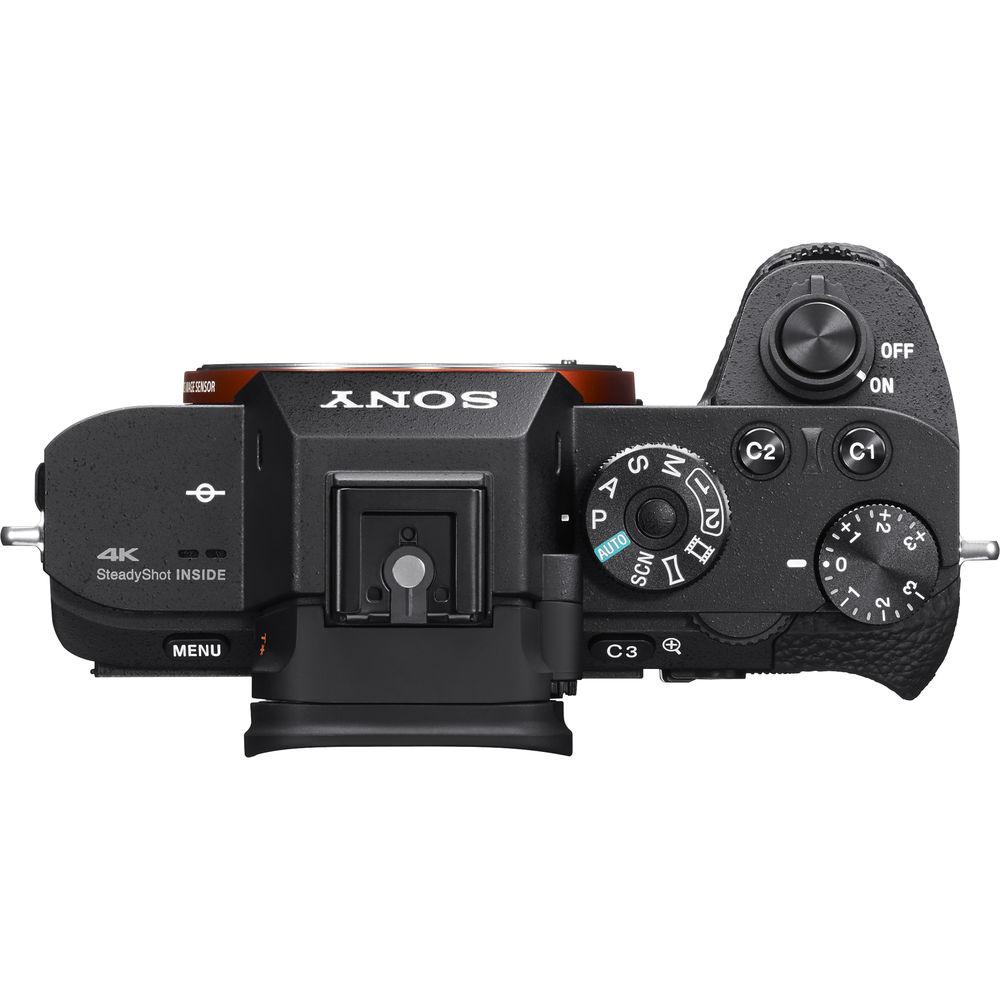
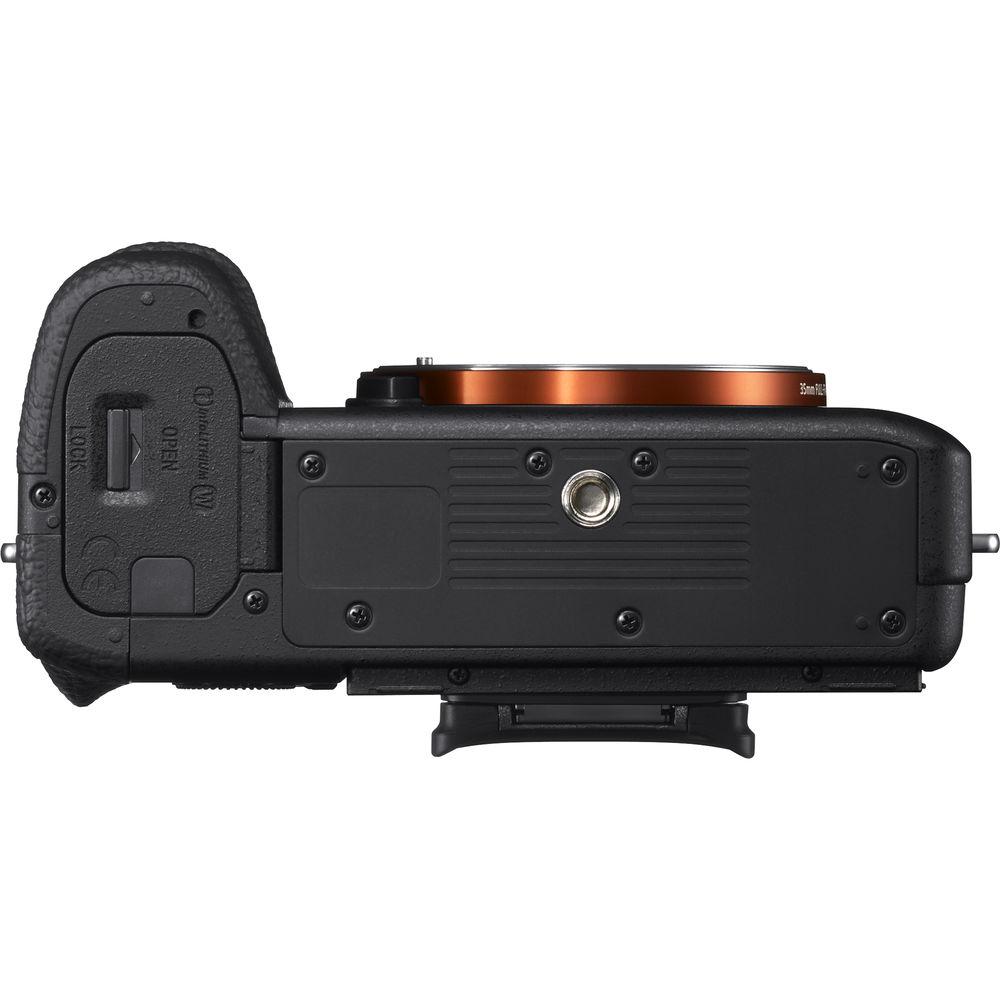
Product description Making strides in the video arena, the a7S II Mirrorless Digital Camera from Sony offers an impressive blend of sensitivity, dynamic range, resolution, and speed to benefit a versatile multimedia workflow. Revolving around a full-frame 12.2MP Exmor CMOS sensor, the a7S II is capable of internal UHD 4K recording at 30 fps with full pixel readout as well as 1080p recording at up to 120 fps, all in the XAVC S format. For both stills and video recording, the BIONZ X image processor also pairs with the sensor to enable expanded sensitivity to ISO 409600, continuous shooting to 5 fps, and fast intelligent autofocus with low-light sensitivity to -4 EV. Further enabling working in difficult lighting conditions, 5-axis SteadyShot INSIDE image stabilization compensates for vertical, horizontal, pitch, yaw, and roll camera movements for sharper, smoother handheld recording.
Complementing the 4K recording capabilities is a redeveloped recording setup, including the ability to utilize S-Log3 Gamma and S-Gamut3 in addition to S-Log2, for increasing dynamic range values by up to 1300% to better match high-end post-production workflows. For clearer monitoring potential, an enhanced Zebra function better supports working with S-Log gamma settings and a Gamma Display Assist helps to preview imagery with natural contrast by converting S-Log2 and S-Log3 settings to the ITU709 gamma for easier on-camera viewing.
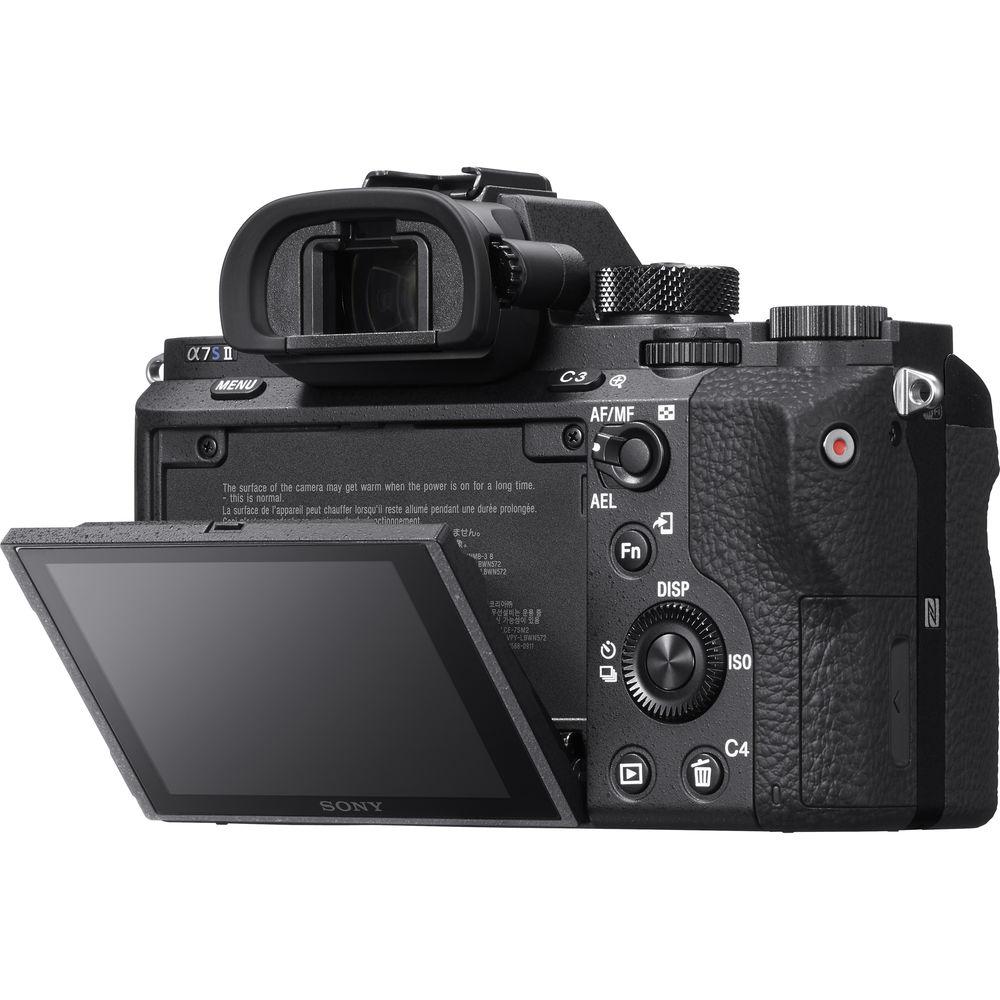
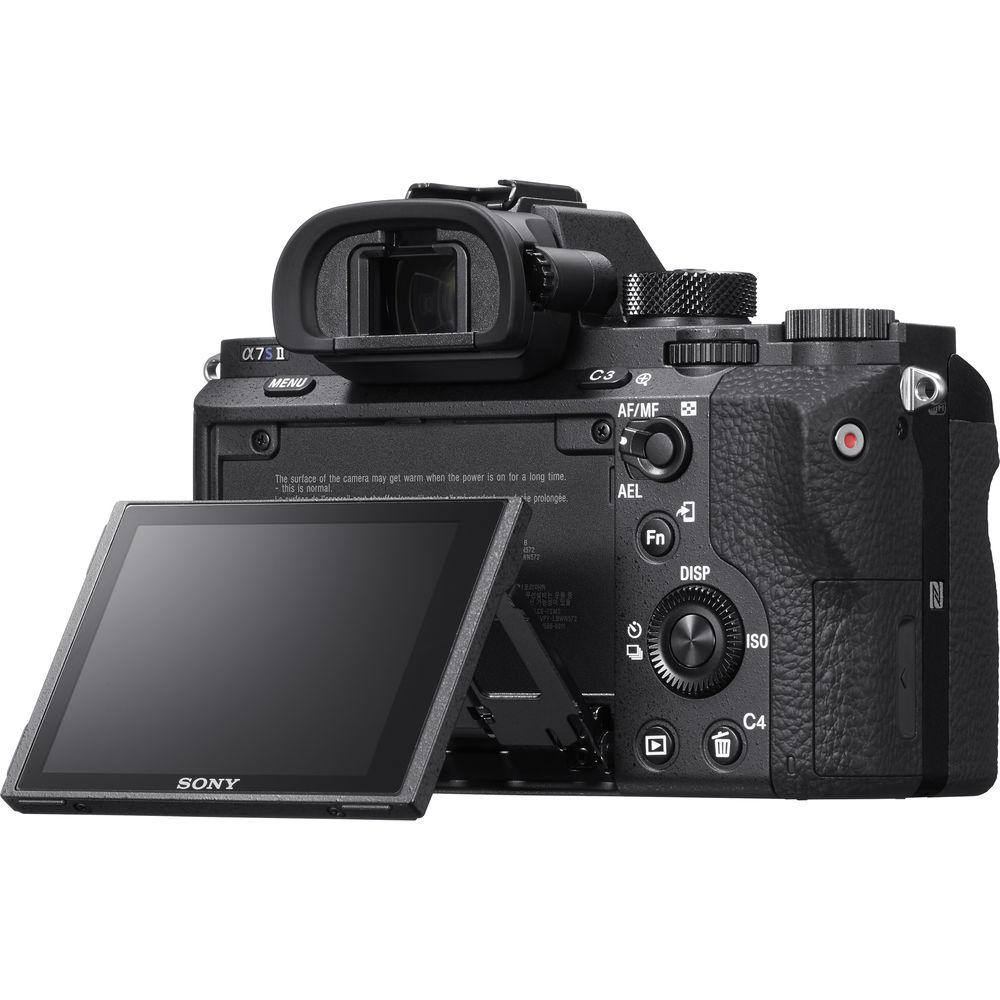
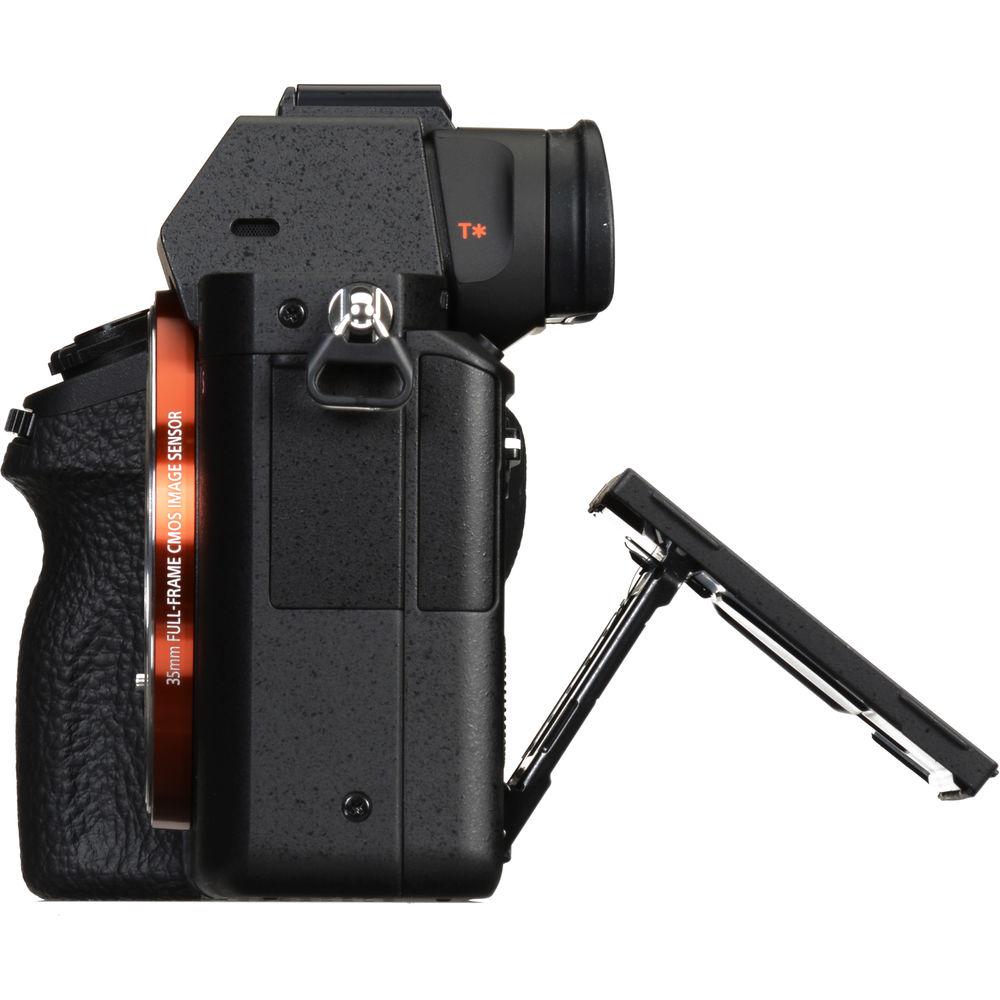
The a7S II is also characterized by a compact, yet robust, magnesium alloy body design that incorporates a high 0.78x-magnification Tru-Finder OLED electronic viewfinder. With a resolution of 2.36-million dots and a Zeiss T* anti-reflective coating, this finder benefits working in a variety of lighting conditions and is capable of previewing exposure and settings adjustments prior to recording. A rear 3.0" 1,228,800-dot LCD screen is also available, and features a tilting design to support working from high and low angles. Additionally, built-in Wi-Fi connectivity with NFC allows you to pair mobile devices to the camera for wireless sharing and remote camera control. - Full-Frame Exmor Sensor and BIONZ X Image Processor
- A 12.2MP full-frame Exmor CMOS sensor and BIONZ X image processor work together to enable an expansive dynamic range with minimal noise and notable sensitivity from ISO 100-102400, which is further expandable to ISO 50-409600. Coupled with the large individual pixel size the 12.2MP sensor affords, this camera is well-suited to use in low-light conditions.
The sensor's design also features a new-generation RGB color filter array, as well as a gapless on-chip lens design. Together, these two technologies enable truly efficient light-gathering abilities that further reinforce the low noise, high-sensitivity design. Furthermore, an anti-reflective coating has also been applied to the seal glass of the image sensor to minimize surface reflections, glare, and ghosting for contrast-rich, color-neutral imagery.
The sensor and processor combination also avail a wealth of performance-related benefits to still shooting, including a Speed Priority continuous shooting rate of 5 fps, or a 2.5 fps shooting rate with continuous AF. The Fast Intelligent AF system employs 169 AF points, which is comprised of 25 contrast-detection points and nine central AF points that have been split into 16 segments each, in order to provide both speed and accuracy in low-light conditions down to -4 EV. - Internal UHD 4K Recording and Full Pixel Readout
- Internal recording of UHD 4K movies is possible in multiple frame rates up to 30 fps and, based on the 12.2MP resolution, full pixel readout is possible that is void of pixel binning for higher quality imagery with reduced moiré and aliasing. Full HD 1080p recording is also supported in frame rates up to 120 fps, and both resolutions utilize the 100 Mbps XAVC S format contained within an MP4 wrapper with 4:2:0 sampling. The high-speed, 120 fps recording also enables 4x and 5x slow-motion movie recording with the frame rate set to either 30p or 24p.
In addition to high-resolution internal recording, uncompressed HDMI output also enables the use of an optional external recorder for clean 4K recording with 4:2:2 sampling. - 5-Axis SteadyShot INSIDE Image Stabilization
- Packed into the svelte a7S II is a 4.5-stop effective 5-axis SteadyShot INSIDE image stabilization system that compensates for five different types of camera shake encountered during handheld shooting of stills and video. This allows users to confidently use any lens, even adapted lenses, for critical imaging without encountering blur from camera shake.
For long focal lengths, the system will correct for pitch and yaw adjustments. Macro and high-magnification imagery, on the other hand, will benefit from the inclusion of horizontal and vertical shift compensation. All shooting styles will get usage out of the roll compensation. All 5 axes of stabilization will function at all times, even when used with third-party lenses and adapters or lenses with built-in optical stabilization. - Custom Color Profiles and S-Log3 Gamma
- Support is available for the S-Gamut3.Cine/S-Log-3 and S-Gamut3/S-Log3 profiles that enable up to a 1300% wider dynamic range for smoother tonal and color gradations, along with enhanced sensitivity and clarity in shadows and mid-tones. These profiles also lend themselves to greater compatibility within a professional workflow and are well-paired to the Cineon Log gamma curve for versatile post-production grading and color control. The S-Log3 gamma setting also offers an impressive 14-stop wide dynamic range for greater control over the highlights and shadows, while the S-Gamut3.Cine profile can be used to mimic the qualities of scanned negative film with a wide gamut comparable to the DCI-P3 color space.
In addition to the S-Log3 gamma, the popular S-Log2 settings are also available. - Zebra and Gamma Display Assist
- An enhanced Zebra function is ideally suited to working with S-Log gamma profiles and aids in monitoring exposure values in high-contrast scenes. Video signal level targets can be set from 0 to 109, and specific ranges can be set to make exposure level adjustments easier.
In contrast, a Gamma Display Assist function is also available that displays scenes with natural contrast when recording with S-Log settings. This function converts imagery to the ITU709 profile for easier on-camera monitoring. - Timecode and User Bit Settings
- The a7S II has multiple timecode recording options to meet different workflows. It has the standard 'Record Run" mode that only advances the timecode when recording, as well as "Free Run" timecode that advances the timecode even when not recording, which can be great for syncing multiple cameras at live events. It can also record timecode in both drop frame and non-drop frame modes. When recording internally the a7S II is also able to output timecode via HDMI.
- 0.5" 2.36m-Dot XGA OLED Tru-Finder Electronic Viewfinder
- With its 4-lens optical system using double-sided aspherical elements the viewfinder faithfully displays what will appear in your recording, including the effects of your camera settings. You'll enjoy rich tonal gradations and improved contrast. High-end features like 100% frame coverage and a 0.78x magnification enable comfortable and stable eye-level composition.
In addition to the electronic viewfinder, a rear 3.0" 1,228.8k-dot LCD monitor has also been incorporated into the design and can tilt 107° upward or 41° downward to better enable working from high and low angles. - Built-In Wi-Fi Connectivity with NFC
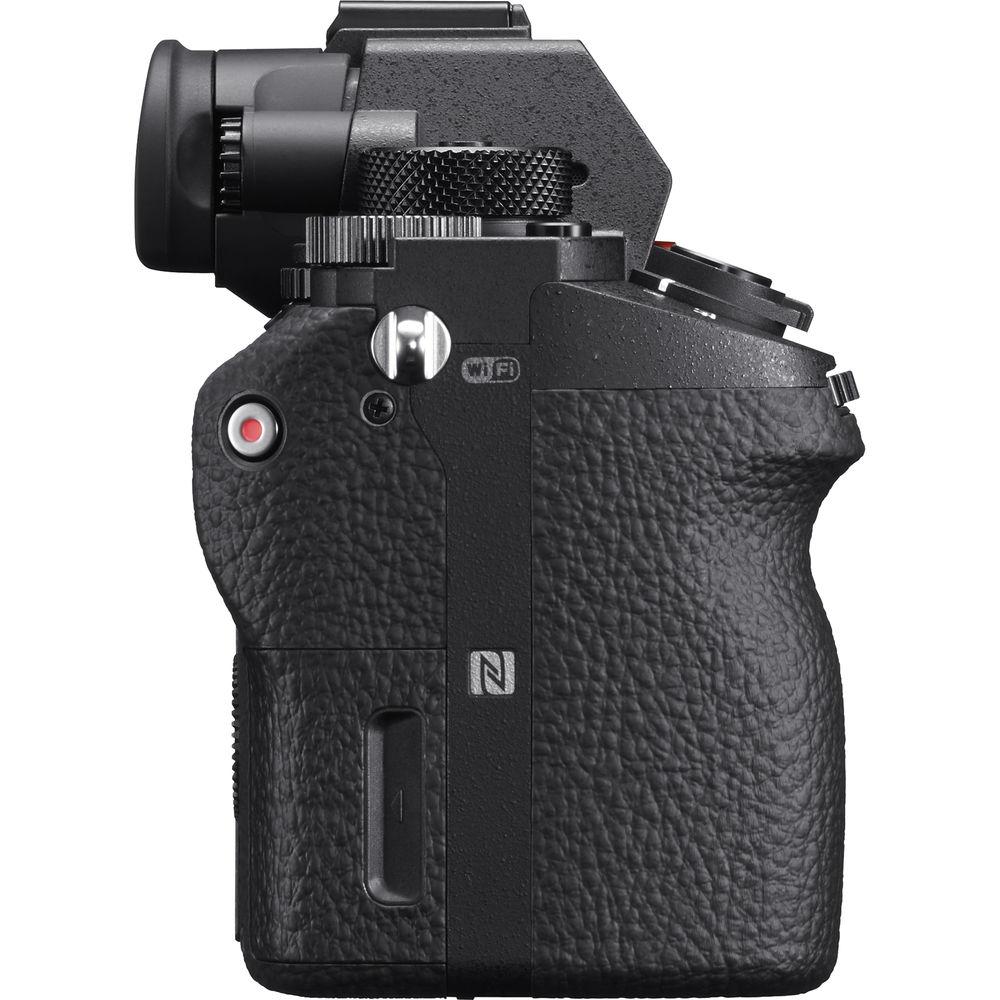
- Built-in Wi-Fi connectivity enables the a7S II to instantly share imagery to mobile devices for direct sharing online to social networking, via email, and to cloud storage sites. NFC (Near Field Communication) is also supported, which allows for one-touch connection between the camera and compatible mobile devices; no complex set-up is required. Once connected, the linked mobile device can also display a live view image on its screen and remotely control the camera's shutter.
Additionally, PlayMemories Camera Apps are also supported via the built-in Wi-Fi connection, and allow you to personalize the camera's features depending on specific shooting styles. Apps are available to suit creating portraits, detailed close-ups, sports, time lapse, motion shot, and other specific types of imagery. - Other Camera Features
-
- Cutting down on mechanical vibrations by 50% is the durable reduced-vibration shutter, which has been tested to 500,000 cycles. An electronic front curtain can be used to reduce vibrations further.
- A Silent Shutter mode can be used to mute the sound of the shutter for working in quiet environments. Up to 5 fps shooting is possible with the silent shutter and the mode can be assigned to a function button for quick on/off switching.
- The top, front, and rear covers of the body have all been made from magnesium alloy for long-lasting durability.
- Enhanced Eye AF can be used with AF-S and AF-C focusing modes, and automatically detects and tracks a subject's eye for critical focus.
- The Expand Flexible Spot function can be used with AF Area selections to intelligently expand the size of your selected focusing spot if it is not positioned on your subject.
- Focus Magnifier and Peaking functions benefit working with manual focus and allow you to quickly confirm in-focus portions of an image when shooting stills or recording video.
- White Balance settings can be fine-tuned for greater personal control over how a scene's colors are represented.
- In addition to the included battery charger, the NP-FW50 battery can also be charged inside the camera via USB.
- Adjustable Picture Profile parameters: Black level, Gamma (Movie, Still, Cine1-4, ITU709, ITU709 [800%], S-Log2, S-Log3), Black Gamma, Knee, Color Mode (Movie, Still, Cinema, Pro, ITU709 Matrix, White & Black, S-Gamut, S-Gamut3.Cine, S-Gamut3), Saturation, Color Phase, Color Depth, Detail, Copy, and Reset
- Scene Selection modes: Portrait, Landscape, Macro, Sports Action, Sunset, Night Portrait, Night Scene, Handheld Twilight, and Anti Motion Blur.
- Picture Effects: Posterization (Color, B/W), Pop Color, Retro Photo, Partial Color (R, G, B, Y), High Contrast Monochrome, Toy Camera, Soft High-key, Soft Focus, HDR Painting, Rich-tone Monochrome, Miniature, Watercolor, and Illustration.
- Creative Styles: Standard, Vivid, Neutral, Clear, Deep, Light, Portrait, Landscape, Sunset, Night Scene, Autumn Leaves, Black & White, Sepia (Contrast -3 to +3 steps, Saturation -3 to +3 steps, Sharpness -3 to +3 steps)
In the Box Sony Alpha a7S II Mirrorless Digital Camera (Body Only) 2 x NP-FW50 Lithium-Ion Rechargeable Battery (1020mAh) BC-VW1 AC Charger for W Series Battery AC-UUD11 AC Adapter Cable Protector Body Cap Shoulder Strap Accessory Shoe Cap Eyepiece Cup Limited 1-Year Warranty Table of Contents
|
Upload User Manual
Have you got an user manual for the Sony Alpha a7S II Mirrorless Digital Camera in electronic form? Please send it to us and help us expand our library of instruction manuals.
Thank you, too, on behalf of other users.
To upload the product manual, we first need to check and make sure you are not a robot. After that, your "Submit Link" or "Upload File" will appear.
Technical parameters | | | Lens Mount | Sony E | | Camera Format | Full-Frame (1x Crop Factor) | | Pixels | Actual: 12.4 Megapixel
Effective: 12.2 Megapixel | | Maximum Resolution | 4240 x 2832 | | Aspect Ratio | 3:2, 16:9 | | Sensor Type | CMOS | | Sensor Size | 35.8 x 23.9 mm | | Image File Format | JPEG, RAW | | Bit Depth | 14-Bit | | Image Stabilization | Sensor-Shift, 5-Axis | | | | ISO Sensitivity | Auto, 100 to 102400 (Extended: 50 to 409600) | | Shutter Speed | Electronic Front Curtain Shutter
1/8000 to 30 Seconds | | Metering Method | Center-Weighted Average, Multiple, Spot | | Exposure Modes | Aperture Priority, Auto, Manual, Program, Shutter Priority | | Exposure Compensation | -5 to +5 EV (1/3, 1/2 EV Steps) | | Metering Range | -3 to 20 EV | | White Balance | Auto, Cloudy, Color Temperature, Color Temperature Filter, Custom, Daylight, Flash, Fluorescent (Cool White), Fluorescent (Day White), Fluorescent (Daylight), Fluorescent (Warm White), Incandescent, Shade, Underwater | | Continuous Shooting | Up to 5 fps at 12.2 MP for up to 200 Exposures
Up to 2.5 fps at 12.2 MP for up to 200 Exposures | | Self Timer | 2/5/10-Second Delay | | | | Recording Modes | XAVC S
UHD 4K (3840 x 2160) at 23.976p/25p/29.97p [60 to 100 Mb/s]
Full HD (1920 x 1080) at 100p/120p [60 to 100 Mb/s]
Full HD (1920 x 1080) at 23.976p/25p/29.97p/50p/59.94p [50 Mb/s]
AVCHD
Full HD (1920 x 1080) at 50p/59.94p [28 Mb/s]
Full HD (1920 x 1080) at 23.976p/25p/50i/59.94i [17 to 24 Mb/s]
MP4
Full HD (1920 x 1080) at 50p/59.94p [28 Mb/s]
Full HD (1920 x 1080) at 25p/29.97p [16 Mb/s]
HD (1280 x 720) at 25p/29.97p [6 Mb/s] | | External Recording Modes | 4:2:2 8-Bit
UHD 4K (3840 x 2160) at 24.00p/25p/29.97p
Full HD (1920 x 1080) at 24.00p/50i/50p/59.94i/59.94p | | Recording Limit | Up to 29 Minutes, 59 Seconds | | Video Encoding | NTSC/PAL | | Audio Recording | Built-In Microphone (Stereo)
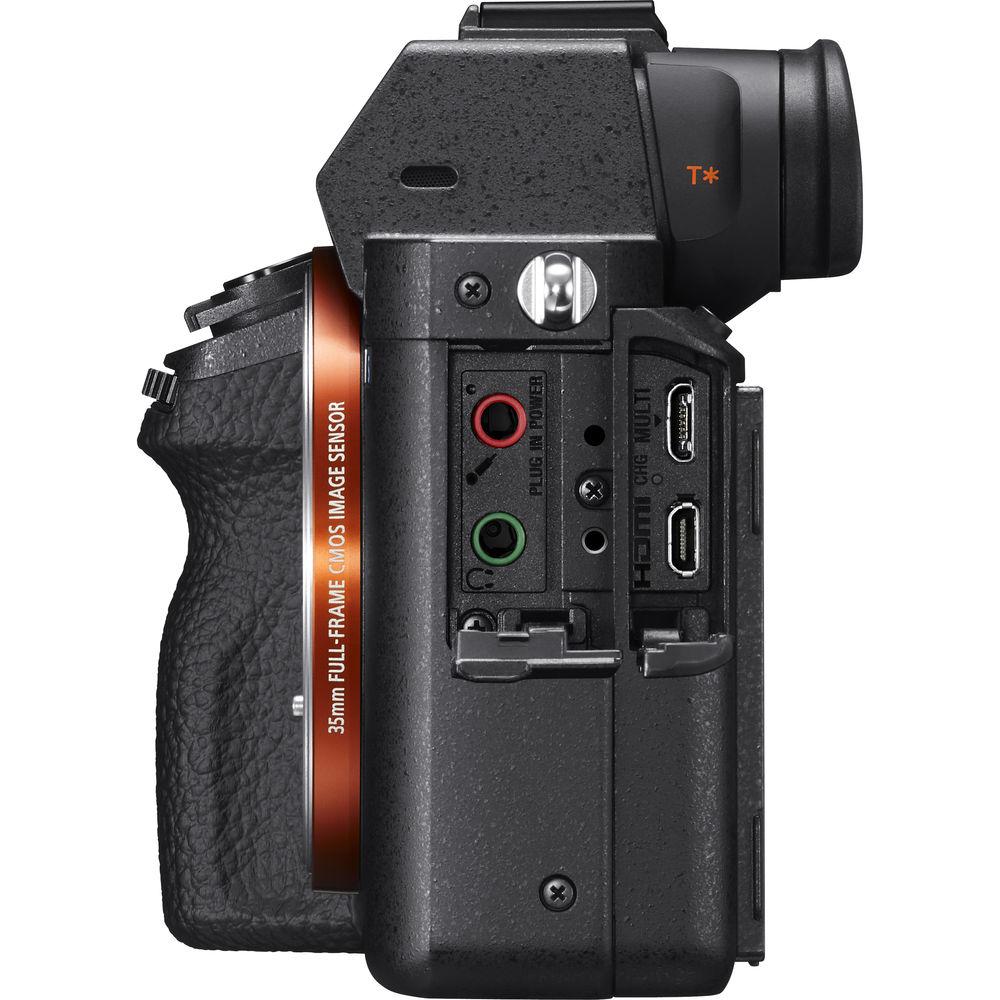
External Microphone Input | | Audio File Format | AAC LC, AC3, Dolby Digital 2ch, Linear PCM (Stereo) | | | | Focus Type | Auto and Manual Focus | | Focus Mode | Continuous-Servo AF (C), Direct Manual Focus (DMF), Manual Focus (M), Single-Servo AF (S) | | Autofocus Points | Contrast Detection: 169 | | Autofocus Sensitivity | -4 to +20 EV | | | | Viewfinder Type | Electronic | | Viewfinder Size | 0.5" | | Viewfinder Resolution | 2,359,296 Dot | | Viewfinder Eye Point | 23 mm | | Viewfinder Coverage | 100% | | Viewfinder Magnification | Approx. 0.78x | | Diopter Adjustment | -4 to +3 m | | Monitor Size | 3" | | Monitor Resolution | 1,228,800 Dot | | Monitor Type | LCD | | | | Built-in Flash | None | | Flash Modes | Auto, Fill Flash, Hi-Speed Sync, Off, Rear Sync, Red-Eye Reduction, Slow Sync, Wireless | | Maximum Sync Speed | 1/250 Second | | Flash Compensation | -3 to +3 EV (1/3, 1/2 EV Steps) | | External Flash Connection | Hot Shoe | | | | Memory Card Slot | 1 x SD/SDHC/SDXC/Memory Stick PRO Duo (High Speed)/Memory Stick PRO HG-Duo | | Connectivity | 3.5mm Headphone, 3.5mm Microphone, HDMI D (Micro), USB 2.0 Micro-B | | Wireless | Wi-Fi | | GPS | None | | | | Operating Temperature | 32 to 104°F / 0 to 40°C | | | | Battery | 1 x NP-FW50 Rechargeable Lithium-Ion, 7.4 VDC, 1020 mAh | | Dimensions (W x H x D) | 4.6 x 2.7 x 1.5" / 116.8 x 68.6 x 38.1 mm | | Weight | 22.12 oz / 627.10 g (Body with Battery and Memory) |
Rating92% users recommend this product to others. And what about you?

This product has already been rated by 84 owners. Add your rating and experience with the product.
Discussion
 Ask our technicians if you have a problem with your settings,
or if anything is unclear in the user manual you have downloaded.
You can make use of our moderated discussion.
The discussion is public and helps other users of our website who may be encountering similar problems.
Ask our technicians if you have a problem with your settings,
or if anything is unclear in the user manual you have downloaded.
You can make use of our moderated discussion.
The discussion is public and helps other users of our website who may be encountering similar problems.
The discussion is empty - enter the first post
Post a new topic / query / comment:
|
|


