User Manual for Sony Cyber-shot DSC-RX1 Full Frame Compact Digital Camera Click to enlarge the picture
 Contents of the user manual for the Sony Cyber-shot DSC-RX1 Full Frame Compact
- Product category: Point & Shoot Cameras Sony
- Brand: Sony
- Description and content of package
- Technical information and basic settings
- Frequently asked questions – FAQ
- Troubleshooting (does not switch on, does not respond, error message, what do I do if...)
- Authorized service for Sony Point & Shoot Cameras
 |
User manual for the Sony Cyber-shot DSC-RX1 Full Frame Compact contain basic instructions
that need to be followed during installation and operation.
Before starting your appliance, the user manual should be read through carefully.
Follow all the safety instructions and warnings, and be guided by the given recommendations.
User manual is an integral part of any Sony product,
and if it is sold or transferred, they should be handed over jointly with the product.
Following the instructions for use is an essential prerequisite for protecting
health and property during use, as well as recognition of liability on the part of the manufacturer
for possible defects should you make a warranty claim. Download an official Sony user manual in which you will find instructions on how to install, use, maintain and service your product.
And do not forget – unsuitable use of a Sony product will considerably shorten its lifespan!
|
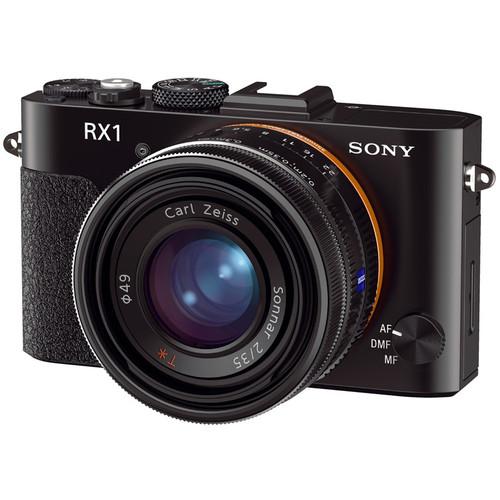
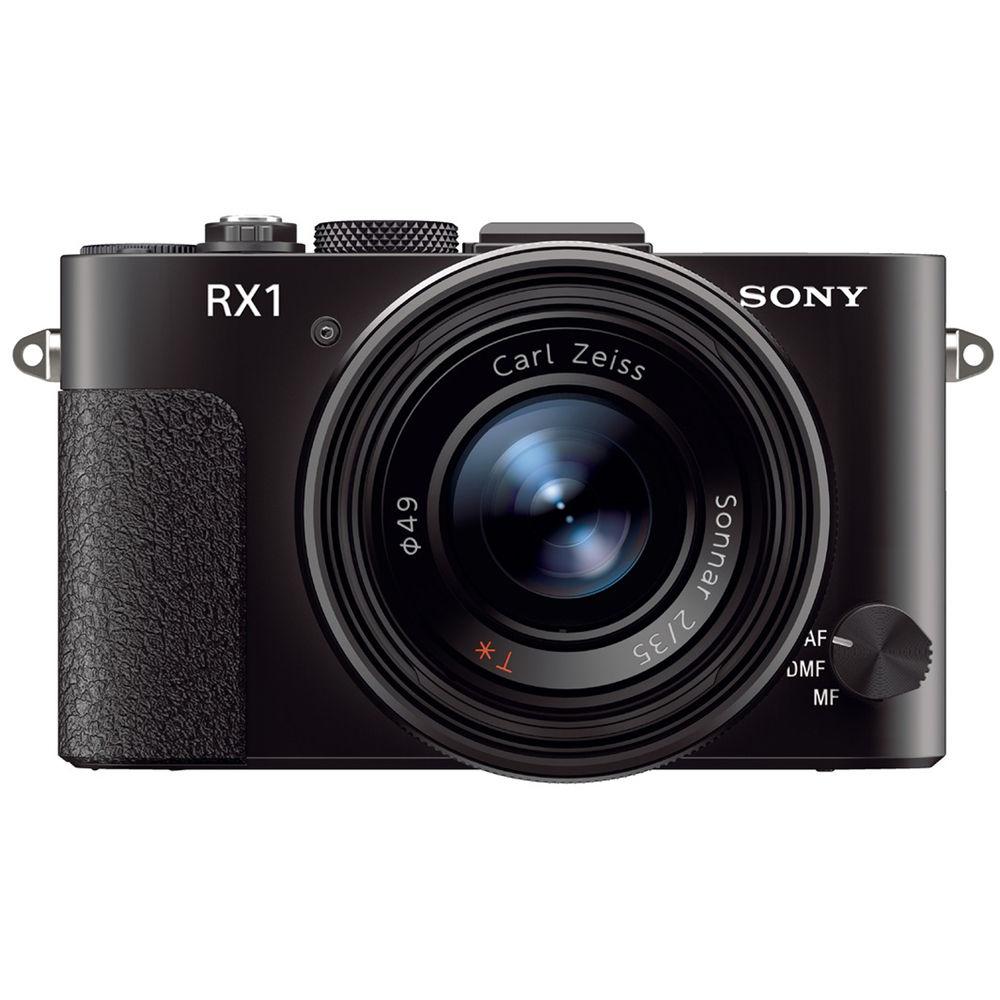
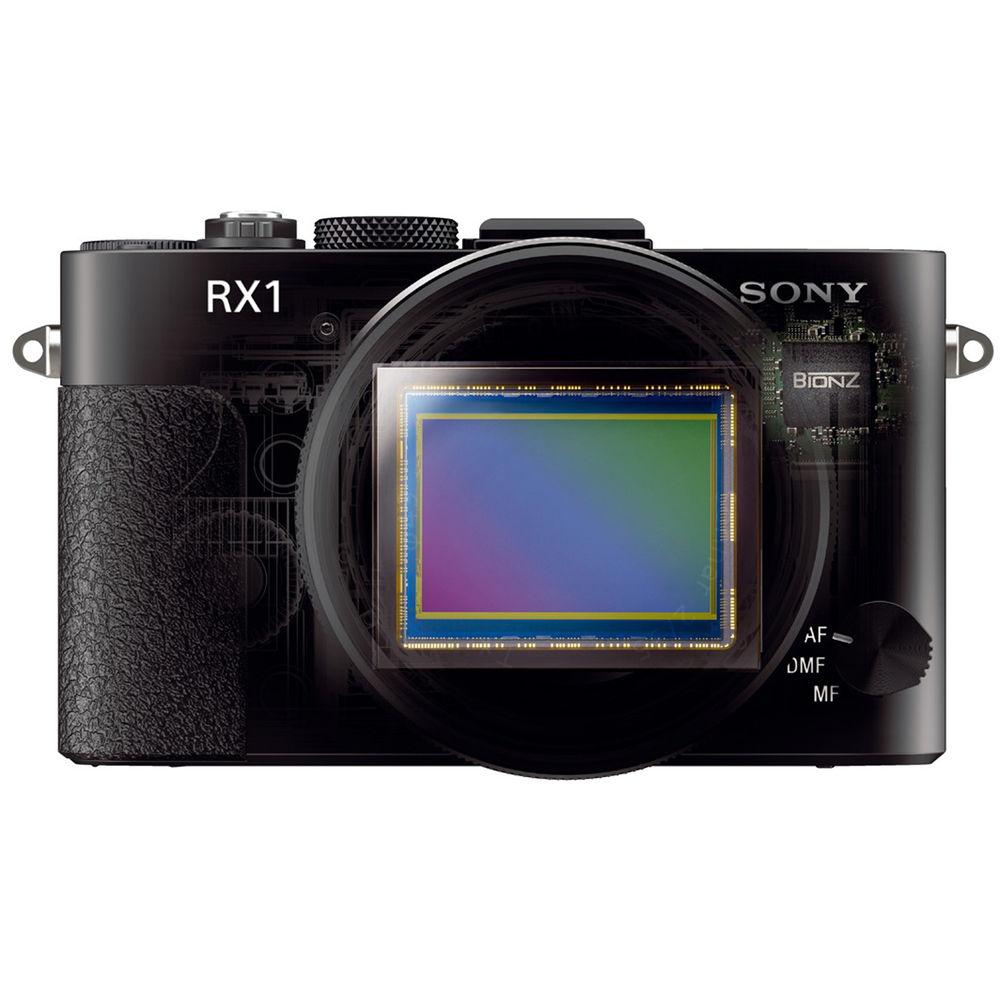
Product description The New Sony DSC-RX1: First Compact Full Frame Digital Camera Read More veewtqtwwacdxywabzqybuybqtxvrctvcbs The Sony Cyber-shot DSC-RX1 Full Frame Compact Digital Camera is the world's first fixed-lens digital camera with a full-frame sensor. This large 35mm Exmor CMOS sensor enables DSLR-quality imaging in a point-and-shoot form factor (4.5 x 2.6 x 2.8" / 11.4 x 6.6 x 7.1 cm). In addition to 24MP JPEG or RAW still images, the RX1 will also shoot Full HD 1080p video at 24 or 60fps. The 35mm f/2.0 Carl Zeiss Sonnar T* lens features a wide maximum aperture of f/2.0 with 9 iris blades, for reliable low-light performance and shallow depth of field with attractive bokeh (background blur). The multi-layered T* coating minimizes ghosting and flare caused by light reflection.
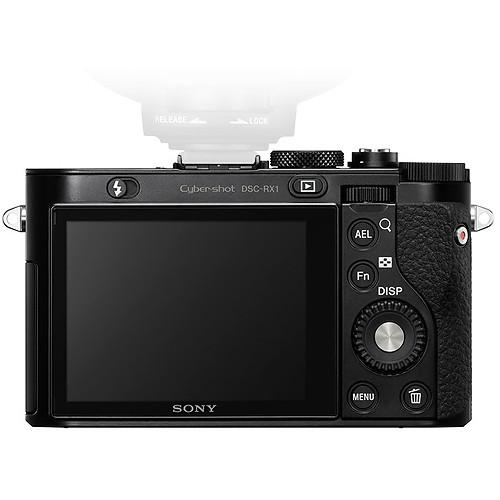
For framing and playback, the camera features a large 3" Xtra Fine LCD monitor with a 1,229k-pixel resolution. The screen uses WhiteMagic technology to improve visibility in bright daylight.
The RX1's sensor works with the BIONZ image processor to enable the camera to autofocus at high speed. Manual focusing is also available, and the camera has three distinct manual control rings for aperture, focusing, and macro.
The combination of the CMOS sensor and the BIONZ processor also allows for improved sensitivity, resulting in better low-light performance. The maximum selectable ISO setting is 25600, enabling low-light shooting without the camera's built-in pop-up flash. Also aiding you in darker conditions is Optical SteadyShot image stabilization, which enables clear, blur-free photos and video. SteadyShot also helps to eliminate motion blur when your subject or the camera moves during image capture.
The RX1 is capable of 5fps high-speed continuous shooting at full 24MP resolution, allowing you to capture fast action sequences. A multi interface hot shoe gives you the ability to attach optional accessories like an external flash unit or electronic viewfinder.
Auto HDR captures a greater dynamic range, combining the best highlight detail from one shot, the best mid-tones from a second, and the best shadow detail from a third into a single image. - Full Frame CMOS Sensor
- The RX1 is the world's first fixed-lens digital camera with a full-frame sensor. This large 24.3MP 35mm Exmor CMOS sensor enables DSLR-quality imaging in a point-and-shoot form factor (4.5 x 2.6 x 2.8" / 11.4 x 6.6 x 7.1 cm).
- Fixed Carl Zeiss Lens
- The camera is also equipped with a fixed Carl Zeiss f/2.0 Sonnar T* lens. The lens features a wide maximum aperture of f/2.0 with 9 iris blades, for clearly-exposed images in low-light conditions and shallow depth of field with attractive bokeh (background defocusing). The lens's macro capabilities allow focusing down to 5.5" (14 cm). A premium multi-layered T* coating also reduces ghost and flare caused by light reflection.
- JPEG and RAW
- The DSC-RX1 saves pictures as compact JPEG files and/or 14-bit RAW files. RAW files save images prior to de-mosaicing, white balance, sharpness and color enhancement. This retains maximum latitude for enhancing the image in post.
- 3" Xtra Fine LCD Display
- The 3" Xtra Fine LCD Display features 1,229k-dot resolution, and WhiteMagic technology increases visibility in bright daylight. Brightness Control: Auto / Manual (5 steps) / Sunny Weather mode.
- Full HD 24p Video with Manual Controls
- The RX1 can record video in Full HD 1920x1080p at 24, 25, 50 and 60 frames per second. Also records in 1080i. You can capture 1440×1080 video at 30 or 25fps, as well. Bit rates are as follows: For AVCHD: 28Mbps (1920×1080, 60p/50p), 24Mbps FX (1920×1080, 60i/50i), 17Mbps FH (1920×1080, 60i/50i), 24Mbps FX (1920×1080, 24p/25p), 17Mbps FH (1920×1080, 24p/25p). For MP4: 12Mbps (1440×1080, 30fps/25fps), 3Mbps VGA (640×480, 30fps/25fps). Video features include manual controls, an audio input jack and a multi interface shoe for mounting an external microphone or other accessories (sold separately). Manual Exposure, Program Auto, Aperture Priority and Shutter Speed Priority exposure modes are also available for photos and video. Sound recording and playback are possible via a built-in stereo microphone and mono speaker.
- High Speed AF
- Autofocus at high speed. To improve focusing speed and sensitivity, the Exmor CMOS sensor uses its rapid throughput to deliver image signals to the camera's BIONZ processor, which provides response data to a new high speed actuator motor in the lens. The result is fast, DSLR-like focusing speeds even in low light.
- Three Focusing Modes and Manual Focus Assist
- The RX1 features the following focusing modes: Auto Focus (AF), Manual Focus (MF) and Direct Manual Focus (DMF). AF functions as AF-S in still image shooting and as AF-C in video recording. DMF first uses AF to focus on the subject and then enables fast switching to manual focus for precise adjustment. When activated, peaking helps define critical focus by highlighting the edges of objects that are in focus with your choice of three colors (white, red, or yellow). AF Modes: Multi-point AF (25 points) / Center weighted AF / Flexible spot / Flexible spot (tracking focus) / Flexible sport (face tracking).
- Full Frame 24MP Bursts at up to 5fps
- The BIONZ image processor enables up to 5fps high-speed continuous shooting and 14-bit RAW image data recording.
- Dedicated Focus, Iris and Macro Rings
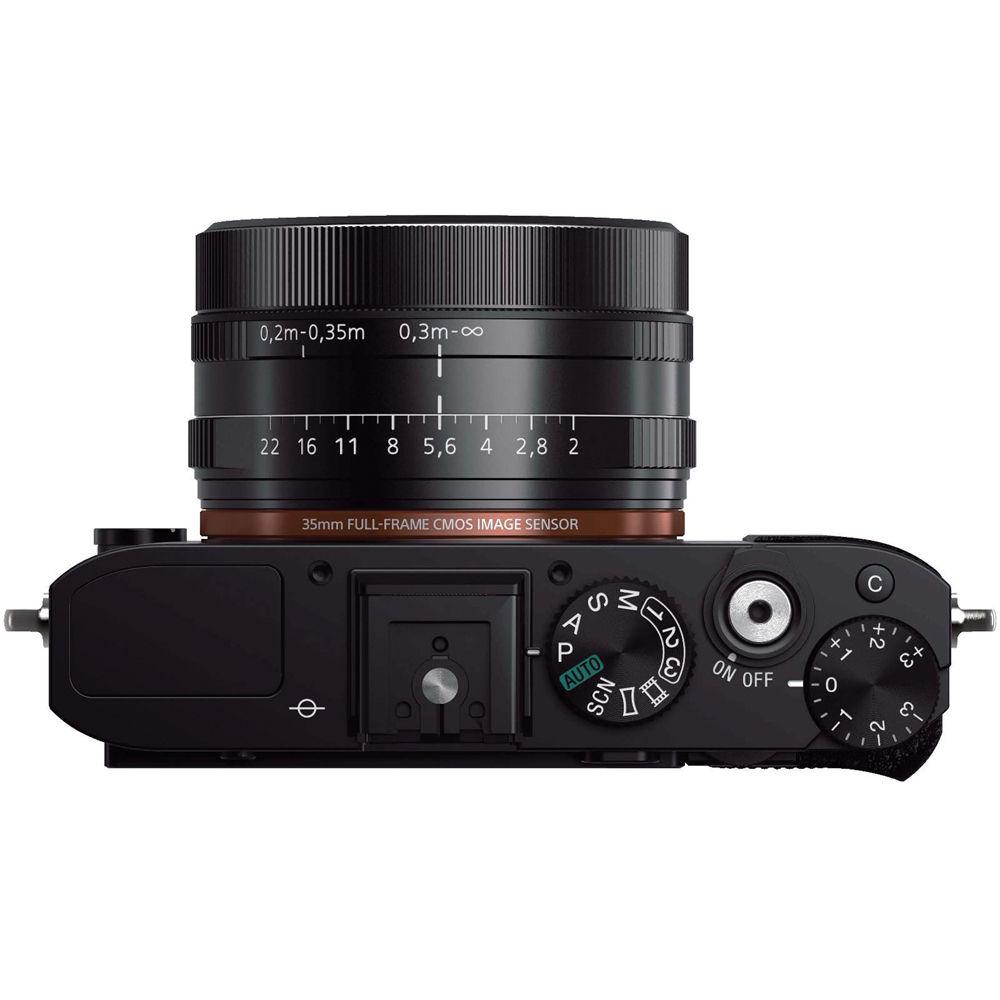
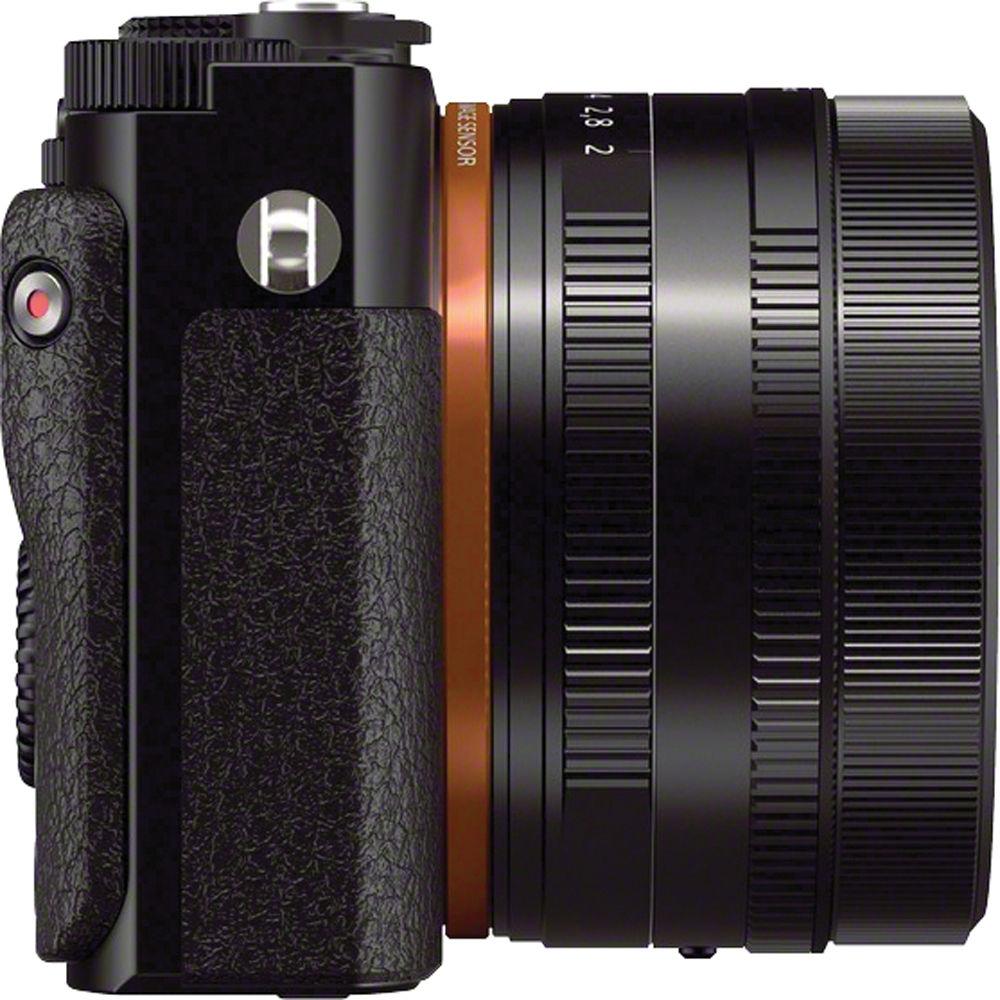
- RX1 features three distinct manual control rings for aperture, focusing, and macro.
- Low-light Performance
- The maximum selectable ISO setting is 25600, which enables low-light shooting without a flash. In addition, DSC-RX1 can capture six images in a fraction of a second and combine the data from all six to create a single image with a reduction in noise equivalent to two additional steps of ISO sensitivity.
- SteadyShot Image Stabilization
- Optical SteadyShot image stabilization helps you achieve clear, blur-free shots in low-light conditions or when your subject or the camera moves during image capture.
- Shoe for Flash, Light or External Mic
- The multi interface shoe provides a versatile connection for accessories like an external flash unit, an electronic viewfinder, an optical viewfinder, a thumb grip, a clip-on LCD monitor, an external microphone and more (sold separately).
- Quick Navi
- Pressing the Fn button activates Quick Navi, which allows the user to check camera settings at a glance and promptly change settings without having to search for dedicated menus.
- Memory Recall
- MR (memory recall) mode can memorize up to three groups of the user's preferred settings. Settings include zoom magnification, white balance, exposure compensation, shutter speed, drive mode and metering modes. This enables quick switching of settings at the right moment.
- Auto HDR Protects Highlight and Shadow
- Auto HDR captures more dynamic range, combining the best highlight detail from one shot with the best mid-tones from a second and the best shadow detail from a third, for one output shot with up to 6 EV stops in a split second.
- D-Range Optimizer
- Off, Dynamic Range Optimizer (Auto/Level), Auto High Dynamic Range: Auto exposure difference, Exposure difference level (1.0-6.0EV, 1.0-EV step).
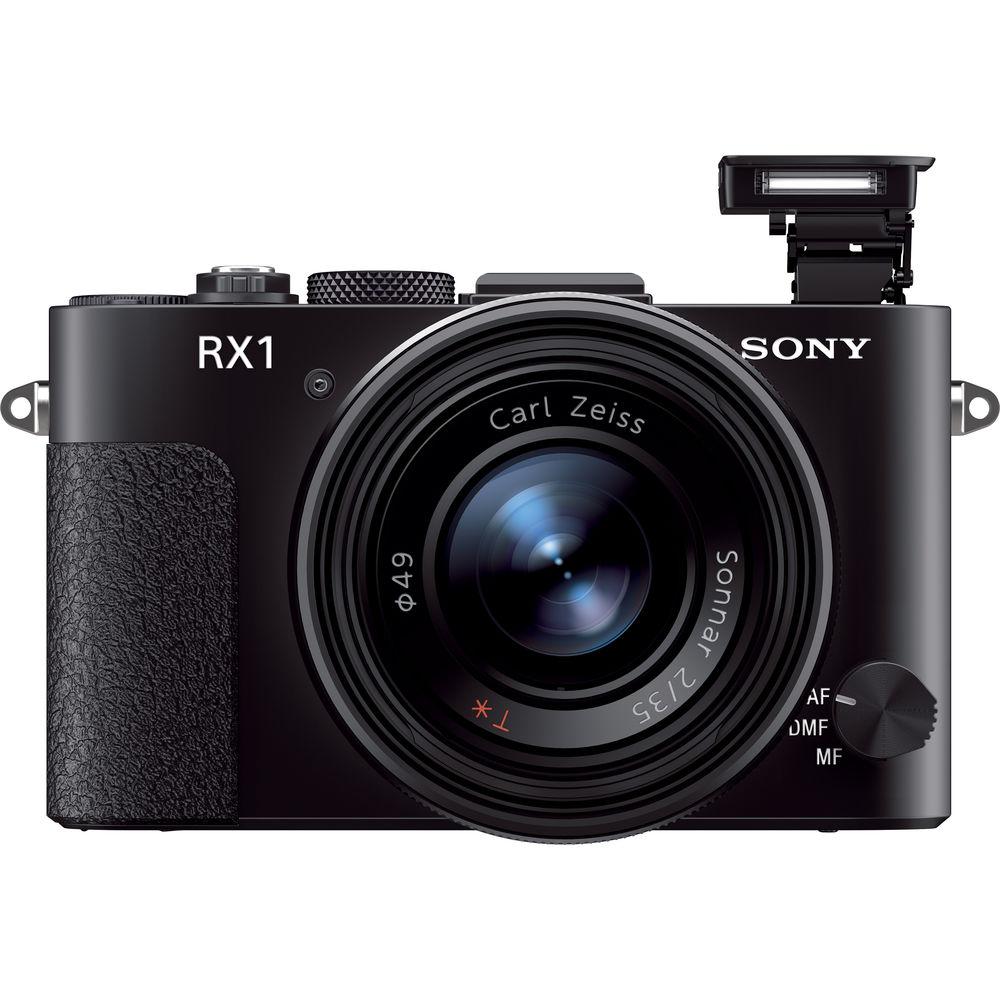
- Built in pop up flash
- The RX1 has a built-in flash with Auto, Slow Sync, Rear Sync, Fill-flash and Flash Off modes.
- Dual Aspect Ratio Recording for Still Images
- The RX1 can capture still images in either 3:2 or 16:9 aspect ratios, which allows you to choose a ratio that matches the scene or the specific shooting purpose.
- Digital Level Gauge
- Makes it easy to level the camera.
- Conveniently Placed Dials
- The camera features easily-accessible exposure compensation and focus mode dials.
- Creative Styles
- Control how the camera processes your images with 15 finishing styles: Standard, Vivid, Neutral, Clear, Deep, Light, Twilight, Night View, Autumn Leaves, B&W, Sepia, Sunset, Portrait and Landscape. You can even fine-tune contrast, saturation, and sharpness to your personal taste.
- Picture Effect Mode
- Picture Effects are a simple way to give scenes a heightened mood and emphasize certain attributes. Effects include Soft Focus, Posterization, Retro Photo, High Contrast Monochrome, Rich-tone Monochrome, Miniature, Soft High-key, Toy Camera, Pop Color, Partial Color, Watercolor Painting, HDR Painting, and Illustration.
- Sweep Panorama Mode
- Sweep Panorama Mode captures expansive landscapes automatically. Press the shutter and sweep vertically or horizontally, while the camera shoots continuous images and stitches them together.
- Intelligent Scene Recognition Mode
- Automatically detects 33 different scene types for still images and 44 scenes for videos, then chooses the appropriate camera settings. In Auto Mode, the camera captures a single shot with the optimal settings. In Advanced Mode, it takes a photo with the optimal settings and, in difficult lighting (low light or back light), immediately takes a second photo with another optimized setting--allowing you to choose which one you want to keep.
- Face Detection / Registration Technology
- The RX1 can automatically detect and register up to eight individual faces and adjust focus, exposure, white balance and flash. This technology can even prioritize children or adults.
- Auto Portrait Framing
- Combining Face Detection and By Pixel Super Resolution technologies with the rule of thirds, Auto Portrait Framing provides pleasingly composed and balanced, full resolution portraits. When activated, Auto Portrait Framing will save the optimally reframed image and a copy of the original. Landscape orientation is also available.
- White Balance Modes
- Auto, Cloudy, Custom, Daylight, Flash, Fluorescent, Incandescent, Shade, Filter, Color Temperature
- Playback
- Still Image Playback Options: Control for HDMI, Slideshow.
UPC: 027242863507 In the Box Sony Cyber-shot DSC-RX1 Full Frame Compact Digital Camera NP-BX1 Rechargeable Lithium-Ion Battery Pack (3.6V, 1240mAh) veewtqtwwacdxywabzqybuybqtxvrctvcbs Shoulder Strap AC Adapter AC-UD11 Lens Cap Shoe Cap Micro-USB Cable Instruction Manual Limited 1-Year Warranty User Manual PDF 6.1mb More from Manufacturer Table of Contents
|
Upload User Manual
Have you got an user manual for the Sony Cyber-shot DSC-RX1 Full Frame Compact Digital Camera in electronic form? Please send it to us and help us expand our library of instruction manuals.
Thank you, too, on behalf of other users.
To upload the product manual, we first need to check and make sure you are not a robot. After that, your "Submit Link" or "Upload File" will appear.
Technical parametersSony DSC-RX1 Specs | | | Pixels | Actual: 24.7 Megapixel
Effective: 24.3 Megapixel | | Sensor | Full Frame (35.8 x 23.9 mm) CMOS | | Bit Depth | 14-Bit | | File Formats | Still Images: JPEG, RAW
Movies: AVCHD | | Max Resolution | 24 MP: 6000 x 4000 | | Aspect Ratio | 3:2, 16:9 | | Image Stabilization | Optical & Digital | | | | Lens | 8 Elements in 7 Groups
3 Aspherical
Effective Focal Length: 35mm
Aperture: f/2.0 (W) to f/22 (T) | | Filter Thread | 49mm | | Zoom | Digital: 2x
Digital: 4x
Digital: 6.1x
Digital: 9.1x | | Focus Range | Normal: 9.45" to Infinity / 24 cm to Infinity
Macro: 5.51" to 11.42" / 14 cm to 29.01 cm | | | | ISO Sensitivity | Auto, 50 to 25600 | | Shutter | 30 to 1/4000 | | Exposure Metering | Center-Weighted, Multi, Spot | | Exposure Modes | Modes: Aperture Priority, Manual, Programmed Auto, Shutter Priority
Compensation: -3 EV to +3 EV (in 1/3 EV Steps) | | White Balance | Auto, Cloudy, Custom, Daylight, Flash, Fluorescent (Day White), Fluorescent (White), Incandescent, Shade Also: Color temperature | | Continuous Shooting | Up to 5 fps at 24.3 MP for up to Exposures | | Self-Timer | 10 Sec | | | | Flash Modes | Auto
Fill-In
Off
Second-Curtain Sync
Slow Sync | | Built-In Flash | Yes | | Effective Flash Range | 2.46 to 71.19' / 0.75 to 21.70 m
Up to142.39' / 43.40 m | | External Flash Connection | Hot Shoe, Wireless | | | | Memory Card Type | Memory Stick Duo
Memory Stick Pro Duo
Memory Stick PRO HG-Duo
SD
SDHC
SDXC | | | | Video Recording | Yes | | Resolution | 1920 x 1080: 60 fps, 24 fps | | | | Video Clip Length | Up to 29 Minutes | | Audio Recording | With Video (Stereo) | | | | Viewfinder Type | None | | Screen | 3" LCD Rear Screen (1,229,000 Pixels) | | | | Connectivity | 1/8" Microphone
HDMI D (Micro)
USB 2.0 Micro-B
USB 2.0 | | | | Battery | NP-BX1 Rechargeable Lithium-Ion Battery Pack, 3.6 VDC, 1240 mAh | | AC Power Adapter | AC-UD11 (Included) | | | | Dimensions (W x H x D) | 4.5 x 2.6 x 2.8" / 11.4 x 6.6 x 7.1 cm | | Weight | 1.06 lb / .48 kg | | | | Package Weight | 2.3 lb | | Box Dimensions (LxWxH) | 9.9 x 6.2 x 5.7" |
Rating90% users recommend this product to others. And what about you?

This product has already been rated by 43 owners. Add your rating and experience with the product.
Discussion
 Ask our technicians if you have a problem with your settings,
or if anything is unclear in the user manual you have downloaded.
You can make use of our moderated discussion.
The discussion is public and helps other users of our website who may be encountering similar problems.
Ask our technicians if you have a problem with your settings,
or if anything is unclear in the user manual you have downloaded.
You can make use of our moderated discussion.
The discussion is public and helps other users of our website who may be encountering similar problems.
The discussion is empty - enter the first post
Post a new topic / query / comment:
|
|


