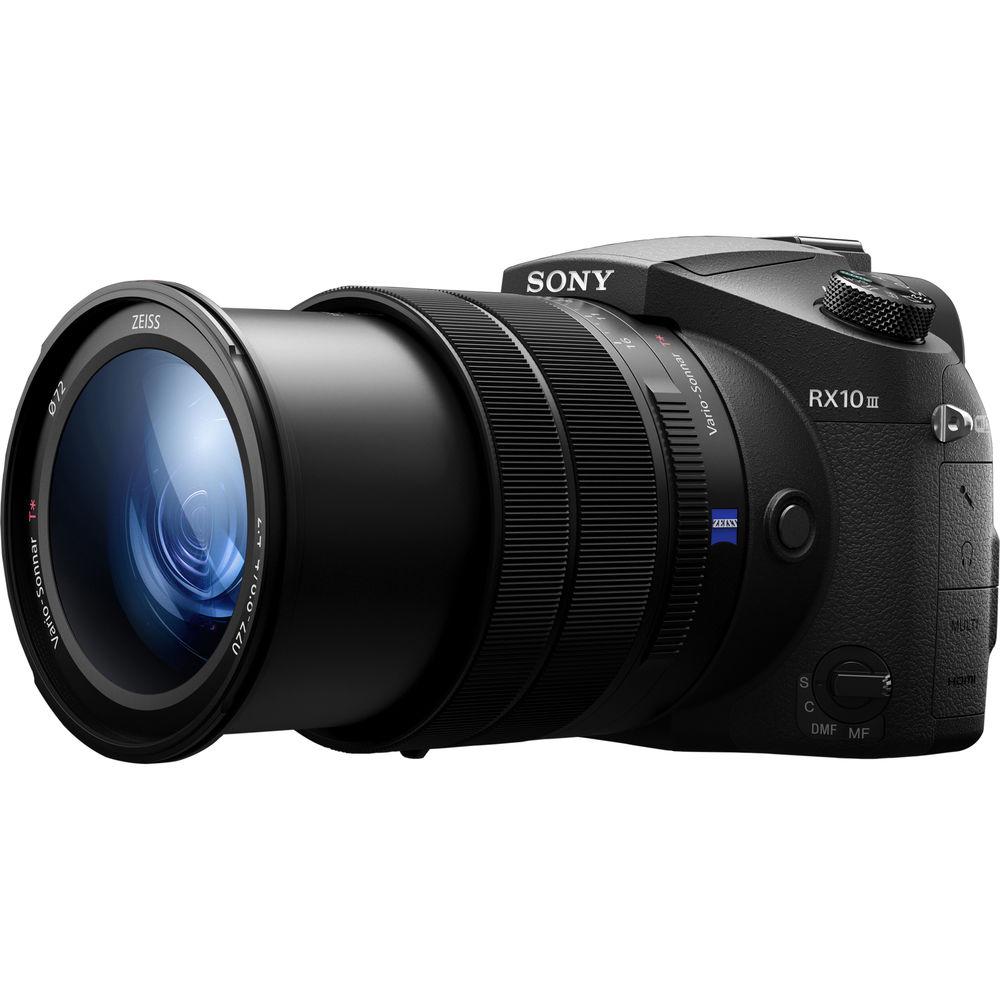
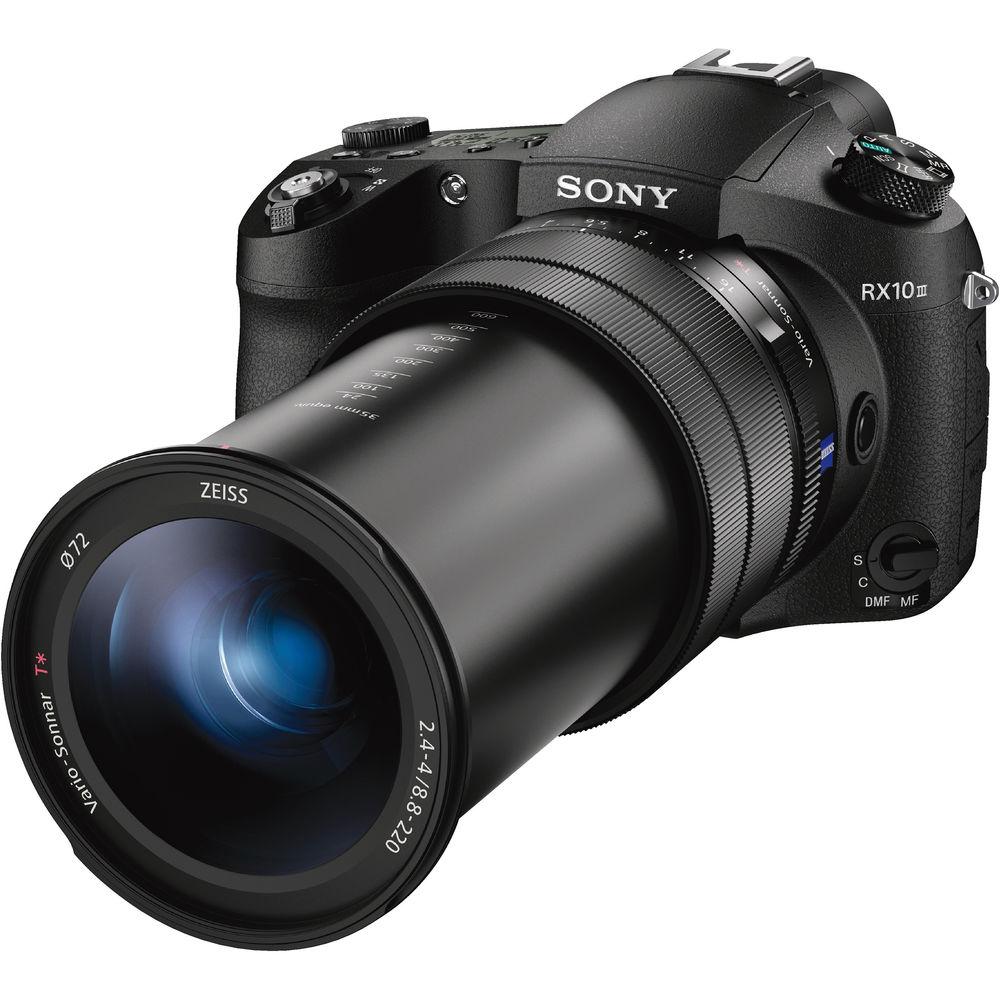
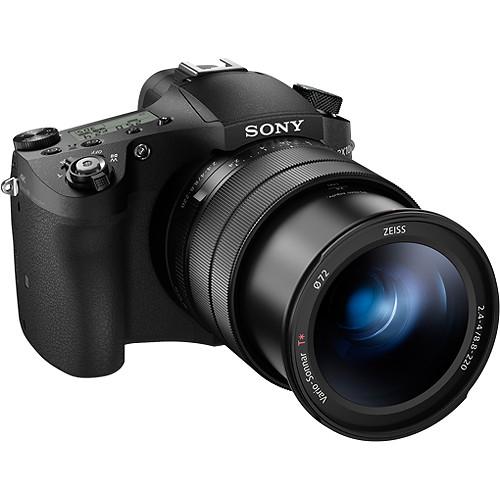
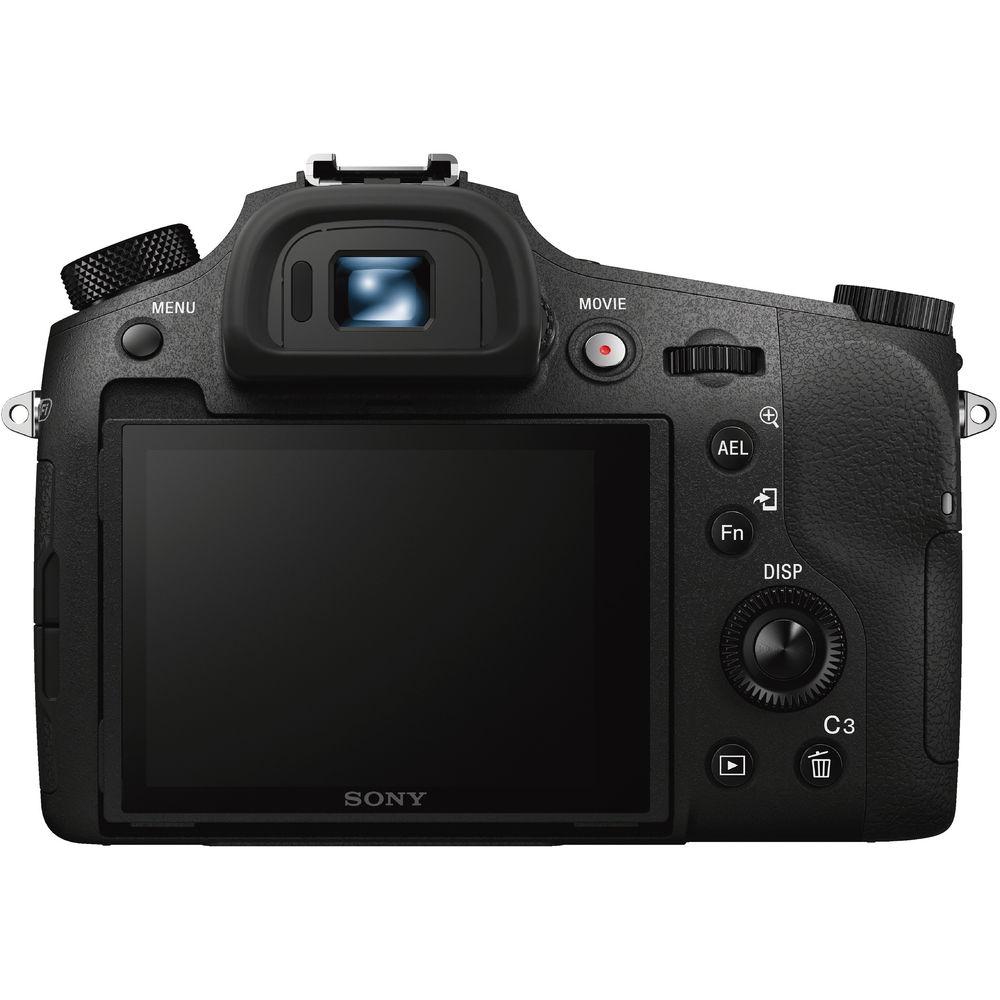
User Manual for Sony Cyber-shot DSC-RX10 III Digital Camera Click to enlarge the picture
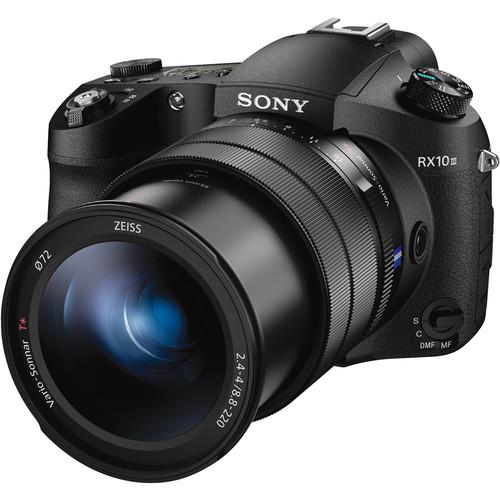 Contents of the user manual for the Sony Cyber-shot DSC-RX10 III Digital Camera
- Product category: Point & Shoot Cameras Sony
- Brand: Sony
- Description and content of package
- Technical information and basic settings
- Frequently asked questions – FAQ
- Troubleshooting (does not switch on, does not respond, error message, what do I do if...)
- Authorized service for Sony Point & Shoot Cameras
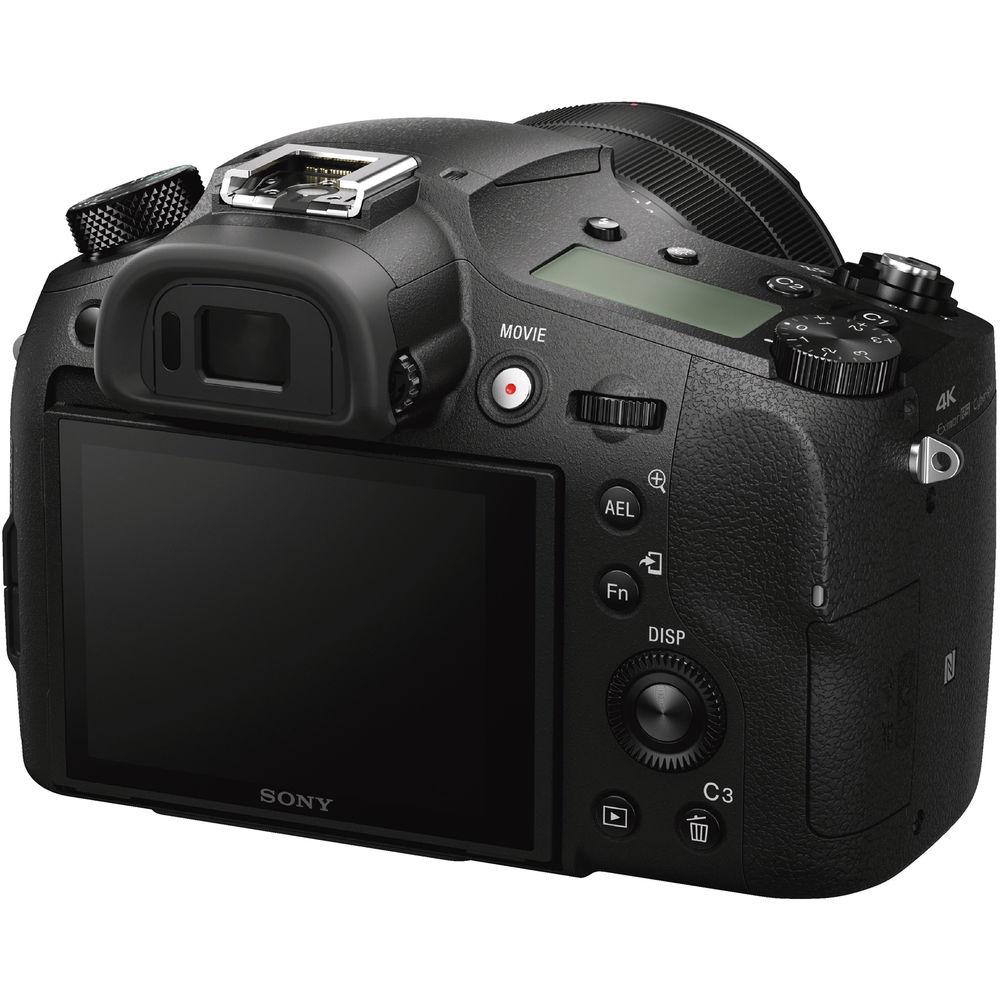
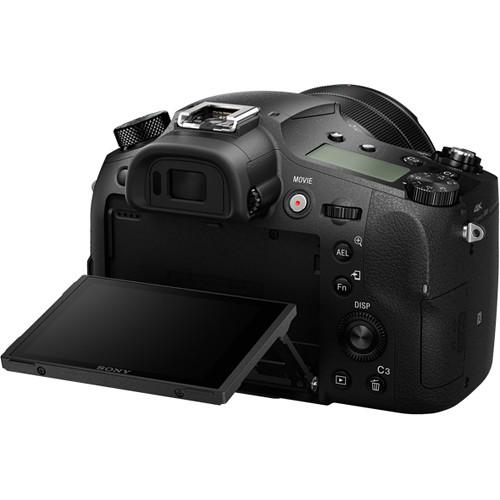 |
User manual for the Sony Cyber-shot DSC-RX10 III Digital Camera contain basic instructions
that need to be followed during installation and operation.
Before starting your appliance, the user manual should be read through carefully.
Follow all the safety instructions and warnings, and be guided by the given recommendations.
User manual is an integral part of any Sony product,
and if it is sold or transferred, they should be handed over jointly with the product.
Following the instructions for use is an essential prerequisite for protecting
health and property during use, as well as recognition of liability on the part of the manufacturer
for possible defects should you make a warranty claim. Download an official Sony user manual in which you will find instructions on how to install, use, maintain and service your product.
And do not forget – unsuitable use of a Sony product will considerably shorten its lifespan!
|
Product description In the Field with the Sony RX10 III Read More - First Look: Sony DSC-RX10 III
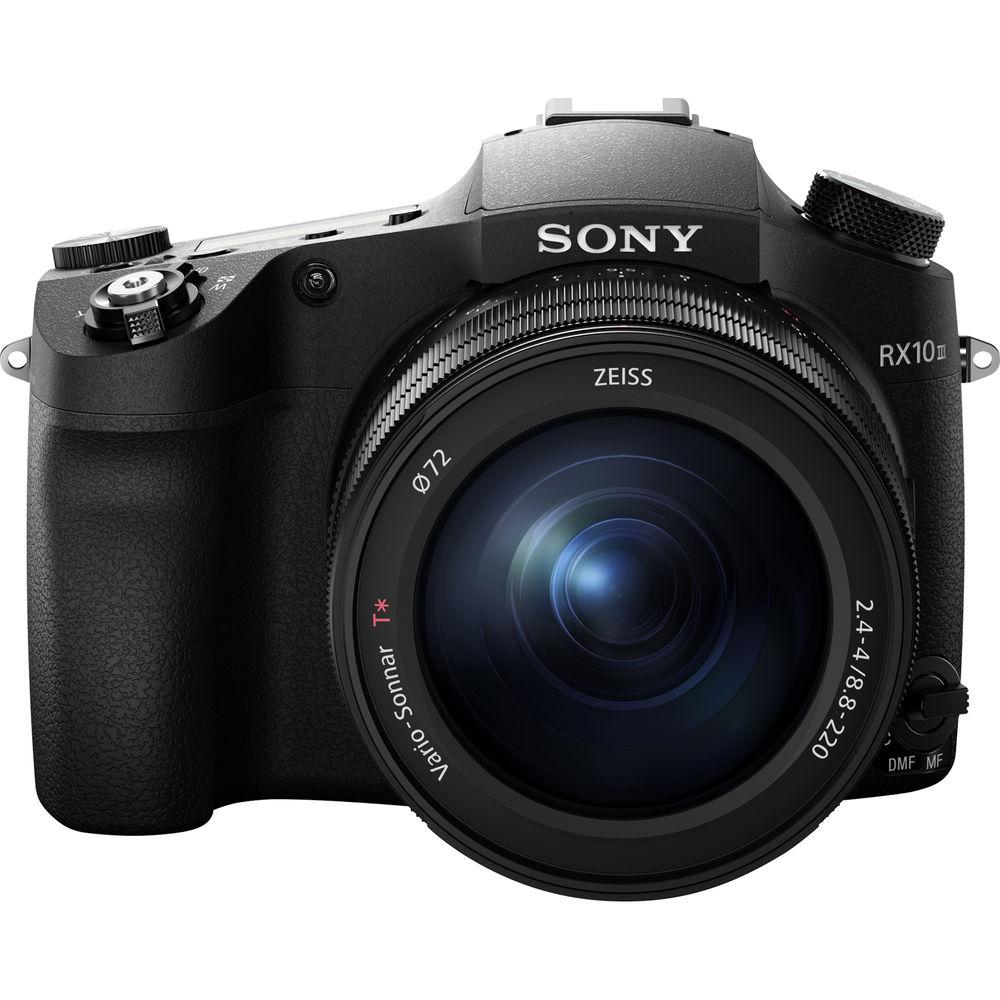
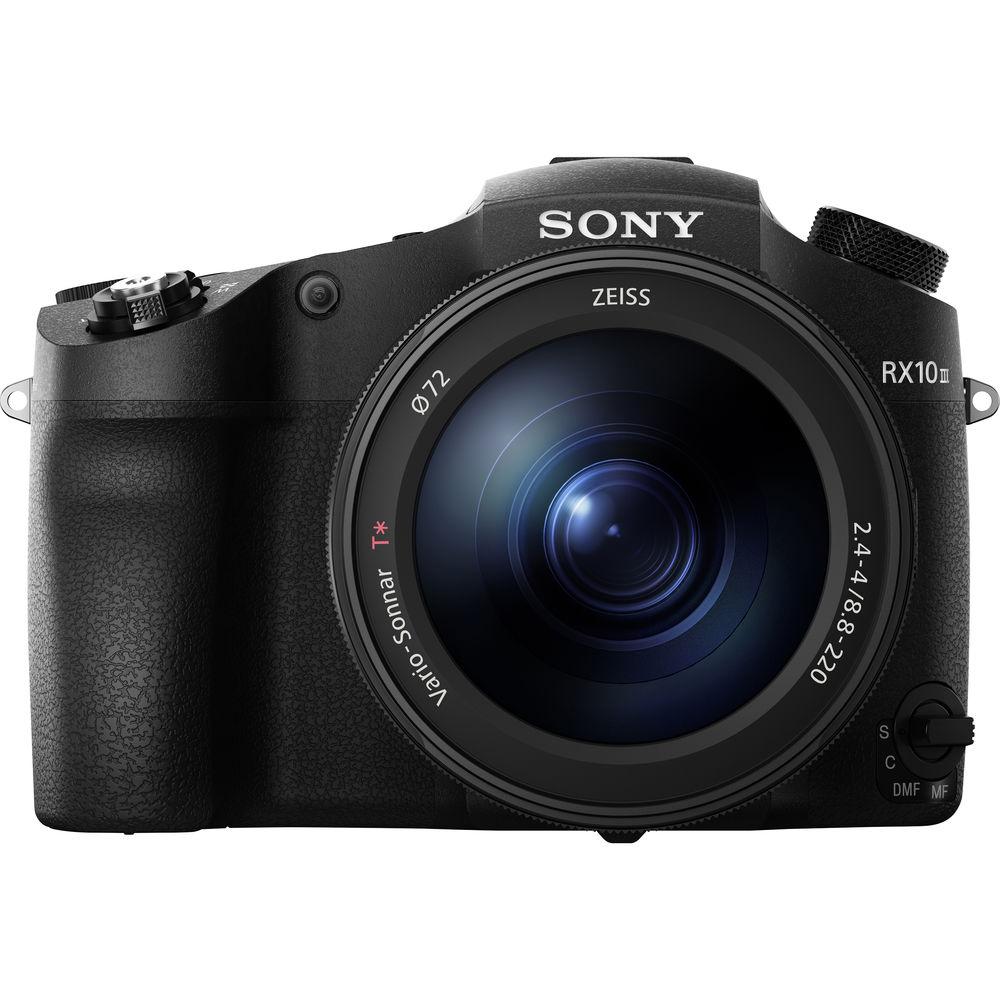
Blending fast performance with long reach, the Cyber-shot DSC-RX10 III from Sony is a versatile digital camera optimized for multimedia image-makers working in a broad variety of situations. Featuring a large 20.1MP 1" Exmor RS CMOS sensor, which utilizes both back-illuminated and stacked technologies, a high degree of image quality can be attained, with notable clarity, reduced noise, and sensitivity to ISO 12800. The sensor's design also integrates a dedicated DRAM chip to provide faster readout speeds that, when combined with the BIONZ X image processor, avail fast continuous shooting up to 14 fps. This also helps to reduce unwanted distortion caused by rolling shutter, and permits recording UHD 4K30 video internally, as well as slow motion Full HD 1080p video at 960 fps. Equally as impressive as the imaging capabilities, the RX10 III is also characterized by its 25x Zeiss Vario-Sonnar T* zoom lens, which spans an impressive 24-600mm equivalent focal length range and uses Optical SteadyShot image stabilization to minimize the effects of camera shake. Its optical design incorporates eight extra-low dispersion elements and six aspherical elements to control a variety of aberrations throughout the zoom range, and its f/2.4-4 maximum aperture range benefits working in low-light conditions. Mixing speed and reach, the RX10 III is well-suited to the photographer or videographer looking for the all-in-one camera to handle a variety of working situations.
Beyond the imaging capabilities, the camera is also notable for its robust physical design that includes both a 2.36m-dot OLED electronic viewfinder along with a tilting 3.0" 1.228m-dot LCD monitor. The intuitive design also features three dedicated control rings on the lens-a zoom ring, a manual focus ring, and an aperture ring-and the aperture ring can be de-clicked for smooth, silent aperture adjustments. The magnesium alloy body is also weather-sealed to permit working in trying environments. Additionally, for sharing and control flexibility, built-in Wi-Fi with NFC is also available for wireless image sharing and remote camera control from a linked smartphone or tablet. - 20.1MP 1" Exmor RS BSI CMOS Sensor and BIONZ X Image Processor
- A large 1" 20.1MP Exmor RS CMOS sensor pairs with the BIONZ X image sensor to realize a high degree of image clarity with reduced noise levels to support working in a wide array of environments with sensitivities up to ISO 12800. The Exmor RS sensor employs a unique stacked structure with a back-illuminated design for efficient light gathering abilities, as well as faster performance. The design also incorporates a dedicated DRAM chip on the back of the sensor to facilitate quick image processing in order to boost signal capacity and readout speeds for quick continuous shooting, up to 14 fps with reduced blackout, and slow motion video recording at up to 960 fps. An Anti-Distortion Shutter is also a product of the fast readout speeds, and helps to greatly reduce unwanted distortion caused by rolling shutter effects.
The sensor and processor also contribute to fast autofocus performance that benefits both stills shooting and video recording. This Fast Intelligent AF system is able to achieve precise focus in as little as 0.09 seconds to suit working with quickly moving subjects. By continuously tracking and assessing subjects, the focusing system is able to quickly lock onto subjects prior to half-pressing the shutter button and a subject detection algorithm then intelligently predicts the proper point of focus to aid in acquiring sharp imagery of moving subjects. - Zeiss Vario-Sonnar T* 25x Zoom Lens
- Pairing with the imaging assets, the RX10 III is most distinctly characterized by its expansive 25x zoom lens. This Zeiss Vario-Sonnar T* lens spans a 24-600mm equivalent focal length range, and has a variable maximum aperture of f/2.4-4 for adept performance from wide-angle to super telephoto. The optical design incorporates five extra-low dispersion elements, two extra-low dispersion aspherical elements, and one Super ED element to control a range of chromatic aberrations throughout the zoom range for increased clarity and color accuracy. An advanced aspherical (AA) element and five aspherical elements are also featured to reduce spherical aberrations for improved sharpness and resolution. Additionally, the esteemed Zeiss T* anti-reflective coating has been applied to individual elements to reduce flare and ghosting for increased contrast when working in strong lighting conditions.
Complementing the lens' reach, Optical SteadyShot image stabilization also helps to minimize the appearance of camera shake by up to 4.5 stops for sharper handheld shooting. The lens also sports a rounded nine-blade diaphragm to produce smooth bokeh, and, despite its long reach, can also focus as closely as 1.2" with a 0.42x maximum magnification for working with close-up subjects. - UHD 4K Video Recording
- Internal video recording is possible in a range of resolutions up to UHD 4K30 as well as high-speed recording in Full HD 1080p at 120 fps. Recording is done using full pixel readout, without pixel binning, in order to avoid the occurrence of moiré and jaggies, and the fast readout speeds of the sensor help to avoid moving subject distortion due to the effects of rolling shutter. Both 4K and Full HD recording is possible in the 100 Mbps XAVC S format, which is contained within an MP4 wrapper, with 4:2:0 color sampling when recording internally, or 4:2:2 sampling with the use of an optional external recorder via HDMI output.
Making use of the back-illuminated sensor design, customizable picture profiles, color settings, and gamma controls are also available to effectively extend the possible dynamic range. Users can adjust the gamma, black level, knee, color level, and more. Also users can use the same S-Log2 Gamma Curve that is found on high end Sony Cinema cameras that squeezes up to 1300% more dynamic range into the video signal than traditional REC709, for increased post-production flexibility. Multiple timecode recording and user bit options are also provided to suit different editing workflows.
Beyond UHD 4K recording, the RX10 III also makes use of the fast readout speeds by way of availing a range of high frame rate (HFR) recording settings, with the ability to record Full HD movies at up to 960 fps for 40x slow motion playback. - Body Design and Built-In Wi-Fi
-
- A bright, high-resolution XGA OLED Tru-Finder sports a 2.36m-dot resolution for clear eye-level monitoring of the scene, as well as the ability to preview exposure adjustments prior to shooting.
- Alternatively, a rear 3.0" 1.228m-dot Xtra Fine TFT LCD is available for monitoring and review, and features a 107° upward, 42° downward tilting design to benefit working from high and low angles. The screen also uses WhiteMagic technology for improved visibility in bright conditions.
- A robust magnesium-alloy body design is both dust- and moisture-resistant to support use in harsh environments.
- The manually-operated aperture ring permits intuitive tactile control over exposure settings, and the ring can be de-clicked for smooth, silent performance to suit video applications. Manual focus and zoom rings are also incorporated in the lens' design.
- A top LCD panel can be used to quickly check key exposure and other settings.
- A range of customizable function buttons can be assigned to any one of 58 different custom functions.
- The included NP-FW50 rechargeable lithium-ion battery offers approximately 420 shots per charge when working with the LCD monitor, or 370 shots per charge when working with the EVF.
- Both an external microphone jack and a headphone jack are available for using optional external mics and monitoring your audio in real time.
- Built-in Wi-Fi with NFC permits wirelessly sharing imagery to a linked mobile device for instant sharing online, and also allows a smartphone or tablet to remotely control the camera or display a live view image. Mobile devices can be paired via NFC or via a QR code displayed on the camera for non NFC-enabled phones or tablets.
- PlayMemories Camera Apps are also supported via the built-in Wi-Fi connection, and allow you to personalize the camera's features depending on specific shooting styles. Apps are available to suit creating portraits, detailed close-ups, sports, time lapse, motion shot, and other specific types of imagery.
- Other Camera Features
-
- Zoom Assist can be assigned to a custom function button and used to automatically zoom out from the scene in order to re-locate a subject, and then released to quickly return to the zoomed-in position.
- Step Zoom lets you configure the zoom ring to only cycle through fixed popular focal lengths as the ring is rotated, including 24, 28, 35, 50, 70, 85, 100, 135, 200, 300, 400, 500, and 600mm. Quick Zoom, on the other hand, can be assigned to a custom function button and lets you move throughout the zoom range in a fluid, seamless manner by rotating the zoom ring.
- A Silent Shooting mode makes use of an electronic shutter function for completely silent performance that is ideal for photographing in noise-sensitive areas. This electronic shutter also permits working with shutter speeds up to 1/32,000 sec. for photographing in bright conditions.
- Clear Image Zoom can be used to magnify the center of scenes by 2x to effectively extend the reach of the lens. This digital zoom technology uses an intelligent interpolation process to minimize the amount of image degradation in order to produce realistic, high-quality images.
- Eye AF is a dedicated autofocus mode that bases focus on recognized subjects' eye for portraits, and can be configured to prioritize either the subject's right or left eye.
- White balance adjustment can be finely controlled using detailed sliders that span the amber-blue and magenta-green axes for more precise control over how color tones appear in various lighting conditions.
- Benefitting manual focus operation, Manual Focus Assist can be used to magnify a portion of the scene for making more precise, detailed adjustments. Peaking is also available to highlight strong edges of contrast for more objective determining over sharp focus.
- A Dual Rec mode allows you to record 17MP stills, without pixel binning, while simultaneously recording video. Auto Dual Rec takes this process further by automatically recording stills at a chosen frequency or when a new composition or subject is recognized.
- When recording in UHD 4K, 8MP still frame grabs can be saved during playback for use as a still image. If working in Full HD, 2MP stills can be taken from video files.
- Scene Selection: Portrait, Sports Action, Macro, Landscape, Sunset, Night Scene, Handheld Twilight, Night Portrait, and Anti Motion Blur.
- Picture Effect: Toy Camera, Pop Color, Posterization, Retro Photo, Soft High-Key, Partial Color, High Contrast Mono, Soft Focus, HDR Painting, Richtone Monochrome, Miniature, Watercolor, and Illustration.
- Creative Style: Standard, Vivid, Neutral, Clear, Deep, Light, Portrait, Landscape, Sunset, Night Scene, Autumn Leaves, Black & White, Sepia, and Style Box.
UPC: 027242899681 In the Box Sony Cyber-shot DSC-RX10 III Digital Camera NP-FW50 Lithium-Ion Rechargeable Battery (1020mAh) azburcybscxxyzvdatqrasxxtcy AC Adapter Micro USB Cable Shoulder Strap Lens Cap Shoe Cap Lens Hood Eyepiece Cup Limited 1-Year Warranty Unveiled: Sony Cyber-shot DSC-RX10 III Goes All the Way to 600mm Shawn C. Steiner 03/29/2016 More from Manufacturer Table of Contents
|
Upload User Manual
Have you got an user manual for the Sony Cyber-shot DSC-RX10 III Digital Camera in electronic form? Please send it to us and help us expand our library of instruction manuals.
Thank you, too, on behalf of other users.
To upload the product manual, we first need to check and make sure you are not a robot. After that, your "Submit Link" or "Upload File" will appear.
Technical parametersSony DSC-RX10 III Specs | | | Pixels | Actual: 21.0 Megapixel
Effective: 20.1 Megapixel | | Sensor | 1" (13.2 x 8.8 mm) CMOS | | File Formats | Still Images: JPEG, RAW
Movies: AVCHD 2.0, MP4, XAVC S
Audio: AAC LC, AC3, Dolby Digital 2ch, Linear PCM (Stereo) | | Max Resolution | 5472 x 3648 | | Aspect Ratio | 1:1, 3:2, 4:3, 16:9 | | Image Stabilization | Optical & Digital | | Color Spaces | sRGB, Adobe RGB | | | | Lens | Carl Zeiss Vario-Sonnar, 18 Elements in 13 Groups
6 Aspherical, 8 ED
Effective Focal Length: 8.8 to 220mm (35 mm Equivalent: 24 to 600mm)
Aperture: f/2.4 (W) to f/4 (T) to f/16 | | Filter Thread | 72mm | | Zoom | Optical: 25x
Clear Image Zoom: 2x
Digital: 4x | | Focus Range | Wide: 1.18" to Infinity / 3 cm to Infinity
Telephoto: 2.36' to Infinity / 72 cm to Infinity | | | | ISO Sensitivity | Auto, 100 to 12800 (Extended Mode:64 to 12800) | | Shutter | Type: Mechanical
Speed: 30 to 1/2000 Second in Bulb Mode
Type: Mechanical
Speed: 30 to 1/2000 Second in Program Mode
Type: Electronic
Speed: 30 to 1/32000 Second in Aperture Priority Mode
Type: Electronic
Speed: 4 to 1/32000 Second in Auto Mode | | Exposure Metering | Center-Weighted, Multi, Spot | | Exposure Modes | Modes: Aperture Priority, Auto, Manual, Memory Recall, Movie, Panorama Shot, Program, Scene Selection, Shutter Priority
Compensation: -3 EV to +3 EV (in 1/3 EV Steps) | | White Balance | Auto, Cloudy, Color Temperature, Custom, Daylight, Flash, Fluorescent (Cool White), Fluorescent (Day White), Fluorescent (Daylight), Fluorescent (Warm White), Incandescent, Shade | | Continuous Shooting | Up to 14 fps at 20.1 MP
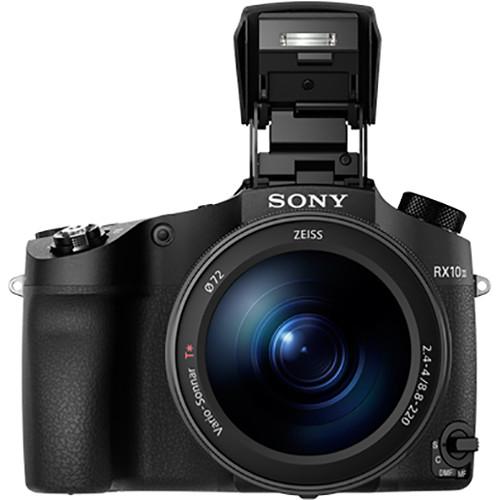
Up to 5 fps at 20.1 MP | | Self-Timer | 2, 5, 10 Sec | | | | Flash Modes | Auto
Flash On
Off
Rear Sync
Slow Sync
Wireless | | Built-In Flash | Yes | | Effective Flash Range | Wide:3.3 to 35.4' / 1 to 10.8 m
Telephoto:3.3 to 21.3' / 1 to 6.5 m | | External Flash Connection | Hot Shoe, Wireless | | | | Memory Card Type | SD
SDHC
SDXC
Memory Stick Duo
Memory Stick Pro Duo
Memory Stick PRO Duo (High Speed)
Memory Stick PRO HG-Duo
Memory Stick Micro
Memory Stick Micro (M2) | | | | Video Recording | Yes, NTSC/PAL | | Resolution | 3840 x 2160p: 30 fps, 24 fps
1920 x 1080p: 120 fps, 60 fps, 30 fps, 24 fps
1920 x 1080i: 60 fps
3840 x 2160p: 25 fps
1920 x 1080p: 100 fps, 50 fps, 25 fps
1920 x 1080i: 50 fps
1920 x 1080p: 960 fps, 480 fps, 240 fps
1920 x 1080p: 1000 fps, 500 fps, 250 fps | | | | Video Clip Length | Up to 4 GB or 29 Minutes | | Audio Recording | Built-In Mic: With Video (Stereo)
Optional External Mic: With Video | | | | Viewfinder Type | Electronic | | Diopter Adjustment | -4 to +3 m | | Viewfinder Coverage | 100% | | Screen | 3.0" LCD Rear Screen Tilt (1,228,800 Pixels) | | Screen Coverage | 100% | | | | Connectivity | 1/8" Headphone, 1/8" Microphone, HDMI D (Micro), USB 2.0 Micro-B, USB 2.0 | | Wi-Fi | Yes, Wi-Fi 4 (802.11n) Built In | | | | Operating Temperature | 32 to 104°F / 0 to 40°C | | | | Battery | 1 x NP-FW50 Rechargeable Lithium-Ion Battery Pack, 7.2 VDC, 1020 mAh | | | | Dimensions (W x H x D) | 5.2 x 3.7 x 5.0" / 132.5 x 94.0 x 127.4 mm | | Weight | 2.41 lb / 1095 g with battery and memory card | | | | Package Weight | 3.75 lb | | Box Dimensions (LxWxH) | 8.4 x 6.3 x 6.1" |
Rating90% users recommend this product to others. And what about you?

This product has already been rated by 30 owners. Add your rating and experience with the product.
Discussion
 Ask our technicians if you have a problem with your settings,
or if anything is unclear in the user manual you have downloaded.
You can make use of our moderated discussion.
The discussion is public and helps other users of our website who may be encountering similar problems.
Ask our technicians if you have a problem with your settings,
or if anything is unclear in the user manual you have downloaded.
You can make use of our moderated discussion.
The discussion is public and helps other users of our website who may be encountering similar problems.
The discussion is empty - enter the first post
Post a new topic / query / comment:
|
|


