User Manual for Sony Cyber-shot DSC-RX100 III Digital Camera Click to enlarge the picture
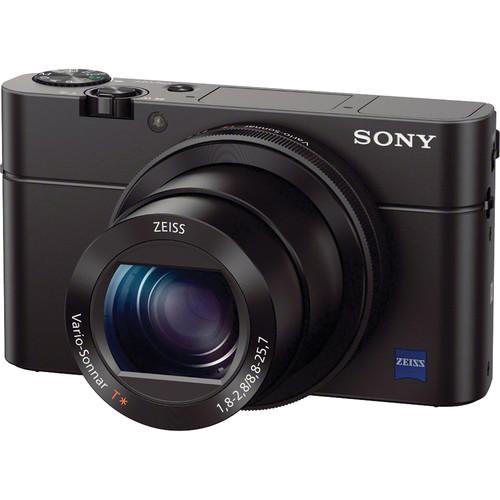 Contents of the user manual for the Sony Cyber-shot DSC-RX100 III Digital Camera
- Product category: Point & Shoot Cameras Sony
- Brand: Sony
- Description and content of package
- Technical information and basic settings
- Frequently asked questions – FAQ
- Troubleshooting (does not switch on, does not respond, error message, what do I do if...)
- Authorized service for Sony Point & Shoot Cameras

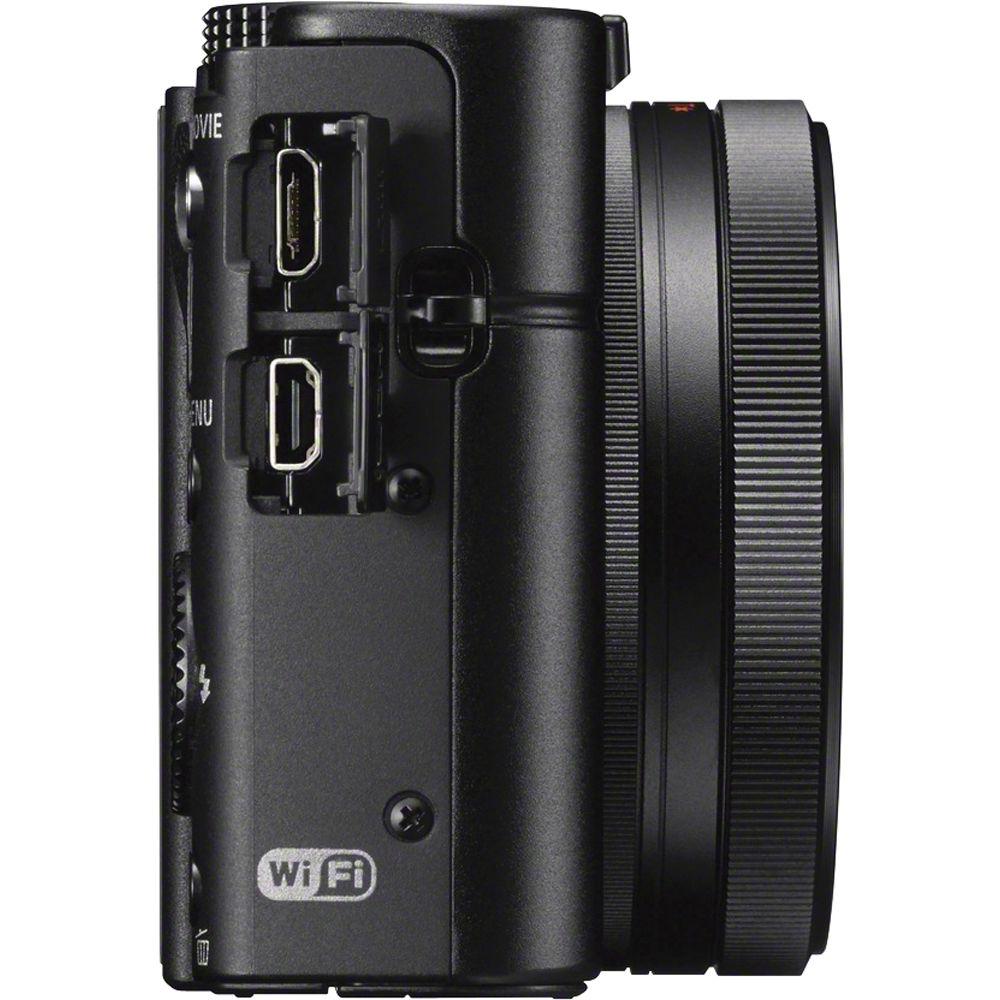 |
User manual for the Sony Cyber-shot DSC-RX100 III Digital Camera contain basic instructions
that need to be followed during installation and operation.
Before starting your appliance, the user manual should be read through carefully.
Follow all the safety instructions and warnings, and be guided by the given recommendations.
User manual is an integral part of any Sony product,
and if it is sold or transferred, they should be handed over jointly with the product.
Following the instructions for use is an essential prerequisite for protecting
health and property during use, as well as recognition of liability on the part of the manufacturer
for possible defects should you make a warranty claim. Download an official Sony user manual in which you will find instructions on how to install, use, maintain and service your product.
And do not forget – unsuitable use of a Sony product will considerably shorten its lifespan!
|
Product description Picking a Pocket Camera: Sony RX100 Edition Read More - Sony Cyber-shot DSC-RX100 III Demo
The Sony Cyber-shot DSC-RX100 III Digital Camera is a versatile and advanced point-and-shoot featuring a large 20.1 megapixel 1" Exmor R CMOS sensor to produce high-resolution still imagery and full HD video. This sensor's design utilizes backside-illuminated technology to improve clarity and image quality when working in dimly-lit conditions as well as increase the sensitivity to a native ISO 12800. Benefitting the performance of this sensor is the BIONZ X image processor, which helps to produce images with smooth quality and tonal gradations as well as provide expedited performance throughout all aspects of the camera, including a continuous shooting rate of 10 fps in Speed Priority mode, shutter release lag of 0.008 sec., and XAVC S movie recording at 50 Mbps.
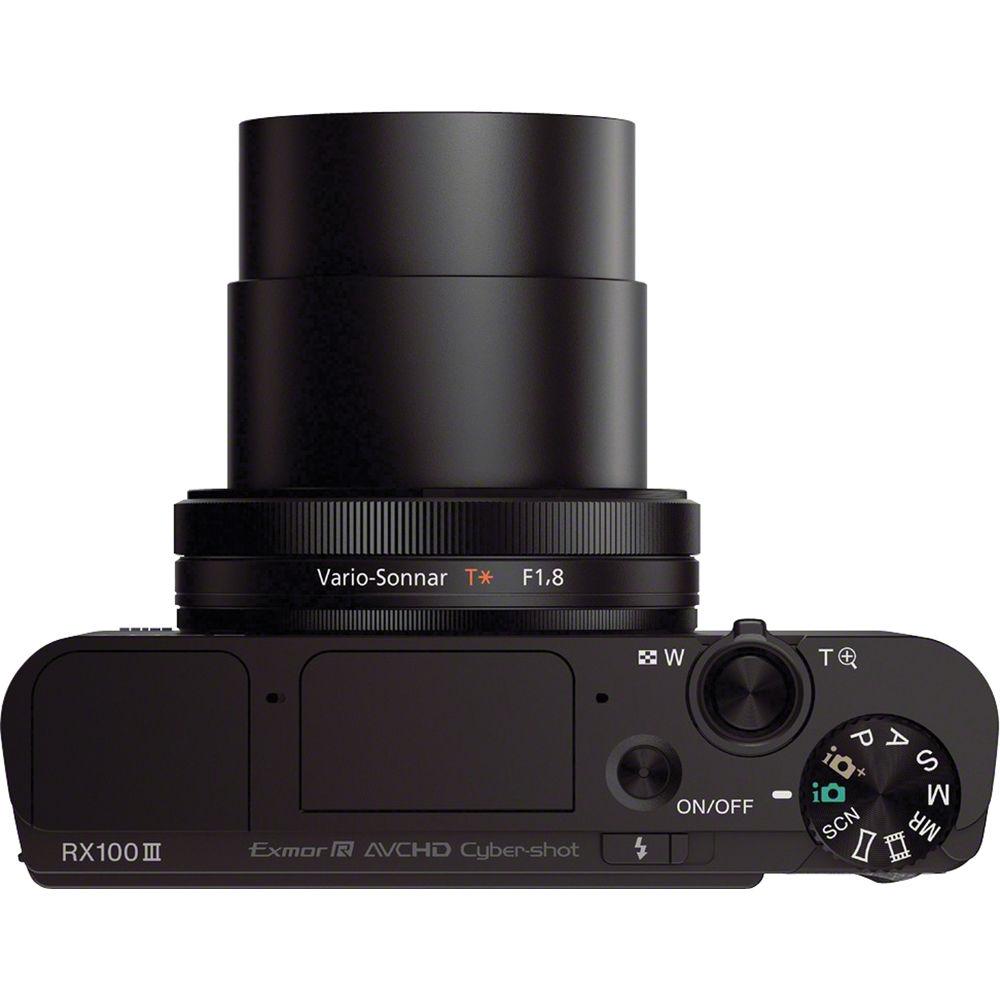
The built-in Zeiss Vario-Sonnar T* 2.9x zoom lens provides a 35mm-equivalent focal length range of 24-70mm, covering wide-angle to portrait-length perspectives to suit working in a wide variety of environments. An f/1.8-2.8 maximum aperture benefits working in low lighting and controlling focus throughout the zoom range. Optical SteadyShot image stabilization is also available to help minimize the appearance of camera shake when working in dimly-lit conditions and with greater zoom magnifications. Furthermore, a built-in three-stop ND filter is incorporated into the camera's design to suit shooting in bright conditions with wider apertures and for greater control over how movement is depicted. The lens also features a Zeiss T* anti-reflective coating, which helps to reduce surface reflections, lens flare, and ghosting in order to produce imagery that is rich in contrast and clarity.
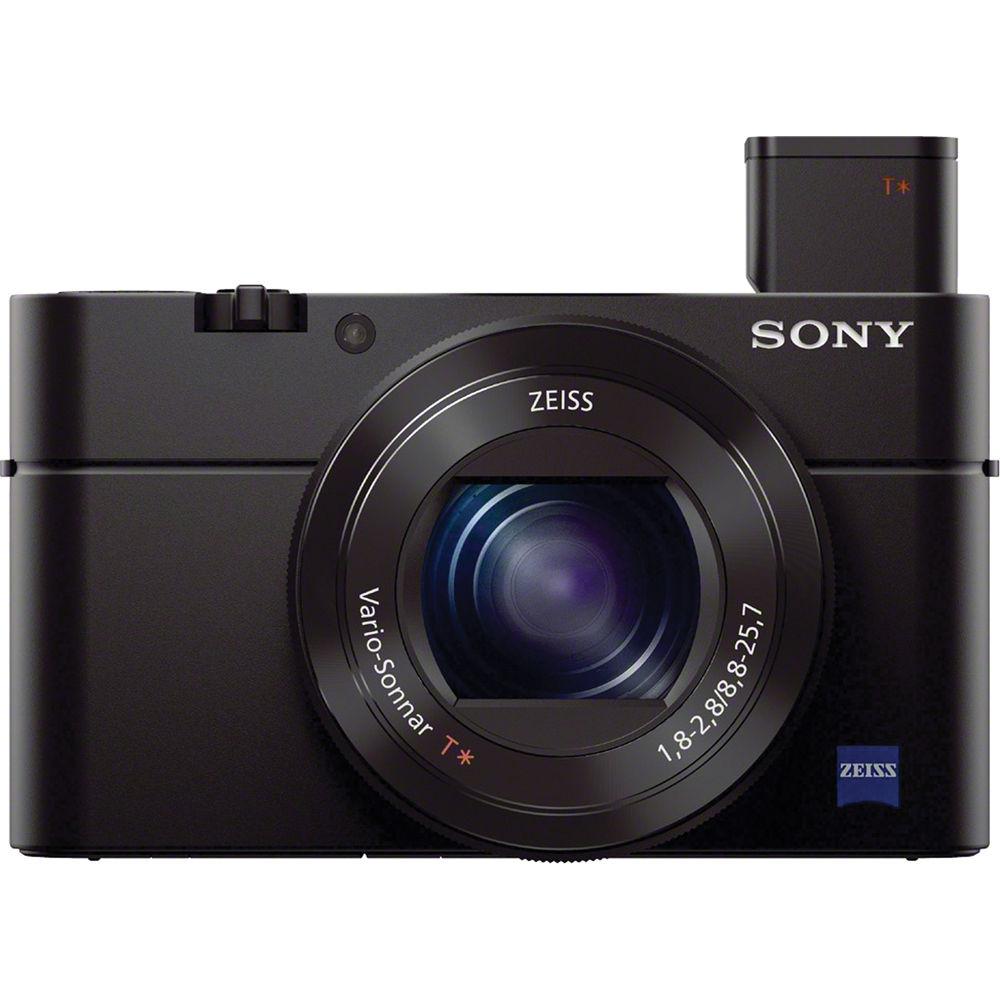
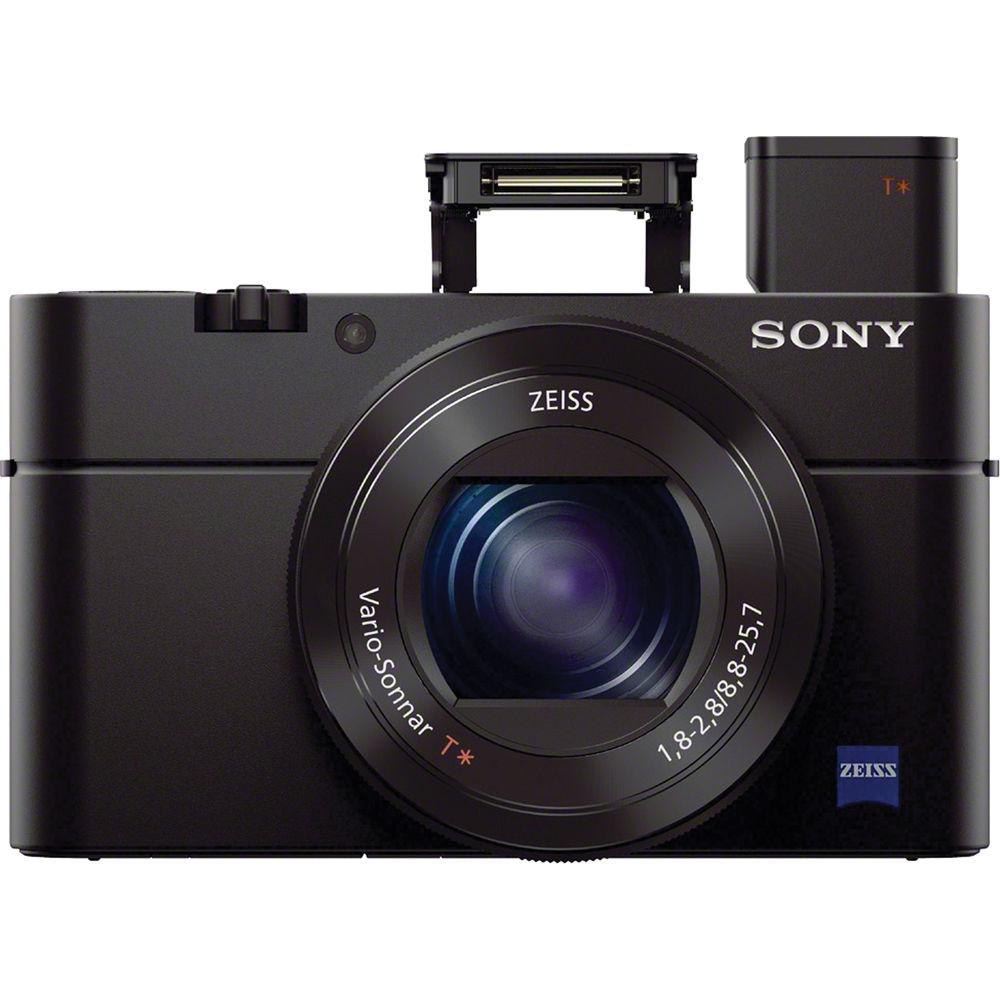
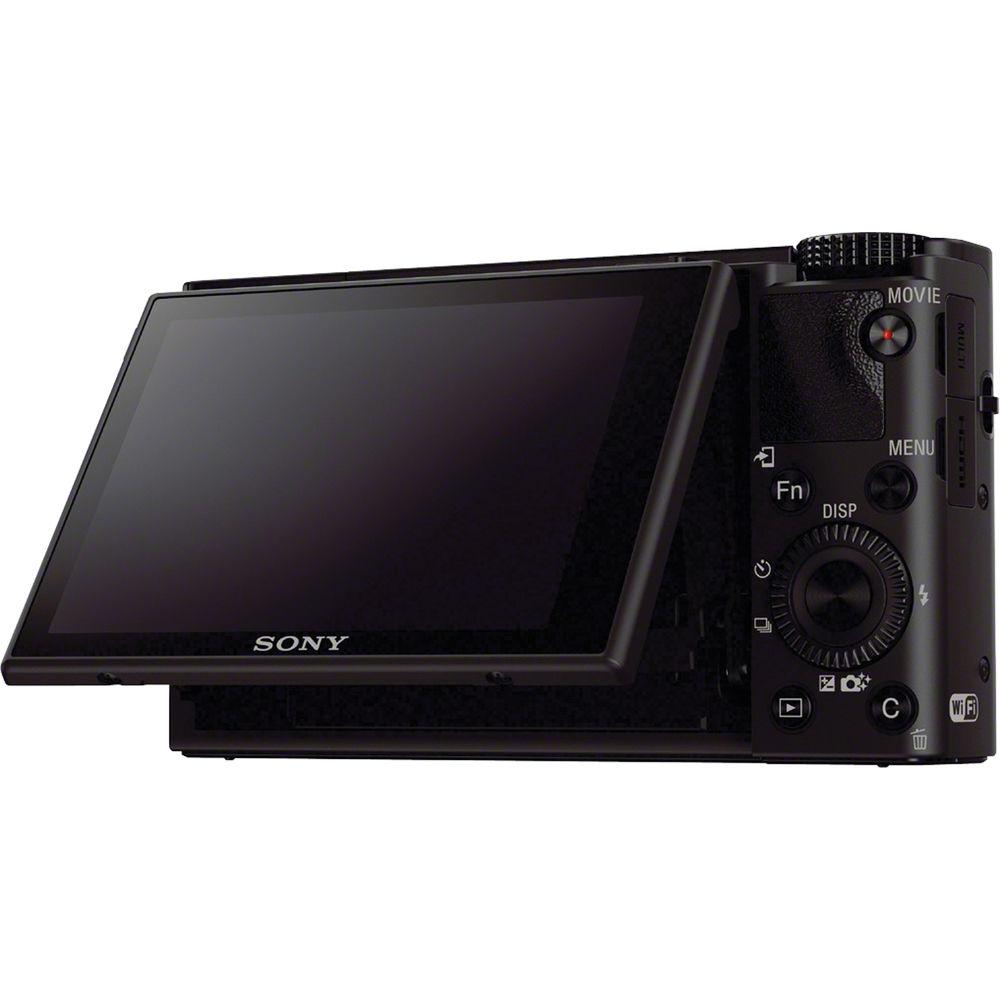
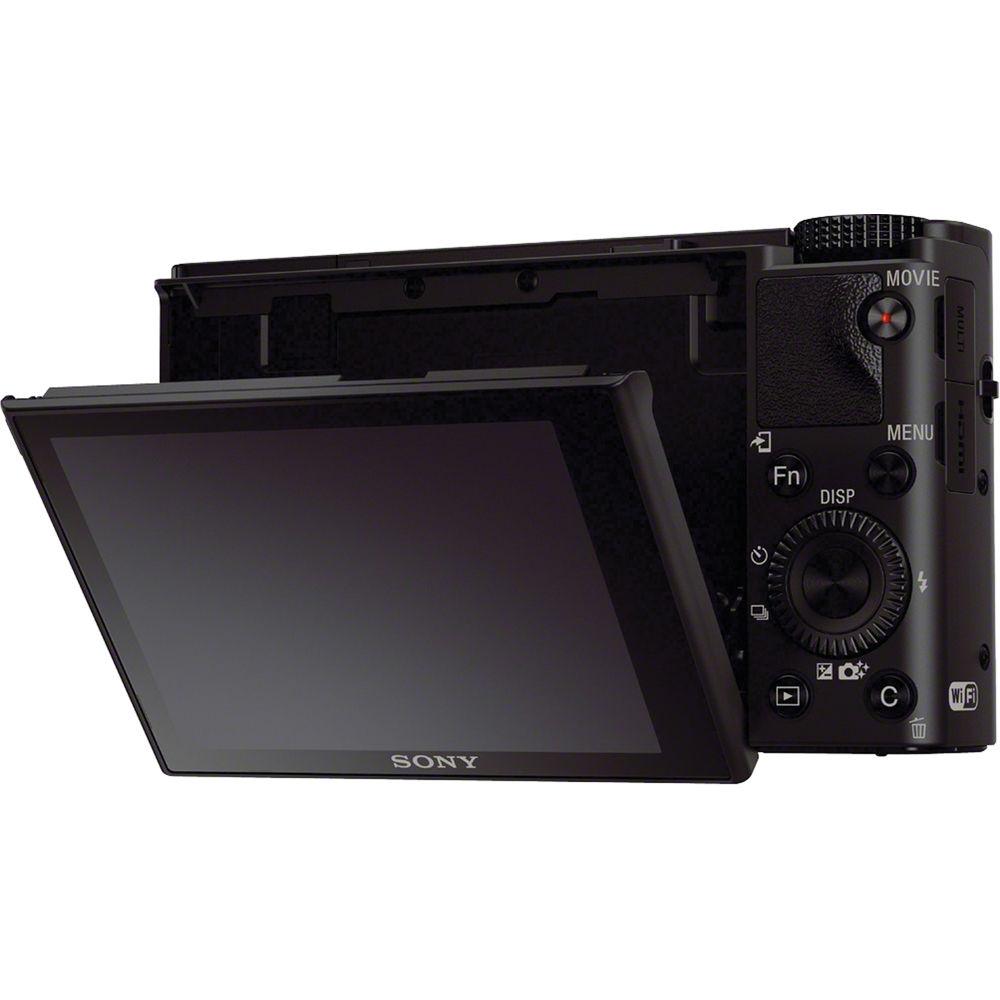
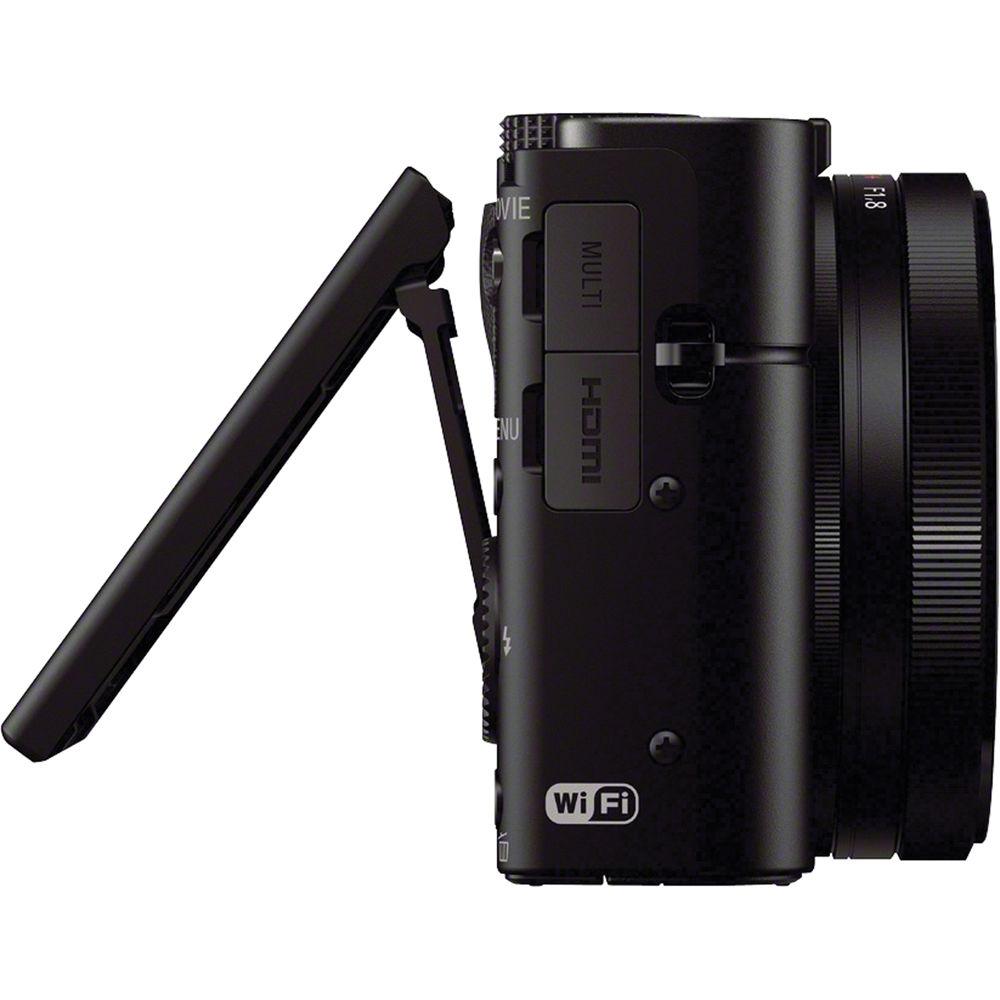
Complementing the imaging capabilities of the RX100 III is a sleek body design featuring both an electronic viewfinder and a tilting LCD screen. The 0.39" 1,440k-dot SVGA OLED Tru-Finder has Zeiss T*-coated optics and provides a bright, clear means for eye-level viewing. It features a unique pop-up mechanism that helps to maintain the compact form factor of the camera when carrying or if preferring to work with the rear screen. The 3.0" 1,229k-dot Xtra Fine LCD incorporates WhiteMagic technology for easier visibility in bright conditions and its tilting design permits greater usability from high, low, and front-facing angles. Furthermore, built-in Wi-Fi connectivity with NFC allows instant image sharing to, as well as remote camera control and monitoring from, linked mobile devices. - 20.1MP 1" Exmor R BSI CMOS Sensor and BIONZ X Image Processor
- The large 20.1 megapixel 1" Exmor R CMOS sensor features backside-illuminated technology to enhance its low-light capabilities to a native ISO 12800 while still retaining vivid clarity. Using Sony's Column A/D Conversion and area-specified noise reduction, images are rendered with impressive quality and smooth gradations between tones and colors due to the marked, intelligent reduction in apparent noise. Further enhancing imaging quality, detail reproduction technology works to increase the fine detail rendering capabilities for a more three-dimensional, realistic image quality while diffraction-reducing technology helps to enhance the optical qualities of the lens by suppressing diffraction that is common when working at smaller apertures. Additionally, aiding working in difficult lighting conditions, the sensitivity can be extended to an effective ISO 25600 when using Multi-Frame NR, which records and composites sequential images in order to attain high sensitivity with minimal noise.
Also benefitting the image quality, as well as overall camera performance, is the BIONZ X image processor, which provides continuous shooting up to 10 fps in Speed Priority Mode, 2.9 fps shooting with single-shot AF, a shutter lag time of just 0.008 sec., and a start-up time of 1.6 sec. - Zeiss Vario-Sonnar T* Lens
- The built-in Zeiss Vario-Sonnar T* lens provides a 35mm-equivalent focal length range of 24-70mm, covering wide-angle to portrait length perspectives to suit working in a wide variety of shooting conditions. An f/1.8-2.8 maximum aperture benefits working in difficult lighting conditions throughout the entire zoom range and also enables greater control over focus placement for shallow depth of field imagery, which is further accentuated by a seven-blade diaphragm to produce a smooth out-of-focus quality. Nine aspherical elements, including two cemented AA (advanced aspherical) elements, are incorporated into the lens design to minimize chromatic aberrations throughout the zoom range to benefit creating sharp, clear imagery. The lens also features a Zeiss T* anti-reflective multi-layered coating to help minimize lens flare and ghosting in order to produce imagery with rich contrast and color neutrality.
Benefitting the 2.9x reach of this lens, as well as supporting working in difficult lighting conditions and with longer shutter speeds, is Optical SteadyShot image stabilization, which helps to offset the effects of camera shake. When recording movies, the image stabilization utilizes an Intelligent Active Mode, which also uses electronic image stabilization to compensate for both camera shake and rolling shutter effects.
Additionally, a neutral density 0.9 filter is incorporated into the camera's design, which provides a reduction of three stops in exposure to enable working in bright conditions with wider aperture settings and for greater control over how subject movement is rendered. - Camera Design
- Within the compact design of the RX100 III is both a high-resolution electronic viewfinder and a large rear LCD monitor. The 0.39" 1,440k-dot SVGA OLED Tru-Finder EVF provides a bright, clear means for eye-level monitoring, which is well-suited to critical compositions and working in bright conditions. It features 100% frame coverage, a unique pop-up mechanism, and a Zeiss T* coating on the optics to reduce surface reflections and flare for enhanced visibility. Alternatively, a 3.0" 1,229k-dot Xtra Fine LCD screen is also available and features a tilting design (180° up, 45° down) to benefit working from high, low, and front-facing angles. WhiteMagic technology has been applied to the LCD's design, too, to increase effective brightness for easier viewing in bright lighting. When working with both viewing means, an integrated eye sensor automatically switches between both the EVF and LCD. Additionally, the camera can be turned on simply by popping the EVF into place.
For intuitive, SLR-like adjustments over a variety of camera settings, a manual control ring surrounds the lens and features a smooth, click-less design for quick and quiet changing of settings. The ring can be assigned to control a variety of features, at different values, such as zoom, aperture, and Picture Effects. A step-zoom feature can be utilized, too, to allow instant switching between commonly used focal lengths. - Full HD Video Recording
- Full HD 1920 x 1080 movies can be recorded in the high-quality XAVC S format, which uses a Long GOP (Group of Pictures) structure, MPEG-4 AVC/H.264 video compression, and linear PCM audio compression, and saves within the MP4 container format. These compressed files permit recording times up to 29 minutes while allowing 50 Mbps video recording at 1080/60p, 1080/30p, 1080/24p, and 720/120p frame rates. Full-pixel readout helps to minimize any artifacts in recordings due to the ability to utilize data from the entire image sensor, which ultimately results in smooth, high-resolution recordings. Movies can also be recorded in the AVCHD format, which is ideal for HDTV playback and Blu-ray disc burning, and the MP4 format, which is ideal for uploading online. Additionally, when shooting for two purposes in mind, dual recording is possible in different formats-XAVC S and MP4 or AVCHD and MP4-for the ability to instantly share footage while also having a higher quality version for subsequent editing.
Benefitting advanced video applications, the RX100 III also supports clean HDMI output for recording uncompressed video via an optional external recorder and for real-time viewing on an accessory monitor. Recording frame rates include 24p, 60p, and 60i, and the shooting info display can be turned off during recording for a cleaner view when utilizing an external monitor. - Built-In Wi-Fi Connectivity with NFC
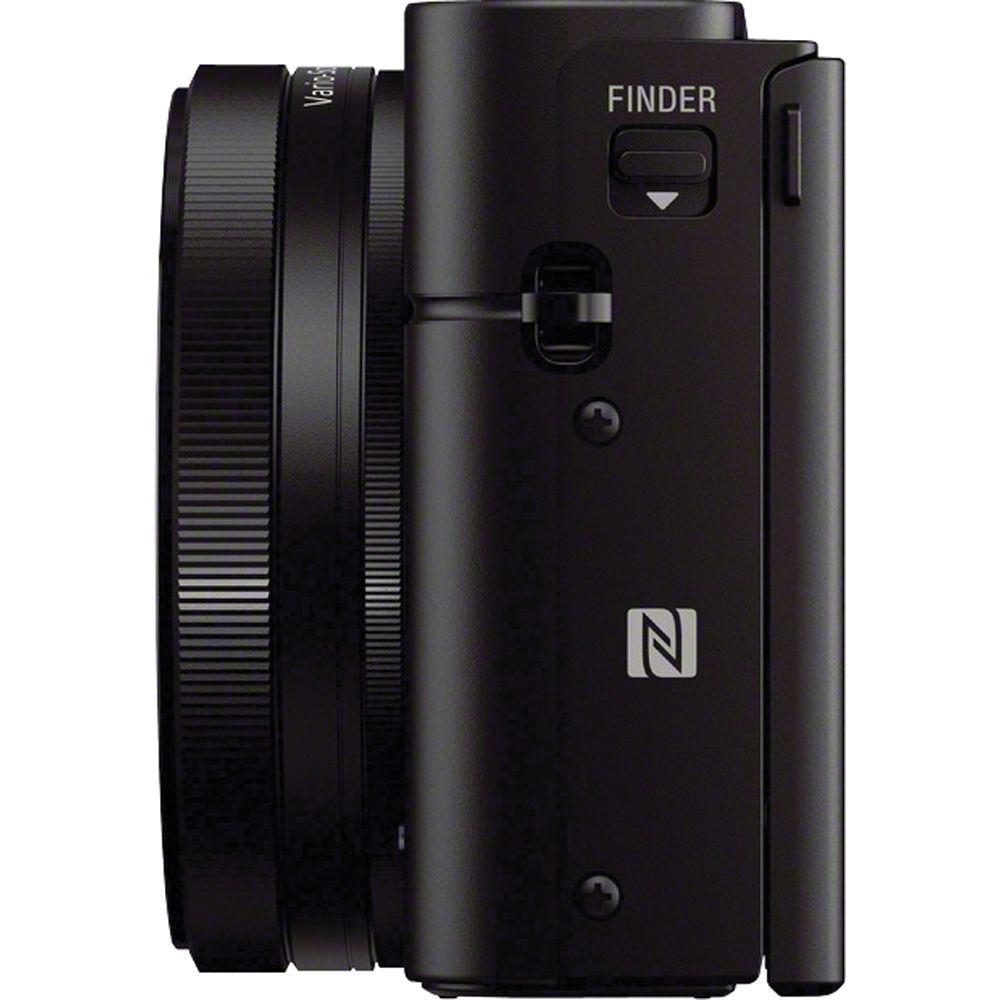
- Built-in Wi-Fi connectivity enables instant transferring of imagery to mobile devices for direct sharing online to social networking, via email, and to cloud storage sites. NFC (Near Field Communication) is also supported, which allows for one-touch connection between the camera and compatible mobile devices, with no complex set-up required. Once connected, the linked mobile device can also display a live view image on its screen and, using Smart Remote Control, remotely control the camera's shutter release.
Additionally, PlayMemories Camera Apps are also supported via the built-in Wi-Fi connection, and allow you to personalize the camera's features depending on specific shooting styles. Apps are available to suit creating portraits, detailed close-ups, sports, time lapse, motion shot, and other specific types of imagery. - Other Camera Features
-
- A contrast-detection autofocus system works to acquire precise focus using single-shot or continuous AF modes. When working with moving subjects, Lock-on AF, with wide, center, and flexible spots, adjusts the target frame size as the subject moves throughout the image frame. Face detection and face registration technologies can be used to base focus on recognized faces and Eye AF is also available, which is a detail-oriented focusing function that prioritizes and dedicates focusing performance on a subject's pupil for sharply-rendered portraits.
- For manual focus control, DMF (Direct Manual Focus) and standard manual focus options are available. Benefitting precise manual focus, focus peaking can be used, which highlights edges of contrast within the frame for a more objective means of determining critical sharpness, or MF Assist is available, which enlarges the image for a better view of important details.
- A zebra function can be used for easier detection of exposure clipping to prevent overexposure.
- A dedicated Custom button permits assigning of one of 42 possible functions for instant, one-touch access to a chosen control.
- A digital level gauge detects pitch and roll types of movement and helps to produce even, consistent horizons and plumb verticals.
- Smile Shutter technology enables the camera to automatically release the shutter when a subject's smile is detected
- Multi Frame NR records consecutive images at a reduced ISO sensitivity and then composites them into a single image to realize higher effective sensitivity (up to an equivalent ISO 25600) with minimal image noise. Standard image compositing is comprised of four exposures and High image compositing utilizes 12 distinct exposures.
- Dynamic Range Optimizer (DRO) works to improve images featuring backlit subjects or scenes with high contrast where details can be lost in the shadows or highlights. This mode can be controlled automatically or fine-tuned using five settings.
- Picture Effect modes allow you to apply creative settings and emphasize certain facets of individual images for a richer, more aesthetic picture quality. Posterization (Color/B&W), Pop Color, Retro Photo, Partial Color (R/G/B/Y), High Contrast Monochrome, Toy Camera, Soft High-Key, Soft Focus, HDR Painting, Rich-Tone Monochrome, Miniature, Watercolor, and Illustration modes are available.
- Creative Style settings provide control over how the camera processes images based on different predetermined styles: Standard, Vivid, Neutral, Clear, Deep, Light, Portrait, Landscape, Sunset, Night Scene, Autumn Leaves, Black & White, Sepia, and Style Box. Within these settings, contrast, saturation, and sharpness can also be adjusted depending on personal preference.
- To extend the effective reach of the optical zoom lens, Clear Image digital zoom can be used to intelligently magnify scenes up to 5.8x at full-resolution. This digital zoom technology uses an intelligent interpolation process to minimize the amount of image degradation in order to produce realistic, high-quality images.
- In-camera creation of 4K slide shows is possible for rich playback to ultra high definition televisions. An HDMI port is incorporated into the camera's design, too, to enable direct connection to HDTVs.
- TRILUMINOS Color support is supported to produce rich, natural colors when imagery is viewed on a TRILUMINOS Display.
- The included AC adapter and USB cable permits in-camera charging of the rechargeable Lithium-ion battery.
UPC: 027242883222 In the Box Sony Cyber-shot DSC-RX100 III Digital Camera NP-BX1/M8 Rechargeable Lithium-Ion Battery Pack (3.6V, 1240mAh) rquqtzdzzbstx AC-UB10 AC Adapter Micro USB Cable Wrist Strap Strap Adapter Limited 1-Year Warranty Unveiled: Sony Cyber-shot DSC-RX100 III Digital Camera Bjorn Petersen 05/16/2014 User Manual PDF 7.2mb More from Manufacturer Table of Contents
|
Upload User Manual
Have you got an user manual for the Sony Cyber-shot DSC-RX100 III Digital Camera in electronic form? Please send it to us and help us expand our library of instruction manuals.
Thank you, too, on behalf of other users.
To upload the product manual, we first need to check and make sure you are not a robot. After that, your "Submit Link" or "Upload File" will appear.
Technical parametersSony DSC-RX100 III Specs | | | Pixels | Actual: 20.9 Megapixel
Effective: 20.1 Megapixel | | Sensor | 1" (13.2 x 8.8 mm) CMOS | | File Formats | Still Images: JPEG, RAW
Movies: AVCHD 2.0, MP4, XAVC S
Audio: AAC LC, AC3, Dolby Digital 2ch, Linear PCM (Stereo) | | Max Resolution | 20 MP: 5472 x 3648 | | Aspect Ratio | 1:1, 3:2, 4:3, 16:9 | | Image Stabilization | Optical | | Color Spaces | sRGB, Adobe RGB | | | | Lens | Carl Zeiss Vario-Sonnar, 10 Elements in 9 Groups
9 Aspherical
Effective Focal Length: 8.8 to 25.7mm (35 mm Equivalent: 24 to 70mm)
Aperture: f/1.8 (W) to f/2.8 (T) to f/11 (T) | | Zoom | Optical: 2.9x
Clear Image Zoom: 5.8x
Digital: 11x | | Focus Range | Wide: 1.97" to Infinity / 5 cm to Infinity
Telephoto: 11.81" to Infinity / 30 cm to Infinity | | | | ISO Sensitivity | Auto, 125 to 12800 (Extended Mode:80 to 12800) | | Shutter | 30 to 1/2000 Second , Bulb Mode
4 to 1/2000 Second in Auto Mode
1 to 1/2000 Second in Program Mode
8 to 1/2000 Second in Aperture Priority Mode
30 to 1/2000 Second in Shutter Priority Mode | | Exposure Metering | Center-Weighted, Multi, Spot | | Exposure Modes | Modes: Aperture Priority, Intelligent Auto, Manual, Memory Recall, Movie, Panorama Shot, Programmed Auto, Scene Selection, Shutter Priority, Superior Auto
Metering Range: EV 0.0 to EV 20.0
Compensation: -3 EV to +3 EV (in 1/3 EV Steps) | | Shooting Modes | Anti-Motion Blur
Fireworks
Gourmet
Handheld Twilight
High Sensitivity
Landscape
Macro
Night Portrait
Night Scene
Pet Mode
Portrait
Sports
Sunset | | White Balance | Auto, Cloudy, Color Temperature Filter, Custom, Daylight, Flash, Fluorescent (Cool White), Fluorescent (Day White), Fluorescent (Daylight), Fluorescent (Warm White), Incandescent, Shade | | Continuous Shooting | Up to 10 fps at 20.1 MP for up to Exposures
Up to 2.9 fps at 20.1 MP for up to Exposures | | Self-Timer | 2, 10 Sec | | | | Flash Modes | Auto
Flash On
Off
Rear Sync
Red-Eye Reduction
Slow Sync | | Built-In Flash | Yes | | Effective Flash Range | Wide:1.31 to 33.46' / 0.40 to 10.20 m
Telephoto:1.31 to 21.33' / 0.40 to 6.50 m | | | | Memory Card Type | Memory Stick Duo
Memory Stick Pro Duo
Memory Stick PRO Duo (High Speed)
Memory Stick PRO HG-Duo
Memory Stick XC-HG Duo
SD
SDHC
SDXC | | | | Video Recording | Yes, NTSC | | Resolution | 1920 x 1080p: 60 fps, 30 fps, 24 fps
1440 x 1080p: 30 fps
1280 x 720p: 120 fps
640 x 480p: 30 fps | | | | Video Clip Length | Up to 29 Minutes | | Audio Recording | Built-In Mic: With Video (Stereo) | | | | Viewfinder Type | Electronic | | Diopter Adjustment | -4 to +3 m | | Viewfinder Coverage | 100% | | Screen | 3.0" LCD Rear Screen Tilt (1,228,800 Pixels) | | | | Connectivity | HDMI D (Micro), USB 2.0 Micro-B, USB 2.0 | | Wi-Fi | Yes, Wi-Fi 4 (802.11n) Built In | | | | Operating Temperature | 32 to 104°F / 0 to 40°C | | Storage Temperature | -4 to 140°F / -20 to 60°C | | | | Battery | 1 x NP-BX1 Rechargeable Lithium-Ion Battery Pack, 3.6 VDC, 1240 mAh | | AC Power Adapter | AC-UB10 (Included) | | | | Dimensions (W x H x D) | 4.0 x 2.3 x 1.6" / 101.6 x 58.4 x 40.6 mm | | Weight | 10.23 oz / 290.02 g with battery and memory card | | | | Package Weight | 1.2 lb | | Box Dimensions (LxWxH) | 6.2 x 4.8 x 3.0" |
Rating90% users recommend this product to others. And what about you?

This product has already been rated by 59 owners. Add your rating and experience with the product.
Discussion
 Ask our technicians if you have a problem with your settings,
or if anything is unclear in the user manual you have downloaded.
You can make use of our moderated discussion.
The discussion is public and helps other users of our website who may be encountering similar problems.
Ask our technicians if you have a problem with your settings,
or if anything is unclear in the user manual you have downloaded.
You can make use of our moderated discussion.
The discussion is public and helps other users of our website who may be encountering similar problems.
The discussion is empty - enter the first post
Post a new topic / query / comment:
|
|


