|
User Manual for Sony PMW-300K1 XDCAM HD Camcorder Click to enlarge the picture
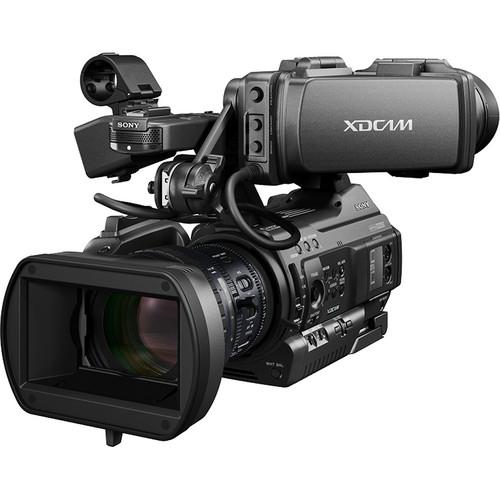 Contents of the user manual for the Sony PMW-300K1 XDCAM HD Camcorder
- Product category: Camcorders Sony
- Brand: Sony
- Description and content of package
- Technical information and basic settings
- Frequently asked questions – FAQ
- Troubleshooting (does not switch on, does not respond, error message, what do I do if...)
- Authorized service for Sony Camcorders

 |
User manual for the Sony PMW-300K1 XDCAM HD Camcorder contain basic instructions
that need to be followed during installation and operation.
Before starting your appliance, the user manual should be read through carefully.
Follow all the safety instructions and warnings, and be guided by the given recommendations.
User manual is an integral part of any Sony product,
and if it is sold or transferred, they should be handed over jointly with the product.
Following the instructions for use is an essential prerequisite for protecting
health and property during use, as well as recognition of liability on the part of the manufacturer
for possible defects should you make a warranty claim. Download an official Sony user manual in which you will find instructions on how to install, use, maintain and service your product.
And do not forget – unsuitable use of a Sony product will considerably shorten its lifespan!
|
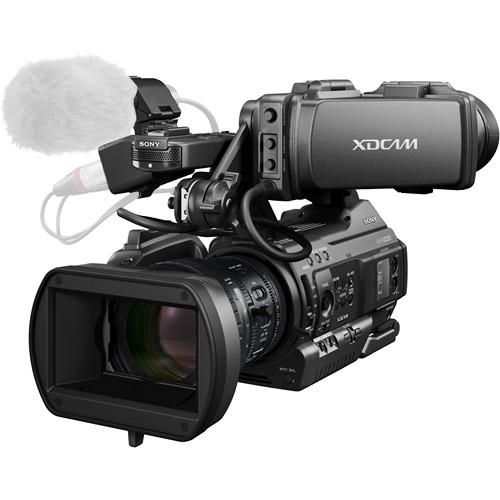
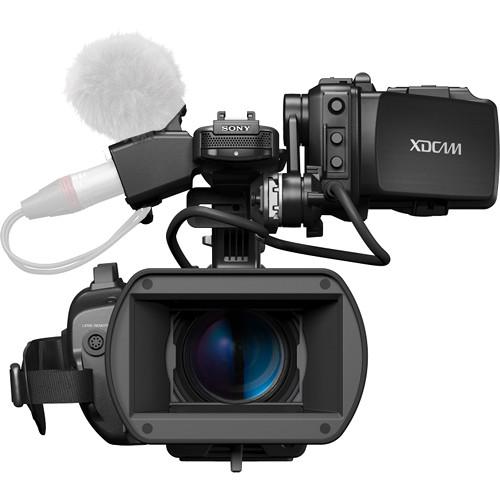
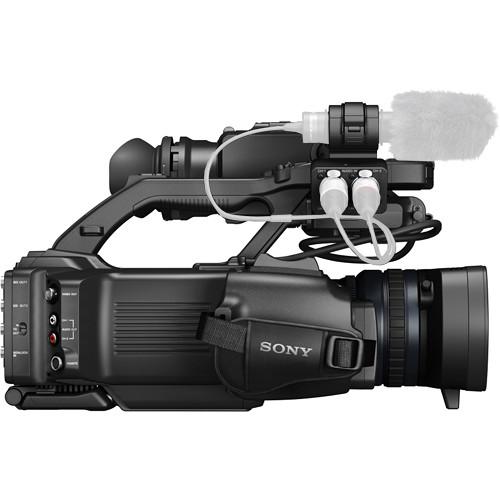
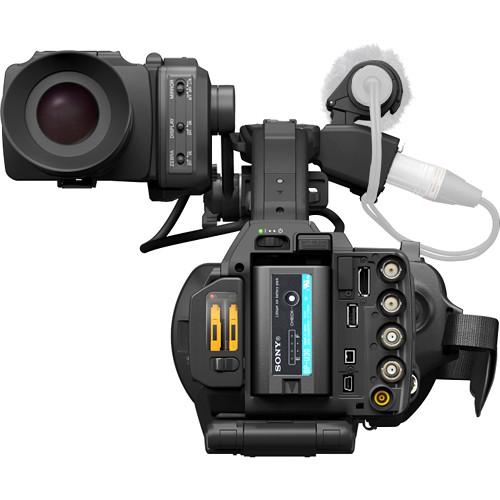
Product description The PMW-300K1 XDCAM HD Camcorder from Sony is designed to meet the demands of field video productions and professional studio applications. It is Sony's first semi-shoulder mount camcorder to combine the low-light capabilities of three, 1/2" Exmor Full HD CMOS sensors with the broadcast-quality, Full HD MPEG HD422 codec. The camcorder features the same rugged metal construction, interchangeable EX lens mount, and 14x Fujinon HD lens as the PMW-EX3, but introduces advanced signal processing technology for low-noise and clearer images. The PMW-300K1 also features a 3.5" 960 x 540 LCD viewfinder, built-in ND filters, and 8 assignable function buttons.
The camcorder is equipped with dual ExpressCard/34 SxS memory card slots that support SxS Pro and SxS-1 cards. A variety of recording formats are available, including Full HD 1920 x 1080 video recording in either MPEG HD422 at 50Mbps or MPEG HD420 at 35Mbps. The camcorder supports both UDF and FAT file format modes. SD recording is available in DVCAM and MPEG IMX formats, in both NTSC and PAL. The camcorder is upgradeable to support Sony's XAVC codec when it becomes available.
The camcorder offers two HD/SD-SDI and one HDMI inputs, as well as i.LINK, USB 2.0, timecode, and genlock connections for use with a wide range of AV and IT interfaces. The USB 2.0 port enables the use of the optional CBK-WA100 Wireless Adapter. Included with the camcorder is the Fujinon 14x zoom lens with lens hood and cap, 3.5" LCD viewfinder, BP-U30 battery and charger, infrared remote commander, shoulder strap, cold shoe kit, and a USB cable.
- Full HD MPEG-2 HD 422 Recording at 50 Mbps and XAVC Upgradeable
- The PMW-300K1 captures Full HD 1920 x 1080 video using the broadcast-quality MPEG-2 HD 422 codec at 50 Mbps. It creates industry-standard MXF files. The camcorder can also record Full HD video in MPEG-2 HD 420 at 35 Mbps. For Standard Definition recording, MPEG IMX and DVCAM options are available. The camcorder is upgradable to support Sony's XAVC codec, when it becomes available.
- Three 1/2"-type Exmor CMOS Sensors and Low-Light 3DNR Technology
- Three, 1/2"-sized Full HD Exmor CMOS sensors provide good low-light performance with low image noise. The camcorder also includes Sony's 3Dimensional Noise Reducer technology (3DNR) to further reduce noise between frames.
- Interchangeable Lens System with 14x Fujinon HD Lens
- Featuring the same interchangeable EX-mount system used by the PMW-EX3, the PMW-300K1 is compatible with a wide range of 1/2-inch lenses. The camcorder is also compatible with 2/3-inch lenses using Sony's ACM-21 adapter, sold separately. The PMW-300K1 comes with a Fujinon HD lens with 14x, zoom range with a 35mm equivalent focal length of 31.4 to 439mm.
- 3.5" Color LCD Viewfinder
- A 3.5" 960 x 540 color LCD viewfinder enables precision focusing for HD-resolution footage. The viewfinder cover can be flipped up for easier viewing of the LCD screen when the camera is on set or mounted on a tripod.
- HD/SD-SDI and HDMI Interfaces
- The PMW-300K1 features two SDI outputs for connecting with professional broadcast equipment. It also features an HDMI output, making it usable wide a wide-range of consumer products, such as monitors and HDTVs. The SDI and HDMI outputs can be used simultaneously.
- Wide Range of Frame Rates
- The camcorder records Full HD 1920 x 1080 video at 23.98p, 25p, 29.97p, 50i, and 59.94i frame rates in the MPEG-2 HD 422 codec. At 1280 x 720, the camcorder can shoot at frame rates of 23.28p, 25p, 29.97p, 50p, and 59.94p.
- Slow and Quick Motion from 1 to 60 fps
- Slow motion shooting is possible with up to 60 frames per second recording in 720p or 30 fps recording in 1080p, when used with an SxS Pro or SxS-1 memory card. Quick motion can be obtained by slowing the frame rate down to 1 fps.
- UDF or FAT File Format Mode
- UDF (Professional Disc compatible) or FAT (XDCAM EX compatible) file format mode allows you to shoot with similar files as Professional Disc and XDCAM EX camcorders, for integration into existing workflows.
- Two SxS Memory Card Slots
- The PMW-300K1 is equipped with two SxS memory card slots. Using two 64GB SxS cards will give you around four hours of continuous MPEG HD422 50Mbps recording. The camcorder accepts either SxS Pro or SxS-1 cards.
- USB Connectivity and Wi-Fi Control
- Enable wireless remote control, video streaming, and high resolution proxy file transfer capabilities by attaching the optional CBK-WA01 Wi-Fi adapter to the USB 2.0 port. This allows Apple iPads or Android devices to be used to control zoom, focus, iris, and white balance, as well as functions such as start/stop recording.
- Two XLR Inputs and 4 Channel Audio Recording
- The camcorder has two XLR inputs for connecting professional microphones for recording up to 4 channels of 24-bit 48kHz audio.
- Semi-shoulder Design with Metal Body
- The semi-shoulder design features an extendable chest pad mechanism and rotary hand grip to allow you to shoot comfortably for extended periods of time. The magnesium alloy body gives the camcorder the durability needed to handle demands of production environments.
- Built-in Neutral Density Filters
- Built-in Neutral Density filters allow you to cut down on the amount of light hitting the camcorder's sensor. This gives you greater iris and depth of field control when shooting in bright/sunny conditions. Neutral Density filters are available in four stages - Clear, 1/4, 1/16, and 1/64.
- Multi-camera Operation with 8-pin Remote Control
- The camcorder has a Genlock In and timecode in/out interface for linking it together with other cameras for multi-camera shoots or 3D configurations. The 8-pin, 700-Protocol remote control interface allows the camcorder to be controlled with the Sony RMB-170 Remote Control Unit, sold separately.
- Cache Recording
- A 15-second cache recording function helps prevent the loss of scenes or events that occur up to 15 seconds before the camcorder's record button is pressed.
- Planning Metadata Automatically Recorded
- Control the metadata for your clips by loading a Planning Metadata file (XML file) from an SxS card or USB drive. Metadata, including filename of the clip, will automatically be generated as specified in the XML file.
- Power on Quick Rec Mode
- By pushing the REC button while powering on the camcorder, the 'Quick Rec' mode is activated. This accelerates the start up process and allows the camcorder to start recording more quickly than if powered on normally.
- Continuous Recordings for Easier Transport of Files
- Use this mode to create single, long clips with multiple starts and stops when in UDF (MXF) mode. This allows for faster transport, as the single clip transfers faster than several smaller clips would.
UPC: 027242872028 In the Box Sony PMW-300K1 XDCAM HD Camcorder 14x Zoom Lens Lens Hood with Lens Cap 3.5" LCD Viewfinder BP-U30 Lithium-Ion Battery BC-U1 Battery Charger Infrared Remote Commander CR2032 Lithium Battery for Infrared Remote Commander CR2032 Lithium Battery in Camcorder for Data Backup Shoulder Strap Cold Shoe Kit USB Cable Limited 1-Year Warranty User Manual PDF 5.1mbyvxcxerfwuuadyfz Table of Contents
|
Upload User Manual
Have you got an user manual for the Sony PMW-300K1 XDCAM HD Camcorder in electronic form? Please send it to us and help us expand our library of instruction manuals.
Thank you, too, on behalf of other users.
To upload the product manual, we first need to check and make sure you are not a robot. After that, your "Submit Link" or "Upload File" will appear.
Technical parametersSony PMW-300 Specs | | | Image Sensor | 3-Chip 1/2" CMOS Sensor | | Effective Sensor Resolution | 1920 x 1080 (2.07 MP) | | Gain | -3 to 18 dB | | Signal-to-Noise Ratio | 60 dB | | Minimum Illumination | 0.04 lux at 1/1 Shutter Speed | | | | Focal Length | 5.8 to 81.2mm | | 35mm Equivalent Focal Length | 31.4 to 439mm | | Optical Zoom Ratio | 14x | | Maximum Aperture | f/1 to 9 | | Minimum Aperture | f/16 | | Filter Size | 77 mm | | | | Lens Mount | B4 Mount | | Shutter Speed | 1/1 to 1/2000 sec | | Built-In ND Filter | Mechanical Filter Wheel with 2 Stop (1/4), 4 Stop (1/16), 6 Stop (1/64) ND Filters | | Built-In Microphone Type | Stereo | | Recording Media | 2 x SxS Card Slots | | | | Broadcast System Compatibility | NTSC | | Recording Modes | MPEG2 4:2:2:
1920 x 1080p at 23.98/25/29.97 fps (50 Mb/s)
1280 x 720p at 59.94 fps (50 Mb/s)
MPEG2 4:2:0:
1440 x 1080p at 23.98/25/29.97 fps (25 to 35 Mb/s)
1280 x 720p at 50/59.94 fps (25 to 35 Mb/s) | | Variable Frame Rates | 1080p: 1 to 30 fps
720p: 1 to 60 fps | | Audio Recording | 4-Channel 24-Bit 48 kHz | | | | Video Connectors | 1 x BNC (HD-SDI) Output
1 x BNC (Composite) Output
2 x BNC (HD-SDI) Output
1 x HDMI Output | | Audio Connectors | 2 x 3-Pin XLR Mic/Line Level (+48 V Phantom Power) Input
1 x 1/8" (3.5 mm) Stereo Headphone Output | | Other I/O | 1 x BNC Genlock Input
1 x USB Type-A
1 x USB Mini-B
1 x 4-Pin FireWire Data, Video Input/Output
1 x 8-Pin Hirose Control
1 x BNC Timecode Input
1 x BNC Timecode Output | | | | EVF Display Type | LCD | | Screen Size | 3.5" | | EVF Resolution | 960 x 540 | | | | Operating Temperature | 32 to 104°F / 0 to 40°C | | Storage Temperature | -4 to 140°F / -20 to 60°C | | | | Accessory Mount | 1 x Cold Shoe Mount | | Dimensions | 10.8 x 9.4 x 15.1" / 27.5 x 23.9 x 38.4 cm | | Weight | 4.9 lb / 2.2 kg | | | | Package Weight | 13.3 lb | | Box Dimensions (LxWxH) | 16.3 x 14.2 x 12.8" |
Rating86% users recommend this product to others. And what about you?

This product has already been rated by 71 owners. Add your rating and experience with the product.
Discussion
 Ask our technicians if you have a problem with your settings,
or if anything is unclear in the user manual you have downloaded.
You can make use of our moderated discussion.
The discussion is public and helps other users of our website who may be encountering similar problems.
Ask our technicians if you have a problem with your settings,
or if anything is unclear in the user manual you have downloaded.
You can make use of our moderated discussion.
The discussion is public and helps other users of our website who may be encountering similar problems.
The discussion is empty - enter the first post
Post a new topic / query / comment:
|
|
|
| Request for user manual |
You can’t find the operation manual you are looking for? Let us know and we will try to add the missing manual:
I’m looking for a manual / Request for manual
Current requests for instruction manuals:
Call Of Duty World War Two For Xbox...
controller stratus XL...
stratus XL...
smart whatch serie S11 42mm...
Allen & Heath SQ-6 manual...
|
| Discussion |
Latest contributions to the discussion:
AEW R 4100
Name: MAURICIO ANGARITA
Audio-Technica AEW-R4100 UHF Diversity Receiver for
AEW R 4100 has the mute function blocked and does not allow audio to pass. I tried several times to turn off the mute from the transmitter but it does nothing, the mute stays on. Solution?
Thank you...
Instructions for assembling the 2015 Forecast Image Master Consoles GC3-A
Name: mike elam
Forecast Consoles GC3-A ImageMaster Editing Console
Looking for instructions for assembling this console. ...
EMPTY TONER ERROR MESSAGE AFTER REPLACING TONER
Name: LINDA BAD YELLOW EYES
Brother TN223BK Standard-Yield Toner
I HAD TO CHANGE OUT ALL THREE TONERS DUE TO LEAKS IN THE YELLOW AND CYAN. AFTER I REPLACED THEM, THE MACHINE KEEPS GIVING ME AN EMPTY TONER ERROR MESSAGE. HELP!!...
PS480D 20/24 pin Switching 480W Power Supply
Name: swkargo
Logisys 480W Power Supply
This item states in can run -5vdc .It is NOT listed on the board or I beleive is r4 is missing the resitior. Any body have thid issue. Shawn
...
Help needed
Name: Ann Carter
SanDisk 1TB Extreme Portable USB 3.1
When I click the link to download the user manual for my Sandisk Extreme external hard drive, it gives me the manual for the LG Cricket. Can you please change the link so I can download the Sandisk manual and begin using this drive? Thank you....
|
|


