User Manual for Sony PMW-RX50 SxS Card Recorder Player Click to enlarge the picture
 Contents of the user manual for the Sony PMW-RX50 SxS Card Recorder Player
- Product category: Recorders & Duplication Sony
- Brand: Sony
- Description and content of package
- Technical information and basic settings
- Frequently asked questions – FAQ
- Troubleshooting (does not switch on, does not respond, error message, what do I do if...)
- Authorized service for Sony Recorders & Duplication
 |
User manual for the Sony PMW-RX50 SxS Card Recorder Player contain basic instructions
that need to be followed during installation and operation.
Before starting your appliance, the user manual should be read through carefully.
Follow all the safety instructions and warnings, and be guided by the given recommendations.
User manual is an integral part of any Sony product,
and if it is sold or transferred, they should be handed over jointly with the product.
Following the instructions for use is an essential prerequisite for protecting
health and property during use, as well as recognition of liability on the part of the manufacturer
for possible defects should you make a warranty claim. Download an official Sony user manual in which you will find instructions on how to install, use, maintain and service your product.
And do not forget – unsuitable use of a Sony product will considerably shorten its lifespan!
|
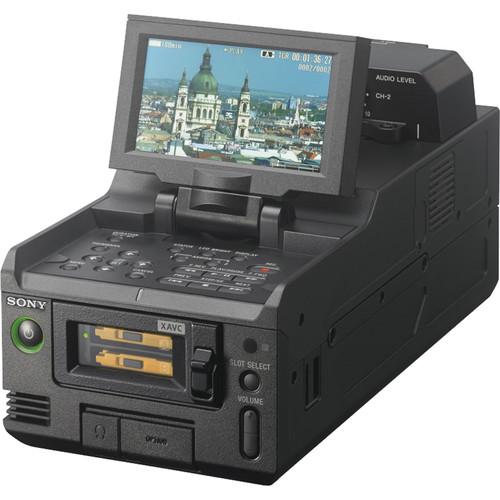
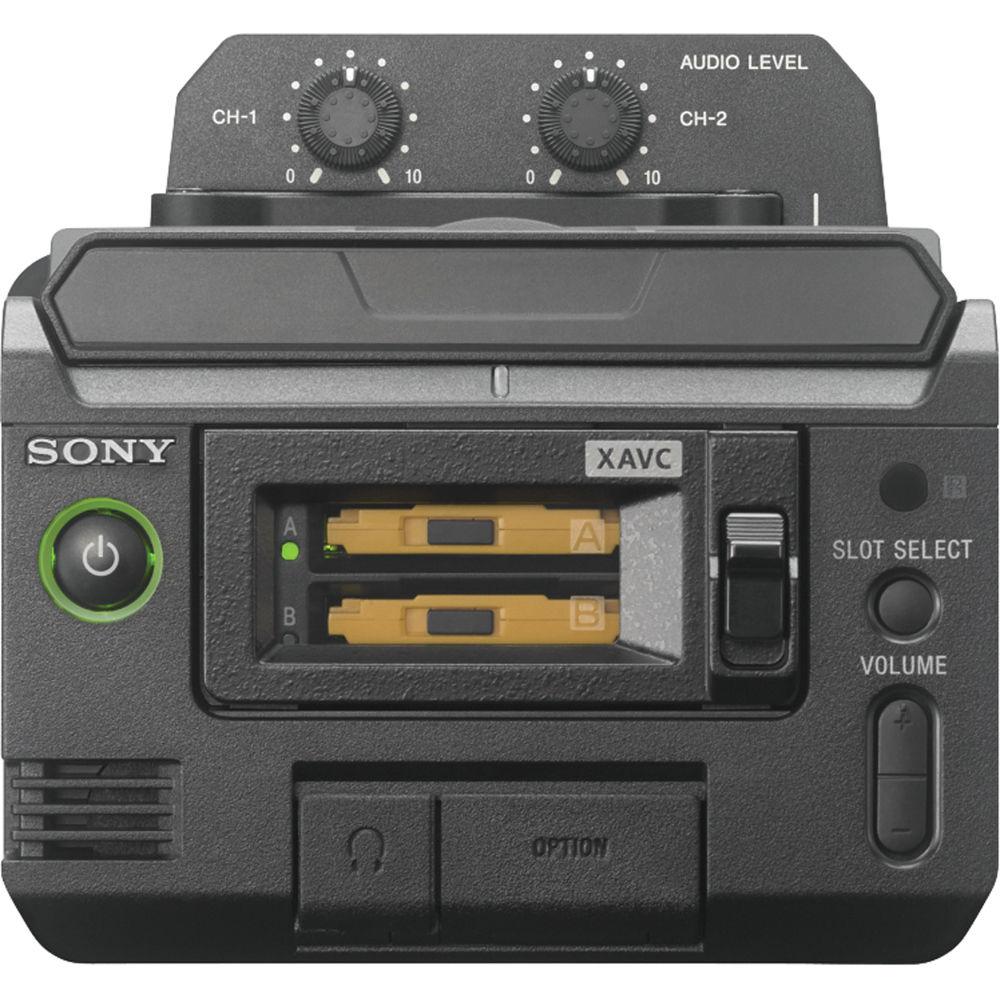
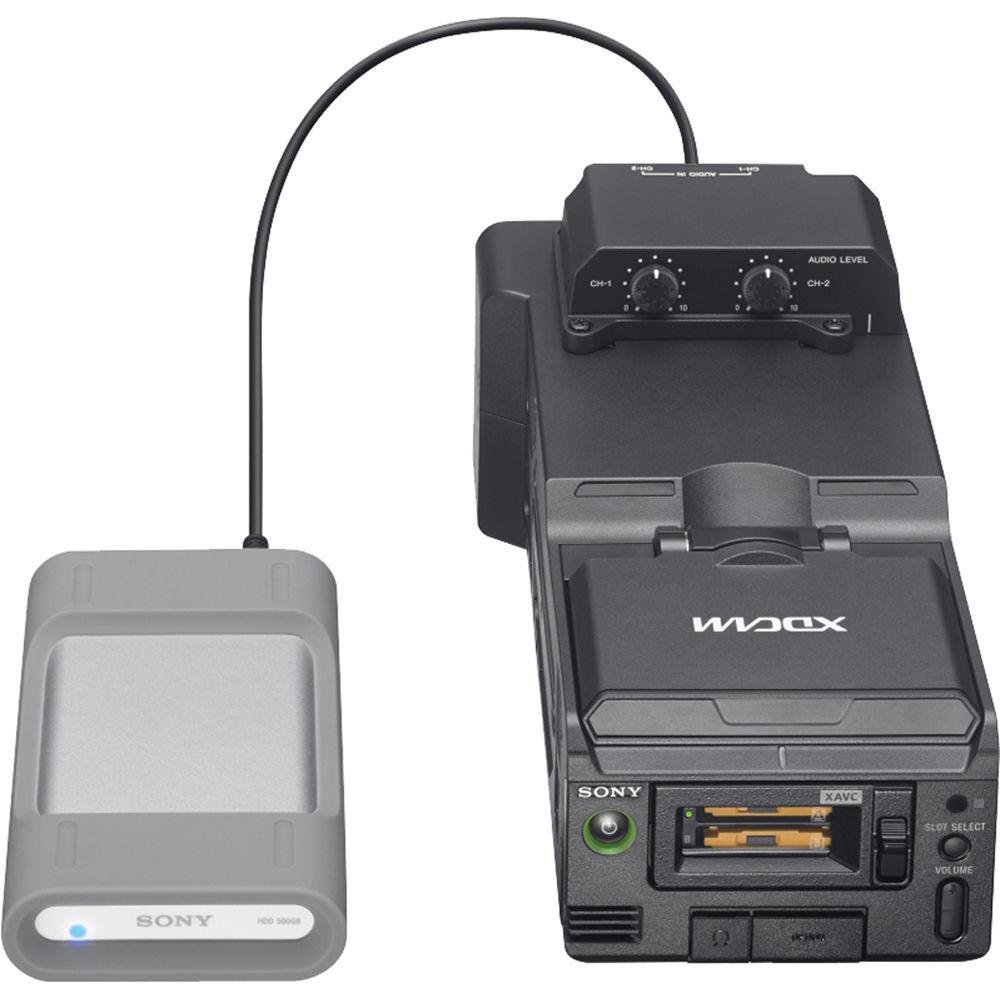
Product description The Sony PMW-RX50 XAVC Portable SxS Card Recorder is a compact deck that supports Sony's 10-bit XAVC Intra-frame and Long GOP codecs at resolutions up to 1080 59.94p/50p. To suit a broad range of needs, the deck also supports MPEG HD422, MPEG HD420, and standard definition codecs such as MPEG IMX50 and DVCAM. It features dual ExpressCard 34 media slots, which can be used to record footage from the 3G/HD/SD-SDI input to SxS memory cards. You can also insert SxS cards from your camcorder and use the built-in 3.5" LCD for field review of footage.
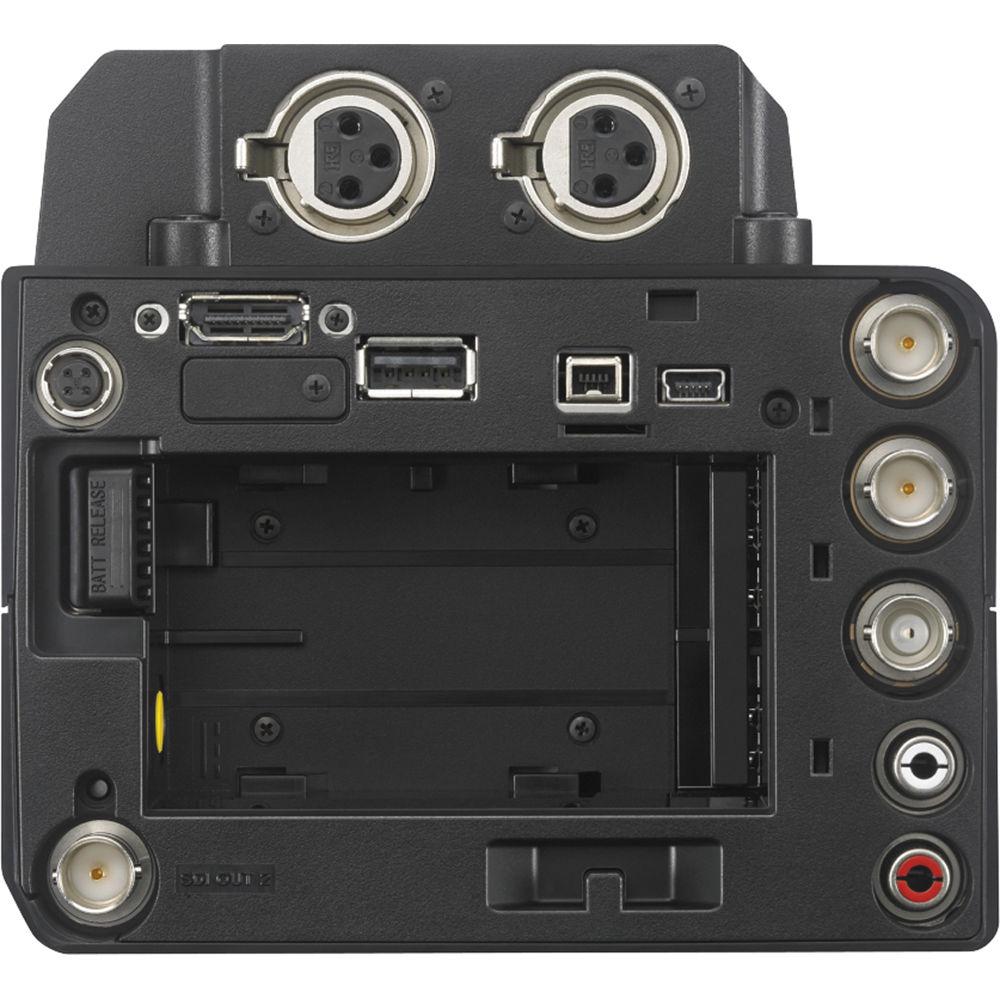
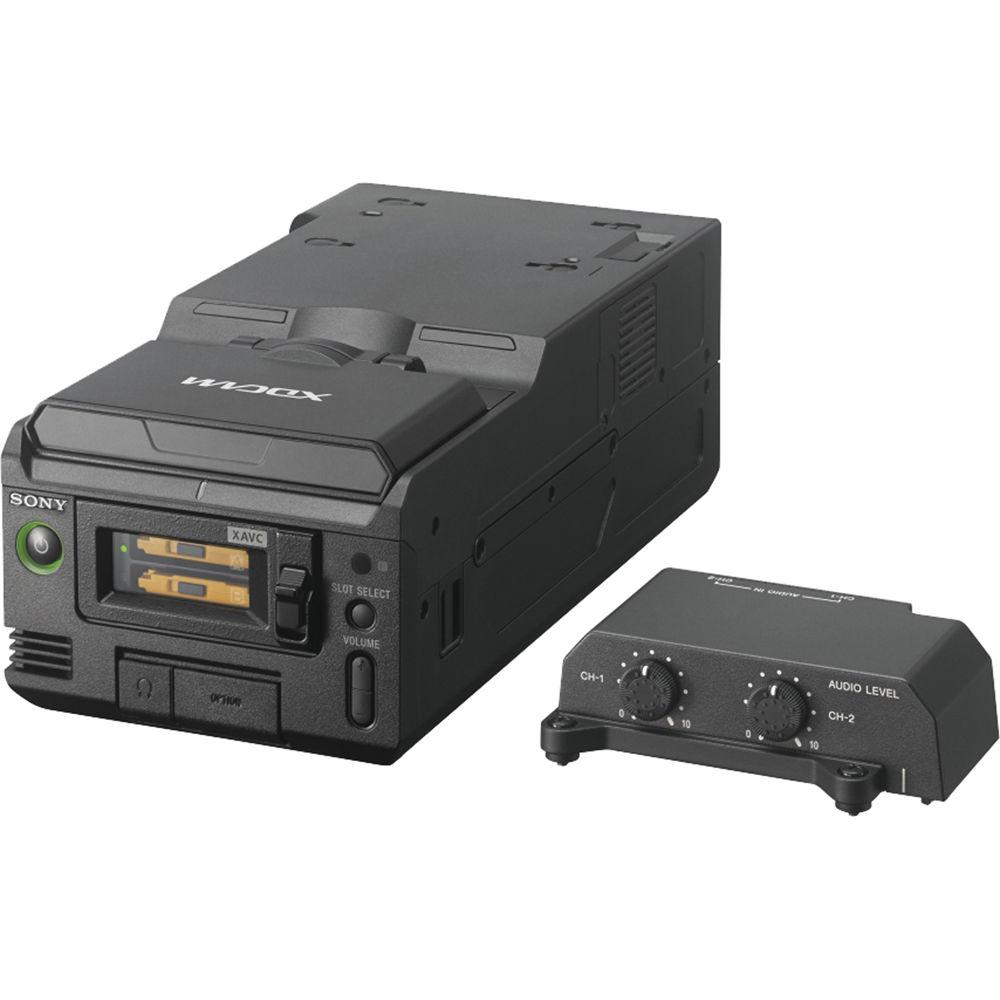
In addition to the SDI input, the deck also features a detachable Audio Input Box for inputting and recording two channels of XLR audio. SDI, HDMI, and i.LINK video outputs are provided for monitoring or ingesting footage into your NLE system. There is also a USB 3.0 port for copying clips directly to an external hard drive. To facilitate easy integration into existing workflows, the recorder is powered using the same BP-U series batteries and AC adapters as Sony's XDCAM handheld camcorders. DC output is also provided for the CBK-WA100 mobile network 3G/4G/LTE wireless LAN adapter. - Multi-Format Support
- The PMW-RX50 plays and records video using XAVC Intra and Long GOP codecs at resolutions of up to 1920x1080 at 59.94p, 50p, 59.94i, 50i, 29.97p, 25p, and 23.98p, as well as 1280x720 59.94p and 50p. This makes it fully compatible with XAVC camcorders using exFAT/.mxf files. It also supports MPEG HD422, MPEG HD420, MPEG IMX, and DVCAM formats, with the choice of either UDF/MXF mode, which is compatible with existing Professional Disc XDCAM workflows, or FAT/.MP4 mode which is compatible with XDCAM EX workflows.
- Dual SxS Card Slots
- The PMW-RX50 features dual SxS card slots for recording and playback of footage. Footage can be recorded straight from the SDI input. A Continuous Recording functions enables you to create a single file, even when recording multiple clips, for easier upload when editing. There is also a Loop Recording function that automatically switches the recording media from one slot to the other when your first card becomes full, and continuously records until the stop button is pressed. Simultaneous recording to both cards will be supported via a future firmware update.
- Clip Marking
- Several convenient playback features are offered to make viewing content faster and easier. The "OK Clip" marker lets you denote good takes, letting you play through only the clips that you plan on using for your edit. You can also play back selected portions of clips by picking selecting a Shotmark1 (start point) and Shotmark2 (end point).
- 3.5" Display
- Footage can be monitored using the built-in 3.5" flip-up display with 960x540 resolution. This lets the PMW-RX50 act as a stand-alone multi-format SxS viewier or desktop card reader.
- Multiple Inputs and Outputs
- In addition to the 3G/HD/SD-SDI input, the PMW-RX50 has two 3G/HD/SD-SDI outputs, an HDMI output, and an analog composite output. There is also an analog audio input and output, stereo headphone jack, USB 3.0, and i.LINK interface. Two XLR audio inputs with level dials are available via a detachable Audio Box.
- Optional Wi-Fi Adapter
- A 4-pin DC output is provided to power the optional CBK-WA100 wireless LAN adapter, letting you monitor footage or your mobile device as well as transfer files over Wi-Fi.
- Key Features
-
- Five assignable buttons
- Supports SD, Memory Stick, and XQD cards using optional ExpressCard adapters
- Direct transfer to external USB 3.0 storage device
- Conversion output from 1080/59.94p (50p) to 1080/ 59.94i (50i)
UPC: 027242882355 In the Box Sony PMW-RX50 SxS Card Recorder/Player USB Cable BC-U1 Battery Charger IR Remote Commander with CR2025 Lithium Battery Shoulder Strap Side Spacer CD-ROM with Operating Instructions Limited 1-Year Warranty Table of Contents
|
Upload User Manual
Have you got an user manual for the Sony PMW-RX50 SxS Card Recorder Player in electronic form? Please send it to us and help us expand our library of instruction manuals.
Thank you, too, on behalf of other users.
To upload the product manual, we first need to check and make sure you are not a robot. After that, your "Submit Link" or "Upload File" will appear.
Technical parametersSony PMW-RX50 Specs | | | Video Format | exFAT
XAVC-I mode: CBG, 223 Mbps max, MPEG-4 AVC/H.264
XAVC-L50 mode: VBR, 50 Mbps max, MPEG-4 AVC/H.264
XAVC-L35 mode: VBR, 35 Mbps max, MPEG-4 AVC/H.264
XAVC-L25 mode: VBR, 25 Mbps max, MPEG-4 AVC/H.264
HD422 mode: CBR, 50 Mbps, MPEG-2 422P@HL
HD420 mode: VBR, 35 Mbps, MPEG-2 MP@HL
DVCAM mode: DVCAM
IMX 50 mode: CBR, 50 Mbps, MPEG-2 422P@ML Intra
UDF
HD422 mode: CBR, 50 Mbps, MPEG-2 422P@HL
HD420 mode: VBR, 35 Mbps, MPEG-2 MP@HL
DVCAM mode: DVCAM
IMX 50 mode: CBR, 50 Mbps, MPEG-2 422P@ML Intra
FAT
HQ mode: VBR, 35 Mbps, MPEG-2 MP@HL
SP mode: CBR, 25 Mbps, MPEG-2 MP@H14
DVCAM mode: DVCAM | | Audio Format | exFAT
XAVC-I mode: LPCM 24-bit, 48 kHz, 4-channel
XAVC-L50 mode: LPCM 24-bit, 48 kHz, 4-channel
XAVC-L35 mode: LPCM 24-bit, 48 kHz 4-channel
XAVC-L25 mode: LPCM 24-bit, 48 kHz, 4-channel
HD422 mode: LPCM 24-bit, 48 kHz, 4-channel
IMX 50 mode: LPCM 24/16-bit, 48 kHz 4-channel
Other mode: LPCM 16 bit, 48 kHz, 4-channel
UDF
HD422 mode: LPCM 24-bit, 48 kHz, 4-channel
IMX 50 mode: LPCM 24/16-bit, 48 kHz, 4-channel
Other mode: LPCM 16-bit, 48 kHz, 4-channel
FAT
HD mode: LPCM 16-bit, 48 kHz, 4-channel
SD mode: LPCM 16-bit, 48 kHz, 2-channel
| | Recording/Playback Time | exFAT
XAVC-I mode:
Approx. 60 min. with 128 GB memory card
Approx. 30 min. with 64 GB memory card
XAVC-L50 mode:
Approx. 240 min. with 128 GB memory card
Approx. 120 min. 64 GB memory card
XAVC-L35 mode:
Approx. 340 min. with 128 GB memory card
Approx. 170 min. with 64 GB memory card
XAVC-L25 mode:
Approx. 440 min. with 128 GB memory card
Approx. 220 min. with 64 GB memory card
UDF
HD422 mode:
Approx. 120 min. with 64 GB memory card
Approx. 60 min. with 32 GB memory card
HD420 mode:
Approx. 180 min. with 64 GB memory card
Approx. 90 min with 32 GB memory card
DVCAM mode:
Approx. 220 min. with 64 GB memory card
Approx. 110 min. with 32 Gb memory card
IMX 50 mode:
Approx. 120 min. with 64 GB memory card
Approx. 60 min. with 32 Gb memory card
FAT
HQ mode:
Approx. 200 min with 64 GB memory card
Approx. 100 min. with 32 GB memory card
SP Mode:
Approx. 280 min. with 64 GB memory card
Approx. 140 min. with 32 GB memory card
DVCAM mode:
Approx. 260 min. with 64 GB memory card
Approx. 130 min. with 32 GB memory card | | Battery Operating Time | Approx. 110 min. with BP-U30 battery (while recording, LCD monitor On)
Approx. 220 min. with BP-U60 battery (while recording, LCD monitor On)
Approx. 330 min. with BP-U90 battery (while recording, LCD monitor On) | | Media Slot | 2 x ExpressCard/34 | | | | SDI Input | 1 x 3G/HD/SD-SDI, BNC
SMPTE 424M/292M/259M standards | | SDI Output | 2 x 3G/HD/SD-SDI, BNC
SMPTE 424M/292M/259M standards | | HDMI Output | 1 x Type A | | Analog Composite Output | 1 x BNC
NTSC, PAL, or HD-Y | | Analog Audio Output | 1 x 1/4" stereo jack
-10 dBu (Reference Level), 47 kohm | | Headphone Output | 1 x 3.5 mm stereo mini jack | | DV I/O (i.LINK) | 1 x IEEE 1394, 4-pin
HDV stream input/output, DVCAM stream output, S400 | | USB | 1 x USB, type A (for external hard drive)
1 x USB, mini-B (for PC connection) | | DC Input | 1 x 12 VDC jack | | DC Output | 1 x 4-pin for CBK-WA100 (unregulated) | | | | Type | 3.5" color LCD | | Resolution | 960 (H) x 540 (V) x 3 (RGB) | | Aspect Ratio | 16:9 | | | | Power Requirements | 12 VDC | | Power Consumption | Approx. 13 W (while recording, LCD monitor On)
Approx. 22.5 W (while recording, LCD monitor On, with optional CBK-WA100 Wireless Adapter) | | Operating Temperature | 32 to 104°F (0 to 40°C) | | Storage Temperature | -4 to 140°F (-20 to 60°C) | | Dimensions (WxHxD) | 4.88 x 3.39 x 9.33" (12.4 x 8.6 x 23.7 cm) (without protrusion & Audio Input Adapter)
4.88 x 4.53 x 9.33" (12.4 x 11.5 x 23.7 cm) (with Audio Adapter & without protrusions) | | Weight | Approx. 2.2 lb (1 kg) (without Audio Input Adapter)
Approx. 2.6 lb (1.2 kg) (with Audio Input Adapter) | | | | Package Weight | 5.6 lb | | Box Dimensions (LxWxH) | 11.7 x 9.6 x 7.4" |
Rating20% users recommend this product to others. And what about you?

This product has already been rated by 03 owners. Add your rating and experience with the product.
Discussion
 Ask our technicians if you have a problem with your settings,
or if anything is unclear in the user manual you have downloaded.
You can make use of our moderated discussion.
The discussion is public and helps other users of our website who may be encountering similar problems.
Ask our technicians if you have a problem with your settings,
or if anything is unclear in the user manual you have downloaded.
You can make use of our moderated discussion.
The discussion is public and helps other users of our website who may be encountering similar problems.
The discussion is empty - enter the first post
Post a new topic / query / comment:
|
|


