User Manual for Sony PWS-4500PAC Replay System Bundle Click to enlarge the picture
 Contents of the user manual for the Sony PWS-4500PAC Replay System Bundle
- Product category: Recorders & Duplication Sony
- Brand: Sony
- Description and content of package
- Technical information and basic settings
- Frequently asked questions – FAQ
- Troubleshooting (does not switch on, does not respond, error message, what do I do if...)
- Authorized service for Sony Recorders & Duplication
 |
User manual for the Sony PWS-4500PAC Replay System Bundle contain basic instructions
that need to be followed during installation and operation.
Before starting your appliance, the user manual should be read through carefully.
Follow all the safety instructions and warnings, and be guided by the given recommendations.
User manual is an integral part of any Sony product,
and if it is sold or transferred, they should be handed over jointly with the product.
Following the instructions for use is an essential prerequisite for protecting
health and property during use, as well as recognition of liability on the part of the manufacturer
for possible defects should you make a warranty claim. Download an official Sony user manual in which you will find instructions on how to install, use, maintain and service your product.
And do not forget – unsuitable use of a Sony product will considerably shorten its lifespan!
|
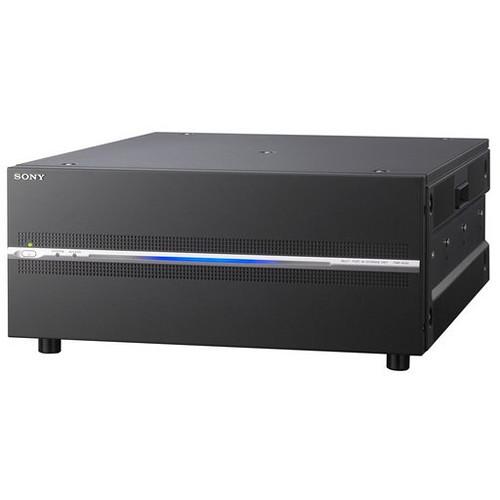
Product description The PWS-4500PAC Replay System Bundle from Sony comprises of the PWS-4500 Multi Port AV Storage Unit, the PWSK-4403 USB Control Device, and the PWS-100PR1 Production Control Station. This bundle can be used with the PWS-100MG1 Media Gateway Station (available separately) as replay server in a live server system. The PWS-4500 multi-channel recorder supports 4K to HD resolutions and is capable of recording images in XAVC recording format. It offers high-frame-rate video recording and instant slow-motion replay. The PWS-4500 unit comes equipped with 2TB internal solid-state storage, enabling six-hour recording in 4K (600 Mb/s) and 24-hour recording in HD (100 Mb/s). It can simultaneously create and record HD files from a 4K camera feed, and these HD files can be used as proxy material. It comes with a redundant power supply for assured reliability of operation. The PWSK-4403 USB Control Device features a jog dial, a fader lever, and an industry-standard button layout. The PWS-100PR1 Production Control Station comes pre-installed with the PWA-PRC1 Production Control Software. The USB control panel and production control station together provide an intuitive GUI for slow-motion replay control and high-light editing on the PWS-4500 system, along with a touch-panel capability. - PWS-4500 Multi-Port AV Storage System Capable of recording images in the XAVC recording format, the PWS-4500 Multi-Port AV Storage System from Sony offers flexible I/O configurations, high-frame-rate (HFR) recording, and an intuitive user interface designed for professional operators. It creates a multi-port slow-replay server system for live sports production in both 4K and HD infrastructures.The connectivity with Sony’s IP-based infrastructure is assured by a Networked Media Interface, while enhanced system efficiency and flexibility are provided by a Share Play file sharing feature. To establish the PWS-4500 System as the replay server in a live server system, you need three additional units including the PWSK-4403 Control Panel, the PWS-100PR1 Production Control Station, and the PWS-100MG1 Media Gateway Station.
- XAVC Format
-
- Capable of recording up to four 4K video signals/six HD video signals and 16 audio channels (uncompressed, 24-bit, 48 KHz) using the XAVC recording format
- In a 4K workflow, a single XAVC file is created and recorded to the PWS-4500 System, which is easily handled by non-linear editing systems in the post production stage
- The system records 4K/HD XAVC intra frames between 600 Mb/s (4K 50p/59.94p) and 100 Mb/s (1080, 50i/50.94i) in HD
- XAVC fits into the growing 4K live production environment and you can explore creative possibilities in both 4K and HD live production
- With the optional PWSL-DH45 codec, the PWS-4500 System can also record files as Avid DNxHD 220x/145/45, which is an ideal fit for the Avid DNxHD post production environment
- Flexible configuration for 4K and HD
-
- PWS-4500 System can be configured flexibly using various option boards and software
- From a 4-channel HD production recorder with a basic configuration, you can expand to a 4-channel 4K recorder/HD 8-channel recorder solution with a Networked Media Interface
- 4K/HD HFR Recording and Replay
-
- System records camera feeds captured at a high frame rate with Sony’s live camera systems, and can instantaneously replay them in very smooth slow motion at HD 2x and 3x as standard
- You can also achieve HD 4x, 6x, and 8x, and 4K 2x slow-motion replay by using either of the optional software: HD 4x, 6x, and 8x: PWSL-HF45 HFR / 4K 2x: PWSL-HR45 4K/HD Cut Out Software and PWSL-HF45 HFR (High-frame rate) software
- The intuitive operability of the PWS-4403 Control Panel helps you to control slow-motion replay and making full use of its jog dial, fader lever, and industry standard button layout
- Large-Capacity Memory Storage
-
- Large 2TB memory enables 6 hours of recording in 4K and 24-hour recording in HD
- Memory expandable up to 8TB
- HD Cut Out from 4K
-
- By installing the PWSL-HR45 4K/HD Cut Out software, a full HD picture can be cut out from up to 3 recorded 4K sources
- Each cut out sequence uses key frames referenced to timecode, position & zoom level for fast, intuitive, and creative operation
- You can also select Live Zoom mode
- 4K/HD Simultaneous Recording
-
- PWS-4500 System can simultaneously create and record HD files from a 4K camera feed, and you can use those HD files as proxy material
- Redundant Power Supply
-
- To assure high reliability, the PWS-4500 System comes with a redundant power supply unit as standard
- Connectivity with Next-Generation IP-Based Infrastructure
-
- Networked Media Interface lets you connect with any IP live production environment simply by adding the optional PWSK-4506F Networked Media Interface Board, allowing video and audio signals to be received and transmitted over an IP network.
- Efficient file sharing via 10 GbE IP Networking
-
- Once clips have been recorded by a PWS-4500 Server connected to a dedicated 10 GbE IP network, the new Share Play feature enables these clips to be shared among all connected PWS-4500 Servers to deliver a more efficient workflow
- Eliminates the need to push or pull clips between different servers
- Multi Port AV Storage Unit
-
- PWS-4500 System can be used as a multi-channel recorder using the XAVC recording format
- Supports 4K to HD resolutions
- The unit features high-speed & high-capacity memory storage and supports transfers over IP, so it fits well into the network infrastructure
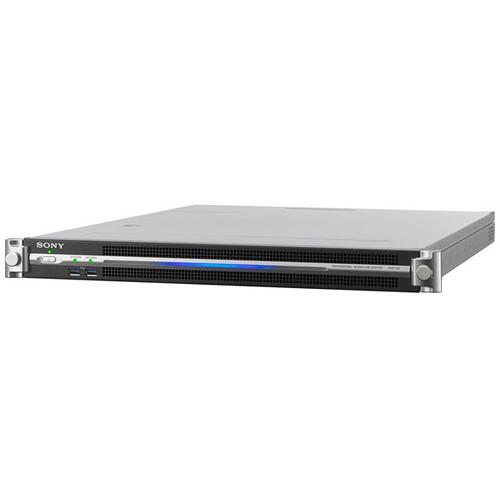
- Production Control Workstation Provided by third party: The PWS-100PR1 is a 1RU production control workstation to control the PWS-4400 4K/HD multi-port AV storage unit for live operation. It includes pre-installed PWA-PRC1 production control software and video input card required to support this operation. An optional touch-screen monitor can be provided to enhance the operational experience even further. The system provides a variety of screen variations, including split-screen mode, playlist mode, clip management mode and cut-out mode. With the PWS-4400, the unit provides full control of ground-breaking 4K and HD workflows to help you produce amazing live action and highlights content.
- Key Features
-
- Control of PWS-4400
- Operation flexibility
- Multi-port inputs/outputs
- Control of PWS-4400
- The PWS-100PR1 provides live operational control of the PWS-4400. It allows connection to the PWSK-4403 USB control device for live slow-motion operation and optional touch-screen monitor.
- Operation flexibility
- With the PWS-4400, the unit provides full control of ground-breaking 4K and HD workflows.
- Multi-port inputs/outputs
- The PWS-100PR1 is equipped with two graphic cards to monitor up 6 inputs that are fed to the PWS-4400 (when using the PWS-4400 in HD operation) In addition, the PWS-100PR1 has six USB 3.0 ports allowing you to connect USB HDDs (Hard Disk Drives), as well as two RJ-45 (1000BASE-T, 100BASE-TX), one HDMI port and one DisplayPort connector V1.1a for display support.
- PWSK4403 USB Control Panel for PWS-4400
In the Box Bundle Items PWS-4500 Multi-Port AV Storage System aztexysfyswddseezvtevyzfyrsxwdcu - Limited 1-Year Warranty for Parts and Labor
PWSK4403 USB Control Panel for PWS-4400 Production Control Workstation Table of Contents
|
Upload User Manual
Have you got an user manual for the Sony PWS-4500PAC Replay System Bundle in electronic form? Please send it to us and help us expand our library of instruction manuals.
Thank you, too, on behalf of other users.
To upload the product manual, we first need to check and make sure you are not a robot. After that, your "Submit Link" or "Upload File" will appear.
Technical parameters - PWS-4500 Multi-Port AV Storage System
| | | Sampling Frequency | Y: 74.25 MHz, Pb/Pr: 37.125 MHz | | Conversion Modes | 8/10 bits | | Compression | XAVC, Avid DNxHD | | | | Sampling Frequency | 48 kHz (video sync) | | Conversion Modes | 24 bits | | Headroom | 20 dB / 18 dB / 16 dB / 15 dB / 12 dB / 9 dB (selectable) | | | | Connectors | SDI Input (1 to 4):
4 x BNC
HD SDI (1.485 Gb/s) SMPTE ST 292-1 / BTA-S004B compliant
3G SDI (2.97 GHz) SMPTE ST 424 Level A, B
SDI Output (INPUT MONITOR 5 to 8)
4 x BNC
HD SDI (1.485 Gb/s), 3G SDI (2.97 GHz)
(Does not satisfy the SDI signal standard, and should be used for input signal monitor applications only)
2 x Monitor BNC:
HD SDI (1.485 Gb/s) SMPTE ST 292-1/BTA-S004B compliant
Time Code Input: 1 x BNC, 0.5 to 5 Vpp, 10 kOhms
Time Code Output: 1 x BNC, 1.5 Vpp, low impedance
Digital Audio (AES/EBU) Input:
4 x BNC Channel 1/2 to 7/8, AES/EBU format, unbalanced
When connecting devices for AES/EBU signal input/output, it is recommended to use a cable whose length is less than 984' (300 m) | | | | Connectors | SDI Input (1 to 8):
8 x BNC
HD SDI (1.485 Gb/s) SMPTE ST 292-1 / BTA-S004B compliant
3G SDI (2.97 GHz) SMPTE ST 424 Level A, B
SDI Output (Monitor)
2 x BNC
HD SDI (1.485 Gb/s) SMPTE ST 292-1 / BTA-S004B compliant
Time Code Output: 1 x BNC, 1.5 Vpp, low impedance
Digital Audio (AES/EBU) Output:
4 x BNC, Channel 1/2 to 7/8, AES/EBU format, unbalanced
File Sharing: Share Play 1 to 2: RJ-45 x 2, Network Interface 10G Copper
Monitoring:
NMI Monitor 1 to 2: RJ-45 x 2, Network interface 1G Copper
Monitor: HD SDI (1.485 Gb/s) SMPTE ST 292-1 / BTA-S004B compliant
Reference Input:
2 x BNC including 1 loop through, 75 Ohms with terminal switch, HD (tri-level sync), SD (black burst), NTSC: 0.286 Vpp, 75 Ohms, PAL: 0.3 Vpp, 75 Ohms
Remote:
Remote 1/2 to Remote 7/8: 4 x RJ-45
GPIO (25P): 25-pin D-Sub, 1 x female
Network 1 to 2: RJ-45 (x2), 1000BASE-T
Maintenance: 1 x USB
Network: 1 x SFP+, 10GBASE-SR/LR (add-in card) | | | | Recording Format | XAVC, Avid DNxHD | | Power Requirements | 100 to 127 VAC / 200 to 240 VAC | | Power Consumption | Maximum 480 W | | Operating Temperature | 41 to 104°F (5 to 40°C) | | Storage Temperature | −4 to 140°F (−20 to 60°C) | | Humidity | 25 to 90% (non-condensing) | | Dimensions | 16.8 x 6.9 x 21.3" (42.7 x 17.4 x 54.1 cm) | | Weight | 48 lb (22 kg) | - Production Control Workstation
| | | Type | Production control workstation | | Width | 17.3 in | | Depth | 25.2 in | | Height | 1.7 in | | Weight | 30.86 lbs | | | | Features | 2 option input/output card slots | | | | Nominal Voltage | AC 120/230 V | | Frequency | 50/60 Hz | | Max Power Consumption | 235 W | | | | Terminals | (6) x USB 3.0 - 9 pin USB Type A
(2) x network - RJ-45
(1) x HDMI output - 19 pin HDMI Type A
(1) x DisplayPort output - 20 pin DisplayPort | | | | Min Operating Temperature | 41
Rating70% users recommend this product to others. And what about you?

This product has already been rated by 61 owners. Add your rating and experience with the product.
Discussion
 Ask our technicians if you have a problem with your settings,
or if anything is unclear in the user manual you have downloaded.
You can make use of our moderated discussion.
The discussion is public and helps other users of our website who may be encountering similar problems.
Ask our technicians if you have a problem with your settings,
or if anything is unclear in the user manual you have downloaded.
You can make use of our moderated discussion.
The discussion is public and helps other users of our website who may be encountering similar problems.
The discussion is empty - enter the first post
Post a new topic / query / comment:
|
|
|
| Request for user manual |
You can’t find the operation manual you are looking for? Let us know and we will try to add the missing manual:
I’m looking for a manual / Request for manual
Current requests for instruction manuals:
Call Of Duty World War Two For Xbox...
controller stratus XL...
stratus XL...
smart whatch serie S11 42mm...
Allen & Heath SQ-6 manual...
|
| Discussion |
Latest contributions to the discussion:
AEW R 4100
Name: MAURICIO ANGARITA
Audio-Technica AEW-R4100 UHF Diversity Receiver for
AEW R 4100 has the mute function blocked and does not allow audio to pass. I tried several times to turn off the mute from the transmitter but it does nothing, the mute stays on. Solution?
Thank you...
Instructions for assembling the 2015 Forecast Image Master Consoles GC3-A
Name: mike elam
Forecast Consoles GC3-A ImageMaster Editing Console
Looking for instructions for assembling this console. ...
EMPTY TONER ERROR MESSAGE AFTER REPLACING TONER
Name: LINDA BAD YELLOW EYES
Brother TN223BK Standard-Yield Toner
I HAD TO CHANGE OUT ALL THREE TONERS DUE TO LEAKS IN THE YELLOW AND CYAN. AFTER I REPLACED THEM, THE MACHINE KEEPS GIVING ME AN EMPTY TONER ERROR MESSAGE. HELP!!...
PS480D 20/24 pin Switching 480W Power Supply
Name: swkargo
Logisys 480W Power Supply
This item states in can run -5vdc .It is NOT listed on the board or I beleive is r4 is missing the resitior. Any body have thid issue. Shawn
...
Help needed
Name: Ann Carter
SanDisk 1TB Extreme Portable USB 3.1
When I click the link to download the user manual for my Sandisk Extreme external hard drive, it gives me the manual for the LG Cricket. Can you please change the link so I can download the Sandisk manual and begin using this drive? Thank you....
|
|


