|
User Manual for Soundcraft Si Expression 3 Digital Mixer Click to enlarge the picture
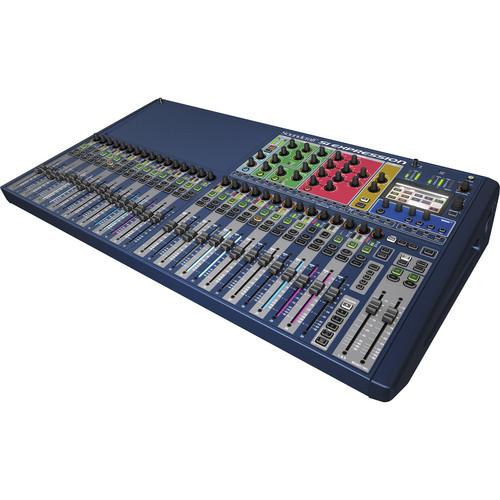 Contents of the user manual for the Soundcraft Si Expression 3 Digital Mixer
- Product category: Digital Mixers Soundcraft
- Brand: Soundcraft
- Description and content of package
- Technical information and basic settings
- Frequently asked questions – FAQ
- Troubleshooting (does not switch on, does not respond, error message, what do I do if...)
- Authorized service for Soundcraft Digital Mixers
 |
User manual for the Soundcraft Si Expression 3 Digital Mixer contain basic instructions
that need to be followed during installation and operation.
Before starting your appliance, the user manual should be read through carefully.
Follow all the safety instructions and warnings, and be guided by the given recommendations.
User manual is an integral part of any Soundcraft product,
and if it is sold or transferred, they should be handed over jointly with the product.
Following the instructions for use is an essential prerequisite for protecting
health and property during use, as well as recognition of liability on the part of the manufacturer
for possible defects should you make a warranty claim. Download an official Soundcraft user manual in which you will find instructions on how to install, use, maintain and service your product.
And do not forget – unsuitable use of a Soundcraft product will considerably shorten its lifespan!
|
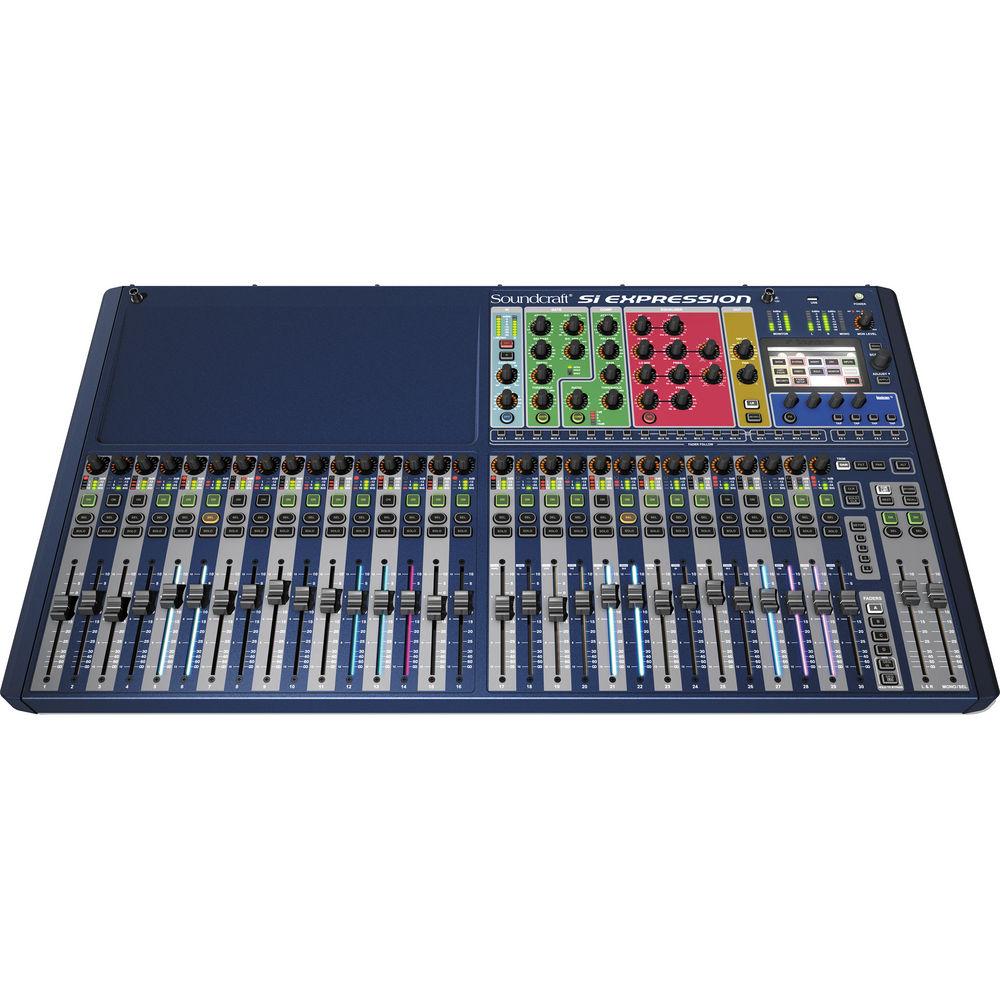
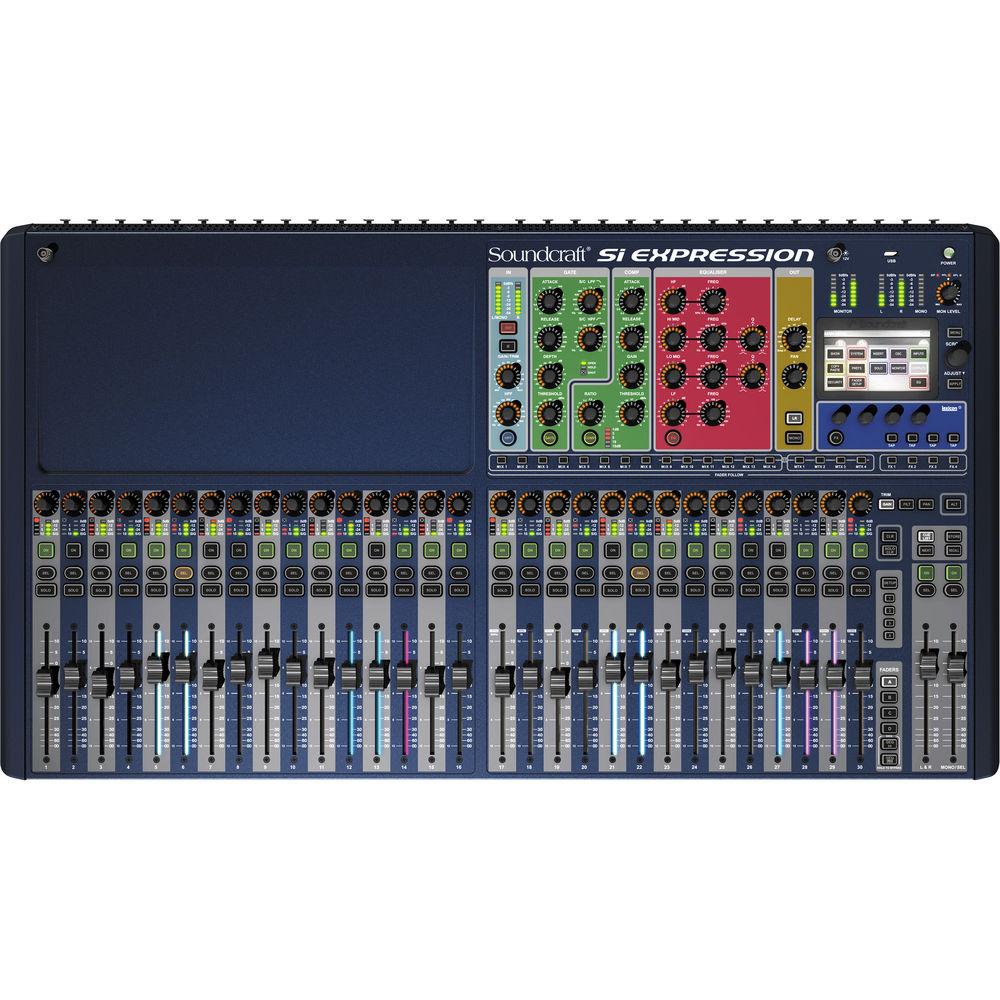
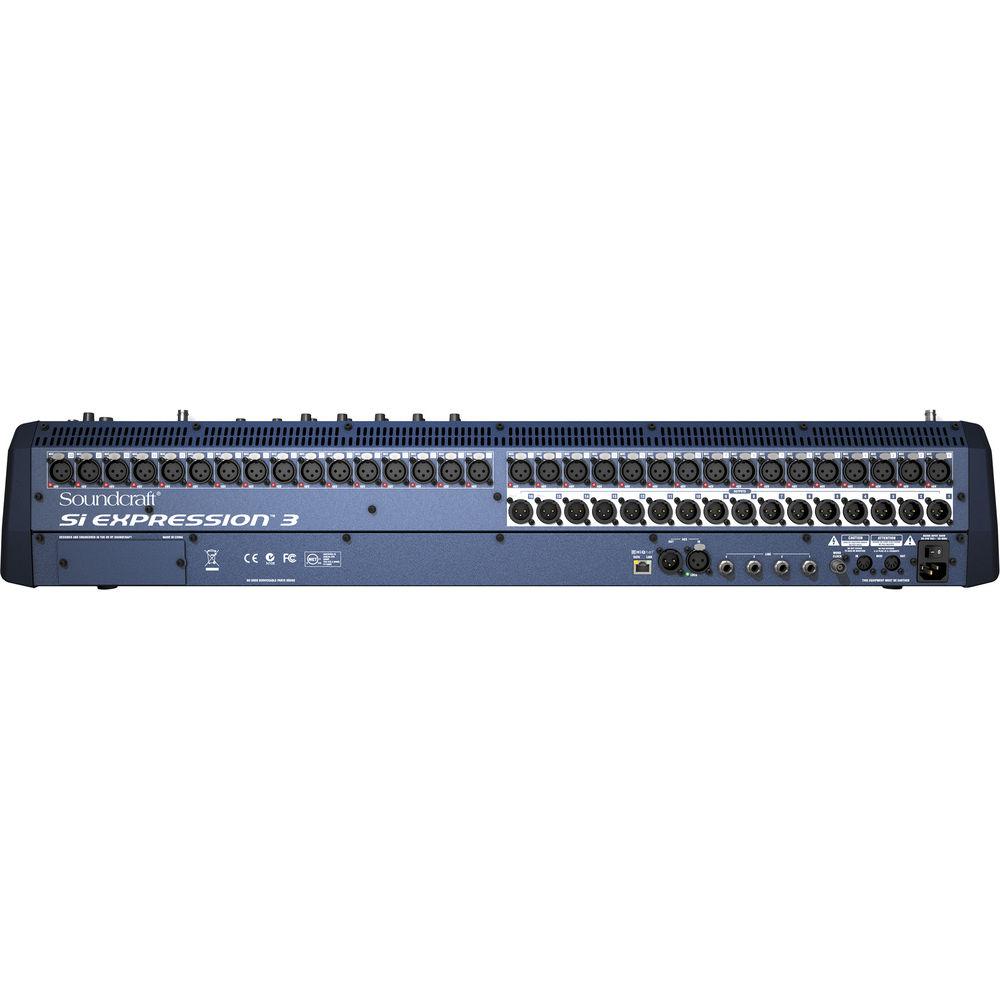
Product description The Soundcraft Si Expression 3 Digital Mixer is a digital mixing console designed for live sound applications. The mixer features 32 microphone preamps, 4 line inputs, AES in, 4 internal stereo FX returns, 30 faders, a 64 x 64 expansion slot for additional routing possibilities, and 66 input processing channels.
Every input processing channel on the board can be routed through a dedicated high-pass filter, input delay, compressor, gate, and four-band equalizer. Each channel is also under the control of an automation system with four mute groups and illuminated faders to keep track of signal processing. For outputs, the mixer includes 16 balanced line outputs, a headphone monitor output, AES output, and the 64 x 64 expansion slot.
The mixer features 14 aux/group mixes that can be used as 14 mono mixes, or 8 mono and 6 stereo mixes, or any combination between. The mixer also utilizes 4 matrix mixes that allow you to assign any combination of inputs to any combination of outputs in either mono or stereo mode. In addition to the auxiliary/group and matrix busses, the unit features four mix busses dedicated to the device's internal Lexicon FX processing. Each bus mix includes a delay, compressor, a four-band equalizer, and a BSS graphic equalizer. Since the Lexicon FX processor is hardware based, using the effects does not influence the signal processing performance of the rest of the mixer.
For I/O expansion, the mixer will accept any of the Soundcraft Si series option cards including AES, AVIOM, CobraNet, Firewire/USB/ADAT, Dante CAT5, and optical MADI. The MADI card allows you to connect to multi-track recording systems, plug-ins such as WAVES, and Studer or Soundcraft stageboxes. Using a stagebox increases both the number of physical inputs, as well as the number of input processing channels. Every processing parameter utilizes a dedicated control so that you do not need to navigate through menu hierarchies to make adjustments. A row of global mode encoders above each channel gives you control over gain, high-pass filter parameters, and pan position. - Multi-Color Illuminating Faders
- The faders on the mixer glow different colors to indicate the status of the auxiliary sends, graphic equalizers, and FX sends
- Equalizer
- The equalizer section of the mixer features high shelf, low shelf, variable Q ranging from 22 to 20,000 Hz
- Color Touch Screen
- The mixer features a color touch screen for setting up monitoring, labeling, and assigning inserts and patch channels
- 66 Mix Channels
- The mixer offers 66 inputs to mix, all with dynamics, EQ, and routing
- ViSi Remote Control
- The mixer works with the ViSi remote control app for iPad. This allows you to remotely control the mixer from anywhere in the room over the iPad. Multiple iPads may be used to control different sections of the mixer. To operate the mixer remotely with an iPad, first connect a wireless router to the mixer's Harman HiQnet Ethernet port. The iPad connects to the mixer via Harman's HiQnet network. To create the Harman HiQnet network, you connect a wireless router to the mixer's Harman HiQnet Ethernet port
- TOTEM One Touch Easy Mix System
- The mixer features a one touch easy mix button that instantly reconfigures the surface and faders of the mixer so that you can mix to an FX, auxiliary, or matrix bus
- Assignable Channel Strip
- The mixer allows you to select channels and then use the assignable channel strip to adjust input-signal gain, gate, compression, equalization, panning, and output-signal gain. Each rotary knob in the assignable channel strip is correlated to a dedicated function, just as it would be in an analog mixer
- 35 Busses
- For sub-mixes and flexible routing options, the mixer features 35 busses
- Global Mode Encoders
- A row of rotary encoders at the top of the mixer allow you to always access the gain, pan, and filter controls over any channel on the mixer
- Direct Output Gain Stabilization (D.O.G.S.)
- When two consoles are sharing the same source, the D.O.G.S. system maintains the same gain structure of microphone in to direct out on both consoles. This is useful when utilizing the mixer to send stage mixes to musicians wearing in-ear monitoring systems. No matter how the levels might be changed on the mixer, the D.O.G.S system will ensure that the direct output level to the musicians remains constant
- Lexicon FX Engine
- The mixer features four hardware-based Lexicon FX engines, each on its own FX bus. This allows you to perform complex FX signal processing on any channel without running out of system resources. The Lexicon FX engine features over 20 preset stereo effects, accessible via the rotary encoders and touch screen
- Graphic EQ
- The mixer includes a 28-band graphic equalizer on every matrix, mix, and, main master
- Copy and Paste
- The copy and paste function allows you to copy all or any part of a channel, mix, buss, or Lexicon effect such as a gate, compressor, or EQ and then paste it onto another part of the mixer
- Function Focus
- Every time a control is changed or the select key is pressed, the screen will display relevant information about the channel being changed and the absolute values of the controls over that channel
- Instant Access Keys
- On the front of the mixer is a panel of buttons such as STORE, RECALL, NEXT, MUTE 1-4, TAP TEMPO, and others that provide instant access to basic functions without having to navigate complex menus
- USB Setting Storage
- The front of the mixer features a USB port that allows you to save mixer settings to a USB memory stick for future use
- Security Lockout
- You can lockout parts or all of the console with separate user profiles and permissions
UPC: 668705000116 In the Box Soundcraft Si Expression 3 Digital Mixer Power Cord Limited 1-Year Warranty Table of Contents
|
Upload User Manual
Have you got an user manual for the Soundcraft Si Expression 3 Digital Mixer in electronic form? Please send it to us and help us expand our library of instruction manuals.
Thank you, too, on behalf of other users.
To upload the product manual, we first need to check and make sure you are not a robot. After that, your "Submit Link" or "Upload File" will appear.
Technical parametersSoundcraft Si Expression 3 Specs | Preamplifier | 32 x Balanced XLR's with preamps | | Faders | 30 | | Frequency Response | Mic/Line Input to any output ±1.5 dB, 20 to 20,000 Hz | | THD | Mic sensitivity -30 dBu: <0.01% at 1 kHz | | Residual Noise | Master output; no inputs routed, mix fader at 0 dB: <-86 dBu | | Mic Input Noise (E.I.N.) | -126 dBu (150 Ω source) | | Mix Output Noise | < -86 dBu | | Input Noise | 1 input to mix at unity gain: -84 dBu | | CMRR | Mic at 1 kHz: -80 dBu | | Crosstalk | Channel On attenuation: <120 db
Channel Fader attenuation: <120 db
Mic-Mic: -100 dB at 1 kHz, -85 dB at 10 kHz
Line - Line: -100 dB at 1 kHz, -85 dB at 10 kHz | | Input Gain | Microphone: -5 to 58 dB integrated pad design in 1 dB steps
Line Trim: -10 to 16 dB | | Gate | Threshold: -60 dBfs to -6 dBfs
Depth: -60 to -3 dB
Attack: 0.1 to 200 ms
Release: 20 to 500 ms
Side-chain HPF 22 to 2,500 Hz
Side-Chain LPF 160 to 20,000 Hz | | | | Threshold | -52 dBfs to -6 dBfs
Ratio 1:1 to 20:1 | | Ratio | 1:1 to 20:1 | | Attack | 0.1 to 200 ms | | Release | 5 to 900 ms | | Make-up Gain | 0 to 24 dB | | | | Equalizer | Hi Mid and Low Mid: 22 to 20,000 Hz, ± 15 dB, Q 6 to 0.3
Shelf (HF): 800 to 20,000 Hz, ± 15 dB
Shelf (LF): 20 to 500 Hz, ± 15 dB
HPF: 40 to 1,000 Hz | | Audio Delay | User adjustable 1 sample to 500 ms | | Graphic EQ | 31 to 16 kHz, 1/3 octave | | Digital I/O | AES Sample Rate Converter range: 8 to 200 kHz
External World Clock In range: 48 kHz ±7 Hz (internal systems), ±3 Hz with stageboxes
Word Clock Out jitter: ±7 ns
Analogue Out for 0 dBfs: +21.5 dBu
Converter resolution: 24 bit
DSP resolution: 40 bit floating point | | Latency | Mic In to Line Out: <0.8 ms
Analogue In to AES Out: <0.6 ms
AES In to Line Out: <0.8 ms
AES In to AES Out; <0.5 ms
Stagebox Mic In to Stagebox: <0.9 ms | | Input Level | Mic Input: +22 dBu max
Line Input: +22 dBu max | | Output Level | Mix Output: +21.5 dBu max
Headphones at 150 Ω 300 mW (recommended impedance 32 to 200 Ω) | | Input Impedance | Mic Input: 3 kΩ
Line Input: 10 kΩ
AES Input: 110 kΩ
Word Clock used as Input: 110 kΩ | | Output Impedance | Outputs: 150 Ω (balanced), 75 Ω (unbalanced)
Word Clock used as Output: 50 Ω
Word Clock used as Input: 47 kΩ
AES Output: 110 Ω: | | Lamp | 12 VDC at 100 mA per socket | | Power Consumption | <130 w
AC Input Voltage range: 88 to 264 VAC auto sensing
AC Frequency range: 47 to 63 Hz | | Operating Conditions | Operating Temperature range: 41 to 113°F (5 to 45°C)
Humidity: 0 to 90% non condensing Ta= 104°F (40°C)
Storage Temperature range: -4 to 140°F (-20 to 60°C) | | Dimensions (H x W x D) | 6.7 x 36.5 x 20.5" (169 x 928 x 520 mm) | | Weight | 46.2 lb (21.0 kg) | | | | Package Weight | 59.1 lb | | Box Dimensions (LxWxH) | 41.0 x 27.0 x 11.0" |
Rating70% users recommend this product to others. And what about you?

This product has already been rated by 81 owners. Add your rating and experience with the product.
Discussion
 Ask our technicians if you have a problem with your settings,
or if anything is unclear in the user manual you have downloaded.
You can make use of our moderated discussion.
The discussion is public and helps other users of our website who may be encountering similar problems.
Ask our technicians if you have a problem with your settings,
or if anything is unclear in the user manual you have downloaded.
You can make use of our moderated discussion.
The discussion is public and helps other users of our website who may be encountering similar problems.
Post new comment to Soundcraft Si Expression 3 Digital Mixer
| Subject: work lite | | Date: 03.11.2022 13:52:27 | Name: dave | how do you adjust the work lamp?
| | Post reply |
Post a new topic / query / comment:
|
|
|
| Request for user manual |
You can’t find the operation manual you are looking for? Let us know and we will try to add the missing manual:
I’m looking for a manual / Request for manual
Current requests for instruction manuals:
Call Of Duty World War Two For Xbox...
controller stratus XL...
stratus XL...
smart whatch serie S11 42mm...
Allen & Heath SQ-6 manual...
|
| Discussion |
Latest contributions to the discussion:
AEW R 4100
Name: MAURICIO ANGARITA
Audio-Technica AEW-R4100 UHF Diversity Receiver for
AEW R 4100 has the mute function blocked and does not allow audio to pass. I tried several times to turn off the mute from the transmitter but it does nothing, the mute stays on. Solution?
Thank you...
Instructions for assembling the 2015 Forecast Image Master Consoles GC3-A
Name: mike elam
Forecast Consoles GC3-A ImageMaster Editing Console
Looking for instructions for assembling this console. ...
EMPTY TONER ERROR MESSAGE AFTER REPLACING TONER
Name: LINDA BAD YELLOW EYES
Brother TN223BK Standard-Yield Toner
I HAD TO CHANGE OUT ALL THREE TONERS DUE TO LEAKS IN THE YELLOW AND CYAN. AFTER I REPLACED THEM, THE MACHINE KEEPS GIVING ME AN EMPTY TONER ERROR MESSAGE. HELP!!...
PS480D 20/24 pin Switching 480W Power Supply
Name: swkargo
Logisys 480W Power Supply
This item states in can run -5vdc .It is NOT listed on the board or I beleive is r4 is missing the resitior. Any body have thid issue. Shawn
...
Help needed
Name: Ann Carter
SanDisk 1TB Extreme Portable USB 3.1
When I click the link to download the user manual for my Sandisk Extreme external hard drive, it gives me the manual for the LG Cricket. Can you please change the link so I can download the Sandisk manual and begin using this drive? Thank you....
|
|


