|
User Manual for SOURCE AUDIO One Series Vertigo Tremolo Pedal Click to enlarge the picture
 Contents of the user manual for the SOURCE AUDIO One Series Vertigo Tremolo
- Product category: Effects Pedals SOURCE AUDIO
- Brand: SOURCE AUDIO
- Description and content of package
- Technical information and basic settings
- Frequently asked questions – FAQ
- Troubleshooting (does not switch on, does not respond, error message, what do I do if...)
- Authorized service for SOURCE AUDIO Effects Pedals
 |
User manual for the SOURCE AUDIO One Series Vertigo Tremolo contain basic instructions
that need to be followed during installation and operation.
Before starting your appliance, the user manual should be read through carefully.
Follow all the safety instructions and warnings, and be guided by the given recommendations.
User manual is an integral part of any SOURCE AUDIO product,
and if it is sold or transferred, they should be handed over jointly with the product.
Following the instructions for use is an essential prerequisite for protecting
health and property during use, as well as recognition of liability on the part of the manufacturer
for possible defects should you make a warranty claim. Download an official SOURCE AUDIO user manual in which you will find instructions on how to install, use, maintain and service your product.
And do not forget – unsuitable use of a SOURCE AUDIO product will considerably shorten its lifespan!
|
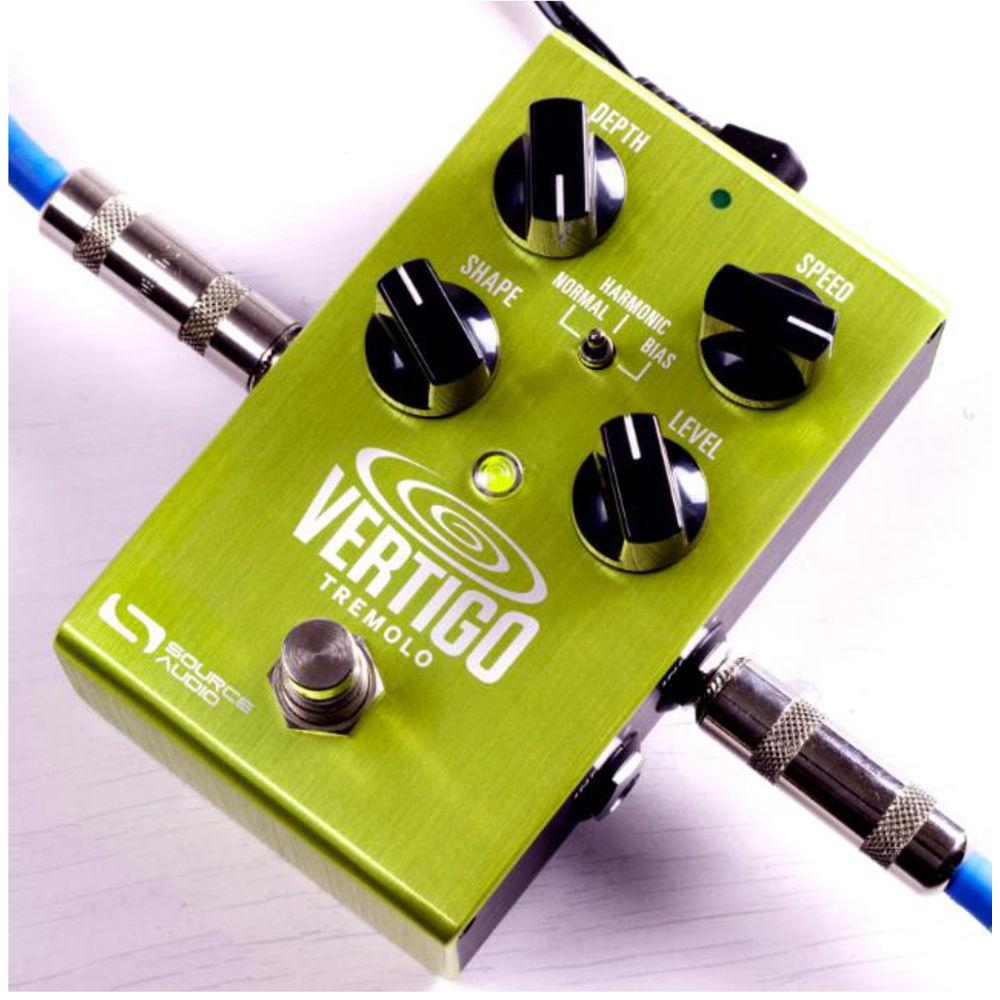
Product description Designed for electric guitar players, the One Series Vertigo from Source Audio is a pedal which sports three onboard styles of tremolo suitable for mono or stereo pedalboards, and includes controls for depth, speed, and level parameters, as well as a knob dictating the shape of the LFO (Sine, Square, etc.) modulating the signal. The Vertigo accomplishes its various effects using proprietary 56-bit DSP architecture, employing industry standard 24-bit conversion in the AD and DA stages, and providing a bypass circuit switchable between buffered and true.A three-position toggle switch offers different modes. Normal—or optical—evokes early tremolos of the 1960s that used a neon light bulb and photoresistor to manipulate the overall output gain, lending a non-linearity to the overall result. If you’re a fan of the Fender Vibrolux, this will be the ticket for you. The Harmonic tremolo mode mimics the circuit of so-called “brownface” amps made in the late 1950s/early 1960s, amps that modulated at alternate intervals the levels of bass and treble to create a complex and pleasant tremolo effect. Pushed a certain way, this effect can almost resemble a phaser. Lastly, Bias mode emulates a tremolo which achieves its distinct, harmonically distorted sound from modulating the bias voltage of tubes inside an amplifier. This mode carries with it a mildly saturated, yet never harsh, timbre.These are just the effects provided straight out of the box. Play around with the included Neuro Mobile App (for iOS and Android), and you’ll be able to edit a whole host of parameters. Extensive editing enables you to customize your own signature tones, and what is more, save them to different positions of the toggle switch. With connections for MIDI control, expression control, and Hot Hand control (in which you use a proprietary ring-like device to modulate effect parameters straight from your picking hand), you can achieve even more real-time manipulation of tremolo effects. For a dive into other features of the pedal, kindly delve into the features section. A 9 VDC power supply is included with the pedal. - Key Features at a Glance
- Diverse Tremolo Sounds: Choose from traditional tremolo tones such as Optical, Harmonic, and Bias, or delve deeper into esoteric sounds cooked up in the Source Audio lab.Flexible Stereo Routing: The Vertigo is equally at home in a mono rig or a stereo rig. A variety of routing modes such as True Stereo, Mono, Mono-to-Stereo, Sum-to-Mono, and External Loop allow the Vertigo to harness the power of stereo signal chains.Compact Design: A durable, anodized-aluminum housing provides a slim profile, a small footprint, and sturdy hardware that will withstand the rigors of the road.Universal Bypass: True bypass or buffered bypass? The decision is yours. The Vertigo features high-quality signal relays for true bypass and transparent buffers for analog bypass.Preset Saving: Save your favorite sound by pressing and holding the footswitch. No need to remember knob positions in the middle of a show.Neuro Technology: The Neuro App opens up new possibilities for the Vertigo, including new effect types, additional control parameters, and access to the Neuro Community, which facilitates the transfer of free presets between established artists and peers alike. The Neuro Hub can store up to 128 presets for the Vertigo, easily recalled with a MIDI controller. Deep Control Set: Beyond the four knobs on the face of the Vertigo are many additional parameters. The Neuro App provides access to the inner workings of the tremolo effect for advanced users who want to create a distinctive signature sound.Parametric EQ and Low Cut: A 4-band parametric EQ is included in the Vertigo, allowing for fine tonal control, and a low-cut filter helps tighten up the low end.MIDI Control: All of the Vertigo’s parameters can be accessed and controlled using MIDI via the Neuro Hub or USB. Class compliant USB-MIDI allows the Vertigo to work as a plug-and-play device with recording software running on Mac and Windows, while the MIDI Learn feature makes control mapping simple. The Vertigo can also sync to your DAW or other MIDI devices using MIDI clock.
- Controls at a Glance
- Depth Knob: Controls the depth of the Low Frequency Oscillator (LFO), which determines the strength or prominence of the tremolo effect.Speed Kob: Controls the frequency of the LFO, which determines the speed of the tremolo effect.Level Knob: Controls the overall output level of the tremolo effect.Shape Knob: Sets the shape of the LFO, letting you choose between Sine, Square, Sawtooth, and more.Effect Switch: Selects between the three basic tremolo effect types – Normal (Optical), Harmonic, and Bias. You can also store your own presets and flip between them with this switch.Footswitch: Enables and bypasses the effect.
- Routing Possibilities
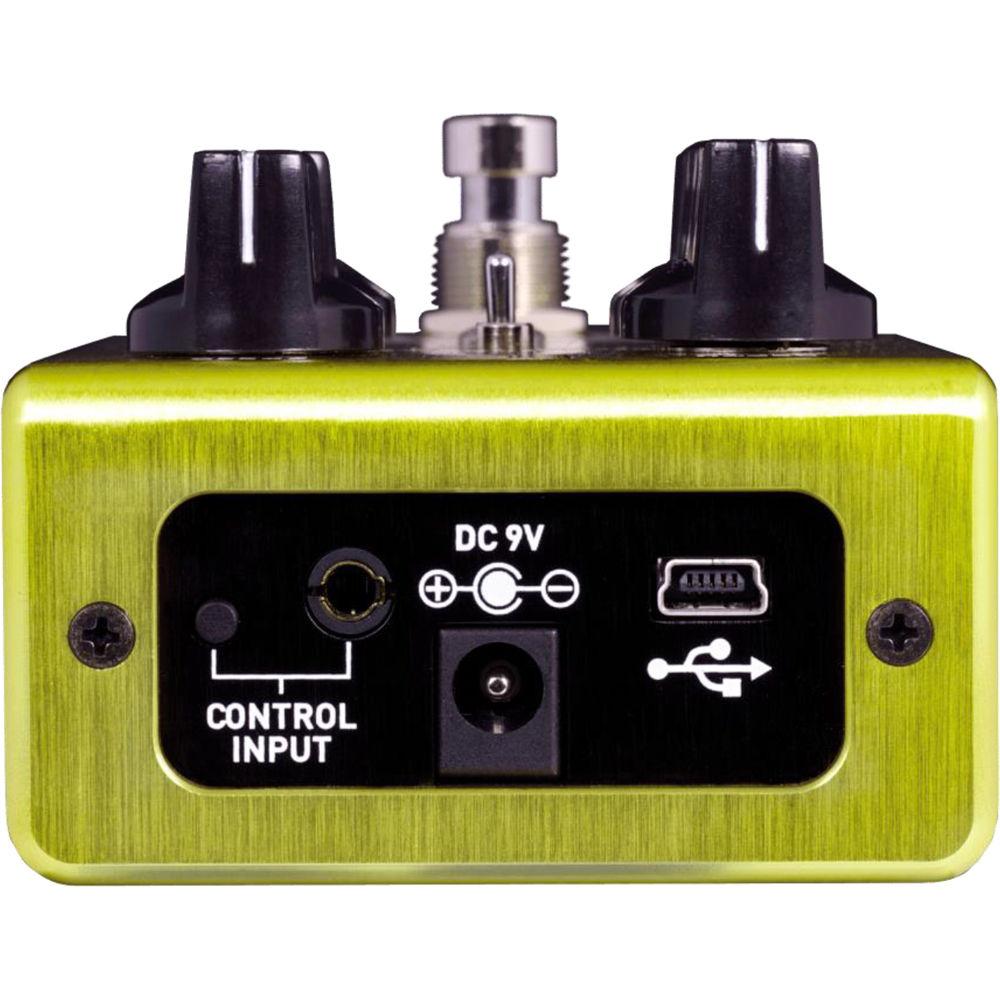
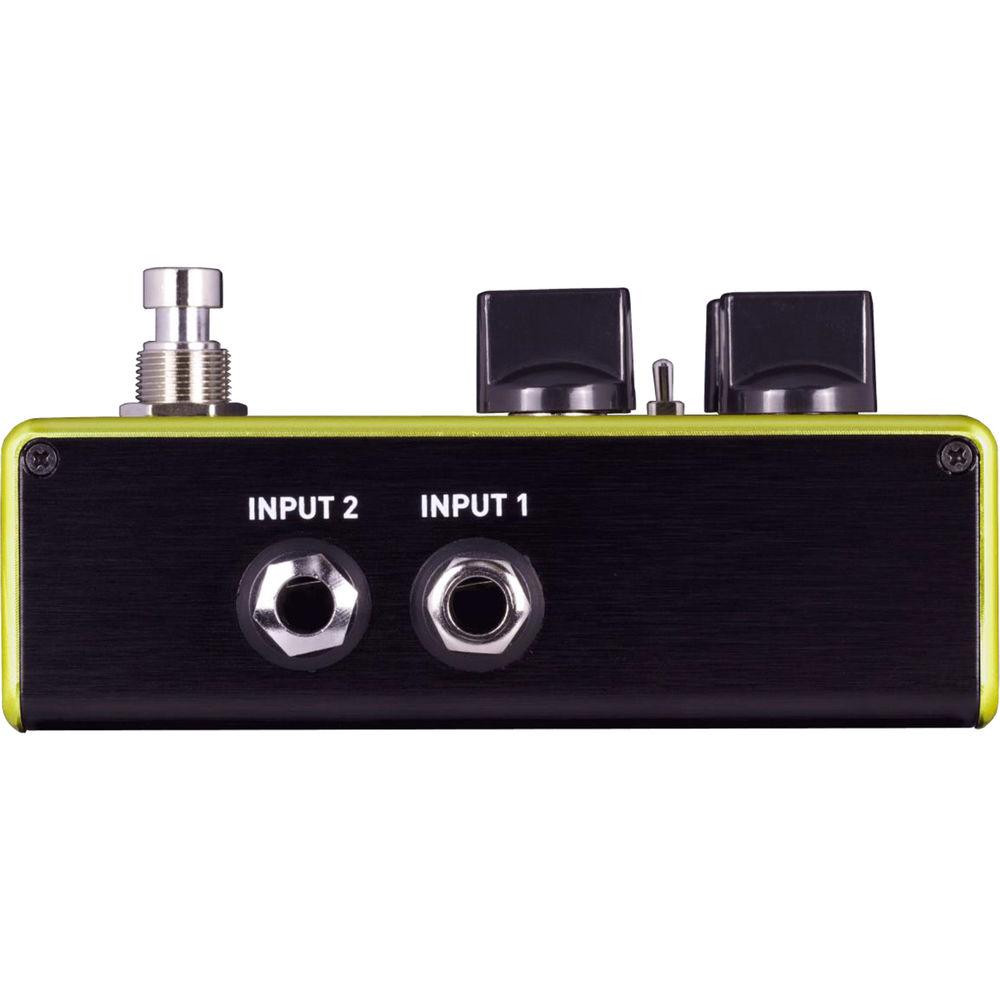
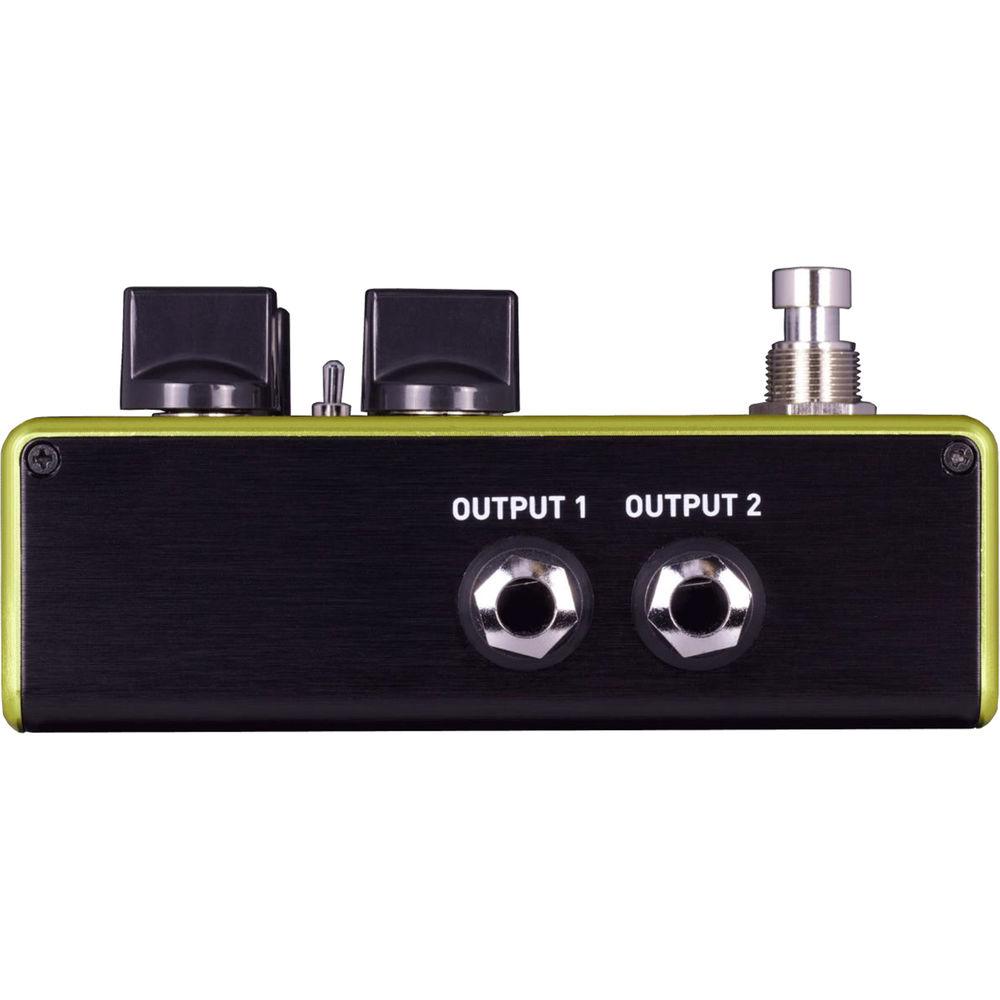
- USB: Connect your computer (Mac or Windows) to the Vertigo's USB port using a standard mini-USB cable. The Vertigo is a class compliant USB device, meaning that it should be recognized by Mac and Windows computers automatically.Control Input: The 3.5mm Control Input port connects to external control devices such as the Dual Expression Pedal, Reflex Universal Expression Pedal, Neuro Hub, and Hot Hand Motion Controller. The latter facilitates the use of Hot Hand technology to control aspects of the pedal directly from a ring-like device worn around your finger.1/4" I/O for Neuro App Data: In addition to using the Vertigo’s dual 1/4" instrument input and output jacks for stereo routing, you can use the 1/4” Input 2 and Output 2 jacks as data connections for the Neuro App. The ring contact on Input 2 acts as a data connection for the Neuro App, and you can connect it to your mobile device using a stereo TRS cable with a 1/4" termination point. Input 2 can also accept daisy-chained Neuro data from another Neuro-compatible pedal in the chain, provided that a TRS cable is used. The audio signal (if applicable) will be on the tip contact of the plug, and the Neuro App data will be on the ring contact. Output 2, on the other hand, can pass said data from the Vertigo to the next Source Audio effect in your signal chain. You can daisy-chain the Neuro App data regardless of whether Output 2 is configured to output audio or not. Connect Output 2 to the next device’s Neuro App Data input (usually Input 2) using a stereo TRS cable with a 1/4" termination. The audio signal (if applicable) will be on the tip contact of the plug, and the Neuro App data will be on the ring contact.
In the Box SOURCE AUDIO One Series Vertigo Tremolo Pedal Neuro App for iOS and Android 9 VDC Power Supply Limited 2-Year Warranty Table of Contents
|
Upload User Manual
Have you got an user manual for the SOURCE AUDIO One Series Vertigo Tremolo Pedal in electronic form? Please send it to us and help us expand our library of instruction manuals.
Thank you, too, on behalf of other users.
To upload the product manual, we first need to check and make sure you are not a robot. After that, your "Submit Link" or "Upload File" will appear.
Technical parametersSOURCE AUDIO Vertigo Tremolo Specs | I/O | 2 x 1/4" Instrument inputs, phone type
2 x 1/4" Instrument outputs, phone type
1 x 3.5 mm Control input
1 x mini-USB port | | Controls | DEPTH knob
SPEED knob
SHAPE knob
LEVEL knob
EFFECT/PRESET toggle switch
BYPASS/ENGAGE footswitch | | Maximum Input Level | +6 dBV = 8.2 dBu = 2 Vrms = 5.6 Vp-p | | Impedance | Input: 1 MOhm
Output: 600 Ohms | | Dynamic Range | 108 dB | | AD/DA Conversion | 24-bit | | DSP | 56-bit digital data path | | Bypass | Relay-based true bypass and analog-buffered bypass | | Power | 180 mA at 9 VDC (max 220 mA with Hot Hand Wireless Adapter) | | Dimensions (L x W x H) | 4.6 x 2.8 x 2.2" / 11.6 x 7.0 x 5.6 cm | | Weight | 9.9 oz / 280.0 g |
Rating70% users recommend this product to others. And what about you?

This product has already been rated by 98 owners. Add your rating and experience with the product.
Discussion
 Ask our technicians if you have a problem with your settings,
or if anything is unclear in the user manual you have downloaded.
You can make use of our moderated discussion.
The discussion is public and helps other users of our website who may be encountering similar problems.
Ask our technicians if you have a problem with your settings,
or if anything is unclear in the user manual you have downloaded.
You can make use of our moderated discussion.
The discussion is public and helps other users of our website who may be encountering similar problems.
The discussion is empty - enter the first post
Post a new topic / query / comment:
|
|
|
| Request for user manual |
You can’t find the operation manual you are looking for? Let us know and we will try to add the missing manual:
I’m looking for a manual / Request for manual
Current requests for instruction manuals:
Call Of Duty World War Two For Xbox...
controller stratus XL...
stratus XL...
smart whatch serie S11 42mm...
Allen & Heath SQ-6 manual...
|
| Discussion |
Latest contributions to the discussion:
AEW R 4100
Name: MAURICIO ANGARITA
Audio-Technica AEW-R4100 UHF Diversity Receiver for
AEW R 4100 has the mute function blocked and does not allow audio to pass. I tried several times to turn off the mute from the transmitter but it does nothing, the mute stays on. Solution?
Thank you...
Instructions for assembling the 2015 Forecast Image Master Consoles GC3-A
Name: mike elam
Forecast Consoles GC3-A ImageMaster Editing Console
Looking for instructions for assembling this console. ...
EMPTY TONER ERROR MESSAGE AFTER REPLACING TONER
Name: LINDA BAD YELLOW EYES
Brother TN223BK Standard-Yield Toner
I HAD TO CHANGE OUT ALL THREE TONERS DUE TO LEAKS IN THE YELLOW AND CYAN. AFTER I REPLACED THEM, THE MACHINE KEEPS GIVING ME AN EMPTY TONER ERROR MESSAGE. HELP!!...
PS480D 20/24 pin Switching 480W Power Supply
Name: swkargo
Logisys 480W Power Supply
This item states in can run -5vdc .It is NOT listed on the board or I beleive is r4 is missing the resitior. Any body have thid issue. Shawn
...
Help needed
Name: Ann Carter
SanDisk 1TB Extreme Portable USB 3.1
When I click the link to download the user manual for my Sandisk Extreme external hard drive, it gives me the manual for the LG Cricket. Can you please change the link so I can download the Sandisk manual and begin using this drive? Thank you....
|
|


