User Manual for SpectraCal CalMAN Studio Click to enlarge the picture
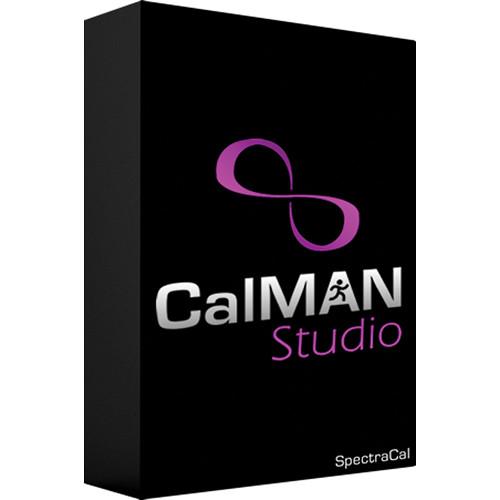 Contents of the user manual for the SpectraCal CalMAN Studio
- Product category: Calibration SpectraCal
- Brand: SpectraCal
- Description and content of package
- Technical information and basic settings
- Frequently asked questions – FAQ
- Troubleshooting (does not switch on, does not respond, error message, what do I do if...)
- Authorized service for SpectraCal Calibration
|
User manual for the SpectraCal CalMAN Studio contain basic instructions
that need to be followed during installation and operation.
Before starting your appliance, the user manual should be read through carefully.
Follow all the safety instructions and warnings, and be guided by the given recommendations.
User manual is an integral part of any SpectraCal product,
and if it is sold or transferred, they should be handed over jointly with the product.
Following the instructions for use is an essential prerequisite for protecting
health and property during use, as well as recognition of liability on the part of the manufacturer
for possible defects should you make a warranty claim. Download an official SpectraCal user manual in which you will find instructions on how to install, use, maintain and service your product.
And do not forget – unsuitable use of a SpectraCal product will considerably shorten its lifespan!
|
Product description Ensure your workstation is properly calibrated with CalMAN Studio from SpectraCal. This software offers a multitude of settings for correcting the look of your monitor, flat panel, or projector and ensure they are all consistent with one another. As a software only version, it requires a compatible pattern generator and meter for use, which must be purchased separately. With CalMAN Studio, you can adjust brightness, contrast, gamma, RGB balance (cuts and gains), color space, and many other settings manually. Alternatively, you can let the software's AutoCal function perform the entire calibration process for you automatically. Another main advantage of this program is its AutoCube technology for generating color-correction 1D and 3D LUTs, featuring direct-load 3D LUTs for select reference monitors and the capability to export them in any file format. With extensive hardware and software support, CalMAN Studio can be used with Blackmagic Design DaVinci Resolve as a pattern generator, among other options. - Features
-
- AutoCube technology for color correction 1D/3D LUTs
- Exports 3D LUTs in any file format
- Provides direct-load 3D LUTs for select reference monitors
- Includes AutoCal and DDC capabilities for automated display calibrations
- Supports all established color space and gamma standards as well as custom standards
- Offers expansive hardware support for the most popular meters and pattern generators
- Supports Blackmagic Design DaVinci Resolve software as a pattern generator
- Includes ICC+ technology from CalMAN RGB for computer monitor calibrations
- Requires separately available pattern generator and meter for use
- Supported Meters
-
- SpectraCal C3, C6
- X-Rite OEM i1Display Pro, i1Pro, i1Pro 2, Chroma 5, Hubble
- basICColor Discus
- JETI SpecBos 1201, SpecBos 1211
- Klein K10 series
- Konica Minolta CS-200, CA-210, CA-310, CS-1000, CS-2000
- Photo Research PR-500 series, PR-600 series, PR-700 series
Supported Pattern Sources - Video Processors
-
- Cinetal Davio, Davio 2.0
- Fujifilm IS-Mini
- Lumagen Radiance XD, XE, XS, Mini-3D, 20xx series, 21xx series
- Pandora Pluto
- Standalone Generators
-
- SpectraCal VideoForge HDMI, VideoForge Classic, VideoForge 4K
- Accupel HDG-3000, HDG, 4000, DVG-5000
- DVDO AVLab TPG
- Extron VTB-300, VTG-400
- Quantum Data 701, 780, 801, 802, 804, 880, 881, 882
- Sencore VP300, VP301, VP400, VP401, VP403, MP500, S802
- Phabrix SX
- Other
-
- SpectraCal VirtualForge Software
- CalMAN Client 3 for Computer Monitors
- JVC Internal Patterns
- Blackmagic Design DaVinci Resolve 10.1 or higher
- EIZO ColorEdge Internal Patterns
- MobileForge App
Supported Displays for AutoCal and DDC - Flat Panels Displays and Monitors
-
- Dolby PRM-4200
- EIZO ColorEdge monitors
- HP DreamColor Z27x
- Panasonic VX100, VX200, VX300, BT300, DT30 (NA/EU/UK), DT50 (EU/UK), DT60 (NA/EU/NZ/AS), FT60 (EU), GT30 (EU/UK), GT50 (EU/UK), GT60 (EU), VT25 (NA), VT30 (NA/EU/UK), VT50 (NA/EU/UK), VT60 (NA/EU/NZ/AS), WT50 (NA/EU/UK), WT60 (NA/EU/NZ/AS), ZT60 (NA/EU)
- Sharp Elite, PNK
- TVLogic XVM and LEM-series monitors
- Projectors
-
- Digital Projections Titan, Lightning
- JVC RS40, RS45, RS46, RS48, RS50, RS55, RS56, RS60, RS65, RS66, RS4800, RS4810, X3, X7, X9, X30, X35R, X55R, X70, X75R, X90, X95R, XC388, XC788, XC988, XC3800, XC5800R, XC7800R, XC9800R
Supported Video Processors and Monitors for 1D and 3D LUTs - 1D LUTs
-
- AVFoundry Video EQ, Video EQ Pro
- Flexible Picture Systems Image AnyPlace 200
- Runco DHD3, DHD4, DHDLS
- Lumagen Radiance XD, XE, XS, Mini, 2021, 2041
- 3D LUTs
-
- AJA LUT Box
- Blackmagic HD Link Pro, DaVinci Resolve 10.1 software
- Cinetal Davio, Davio 2.0
- Dolby PRM-4200 monitor
- eeColor Image Processor
- EIZO ColorEdge-series monitors
- Flanders scientific monitors w/ 3D LUTs
- Fujifilm IS-Mini
- Lumagen Radiance XD, XE, XS, Mini, 2021, 2041
- SpectraCal ColorBox
- TVLogic XVM and LEM-series monitors
Table of Contents
|
Upload User Manual
Have you got an user manual for the SpectraCal CalMAN Studio in electronic form? Please send it to us and help us expand our library of instruction manuals.
Thank you, too, on behalf of other users.
To upload the product manual, we first need to check and make sure you are not a robot. After that, your "Submit Link" or "Upload File" will appear.
Technical parametersSpectraCal SFTSTDO Specs | Supported Displays | Software/hardware 3D LUTs
Computer monitors
Reference video monitors
UHD/4K/HDR client monitors
Projectors UHP/LED/LASER | | Color Spaces | Rec.709
Rec.2020
D-Cinema
SMPTE C
PAL/SECAM
Black and white
Adobe RGB
sRGB | | Gamma Standards | BT.1886
Power Formulas
sRGB
L*
ITU/EBU Camera
Custom | | Licenses Included | Client 3: 3 (supports the calibration of three computer workstations) | | Supported Operating Systems | Windows Vista or later (recommended: Windows 7 or later) | | Windows System Requirements | 2 GHz processor (recommended: 2 GHz dual core)
2 GB RAM (recommended: 4 GB)
Microsoft .NET Framework 4.5 |
Rating100% users recommend this product to others. And what about you?

This product has already been rated by 15 owners. Add your rating and experience with the product.
Discussion
 Ask our technicians if you have a problem with your settings,
or if anything is unclear in the user manual you have downloaded.
You can make use of our moderated discussion.
The discussion is public and helps other users of our website who may be encountering similar problems.
Ask our technicians if you have a problem with your settings,
or if anything is unclear in the user manual you have downloaded.
You can make use of our moderated discussion.
The discussion is public and helps other users of our website who may be encountering similar problems.
The discussion is empty - enter the first post
Post a new topic / query / comment:
|
|


