|
User Manual for SPL Phonitor 2 Headphone Amplifier Click to enlarge the picture
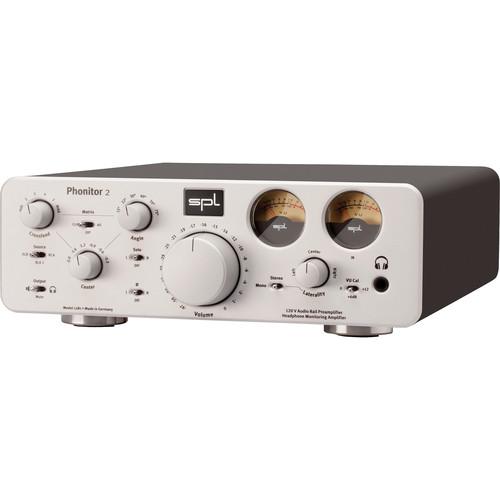 Contents of the user manual for the SPL Phonitor 2 Headphone Amplifier
- Product category: Headphone Amplifiers SPL
- Brand: SPL
- Description and content of package
- Technical information and basic settings
- Frequently asked questions – FAQ
- Troubleshooting (does not switch on, does not respond, error message, what do I do if...)
- Authorized service for SPL Headphone Amplifiers
 |
User manual for the SPL Phonitor 2 Headphone Amplifier contain basic instructions
that need to be followed during installation and operation.
Before starting your appliance, the user manual should be read through carefully.
Follow all the safety instructions and warnings, and be guided by the given recommendations.
User manual is an integral part of any SPL product,
and if it is sold or transferred, they should be handed over jointly with the product.
Following the instructions for use is an essential prerequisite for protecting
health and property during use, as well as recognition of liability on the part of the manufacturer
for possible defects should you make a warranty claim. Download an official SPL user manual in which you will find instructions on how to install, use, maintain and service your product.
And do not forget – unsuitable use of a SPL product will considerably shorten its lifespan!
|
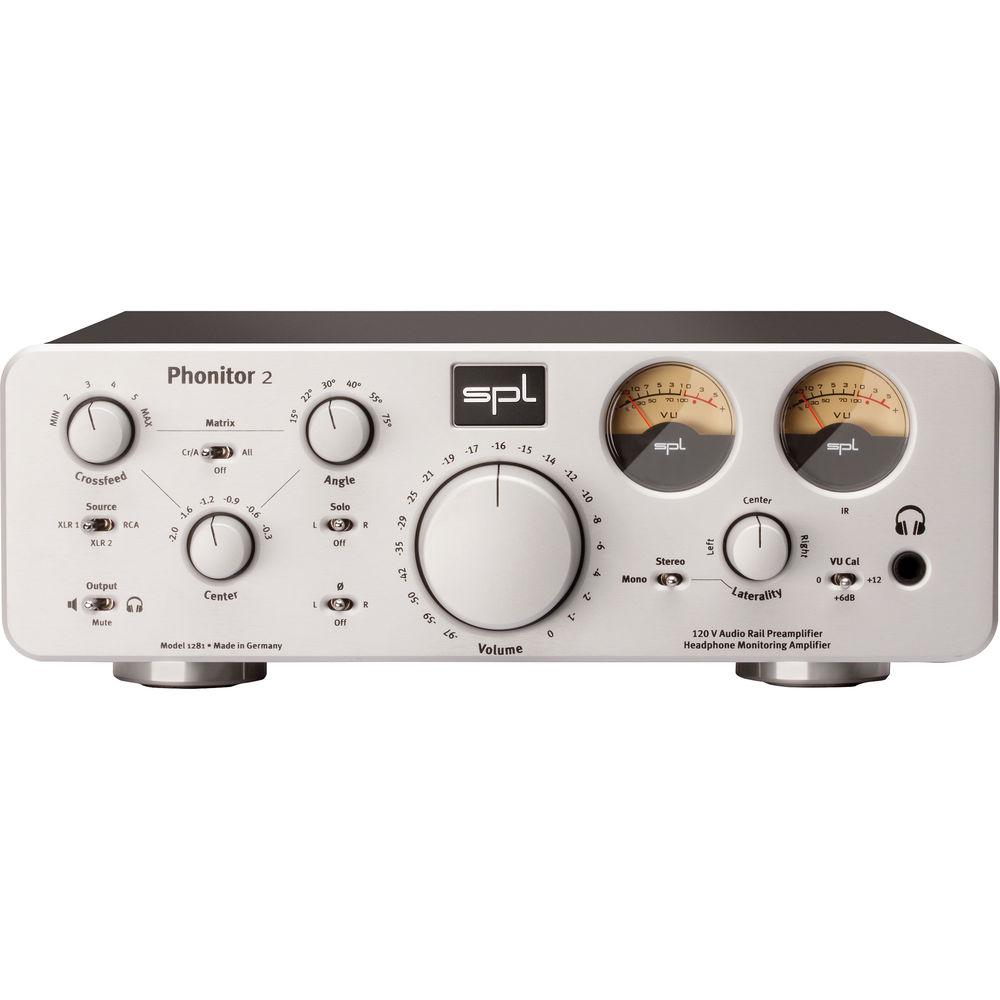
Product description The silver Model 1281 Phonitor 2 Headphone Amplifier from SPL is a 120 volt monitor controller and preamp for three different switchable sources. The unit combines basic monitoring options, speaker simulation capabilities, and a headphone preamp. The Phonitor 2 is suited for any impedance headphone and its playback volume can be controlled remotely.
Its 120 volts creates a huge power margin, and the Phonitor 2 is therefore not limited in its power output, making signal processing more robust.Music therefore sounds more natural and hearing fatigue is drastically reduced due to minimized distortion. Engineers will thus find less listening fatigue into long listening sessions.
The Two Sides Of The 120 Volt Amp
As this headphone amp progressed in its design stages, SPL decided to make the Phonitor 2 capable of being a full-fledged stereo preamplifier, to become the heart of a modern listening system, as well for homes and studios where headphones are also prominently used.
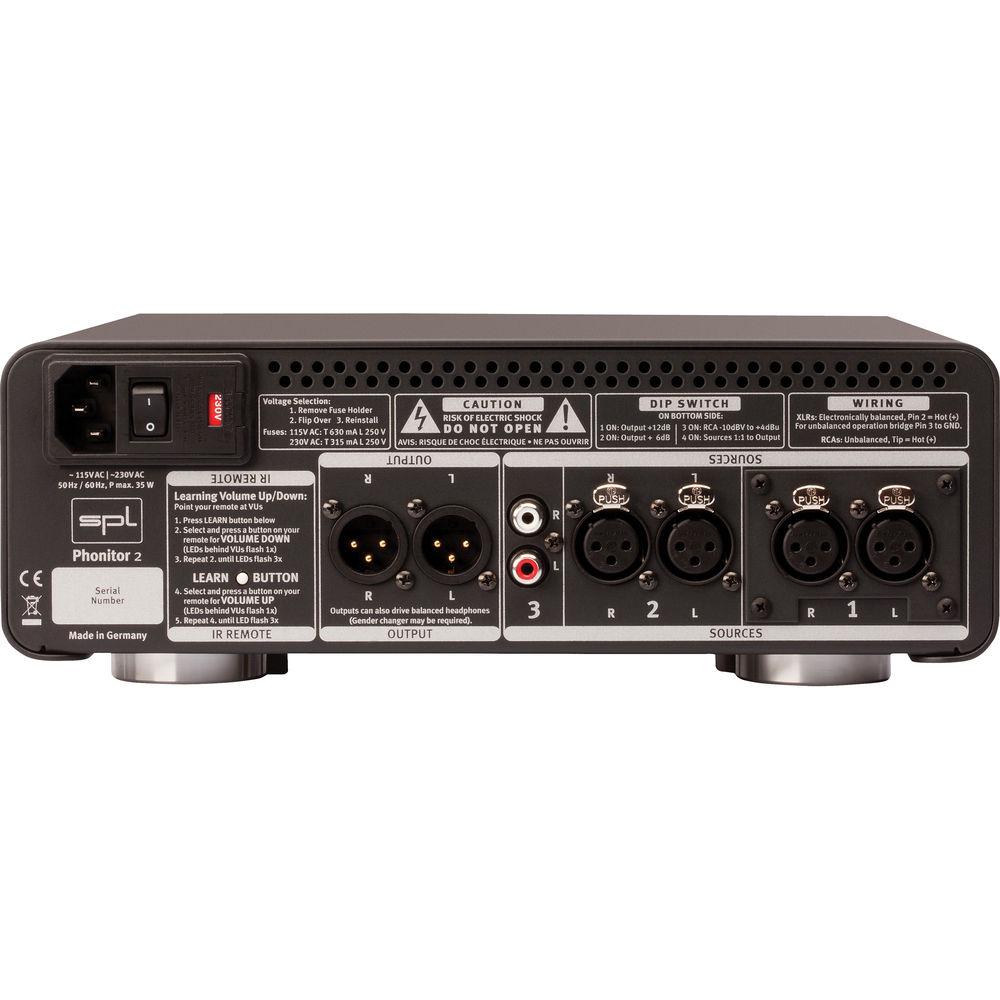
The Phonitor 2 remains first and foremost a headphone preamp, especially with its built-in speaker simulation circuitry for headphones. However, as the unit has the capability of what's needed for system preamplification and its line-level signals, these connections are available in the rear of the unit. Besides headphones, it is possible to connect active loudspeakers and power amps directly at the output, and all controls can be used for both outputs with headphones and loudspeakers. Obviously, loudspeaker simulation makes little sense when using real loudspeakers, and so the bypass switch will take the process out of the playback circuitry. However, owners of electrostatic headphones could connect their headphones to the output and use the simulation feature as well. Likewise, all monitoring options (phase reverse, solo, mono, mute) can be selected for both outputs, so that the Phonitor 2 can be used as Monitor Controller for up to three different sources.
Remote Control
The volume can be controlled remotely. The audio signal is controlled via a motor potentiometer. In comparison, electronic adjusting with or without AD/DA converter - very common these days - would have a significant influence on the nature of the signal quality.
To control it you can use any IR remote control -- the remote must not learn the Phonitor 2, but rather the Phonitor 2 learns to understand your remote's signal.
Home Listening
Home users can enjoy a central control unit for modern music playback of stereo signals that supports all presently known formats. As the Phonitor in this playback situation will be in the central playback position, it will be comforting to know that all the present formats will be playable through it.
Phonitoring with the Phonitor 2
Already for the headphone monitoring - or phonitoring - part alone, the Phonitor 2 encompasses a number of kinds of monitoring methods. On one hand, there is the analytical headphone monitoring, which is like working with an acoustic magnifier, but without external room influences and with headphones; on the other hand, the loudspeaker simulation allows for monitoring which forgoes the microscopic effect, but provides for room ambiance.
Working with the magnifier effect of headphones has the advantage of safely hearing clicks or similar defects, such as for quality control, and helps in fine tuning crossfades or to judge tonal problems in individual tracks. On loudspeakers such analyses are much more difficult, as such problems just are not as apparent when one is working without being able to "zoom in" aurally. Conversely, loudspeakers provide monitoring with the advantage of spatial balance in a (definable through placement) stereo width, which in turn provides the illusion of an acoustic stage.
Traditional headphone reproduction produces one 180-degree stereo width in the middle of the head, and it is exactly this which creates the very problematic-to-impossible headphone mixing environment. An essential reason for such unnatural ambiance is the complete separation of the channels, which does not exist either in natural hearing or in stereo loudspeaker reproduction. This makes it nearly impossible to judge tonal balance, a stereo image, and the phantom center level. Panorama adjustments, as well as related EQ settings that one attempts to use on headphones, typically do not function on loudspeakers. Moreover, what is often called the "super stereo effect" with headphones can creates a great deal of ear fatigue in the long run. Listening through loudspeakers, the sound stage is felt in front, while in contrast, when monitoring through headphones, the stage is present on the left and on the right - but frontal and rear information is lost.
And finally...
The Phonitor 2 gives you both options of listening, as your preferences and listening circumstances may change from moment to listening moment. And with the two color options, you also have a choice of the visual in your set-up. - You can establish unbalanced connections easily and without adaptors with optionally purchased cables
- Stereo preamplification and headphone amplification for three sources
- Use any remote control device to control volume
- Loudspeaker simulation with headphones
- Monitoring alternative in studios and mobile units
In the Box SPL Phonitor 2 Headphone Amplifier (Silver) Limited 2-Year Warranty Table of Contents
|
Upload User Manual
Have you got an user manual for the SPL Phonitor 2 Headphone Amplifier in electronic form? Please send it to us and help us expand our library of instruction manuals.
Thank you, too, on behalf of other users.
To upload the product manual, we first need to check and make sure you are not a robot. After that, your "Submit Link" or "Upload File" will appear.
Technical parametersSPL SPLPHON2SL Specs | Inputs | 2 Stereo pair XLR connectors, electronically balanced
Impedance: balanced ca. 20 kOhm
2 x RCA, unbalanced ca. 10 kOhm
Maximum Input Level: +32.5 dBu | | Outputs | Monitor/Line Outputs: 2 x XLR connectors, electronically balanced
Frequency Range: 4 Hz to 480 kHz ( -3 dB)
CMR: -82 dBu (at 1 kHz, 0 dBu input level and unity gain)
Crosstalk at 1 kHz: -106 dB
THD&N: 0.00085 % (at 0 dBu input level and unity gain, 1 kHz, 100 kOhm load)
Noise: Unweighted -101.87 dB; A-weighted - 104.76 dB; CCIR: -96.1 dB
Dynamic Range: 134.37 | | Headphone Output | 1 x 1/4" (6.3 mm) TRS connector
Pin wiring: Tip = Left, Ring = Right, Sleeve = GND
Impedance: 0.18 Ohms
Attenuation Factor: 180 @ 40 Ohm
Frequency Range: 10 Hz to ›48 0 kHz ( -3 dB)
CMR: -106 dBu (at 1 kHz, 0 dBu input level and unity gain)
Crosstalk at 1 kHz: -106 dB
THD&N: 0.00091 % (at 0 dBu input level and unity gain, 1 kHz, 100 kOhm load)
At 0 dBu input level and unity gain
Noise: Unweighted -101.12 dBu; A-weighted - 103.98 dBu, CCIR -95.02 dBu
Dynamic Range: 133.62 dB | | Power Amp | Maximum Output Power:
2 x 1W (+30 dBu) at 1 kHz and 600 Ohms connected impedance
2 x 2W (+30 dBu) at 1 kHz and 300 Ohms connected impedance | | Dimensions (H x W x D) | 3.9 x 10.9 x 12.00" (99 x 277 x 305 mm) | | Weight | 9.5 lb (4.3 kg) | | | | Package Weight | 13.0 lb | | Box Dimensions (LxWxH) | 21.0 x 14.8 x 7.2" |
Rating100% users recommend this product to others. And what about you?

This product has already been rated by 00 owners. Add your rating and experience with the product.
Discussion
 Ask our technicians if you have a problem with your settings,
or if anything is unclear in the user manual you have downloaded.
You can make use of our moderated discussion.
The discussion is public and helps other users of our website who may be encountering similar problems.
Ask our technicians if you have a problem with your settings,
or if anything is unclear in the user manual you have downloaded.
You can make use of our moderated discussion.
The discussion is public and helps other users of our website who may be encountering similar problems.
The discussion is empty - enter the first post
Post a new topic / query / comment:
|
|
|
| Request for user manual |
You can’t find the operation manual you are looking for? Let us know and we will try to add the missing manual:
I’m looking for a manual / Request for manual
Current requests for instruction manuals:
Call Of Duty World War Two For Xbox...
controller stratus XL...
stratus XL...
smart whatch serie S11 42mm...
Allen & Heath SQ-6 manual...
|
| Discussion |
Latest contributions to the discussion:
AEW R 4100
Name: MAURICIO ANGARITA
Audio-Technica AEW-R4100 UHF Diversity Receiver for
AEW R 4100 has the mute function blocked and does not allow audio to pass. I tried several times to turn off the mute from the transmitter but it does nothing, the mute stays on. Solution?
Thank you...
Instructions for assembling the 2015 Forecast Image Master Consoles GC3-A
Name: mike elam
Forecast Consoles GC3-A ImageMaster Editing Console
Looking for instructions for assembling this console. ...
EMPTY TONER ERROR MESSAGE AFTER REPLACING TONER
Name: LINDA BAD YELLOW EYES
Brother TN223BK Standard-Yield Toner
I HAD TO CHANGE OUT ALL THREE TONERS DUE TO LEAKS IN THE YELLOW AND CYAN. AFTER I REPLACED THEM, THE MACHINE KEEPS GIVING ME AN EMPTY TONER ERROR MESSAGE. HELP!!...
PS480D 20/24 pin Switching 480W Power Supply
Name: swkargo
Logisys 480W Power Supply
This item states in can run -5vdc .It is NOT listed on the board or I beleive is r4 is missing the resitior. Any body have thid issue. Shawn
...
Help needed
Name: Ann Carter
SanDisk 1TB Extreme Portable USB 3.1
When I click the link to download the user manual for my Sandisk Extreme external hard drive, it gives me the manual for the LG Cricket. Can you please change the link so I can download the Sandisk manual and begin using this drive? Thank you....
|
|


