|
User Manual for Steinberg Nuendo Live - Advanced Live Production System Click to enlarge the picture
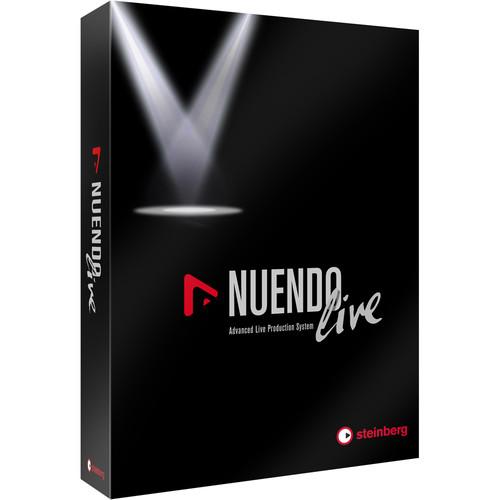 Contents of the user manual for the Steinberg Nuendo Live - Advanced Live
- Product category: Music Production Software Steinberg
- Brand: Steinberg
- Description and content of package
- Technical information and basic settings
- Frequently asked questions – FAQ
- Troubleshooting (does not switch on, does not respond, error message, what do I do if...)
- Authorized service for Steinberg Music Production Software
 |
User manual for the Steinberg Nuendo Live - Advanced Live contain basic instructions
that need to be followed during installation and operation.
Before starting your appliance, the user manual should be read through carefully.
Follow all the safety instructions and warnings, and be guided by the given recommendations.
User manual is an integral part of any Steinberg product,
and if it is sold or transferred, they should be handed over jointly with the product.
Following the instructions for use is an essential prerequisite for protecting
health and property during use, as well as recognition of liability on the part of the manufacturer
for possible defects should you make a warranty claim. Download an official Steinberg user manual in which you will find instructions on how to install, use, maintain and service your product.
And do not forget – unsuitable use of a Steinberg product will considerably shorten its lifespan!
|
Product description Which DAW is Right for You? Read More Nuendo Live from Steinberg is a professional, multi-track live recording solution, tailored to capturing everything from club shows, to large concerts and festivals. Ease of use and stability combine to enhance the live recording process, with highlights including on-the-fly session setup, a convenient record panel, a 60-second pre-record buffer, auto-save functionality, and a seamless integration with Yamaha's CL digital mixing consoles. Made for Live -
- Clean and professional UI design
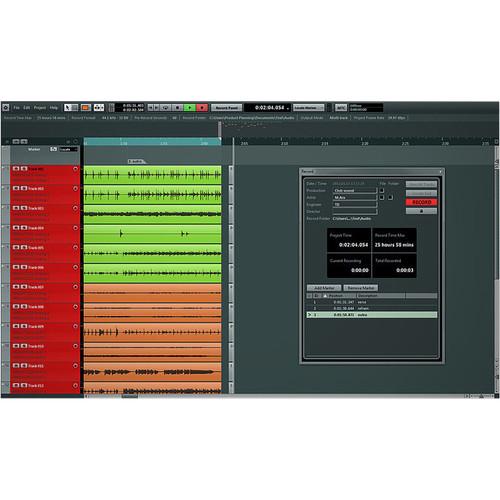
- Recording, editing, marker lane insertion, and access to folders is all close at hand and can be accessed from a single, clearly arranged window
- Dispensable options and preferences are replaced by auto-setup functions
- Software automatically creates the entire input/output setting on opening
- Record-ready in less than a minute
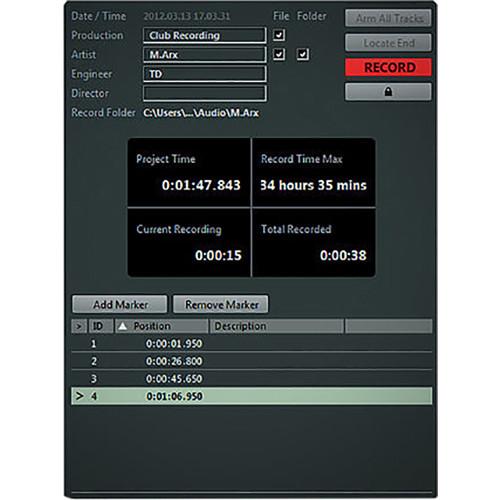
- Arm all tracks at once and to set up the naming scheme of recorded tracks, folders and project files instantly
- Excellent stability thanks to a streamlined feature set and proven Nuendo program code
- X64-bit support for Windows and Mac increases the addressable amount of RAM from three gigabyte to one terabyte, especially useful for large sessions
- Intuitive marker track management enables the creation and marker-point naming on the fly, even during the recording process
- Highlight a significant solo or generate a marker that indicates the recording of the next artist
- Built-in note pad for writing comments with all notes saved with the session
- Recorded files are named automatically with the track number and the track name
- Assign artist and production names, allowing for easily identifying files related to each other
- Direct access to recording folders and the possibility to save the audio files of a session into different folders makes handling sessions a breeze
- Perform a Virtual Sound Check without the artists being on stage by using previous recordings through the stereo or the multitrack output via the respective channels of the mixing console
- Mapping of the tracks can easily be adjusted by changing the track order using drag-and-drop functionality
- Dedicated meter bridge shows the level of respective channels
Recording -
- Record Panel shows all essential recording information in real time, in one spot, whether the recording length (current and total), remaining disk space, project timecode, incoming timecode, marker position, or the record folder
- Timecode friendly 24-hour timeline uses the EBU standard RIFF 64 Broadcast Wave File format by default, removing the 4GB file size barrier of standard WAV recording
- If recording for more than 24 hours, the software automatically adds a new day to the timeline
- When using a FAT32 file system, the application automatically splits recorded files before the 4GB barrier is reached
- When dealing with video material, the incoming timecode can time-stamp the recorded audio files for subsequent post-production resolving
- Pre-record buffer holds up to 60 seconds of audio material before the record button is pressed
- Fully integrated auto-save system for saving projects and recorded audio files without disrupting the ongoing recording
- Lock the software against unintended use during the show to prevent recording accidents
- Recover unfinished audio files in case of a power cut
Delivery -
- Integrated editing capabilities make it easy to clean up recordings and create a rough version of the show
- Functions such as cut, copy, paste, splitting and trimming of audio events make it easy to remove unwanted noise between two songs
- Easily fine-tune a session right after the show
- Post-show file transfer is straightforward even when using third-party applications
- Exportable formats include Broadcast/WAV, often used for regular audio file transfer, MP3 for creating a small-sized rough mix, and AAF, the format of choice for transferring audio files to an external system such as Pro Tools
- Nuendo Live session fully compatible with Steinberg's Nuendo post-production environment
Sound Quality -
- Audio signals are internally processed with 32-bit floating point resolution based on the IEEE 754 standard
- The Steinberg Audio Engine has been designed to provide 100% reproduction of digital audio signals
- When an audio signal is not altered, the signal is absolutely identical when routed out of the audio engine, right down to the last bit, avoiding colorations, artifacts, and other unwanted changes in the sound
Integration -
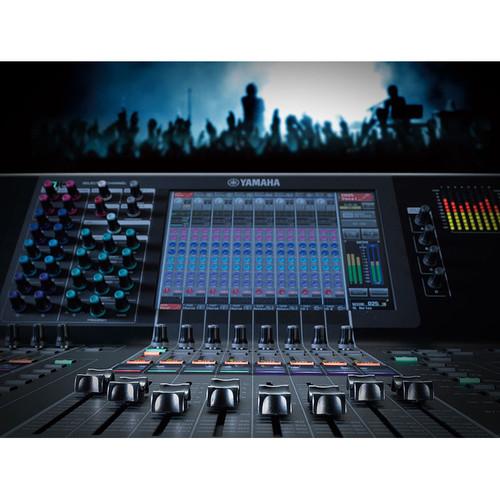
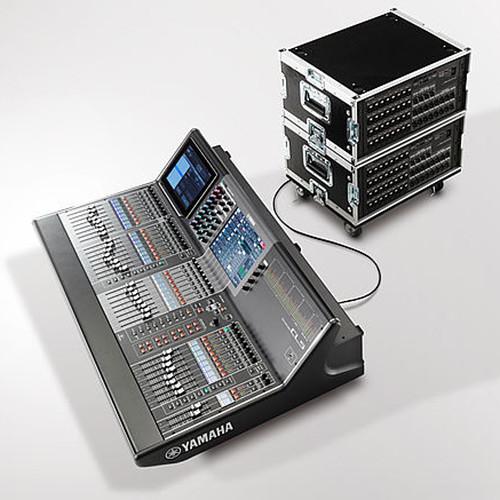
- Seamless integration with Yamaha's CL series digital mixing consoles
- Once connected, control over all the vital functions of Nuendo Live is available directly from the touch-sensitive surface of the console
- An extension plug-in facilitates the communication between the console and Nuendo Live, allowing CL features such as channel name copy, marker set, and transport control to be directly reflected within Nuendo Live's user interface
- Record, play, stop commands are just a touch away, plus the CL console displays information provided by Nuendo Live, such as current and remaining record times
- All channels of the CL console are represented 1:1 in Nuendo Live, including the channel order, names, and colors, all perfectly matched between software and hardware
UPC: 802240281245 Table of Contents
|
Upload User Manual
Have you got an user manual for the Steinberg Nuendo Live - Advanced Live Production System in electronic form? Please send it to us and help us expand our library of instruction manuals.
Thank you, too, on behalf of other users.
To upload the product manual, we first need to check and make sure you are not a robot. After that, your "Submit Link" or "Upload File" will appear.
Technical parametersSteinberg 502028124 Specs | | | Supported Operating Systems | Windows 7
Windows 8.1
Windows 10
macOS X 10.7
macOS X 10.8
macOS X 10.9
macOS X 10.1
macOS X 10.11 | | Memory Requirement | 2 GB | | Storage Requirement | 8 GB | | CPU Requirement | Mac:
Intel Core Duo and Faster
Windows:
Intel Core Duo and Faster or
AMD Dual-Core | | Internet Connection Required | Yes | | | | Package Weight | 0.15 lb | | Box Dimensions (LxWxH) | 7.4 x 5.5 x 0.5" |
Rating80% users recommend this product to others. And what about you?

This product has already been rated by 92 owners. Add your rating and experience with the product.
Discussion
 Ask our technicians if you have a problem with your settings,
or if anything is unclear in the user manual you have downloaded.
You can make use of our moderated discussion.
The discussion is public and helps other users of our website who may be encountering similar problems.
Ask our technicians if you have a problem with your settings,
or if anything is unclear in the user manual you have downloaded.
You can make use of our moderated discussion.
The discussion is public and helps other users of our website who may be encountering similar problems.
The discussion is empty - enter the first post
Post a new topic / query / comment:
|
|
|
| Request for user manual |
You can’t find the operation manual you are looking for? Let us know and we will try to add the missing manual:
I’m looking for a manual / Request for manual
Current requests for instruction manuals:
Call Of Duty World War Two For Xbox...
controller stratus XL...
stratus XL...
smart whatch serie S11 42mm...
Allen & Heath SQ-6 manual...
|
| Discussion |
Latest contributions to the discussion:
AEW R 4100
Name: MAURICIO ANGARITA
Audio-Technica AEW-R4100 UHF Diversity Receiver for
AEW R 4100 has the mute function blocked and does not allow audio to pass. I tried several times to turn off the mute from the transmitter but it does nothing, the mute stays on. Solution?
Thank you...
Instructions for assembling the 2015 Forecast Image Master Consoles GC3-A
Name: mike elam
Forecast Consoles GC3-A ImageMaster Editing Console
Looking for instructions for assembling this console. ...
EMPTY TONER ERROR MESSAGE AFTER REPLACING TONER
Name: LINDA BAD YELLOW EYES
Brother TN223BK Standard-Yield Toner
I HAD TO CHANGE OUT ALL THREE TONERS DUE TO LEAKS IN THE YELLOW AND CYAN. AFTER I REPLACED THEM, THE MACHINE KEEPS GIVING ME AN EMPTY TONER ERROR MESSAGE. HELP!!...
PS480D 20/24 pin Switching 480W Power Supply
Name: swkargo
Logisys 480W Power Supply
This item states in can run -5vdc .It is NOT listed on the board or I beleive is r4 is missing the resitior. Any body have thid issue. Shawn
...
Help needed
Name: Ann Carter
SanDisk 1TB Extreme Portable USB 3.1
When I click the link to download the user manual for my Sandisk Extreme external hard drive, it gives me the manual for the LG Cricket. Can you please change the link so I can download the Sandisk manual and begin using this drive? Thank you....
|
|


