|
User Manual for StudioLogic Sledge 2.0 Synthesizer Click to enlarge the picture
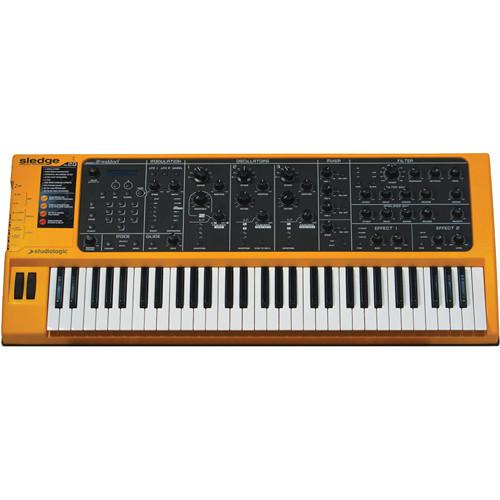 Contents of the user manual for the StudioLogic Sledge 2.0 Synthesizer
- Product category: Synthesizer Keyboards StudioLogic
- Brand: StudioLogic
- Description and content of package
- Technical information and basic settings
- Frequently asked questions – FAQ
- Troubleshooting (does not switch on, does not respond, error message, what do I do if...)
- Authorized service for StudioLogic Synthesizer Keyboards
 |
User manual for the StudioLogic Sledge 2.0 Synthesizer contain basic instructions
that need to be followed during installation and operation.
Before starting your appliance, the user manual should be read through carefully.
Follow all the safety instructions and warnings, and be guided by the given recommendations.
User manual is an integral part of any StudioLogic product,
and if it is sold or transferred, they should be handed over jointly with the product.
Following the instructions for use is an essential prerequisite for protecting
health and property during use, as well as recognition of liability on the part of the manufacturer
for possible defects should you make a warranty claim. Download an official StudioLogic user manual in which you will find instructions on how to install, use, maintain and service your product.
And do not forget – unsuitable use of a StudioLogic product will considerably shorten its lifespan!
|
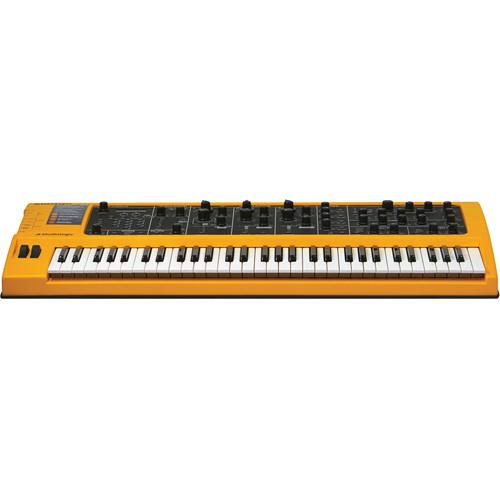
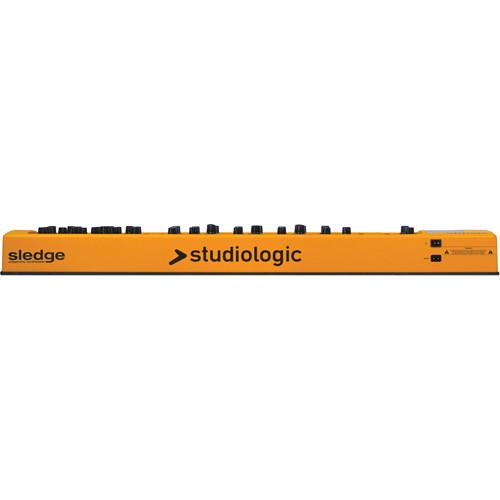
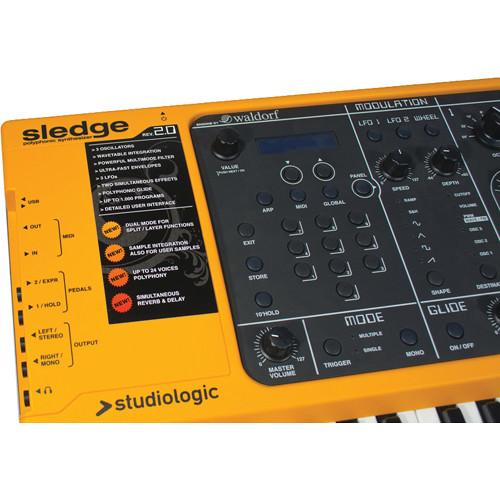
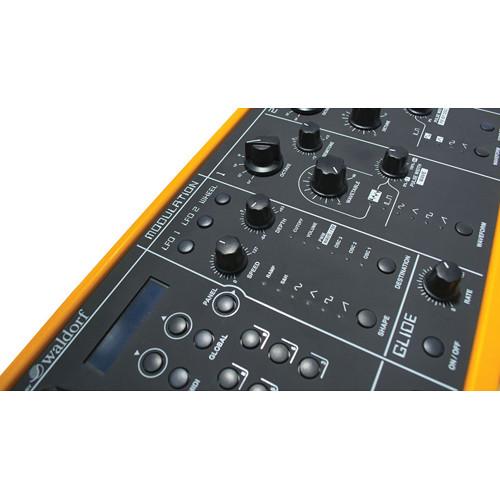
Product description The Sledge 2.0 from StudioLogic is a 61-key synthesizer that builds upon the original Sledge by offering an auto dual mode, sampler player, pitch & hold controls, simultaneous reverb and delay effects, expanded polyphony, and Spectre, a sample-editor software. Like the original Sledge, the synthesizer is powered by Waldorf with the latest modeling technology, delivering a wide range of classic analog synthesizer waveforms plus a complete set of wavetables derived directly from the mother of all digital synthesizers, the PPG Wave. The sample player is accessed through Osc 1, allowing for new sounds and waveforms to be loaded into 60MB of Flash memory and fully integrated into the sound shaping generators such as filters, envelopes, effects and more. Three oscillators plus a noise generator are fed into the powerful Sledge multimode filter which produces sounds from smooth and soft to fat and harsh. The fast envelope generators pack some serious punch, while two onboard LFOs and the Mod-Wheel offer huge modulation capabilities. Additionally, two built-in effect units deliver sophisticated synthesizer effects such as Chorus, Phaser and Flanger, as well as a rich Reverb and analog-style Delay. The Sledge Synthesizer offers dedicated controls for all parameters, which have been clearly and ergonomically arranged and placed directly at your fingertips. There are no double or multiple functions on any of the knobs or push-buttons which makes sound design fun and easy. - What's New
-
- Auto Dual Mode: Allows for the playing of two sounds simultaneously in Split or Layer mode. The Dual Sound combinations can be permanently stored in any of the 1,000 available presets
- Sample Player: Sound samples and new waves can be loaded in the internal 60MB of Flash memory, played by Osc 1 and modified by all parameters of the control panel, including the addition of other oscillators, setting filters, envelopes, and effects
- Pitch & Hold Controls: Pitch and the Hold works can work in tandem with the Dual Mode Split function, allowing the use of the Pitch bend on the Upper sound (i.e. for solo parts) and the Hold pedal to control only the Lower (to keep playing a Drums groove or as a Damper for a Piano sound) and vice versa. The function can be used when Layering sounds to enable Pitch Bend and Hold on both Upper and Lower sounds
- Reverb+Delay: A new effect algorithm that mixes Reverb and Delay
- Enhanced Polyphony: The total maximum number or notes that can be played at the same time have been expanded to 24, allowing for better real time control over new sound possibilities obtained from synthesis and sampling together
- Spectre Sample Editing Software: Samples can be edited (keyboard range, tuning and other parameters) and transmitted to Sledge 2.0 by the USB port. With this easy-to-use software, samples can be loaded and played from the computer and then downloaded into the instruments memory
- Main Features
-
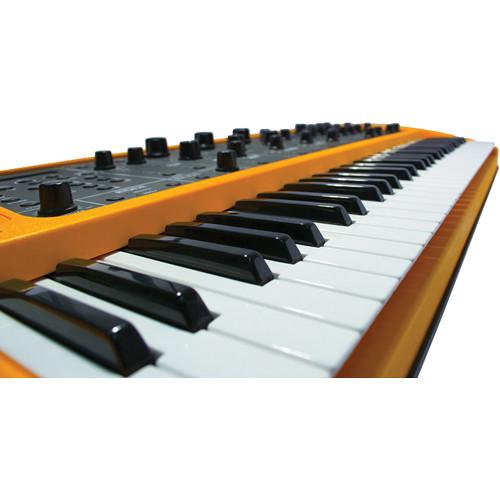
- 61-key analog-modeling synthesizer with the latest Waldorf DSP plus classic sounds and wavetables
- Features 999 inspiring sounds and 24-voice polyphony
- Offers three oscillators, two fast LFO's and two envelopes per voice
- Oscillator shapes include Sawtooth, Square, Triangle, Sine and Pulse
- Multi-mode filter includes lowpass, highpass, bandpass and more
- Built-in noise generator with selectable white and pink noise
- Built-in arpeggiator features latch mode, direction up, direction down, alternate and more
- Two built-in effect units deliver Chorus, Phaser, Flanger, Reverb and analog-style Delay
- User-friendly interface with an easy-to-read layout
In the Box StudioLogic Sledge 2.0 Synthesizer Power Cord Limited 1 Year Warranty Table of Contents
|
Upload User Manual
Have you got an user manual for the StudioLogic Sledge 2.0 Synthesizer in electronic form? Please send it to us and help us expand our library of instruction manuals.
Thank you, too, on behalf of other users.
To upload the product manual, we first need to check and make sure you are not a robot. After that, your "Submit Link" or "Upload File" will appear.
Technical parametersStudioLogic SLEDGE-2 Specs | Keyboard | 61-key 5 octave Fatar TP 9 keyboard | | Controls | 32 pots
3 chicken head rotary switches (7 positions)
1 rotary encoder with push function
Master volume
Power | | Display | 2 x 16 digits backlit LCD | | Wheels | Pitch and Mod | | Modulation Routing | For Mod Wheel with adjustable Speed and Depth
LFO Shape: Sawtooth, Rectangular, Triangle, Sine, Sample & Hold, Ramp
Destination: Osc 1, Osc2, Ocs3, PWM / Wave / FM, Volume, Filter Cutoff | | Sounds | Up to 999 programmable sounds | | Polyphony | 24 voices | | Modes | Monophonic with single or multiple trigger | | Oscillators | Range: from 64' to 1' with semitone and detune
Shapes: Sawtooth, Square, Triangle, Sine, Pulse (with Pulse Width Modulation)
Oscillator 1 with 66 original PPG Wavetables and sample player (60 MB internal memory) | | Multimode Filter | 1 per voice:
24 / 12dB
Lowpass
Highpass
Bandpass
Resonance up to self-oscillation
Adjustable Keytrack and Drive | | Arpeggiator | Latch mode
syncable to MIDI Clock
Direction Up, Down, Alternate
Range up to 10 Octaves | | Effects | 2 simultaneous effects:
Effect 1: Chorus / Phaser / Flanger
Effect 2: Reverb / Delay / Reverb+Delay | | Other | Frequency Modulation of sine and triangle
Oscillator Hardsync (Osc 2 to Osc 3)
Noise Generator with selectable white and pink noise
Mixer with Volume and On/Off switch for each Oscillator and Noise
2 fast Envelopes per voice (filter / amplifier)
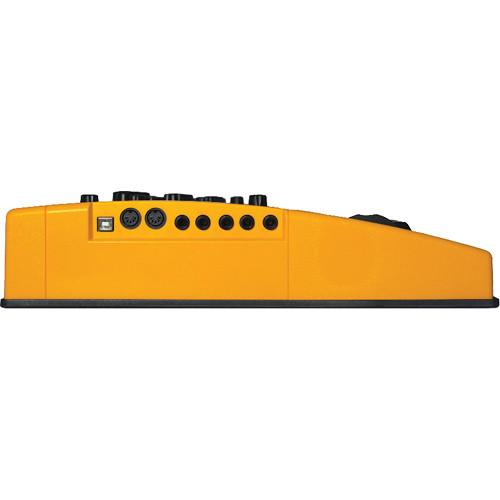
Auto Dual Mode: Split or Layer mode - programmable split point for each Program | | MIDI | In and out | | Input | Expression pedal | | Output | Line Out: 2 x 1/4" / 6.35 mm
Headphone: 1 x stereo 1/4" / 6.35 mm | | USB | USB connector for MIDI In/ Out, firmware update, samples loading (with Spectre)
Uses standard USB MIDI driver provided by host computer OS
Windows ME minimum, Windows XP or newer recommended
Mac OS X 10.2 minimum, Mac OS X 10.3 or newer recommended | | Power Supply | Built-in | | Dimensions | 38.2 x 15.9 x 4.3" / 97.0 x 40.5 x 11.0 cm | | Weight | 18.3 lb / 8.3 kg | | | | Package Weight | 26.35 lb | | Box Dimensions (LxWxH) | 42.0 x 22.5 x 10.0" |
Rating90% users recommend this product to others. And what about you?

This product has already been rated by 83 owners. Add your rating and experience with the product.
Discussion
 Ask our technicians if you have a problem with your settings,
or if anything is unclear in the user manual you have downloaded.
You can make use of our moderated discussion.
The discussion is public and helps other users of our website who may be encountering similar problems.
Ask our technicians if you have a problem with your settings,
or if anything is unclear in the user manual you have downloaded.
You can make use of our moderated discussion.
The discussion is public and helps other users of our website who may be encountering similar problems.
The discussion is empty - enter the first post
Post a new topic / query / comment:
|
|
|
| Request for user manual |
You can’t find the operation manual you are looking for? Let us know and we will try to add the missing manual:
I’m looking for a manual / Request for manual
Current requests for instruction manuals:
Call Of Duty World War Two For Xbox...
controller stratus XL...
stratus XL...
smart whatch serie S11 42mm...
Allen & Heath SQ-6 manual...
|
| Discussion |
Latest contributions to the discussion:
AEW R 4100
Name: MAURICIO ANGARITA
Audio-Technica AEW-R4100 UHF Diversity Receiver for
AEW R 4100 has the mute function blocked and does not allow audio to pass. I tried several times to turn off the mute from the transmitter but it does nothing, the mute stays on. Solution?
Thank you...
Instructions for assembling the 2015 Forecast Image Master Consoles GC3-A
Name: mike elam
Forecast Consoles GC3-A ImageMaster Editing Console
Looking for instructions for assembling this console. ...
EMPTY TONER ERROR MESSAGE AFTER REPLACING TONER
Name: LINDA BAD YELLOW EYES
Brother TN223BK Standard-Yield Toner
I HAD TO CHANGE OUT ALL THREE TONERS DUE TO LEAKS IN THE YELLOW AND CYAN. AFTER I REPLACED THEM, THE MACHINE KEEPS GIVING ME AN EMPTY TONER ERROR MESSAGE. HELP!!...
PS480D 20/24 pin Switching 480W Power Supply
Name: swkargo
Logisys 480W Power Supply
This item states in can run -5vdc .It is NOT listed on the board or I beleive is r4 is missing the resitior. Any body have thid issue. Shawn
...
Help needed
Name: Ann Carter
SanDisk 1TB Extreme Portable USB 3.1
When I click the link to download the user manual for my Sandisk Extreme external hard drive, it gives me the manual for the LG Cricket. Can you please change the link so I can download the Sandisk manual and begin using this drive? Thank you....
|
|


