|
User Manual for Supermicro Total Solution 72TB 12-Bay NAS Server for Red Hat Ceph Click to enlarge the picture
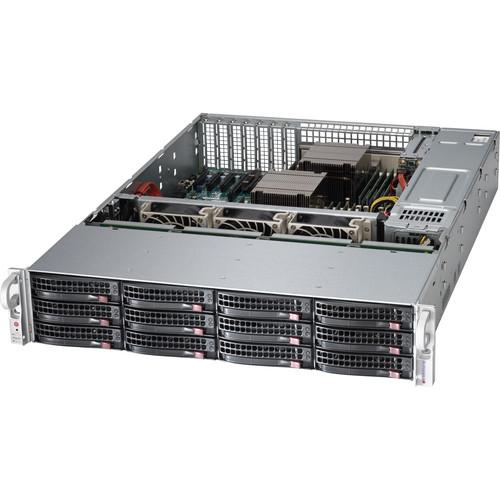 Contents of the user manual for the Supermicro Total Solution 72TB 12-Bay NAS
- Product category: NAS Enclosures Supermicro
- Brand: Supermicro
- Description and content of package
- Technical information and basic settings
- Frequently asked questions – FAQ
- Troubleshooting (does not switch on, does not respond, error message, what do I do if...)
- Authorized service for Supermicro NAS Enclosures
 |
User manual for the Supermicro Total Solution 72TB 12-Bay NAS contain basic instructions
that need to be followed during installation and operation.
Before starting your appliance, the user manual should be read through carefully.
Follow all the safety instructions and warnings, and be guided by the given recommendations.
User manual is an integral part of any Supermicro product,
and if it is sold or transferred, they should be handed over jointly with the product.
Following the instructions for use is an essential prerequisite for protecting
health and property during use, as well as recognition of liability on the part of the manufacturer
for possible defects should you make a warranty claim. Download an official Supermicro user manual in which you will find instructions on how to install, use, maintain and service your product.
And do not forget – unsuitable use of a Supermicro product will considerably shorten its lifespan!
|
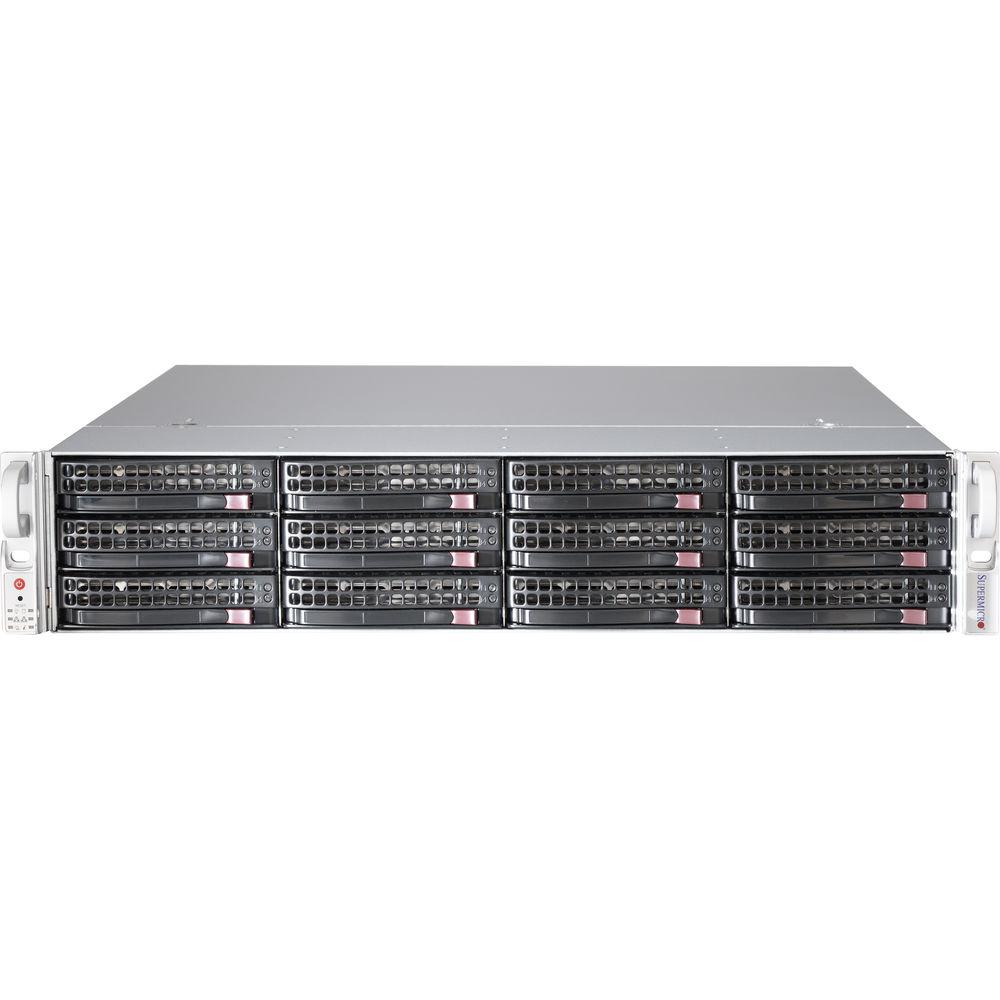
Product description The Total Solution NAS Server from Supermicro provides a Red Hat Ceph-Ready SuperStorage Server 6028R-E1CR12L along with hard drives and SSDs to build your own custom NAS Server. The server includes a set of twelve 6TB 3.5" hard drives and a 800GB NVMe SSD to quickly store and deliver data, while two 80GB 2.5" SSDs are included to hold your operating system. You can install your copy of Red Hat Ceph, which is an enterprise-level open source software platform that manages all your data by offering block, object, and file storage management. In addition, the two 80GB SSDs are configured in a RAID 1 array that helps ensure the operating system stays operational in the event of a drive failure.
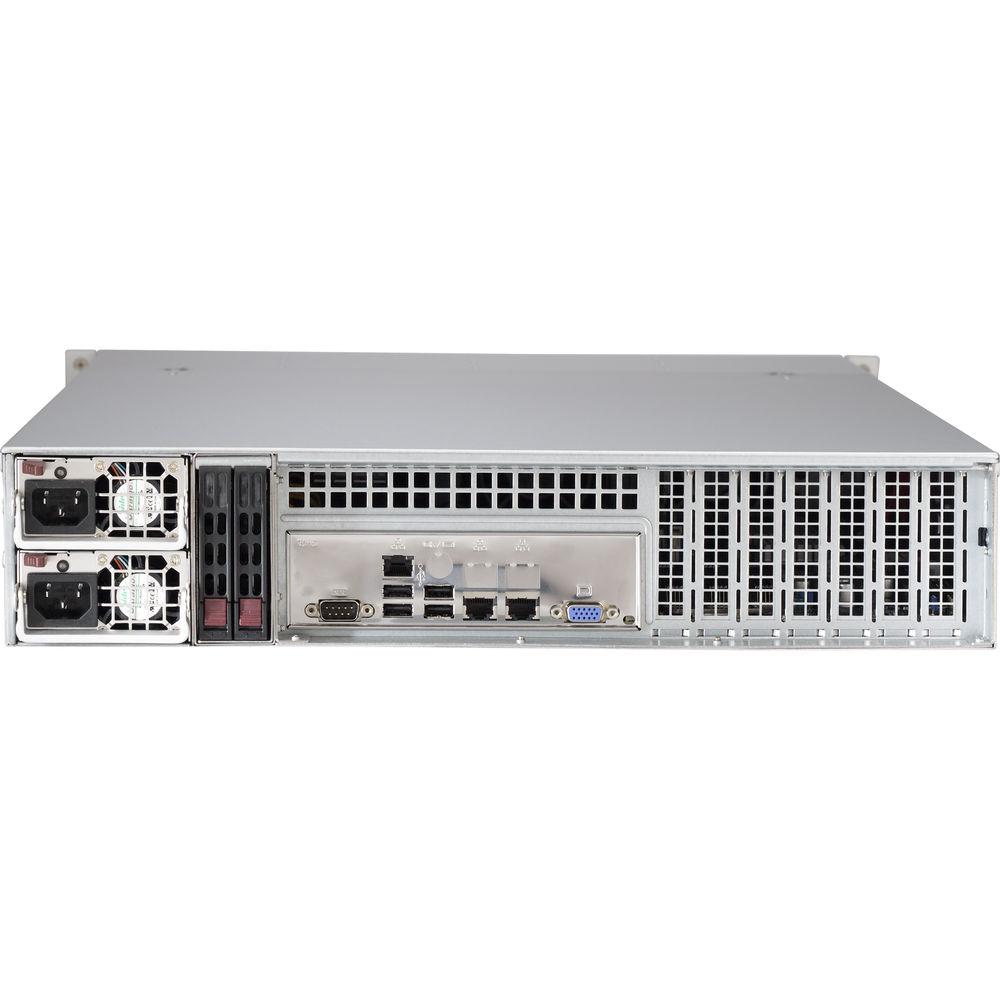
The SuperStorage Server 6028R-E1CR12L comes equipped with an Intel C612 chipset along with two LGA2011 sockets to accommodate up to two Intel Xeon E5-2600 v3 or v4 processors. The server features sixteen DDR4 DIMM slots that are compatible with 288-pin ECC RDIMMs up to 128GB in capacity. Connecting the NAS to your network can be accomplished by its two 10Gb SFP+ ports. Other notable connections include two USB 3.0 and two USB 2.0 ports along with a VGA and Ethernet management port. For expansion, the NAS comes outfitted with one PCIe 3.0 x16 slot as well as six PCIe 3.0 x8 slots. There's even a pair of redundant 920W 80-Plus Platinum power supplies for powering your internal components. - Ready-to-Deploy Configurations
-
- Role specific cluster configurations - turn-key cluster configurations offer performance, capacity, and density to fit application workloads
- Optimized network configurations - cluster and rack-level integration offers streamlined deployment of Red Hat Ceph Storage and infrastructure with consistency not attainable using improvised methods
- Storage/Media Ratios to fit user applications - deployment of flash and rotating magnetic media allows the solution to meet workload tuned performance and density targets
- Object-based Storage with Block and Object Interfaces
- Organizations prefer object-based storage when deploying large-scale storage systems because it stores data more efficiently. Object-based storage systems separate the object namespace from the underlying storage hardware.
- Ceph Storage
- Ceph's CRUSH algorithm liberates client access limitations imposed by centralizing the data table mapping typically used in scale-out storage. Ceph continuously re-balances data across the cluster-delivering consistent performance and massive scaling. The self-healing capabilities of Ceph provide aggressive levels of resiliency. Data redundancy is achieved by replication or erasure coding, allowing for extremely efficient capacity utilization.
- Supermicro Total Solution for Ceph Specifications
- Supermicro's Total Solution for Ceph offers turn-key storage integration of Red Hat Ceph Storage on SuperStorage hardware. The Total Solution for Ceph includes datacenter on-site service and support provided by Supermicro and is available for deployments in the US and Canada.
- Supermicro/Ceph Ready System
- Ceph-ready systems offer a bare-metal solution - suitable for the open-source community and validated through testing under Red Hat Ceph Storage.
UPC: 672042212101 In the Box Supermicro Total Solution 72TB 12-Bay NAS Server for Red Hat Ceph (12 x 6TB) Limited 3-Year Warranty Limited 1-Year Warranty Advance Part Replacement Service for 1 Year Table of Contents
|
Upload User Manual
Have you got an user manual for the Supermicro Total Solution 72TB 12-Bay NAS Server for Red Hat Ceph in electronic form? Please send it to us and help us expand our library of instruction manuals.
Thank you, too, on behalf of other users.
To upload the product manual, we first need to check and make sure you are not a robot. After that, your "Submit Link" or "Upload File" will appear.
Technical parametersSupermicro U-12 Specs | Motherboard | Super X10DRH-iT | | | | CPU | Intel Xeon processor E5-2600 v3/v4 family (up to 145 W TDP)
Dual Socket R3 (LGA 2011) | | Cores | Up to 22 | | Cache | Up to 55 MB | | System Bus | QPI up to 9.6 GT/s | | | | Memory Capacity | 16 x 288-pin DDR4 DIMM slots
Up to 2 TB ECC 3DS LRDIMM, 512 GB ECC RDIMM | | Memory Type | 2400/2133/1866/1600 MHz ECC DDR4 SDRAM 72-bit | | DIMM Sizes | RDIMM: 64 GB, 32 GB, 16 GB, 8 GB, 4 GB
LRDIMM: 64 GB, 32 GB
3DS LRDIMM: 128 GB | | Memory Voltage | 1.2 V | | Error Detection | Corrects single-bit errors | | | | Chipset | Intel C612 chipset | | SAS | SAS3 (12 Gb/s) via Broadcom 3008, IT mode | | SATA | SATA3 (6 Gb/s) with RAID 0, 1, 5, 10 | | IPMI | Support for Intelligent Platform Management Interface v.2.0
IPMI 2.0 with virtual media over LAN and KVM-over-LAN support
ASPEED AST2400 BMC | | Network Controllers | Intel X540 dual-port 10GbE
Virtual Machine Device Queues reduce I/O overhead
Supports 10GBASE-T, 100BASE-TX, and 1000BASE-T, RJ45 output
1 x Realtek RTL8201N PHY (dedicated IPMI) | | Graphics | ASPEED AST2400 BMC | | | | LAN | 2 x RJ45 10GBase-T LAN ports
1 x RJ45 Dedicated IPMI LAN port | | USB | 2 x USB 3.0 ports (front/rear)
2 x USB 2.0 ports (rear)
1 x Type A | | Video | 1 x VGA port | | Serial Port | 1 x Fast UART 16550 port / 1 header | | | | Form Factor | 2U Rackmount | | Model | CSE-826BE1C-R920LPB chassis | | | | Buttons | Power On/Off button
System Reset button | | LEDs | Power LED
Hard drive activity LED
2 x Network activity LEDs
System Overheat LED
Power fail LED | | | | PCI-Express | 1 x PCIe 3.0 x16 slot
6 x PCIe 3.0 x8 slots
Slot 1 & 2 occupied by controller and JBOD expansion port | | | | Drive Bays | 12 x 3.5" hot-swap SAS3/SATA3 drive bays
2 x 2.5" hot-swap SATA drive bays (rear) | | Drives Included | 12 x 6 TB 3.5" SATA III hard drives
1 x 800 GB NVMe SSD
2 x 80 GB 2.5" SSDs | | Backplane | SAS3/SATA3 single expander per backplane | | | | Fans | 3 x 80 mm hot-swap redundant PWM cooling fans | | | | Type | 920 W high-efficiency (94%+) AC-DC redundant power supplies with PMBus and I2C | | AC Input | 100 to 240 V, 50/60 Hz, 11 to 4.5 A | | DC Output | 4 A @ +5 V standby
75 A @ +12 V | | Certification | 80 Plus Platinum Level Certified (94%) | | | | BIOS Type | 128 MB SPI Flash EEPROM with AMI BIOS | | BIOS Features | Plug and Play (PnP)
APM 1.2
PCI 2.2
ACPI 1.0 / 2.0
USB Keyboard support
SMBIOS 2.3
UEFI | | | | RoHS | RoHS compliant | | Environmental | Operating Temperature: 50 to 95°F / 10 to 35°C
Non-operating Temperature: -40 to 158°F / -40 to 70°C
Operating Relative Humidity: 8 to 90% (non-condensing)
Non-operating Relative Humidity: 5 to 95% (non-condensing) | | Dimensions (W x H x D) | 17.2 x 3.5 x 25.6" / 436.9 x 88.9 x 650.2 mm | | Weight | 34.0 lb / 15.4 kg |
Rating80% users recommend this product to others. And what about you?

This product has already been rated by 22 owners. Add your rating and experience with the product.
Discussion
 Ask our technicians if you have a problem with your settings,
or if anything is unclear in the user manual you have downloaded.
You can make use of our moderated discussion.
The discussion is public and helps other users of our website who may be encountering similar problems.
Ask our technicians if you have a problem with your settings,
or if anything is unclear in the user manual you have downloaded.
You can make use of our moderated discussion.
The discussion is public and helps other users of our website who may be encountering similar problems.
The discussion is empty - enter the first post
Post a new topic / query / comment:
|
|
|
| Request for user manual |
You can’t find the operation manual you are looking for? Let us know and we will try to add the missing manual:
I’m looking for a manual / Request for manual
Current requests for instruction manuals:
Call Of Duty World War Two For Xbox...
controller stratus XL...
stratus XL...
smart whatch serie S11 42mm...
Allen & Heath SQ-6 manual...
|
| Discussion |
Latest contributions to the discussion:
AEW R 4100
Name: MAURICIO ANGARITA
Audio-Technica AEW-R4100 UHF Diversity Receiver for
AEW R 4100 has the mute function blocked and does not allow audio to pass. I tried several times to turn off the mute from the transmitter but it does nothing, the mute stays on. Solution?
Thank you...
Instructions for assembling the 2015 Forecast Image Master Consoles GC3-A
Name: mike elam
Forecast Consoles GC3-A ImageMaster Editing Console
Looking for instructions for assembling this console. ...
EMPTY TONER ERROR MESSAGE AFTER REPLACING TONER
Name: LINDA BAD YELLOW EYES
Brother TN223BK Standard-Yield Toner
I HAD TO CHANGE OUT ALL THREE TONERS DUE TO LEAKS IN THE YELLOW AND CYAN. AFTER I REPLACED THEM, THE MACHINE KEEPS GIVING ME AN EMPTY TONER ERROR MESSAGE. HELP!!...
PS480D 20/24 pin Switching 480W Power Supply
Name: swkargo
Logisys 480W Power Supply
This item states in can run -5vdc .It is NOT listed on the board or I beleive is r4 is missing the resitior. Any body have thid issue. Shawn
...
Help needed
Name: Ann Carter
SanDisk 1TB Extreme Portable USB 3.1
When I click the link to download the user manual for my Sandisk Extreme external hard drive, it gives me the manual for the LG Cricket. Can you please change the link so I can download the Sandisk manual and begin using this drive? Thank you....
|
|


