User Manual for Tascam US-16x08 USB Audio MIDI Interface Click to enlarge the picture
 Contents of the user manual for the Tascam US-16x08 USB Audio MIDI Interface
- Product category: Audio Interfaces & Systems Tascam
- Brand: Tascam
- Description and content of package
- Technical information and basic settings
- Frequently asked questions – FAQ
- Troubleshooting (does not switch on, does not respond, error message, what do I do if...)
- Authorized service for Tascam Audio Interfaces & Systems
 |
User manual for the Tascam US-16x08 USB Audio MIDI Interface contain basic instructions
that need to be followed during installation and operation.
Before starting your appliance, the user manual should be read through carefully.
Follow all the safety instructions and warnings, and be guided by the given recommendations.
User manual is an integral part of any Tascam product,
and if it is sold or transferred, they should be handed over jointly with the product.
Following the instructions for use is an essential prerequisite for protecting
health and property during use, as well as recognition of liability on the part of the manufacturer
for possible defects should you make a warranty claim. Download an official Tascam user manual in which you will find instructions on how to install, use, maintain and service your product.
And do not forget – unsuitable use of a Tascam product will considerably shorten its lifespan!
|
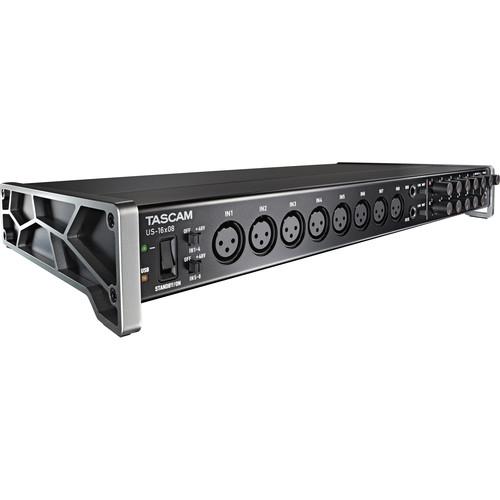
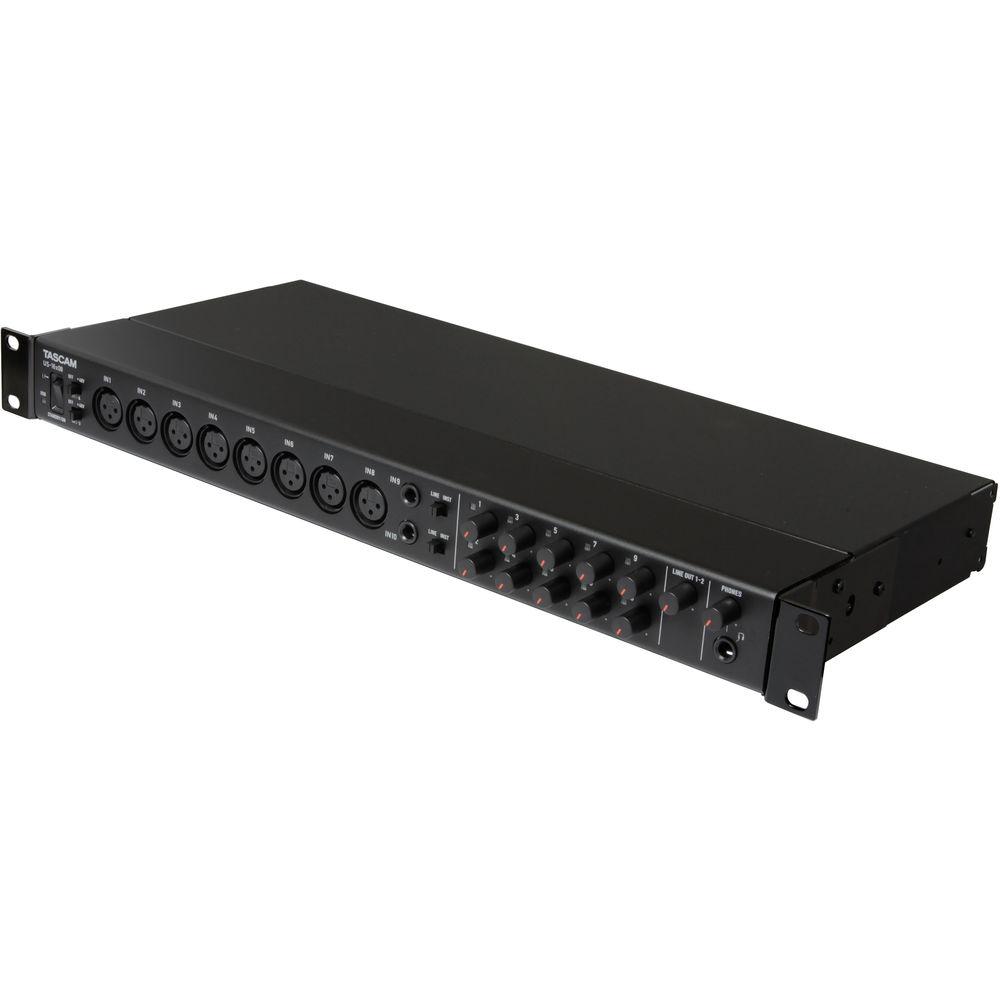
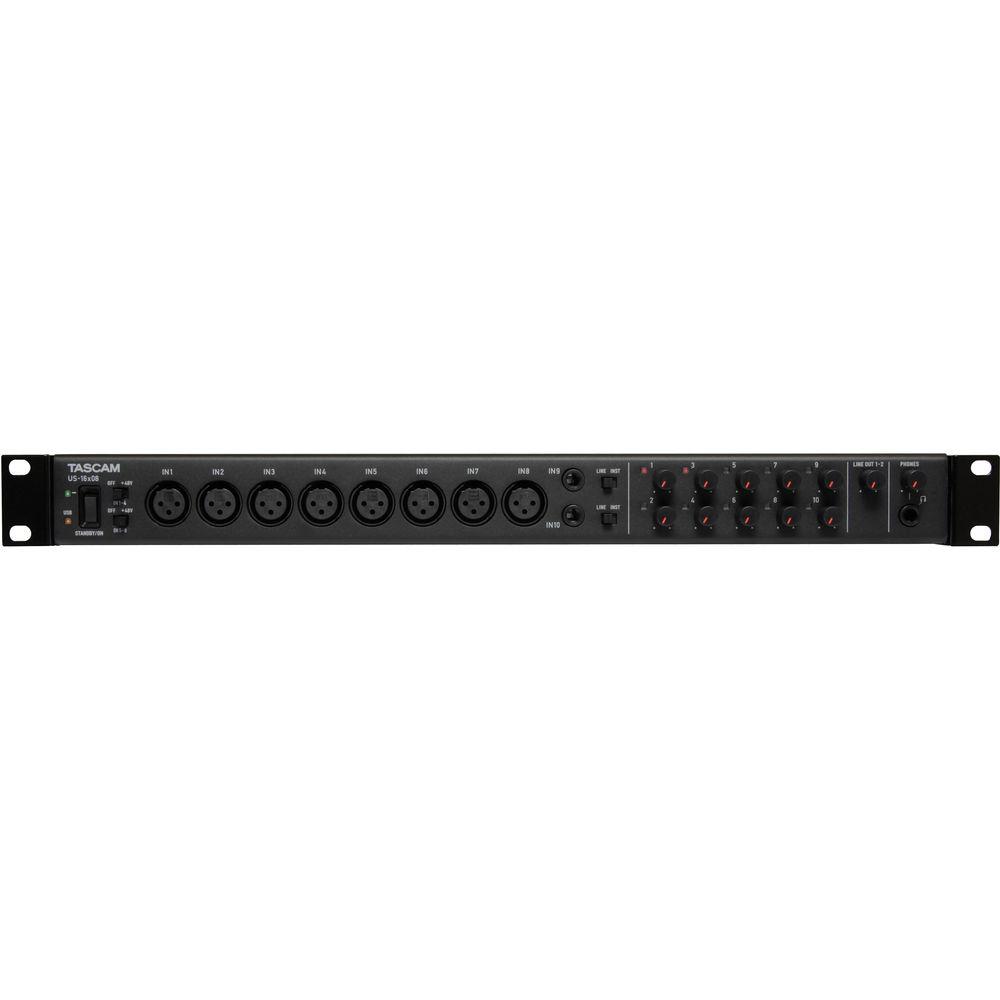
Product description Allowing you to record up to 16 channels simultaneously in up to 24-bit/96 kHz resolution, the US-16x08 USB Audio/MIDI Interface from Tascam features 8 XLR microphone inputs with their Ultra-HDDA preamps and 8 TRS line level inputs, 2 of which can be switched to instrument level for DI recording. A DSP mixer allows you to route any signal to any output and gives you a 4-band EQ and compression for each channel, allowing you to tweak a monitor or headphone mix.
Its angled design allows you to use the US-16x08 right on your desktop, while the included rack ears provide the ability to rack mount the system. Not limited to audio, its 5-pin DIN MIDI I/O lets the unit function as a MIDI interface as well. It is compatible with Mac, Windows, and iOS (requires Apple's Camera Connection kit, not included for iOS use). - Discrete Ultra-HDDA Mic Preamps
- Tascam's Ultra-HDDA (High Definition Discrete Architecture) mic preamp design is based on discrete components, just like classic professional gear. They achieve an EIN rating of -125 dBu, meaning their noise level is practically below the range of hearing. But instead of judging the design merely by test measurements, key components were selected following extensive listening tests
- NE5532 Op-Amps
- Tascam uses proven components throughout the US-16x08. One example is the NE5532 op-amp, used throughout classic recording consoles and signal processors due to their musical sound
- Instrument Inputs
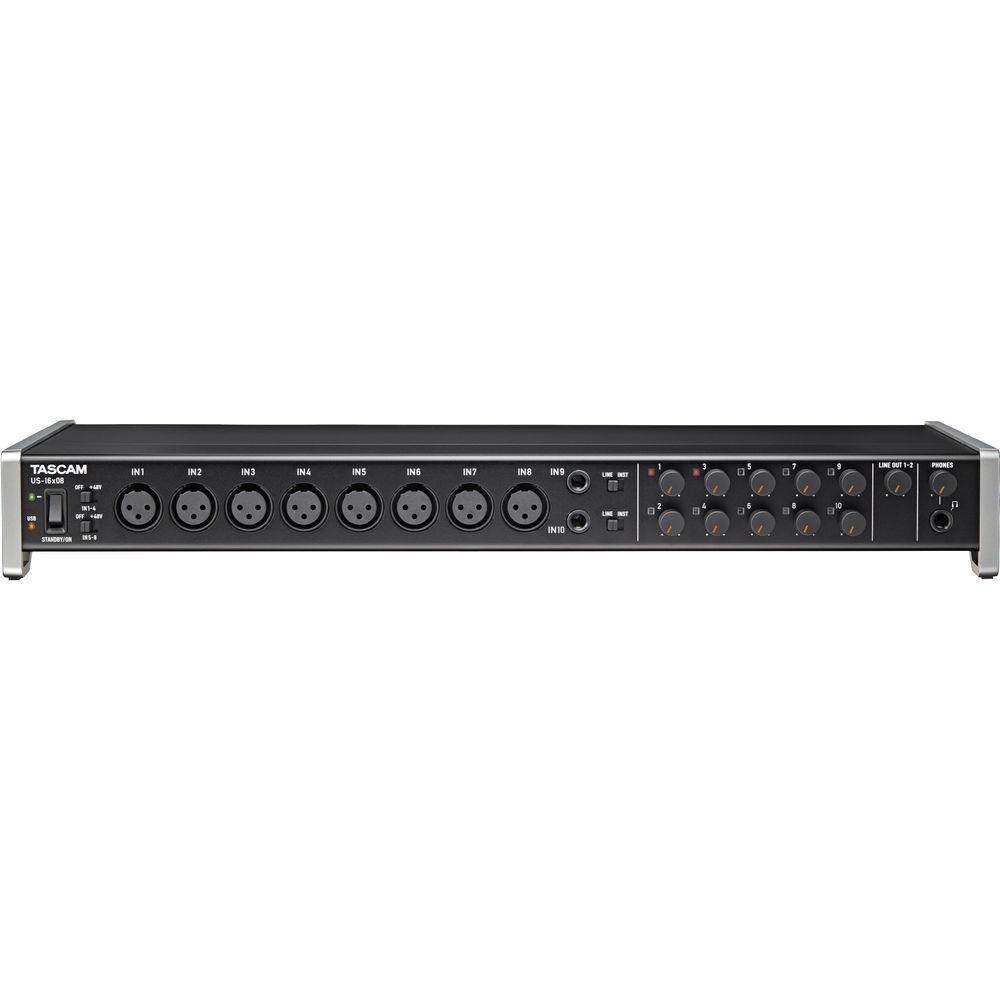
- The first two channels can be switched to direct guitar inputs for direct recording of electric and acoustic guitar and bass without the need for an external preamp
- High SPL Handling
- The Ultra HDDA mic preamps and line inputs offer 20 dB of headroom for distortion-free recordings of percussive, high SPL instruments like drum tracks and guitar solos
- 8 XLR Mic Inputs and 8 TRS Line Inputs
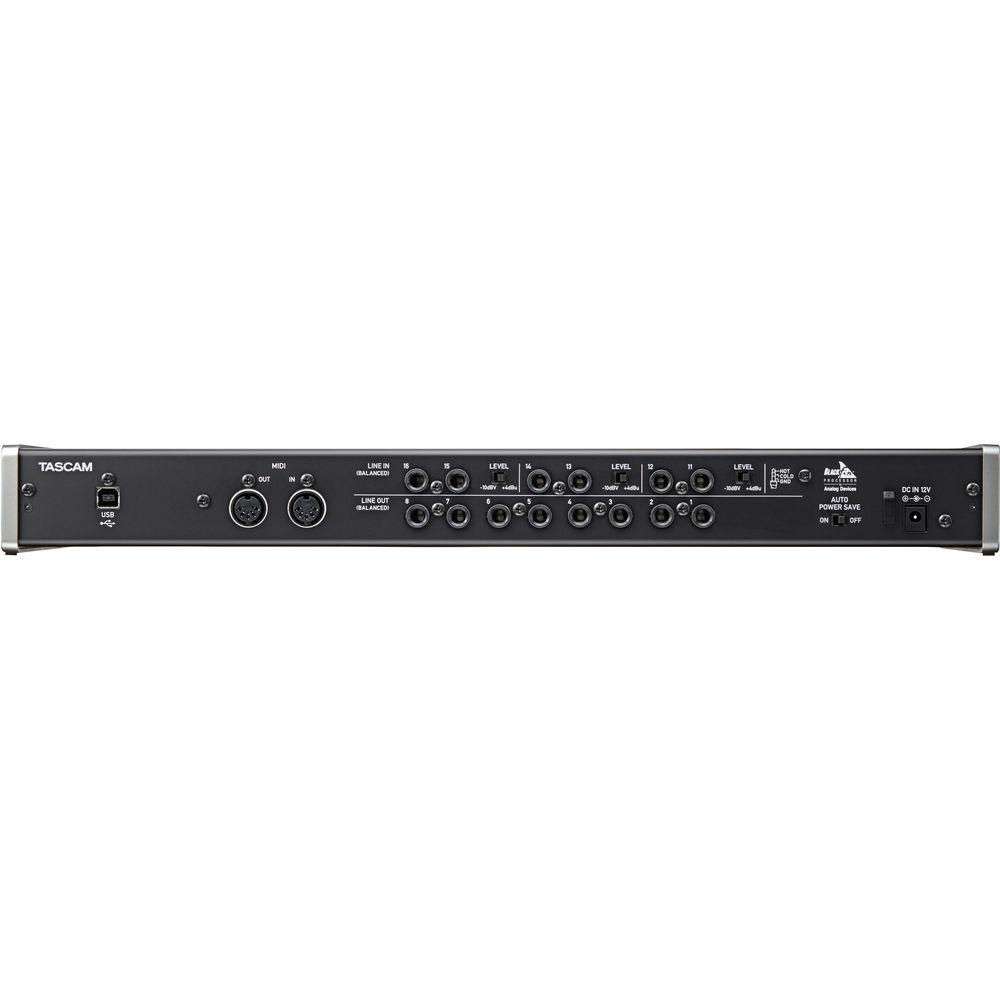
- The eight XLR mic inputs have switchable +48V phantom power to use up to 8 condenser mics at the same time. The two front panel TRS line inputs are switchable between instrument level and line level input with adjustable gain. An additional six TRS line ins on the rear of the unit are switchable between -10dB and +4dB. All of the jacks support balanced or unbalanced 1/4" signals
- Standalone Mic Preamp
- When powered on without a USB connection, the US-16x08 functions as an 8-channel microphone preamp. Mics pass through the Ultra-HDDA preamps to the eight balanced line outputs on the rear panel. Use the interface to add additional high-quality mic inputs to a mixer or audio interface
- DSP Mixer and USB Driver
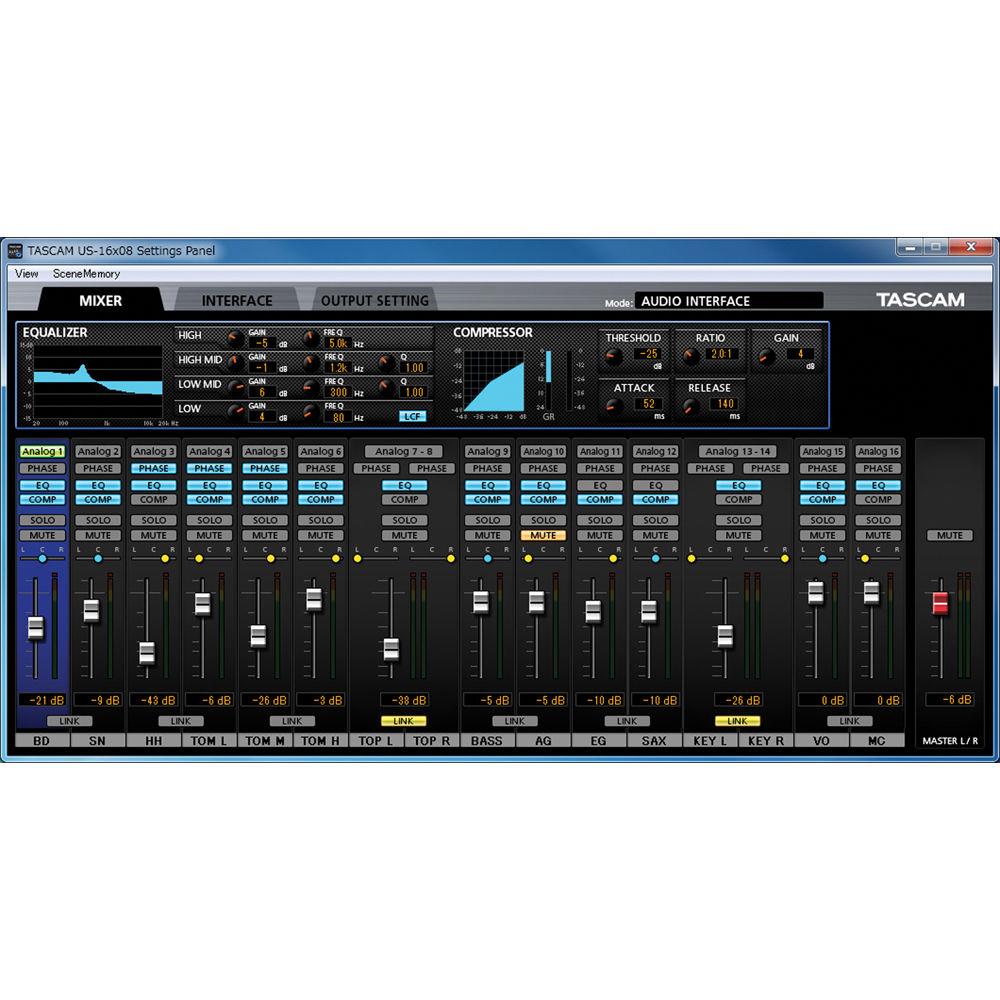
- Digital processing features like the DSP Monitor Mixer and USB drivers make sessions with the US-16x08 comfortable for the musicians and engineer. The DSP Mixer includes processing for a polished-sounding headphone mix without latency delay from your DAW software, fueled by a Blackfin DSP processor. And drivers, re-written from the ground up, provide improved compatibility and performance on Mac, Windows and iPad recording systems
- High Resolution Recording
- The converters and electronics on the US-16x08 allow you to record at audio resolutions up to 96 kHz/24-bit for detailed acoustic productions
- Standard USB 2.0 Computer Connection
- The US-16x08 uses USB 2.0 to connect to your computer. Connect the interface to any available USB port. USB 2.0 provides plenty of data bandwidth, even when recording 16 channels at 96 kHz/24-bit. The US-16x08 will also work with USB 3.0 jacks on your computer
- EQ and Compression on Each Monitor Mixing Channel
- Powered by an Analog Devices BlackFin DSP processor, the US-16x08 includes an advanced digital mixer for monitor mixing. Each input includes 4-band EQ, a low-cut filer, and compressor. The DSP mixer can store up to 10 snapshots as scenes - making it easy to recall mixer settings. The DSP mixer feature can even be used as a live mixer, controlled by your PC. An additional tab opens a digital patchbay to route signals to any output
- Driver Software
- The US-16x08 includes a driver architecture that was written in-house by Tascam engineers. The Windows driver software can be installed without connecting the interface, with simple on-screen instructions. Mac users can use the interface without installing a driver at all. Simply install the control panel software in order to change device settings. Finally, the class-compliant driver allows it to be used with tablets like Apple's iPad. (Requires Apple's Camera Connection Kit for USB connection, not included)
- Angled Design
- The angled design makes desktop viewing and operation much more comfortable for tabletop use. All other interfaces have their controls on the front or the top of the device, causing you to crane your neck to read the knobs and switches. A pair of rack ears are also included for use in a standard 19" equipment rack
- Independent Headphone and Line Output Volume Control
- The US-16x08 includes both headphone and line output volume controls. Even when both powered monitors and headphones are connected, the user can set an optimum level for each during operation. And when you want to work on headphones, you don't need to reach around to switch off your monitors
- Built-In Headphone Amplifier
- The 70 mW+70 mW (into 32 ohms) headphone amp makes headphone monitoring easy even in loud situations. This assures you enough monitoring volume when recording drums, guitars, or rehearsals, live or in the studio
- MIDI I/O
- Standard MIDI input and output connectors allow connection with the thousands of keyboards, drum machines, controllers, and other sources that employ 5-pin DIN MIDI connectors. The interfaces can also be used for synchronized operation of multitrack recorders and other external recording equipment
- Full Metal Body
- The durable metal jacket is employed for heavy duty use
UPC: 043774031177 In the Box Tascam US-16x08 USB Audio/MIDI Interface Rack Mount Adapter USB Cable AC Adapter Limited 1-Year Warranty User Manual PDF 10.1mb Table of Contents
|
Upload User Manual
Have you got an user manual for the Tascam US-16x08 USB Audio MIDI Interface in electronic form? Please send it to us and help us expand our library of instruction manuals.
Thank you, too, on behalf of other users.
To upload the product manual, we first need to check and make sure you are not a robot. After that, your "Submit Link" or "Upload File" will appear.
Technical parametersTascam US-16X08 Specs | | | Max Sample Rate/Resolution | 96 kHz / 24-Bit | | | | Host Connection | USB Type-B (USB 2.0) | | Analog I/O | 8 x XLR 3-Pin Mic Input
2 x 1/4" (6.3 mm) Line/Hi-Z Input
6 x 1/4" (6.3 mm) TRS Balanced Line Input
8 x 1/4" (6.3 mm) TRS Balanced Line Output
1 x 1/4" (6.3 mm) TRS Headphone Output | | Digital I/O | None | | MIDI I/O | 1 x 5-Pin MIDI In
1 x 5-Pin MIDI Out | | | | Frequency Response | Line Outputs:
20 Hz to 20 kHz
Rating74% users recommend this product to others. And what about you?

This product has already been rated by 67 owners. Add your rating and experience with the product.
Discussion
 Ask our technicians if you have a problem with your settings,
or if anything is unclear in the user manual you have downloaded.
You can make use of our moderated discussion.
The discussion is public and helps other users of our website who may be encountering similar problems.
Ask our technicians if you have a problem with your settings,
or if anything is unclear in the user manual you have downloaded.
You can make use of our moderated discussion.
The discussion is public and helps other users of our website who may be encountering similar problems.
The discussion is empty - enter the first post
Post a new topic / query / comment:
|
|
|
| Request for user manual |
You can’t find the operation manual you are looking for? Let us know and we will try to add the missing manual:
I’m looking for a manual / Request for manual
Current requests for instruction manuals:
Call Of Duty World War Two For Xbox...
controller stratus XL...
stratus XL...
smart whatch serie S11 42mm...
Allen & Heath SQ-6 manual...
|
| Discussion |
Latest contributions to the discussion:
AEW R 4100
Name: MAURICIO ANGARITA
Audio-Technica AEW-R4100 UHF Diversity Receiver for
AEW R 4100 has the mute function blocked and does not allow audio to pass. I tried several times to turn off the mute from the transmitter but it does nothing, the mute stays on. Solution?
Thank you...
Instructions for assembling the 2015 Forecast Image Master Consoles GC3-A
Name: mike elam
Forecast Consoles GC3-A ImageMaster Editing Console
Looking for instructions for assembling this console. ...
EMPTY TONER ERROR MESSAGE AFTER REPLACING TONER
Name: LINDA BAD YELLOW EYES
Brother TN223BK Standard-Yield Toner
I HAD TO CHANGE OUT ALL THREE TONERS DUE TO LEAKS IN THE YELLOW AND CYAN. AFTER I REPLACED THEM, THE MACHINE KEEPS GIVING ME AN EMPTY TONER ERROR MESSAGE. HELP!!...
PS480D 20/24 pin Switching 480W Power Supply
Name: swkargo
Logisys 480W Power Supply
This item states in can run -5vdc .It is NOT listed on the board or I beleive is r4 is missing the resitior. Any body have thid issue. Shawn
...
Help needed
Name: Ann Carter
SanDisk 1TB Extreme Portable USB 3.1
When I click the link to download the user manual for my Sandisk Extreme external hard drive, it gives me the manual for the LG Cricket. Can you please change the link so I can download the Sandisk manual and begin using this drive? Thank you....
|
|


