User Manual for TC Electronic DB6 Multi 1 Broadcast Audio Processor with Intelligent Loudness Management Click to enlarge the picture
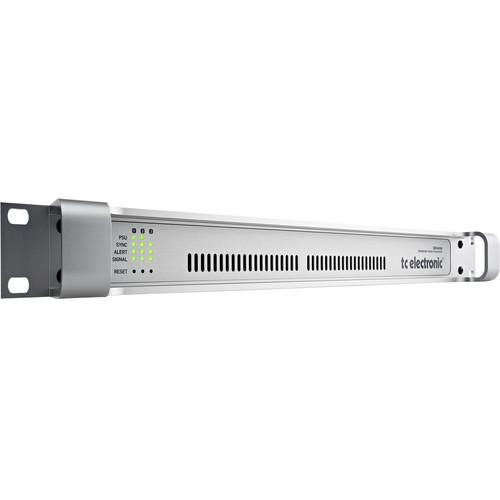 Contents of the user manual for the TC Electronic DB6 Multi 1 Broadcast
- Product category: Broadcast Processors TC Electronic
- Brand: TC Electronic
- Description and content of package
- Technical information and basic settings
- Frequently asked questions – FAQ
- Troubleshooting (does not switch on, does not respond, error message, what do I do if...)
- Authorized service for TC Electronic Broadcast Processors
 |
User manual for the TC Electronic DB6 Multi 1 Broadcast contain basic instructions
that need to be followed during installation and operation.
Before starting your appliance, the user manual should be read through carefully.
Follow all the safety instructions and warnings, and be guided by the given recommendations.
User manual is an integral part of any TC Electronic product,
and if it is sold or transferred, they should be handed over jointly with the product.
Following the instructions for use is an essential prerequisite for protecting
health and property during use, as well as recognition of liability on the part of the manufacturer
for possible defects should you make a warranty claim. Download an official TC Electronic user manual in which you will find instructions on how to install, use, maintain and service your product.
And do not forget – unsuitable use of a TC Electronic product will considerably shorten its lifespan!
|
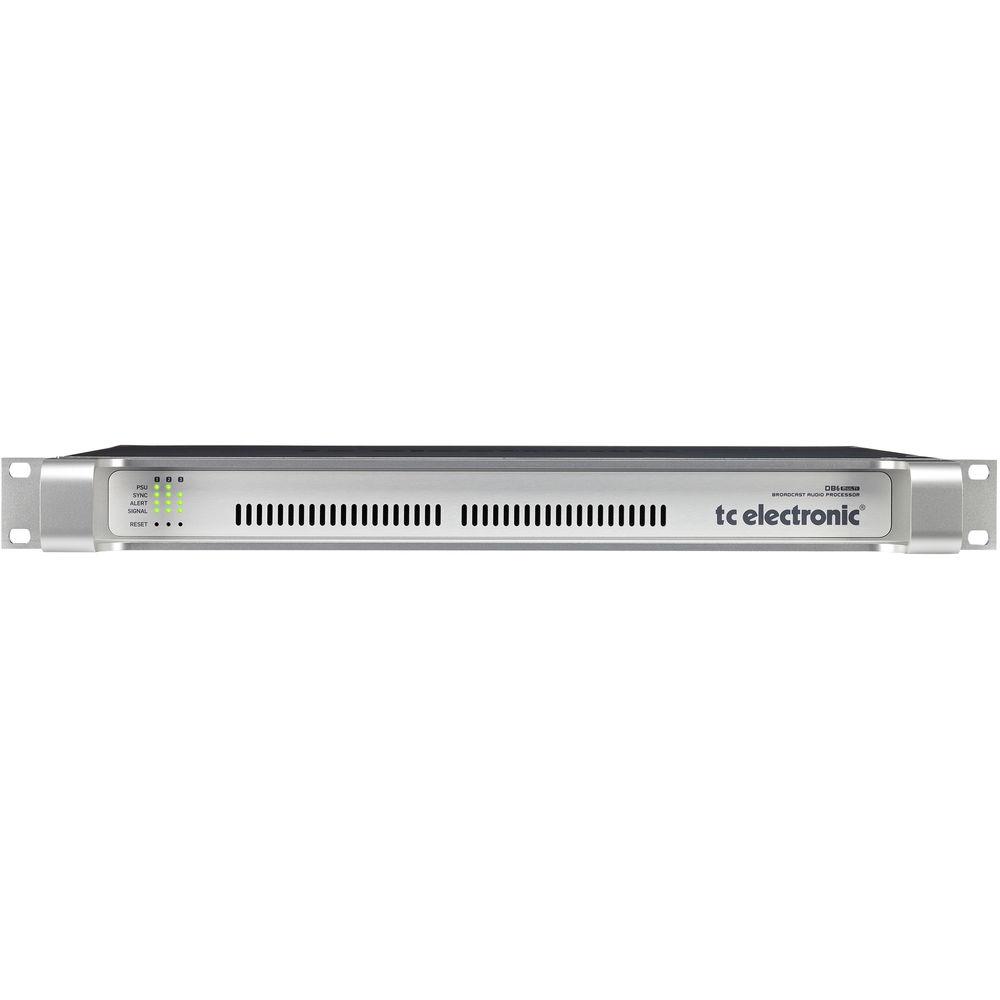
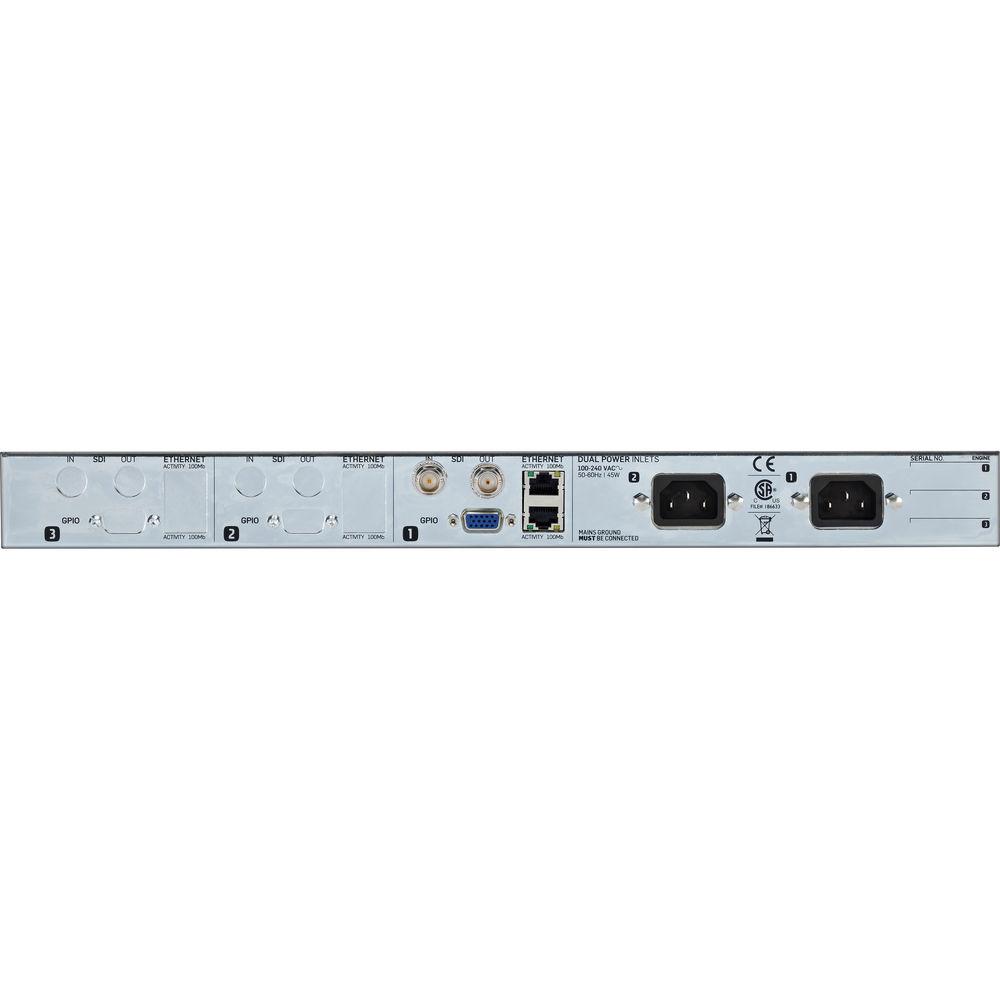
Product description The TC Electronic DB6 Multi 1 is a broadcast transmission audio processor that provides a complete and intelligent loudness management solution to help broadcasters with their loudness responsibilities. It employs a one-step process that preserves the details of your audio, while allowing you to stay compliant with broadcast standards and legislation at all times. The DB6 Multi 1 comes with one 3G transmission card, which gives you the ability to process one SDI stream with eight audio channels, right out of the box. The unit is expandable with one or two 3G transmission cards (available separately), increasing the number of simultaneous SDI streams to two or three and ideal for any station that needs to process multiple streams simultaneously. Audio loudness is measured at the input as well as the output of the DB6. In between, the LoudnessWizard algorithm handles everything regarding loudness including automatic format detection, automatic up- and down-conversion, automatic loudness correction, true peak limiting, lip-sync delay with look-ahead capability, all in one single process and for a multitude of broadcast platforms. The unit comes with ready-to-use presets based on international standards The LM6 loudness radar meter provides an easy way to read loudness with a complete overview. Loudness history is displayed by the radar and momentary loudness is displayed by the outer ring. True peak level is displayed on the right side. Program loudness, range values, or other parameters of your choice are shown at the bottom. You also get 24/7 measurement and logging of key stats for future evaluations and documentation. The DB6 Multi 1 features a full, dual-redundancy setup with dual fans, dual fuses, and dual power connectors, which you can use with independent power sources. In case of an emergency, the relay bypass ensures that your content is not compromised. The unit is housed in a high-density, 1 RU enclosure to help you save space in your equipment room. Included are two power cords and a USB memory stick with TC Icon software and DB6 software. One-Step Loudness Management - Professional broadcast transmission audio processor with automatic intelligent loudness management
- Helps stay compliant with broadcast standards and legislation at all times, without sacrificing audio quality
- Comes with one 3G transmission card to handle one SD/HD/3G SDI stream
- Expandable for any station that needs to process multiple streams simultaneously. Add one or two additional 3G transmission cards, increasing the number of simultaneous SDI streams to two or three
- Plug-and-play functionality with powerful LoudnessWizard algorithm
- Deliver for a multitude of platforms and codecs
- Process, measure, and log eight audio channels
- Accepts mono, stereo, and 5.1 surround and can simultaneously deliver high-quality audio to SDTV, HDTV, and mobile platforms
- 1 RU, high-density design saves space in equipment room
- Comes with ready-to-use presets based on international standards
- Designed and engineered in Denmark
Loudness Wizard Algorithm -
- Powerful one-step LoudnessWizard process makes it easy to achieve your loudness-handling requirements
- Automatic loudness correction
- Automatic up-conversion
- Automatic down-mix
- Look-ahead lip-sync delay
- True-peak limiting
- Handling of normalized and non-normalized Content
Ultimate Compliance -
- Compliant with all major broadcast standards
- ITU-R BS.1770-3
- EBU R128
- ATSC A/85
- ARIB TR-B32
- FreeTV OP-59
- Supported by TC Electronic to remain compliant with current and future releases of major broadcast standards
LM6 Loudness Radar Meter -
- LM6 loudness radar meter gives you a complete loudness landscape overview at a glance
- Loudness history, momentary loudness, true-peak level, program loudness, loudness range in a single view
- Mono, stereo, and 5.1 surround
- 24/7 logging: monitor and log audio loudness input and post-processing output, and create a ready-made history of broadcast for evaluation and documentation purposes
Dual Redundancy -
- Offers robust redundancy and reliability needed for mission-critical live applications
- Dual power supplies
- Dual fuses
- Dual low-noise fans
- Complete relay bypass for live stream
Control Interface -
- Connect to a computer (controller) running TC Icon software via an Ethernet port
- Second Ethernet port allows for daisy-chaining multiple 3G transmission cards
3G Transmission Card -
- Each card processes one SD/HD/3G SDI audio stream with eight audio channels I/O
- Holds two multichannel processors
- Runs two LoudnessWizard algorithms simultaneously
- Runs two LoudnessWizard 2 algorithms simultaneously
- Runs two LM6 loudness radar meters simultaneously
In the Box TC Electronic DB6 Multi 1 Broadcast Audio Processor with Intelligent Loudness Management 3G Transmission Card 2 x Power Cables USB Memory Stick with TC Icon Software and DB6 Software Limited 3-Year Warranty Table of Contents
|
Upload User Manual
Have you got an user manual for the TC Electronic DB6 Multi 1 Broadcast Audio Processor with Intelligent Loudness Management in electronic form? Please send it to us and help us expand our library of instruction manuals.
Thank you, too, on behalf of other users.
To upload the product manual, we first need to check and make sure you are not a robot. After that, your "Submit Link" or "Upload File" will appear.
Technical parametersTC Electronic DB-6 Specs | | | Frame Configuration | Comes with one 3G transmission card
Capable of holding one to three 3G transmission cards (additional cards available separately) | | Front Indicators | Status for: PSU 1, PSU 2, Sync, Alert, Signal | | Mains Voltage | 100-240 VAC, 50/60 Hz (auto-select) | | Power Supply | Dual power supply redundancy | | Fan | Dual fan redundancy | | Environment Operating Temperature | 32 to 122°F / 0 to 50°C | | Storage Temperature | -22 to 167°F / -30 to 70°C | | Humidity | Maximum 90%, non-condensing | | Finish | Natural-color anodized aluminum face plate
Plated steel chassis | | Compliance | EN 55103-1 and EN 55103-2
FCC part 15 class B
CIS-PR 22 class B | | Safety Certification | IEC 60065, EN 60065, UL 6500, CSA E65 | | Dimensions | 19 x 1.75 x 13.2" / 483 x 44 x 334 mm
1 RU | | Weight | 9.5 lb / 4.3 kg (with one card)
10.4 lb / 4.7 kg (with three cards) | | | | Number of Processors | 2 x LoudnessWizard processors (stereo or 5.1) | | Meters | 2 x LM2/LM6 Loudness Radar Meters (stereo or 5.1) | | Audio Channels Processed | 8 in, 8 out | | Audio Format Configuration | 2, 5.1, 2+2, 5.1+2, 2+5.1, 5.1+5.1 | | Audio Processing Delay | 0.15 ms | | Adjustable Online Delay | 0 to 10 second per audio channel | | Delay Resolution | 32-bit | | Frequency Response DIO | DC to 23.9 kHz
Rating60% users recommend this product to others. And what about you?

This product has already been rated by 79 owners. Add your rating and experience with the product.
Discussion
 Ask our technicians if you have a problem with your settings,
or if anything is unclear in the user manual you have downloaded.
You can make use of our moderated discussion.
The discussion is public and helps other users of our website who may be encountering similar problems.
Ask our technicians if you have a problem with your settings,
or if anything is unclear in the user manual you have downloaded.
You can make use of our moderated discussion.
The discussion is public and helps other users of our website who may be encountering similar problems.
The discussion is empty - enter the first post
Post a new topic / query / comment:
|
|
|
| Request for user manual |
You can’t find the operation manual you are looking for? Let us know and we will try to add the missing manual:
I’m looking for a manual / Request for manual
Current requests for instruction manuals:
Call Of Duty World War Two For Xbox...
controller stratus XL...
stratus XL...
smart whatch serie S11 42mm...
Allen & Heath SQ-6 manual...
|
| Discussion |
Latest contributions to the discussion:
AEW R 4100
Name: MAURICIO ANGARITA
Audio-Technica AEW-R4100 UHF Diversity Receiver for
AEW R 4100 has the mute function blocked and does not allow audio to pass. I tried several times to turn off the mute from the transmitter but it does nothing, the mute stays on. Solution?
Thank you...
Instructions for assembling the 2015 Forecast Image Master Consoles GC3-A
Name: mike elam
Forecast Consoles GC3-A ImageMaster Editing Console
Looking for instructions for assembling this console. ...
EMPTY TONER ERROR MESSAGE AFTER REPLACING TONER
Name: LINDA BAD YELLOW EYES
Brother TN223BK Standard-Yield Toner
I HAD TO CHANGE OUT ALL THREE TONERS DUE TO LEAKS IN THE YELLOW AND CYAN. AFTER I REPLACED THEM, THE MACHINE KEEPS GIVING ME AN EMPTY TONER ERROR MESSAGE. HELP!!...
PS480D 20/24 pin Switching 480W Power Supply
Name: swkargo
Logisys 480W Power Supply
This item states in can run -5vdc .It is NOT listed on the board or I beleive is r4 is missing the resitior. Any body have thid issue. Shawn
...
Help needed
Name: Ann Carter
SanDisk 1TB Extreme Portable USB 3.1
When I click the link to download the user manual for my Sandisk Extreme external hard drive, it gives me the manual for the LG Cricket. Can you please change the link so I can download the Sandisk manual and begin using this drive? Thank you....
|
|


