|
User Manual for Teac TN-400SO Belt-Drive Turntable with Phono Amplifier and USB Click to enlarge the picture
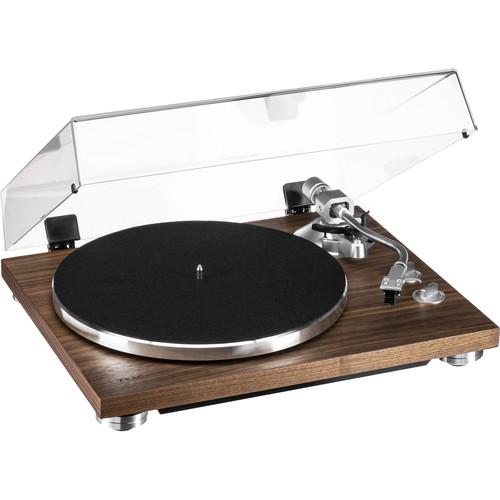 Contents of the user manual for the Teac TN-400SO Belt-Drive Turntable with Phono
- Product category: Turntables Teac
- Brand: Teac
- Description and content of package
- Technical information and basic settings
- Frequently asked questions – FAQ
- Troubleshooting (does not switch on, does not respond, error message, what do I do if...)
- Authorized service for Teac Turntables
 |
User manual for the Teac TN-400SO Belt-Drive Turntable with Phono contain basic instructions
that need to be followed during installation and operation.
Before starting your appliance, the user manual should be read through carefully.
Follow all the safety instructions and warnings, and be guided by the given recommendations.
User manual is an integral part of any Teac product,
and if it is sold or transferred, they should be handed over jointly with the product.
Following the instructions for use is an essential prerequisite for protecting
health and property during use, as well as recognition of liability on the part of the manufacturer
for possible defects should you make a warranty claim. Download an official Teac user manual in which you will find instructions on how to install, use, maintain and service your product.
And do not forget – unsuitable use of a Teac product will considerably shorten its lifespan!
|
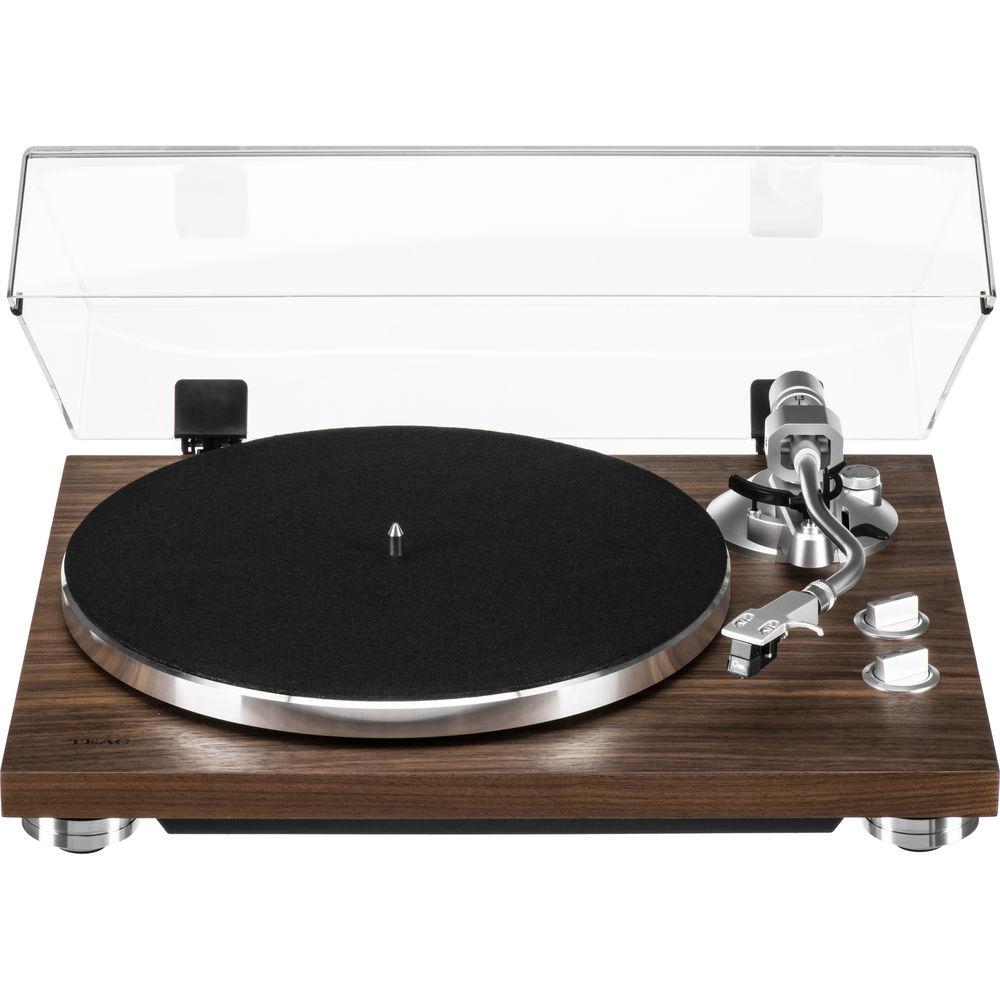
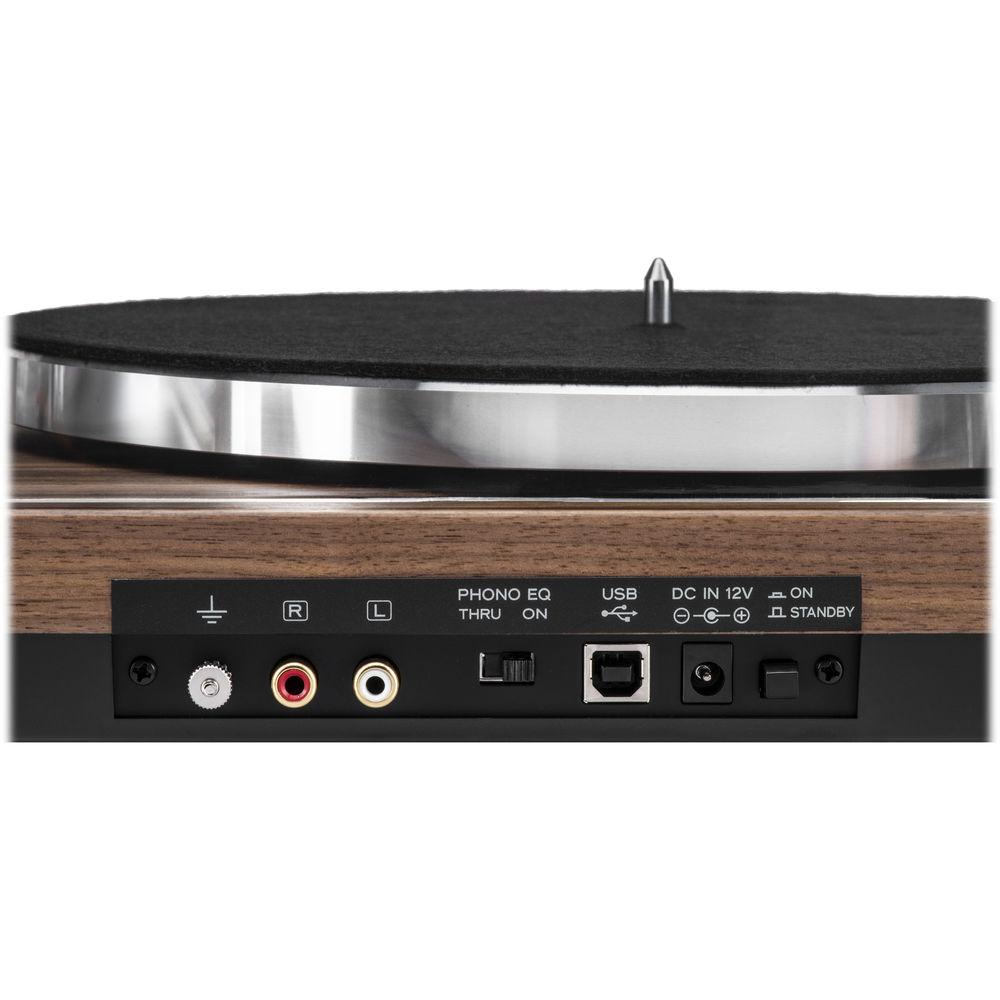
Product description Digitize your favorite vinyl records with the walnut Teac TN-400SO Belt-Drive Turntable with a pre-installed Sumiko Oyster cartridge. Its USB output will allow you to connect it to your Windows or Mac computer to convert the records to digital audio files for storage. The turntable will also connect to nearly any RCA audio input on a receiver or amplifier with its phono/line level switchable audio output. It includes a stereo RCA cable with GND wiring. - Belt-Drive Turntable
- The TN-400SO features both a neoprene-coated aluminum die-cast platter driven by a DC motor and a spindle designed for low friction for enhanced speed consistency and tonal accuracy.
- A Combination of Form and Function
- The MDF cabinet is designed to minimize unwanted resonance while the matte finish delivers an accent to nearly any design scheme.
- MM-Type Cartridge Phono Equalizer Amplifier
- Enjoy your favorite vinyl with any amplifier. The TN-400SO supports both phono and line-level outputs, allowing you to play vinyl with or without a phono equalizer.
- Built-In USB Digital Output and Analog Phono/Line Output
- Gold-plated terminals on the headshell connectors prevent oxidation of the connectors and help to ensure years of reliable performance and audio fidelity.
- Static-Balanced S-Shaped Tonearm
- The static-balanced S-shaped tonearm with its universal headshell helps ensure fast and easy setup and enhanced tracking.
- 3-Speed Turntable for LP/EP Record Playback
- The TN-400SO will play LPs, EPs, and singles at 33 1/3, 45, and 78 rpm. When combined with its analog-to-digital conversion capabilities, this turntable is a suitable choice for enjoying and archiving your favorite music.
- Sumiko Oyster MM-Type Cartridge
- The TN-400SO features a Sumiko Oyster cartridge designed to deliver a smooth, refind sound with accurate stereo imaging.
- Additional Features
-
- Aluminum die-cast platter and augmented motor assembly are designed to provide years of service and stability
- Integrated USB port for digital output allows computer recording for easy archiving
- Anti-skating mechanism stays in the groove so you can stay in the groove
- Static-balanced S-shaped tonearm with universal headshell for enhanced tracking
- Detachable dust cover enables you to customize the look of the turntable to fit your own personal style
UPC: 043774034031 In the Box Teac TN-400SO Belt-Drive Turntable with Phono Amplifier and USB (Walnut, Sumiko Oyster Cartridge) Stereo RCA Cable with GND Wiring Felt Mat EP Adapter Counterweight Dust Cover Dust Cover Hinges AC Adapter Limited 1-Year Warranty Table of Contents
|
Upload User Manual
Have you got an user manual for the Teac TN-400SO Belt-Drive Turntable with Phono Amplifier and USB in electronic form? Please send it to us and help us expand our library of instruction manuals.
Thank you, too, on behalf of other users.
To upload the product manual, we first need to check and make sure you are not a robot. After that, your "Submit Link" or "Upload File" will appear.
Technical parametersTeac TN-400S Specs | | | Speeds | 33 1/3, 45, 78 rpm
Variation: ±2% | | Motor | DC Motor | | Drive Mechanism | Belt Drive | | Amplifier Type | MM Type (On/Thru Switchable) | | Wow and Flutter | 0.2% | | Signal-to-Noise Ratio | 67 dB or Higher (A-Weighted, 20 kHz LPF)
60 dB or Higher (Unweighted, 20 kHz LPF) | | Turntable Platter | Aluminum Die-Cast | | Platter Diameter | 12" / 30 cm | | | | Tonearm Type | Static Balanced, S-Shaped | | Effective Arm Length | 8.8" / 223 mm | | Needle Pressure Range | 1.25 to 2.5 g | | Cartridge Weight | Supported, Without Head Shell: 3.5 to 6.7 g
Supported, With Head Shell: 13.5 to 16.5 g | | Anti-skating Adjustment | Supported | | | | Cartridge Type | MM-Type (Sumiko Oyster Factory Installed) | | Mount | 0.5" | | Stylus | Shape: Spherical
Construction: Not Specified by Manufacturer | | Frequency Response | 30 Hz to 20 kHz | | Channel Separation | 25 dB at 1 kHz | | Channel Balance | <1 dB @ 1 kHz | | Needle Pressure Range | 2.3 g | | Vertical Tracking Angle | 23° | | Phono Load Impedance Supported | 47 kohm | | Output Voltage | 4 mV | | Cartridge Weight | 5.3 g | | Replacement Stylus | Sumiko Oyster | | | | Connectors | 1 x Stereo RCA Gold-Plated Audio Output
1 x USB Type-B Output | | Output Voltage | Phono/Line Switchable
Phono Output: 4.5 mV (±3 dB)
Line Output: 230 mV (-13 dBV) | | Output Signal | USB: PCM 48 kHz / 16-Bit | | OS Support | Windows: Windows 7, Windows 8, Windows 8.1, Windows 10
Mac: OS X Lion (10.7), OS X Mountain Lion (10.8), OS X Mavericks (10.9), OS X Yosemite (10.10), OS X El Capitan (10.11), macOS Sierra (10.12) | | | | Construction Material | Cabinet: MDF | | Power Requirements | 100 to 240 VAC, 50/60 Hz | | Power Consumption | Active: 1.5 W
Standby: <0.5 W | | Dimensions (W x H x D) | 16.5 x 4.6 x 14.0" / 420 x 117 x 356 mm | | Weight (Approximate) | 10.8 lb / 4.9 kg | | | | Package Weight | 16.08 lb | | Box Dimensions (LxWxH) | 21.1 x 17.1 x 8.4" |
Rating70% users recommend this product to others. And what about you?

This product has already been rated by 41 owners. Add your rating and experience with the product.
Discussion
 Ask our technicians if you have a problem with your settings,
or if anything is unclear in the user manual you have downloaded.
You can make use of our moderated discussion.
The discussion is public and helps other users of our website who may be encountering similar problems.
Ask our technicians if you have a problem with your settings,
or if anything is unclear in the user manual you have downloaded.
You can make use of our moderated discussion.
The discussion is public and helps other users of our website who may be encountering similar problems.
The discussion is empty - enter the first post
Post a new topic / query / comment:
|
|
|
| Request for user manual |
You can’t find the operation manual you are looking for? Let us know and we will try to add the missing manual:
I’m looking for a manual / Request for manual
Current requests for instruction manuals:
Call Of Duty World War Two For Xbox...
controller stratus XL...
stratus XL...
smart whatch serie S11 42mm...
Allen & Heath SQ-6 manual...
|
| Discussion |
Latest contributions to the discussion:
AEW R 4100
Name: MAURICIO ANGARITA
Audio-Technica AEW-R4100 UHF Diversity Receiver for
AEW R 4100 has the mute function blocked and does not allow audio to pass. I tried several times to turn off the mute from the transmitter but it does nothing, the mute stays on. Solution?
Thank you...
Instructions for assembling the 2015 Forecast Image Master Consoles GC3-A
Name: mike elam
Forecast Consoles GC3-A ImageMaster Editing Console
Looking for instructions for assembling this console. ...
EMPTY TONER ERROR MESSAGE AFTER REPLACING TONER
Name: LINDA BAD YELLOW EYES
Brother TN223BK Standard-Yield Toner
I HAD TO CHANGE OUT ALL THREE TONERS DUE TO LEAKS IN THE YELLOW AND CYAN. AFTER I REPLACED THEM, THE MACHINE KEEPS GIVING ME AN EMPTY TONER ERROR MESSAGE. HELP!!...
PS480D 20/24 pin Switching 480W Power Supply
Name: swkargo
Logisys 480W Power Supply
This item states in can run -5vdc .It is NOT listed on the board or I beleive is r4 is missing the resitior. Any body have thid issue. Shawn
...
Help needed
Name: Ann Carter
SanDisk 1TB Extreme Portable USB 3.1
When I click the link to download the user manual for my Sandisk Extreme external hard drive, it gives me the manual for the LG Cricket. Can you please change the link so I can download the Sandisk manual and begin using this drive? Thank you....
|
|


