|
User Manual for Telestream Wirecast Gear 230 Click to enlarge the picture
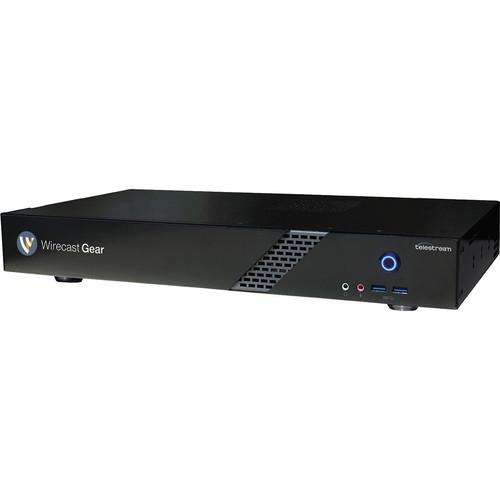 Contents of the user manual for the Telestream Wirecast Gear 230
- Product category: Production Switchers Telestream
- Brand: Telestream
- Description and content of package
- Technical information and basic settings
- Frequently asked questions – FAQ
- Troubleshooting (does not switch on, does not respond, error message, what do I do if...)
- Authorized service for Telestream Production Switchers
 |
User manual for the Telestream Wirecast Gear 230 contain basic instructions
that need to be followed during installation and operation.
Before starting your appliance, the user manual should be read through carefully.
Follow all the safety instructions and warnings, and be guided by the given recommendations.
User manual is an integral part of any Telestream product,
and if it is sold or transferred, they should be handed over jointly with the product.
Following the instructions for use is an essential prerequisite for protecting
health and property during use, as well as recognition of liability on the part of the manufacturer
for possible defects should you make a warranty claim. Download an official Telestream user manual in which you will find instructions on how to install, use, maintain and service your product.
And do not forget – unsuitable use of a Telestream product will considerably shorten its lifespan!
|
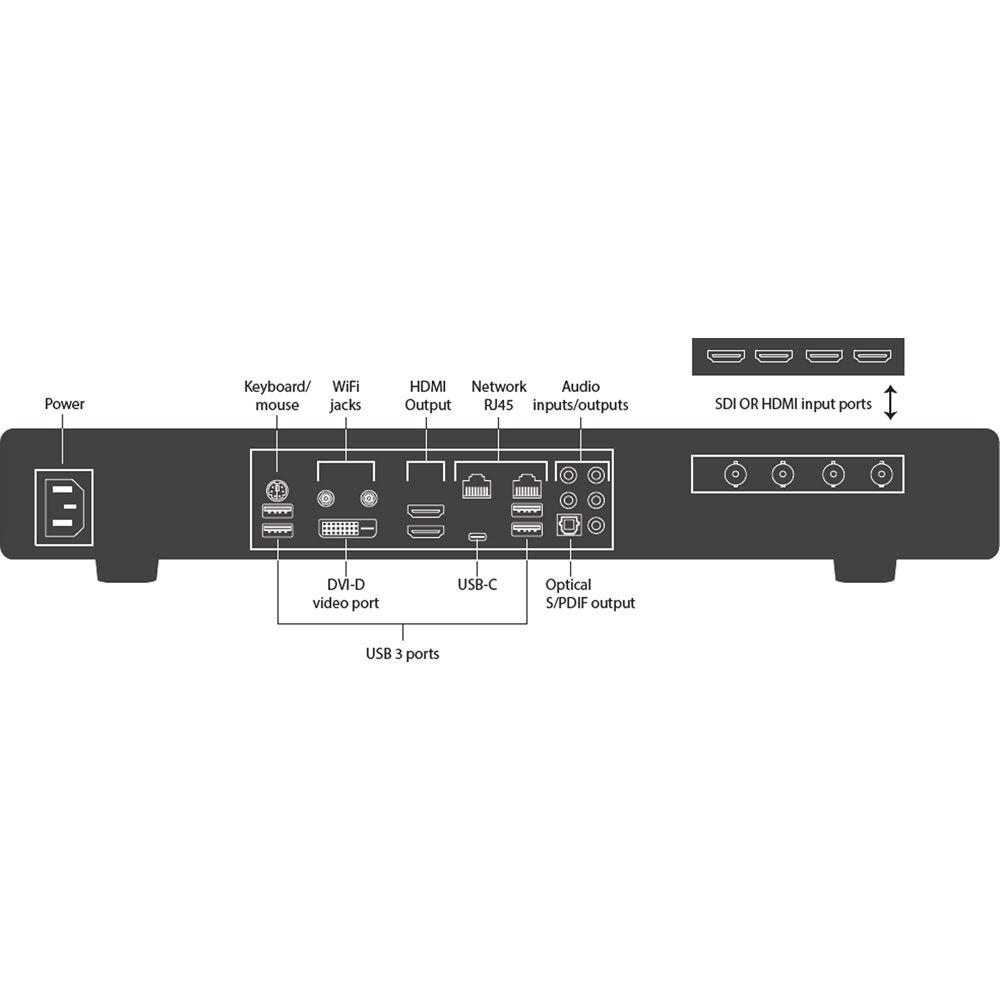
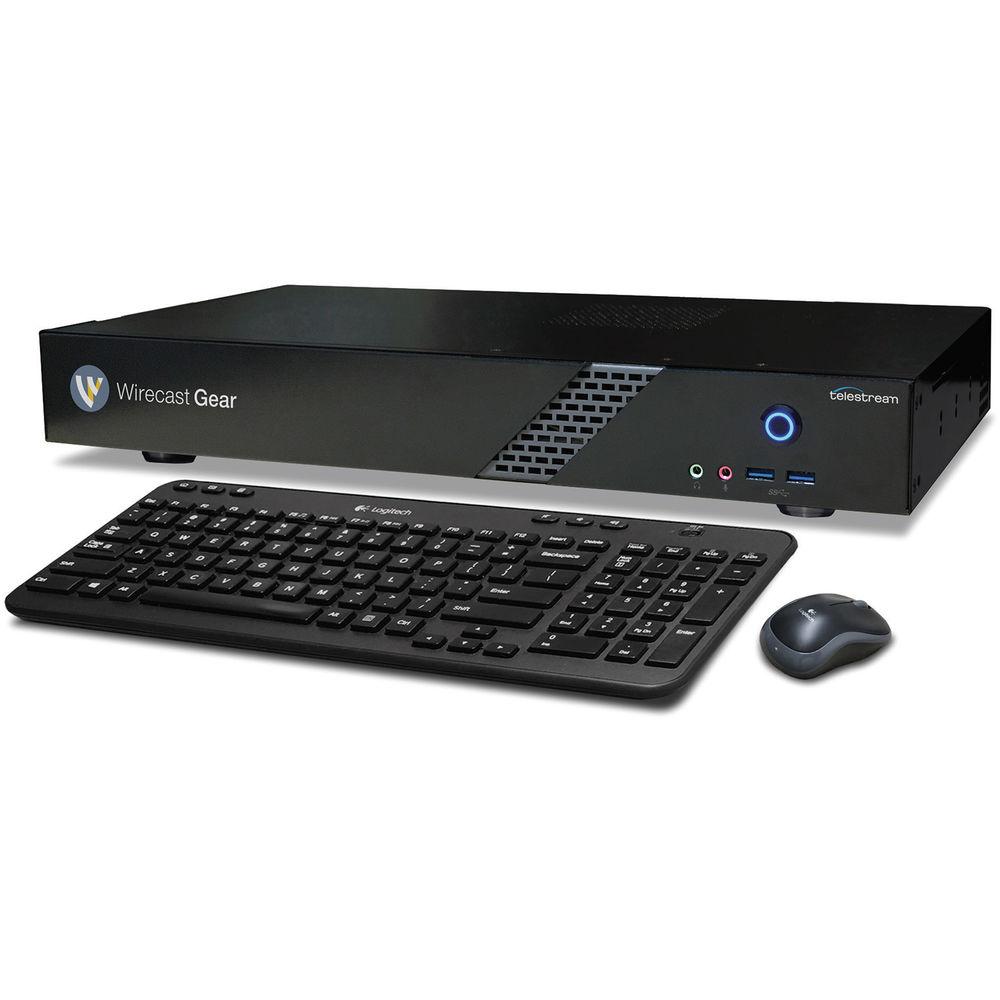
Product description Wirecast Gear 230 from Telestream is a preconfigured hardware box that includes the Telestream Wirecast Pro 8 software. This enables you to capture, produce, and stream live content all in a single portable box that is good for use on a desktop or in a 19" rack. The Gear 230 features four built-in 3G-SDI input ports, multiple LAN/Wi-Fi ports, plus USB 3.0 and USB-C ports. In addition to the Wirecast Pro 8 software, it includes Telestream Switch 4 and the Complete version of NewBlue Titler Live. A baseband 3G-SDI output can feed a recorder or live broadcasting equipment. Display outputs can also feed high-resolution (up to UHD 4K) presentation monitors for live in-venue screens.The pre-installed software enables you to switch between multiple live cameras while dynamically mixing in other media, still images, and sounds, and adding production features such as transitions, instant replay, playlists, built-in titles, chroma key, virtual sets, and live scoreboards. Wirecast's built-in encoding engine allows you to stream high-quality H.264 video and AAC audio over RTMP, RTP, and Windows Media protocols while simultaneously recording to the internal 2TB of storage. You can select from over 30 built-in destinations for industry-leading streaming services and platforms such as Facebook Live, YouTube Live, Microsoft Azure, Akamai, DaCast, and Wowza. Hardware - Mounting
- The Wirecast Gear 230 has a height of 1.3 RU, and can be mounted in a standard 19" rack with the included rack ears. It also comes with a set of rubber feet for use as a desktop unit.
- OS
- Pre-installed in the hardware is Windows 10 Pro 64-bit.
- Capture
- The Wirecast Gear 230 incorporates a Blackmagic Design DeckLink Duo 2 capture card providing four 3G-SDI input ports and a 3G-SDI output.
- Storage
- A 2TB SSD drive provides approximately over 40 hours of storage, based on an H.264 capture setting of 1080p 29.97 fps at medium quality.
- NewBlue Titler Live Complete
- Included with Wirecast Gear 230 is the Complete version of NewBlue Titler Live which is designed for all broadcasting professionals. Complete combines all the features of Titler Live Social, Sport, and Preset. It also has data connectivity to drive graphics from automated inputs such as spreadsheets and RSS feeds, for unlimited design choices
- Deployment
- Based on a short-depth rackmount for convenient mounting in a travel case or in-place installation. It comes with a set of rubber feet for tabletop operation built to easily fit into your production environment. The unit has no platter-based hard drives, making it ideal for transport.
Capture Features - Unlimited Sources
- Capture any compatible source you need for your live production—cameras, microphones, webcams, IP cams, capture cards, computer screens, videos, still images, and more.
- Wireless Camera App
- Turn any iPhone (4S or newer) or iPad into a wireless camera, capturing into Wirecast as a source using the free Wirecast Cam iOS app.
- Internet/IP Stream Sourcing
- Available only on the Pro version of Wirecast, you can pull any live feed (RTSP/RTMP/HTTP/MMS) from your network or the internet directly into Wirecast as a source (you must have access credentials). You can also add Teradek streams from their separately available wireless devices for a completely wireless production solution.
- Twitter Integration
- Pull live Twitter feeds directly into you broadcasts for direct interaction with your audience.
Production Features - Switching
- Switch between the sources you've captured or are capturing, in real time for your audience, and produce your show. Add professional-looking transitions and smooth fades between sources. Assign any audio input source to any or all your video sources, or vice versa.
- Titles
- Easily add titles and lower thirds, scrolling, crawling, or live text to your broadcast. Choose from the template library of pre-made titles, or bring in professional animated 3D live titles, scoreboards, clocks, logos, and more using the included NewBlue Titler Live Express software.
- Live Chroma Key
- Transport your production to a new studio or location using Wirecast's high-quality, GPU-accelerated, real-time green screen solution. Replace your (green) background with your own video or still image, live and in the moment.
- Virtual Sets
- Add your own background or virtual studio behind your talent and place them in beautiful, realistic environments.
- Scoreboards
- The Pro version of Wirecast 8 includes a built-in scoreboard generator in addition to being compatible with separately available third-party solutions. Scoring data can be wrangled from a stadium scoreboard using Sportzcast technology.
Streaming Features - Destinations
- Choose from over 30 integrated destinations, or add your own custom RTMP destinations. Some popular destinations already included are Facebook Live, YouTube Live, Twitch, Microsoft Azure, DaCast, Churchstreaming.tv, and Wowza. Streaming to them is as easy as entering your username and password in Wirecast and getting automatically connected with your account.
- H.264 Encoding with x264
- Offering high-quality H.264 encoding, even with lower bit rates, x264 is one of the better low-latency formats that's compatible with most streaming platforms.
- Local Program Output Feed
- Take your Wirecast feed out directly to Blackmagic Design and AJA hardware. This setup is ideal for sending live feeds directly into editing, effects, and broadcast design systems. A baseband 3G-SDI output is also available.
In the Box Telestream Wirecast Gear 230 Set of Rackmount Ears Set of Rubber Feet Limited 1-Year Warranty User Manual PDF 3.7mbdszabfzrxz Table of Contents
|
Upload User Manual
Have you got an user manual for the Telestream Wirecast Gear 230 in electronic form? Please send it to us and help us expand our library of instruction manuals.
Thank you, too, on behalf of other users.
To upload the product manual, we first need to check and make sure you are not a robot. After that, your "Submit Link" or "Upload File" will appear.
Technical parametersTelestream WCG-230-NA Specs | | | OS | Windows 10 Pro 64-bit | | Included | Wirecast 7 Pro
Switch 3 Pro
NewBlue Titler Ultimate | | | | Video Input | 4 x 3G-SDI | | Video Output | 1 x 3G-SDI | | Motherboard Components | Processor: Intel Core i7
USB 3.0 with USB Type-C
Wireless: 802.11ac 867 Mb/s dual-band wireless (including antenna)
Bluetooth: 4.2
Audio: 115 dB SNR HD (with built-in rear audio amplifier)
LAN: Dual Intel GbE LAN RJ45
USB Ports: 6 x USB 3.0 (4 x rear, 2 x front)
Legacy Port: PS/2 keyboard/mouse port
Display Outputs: DVI-D, dual HDMI | | Memory | DDR4 dual-channel | | System Drive | M.2 SATA | | Storage Drive Capacity | 2 TB | | Power Supply | Auto-Sensing: 90 to 264 VAC
Frequency: 47 to 63 Hz
Max Input Current: 6 A @ 115 VAC; 3 A @ 230 VAC | | Dimensions | 16.9 x 9.9 x 2.3” / 42.9 x 25.2 x 5.8 cm
1.3 RU | | | | Package Weight | 14.75 lb | | Box Dimensions (LxWxH) | 21.7 x 14.1 x 7.7" |
Rating80% users recommend this product to others. And what about you?

This product has already been rated by 02 owners. Add your rating and experience with the product.
Discussion
 Ask our technicians if you have a problem with your settings,
or if anything is unclear in the user manual you have downloaded.
You can make use of our moderated discussion.
The discussion is public and helps other users of our website who may be encountering similar problems.
Ask our technicians if you have a problem with your settings,
or if anything is unclear in the user manual you have downloaded.
You can make use of our moderated discussion.
The discussion is public and helps other users of our website who may be encountering similar problems.
The discussion is empty - enter the first post
Post a new topic / query / comment:
|
|
|
| Request for user manual |
You can’t find the operation manual you are looking for? Let us know and we will try to add the missing manual:
I’m looking for a manual / Request for manual
Current requests for instruction manuals:
Call Of Duty World War Two For Xbox...
controller stratus XL...
stratus XL...
smart whatch serie S11 42mm...
Allen & Heath SQ-6 manual...
|
| Discussion |
Latest contributions to the discussion:
AEW R 4100
Name: MAURICIO ANGARITA
Audio-Technica AEW-R4100 UHF Diversity Receiver for
AEW R 4100 has the mute function blocked and does not allow audio to pass. I tried several times to turn off the mute from the transmitter but it does nothing, the mute stays on. Solution?
Thank you...
Instructions for assembling the 2015 Forecast Image Master Consoles GC3-A
Name: mike elam
Forecast Consoles GC3-A ImageMaster Editing Console
Looking for instructions for assembling this console. ...
EMPTY TONER ERROR MESSAGE AFTER REPLACING TONER
Name: LINDA BAD YELLOW EYES
Brother TN223BK Standard-Yield Toner
I HAD TO CHANGE OUT ALL THREE TONERS DUE TO LEAKS IN THE YELLOW AND CYAN. AFTER I REPLACED THEM, THE MACHINE KEEPS GIVING ME AN EMPTY TONER ERROR MESSAGE. HELP!!...
PS480D 20/24 pin Switching 480W Power Supply
Name: swkargo
Logisys 480W Power Supply
This item states in can run -5vdc .It is NOT listed on the board or I beleive is r4 is missing the resitior. Any body have thid issue. Shawn
...
Help needed
Name: Ann Carter
SanDisk 1TB Extreme Portable USB 3.1
When I click the link to download the user manual for my Sandisk Extreme external hard drive, it gives me the manual for the LG Cricket. Can you please change the link so I can download the Sandisk manual and begin using this drive? Thank you....
|
|


